Inspiration
I have dietary restrictions myself, and so do several people close to me — different conditions, different rules, sometimes more than one rule stacked on the same person. "What can I actually cook tonight with what's in the fridge" is already a small daily puzzle. Add a health condition, an allergen, and a macro target on top of it, and it stops being a puzzle and starts being a chore: pull up a recipe, read every ingredient against every rule by hand, repeat for the next one. Most recipe generators don't help with that part at all — they'll happily hand you a recipe with dairy in it right after you told them dairy is a problem, because nothing actually checked.
I wanted the checking itself to be the product, not an afterthought bolted onto a recipe generator.
What it does
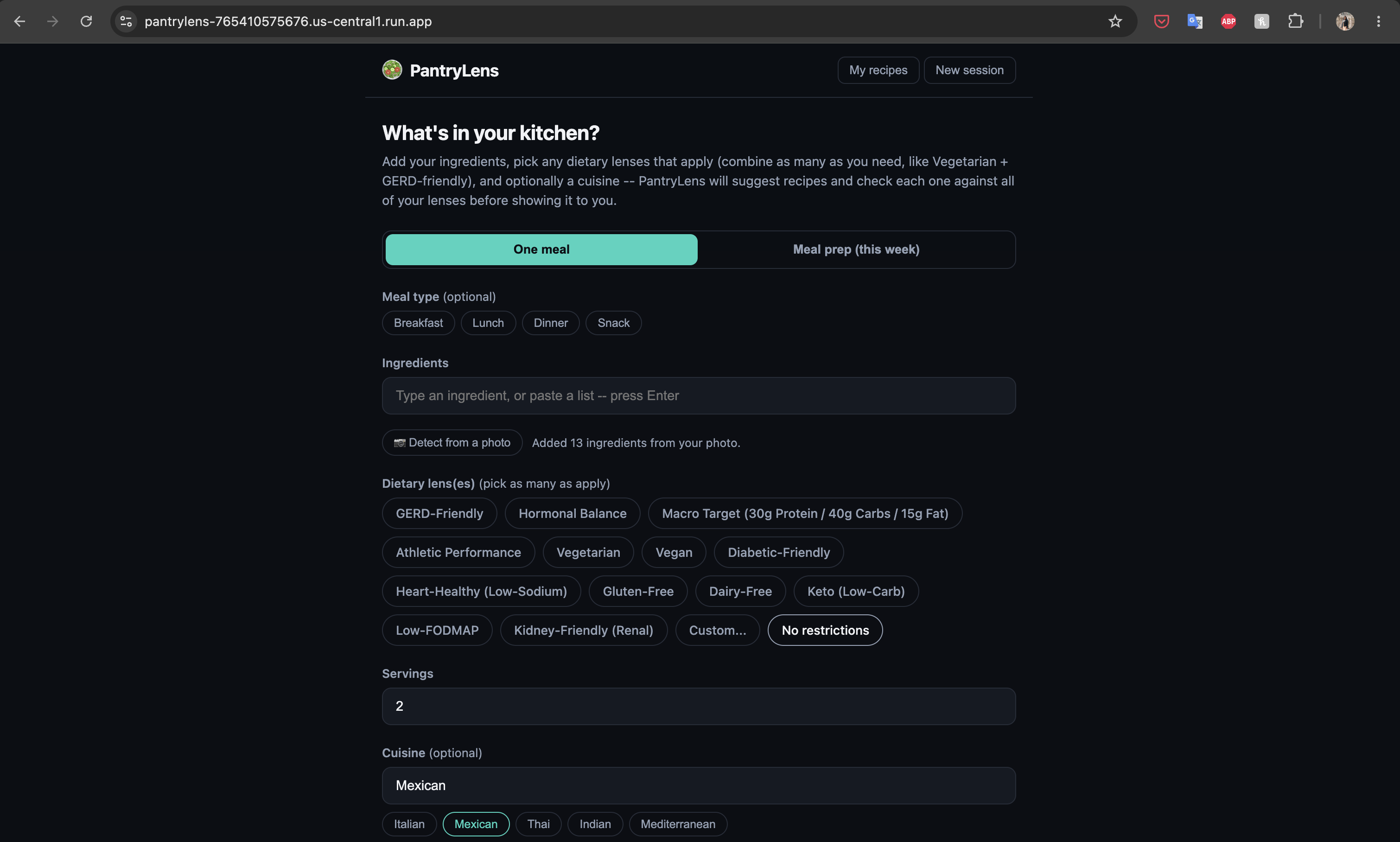
You give PantryLens the ingredients you have and any number of dietary "lenses" — GERD-friendly, vegetarian, a specific macro target, whatever combination applies to you — and it proposes recipes built from what you already have, refined conversationally. Every candidate is checked against all of your active lenses at once before you ever see it. If it fails, the agent has to fix it and check again.
How I built it
The core design decision was splitting the project into two Go modules
with a hard boundary between them: core, which holds the dietary-lens
model and the compliance check, and app, which holds everything that
talks to Google's APIs — Gemini 3.5 Flash via Vertex AI, Google's ADK for
the agent and tool orchestration, Firestore for storage, all deployed on
Cloud Run. core has zero dependencies outside the Go standard library and
its own full test suite. It doesn't know Gemini exists.
That split is the whole point. check_recipe_against_lens — the function
that decides whether a recipe is actually safe to show someone — is a
plain, deterministic Go function, not another model call. A lens's rules
combine as set operations, not vibes: for $n$ active lenses, the merged
avoid-list is just
$$\text{Avoid}{\text{combined}} = \bigcup{i=1}^{n} \text{Avoid}_i$$
and a recipe is only compliant if it clears every one of them at once. The agent can be as creative as it wants generating candidates; it can't talk its way past that check.
On top of that core loop, I built a small self-hosted web UI instead of using ADK's built-in developer console (which is a debugging tool, not something you'd hand a real user), added photo-based ingredient detection through Gemini's vision capabilities, session resume across a page refresh, meal-prep batch planning that shares ingredients across a whole week's recipes, and a saved-recipes page people can revisit, filter by meal type, and delete from.
Challenges I ran into
The one that taught me the most wasn't a code bug — it was a Google Cloud infrastructure limit I didn't know existed. I built a "real action" feature to export a recipe to an actual Google Doc, wired up the Docs and Drive APIs, and added the sharing step needed so a doc created by a faceless Cloud Run service account would still be accessible to the person who clicked the button. It worked perfectly under my own personal Google login locally. It failed on the deployed service with a bare "forbidden." The real reason: a plain service account with no Google Workspace membership has no Drive storage of its own — it can never own a new Doc, no matter what IAM role or OAuth scope it has. No amount of retrying or scope-tweaking was going to fix that; it needed a Workspace subscription this project doesn't have. I ended up pulling the feature entirely rather than ship a button that fails for every real user, which was a harder call to make than writing the original feature.
Smaller ones added up too: ADK's default 15-second write timeout silently
killing legitimate multi-recipe turns that take 20–40 seconds; Firestore's
MergeAll quietly refusing to accept a struct instead of a map; and a
double-tap bug on touch devices where every :hover-styled button ate the
first tap because iOS treats an unguarded hover rule as something to
simulate before the real click — invisible on desktop, obvious the moment
someone tried the app on a phone.
What I learned
Deciding what a system should verify with code versus what it should trust to a model turned out to be the most important design decision in the whole project, more than any prompt-engineering choice. And the infrastructure lesson was the sharpest one: something that works flawlessly under your own credentials on your own machine can be structurally impossible under the identity your app actually runs as in production. The only way to find that out is to deploy early and test against the real thing, not just trust that "it worked for me."


Log in or sign up for Devpost to join the conversation.