Inspiration
I started with a number: $3,000. That is how much the average American family spends every year on food that never gets eaten. I asked myself why, and the answer was not laziness or carelessness. It was fragmentation. People plan meals on one app, build grocery lists on another, and try to remember expiry dates in their heads. Nothing talks to each other, so food quietly dies in the back of the fridge. Primary Research Survey: link
The theme "Reimagining Daily Life" pushed me to look at the most mundane, repeated task in everyone's week, buying and managing food, and ask what it would feel like if the entire lifecycle was finally connected.
What It Does
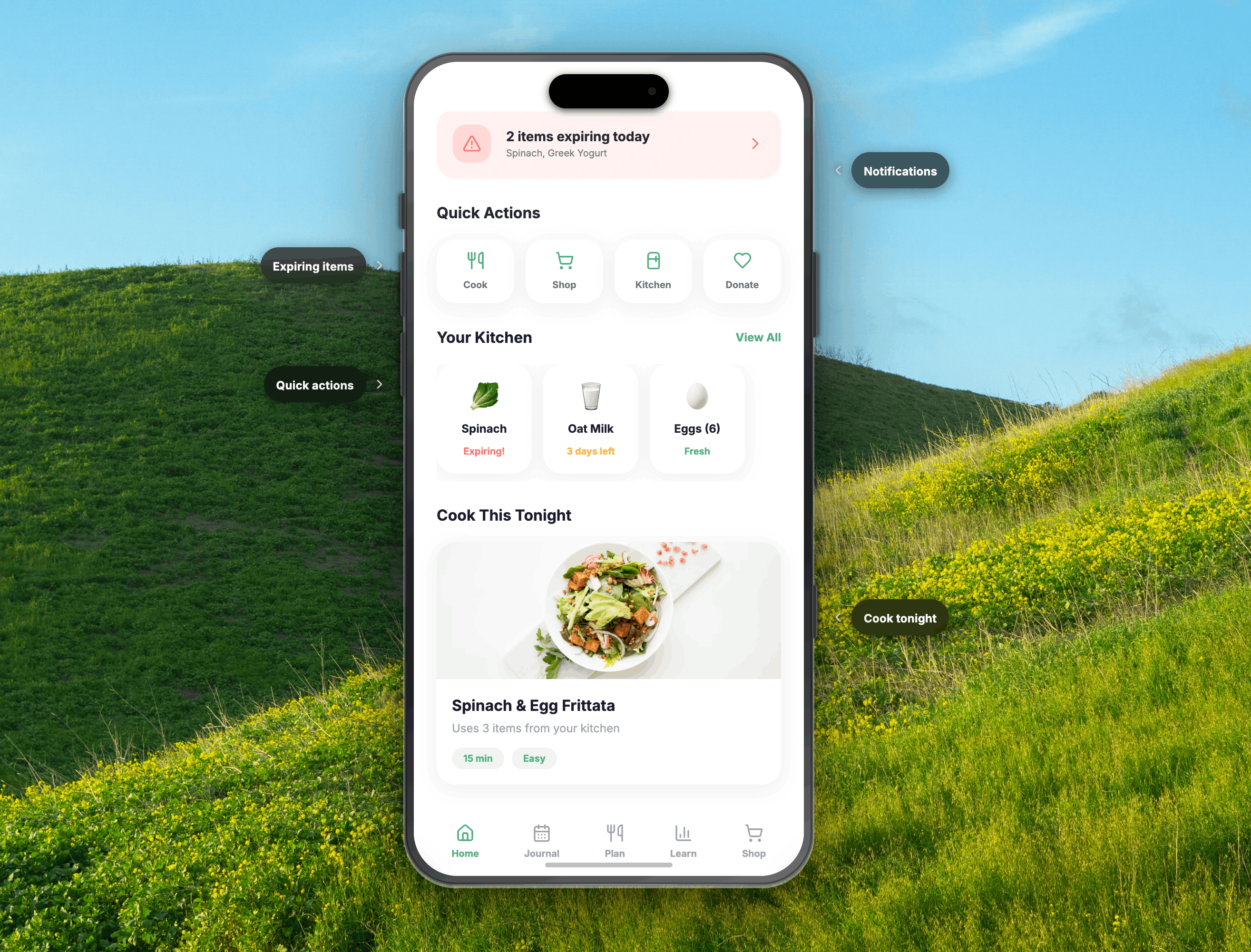
Pantry State is a closed-loop food management ecosystem that covers every stage of the food lifecycle:
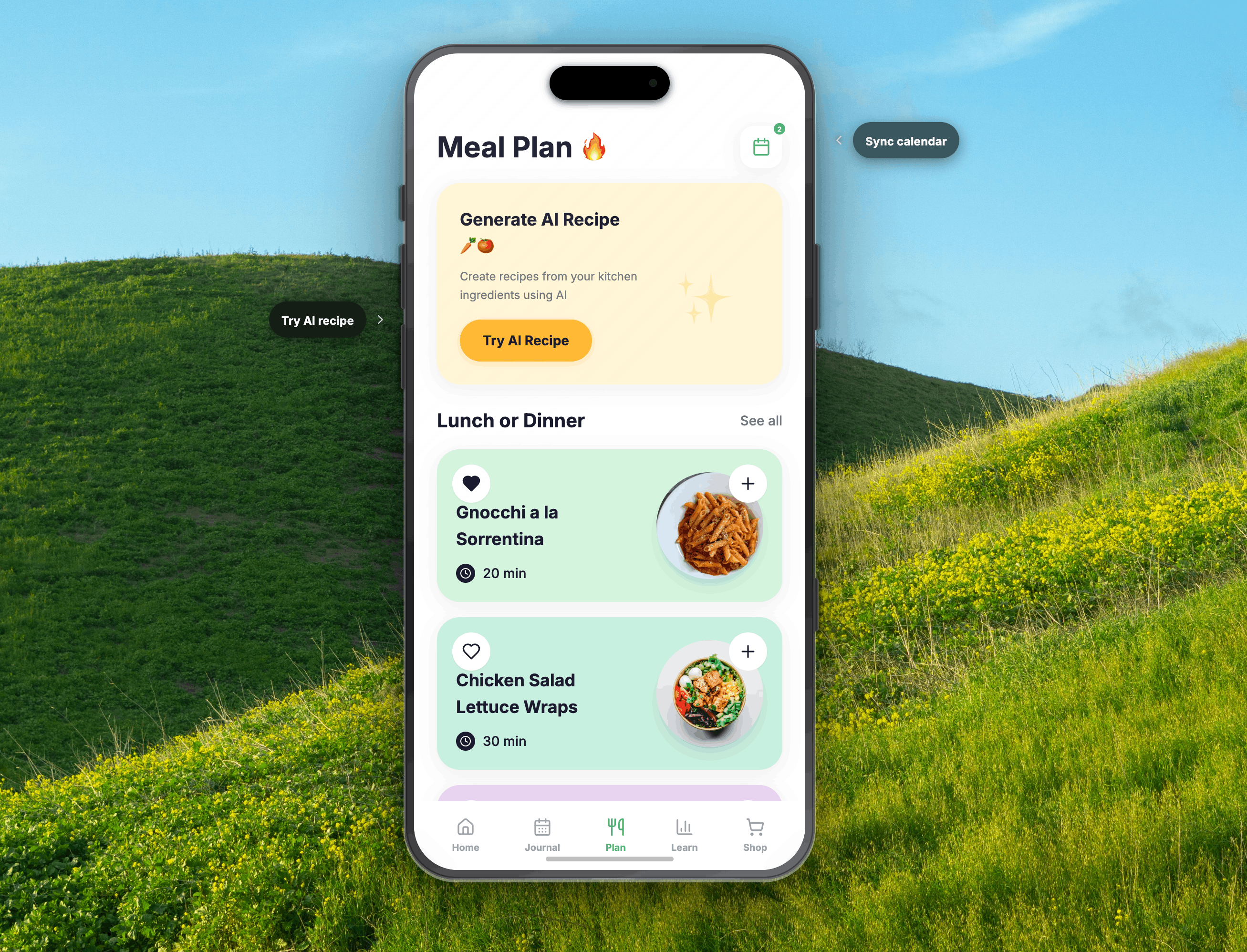
- Meal Planning: The AI planner builds your weekly meals around what is already in your kitchen and about to expire, not from scratch.
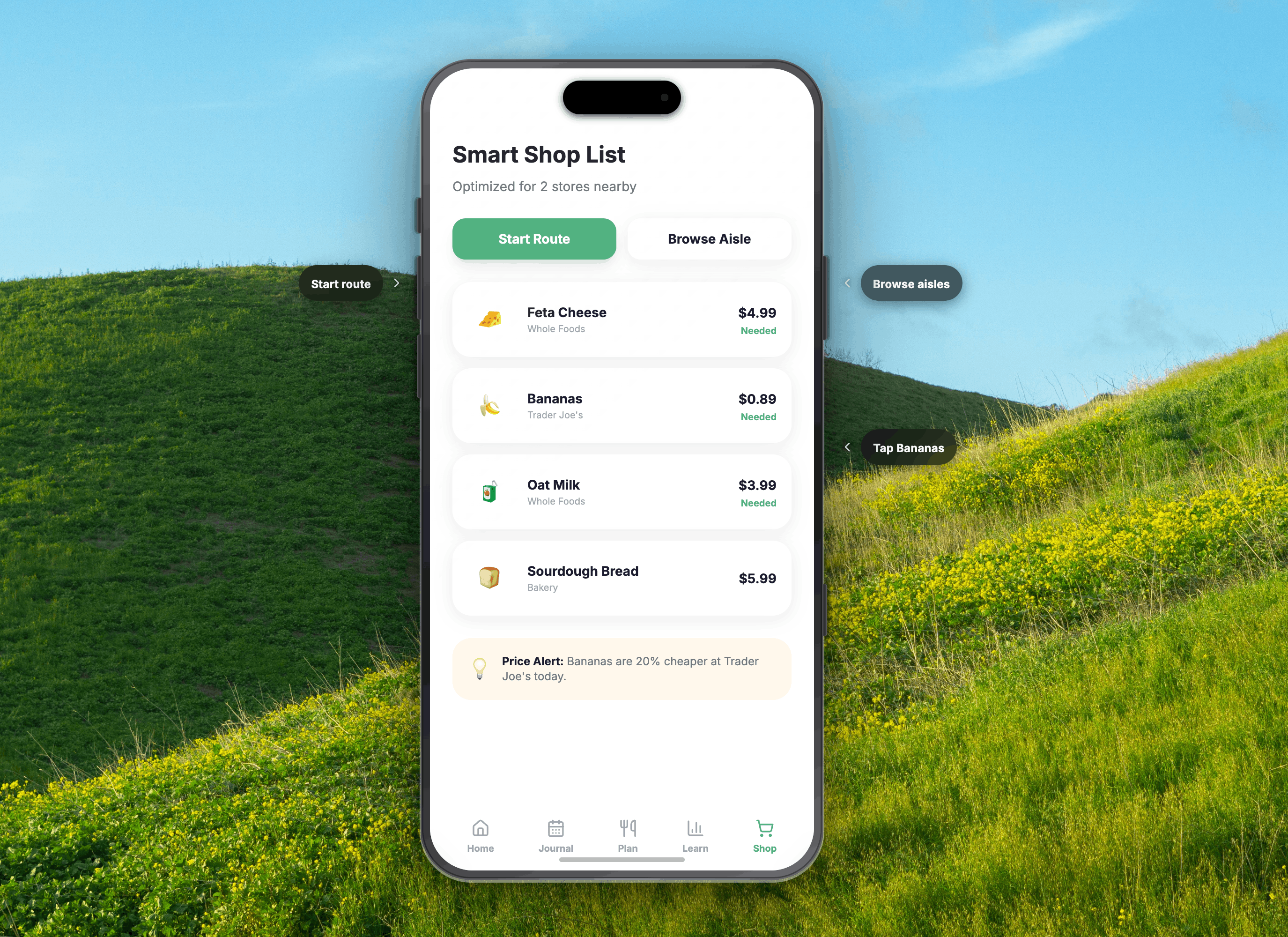
- Smart Grocery List: Automatically generated from your meal plan, organized by store aisle, with real-time price matching across nearby stores.
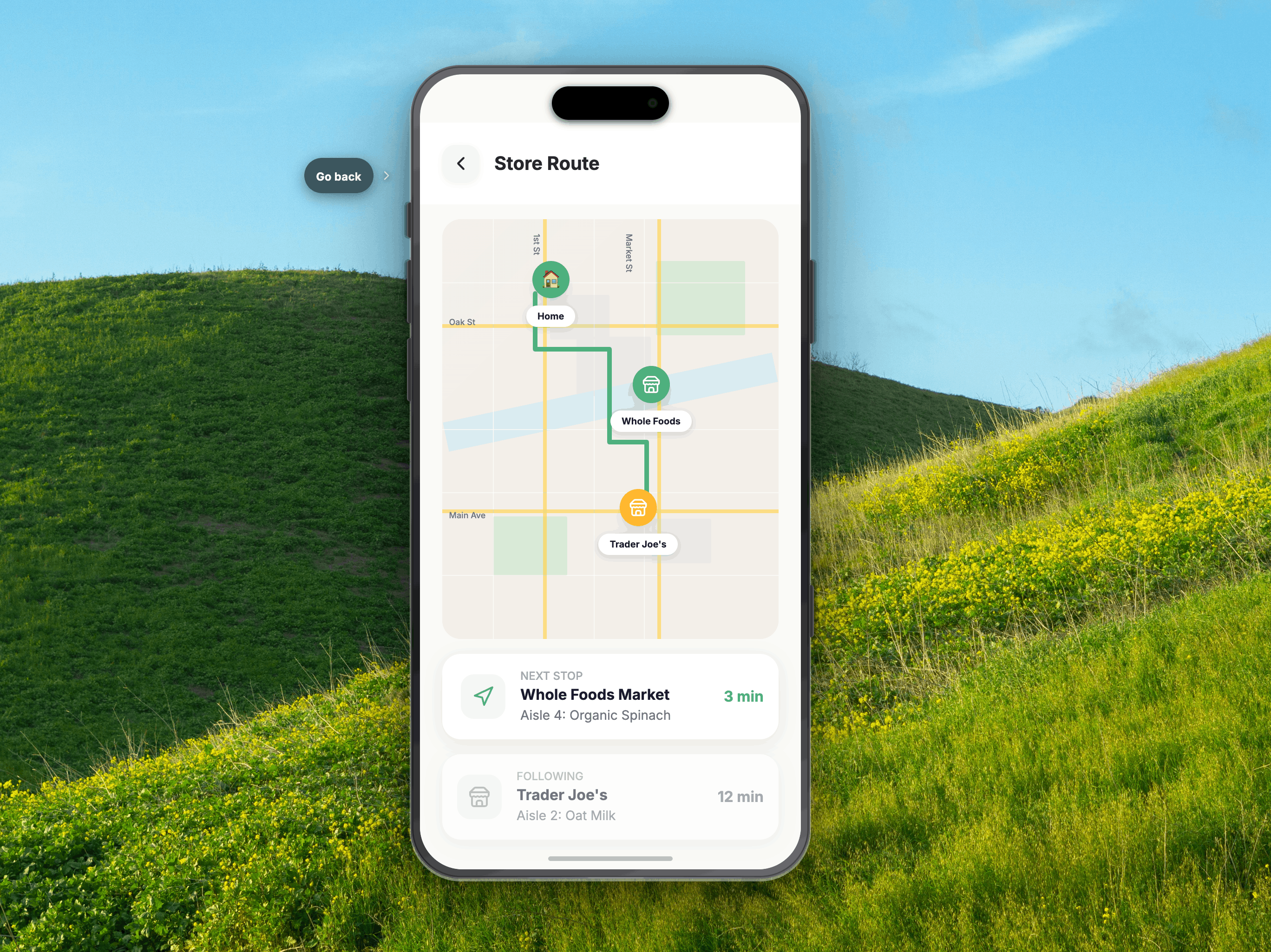
- Store Route Map: Optimizes your route across multiple stores to save both time and money.
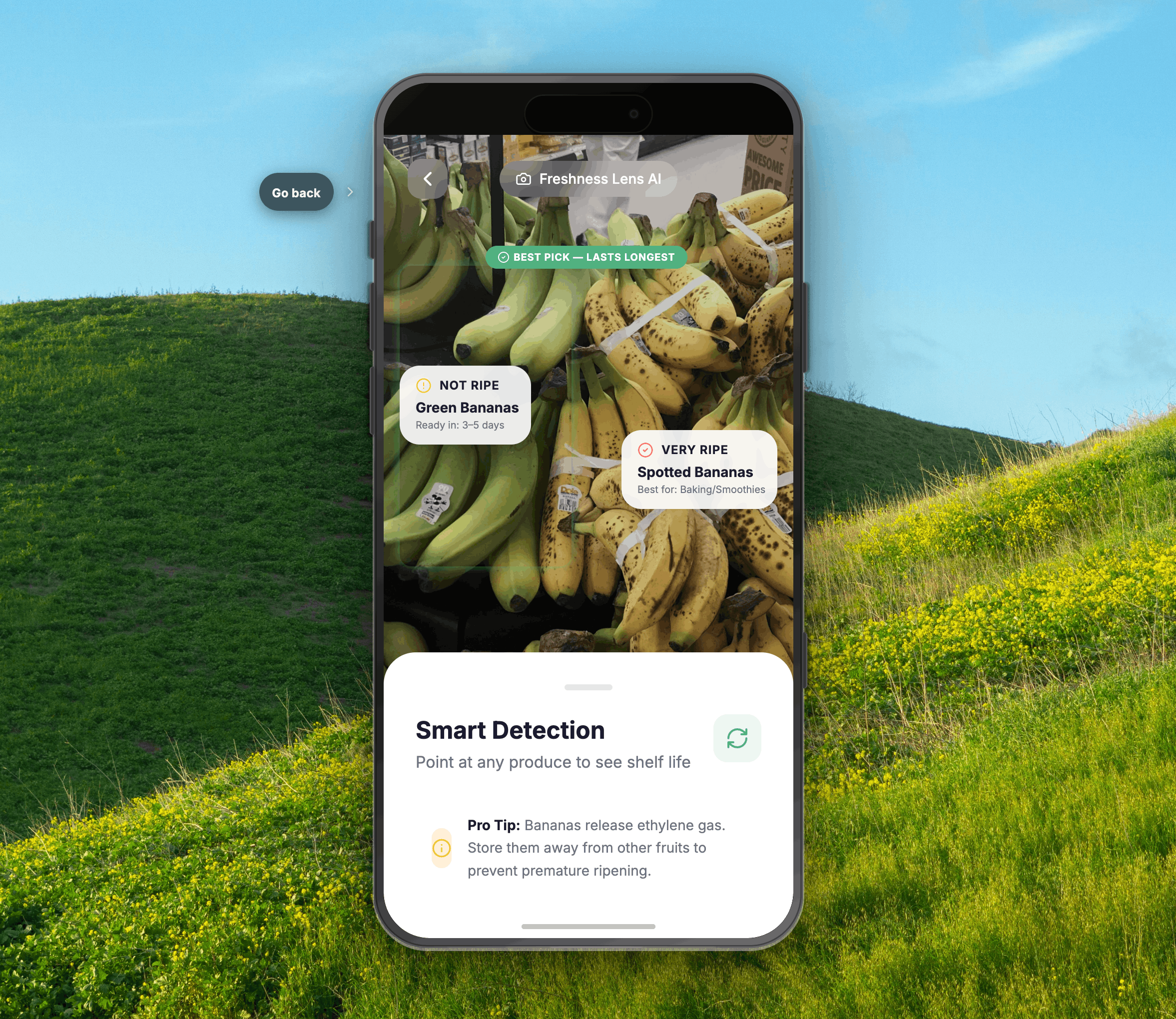
- Freshness Lens: An AR camera you use in the produce aisle. Point it at bananas or avocados and it tells you which ones will still be fresh on the day your meal plan needs them.
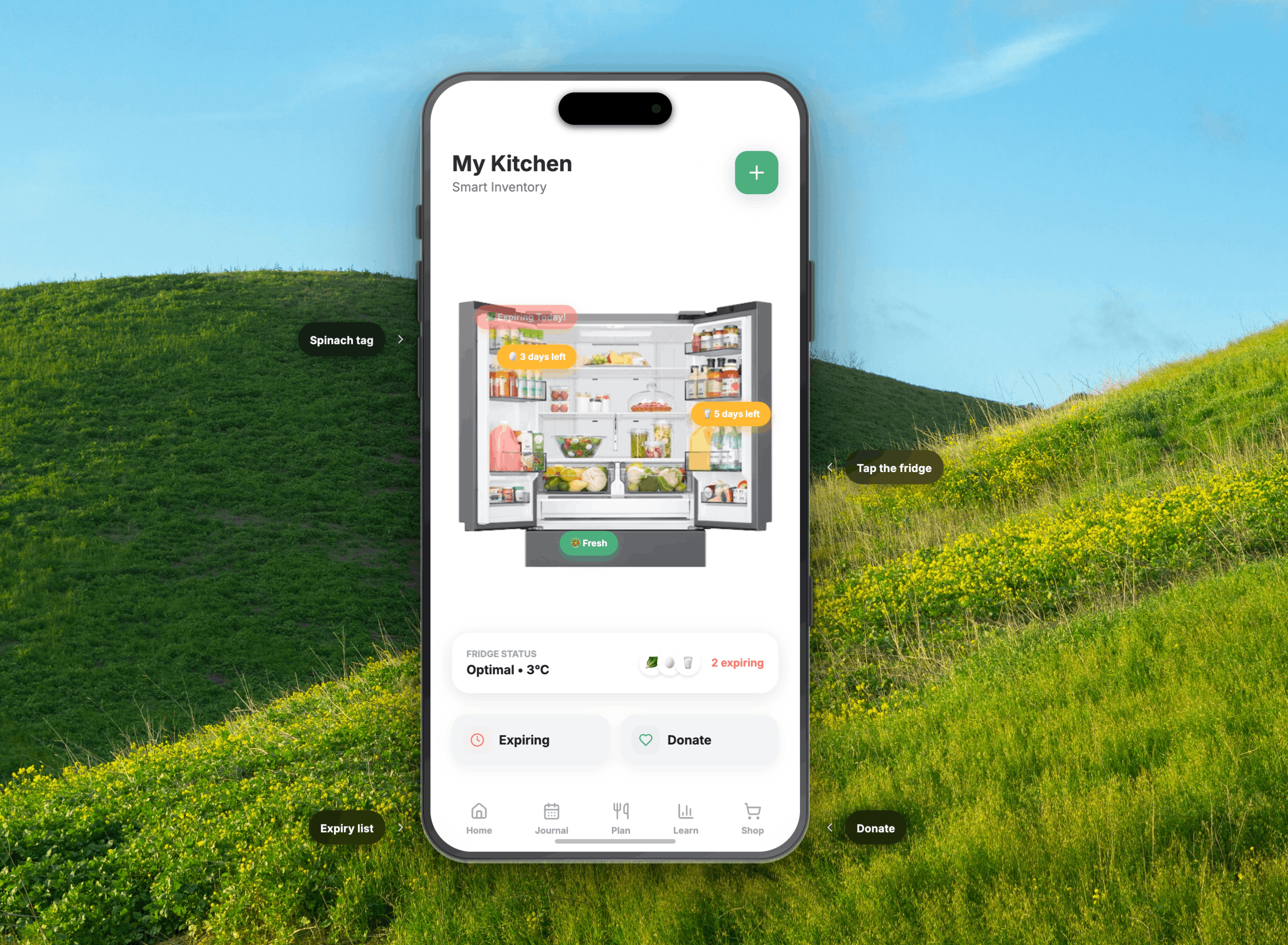
- 3D Fridge View: A spatial, visual inventory of your fridge where items glow coral (use today), amber (use soon), or green (still fresh), so you see urgency at a glance instead of reading a list.
- Receipt Scan: Photograph your grocery receipt and your kitchen stocks itself automatically.
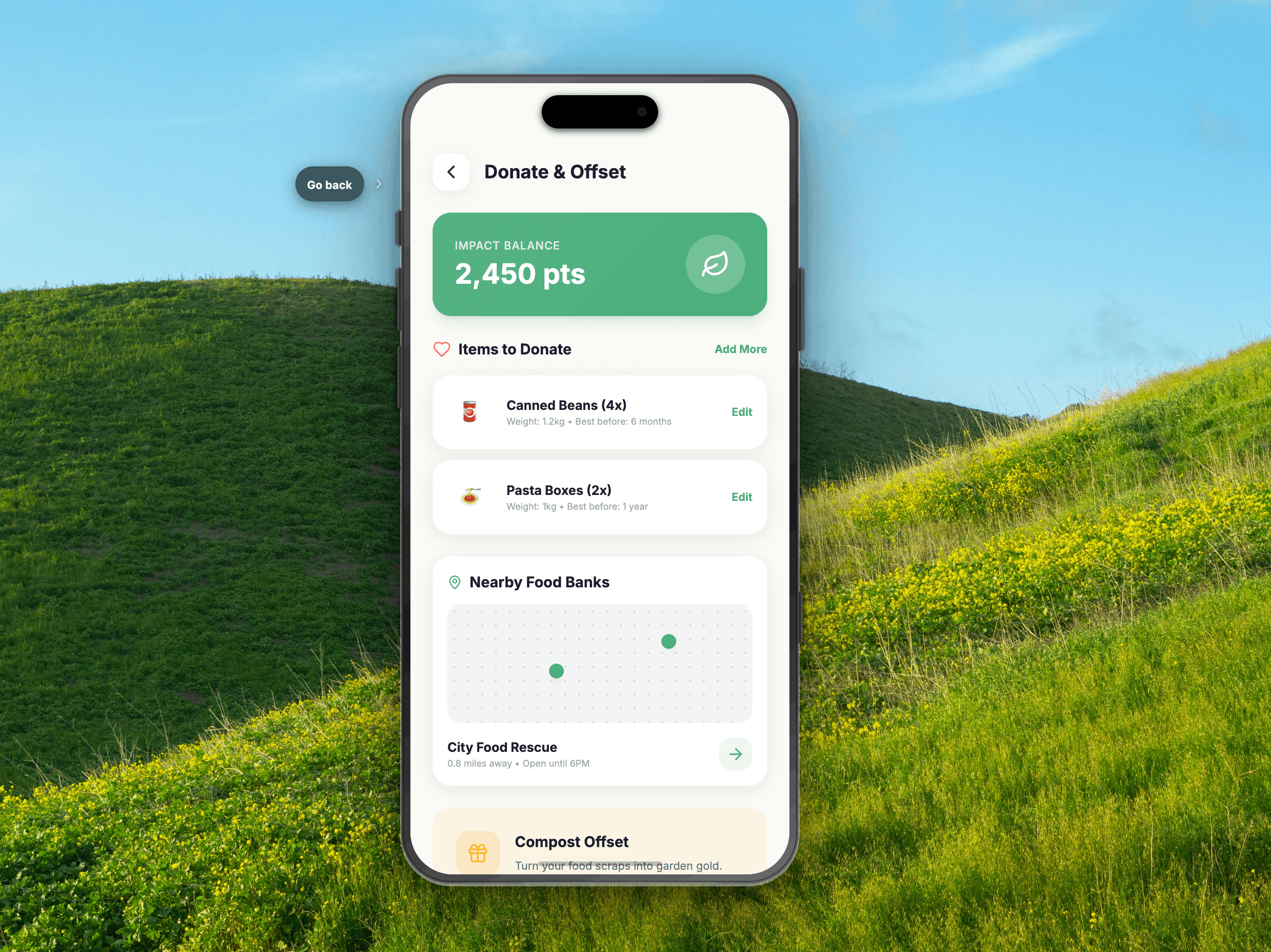
- One-Tap Action Modals: When something is about to expire, the app does not just warn you. It offers immediate resolutions: Cook It, Freeze It, or Donate It to a nearby food bank.
- Insights Dashboard: Tracks your money saved, food waste reduced, and CO2 offset over time.
How I Built It
Pantry State is a high-fidelity interactive prototype built in Figma with full interaction flows. I designed a 20-screen app covering the complete user journey from onboarding through every lifecycle phase. The design system uses Inter typography, a cream base (#FAFAF5), and a three-color urgency system (green #4CAF7D, amber #FFB830, coral #FF6B6B) that functions as both an aesthetic choice and an accessibility feature.
My visual research drew from multiple card-based layouts, food photography integration, and navigation systems. I then evolved those patterns significantly to serve Pantry State's unique lifecycle model. All user flow and feature decisions were also based off of real user research, the link to the responses is here: link
Challenges I Ran Into
The hardest design challenge was the 3D Fridge View. Representing a physical, spatial object in a 2D mobile interface, in a way that is immediately intuitive and not overwhelming, required multiple iterations. I landed on a front-facing illustrated fridge with glowing urgency auras on individual items, which communicates the urgency system without requiring any explanation.
The second challenge was scope discipline. Pantry State has a lot of features, and the temptation was to show all of them. I had to ruthlessly prioritize the five moments that prove the system is different: the fridge view, the action modal, the Freshness Lens, the donation flow, and the insights dashboard.
Accomplishments That I'm Proud Of
I am most proud of elevating "Donate It" to a first-class action alongside "Cook It" and "Freeze It." In every competing app I analyzed, donation was either absent or buried in a settings menu. Making it a primary, one-tap option, integrated with a live food bank map, transforms a moment of potential guilt into a tangible social action. That single design decision captures the spirit of the theme better than any other feature in the app.
What I Learned
Designing for behavior change is fundamentally different from designing for task completion. Most apps optimize for efficiency: get the user to their goal as fast as possible. Pantry State had to optimize for habit formation, nudging users toward better decisions at the exact moments when those decisions are hardest (standing in a grocery aisle, staring into a full fridge at 7pm). That required me to think less about screens and more about emotional states.
What's Next for Pantry State
The next phase would be integrating live store inventory APIs (Kroger, Whole Foods) for real-time price matching, and building the computer vision model behind the Freshness Lens. The donation feature would expand to include scheduled pickup coordination with local food banks directly in-app.
Built With
- claude
- figma


Log in or sign up for Devpost to join the conversation.