-
-
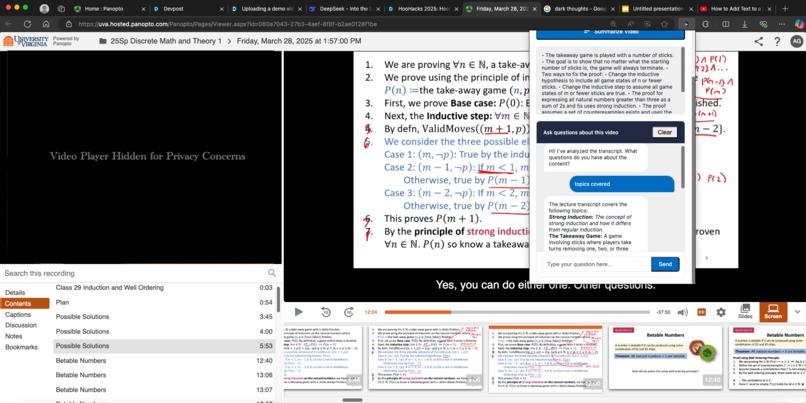
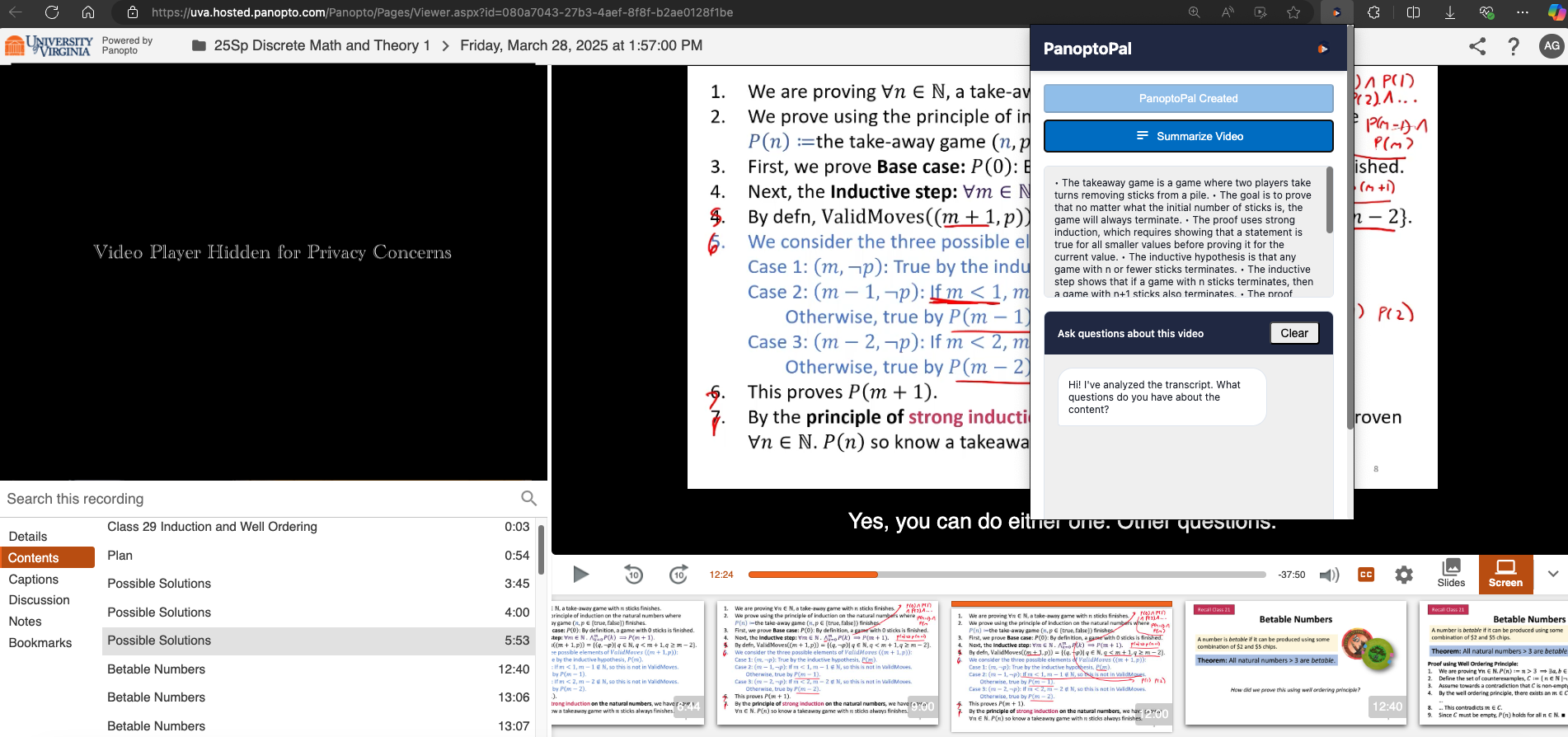
Chatbot feature of PanoptoPal
-
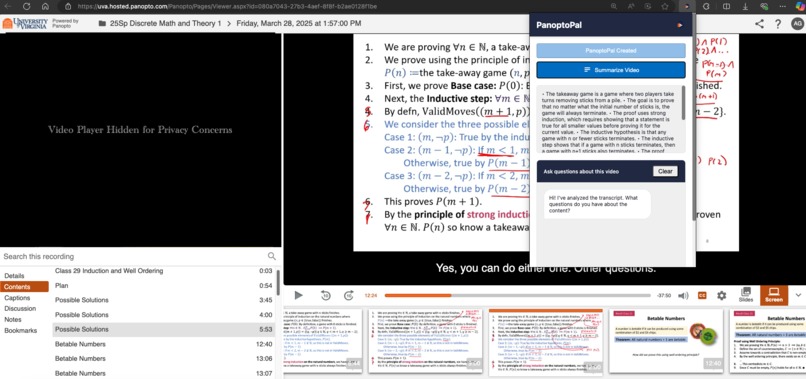
Summary feature of PanoptoPal
-
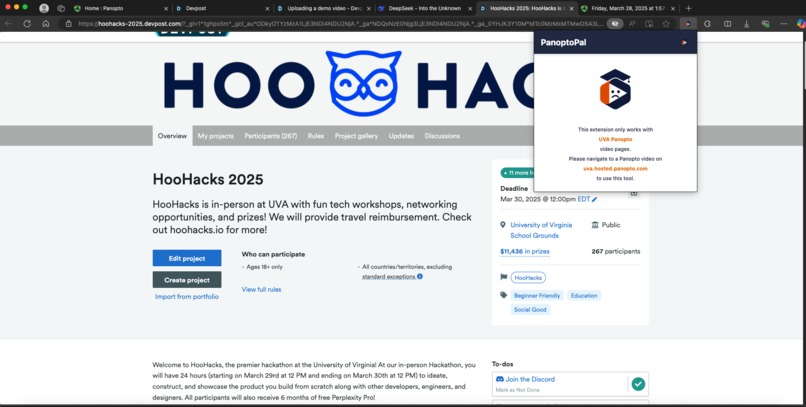
PanoptoPal Chrome extension on a non-Panopto webpage.

Inspiration
We created PanoptoPal because we students find it hard to watch recorded lectures. They often tend to be between 60-90 minutes long and we find it hard to sit down for this extended period of time and listen to professors teach as they often are boring. With the rise of AI, we thought of a way to use it and integrate it with Panopto, a commonly used video content service where UVA professors often upload their lectures. We noticed that the Panopto website did not have an AI chatbot or summary feature of the lecture, so we decided to create a chrome extension, an add-on to the service so students can use and get instant information on any lecture.
What it does
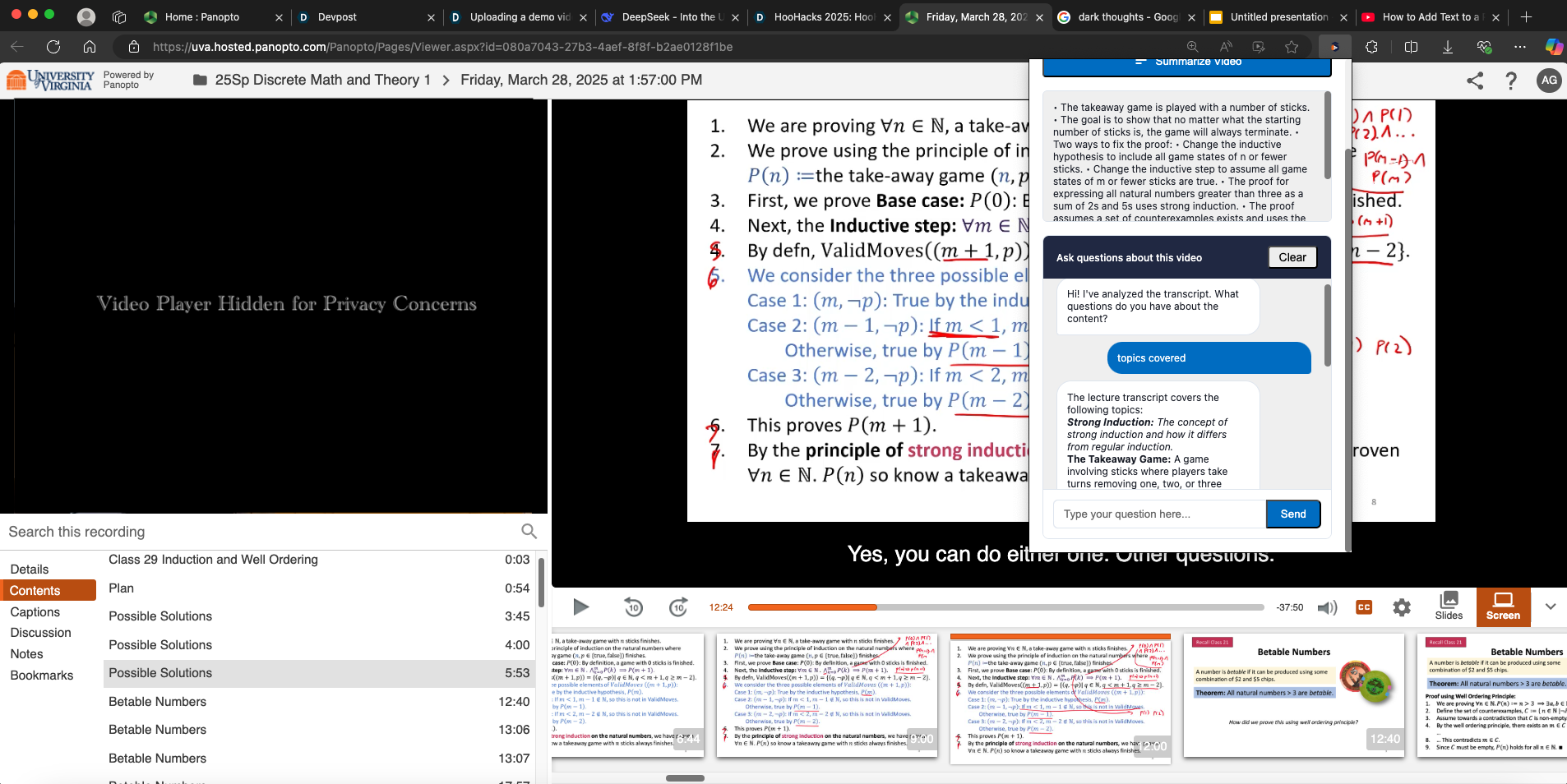
PanoptoPal is a Chrome extension that interacts with Panopto-hosted lecture videos. It detects when a user is on a Panopto video page, allows them to scrape the video’s captions, and stores it locally. The user can then generate a summary of the transcript using the Groq API, which returns key bullet points. It also includes a built-in chat interface where users can ask questions about the lecture content, and the assistant responds based on the transcript. The extension saves chat history and transcripts for each video, offering a persistent and interactive learning aid. When the user sends questions it stores the questions and responses to the Chrome local storage and saves this data to each lecture website. When the user refreshes the page or revisits the website, their saved chats are there.
How we built it
We built our project by integrating Javascript, HTML, CSS, Tailwind CSS, and Groq AI API. We utilized Groq AI API to send a transcript of the video and get a summary of it. When the user sends questions it stores the questions and responses to the Chrome local storage and saves this data to each lecture website.
Challenges we ran into
One of the challenges we faced during development was extracting text content from Panopto videos. Initially, we considered translating the video directly into text through audio processing, but quickly realized this approach would demand excessive computational resources and processing time. Instead, we discovered a more efficient solution by extracting existing captions directly from the video streams, which significantly improved performance. Another challenge we faced was working with Groq API - we encountered token limits when sending large transcripts to the Gemma2-9b-it model, receiving TPM (Tokens Per Minute) exceeded errors. To fix this, we created a text splitting system that splits transcripts into segments of approximately 16,000 characters (equivalent to 4,000-5,000 tokens), allowing us to process content within the API's limits.
Accomplishments that we're proud of
This project was pretty big, and we are pretty happy that we completed it in the allotted time of 24 hours.
What we learned
From completing this project, we learned how to use generative AI tools such as Gemini, DeepSeek, and ChatGPT to aid in coding and we also learned about Groq AI API and how to use GitHub and build Chrome extensions.
What's next for PanoptoPal
We believe that more features can be added to PanoptoPal. In the future, maybe we can add a way to export and expand the summary feature to a google docs. Maybe a shared notes section can be added to the chrome extension, allowing different people using the extension to create and edit a common notes section for all members in the class. We also can add an account creation section. Finally, we also plan to reach out to Panopto to add their features on their website as they would greatly enhance students’ learning.
Built With
- chrome
- chrome.storage
- groqapi
- html/css
- javascript
- manifestv3
- tailwind


Log in or sign up for Devpost to join the conversation.