Inspiration
Millions of Users uses Google Docs to enable their Teams to connect and facilitate their business progress.
Most Google Docs Users works on over hundreds and thousands of documents on daily basis. Some this documents may contain vital sensitive information's which when leaked can lead to users data being compromised.
Analyzing this thousands of Documents for sensitive Data removal manually can create Monotony in the Works Tasks especially in emergency critical situations.
I built this application to help free up Google Docs Users to enable them focus better on improving their business while allowing Pangea Redact API to do the sensitive data redaction automatically
With Integration of this app, Google Docs Users can also improve their workflows and enhance productivity while protecting sensitive patient information.
What it does
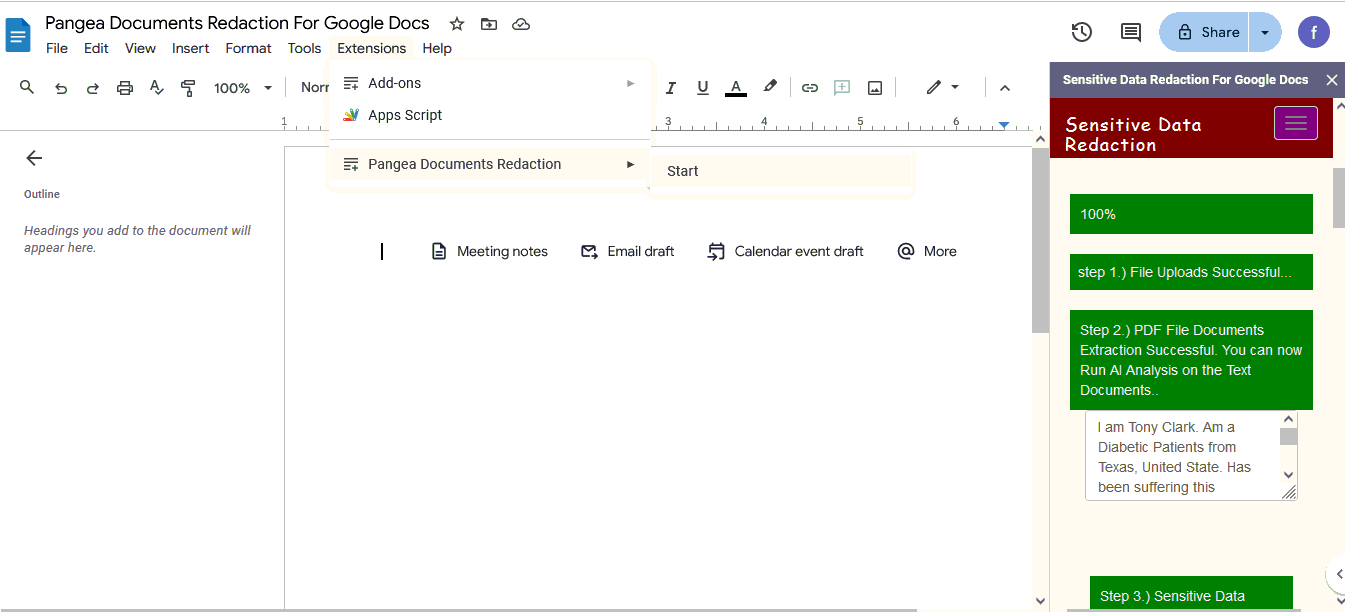
It uses PDF Parser Library to extract Text content of uploaded Documents and then It uses Pangea Redact API to extract and safeguard sensitive data and control it from getting compromised.
How we built it
Built with Google Docs, Pangea Redact API, PHP, Jquery, Ajax,Bootstraps etc.
How to run the application.
1.) Create a gdoc named "Pangea Documents Redaction For Google Docs" (any name will be okay).
2') Select "Extension --> App Script editor".

That will open a new browser tab having an editor where you can write your add-on's code.
 3.) Replace any code in Code.gs by copy-pasting the following code from our sourcecode at
google_docs_frontend/code.gs
3.) Replace any code in Code.gs by copy-pasting the following code from our sourcecode at
google_docs_frontend/code.gs
4.) Select "File --> Html file". Rename the the Html file to "Sidebar". Replace any code in Sidebar.html by copy-pasting the following code from our sourcecode at google_docs_frontend/sidebar.html, and then Select "File --> Save Project Icon".
5.) Name the add-on by replacing "Untitled project" by "Pangea Documents Redaction". (any name will be okay).

6.) Go back to the "Pangea Documents Redaction For Google Docs" gdoc and reload the page. Click "Extensions --> Pangea Documents Redaction--> Start". Answer any popups by authorizing the script to run. You will then see the application sidebar appear on the right of GDocs.
7.) The application is automatically connected to our backend so it will start running. see
Sidebar.html at code line 189
API Used
1.) Pangea Redact API
2.)PDF parser library (https://github.com/smalot/pdfparser)
Built With
- pangea-api
- pangea-redact-api

Log in or sign up for Devpost to join the conversation.