-
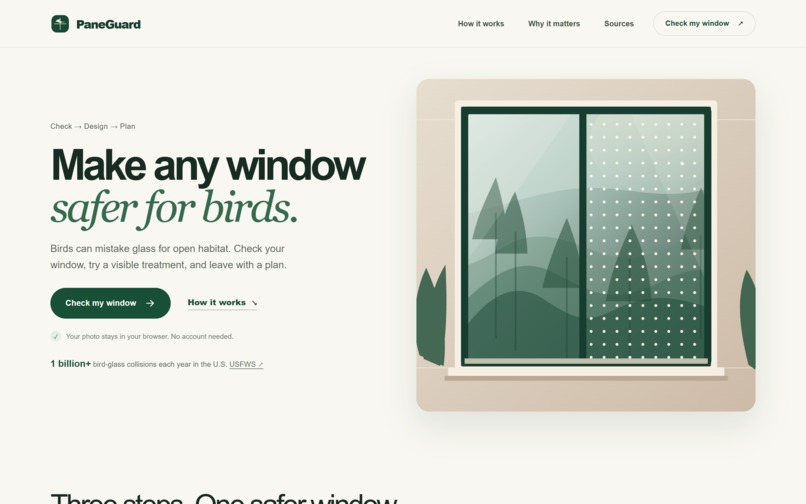
PaneGuard home: begin with a window photo or the clearly labeled sample.
-
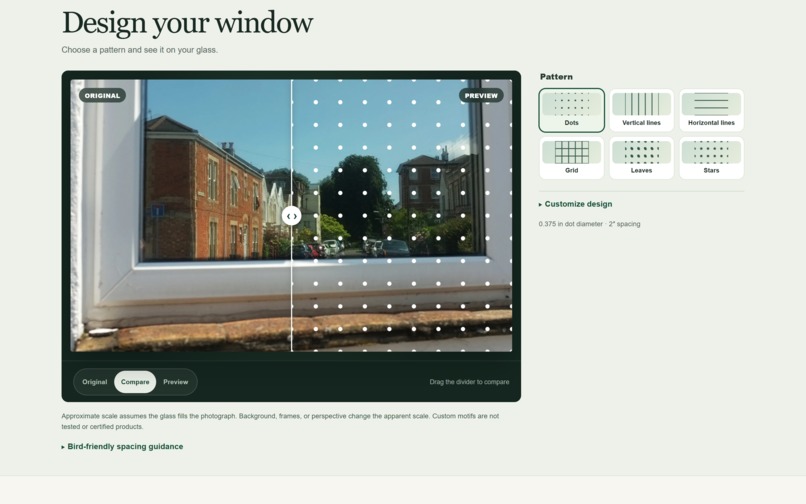
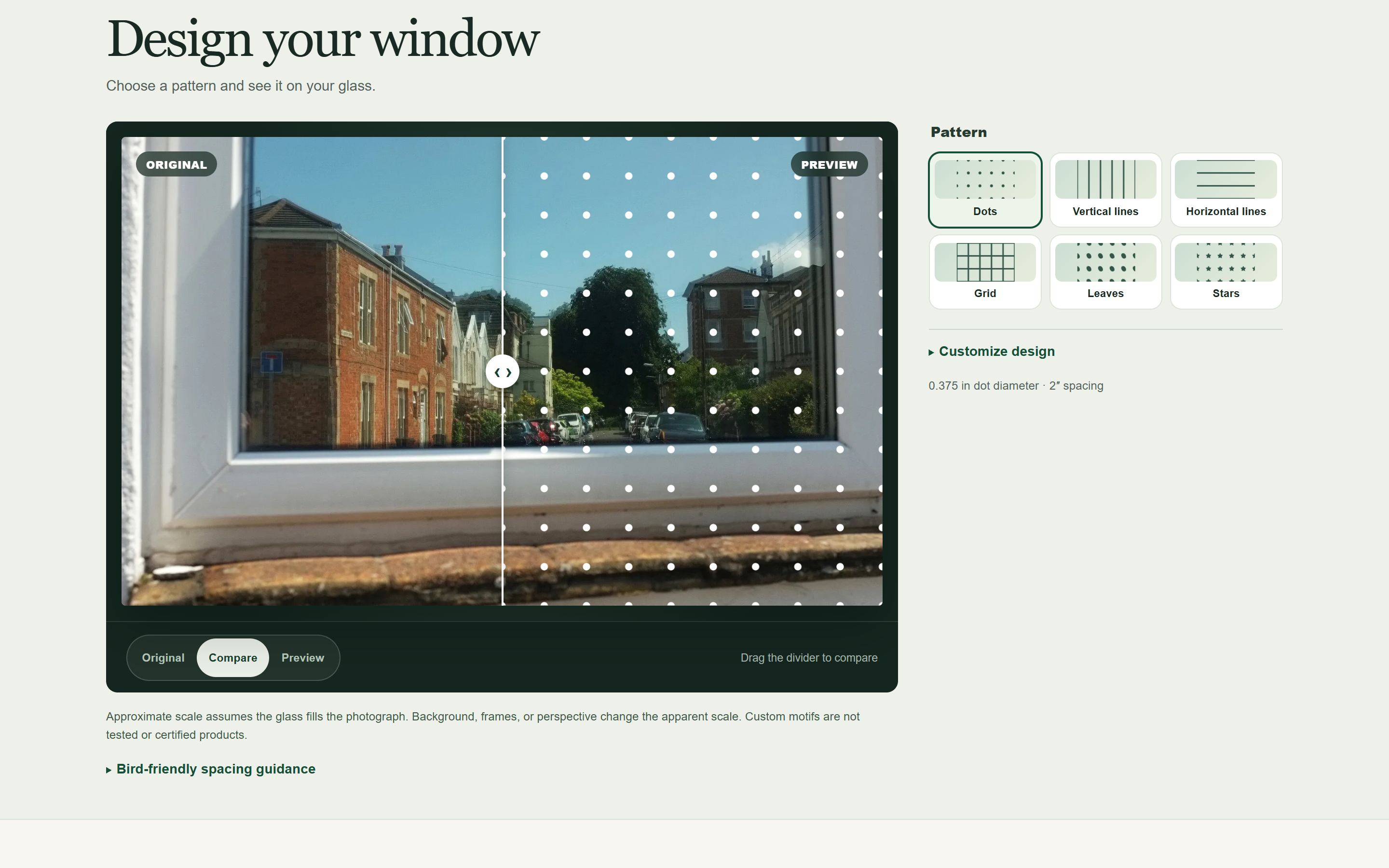
Real window photo with a proposed dot pattern. Photo: Derek Harper, CC BY-SA 2.0.
-
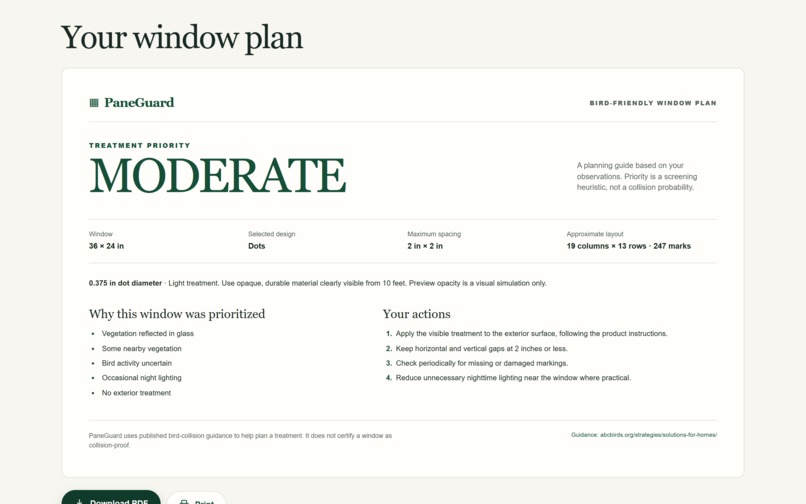
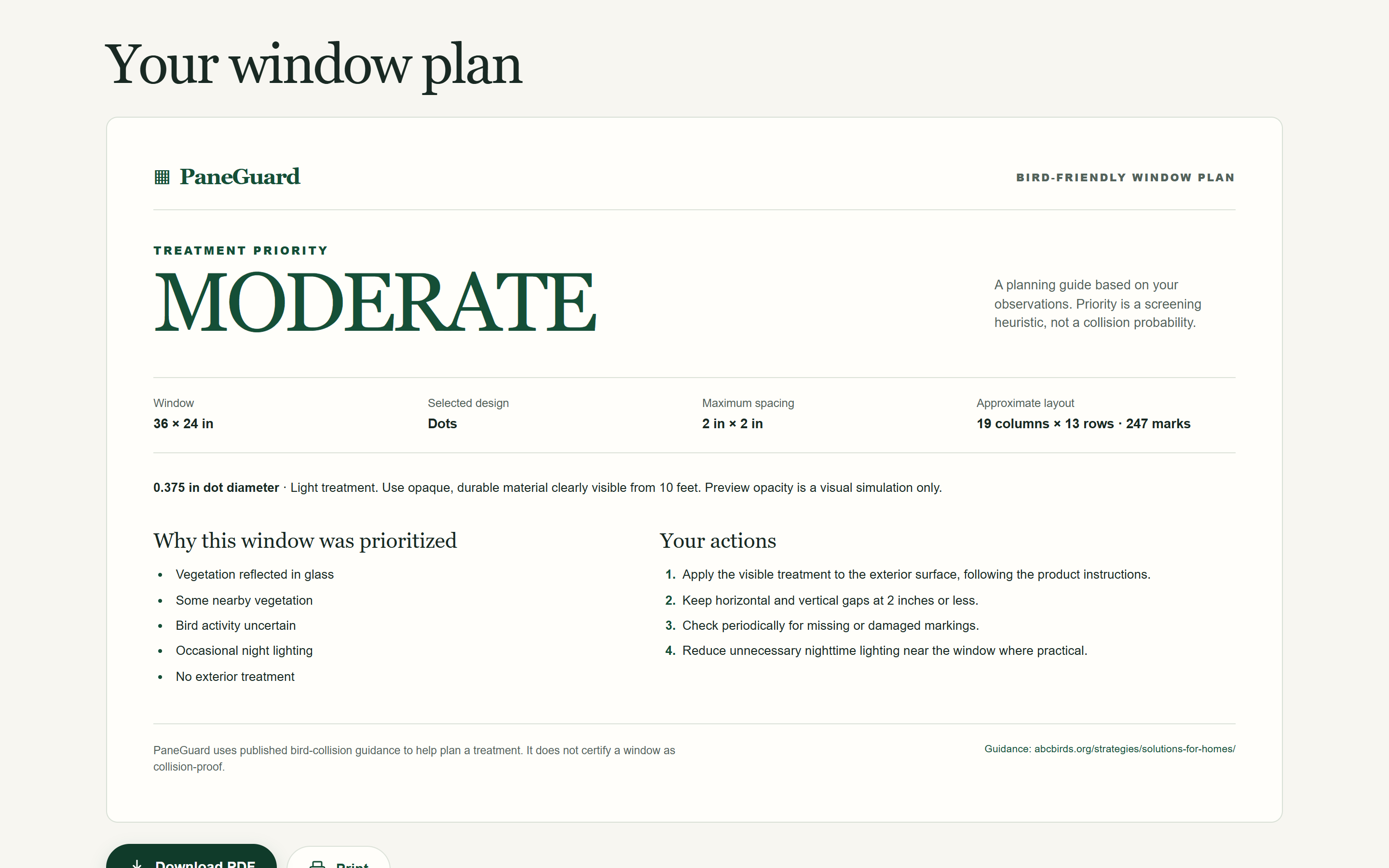
Finished plan with treatment priority, example dimensions, layout, and installation steps.
Inspiration
For a bird, a reflection of sky or vegetation can make glass look like a clear flight path. The U.S. Fish & Wildlife Service estimates that more than a billion birds collide with glass in the United States each year and says most fatal collisions occur at homes and buildings shorter than four stories. The advice to make glass visible exists, but a homeowner still has to decide which window to address, imagine a treatment on that window, and work out what to install. PaneGuard connects those decisions.
What it does
PaneGuard takes someone through check → design → plan. They select a photo of one window and answer a short assessment about reflections, vegetation, bird activity, lighting, existing treatment, and observed strikes. The app explains a low, moderate, or high treatment priority and the answers behind it. That score is a transparent screening heuristic, not a measured collision probability or a guarantee of safety.
Next, they see six pattern options—dots, vertical lines, horizontal lines, grid, leaves, and stars—on their own photo. They can adjust physical marker size and spacing and drag a before/after divider. After entering the glass dimensions, PaneGuard estimates an edge-to-edge layout and creates a one-page plan with the selected pattern, approximate quantities, and installation actions. They can download it as a PDF. A clearly labeled sample window lets judges explore the flow without supplying a photo.
The photo is processed in the browser; there is no account or server photo upload. The preview is illustrative: it applies a pattern to the full photograph and does not automatically identify the pane boundary.
What makes the workflow distinctive
The photo gives the user a place to compare an untreated window with a proposed visible pattern before turning that choice into dimensions and a take-away plan. The same session carries the assessment answers, chosen pattern, spacing, and measurements into the PDF, so a broad conservation recommendation becomes a specific next action for one pane. The interface explains the assumptions where people make those choices.
How it was built
PaneGuard uses Next.js 16, React 19, and TypeScript as a static site. Browser Canvas resizes the selected image locally, SVG renders the patterns, and session storage keeps the current tab's work when available. A deterministic rules module produces the explained treatment priority. A geometry calculator converts entered dimensions in inches, feet, or centimeters into approximate marking or line counts. pdf-lib creates the downloadable plan in the browser. Vitest covers the assessment rules, layout math, state recovery, and PDF output. The responsive design supports keyboard use for the before/after comparison and runs without an account, API key, or application backend.
Challenges and what was learned
The build required keeping patterns visually consistent across photo shapes while tying the physical layout to measured glass, not image pixels. The app handles invalid or unavailable browser storage and avoids presenting the priority score as a scientific prediction. The live real-photo test showed why pane boundaries matter: a photo that includes a frame makes the rectangular overlay appear on the frame, too. PaneGuard states that approximation beside the preview; automatic boundary selection is a useful next step.
Potential impact
The American Bird Conservancy's home guidance recommends visible exterior treatments with small horizontal and vertical gaps, including the 2 × 2 inch spacing used by PaneGuard's planning controls. PaneGuard can help someone turn that guidance into an approachable plan for a real window. It aligns with UN SDG 15: Life on Land by addressing an everyday threat to birds. There is no measured collision reduction or user feedback to report yet.
What's next
Next steps include testing the flow with homeowners, adding a way to mark the exact glass boundary, validating layouts against physical products and measurements, and testing accessibility on physical mobile devices. PaneGuard remains an education and planning prototype; decorative motif variants have not been independently tested or certified as bird-safe products.
Demo image credit
The comparison screenshot adapts Picture window, Westbury Park by Derek Harper, licensed CC BY-SA 2.0. The pictured assessment responses and 36 × 24 in dimensions are illustrative examples, not observations or measurements of that property.
Built With
- canvas
- cloudflare
- next.js
- pdf-lib
- react
- svg
- typescript
- vitest


Log in or sign up for Devpost to join the conversation.