Inspiration
Online apparel shoppers can see a garment on a model, but they still have to guess which color will look right on them. That uncertainty encourages color bracketing: ordering several variants, keeping one, and returning the rest. Personal-color tools usually stop at a generic season label, while virtual try-on tools can render many options without helping the shopper decide which ones matter.
Palette Proof connects both ideas into one purchase journey: measure the shopper, rank real colorways, and prove the final choice before checkout. It focuses on color and visual appearance; it does not claim to predict physical fit or eliminate every apparel return.
What it does
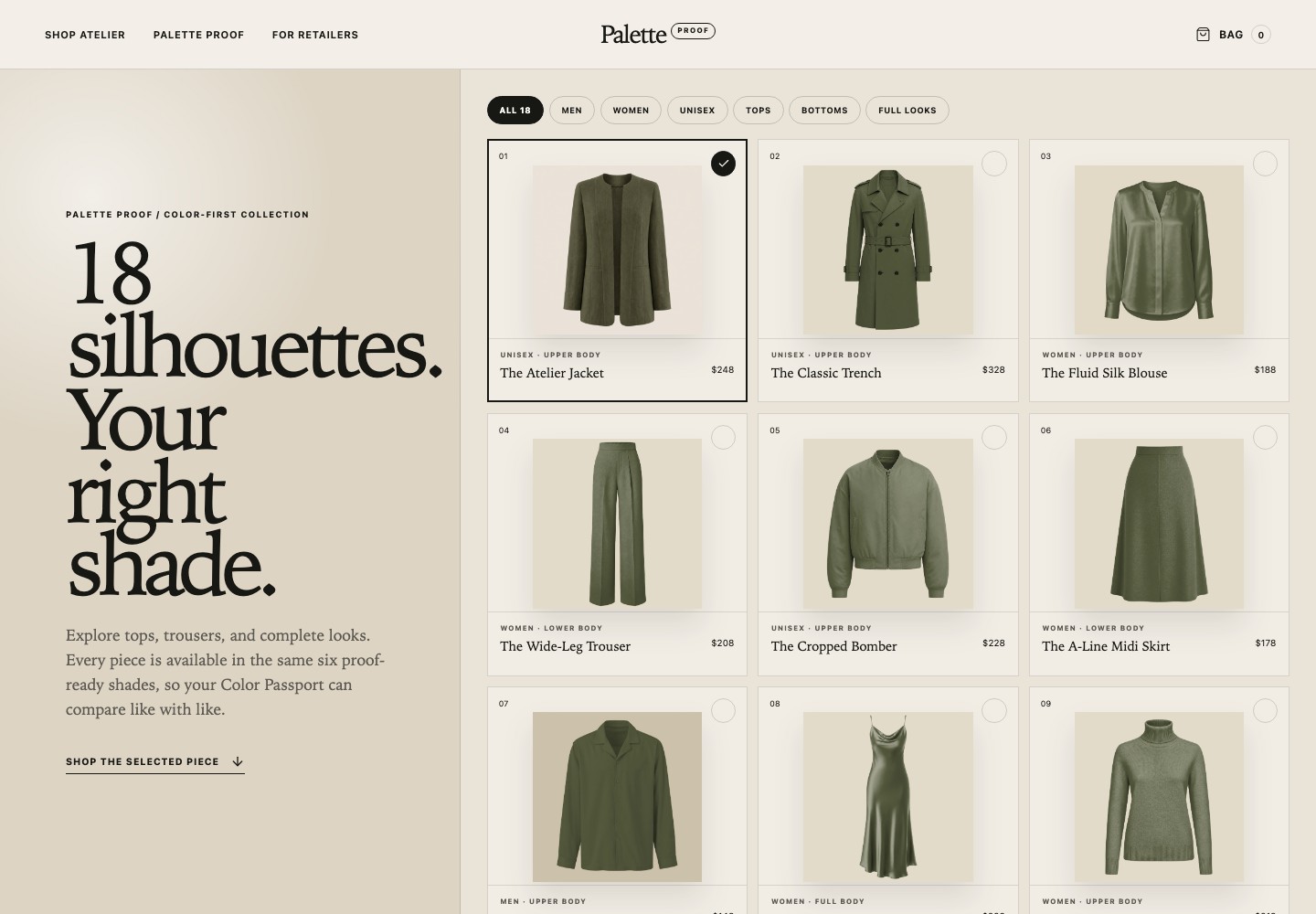
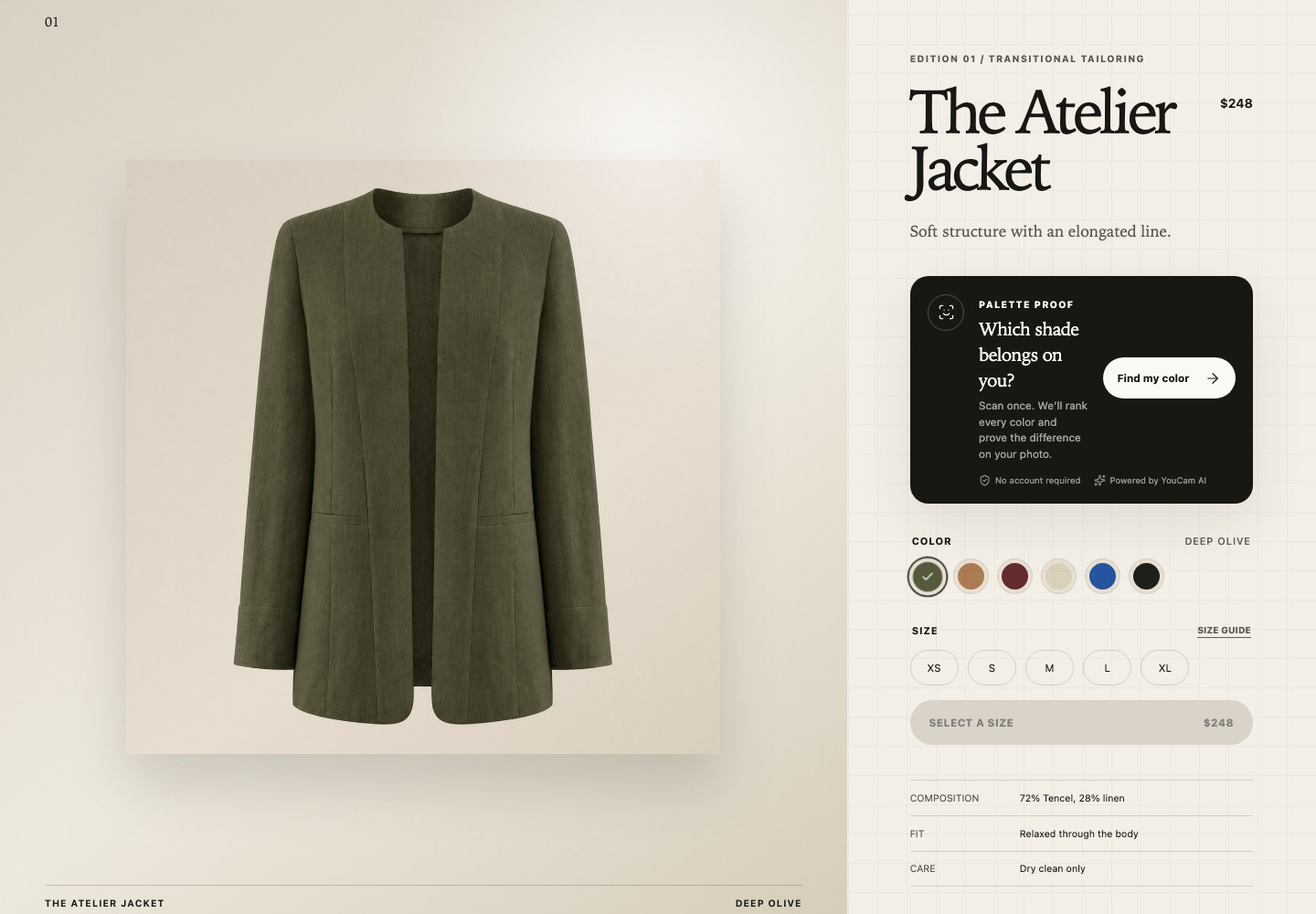
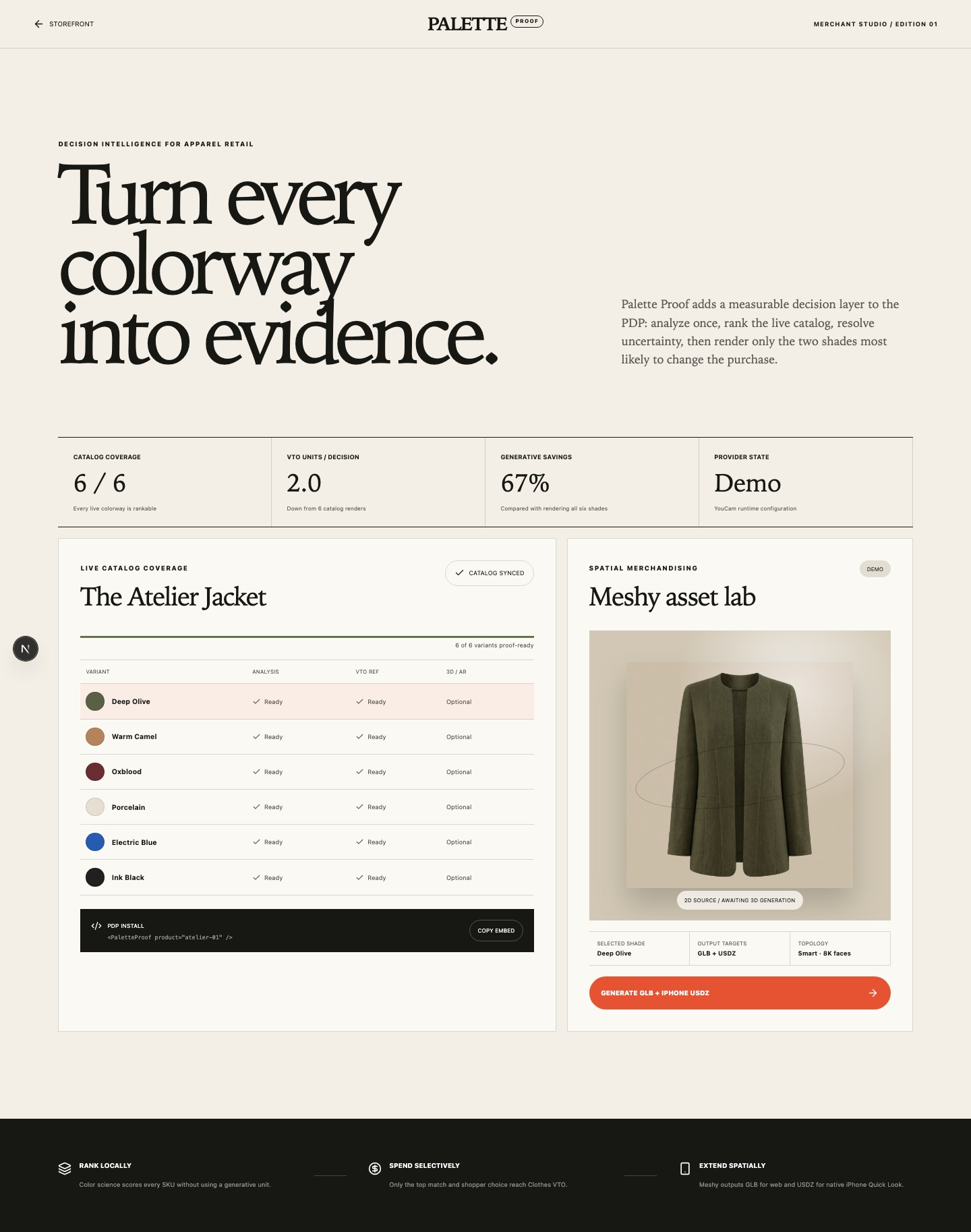
Palette Proof is a responsive personal-color shopping experience built into an apparel storefront. The catalog contains 18 tops, bottoms, and full-body styles, each available in six colorways.
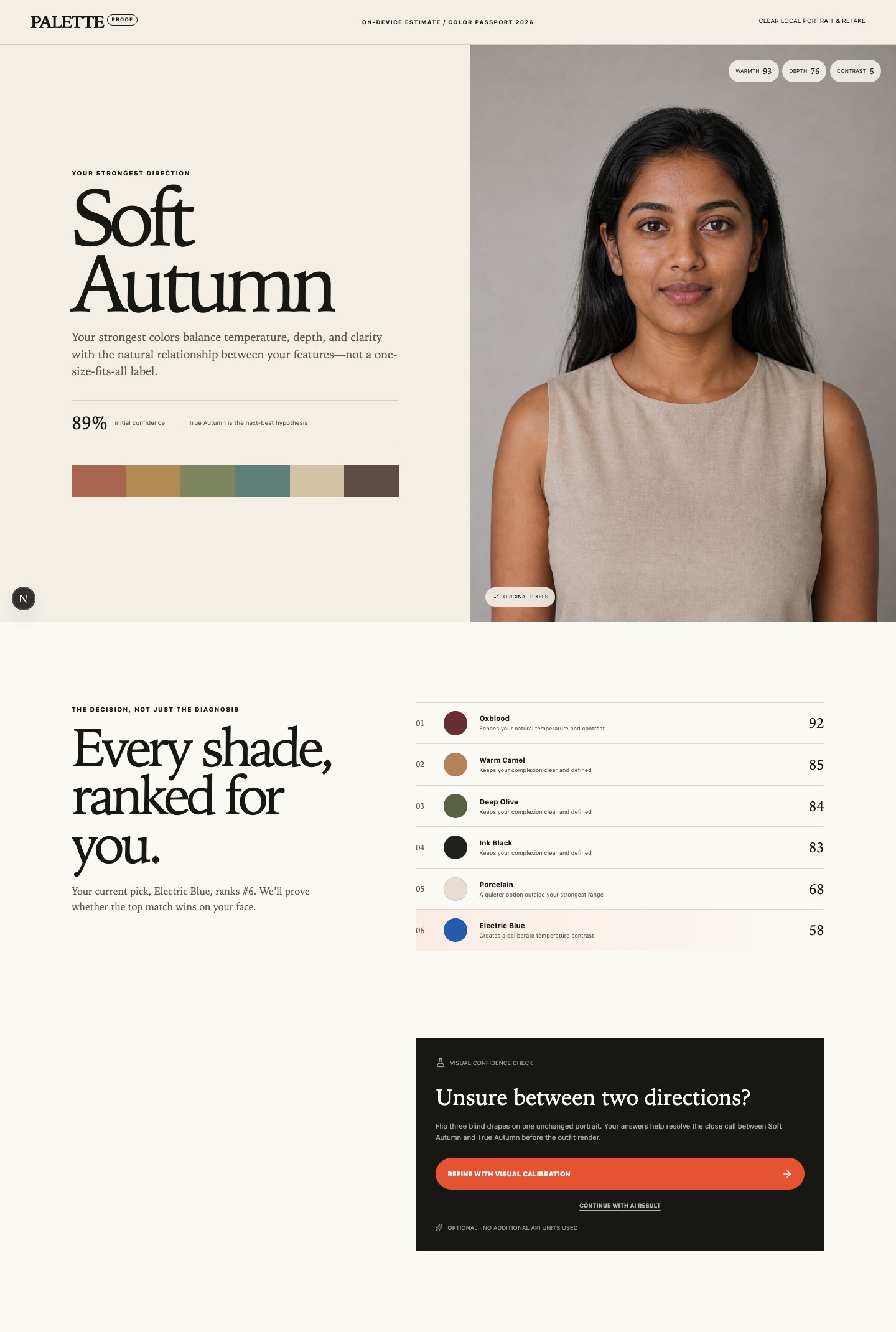
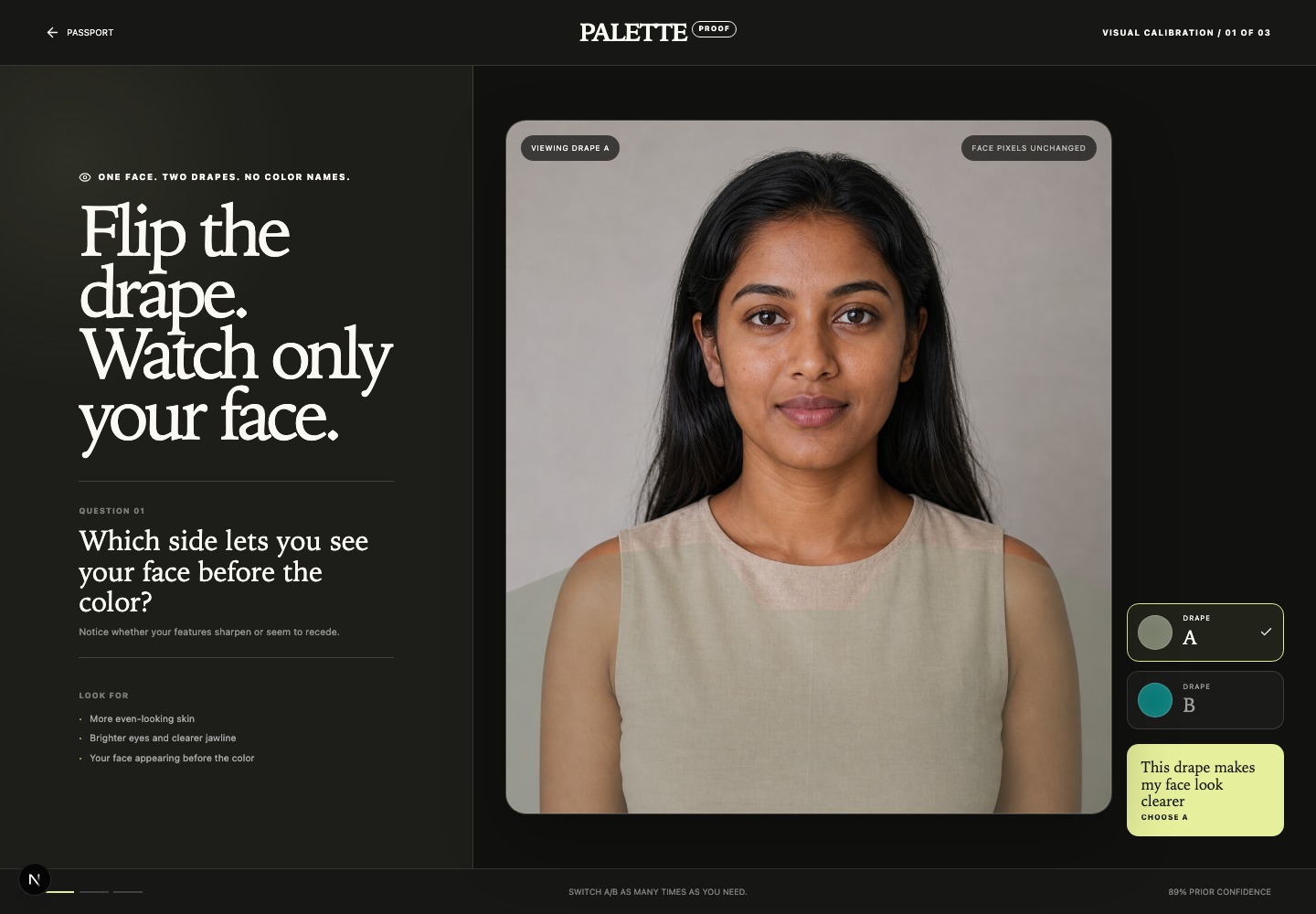
The shopper selects a product, captures or uploads a portrait, and receives a personal Color Passport. Palette Proof then ranks every purchasable color of that garment instead of returning only an abstract label such as “True Autumn.” If the leading results are close, an optional blind A/B calibration lets the shopper compare color drapes without seeing their names.
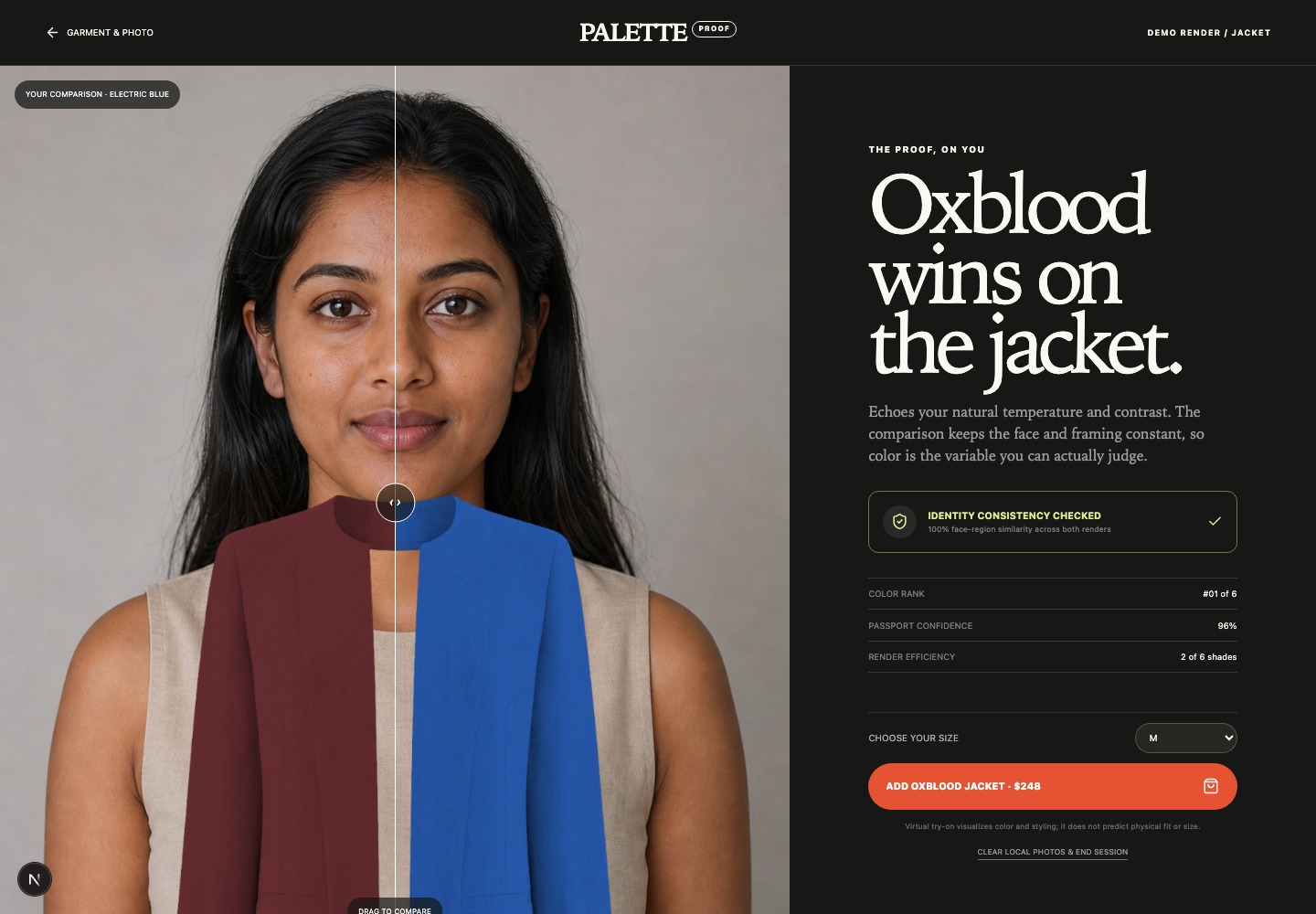
Next, the shopper uploads a wider outfit photo. Palette Proof sends only the recommended color and the shopper’s original choice to YouCam Apparel Virtual Try-On. A draggable split view shows both results on the same person, PixelLock reports face-region consistency, and the shopper can select a size and add the winning SKU to their bag.
Merchant Studio demonstrates the retailer side: catalog coverage, provider readiness, VTO usage, and an optional Meshy workflow that turns a garment image into GLB for web 3D and USDZ for Apple AR Quick Look on iPhone.
How we built it
Palette Proof uses Next.js 16, React 19, TypeScript, and CSS Modules, with deployment on Vercel.
For analysis, the server validates the portrait, corrects its orientation, creates a face-guided 1080×1080 JPEG with Sharp, and follows YouCam’s complete asynchronous workflow: request a signed file ticket, upload the image bytes, create a Facial Color Tones task, and poll until completion. Credentials remain server-side, and Zod validates provider responses.
YouCam returns measured colors for the shopper’s skin, hair, eyes, eyebrows, and lips. Our decision engine converts those RGB values into OKLCH and evaluates temperature, lightness, chroma, and facial contrast across 12 seasonal directions. The same dimensions are used to score the six real product colorways.
For the final proof, two YouCam cloth-v3 tasks run concurrently using trusted garment assets and
the correct upper_body, lower_body, or full_body category. Ranking six colors locally and
rendering only two reduces the implemented workflow from six possible VTO calls to two—a 67% call
reduction, not a claim about return-rate reduction.
Meshy AI is used separately for garment-only image-to-3D generation. <model-viewer> displays GLB
assets on the web, while USDZ enables native Apple AR Quick Look. YouCam handles apparel on the
shopper; Meshy handles the garment as a spatial product object.
Challenges we ran into
The first challenge was that Skin AI and Apparel VTO need different framing. Facial analysis works best with a close, centered portrait, while VTO needs shoulders or a full body. We preserve the wider source image and derive a separate face-focused image for Skin AI.
We also had to implement YouCam’s signed-upload lifecycle correctly. A file ticket is not the upload itself; creating a task before uploading the bytes caused failed and delayed analyses. We added bounded polling, transient retries, clear terminal errors, and no silent fallback to simulated output in production.
Lighting can affect observed facial colors, and generative VTO can alter the face. Capture-quality guidance, uncertainty-aware ranking, optional human calibration, and PixelLock make these limitations visible rather than hiding them behind an overconfident result.
Accomplishments that we're proud of
- Built a complete product-selection-to-cart experience instead of a one-call API wrapper.
- Made both YouCam Facial Color Tones and Apparel VTO essential to the core decision.
- Created 18 silhouettes and 108 style-specific garment references across all VTO categories.
- Connected an OKLCH-based 12-season model directly to purchasable SKUs.
- Reduced six possible renders to two decision-relevant VTO calls.
- Added blind human calibration and a visible generative-integrity guardrail.
- Integrated Meshy web 3D and iPhone AR without misrepresenting them as live body try-on.
- Tested the responsive flow with Vitest and Playwright on desktop Chromium and mobile WebKit.
What we learned
The difficult part of retail AI is not generating an answer; it is building a trustworthy decision around that answer. The input must be appropriate, uncertainty must be visible, recommendations must map to real inventory, and expensive generation should be used only where it adds information.
We also learned that virtual try-on, fit prediction, 3D visualization, and AR are different capabilities. YouCam demonstrates visual appearance on the shopper. Meshy creates a 3D product object. Apple Quick Look places that object in physical space. Physical fit would require a separate measurement-based system.
What's next for Palette Proof
Next, we want to create a consent-based reusable Color Passport that ranks an entire retailer catalog after one analysis. We also plan to add anti-bracketing cart guidance, retailer catalog-feed ingestion, shareable Proof Cards, stronger landmark-aligned PixelLock checks, and durable provider jobs that reuse one uploaded source across multiple VTO tasks.
The longer-term step is a retailer A/B test measuring proof completion, conversion, multi-color ordering, VTO units per decision, and color-related return reasons across a full returns window.
Palette Proof — Pick the shade. Skip the return.
Built With
- ai
- ar
- meshy
- next.js
- oklch
- react
- sharp
- skin
- supabase
- typescript
- vercel
- vto
- youcam
- zod

Log in or sign up for Devpost to join the conversation.