-
-
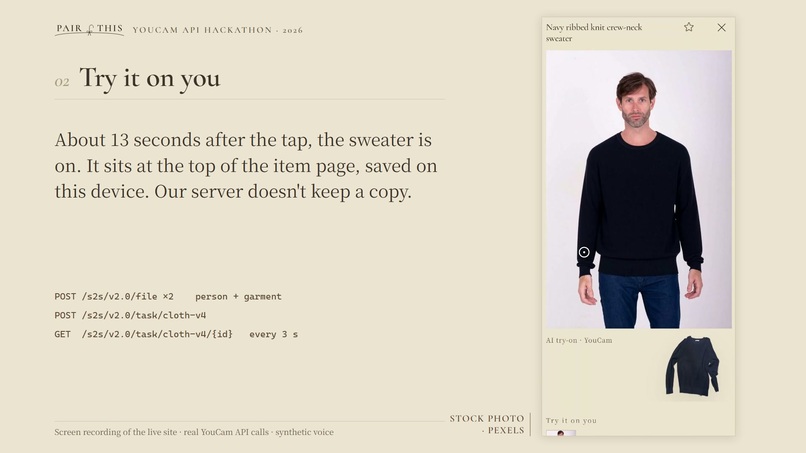
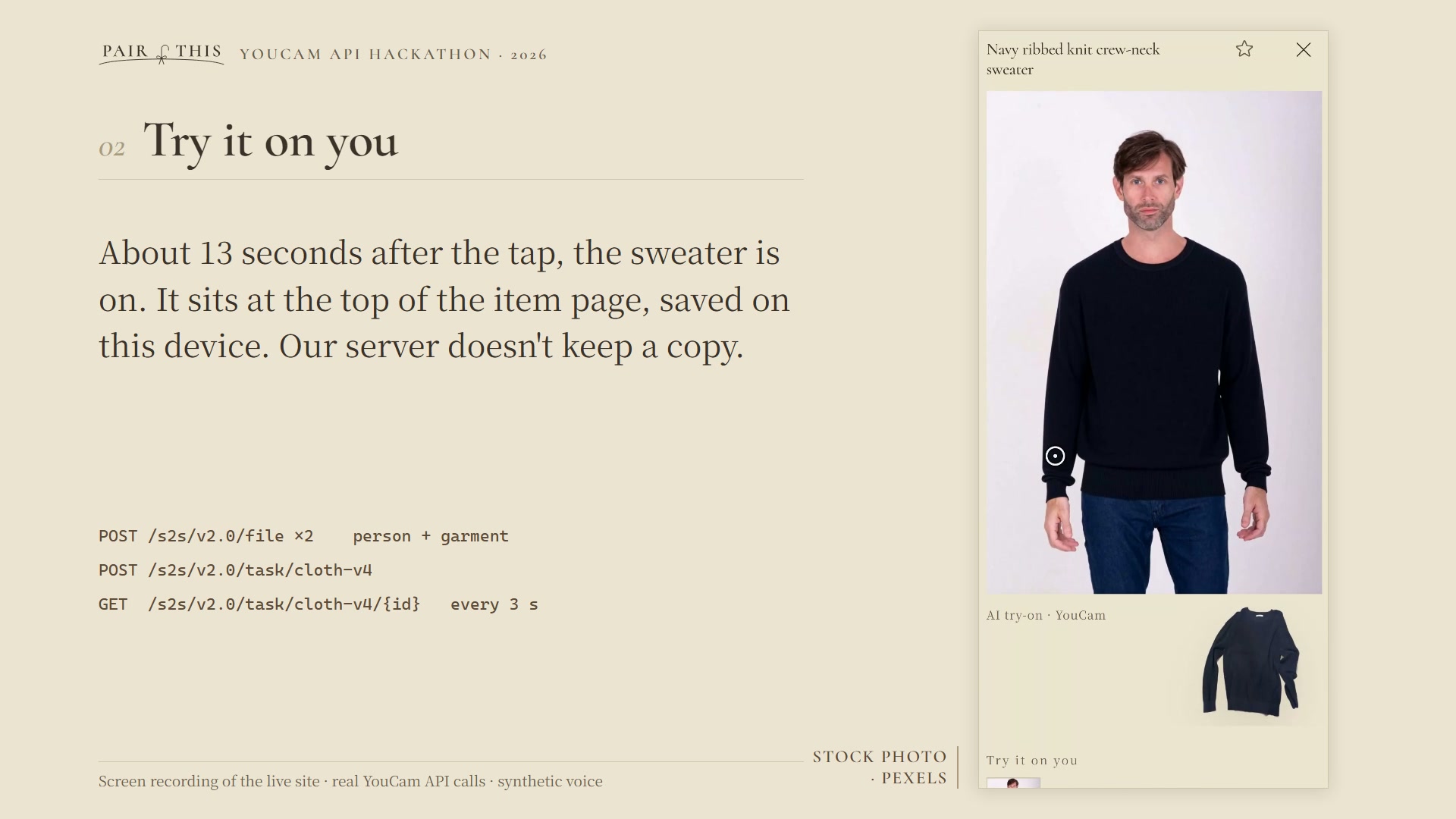
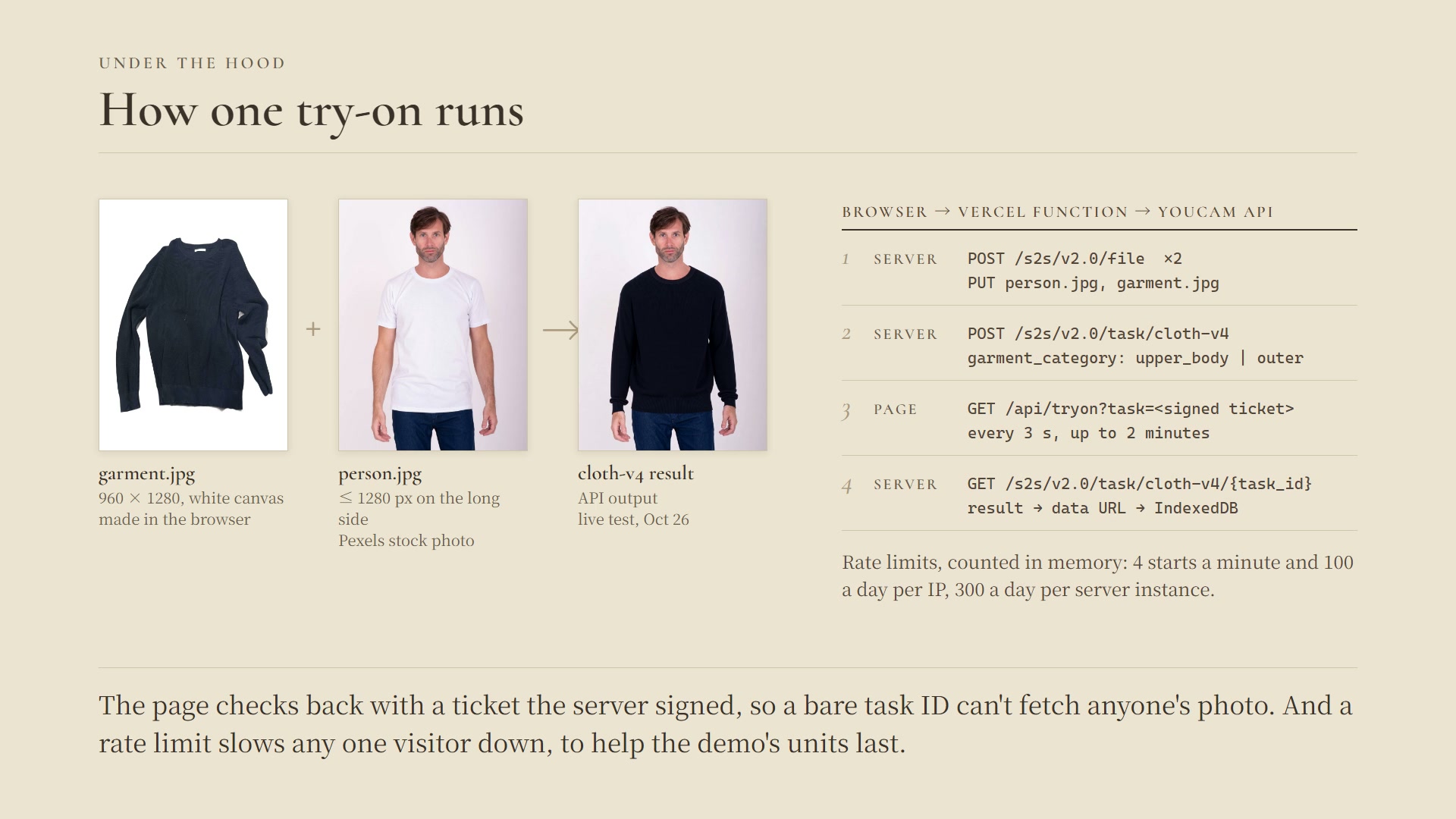
Try it on you: YouCam AI Clothes (cloth-v4) puts the navy sweater on a Pexels stock photo, about 13 seconds after the tap.
-
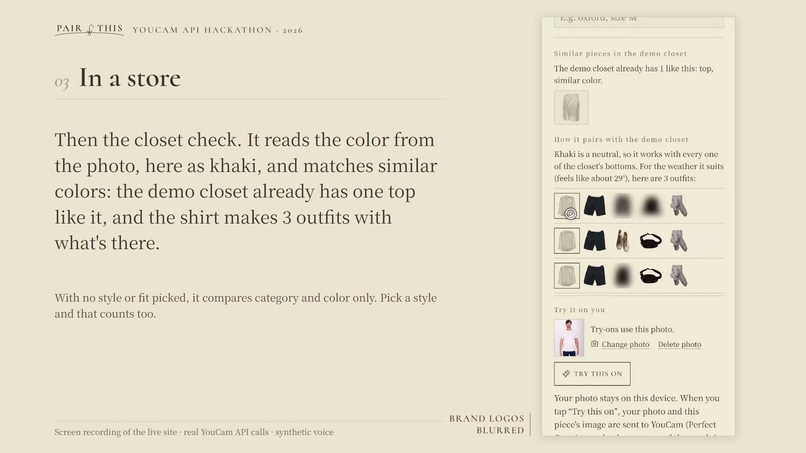
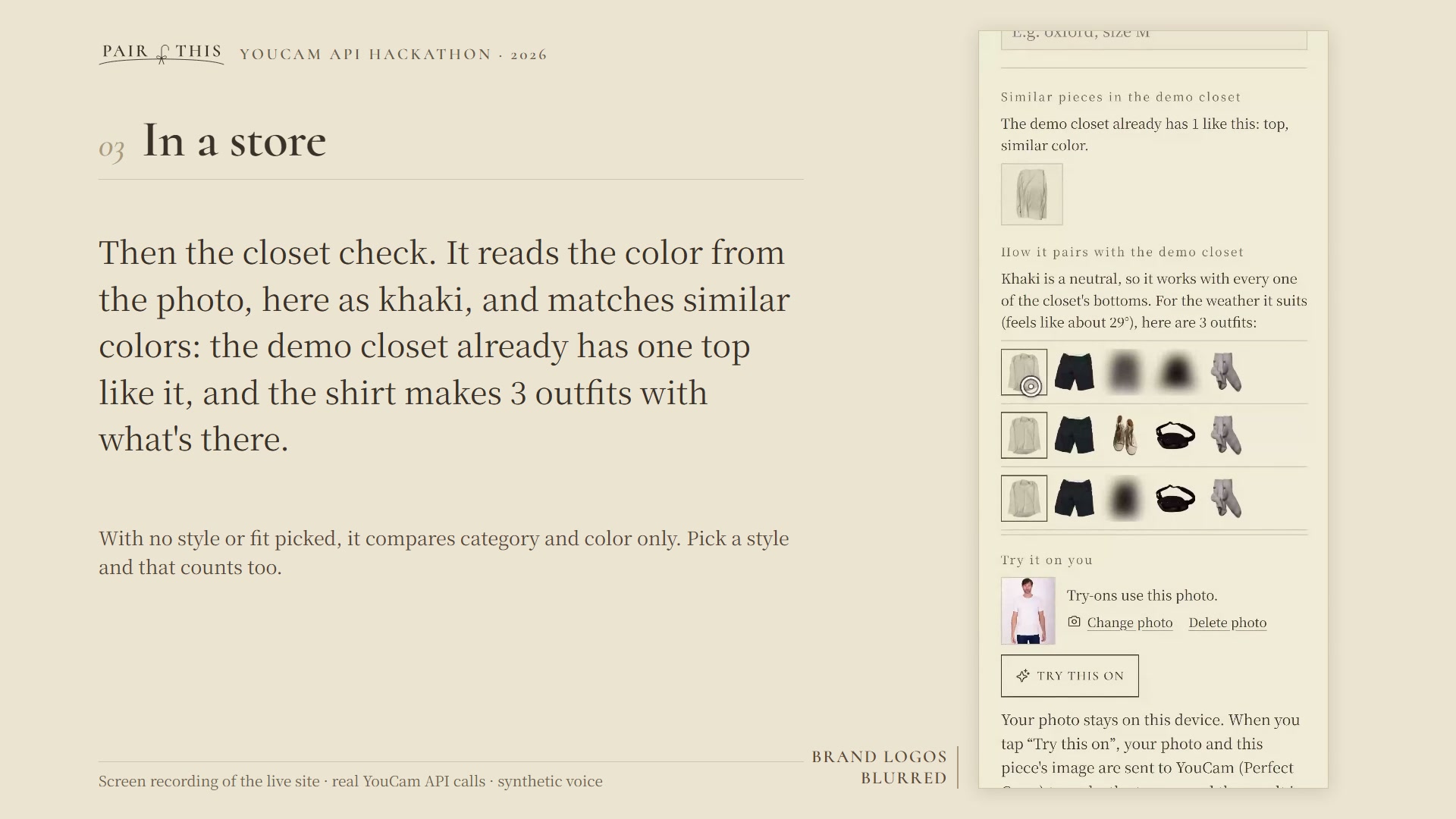
In a store: the closet check finds 1 similar top in the demo closet and the 3 outfits the new shirt would make.
-
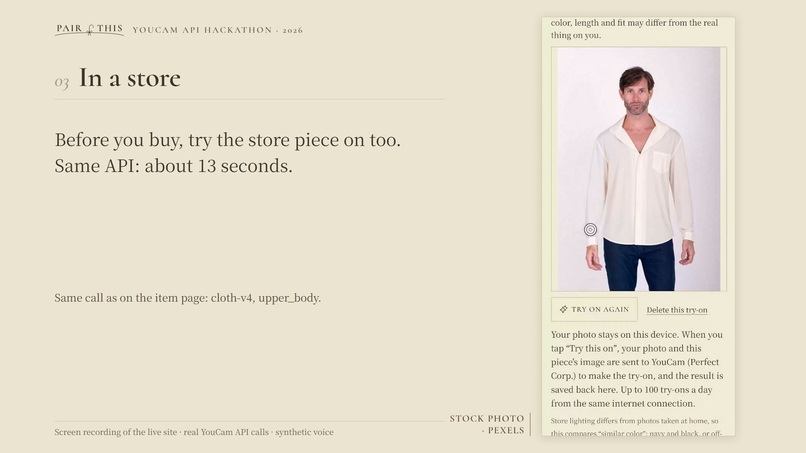
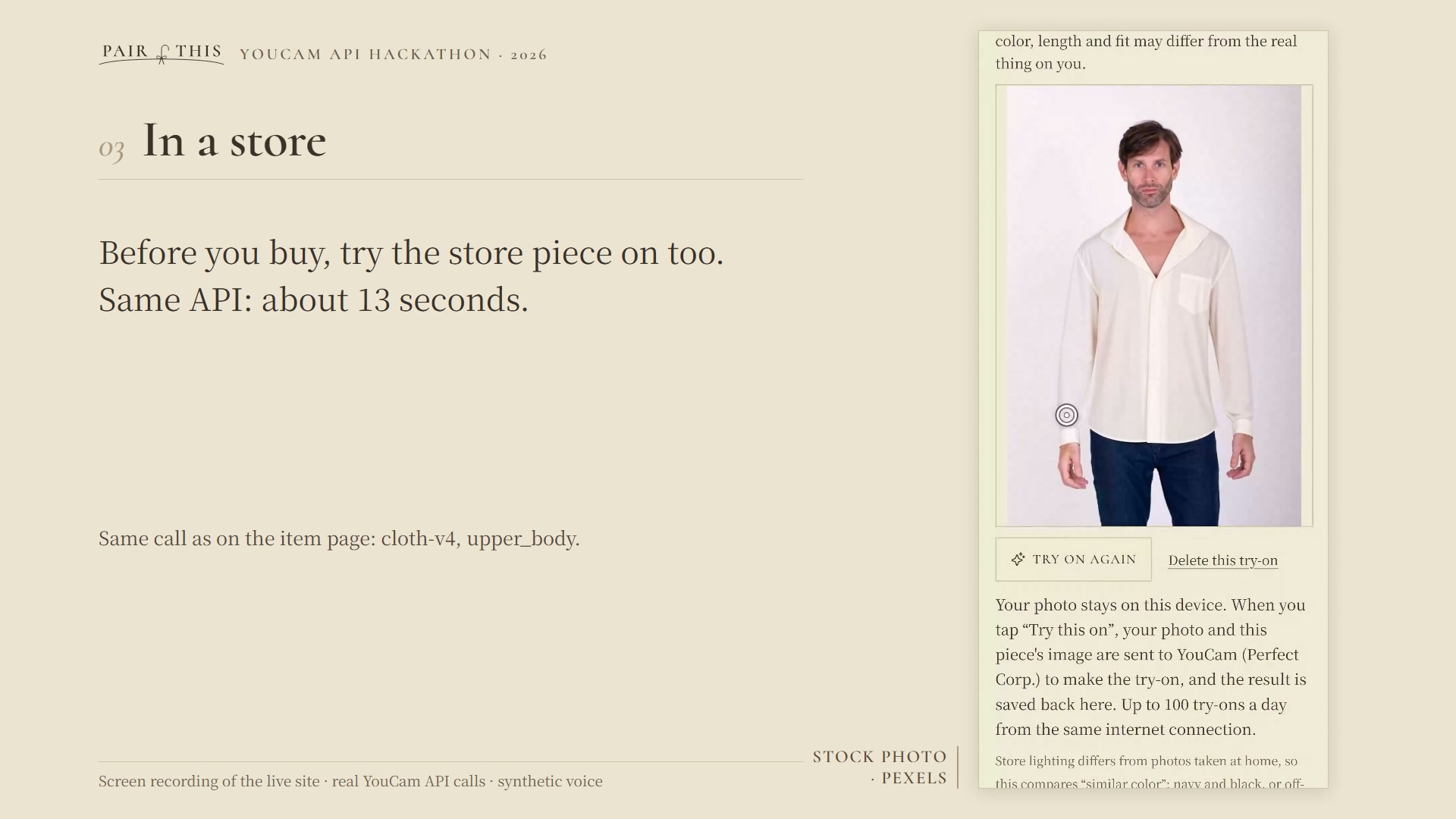
Before you buy: the store piece tried on with the same cloth-v4 call (upper_body).
-
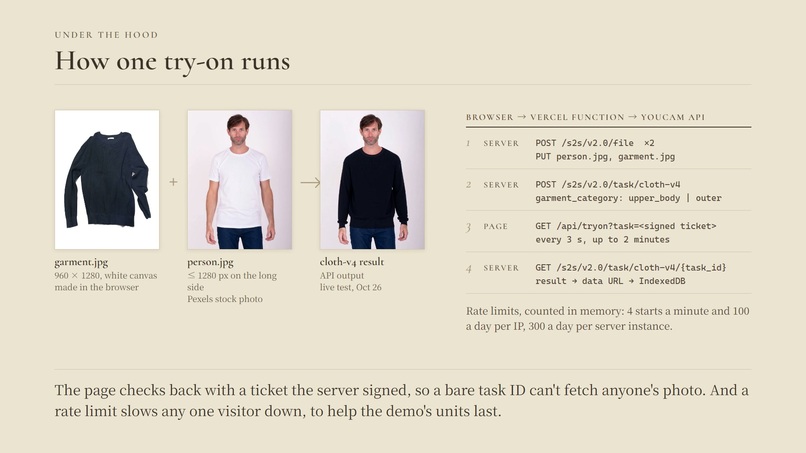
How one try-on runs: browser, Vercel Function, YouCam API, with a server-signed ticket and rate limits.
-
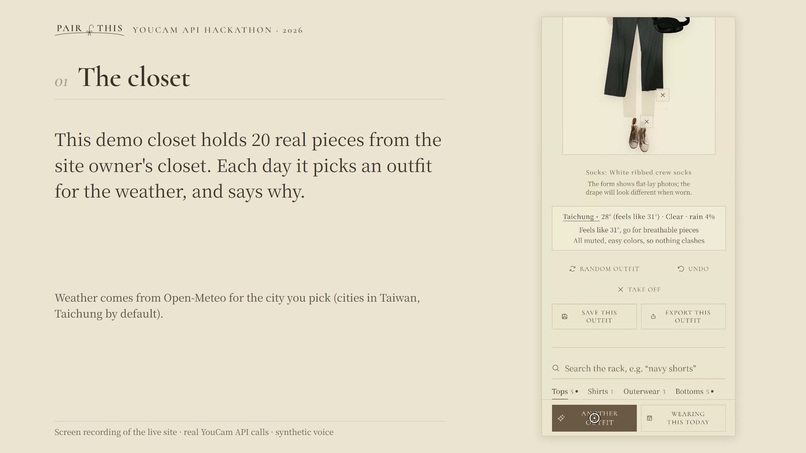
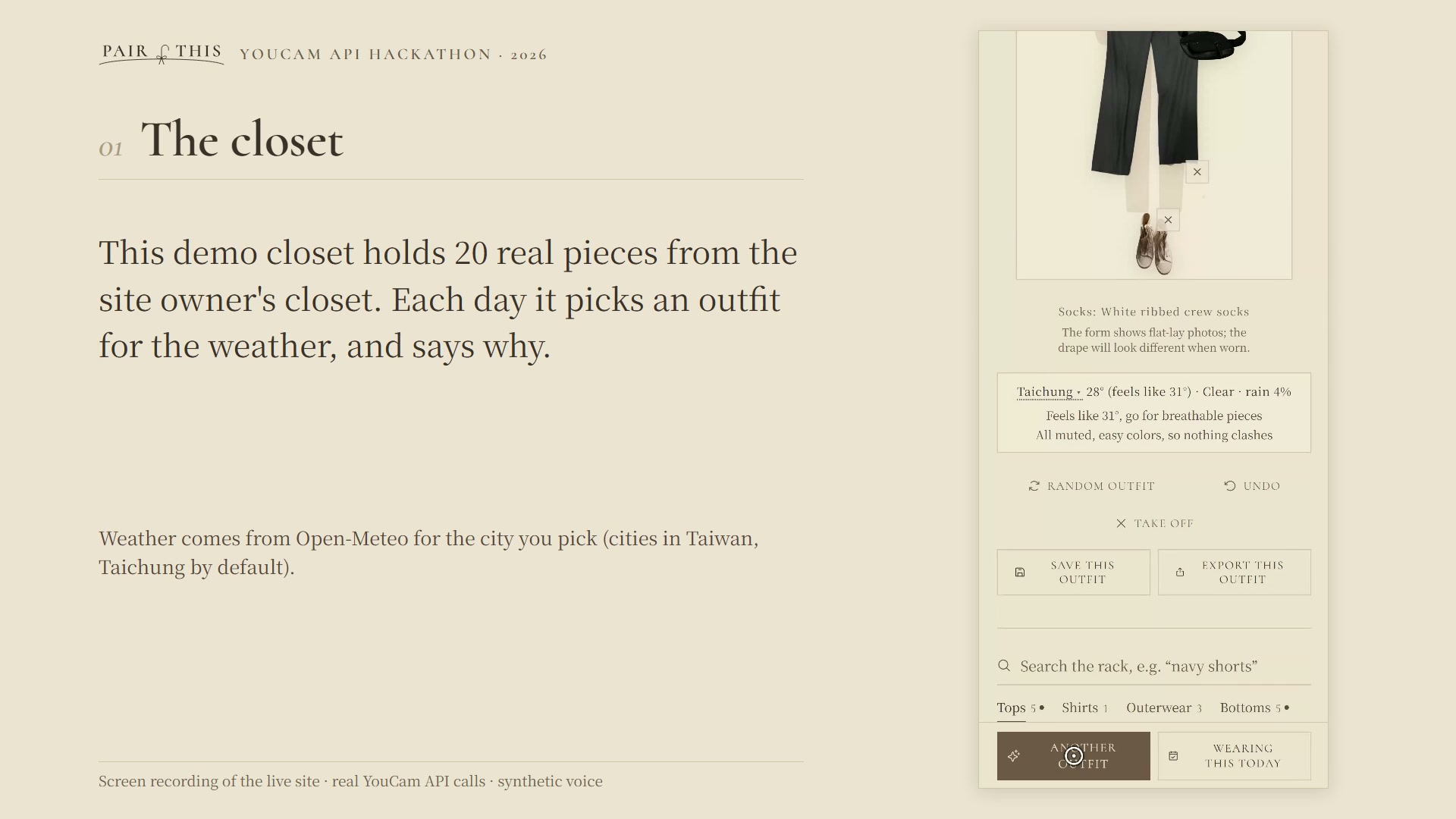
The closet: today's outfit for the weather in Taichung, with the reasons it was picked.
Inspiration
Virtual try-on answers one question: does this look good on me? In a store, or with a product page open, there are two more: do I already own something like it, and what would I actually wear it with? PairThis started as a closet app that dresses you from the clothes you already own, built on the open-source Open Wardrobe (MIT). For this hackathon it gained the missing first step: put the piece on you with YouCam AI Clothes, right next to the closet check.
What it does
- Your closet, no account. Paste a product link or take a photo. The background is removed on your device, and everything stays in your browser.
- Today's outfit, with reasons. It picks an outfit for the weather in your city and says why, for example “Feels like 34°, go for breathable pieces” or “Only “Navy hooded windbreaker” has color; the muted pieces set it off”.
- Try it on you. On any top or outerwear in your closet or wishlist, add a chest-up photo and tap “Try this on”. YouCam AI Clothes puts the piece on you; the result appears at the top of the item page.
- In a store? Photograph the piece you're holding, crop it and pick a category. PairThis shows how many similar pieces you already own (same category and a similar color; style and fit count too once you pick them), the outfits it would make with your closet, and lets you try it on before you buy. While the demo closet is open, it compares against the demo closet, so a first visit with an empty closet still shows the check.
How we built it
- React 19 + Vite on Vercel. A Vercel Function calls the YouCam API so the key never reaches the browser.
- YouCam AI Clothes (cloth-v4): the server uploads the person photo and the garment image (
/s2s/v2.0/file), starts/s2s/v2.0/task/cloth-v4withupper_bodyorouter, and the page polls for the result. The server only answers to a ticket it signed (task id + expiry + HMAC), so a bare task id can't fetch someone else's photo. The result comes back as a data URL and is saved in IndexedDB on the device; our server keeps nothing. - Preparing images for the API: closet photos are transparent cutouts, so the garment is placed on a white 960×1280 canvas as a product-style JPEG. Your photo is scaled down to at most 1280 px on the long side and rejected below YouCam's 512×384 minimum, with a plain-language message.
- The closet check runs in the browser: same category, a similar color (each piece's stored color compared with the color read from the new photo), the same pattern (no pattern counts as plain), and the same kind and fit when both pieces have one (kind is read from the name, fit from the name and tags). Outfits come from the same recommendation engine as the daily pick.
- Background removal runs on the device with @imgly/background-removal in a Web Worker. Weather comes from Open-Meteo.
Challenges we ran into
- Bottoms and shoes. YouCam needs a reference photo of bottoms and shoes being worn, and closet photos are flat lays. Rather than show poor results, PairThis only offers try-on for tops and outerwear.
- Faces and privacy. Try-on photos contain faces. Our first version let anyone who knew a YouCam task id fetch its result; a security review caught it, and we switched to server-signed tickets.
- Keeping the demo's units. Each try-on uses 2 YouCam units. A rate limit (4 starts a minute and 100 a day per IP address, 300 a day per server instance, counted in memory) slows any one visitor down so the units last longer; normal testing shouldn't reach it.
- Going English. The app was built in Chinese, and its “is this a sweater or a T-shirt?” rules read Chinese garment names. For this version we translated about 1,350 strings and taught those rules English names. One feature, typing a request like “for class, no jacket”, has a Chinese-only parser, so it's hidden in the English version.
Accomplishments that we're proud of
- The try-on works end to end on the deployed site: in our timed runs there, results came back 12 to 19 seconds after the tap.
- No account, no ads, no usage stats in this version; photos go to YouCam only when you tap “Try this on”.
- Every recommendation comes with reasons in plain words.
What we learned
- cloth-v4 needs a chest-up, front-facing photo with the face fully visible, and one person only; the API's error codes for pose and multiple people map well to one-sentence fixes.
- A try-on photo is more useful next to “you already own two like this” than on its own.
What's next for PairThis
- Try-on for bottoms and shoes, using model shots from product pages as the worn reference.
- Bring try-on to the Chinese app at pairthis.app.
Built With
- background-removal
- indexeddb
- javascript
- node.js
- open-meteo
- react
- vercel
- vite
- youcam-api

Log in or sign up for Devpost to join the conversation.