-
-
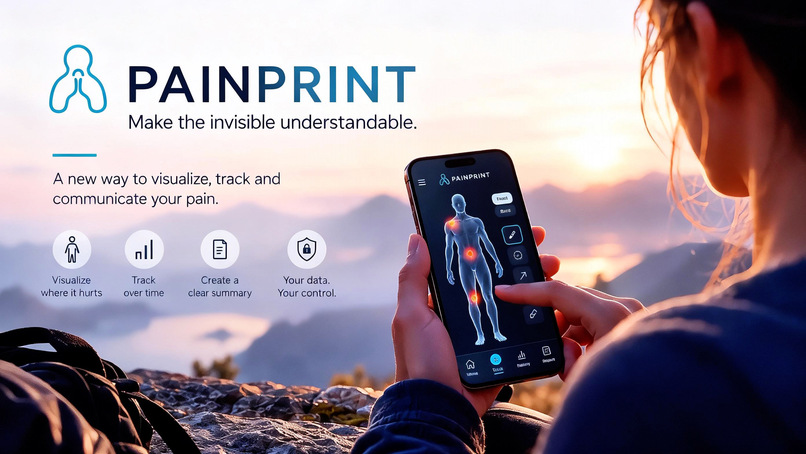
Painprint. Make the invisible more understandable. Innovative heatlhtapp helping patients better.
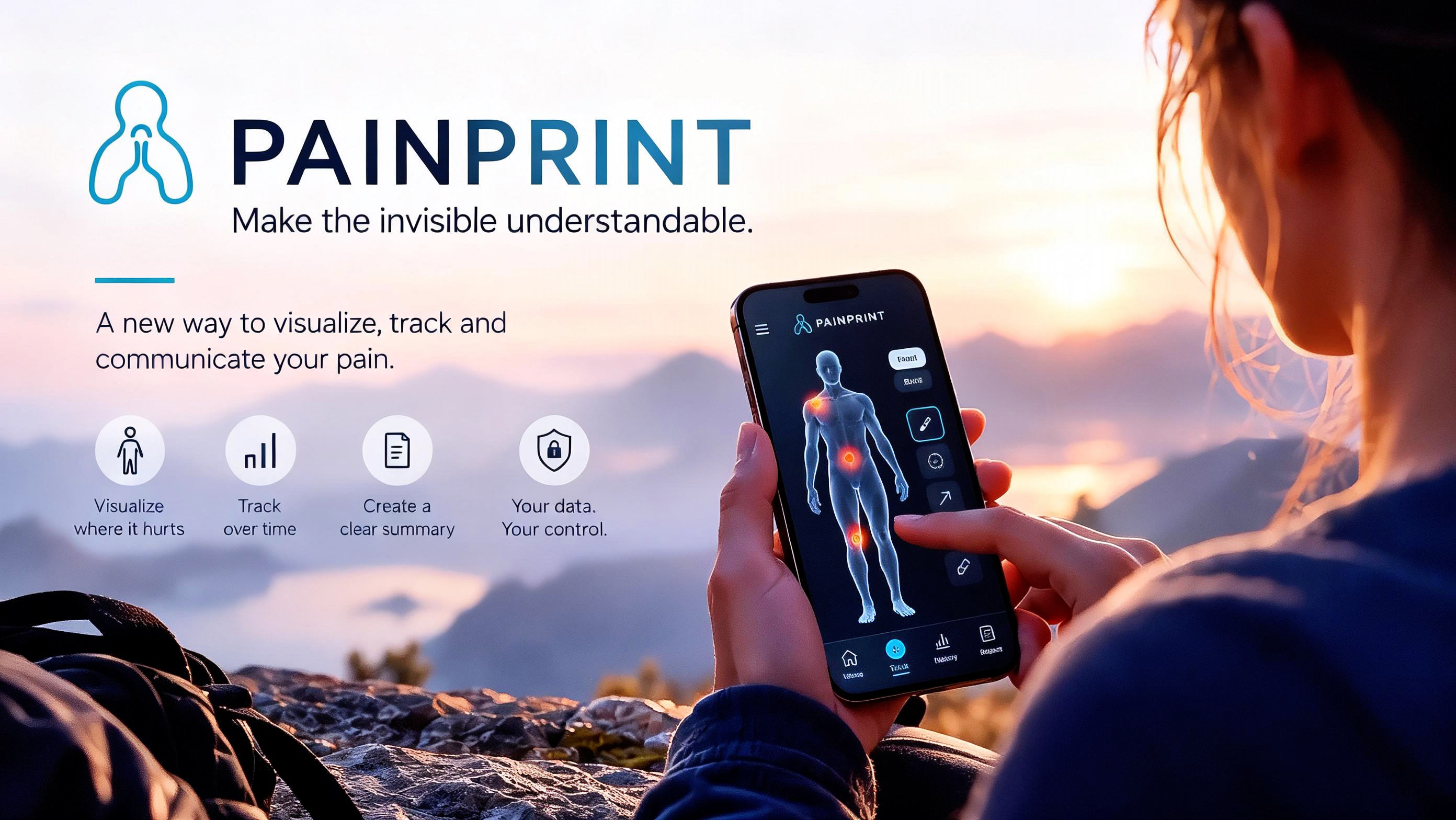
PAINPRINT
Make the Invisible Understandable.
Inspiration: Pain is invisible very often. And sometimes, finding the right words to explain exactly what you’re experiencing is almost as difficult as experiencing the pain itself for many patients with chronical pain and strong pain over time.
A simple number on a pain scale doesn’t always tell the whole story. This app let the patients actually measure and explore the pain, and also figure and exactly when, where and what`s triggering the pain. And the patient can show this to the doctor.
Where does it really hurt? Does the pain spread? How often? Does it change throughout the day? What about night and daytime? What makes it worse? And how do you explain all of that during a short medical appointment? Whit this app it will be easier for the patient to actually show the doctor exactly when, where, how and how much it hurts and what`s the trigger.
My Inspiration: These questions inspired me to create PAINPRINT. I wanted to explore a different approach to patient communication. Something visual, intuitive, and accessible that could really help people express what words alone sometimes cannot. And as i wrote in the beginning pain does not always shows.
The idea was simple: What if patients could show their pain instead of only describing it? That’s exactly where PAINPRINT began.
What it does: PAINPRINT is a patient-focused web application designed to make pain documentation more visual, structured, and understandable. Its central feature is an interactive human body map.
Instead of selecting a body part from a list, users can select different anatomical regions, zoom in, and draw directly onto the body to show exactly where they experience pain.
Users can also document pain using colors linked to an intensity scale from 1 to 10, making it easier to visualize and compare their reported pain levels.
The application also allows users to:
- Record pain intensity, sensations, and associated symptoms.
- Identify potential triggers and describe how symptoms affect daily activities.
- Save symptom entries and review their history.
- Track changes in reported pain intensity over time through visual charts.
- Generate downloadable PDF reports to help communicate their experiences to healthcare professionals.
The goal isn’t to diagnose patients or replace medical professionals. This i had to be clear about. It’s to really give patients another way to communicate their experiences and provide healthcare professionals with clearer and more structured patient-reported information. Because pain is also more than just a number.
How we built it: I developed PAINPRINT during the 48-hour HealthHack challenge, taking the project from an initial concept to a working web application.
The application was built using:
- HTML5 for the application structure.
- CSS3 for styling and responsive layouts.
- JavaScript for the interactive functionality.
- SVG for anatomical illustrations and visual interactions.
- GitHub for version control and project hosting.
- GitHub Pages for deploying the live demonstration.
AI-assisted development tools supported my coding workflow, helping me translate ideas into functioning features, troubleshoot issues, and move quickly through development. My focus was on creating an actual interactive experience rather than simply presenting a concept or static prototype. I also wanted users to be able to explore the application, interact with the body map, document symptoms, and see how their information could be organized visually. The project was designed with international accessibility, medical safety, and privacy considerations in mind.
Challenges we ran into:
Here’s where things got a little ironic. I was building an application designed to help people communicate pain and symptoms more effectively, while simultaneously putting myself through an entire night of coding without sleep. Not exactly the ideal healthtech development routine! I also had an early-morning trip with a flight scheduled for the following day, along with several things I still needed to prepare. So time management became a challenge of its own. And then came GitHub’s two-factor authentication. Almost 30 minutes. Just me, GitHub, and 2FA. Of all the technical challenges I expected during a hackathon, spending nearly half an hour trying to get through account authentication was not on my list. The irony wasn’t lost on me.
Beyond that, one of the biggest development challenges was turning a complex idea into something intuitive enough for users to understand without extensive instructions.
Making anatomical illustrations interactive, supporting detailed pain markings, and connecting those visual elements to structured symptom information required careful planning and repeated adjustments. Building something functional within such a limited timeframe also meant making decisions about which features mattered most. And sometimes, the biggest challenge wasn’t the code either. It was just to getting everything done before the clock ran out.
Accomplishments that we’re proud of:
The feature I’m most proud of is PAINPRINT’s interactive pain mapping system. I didn’t want to create another application where patients just select a body part and enter a number and write all the symptoms. I wanted something more expressive. With PAINPRINT, users can select different body regions, zoom in, and draw directly onto anatomical illustrations to indicate exactly where they experience pain. They can associate their markings with color-coded pain intensity levels from 1 to 10, creating a visual representation of their experience. That was the feature I cared about most, and seeing it become interactive was an important milestone.
I’m also proud that the application goes beyond individual pain entries.
It brings together symptom descriptions, potential triggers, daily life impact, historical records, visual trends, and downloadable reports in one connected experience. Another achievement was completing and deploying a working application within the hackathon timeframe. Something that could potentially make an important conversation a little easier.
What we learned:
This hackathon reinforced several important lessons. First, building useful technology isn’t only about writing code. It’s about understanding the problem you’re trying to solve after my opinion. I learned how important it is to approach an application from the user’s perspective, especially when designing something related to health and accessibility. I also myself have healthcare background. I gained more experience connecting interactive visual elements with structured information, developing responsive interfaces, managing a GitHub repository, and deploying a working web application.
Another lesson was the importance of prioritization. With only 48 hours available, not every idea can become a finished feature. Sometimes, focusing on the most meaningful functionality creates a stronger result than trying to build everything at once. And finally? Always make sure your GitHub 2FA is working before starting a time-sensitive hackathon. And stress down, sleep and eat well before a flight. That lesson cost me almost 30 minutes.
What’s next for PAINPRINT:
The hackathon version of PAINPRINT is only the beginning. My long-term vision is to develop it into a more comprehensive and accessible patient communication platform. Because future development could include:
- More detailed anatomical illustrations and precision drawing tools.
- Expanded symptom tracking and visual comparisons.
- Additional accessibility features for users with different physical and cognitive needs.
- Multilingual support for international users.
- Improved reporting and appointment preparation tools.
- Secure data management suitable for handling real patient information, following appropriate security and regulatory assessments.
- Opportunities to collaborate with healthcare professionals and patient communities to evaluate usability and practical value.
Before any real-world clinical deployment, privacy, security, and relevant regulatory requirements would need to be carefully addressed. I also want to explore how the application could help people who struggle to communicate complex or persistent symptoms.
My goal is not to replace the conversation between patients and healthcare professionals, but to make that conversation more meaningful.
Built With
- css3
- github
- html15
- javascript
- svg

Log in or sign up for Devpost to join the conversation.