-
-
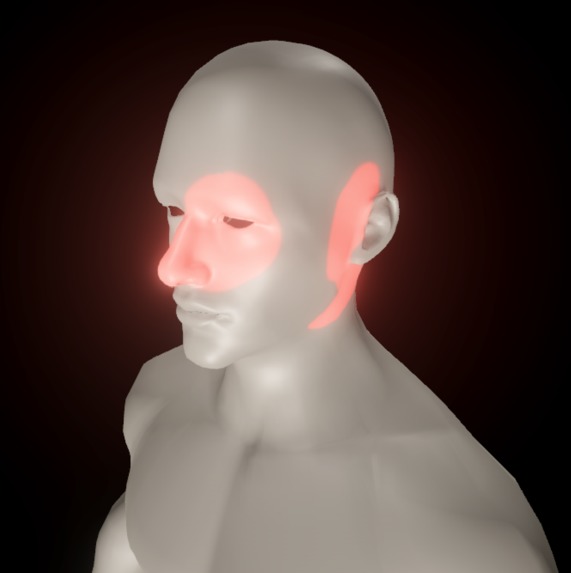
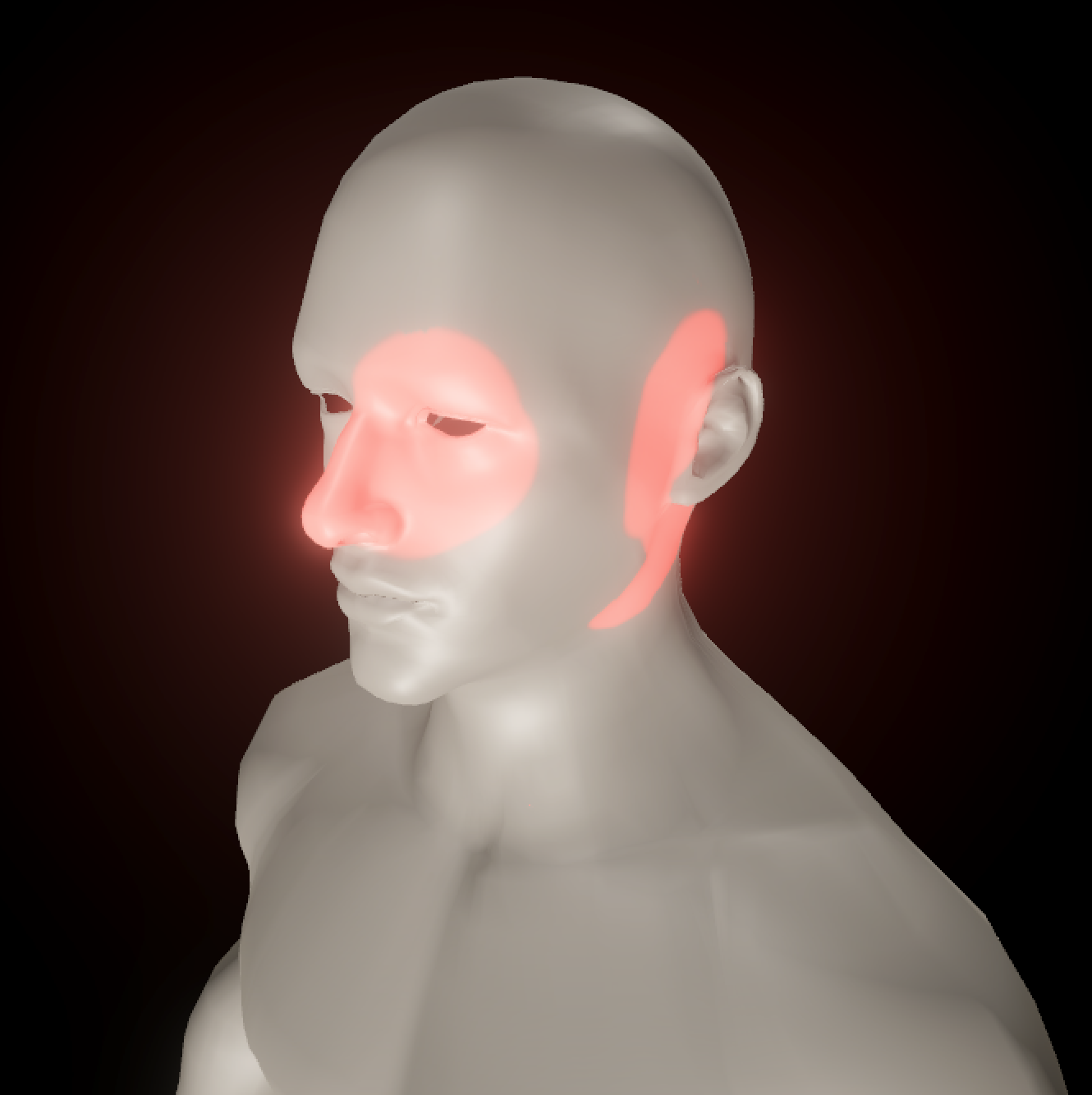
An example of what a user would paint onto a model according to their pain
-
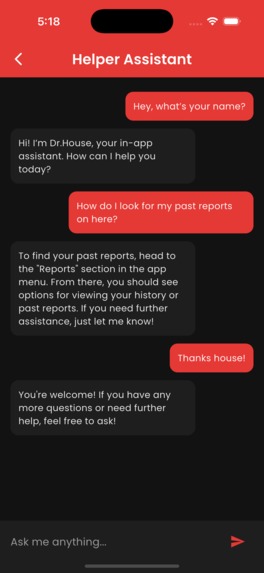
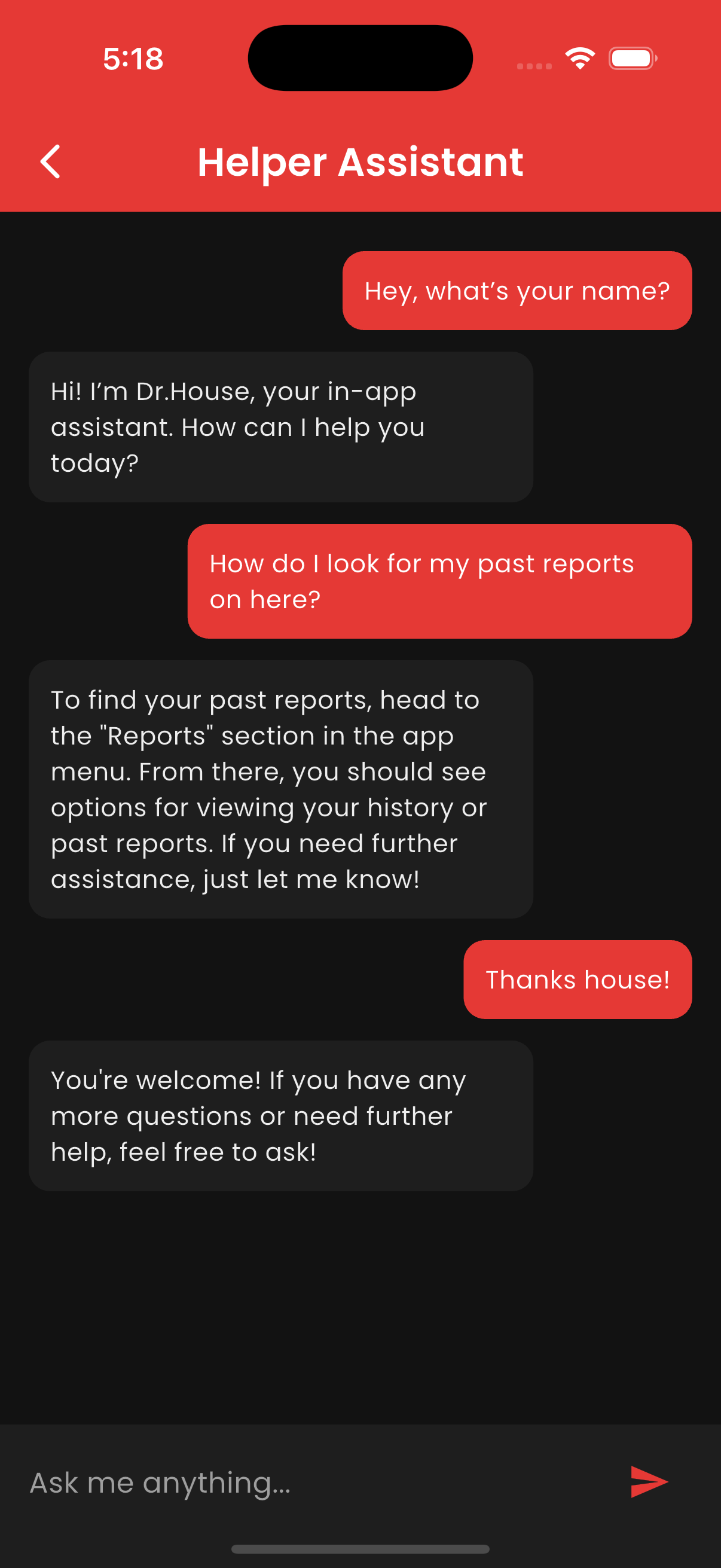
Our chatbot
-
-
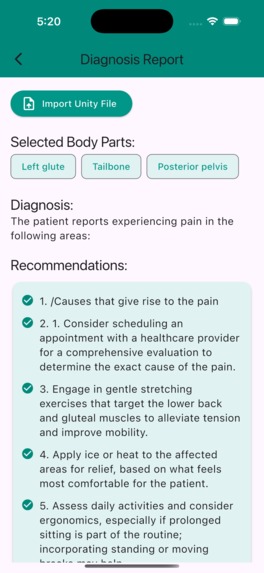
PainPoint
Inspiration
The idea for PainPoint came from noticing how difficult it can be for patients and clinicians to communicate about pain. Describing pain verbally is subjective, and pointing to a general area on the body often lacks precision.
We wanted to create a tool that makes pain mapping visual, interactive, and data‑driven, so that both patients and healthcare providers can better understand and track pain over time.
Being able to map pain and immediately determine what parts of your body are affected removes the uncertainty about symptoms that often crucially delays medical care.
We were inspired by anatomy viewers, educational visualization tools, and the challenge of blending technical rigor with human‑centered design.
What it does
PainPoint is an interactive 3D anatomy viewer where users can:
- 🎨 Paint directly on a body model to mark areas of pain or discomfort
- 🧽 Erase or adjust markings with brush‑like controls
- 🗺 Automatically map painted areas to granular anatomical regions using a region lookup texture
- 📋 Display a live list of selected regions in a UI panel
- 💾 Save the list of regions for further analysis and possible integration with other programs (e.g., research tools, patient records)
The result is a system that transforms subjective pain descriptions into structured, analyzable data.
How we built it
- Unity: Core engine for rendering, input handling, and UI
- Blender: Main tool for creating UV map
- Custom shaders & textures: A dynamic paint texture (
_PaintTex) is blended into the model’s material in real time - Region map lookup: A color‑coded UV texture is used to map painted pixels back to anatomical regions
- C# scripting:
- Brush interpolation and falloff logic
- World‑space brush sizing for consistent strokes across meshes
- Region tracking with
HashSet<Vector2>for efficient UV storage
- Brush interpolation and falloff logic
- Flutter: A cross-platform app-development open-source UI framework to create app designs
- Dart: A client-optimized, open-source programming language developed by Google that powers Flutter-based applications
We also experimented with touch input support, ensuring the system works on both desktop and mobile. Touch support is crucial for further implementation of such technologies; for example, it can be used in pre-screening data collection on tablets in medical offices.
Challenges we ran into
- Shader stripping in builds: Our paint texture wasn’t visible until we ensured
_PaintTexwas explicitly referenced in the shader - Region map accuracy: Compression and mipmaps caused hex-value mismatches, leading to
"Unknown"regions. We fixed this by disabling compression and enforcing exact hex-value lookups - Unity implementation in Flutter: Issues with deprecated and outdated modules meant difficulties in seamlessly implementing Unity within the Flutter app. We navigated this issue with some workarounds to transfer data between Unity and the Flutter app.
- Working with a 3D engine: Inexperience with Blender and Unity meant figuring things out on the fly, and many moments of trial and error until things worked right.
Accomplishments that we're proud of
- Built a fully interactive 3D pain mapping tool from scratch
- Achieved smooth brush strokes with interpolation and falloff
- Created a region lookup system that translates freehand painting into structured, granular, anatomical data
- Integrated a clean UI panel that updates live with selected regions
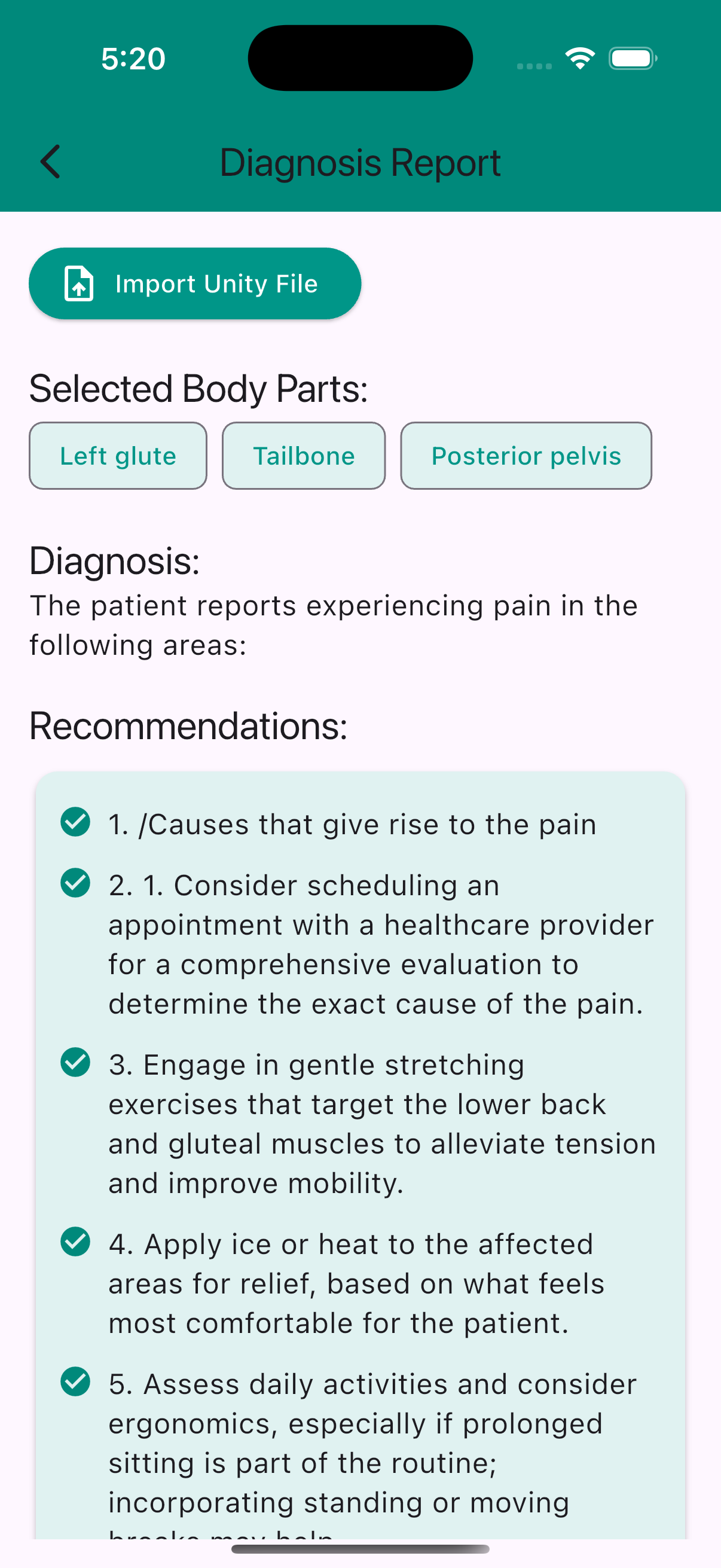
- Allowed analysis to be run on the specific anatomical segments selected, outputting clean, readable information for any user
What we learned
- How to combine visual design and technical implementation in Unity
- The importance of shader property references for runtime textures in builds
- Practical debugging strategies for Editor vs. Build discrepancies
- The value of iterative problem‑solving: every bug taught us something new
What's next for PainPoint
- 📱 Multi‑platform deployment: Optimize for mobile and tablet use in clinical settings
- 📊 Data export formats: Add specific JSON/CSV export for easier integration with research tools
- 📈 More analytics: Track pain intensity, frequency, and progression over time
- 🖱 Interactive UI: Allow users to click on a region name in the list to highlight or clear it
- ♿ Accessibility: Add voice input and haptic feedback for broader usability
- 🏥 Clinical validation: Collaborate with healthcare professionals to refine region definitions and workflows
✨ PainPoint started as a technical experiment, but it has the potential to become a meaningful tool for healthcare, education, and research.


Log in or sign up for Devpost to join the conversation.