-
-
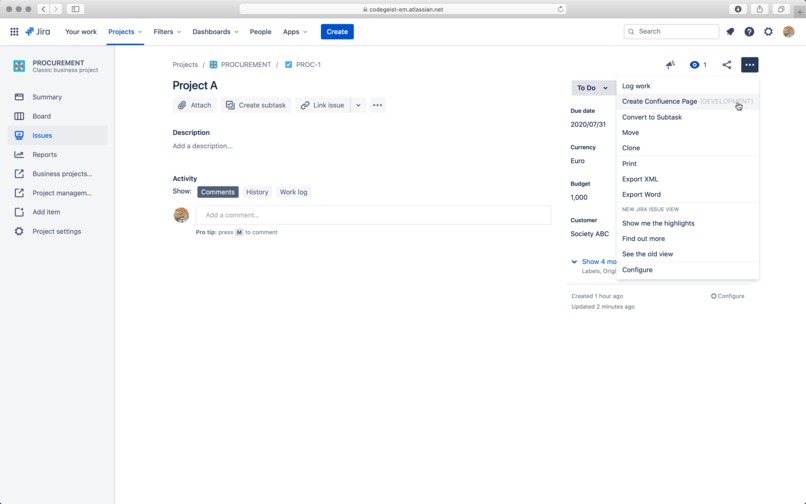
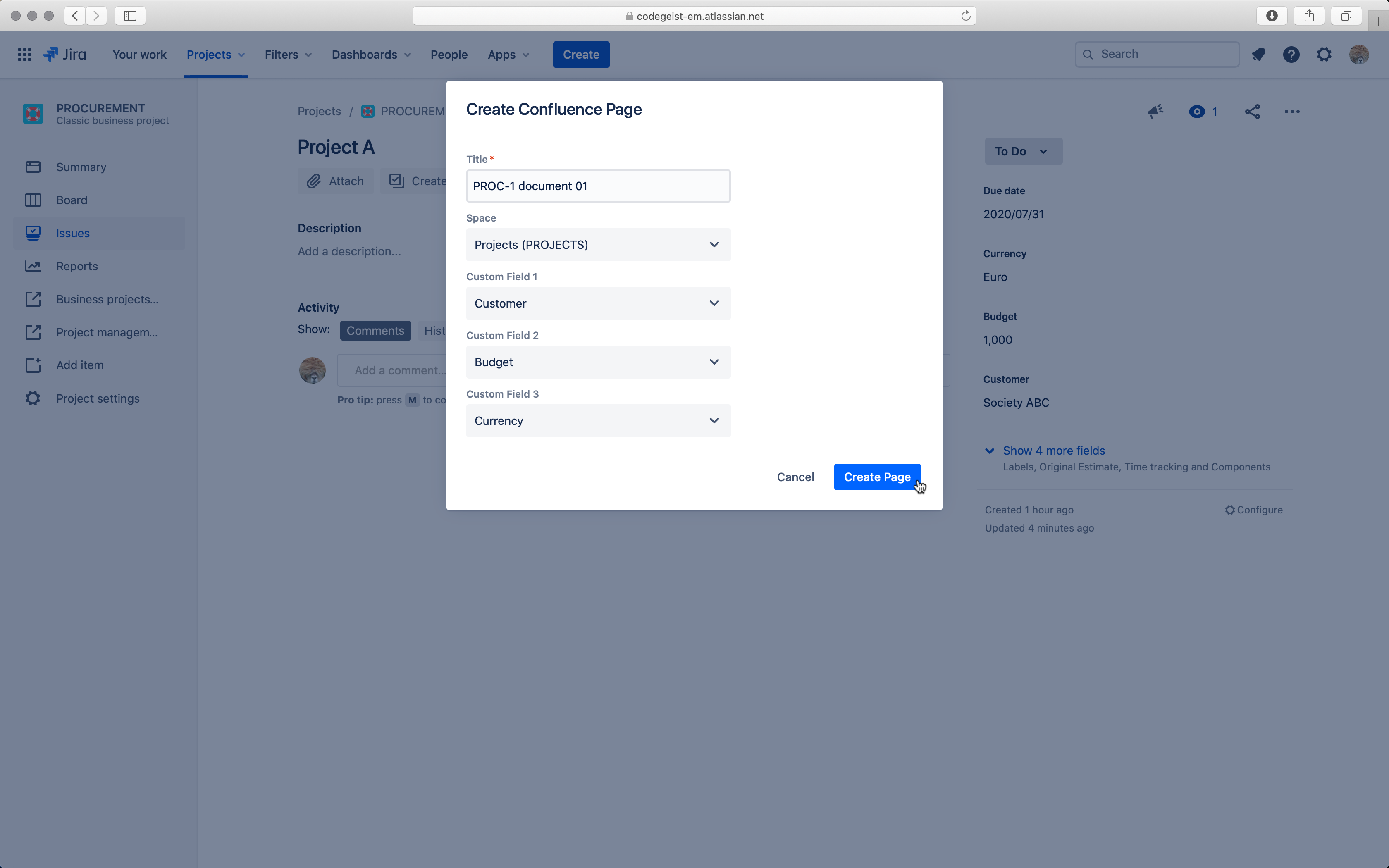
Step 1 - Trigger the plugin
-
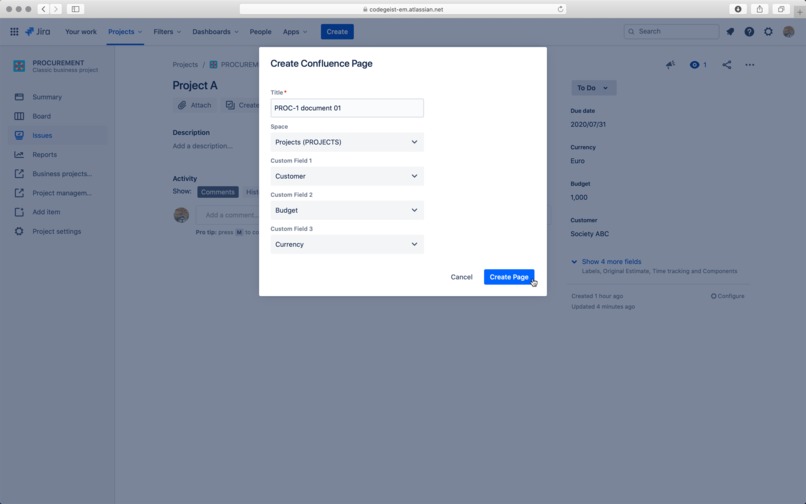
Step 2 - Configure the plugin
-
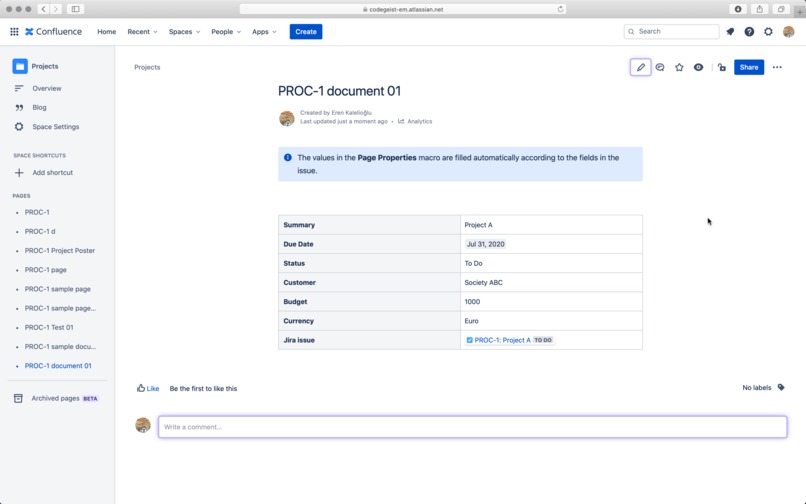
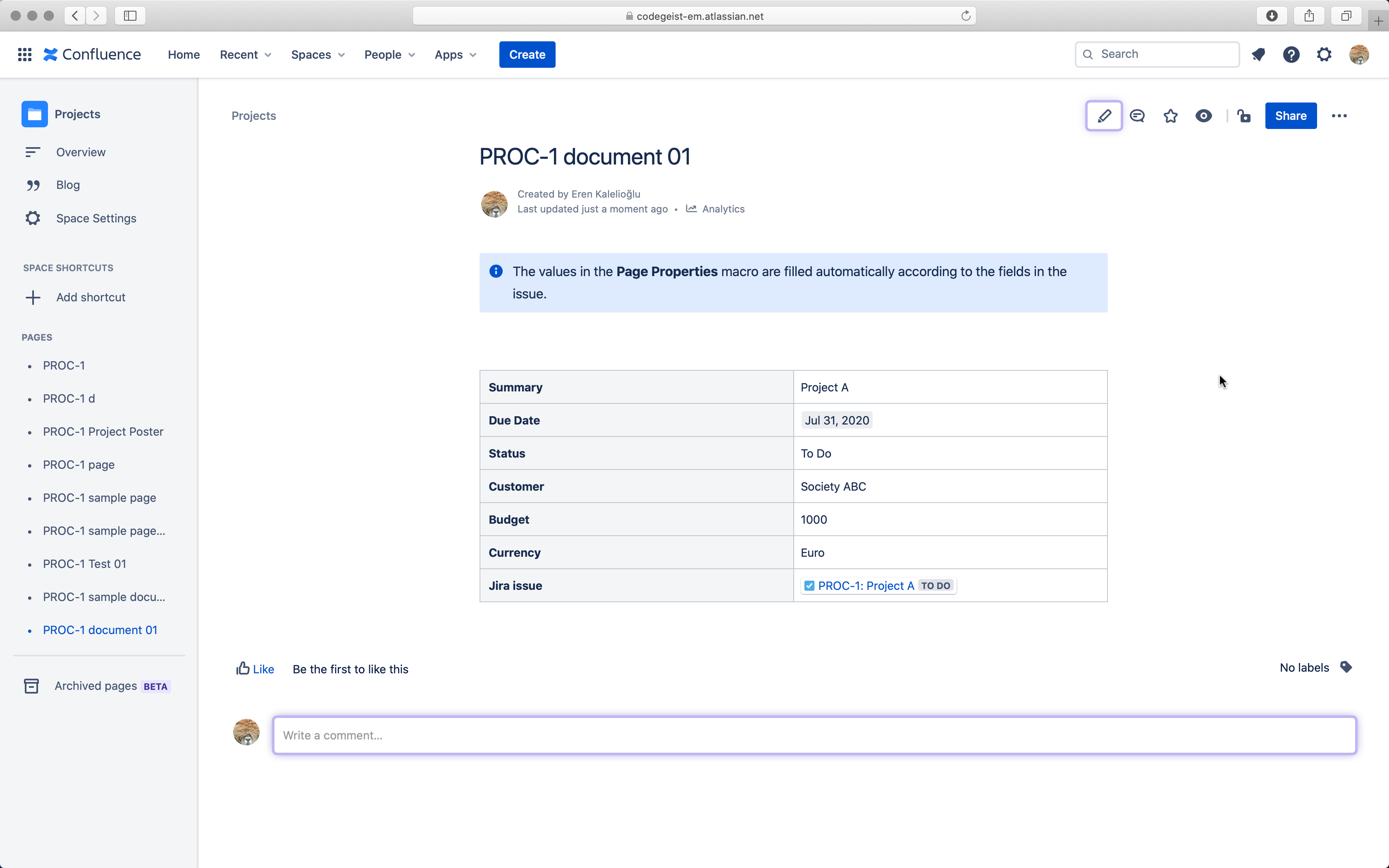
Step 3 - Confluence page created
Inspiration
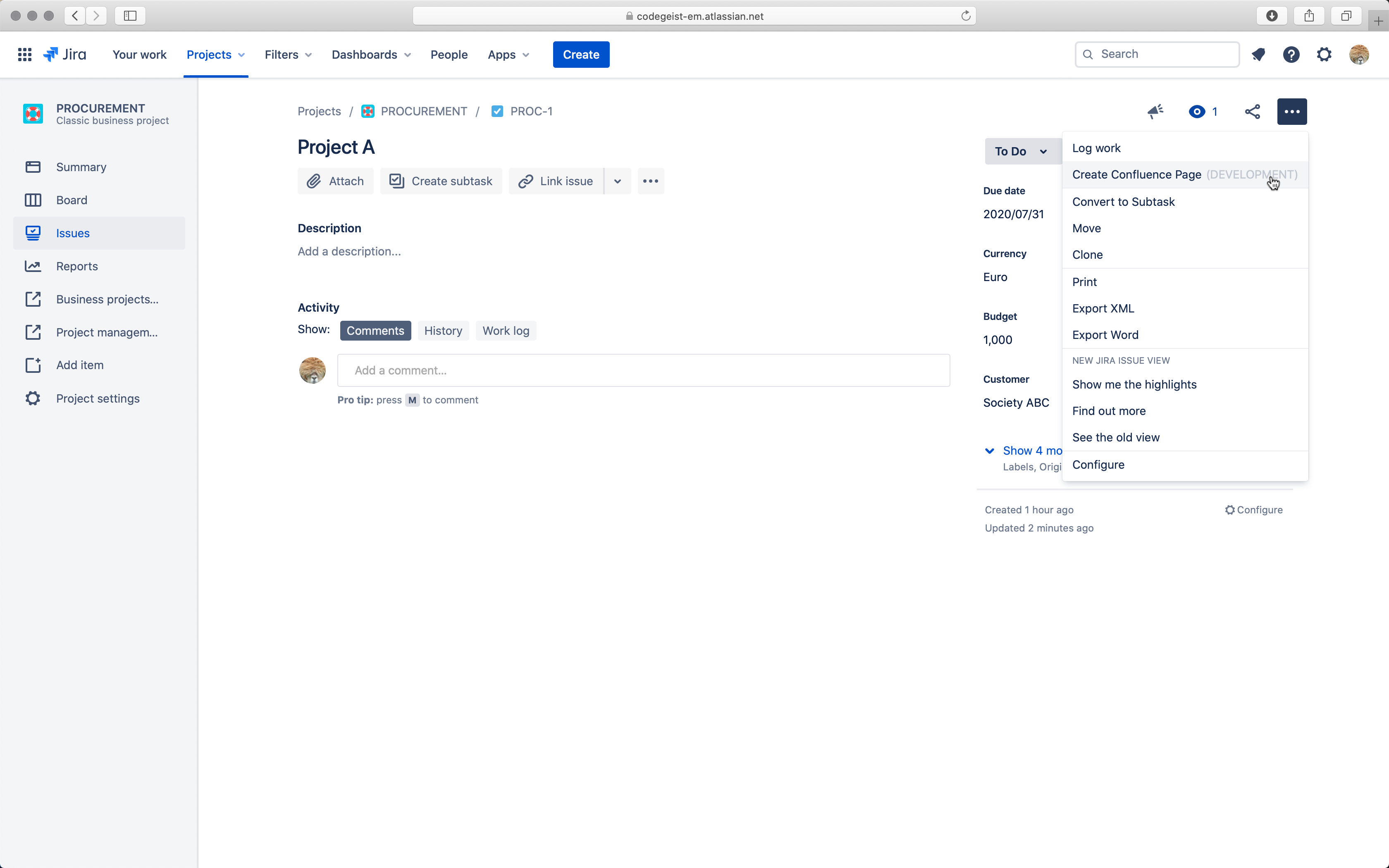
We generally create Jira issues from Confluence pages. But we sometimes need to work just the opposite way. We need a simple yet effective tool to create Confluence pages from Jira issues. The Confluence page created using this plugin contains a Page Properties macro and the properties' values will be populated according to the fields of the Jira issue that triggered this tool. We want that (in the near future) that the user could easily customize the page format without using any other tool than Jira or Confluence.
What it does
The plugin creates a confluence page and insert a Page Properties macro and fill the respective table according to the fields of the Jira issue.
How we built it
We built it with the brand-new Forge.
Challenges we ran into
- First of all, we weren’t use to Node.js, React; we come from Java, PHP, C/C++ and .NET. We had very limited time. So even the simplest things were difficult to us at first. But anyway, we decided to experiment the new Forge tools instead of the Connect tools that are a lot of mature.
- The Forge documentation is getting better each day; but we couldn’t find our way for a couple of questions; and those questions made things difficult for us.
- The debugging part was a little bit too dark (limited) to us. We used mainly Forge Tunnel responses, Console.log commands, etc. Maybe we missed an important debugging tool and that’s why we think this way.
Accomplishments that we're proud of
First of all, we are proud of that we met Forge. We discovered how to use Forge and Confluence Cloud REST API and Jira Cloud REST API. We’re also proud that we learned a lot of things in a very limited time about the tools needed to build and app with Forge that we didn’t use at all such as: npm, Node.js, React, etc. We were able to submit an app to this contest.
What we learned
We learned:
- How to configure our tools (OS, IDE, Repository, npm, Docker, Forge account, instance, etc.)
- Which tools that we need to master for developing Forge apps
- About the resources available on the web (documentations about Forge, Jira Cloud REST API, Confluence Cloud REST API, React, Node.js, etc.) that we'll need later.
- How to achieve some basic interaction between Jira Cloud and Confluence Cloud.
What's next for Create Confluence Page
- As a user, I can select unlimited number of fields and custom fields visible on the issue screen; so, I can import the page properties macro more easily. Background: At the moment, the user can only select up to 3 custom fields to be included on the Confluence page that will be generated.
- At the moment, the configuration panel lists all of the fields on the system. We’ll show only the fields included on the issue screen.
- As a user, I can easily select the parent page of the page that will be created. Background: At the moment, it’s possible to select the space but not the parent page.
- As a user, I can easily see whether the page on Confluence needs to be updated (because the Jira issue triggered this page had a modification); so, I don’t have to track the changes on the Jira issue.
- As a user, I can update automatically the Confluence page easily by using a button “Update this page” on this Confluence page; so, I don’t have to manually update the Confluence page according to the changes made on the Jira issue.
- As a user, I can set the default configuration for the plugin; so, I don't have to configure the plugin (space, fields to include in the page properties, etc.) every time I create a confluence page.
- As a user, I can set Confluence templates that will be used when creating Confluence pages; so, I can easily customize the page created using this plugin without the need of any other tool than Jira and Confluence. At the moment, the page created contains only a page properties macro and cannot be customized before the creation.
- Bug tracking

Log in or sign up for Devpost to join the conversation.