-
-
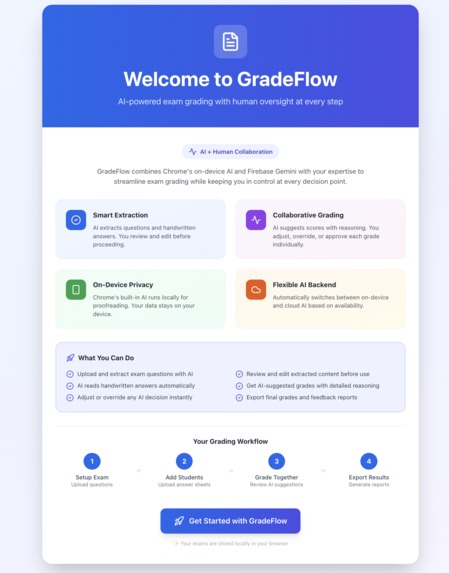
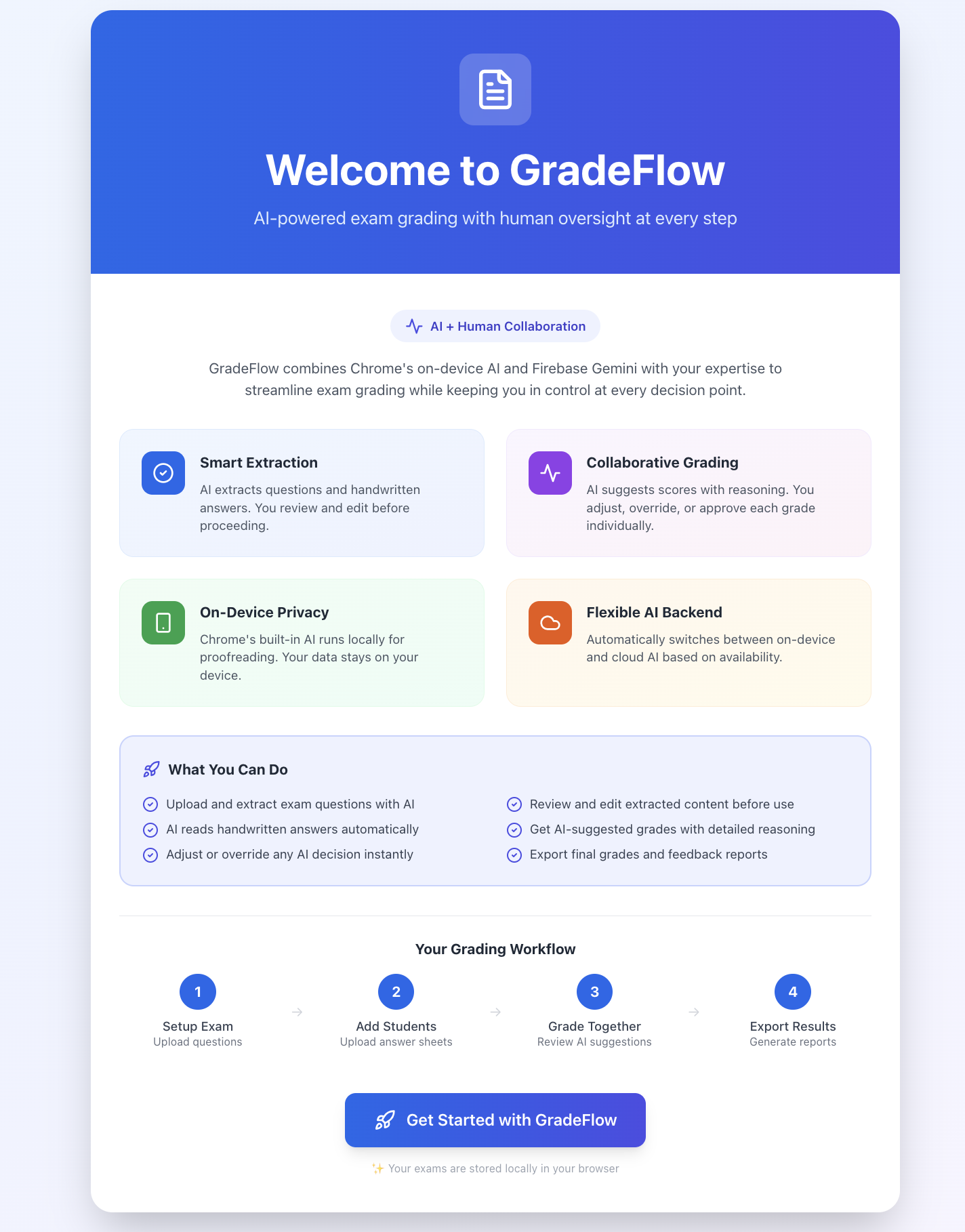
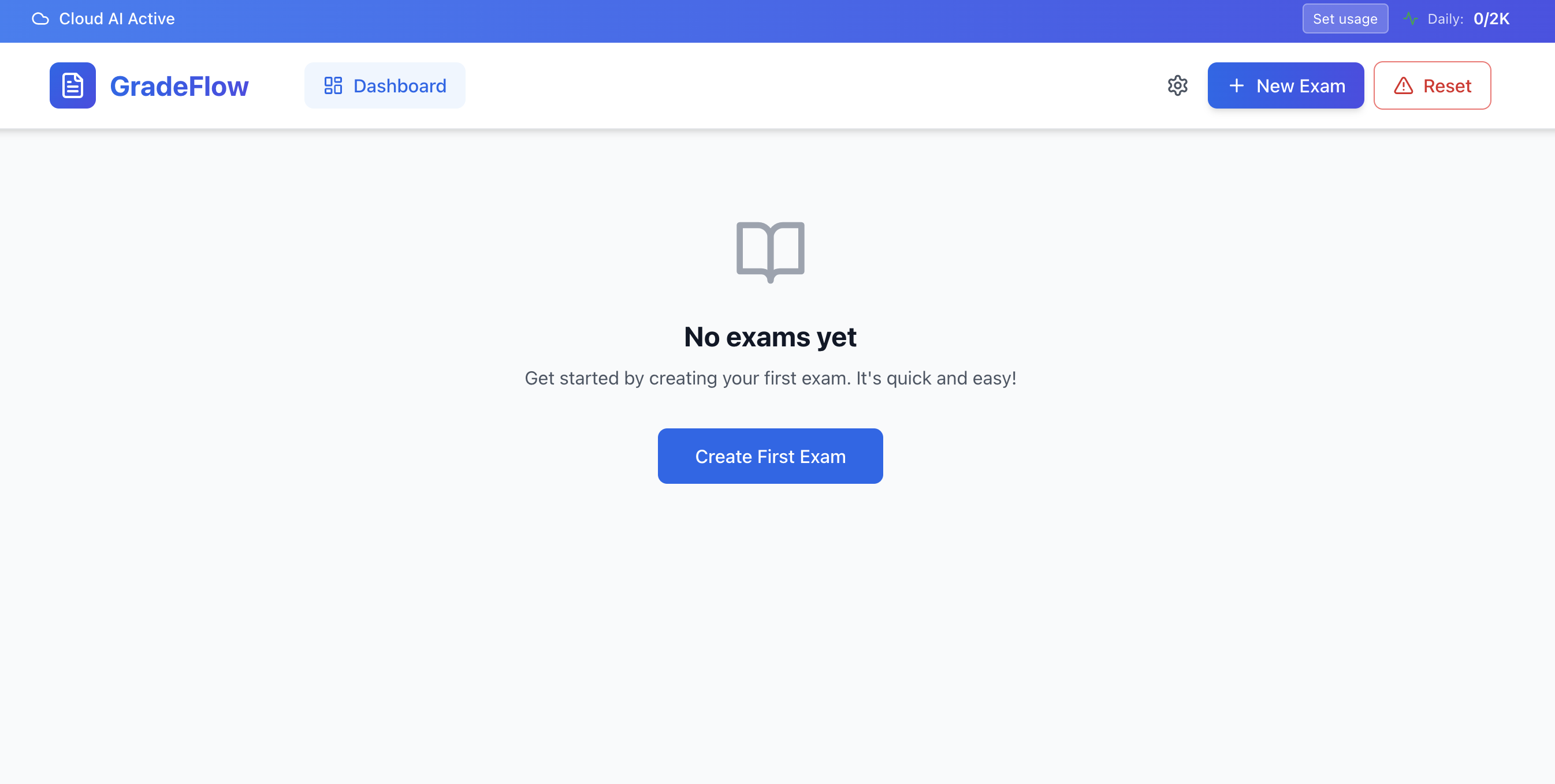
Landing Page & Core Features
-
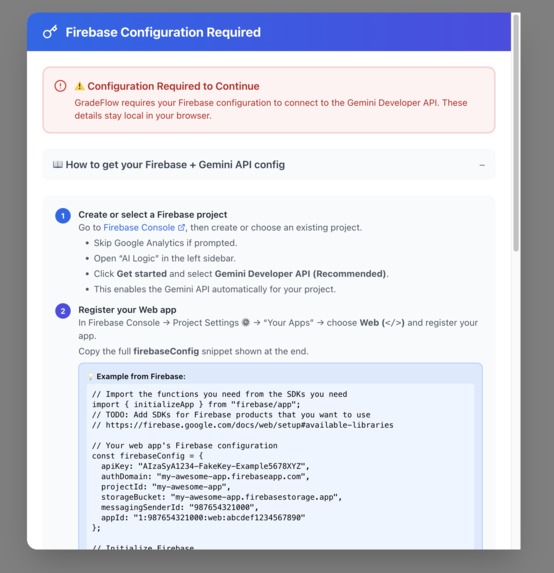
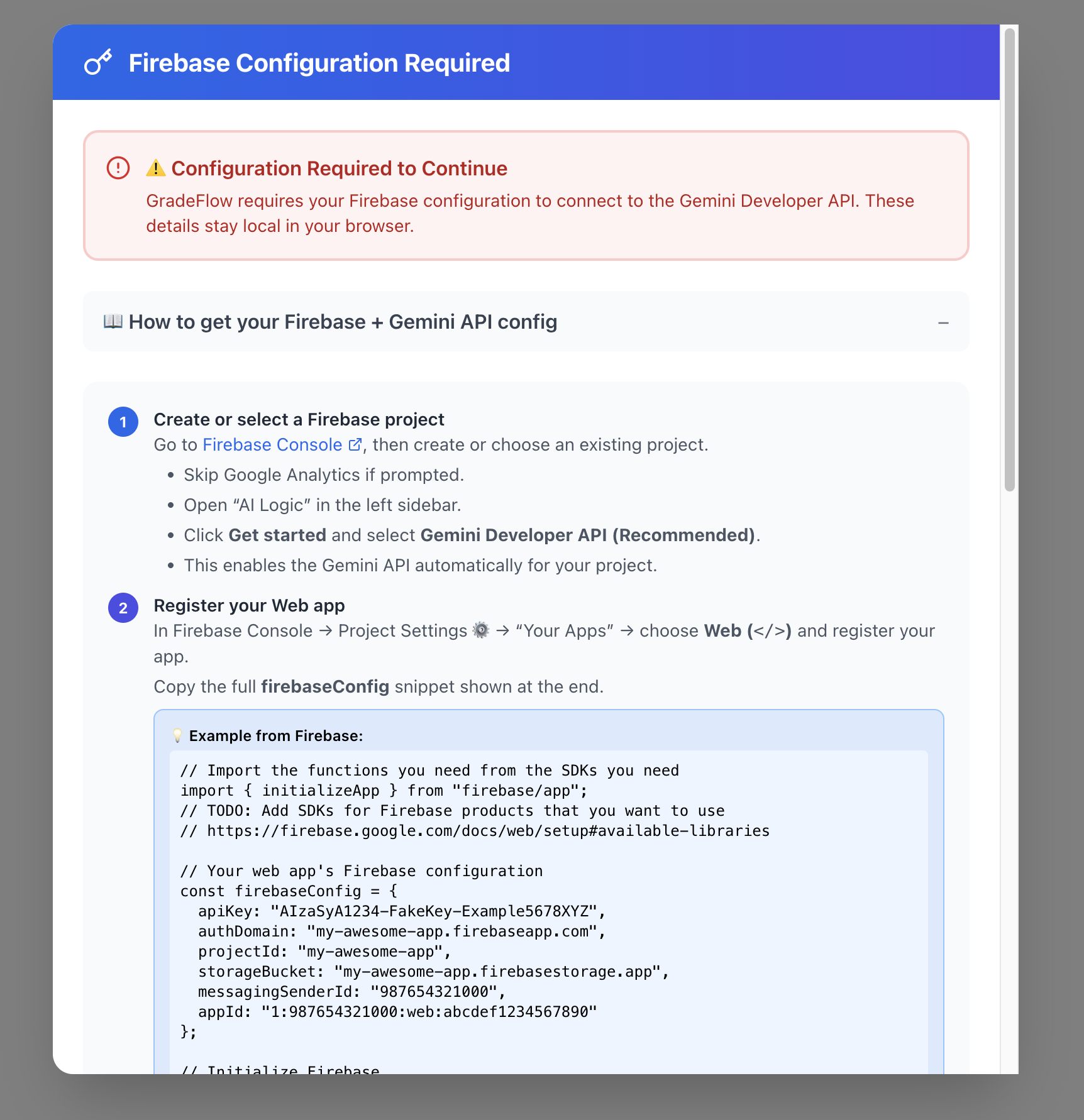
Firebase setup in case local models not available
-
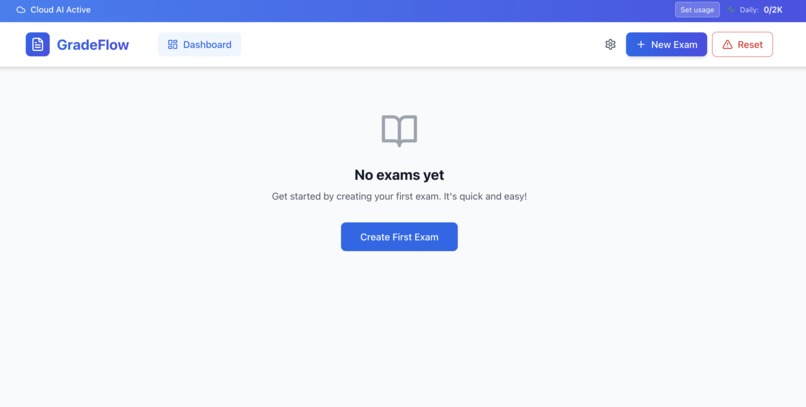
Dashboard
GradeFlow - Devpost Submission
Inspiration
As a lecturer in Zambia, I spend countless hours every semester grading student exams manually. After grading 100+ papers, I'd have scores but no real understanding of where my students struggled or how to improve my teaching. Students would ask "How did the class do overall?" and I couldn't answer without spending another full day analyzing patterns in spreadsheets.
One night, staring at stacks of red-marked papers on my desk, I thought: "AI can analyze images, understand text, and find patterns. Why am I doing this manually?" That moment sparked GradeFlow — a tool to make grading faster and teaching smarter, built by an educator who lives this problem every semester.
What it does
GradeFlow is an AI-powered grading assistant that transforms how educators understand their students' performance.
It uses Gemini AI to:
- Read and analyze student exam papers (handwritten or typed)
- Automatically extract and grade answers
- Generate performance summaries for each question
- Provide plain-language insights about class performance
Instead of showing confusing graphs and statistics, GradeFlow speaks like a colleague:
"Only 2 out of 10 students nearly got this right — most found it difficult."
That single sentence tells educators exactly where students struggled and where to focus their next lecture. No data science degree required.
Key Features:
- ⚡ AI-Powered Grading using Gemini's vision and language capabilities
- 🔒 Privacy-First Design with user-owned Firebase keys stored locally
- 🎨 Visual Interface built with React and TailwindCSS
- 📊 Expandable Analytics showing question-level and class-level insights
- 🪄 Guided Setup walks first-time users through Firebase configuration
- 💾 Local Storage for all API keys and session data
How we built it
I built GradeFlow using modern web technologies focused on simplicity, privacy, and accessibility:
Tech Stack:
- Frontend: React with TypeScript for type safety and component reusability
- Styling: TailwindCSS for responsive, education-friendly UI design
- AI Engine: Google Gemini API for image recognition and natural language processing
- Data Layer: Firebase with user-owned keys stored in browser localStorage
- Icons: Lucide React for clean, accessible iconography
Architecture Decisions:
- Client-side only — No backend servers means no maintenance costs and works offline
- User-controlled data — Educators store their own Firebase keys locally; I never see their data
- Modular design — Students → Questions → Grades → Insights pipeline for scalability
- Progressive enhancement — Guided onboarding for new users, power features for experienced ones
Development Process: I tested GradeFlow on my own students' exam papers, iterating based on real grading workflows and the actual questions educators ask about their classes.
Challenges we ran into
1. Teaching AI to understand real exams Getting Gemini to correctly structure and interpret handwritten answers required extensive prompt engineering. Real student handwriting is messy, answers are partial, and context matters. I had to design prompts that could handle ambiguity while still providing accurate grading.
2. Balancing power with simplicity Educators have varying levels of technical expertise. I needed to build something powerful enough for data analysis yet simple enough that any teacher could use it confidently. The solution was plain-language insights instead of raw statistics.
3. Secure key management without a backend Building a secure system for Firebase key storage entirely client-side was challenging. I implemented localStorage with verification features, but had to carefully document security best practices for users.
4. Translating data into natural language Converting grade distributions and performance metrics into conversational insights like "most students struggled with this" required building an intelligent interpretation layer that considers context, not just numbers.
5. Working with limited resources Building in Zambia means dealing with unreliable internet and power. This constraint actually improved GradeFlow — it forced me to make it work offline-first and lightweight, making it more accessible globally.
Accomplishments that we're proud of
✅ It works on real data — I've tested GradeFlow on actual exam papers from my classes, and it genuinely helps me understand my students better
✅ Plain-language insights — Successfully translated complex analytics into natural sentences any educator can understand instantly
✅ Empowers resource-constrained educators — Works entirely client-side with no subscription fees or powerful servers required
✅ Privacy-respecting architecture — Educators control their own data completely; I built trust into the foundation
✅ End-to-end solution — From uploading exam papers to getting actionable teaching insights, the complete workflow just works
✅ Built for real constraints — Designed in an environment with limited resources, making it accessible to educators worldwide
✅ Solves my own problem — As the primary user, every feature addresses a real pain point I've personally experienced
What we learned
Technical Lessons:
- How to effectively prompt large language models for structured data extraction
- Client-side security patterns for sensitive credential storage
- Designing UI/UX specifically for non-technical users in education
- Balancing feature richness with performance in browser-based applications
Product Lessons:
- The most powerful features are often the simplest — plain language beats fancy visualizations
- Building for your own constraints (limited resources) creates universal accessibility
- Privacy and data ownership are critical for educator trust
- Real user testing (my own grading) beats assumptions every time
Personal Lessons:
- I can build solutions to problems I face daily
- Constraints breed creativity — limited resources forced better architectural decisions
- The best products solve real problems for real people (including yourself)
- Education technology should empower educators, not overwhelm them
What's next for GradeFlow
Short-term enhancements:
- 🤖 AI-driven class summaries — "Your class struggled most with recursion, pointers, and proof techniques"
- 📈 Comparative analytics — Compare performance across different classes, semesters, or cohorts
- 📝 Multiple question types — Support MCQs, essays, coding assignments, and diagram-based questions
- 💾 Offline grading cache — Queue grading jobs when offline, process when connectivity returns
- 🎨 Customizable rubrics — Let educators define their own grading criteria and weightings
Long-term vision:
- 🔌 LMS integrations — Connect with Canvas, Moodle, Google Classroom for seamless workflows
- 🌍 Multilingual support — Grade exams in languages beyond English
- 👥 Collaborative grading — Multiple educators can grade and review together
- 📊 Longitudinal insights — Track student progress across multiple assessments over time
- 🧩 Chrome Extension — Grade directly from Google Drive or cloud storage
- 📱 Mobile app — Grade on tablets, perfect for reading physical papers
Community building:
- Open-source the core components to help other education technologists
- Create a community of educators sharing best practices for AI-assisted grading
- Partner with universities in resource-constrained environments for pilot programs
Ultimate Goal: Make GradeFlow the tool that gives educators worldwide their time back — time to teach better, innovate more, and achieve work-life balance. Because when educators thrive, students succeed.
🎯 Tagline (for project card)
AI grading assistant that turns exam papers into actionable insights for educators
📝 Short Description (for project listing)
GradeFlow uses Gemini AI to automatically grade student exams and translate results into plain-language insights that help educators understand where their class struggled. Built by a lecturer in Zambia, it makes grading faster and teaching smarter without requiring technical expertise.
Built With
- canvas-api
- canvas-api-?-key-technologies-nlp
- computer-vision
- css3
- css3-?-frameworks-&-libraries-react
- firebase
- firebase-?-platforms-&-tools-web-browser
- google-gemini-api
- html5
- image-recognition-```-or-if-you-want-a-shorter-version-focusing-on-the-main-technologies:-```-react
- javascript
- local-storage-api
- lucide-react
- lucide-react-?-apis-&-cloud-services-google-gemini-api
- natural-language-processing
- react
- tailwindcss
- typescript


Log in or sign up for Devpost to join the conversation.