Inspiration
Reading on the web is noisy and fragmented. We constantly bounced between tabs to summarize, explain, translate, and then hunt for credible sources. We wanted a privacy‑first, on‑device copilot that lives where you read and still scales when needed. Chrome’s built‑in AI Task APIs made that vision finally practical.
What it does
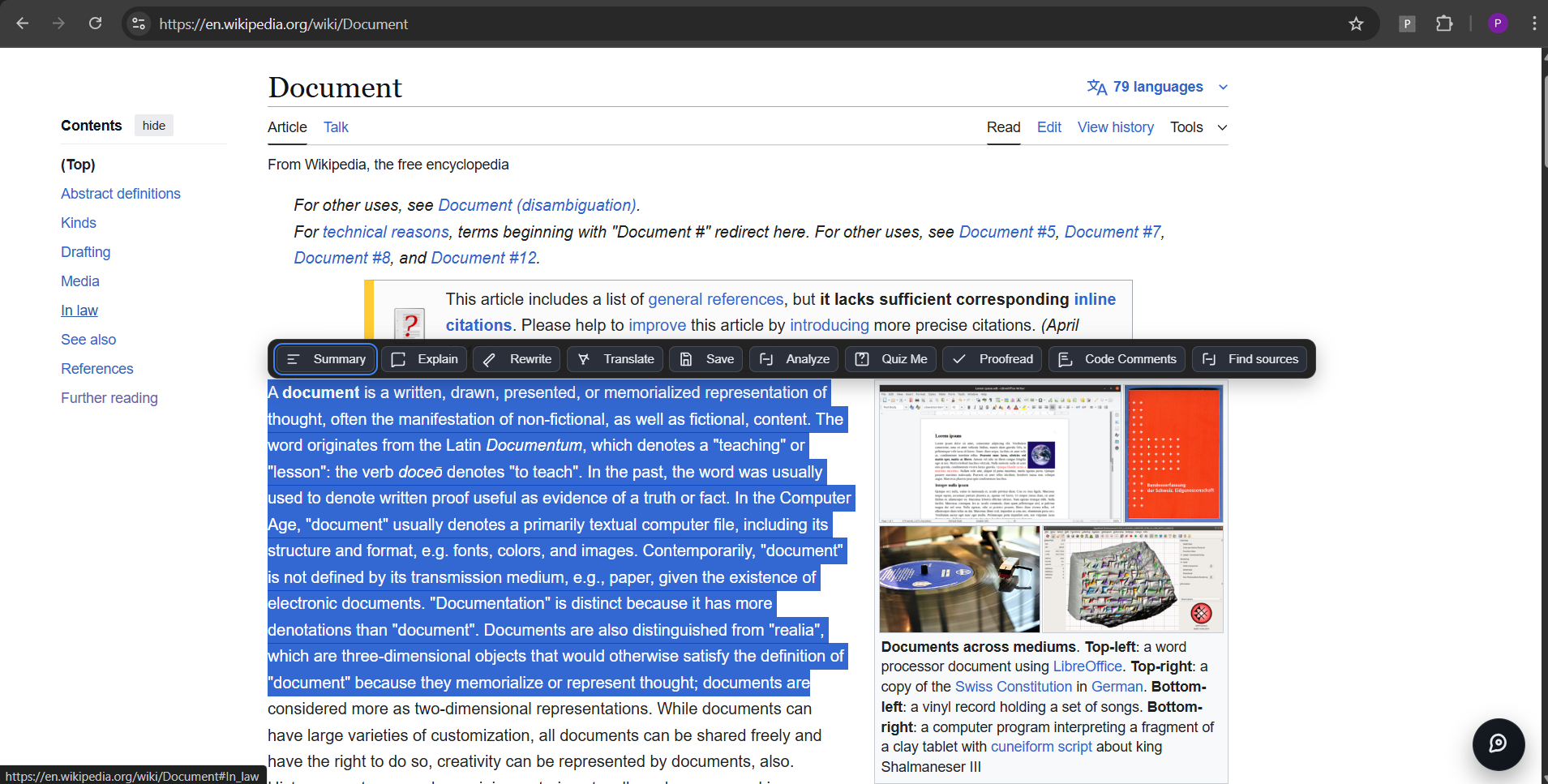
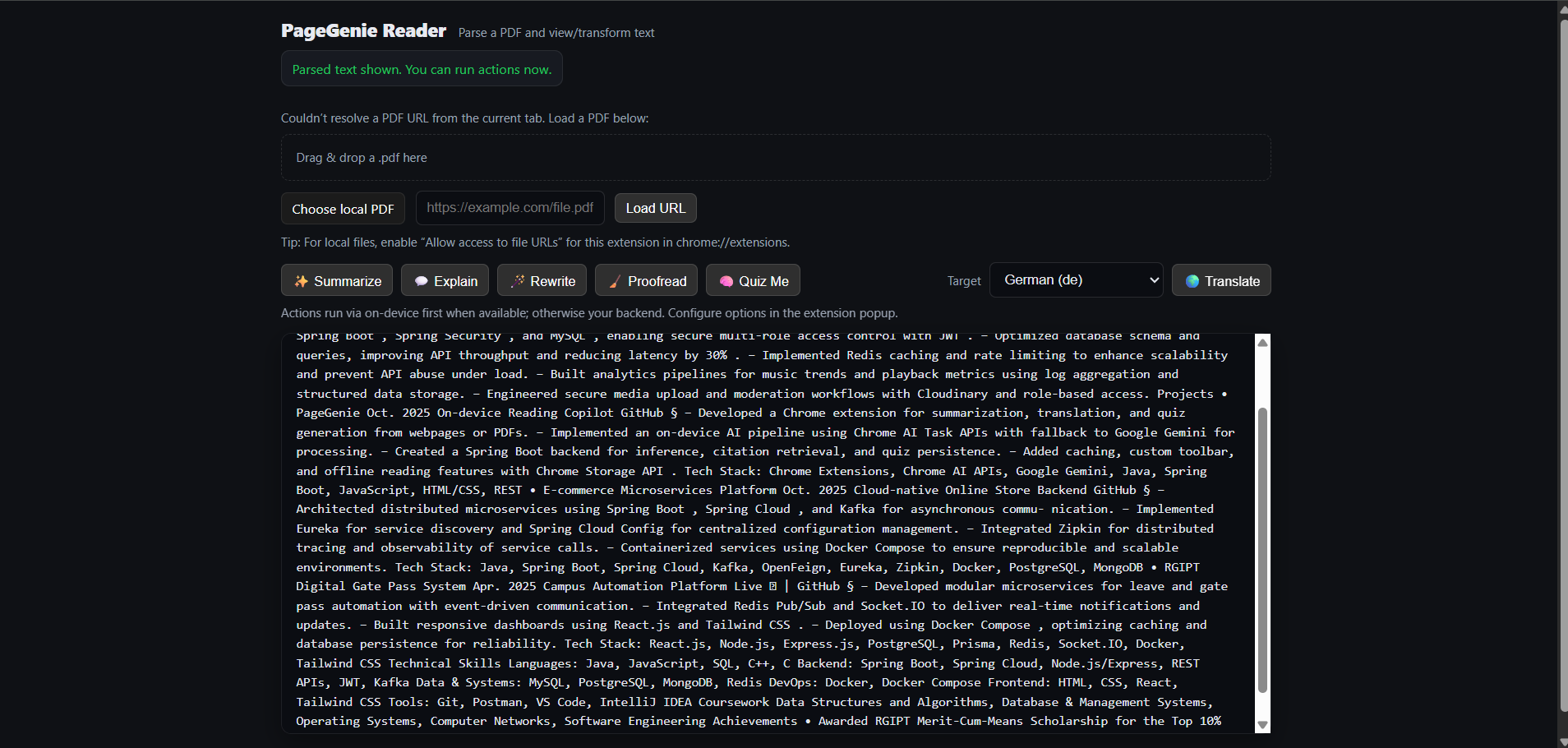
- Summarize, Explain, Rewrite, Translate, Proofread, and Write inline on any page (PDFs too via Reader).
- Prefers on‑device AI for speed and privacy; falls back to cloud transparently when needed.
- Adds citations automatically:
- Preserves citations the model returns.
- If missing, finds 3–5 references via Google Programmable Search (CSE), deduped with short “reason” notes.
- Research helpers:
- Concept drift analysis (key claim, agreement, drift) against your notes.
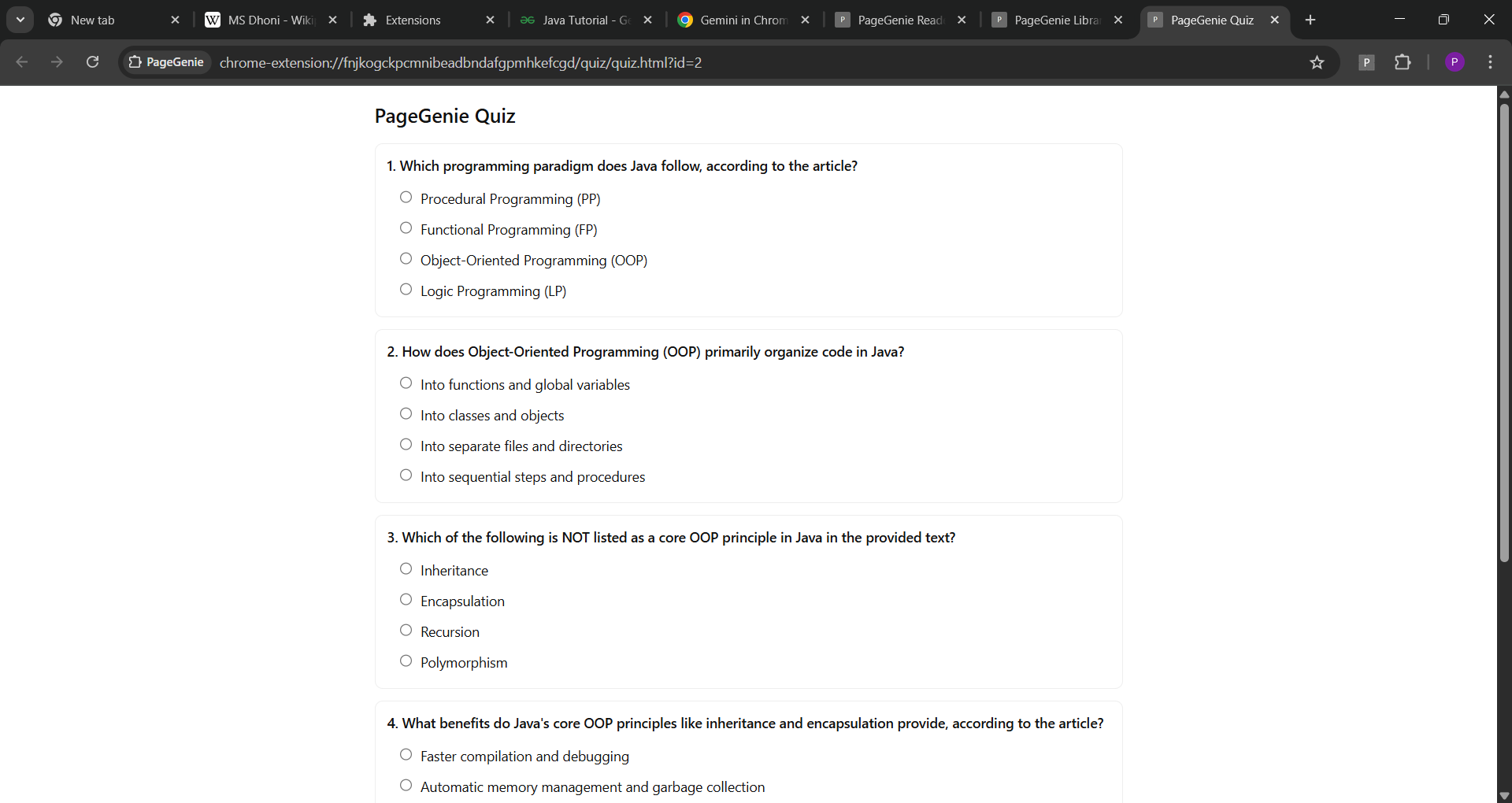
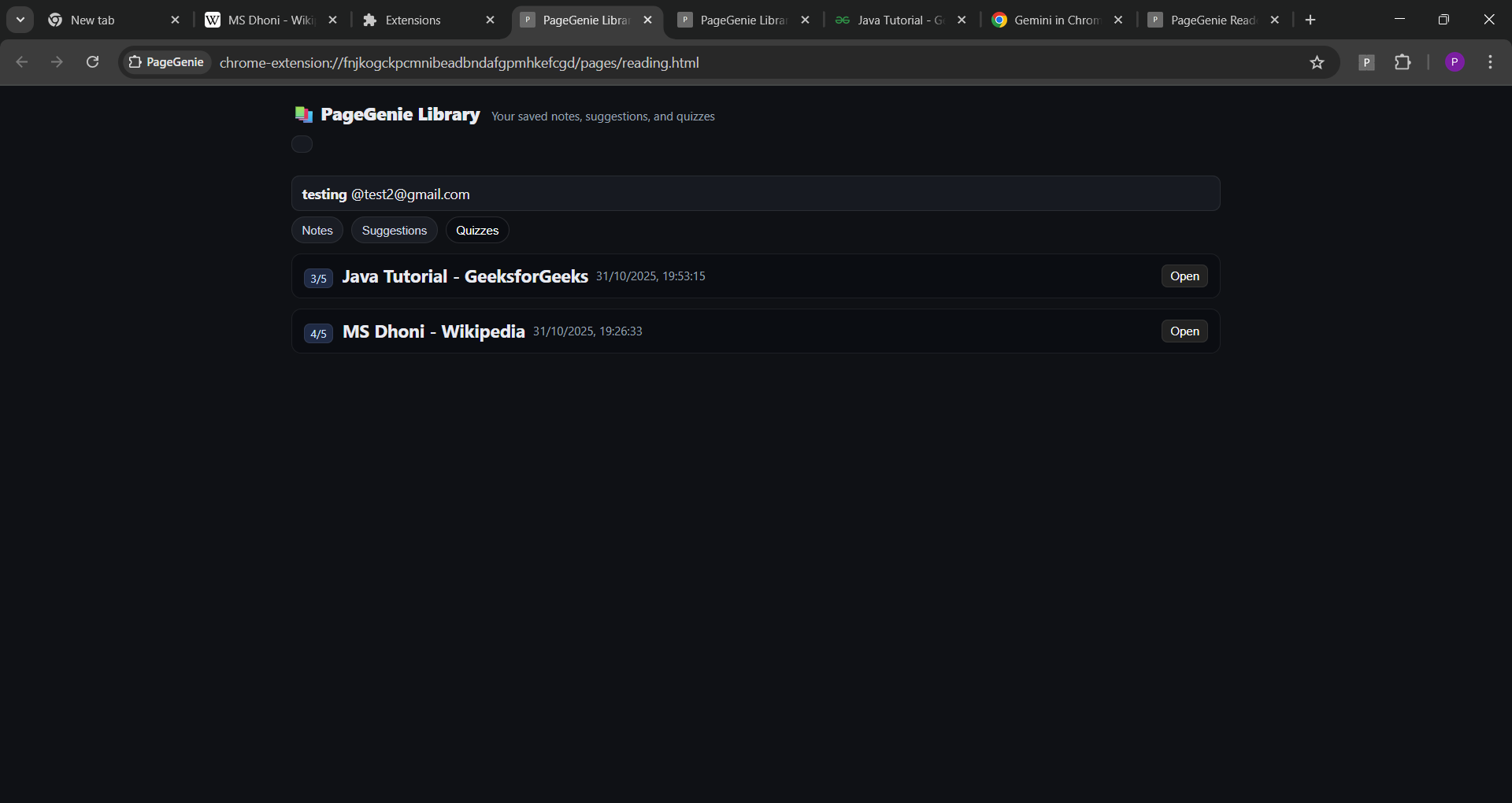
- Quiz from selection for quick comprehension checks.
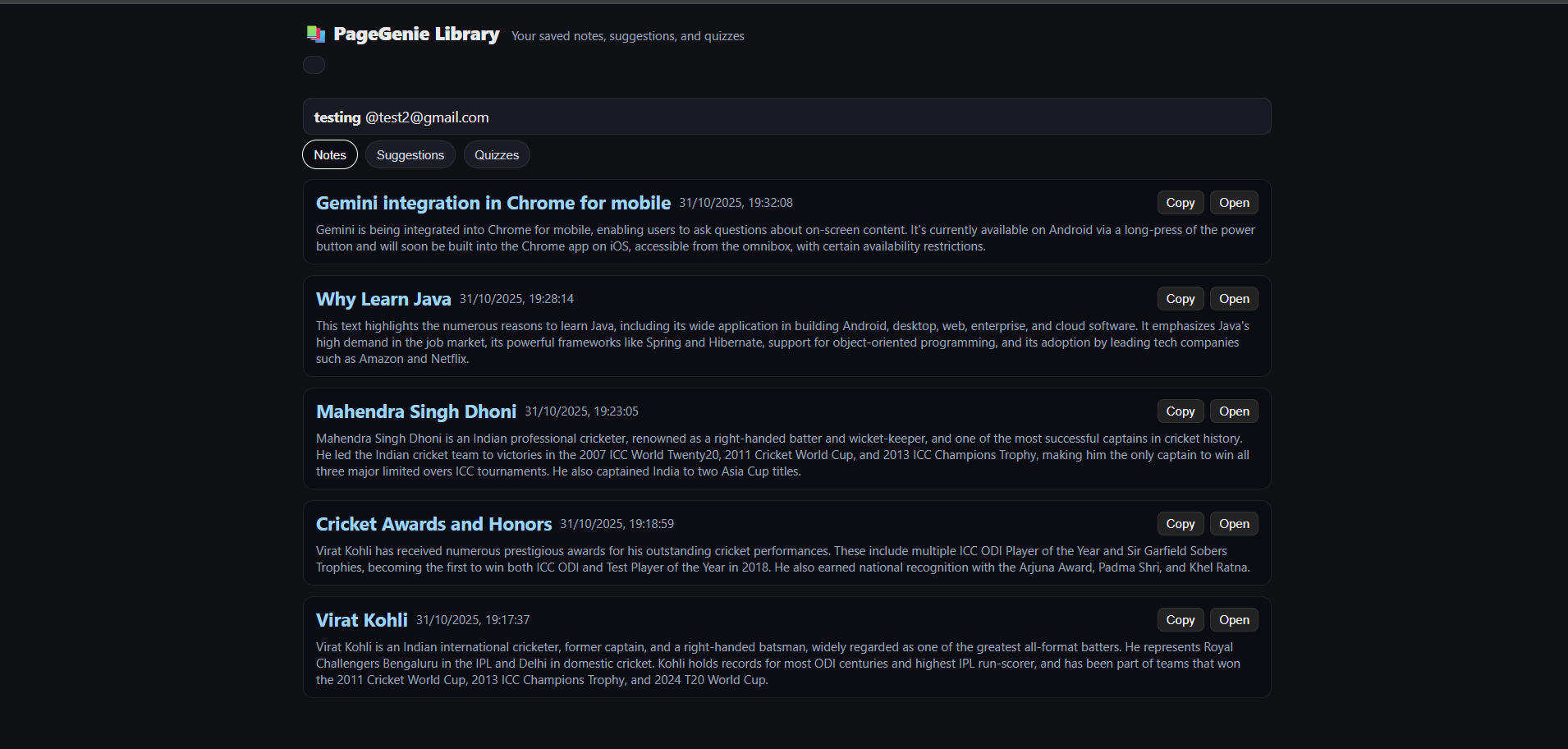
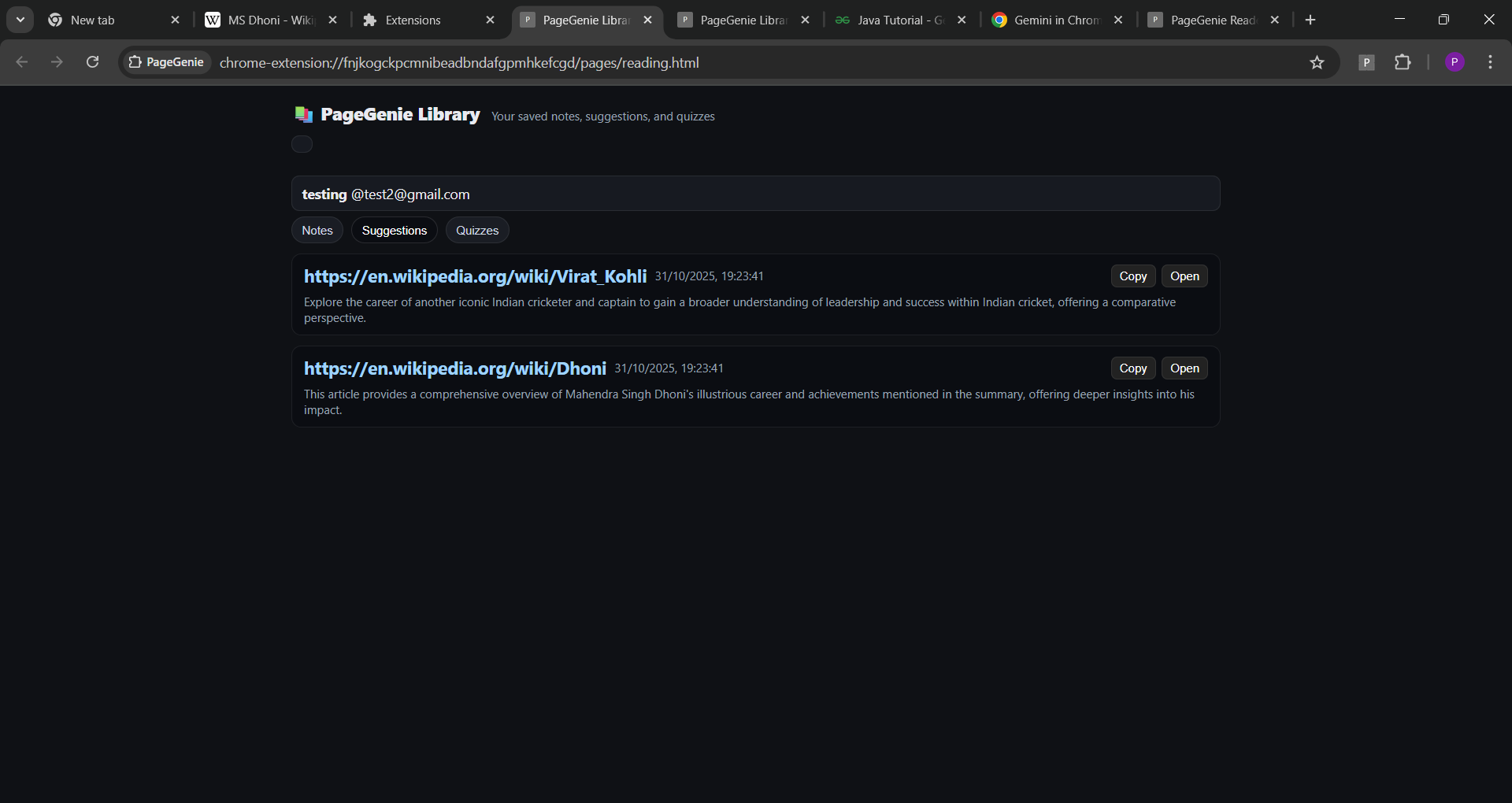
- Library (Hub) to review saved Notes, curated Suggestions, and Quizzes.
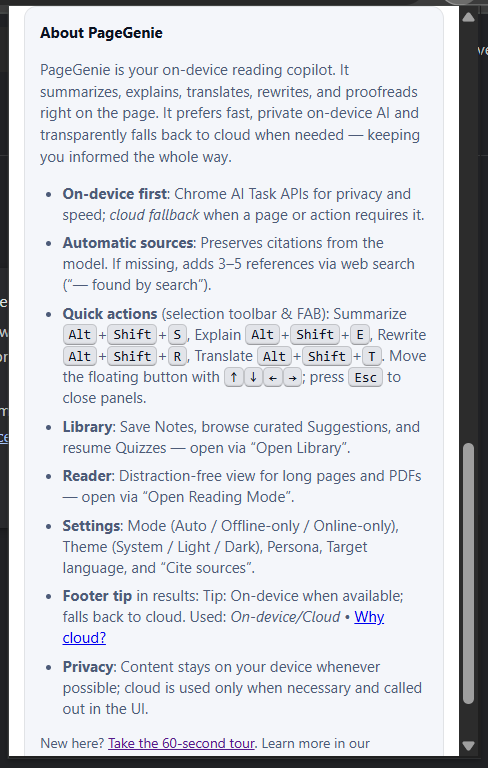
- Polished UX: selection toolbar, optional Floating Action Button (FAB), keyboard shortcuts, theming, onboarding tour, and a clear footer tip:
- Tip: On‑device when available; falls back to cloud. Used: On‑device/Cloud — “Why cloud?” explains the reason.
How we built it
- Client (Chrome Extension)
- Content script: selection toolbar, panels, FAB, structured result parsing, device→cloud routing.
- Page bridge (injected): talks to Chrome AI Task APIs; prewarm + readiness probe; progress events.
- Background/service worker: hotkeys (chrome.commands), context menus, Reader launcher, messaging.
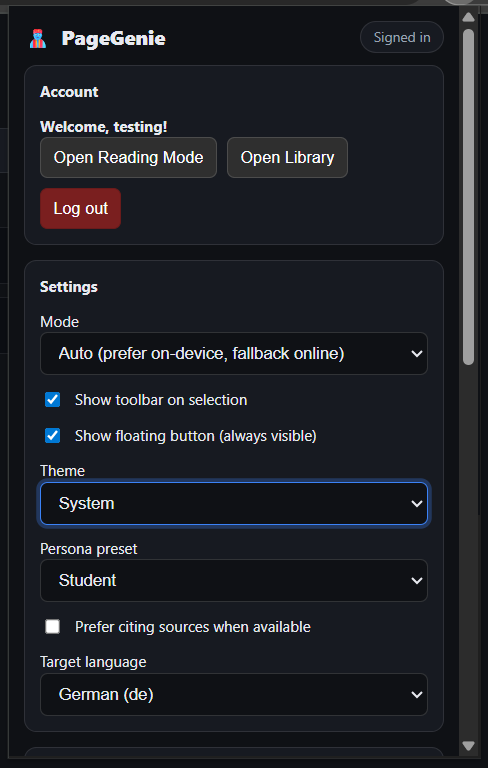
- Popup: login/signup, settings (mode, theme, persona, target language, cite sources), links to Reader/Library.
- State: chrome.storage.sync for persistent settings; postMessage bridge for on‑device events.
- Backend (Spring Boot)
- /api/v1/ai → Gemini fallback; resilient with retry/backoff and structured result extraction.
- /api/v1/sources/find → Google CSE references with progressive queries and dedup.
- /api/notes, /api/v1/reading/suggest, /api/v1/quiz/generate-from-text for the Library.
Example backoff (code):
// Exponential backoff with jitter
function backoffDelay(attempt, base = 900, max = 4500, jitter = 300) {
  return Math.min(max, base * 2 ** attempt) + Math.random() * jitter;
}
Challenges we ran into
- Google CSE 403 (“unregistered callers”): fixed by enabling the API, using a server‑side key, and avoiding referrer‑only restrictions.
- Loader completion after auto‑finding sources: centralized render so
loader.successfires after all async steps. - Function naming drift: showComparePannel vs showComparePanel caused ReferenceErrors; added a safe default + alias.
- Settings persistence: “Cite sources” reset on persona change; introduced a
citeSourcesManualoverride with storage listeners. - Structured outputs vary (fenced/quoted/escaped JSON): built a forgiving parser to recover bullets/citations reliably.
- On‑device availability: first‑run downloads and restricted pages required a clear cloud fallback story and user messaging.
Accomplishments that we're proud of
- Device‑first, privacy‑respecting AI with transparent cloud fallback and friendly progress.
- Automatic references that feel native: subject‑aware search, deduping, and concise “reason” notes.
- A cohesive UX: consistent “Summary/Explanation + References” across inline and Reader, themed UI, keyboard accessibility, quick onboarding.
- A useful Library: saved notes, curated suggestions, and quizzes that extend reading beyond a single page.
What we learned
- Chrome AI Task APIs are powerful and fast when prewarmed; pairing them with a robust fallback yields real‑world reliability.
- Small UX details matter: status text, “Why cloud?” transparency, and consistent headings boost trust.
- Sync semantics in extensions are tricky—debounce writes, listen for
storage.onChanged, and never overwrite user overrides. - Dedup + query planning turn “web search” into believable citations; domain + normalized title carry most of the value.
We tuned backoff parameters (t_0, \alpha, t_{\max}) to balance responsiveness and load: $$ t_n = \min!\bigl(t_{\max},\, t_0 \cdot \alpha^n\bigr) + \varepsilon,\quad \varepsilon \sim \mathcal{U}(0,\text{jitter}) $$
What's next for PageGenie
- Performance/reliability
- Lightweight server cache for CSE (5–10 min TTL).
- Local telemetry pane (op, path, latency, retries) for debugging and demos.
- First‑run model download indicator for on‑device tasks.
- Features
- Multi‑language UI; export/import of Notes/Quizzes; deeper PDF support.
- Local RAG over saved notes (offline vector store).
- Optional TTS for summaries; OCR for images/PDF figures.
- Per‑site policies and custom personas.
- Ecosystem
- Pluggable cloud providers; enterprise SSO/policy controls.
- Sharable Library items with privacy controls.
Built With
- chrome
- css
- docker
- gemini
- google-search-api
- html
- java
- javascript
- jwt
- maven
- postgresql
- prompt-api
- proofreader
- rewriter
- springboot
- summarizer
- translator


Log in or sign up for Devpost to join the conversation.