Inspiration
We keep useful ideas everywhere: Markdown notes, PDFs, saved articles, code. When we want an AI's help with them, the options are bad. We can paste everything and blow through the context window, paste a few files and hope they're the right ones, or upload our notes to a service we don't control. We wanted a place where our knowledge stays as plain files on our own machine, and where an AI gets just the parts of it a question needs, with sources we can check.
What it does
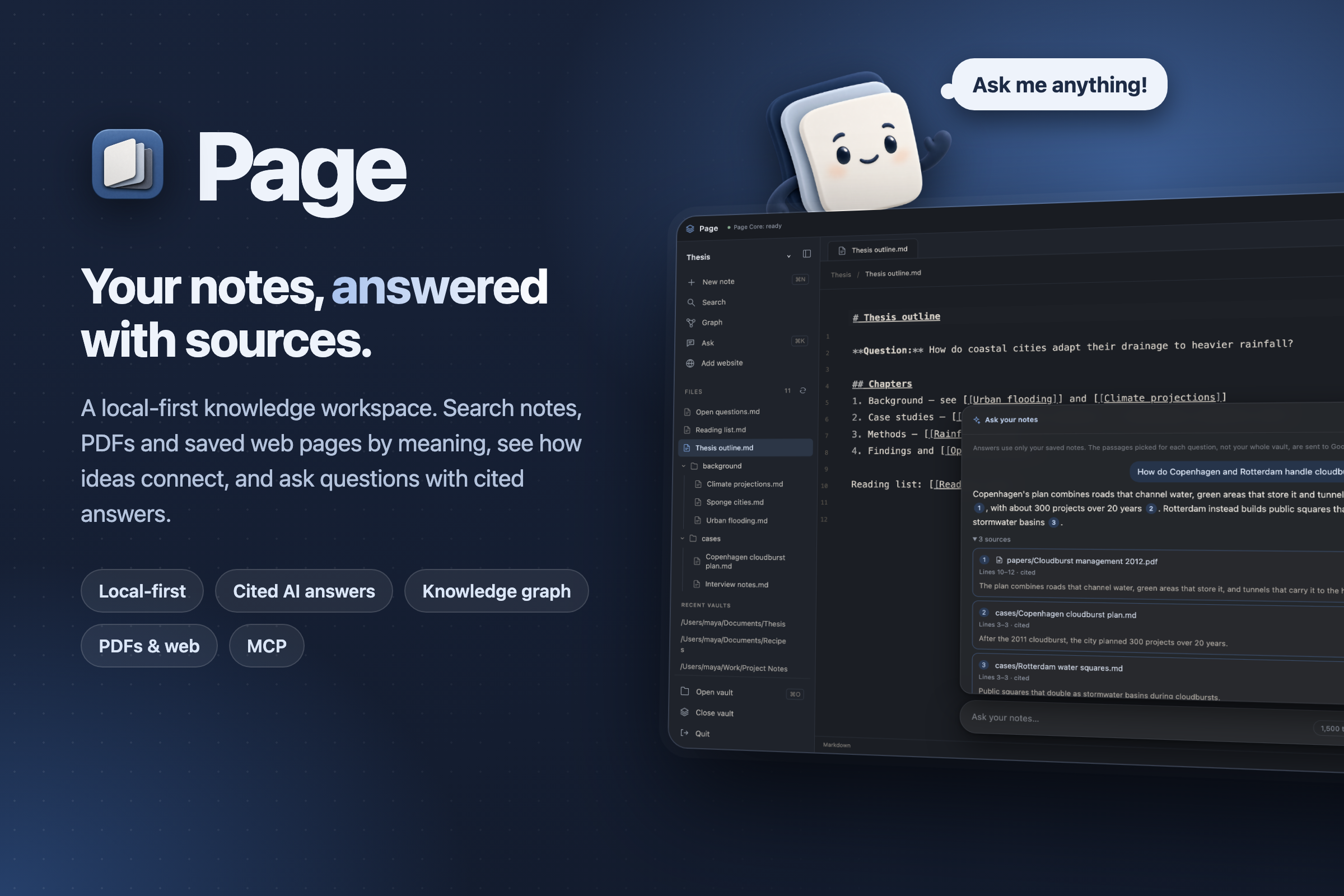
Page is a local-first desktop knowledge workspace for macOS.
- Write and connect. Notes are plain Markdown files in a folder you choose. Link them with
[[wiki links]]and explore an interactive knowledge graph, with notes colored by folder and sized by how connected they are. - Bring everything in. PDFs, source code and text files dropped into the folder become searchable, read-only. Add website saves a readable copy of any page as a note.
- Search by meaning. A local embedding model finds relevant passages even when the words don't match. Search runs entirely on your machine.
- Ask your notes. Press ⌘K, ask a question, and Page:
- finds the best-matching passages across notes, PDFs and code;
- drops weak or duplicate passages and trims long ones to fit a token budget;
- sends only that to Gemini;
- shows an answer whose numbered citations jump to the exact lines in your notes or PDFs.
- Shows what it saved. Each answer shows how many tokens were sent, compared with sending the matching passages whole.
- Works with AI agents. An MCP server lets tools like Claude Code search your vault and pull budgeted, cited context from it.
- Friendly to start. A sample vault teaches the basics, a short intro tour runs on first launch, Finder pickers replace typing paths, and a mascot thinks while Page works and dances when your answer arrives.
How we built it
- Desktop: Tauri 2 with React and TypeScript. A Rust layer owns the backend process and validates every response before the UI sees it.
- Page Core: Python 3.12. It serves a FastAPI API that only this computer can reach, protected by a per-session token.
- SQLite gives each note a stable ID, so renaming or moving a note doesn't break its links.
- Semantic search uses a pinned MiniLM model with FAISS, and caches embeddings so only changed files are re-processed.
- A context optimizer selects passages within a token budget and keeps exact source lines.
- Sources: text is extracted from each PDF page with pypdf. Saved web pages are converted to Markdown using only Python's standard library, and only public http(s) addresses are fetched.
- AI: Gemini's REST API sits behind a small provider-neutral interface, plus an MCP server built on the official Python SDK.
- Packaging: a pinned, relocatable Python runtime and the embedding model ship inside
Page.app, so users don't need to install Python. - Quality:
- over 1,000 Core tests, 100+ UI tests and 55 Rust tests;
- CI on every pull request;
- an evaluation benchmark of 40 held-out questions.
Challenges we ran into
- Our "smart" ranker didn't hold up. We trained a small neural reranker, and it looked great on its own data. On held-out notes it was worse than plain similarity search (recall@1 fell from 0.78 to 0.70). We kept the honest result and shipped the simpler ranking.
- Honest numbers. Our first savings badge compared against "your whole vault" and always showed about 99%, which mostly measured vault size. We switched to comparing against the passages we actually found. On our benchmark that saving is about 20%.
- A hidden n² slowdown. Reading each note reloaded every other note's metadata, so a 2,000-note graph took 74 seconds and timed out. Fixing it brought that down to 2.8 seconds, and 5,000 notes now take 6.7 seconds.
- Desktop details. Shipping Python inside a signed Mac app, macOS Keychain prompts on every rebuild, and slow PDF extraction blocking note saves all needed real engineering.
Accomplishments that we're proud of
- A full pipeline running locally, from plain files to cited answers: storage, graph, semantic search, context optimization, answers, MCP, and a packaged app.
- On our 40-question benchmark:
- the optimizer used 90% fewer tokens than sending every note, and the answer was still in the context for all 40 questions;
- a simple answer extractor was more accurate with the optimized context (75%) than with the full notes (62%).
- Every answer cites exact sources, and the AI provider only ever sees the passages a question needs.
- We published our failures (the reranker) and corrected an inflated metric instead of hiding them.
What we learned
- Measure on data you didn't tune on. Our best-looking model was overfitting.
- "Fewer tokens" only matters if the answer survives, and the baseline you compare against changes the story completely.
- Local-first is a real design constraint: safe file writes, stable note identities, and keeping secrets out of logs all take deliberate work.
What's next for Page
- Ask about this note: always include the open note in the context.
- Better ranking: retrain the reranker on much more varied data, and re-evaluate on held-out vaults.
- Better web saving: keep only a page's main article.
- Distribution: signed and notarized macOS builds, then Windows support.
- More providers: local models (like Ollama) through the same provider-neutral interface.
Built With
- codemirror
- cytoscape
- faiss
- fastapi
- gemini
- mcp
- pypdf
- python
- pytorch
- react
- rust
- sentence-transformers
- sqlite
- tailwindcss
- tauri
- typescript
- vite


Log in or sign up for Devpost to join the conversation.