-
-
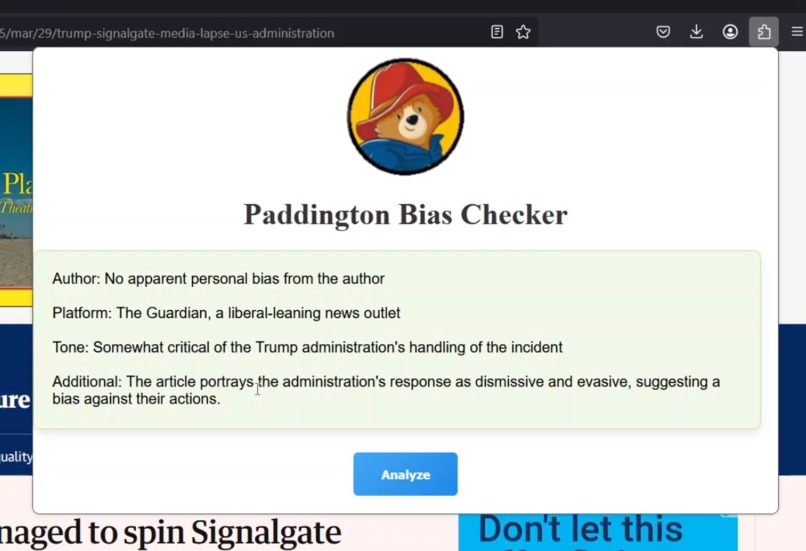
Browser Extension
-
Browser Extension 2
-

Python Localhost

Inspiration
We were inspired by the many easy to use, simple AI tools which we can implement in our daily lives to save time and make our days more just a little bit more enjoyable. Plain, simple AI tools such that with the click of a button you could see if the article which caught your attention is actually worth your time or not.
What it does
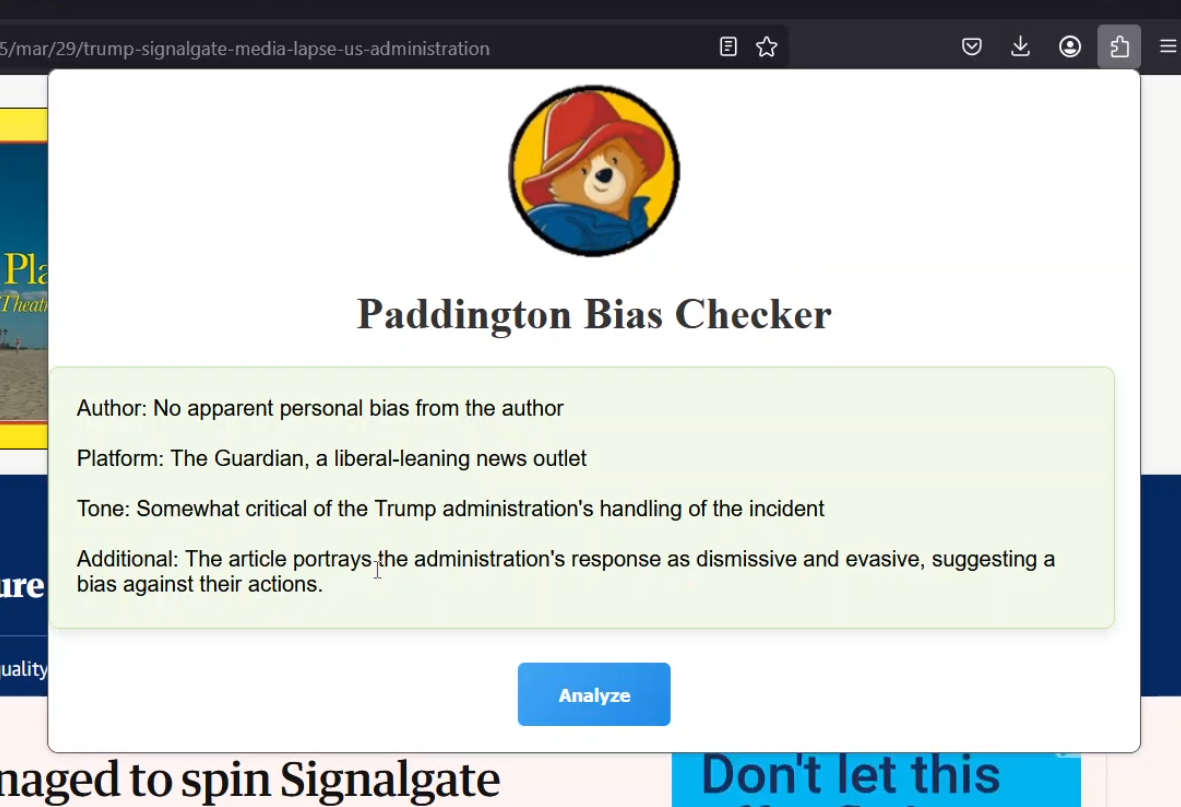
The extension checks if an article/news article is biased or not with a single button click. Simply run the Python file, go to an article/news page and click the button in the pop up of the extension to see if the article is biased at all or not before you read the article so that you don't have to waste your time reading a biased article.
How we built it
We have a browser extension (for firefox) and a python file. The python file runs a localhost which is used to get the URL of the current webpage using JavaScript when the end user clicks the analyze button on the extension. This URL is sent as a POST request to our localhost which the python app is constantly listening for POST requests. Python application then makes a GET request to pull the source code of the URL and then uses BeautifulSoup4 to scrape text out of the source code, we implemented this scraping to make our program significantly faster. Then the python application uses the Perplexity AI's API to make a API request, which simply asks Perplexity AI to analyze the article and see if it's biased, for example checking if the author seems biased, if the tone sounds biased, and even checks the platform to make more accurate comments about bias. We then send the respond of the API request to our localhost in JSON format which the JavaScript reads and outputs for the end user.
Challenges we ran into
We are all first year cyber security students and therefore our knowledge is limited. We learned so many new things in this project which will be helpful for years to come. We knew what we wanted to do, we had an idea, we had the resources to do it, but just didn't know how exactly. So many times we had to debug for hours straight because of our limited knowledge, but we managed to push through it all and put out something that we are proud of. We had no idea on how to make a python code run in the background constantly waiting for the end user to click a button on a web extension and after that execute the rest of the python code. But at the end; we figured it out, had our fun, and most important out of all: we learned a lot.
Accomplishments that we're proud of
We are very proud that we've managed to integrate Python with the JavaScript of the browser extension using a localhost. This was way out of our knowledge and we hadn't even ran a localhost before. Figuring this out was a big accomplishment in our eyes and we are very proud of that.
What we learned
We learned how to use localhosts, how to make http requests using python, how to use API's with python, how to code in css, html, and javascript, how to make a browser extension, how to use flask for python, how to use bs4 for python, and how to scrape data from a web page.
What's next for Paddington
Hopefully, we can keep working on this project and do more debugging as we are not super happy with the final state, the requests can get rejected by some webpages and the scraping can run into issues with some webpages. We want to keep working on this project to fix all of those problems.
Built With
- ai
- api
- css
- html
- http
- javascript
- json
- localhost
- perplexity
- python
- request


Log in or sign up for Devpost to join the conversation.