-
-

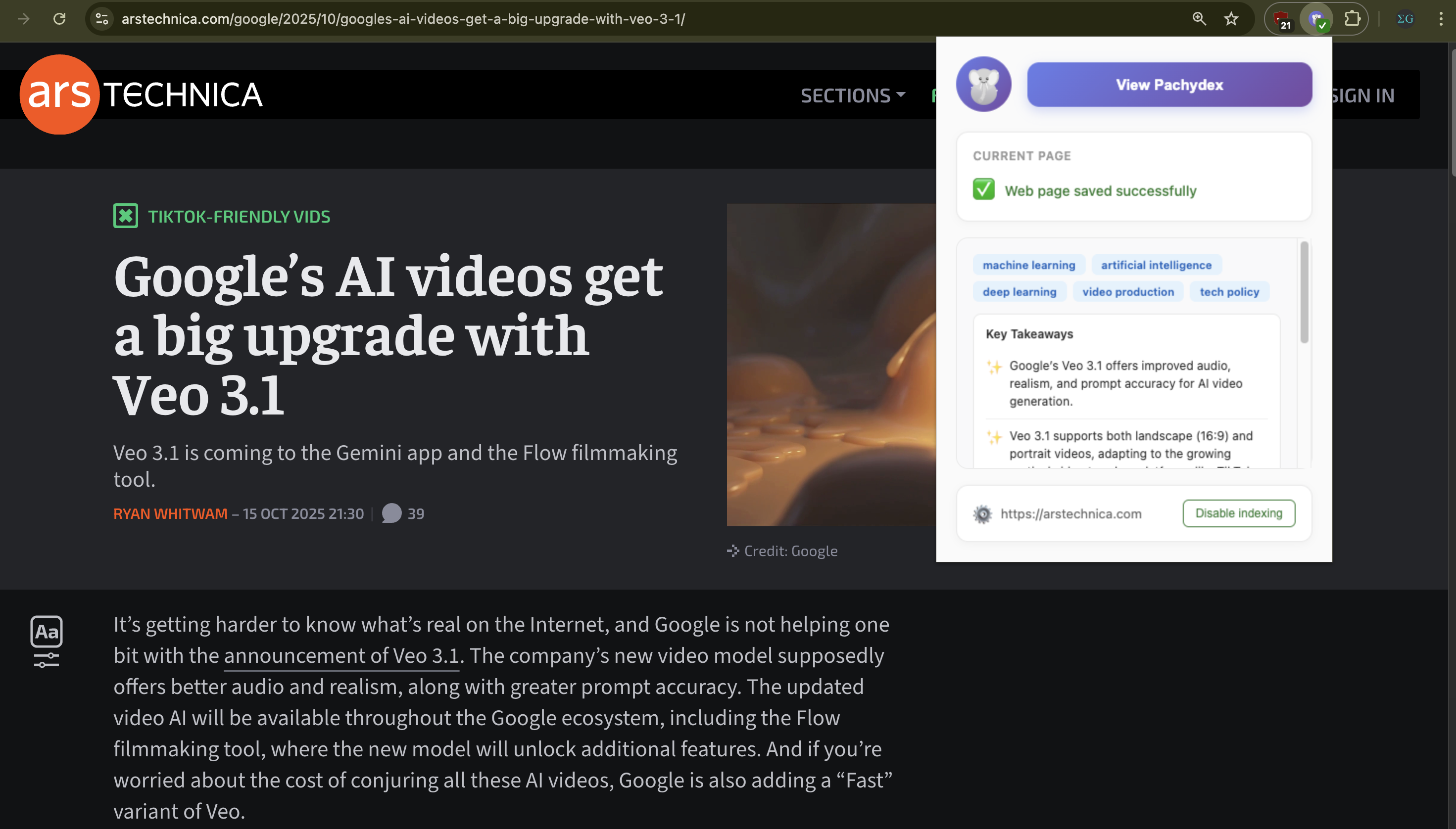
Pachydex generates a summary for the article I'm reading
-
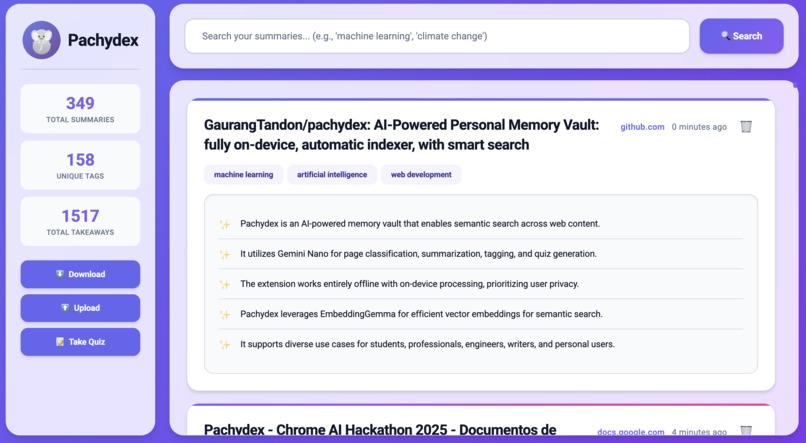
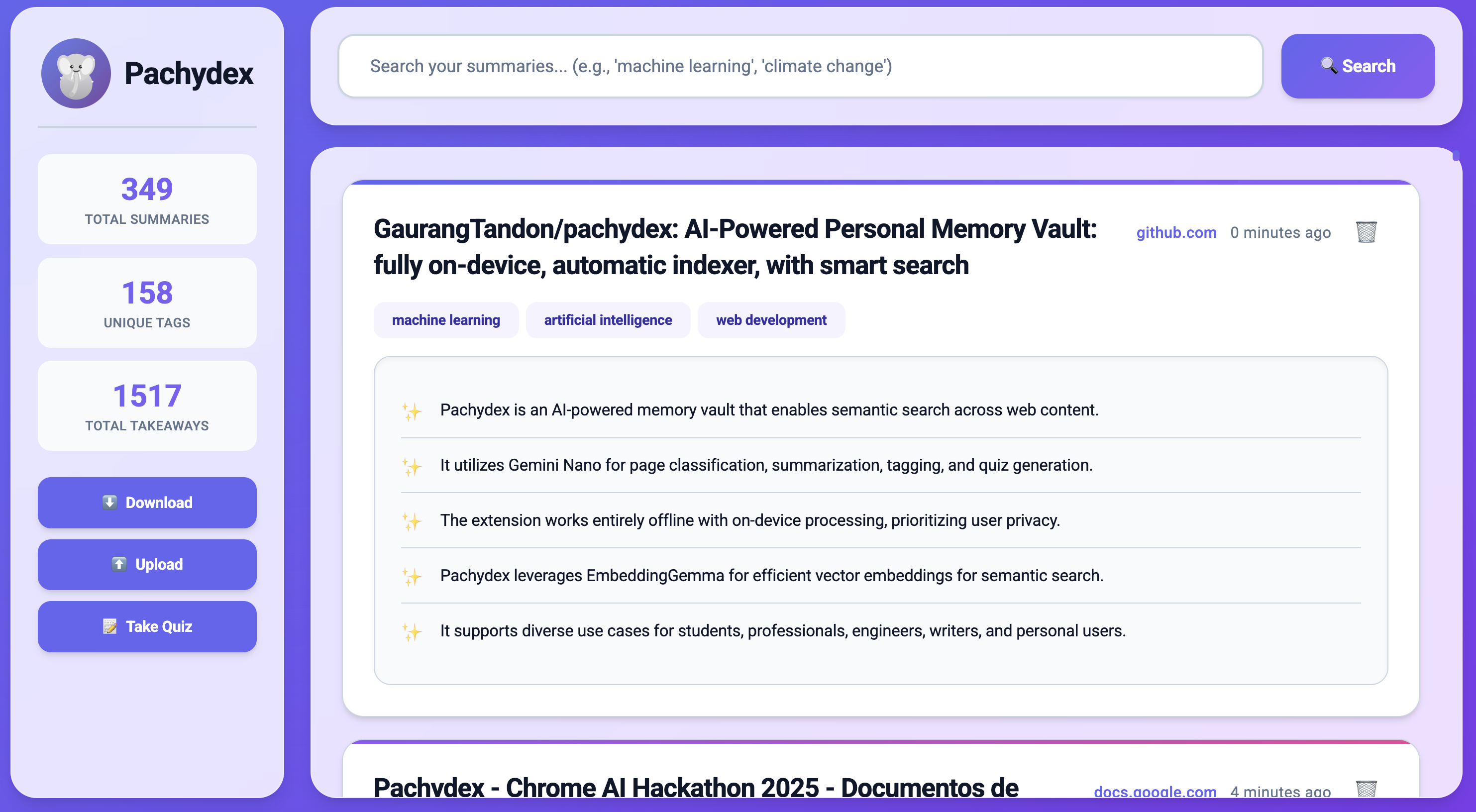
Pachydex showing all the pages you previously read
-
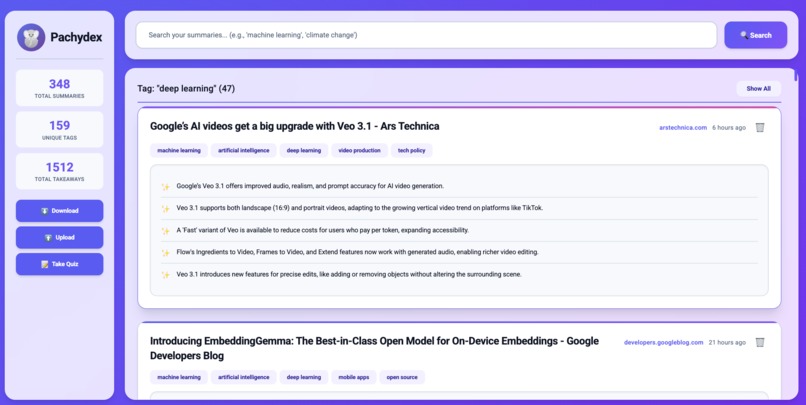
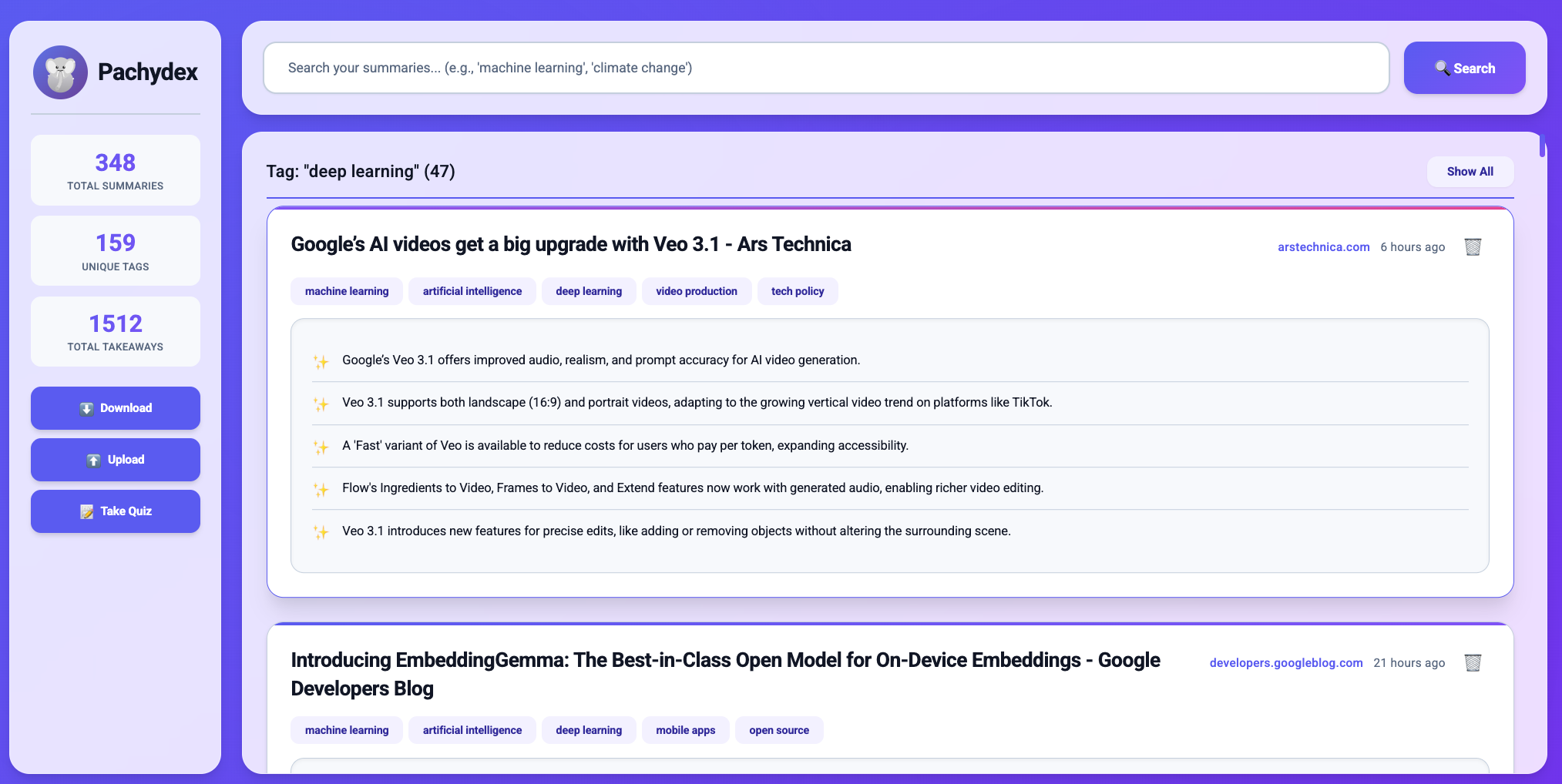
View by specific tags (in this example, "deep learning")
-
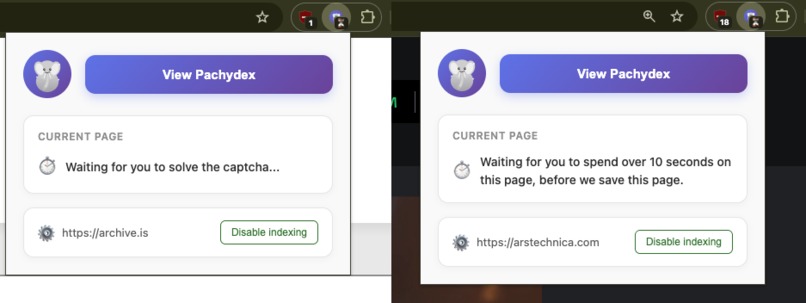
One of the many heuristics in Pachydex that optimize your experience
-
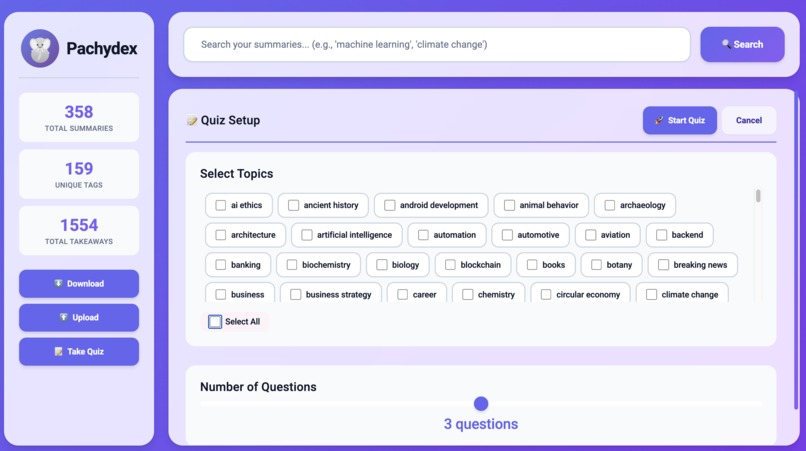
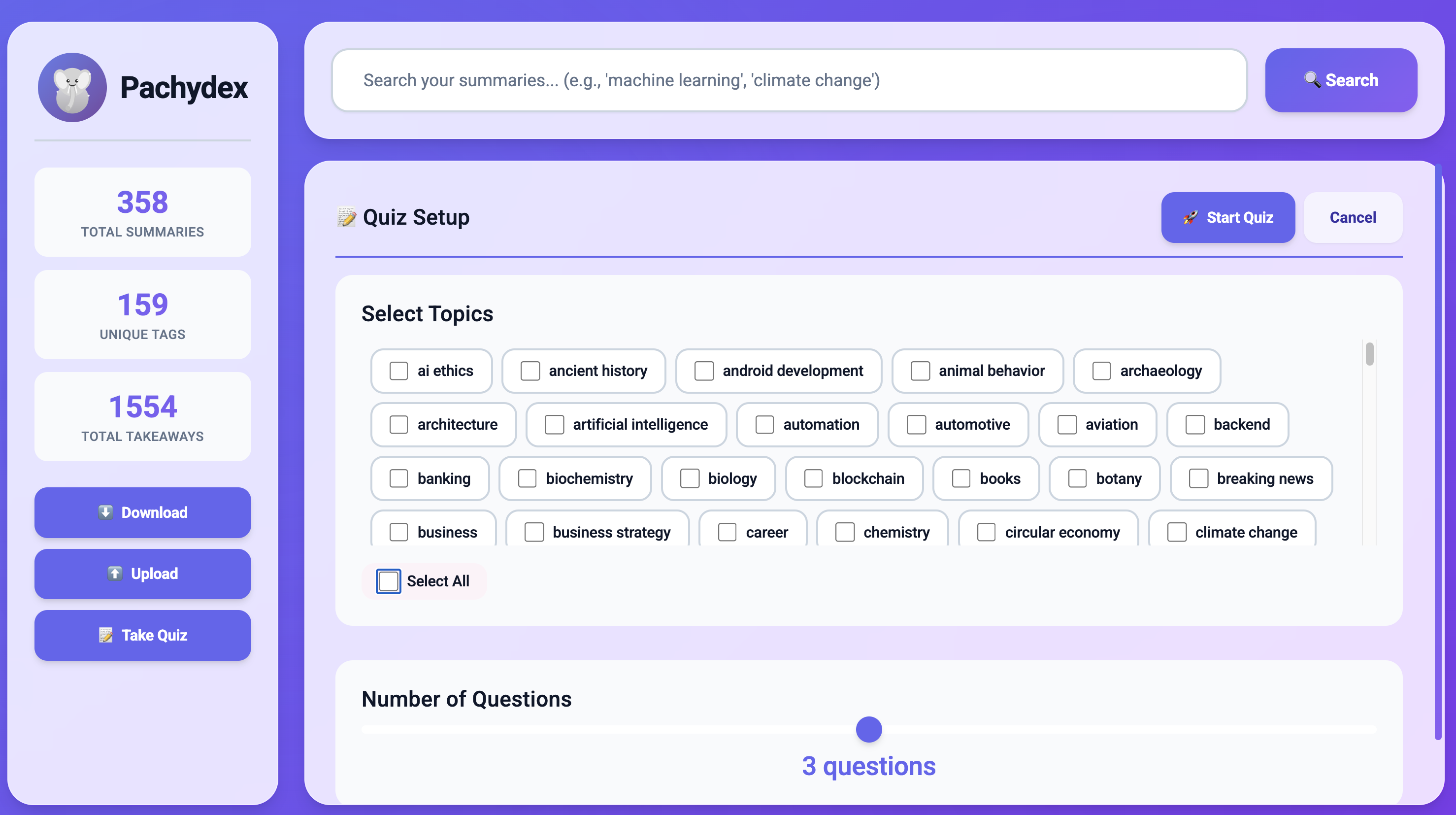
Pachydex tags each article. You can then use these tags later to take a quiz based on them

Inspiration
Whether I'm a student researching for a paper, an engineer keeping up with tech trends, or just someone who enjoys reading, I read tons of articles online. Like most of us, however, actually finding those articles again later feels nearly impossible. Sure, I could manually bookmark every interesting page I come across, but that system gets disorganized quickly. I might also forget to save an article in the moment, especially when I'm in the flow of browsing. And even with bookmarks, I still can't search by the actual content of what I read.
I read multiple newsletters and forums, so this is a personal problem I have been struggling with for several months. I'm sure you have faced the same issue in some way or another.
What if an AI Chrome extension could automatically index every article we read, and let us effortlessly find them later?
What it does
Pachydex is a Chrome extension that automatically identifies when you're reading valuable content and indexes it for you! Browse the web as you normally do, and Pachydex handles the rest. Whenever you open a new webpage, Pachydex:
- Condenses the webpage text: Converts the webpage text to Markdown while deleting irrelevant subsections (navbars, dialog boxes, etc.). This ensures the AI better understands the page structure.
- Smartly skips: Skips over captcha blocks, pages that you didn't spend more than ten seconds on, etc. These are some indicators the content was not valuable enough.
- Identifies articles: it uses the Chrome Prompt API (built-in Gemini Nano model) with the distilled Markdown text and a screenshot of the page to accurately identify articles or videos. The AI model smartly skips over homepages, login screens, search result pages, etc. that are not articles and so don't belong in your index.
- Summarizes and tags them: Pachydex again uses the Chrome Prompt API to create a bullet list of three to five key concepts from the given article or video, along with three to five tags for the same.
When you later want to find those articles, Pachydex uses Google's new EmbeddingGemma model that is optimized for on-device semantic search. This search supports concepts, not just keywords, making it easy to find exactly what you need.
trivia: the name pachydex combines pachyderm with index - because just like elephants never forget, Pachydex gives you elephant-like memory for everything you read online!
Finally, Pachydex runs entirely on your device, ensuring complete privacy for your browsing history.
How we built it
These key differentiators set Pachydex apart from traditional tools:
- Fully automatic: browse the web as you normally would, and Pachydex intelligently captures what matters in the background. This makes the user free from any cognitive burden.
- Fully on-device: every piece of data (summaries, and embeddings) remains locked on your device. No cloud uploads and no external servers. Browse freely with complete privacy.
- Multimodal - takes both the processed text and the screenshot of the page to ensure accurate classification of the page.
- Security you can trust: I only used one external library (
@huggingface/transformers), that too to run the EmbeddingGemma model. This itself is done in a separate sandboxed process without internet access. The rest of the code is vanilla JavaScript/HTML/CSS. This minimizes the risk surface and ensures you can trust the code to do what you expect. - AI-adjacent tooling: I spent a lot of time perfecting the tooling and heuristics, such as markdown conversion/captcha detection/same page identification/caching and session management/etc. This engineering effort ensures the AI model is used efficiently and with high quality inputs.
Challenges we ran into
- Tweaking the prompt for Gemini Nano until it could reasonably identify whether the page is an article or not. I tested on a wide variety of inputs to ensure the classification works well.
- Lots of modern webpages have unexpected differences between the DOM and the visible content, which causes issues when converting the text to Markdown. By testing with a wide variety of websites, I ensured our logic is robust.
- Running the EmbeddingGemma model in a Chrome extension sandbox: I could not find any public examples of the same. There were issues with CSP and model quantization that took multiple tries to resolve.
- Efficiently managing multiple local Gemini Nano sessions as the user browses the web. We want to destroy sessions that are no longer relevant to keep the system load light.
Accomplishments that we're proud of
- A fully automatic Chrome extension that doesn't require any user interaction, freeing the user from any extra effort.
- Supporting almost all websites on the web thanks to website-agnostic logic
- Running a transformers model inside a Chrome extension locally
- A fully on-device extension that delivers complete functionality alongside complete privacy
What we learned
- On-device AI models are surprisingly capable of tasks like classification and summarization.
- It is very important to properly post-process the content we feed to the AI model to get the best output.
- It is possible to run a transformers model inside a Chrome extension locally, even if it's uncommon.
- Screenshot along with the text content (multimodal input) greatly enhances the classification quality of the model.
What's next for Pachydex
- Deeper integration with more content and video formats, like PDF and Google Docs.
- For active recall quiz questions, prioritize articles you've read for a longer time.
- Better handle longer articles by focusing the takeaways on parts of the article you've actually read.
Built With
- chrome
- chrome-prompt-api
- embedding-gemma
- indexeddb
- javascript


Log in or sign up for Devpost to join the conversation.