-
-
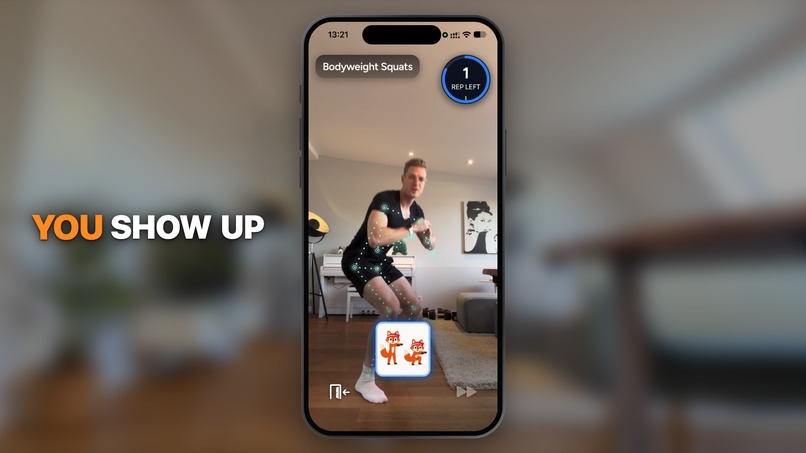
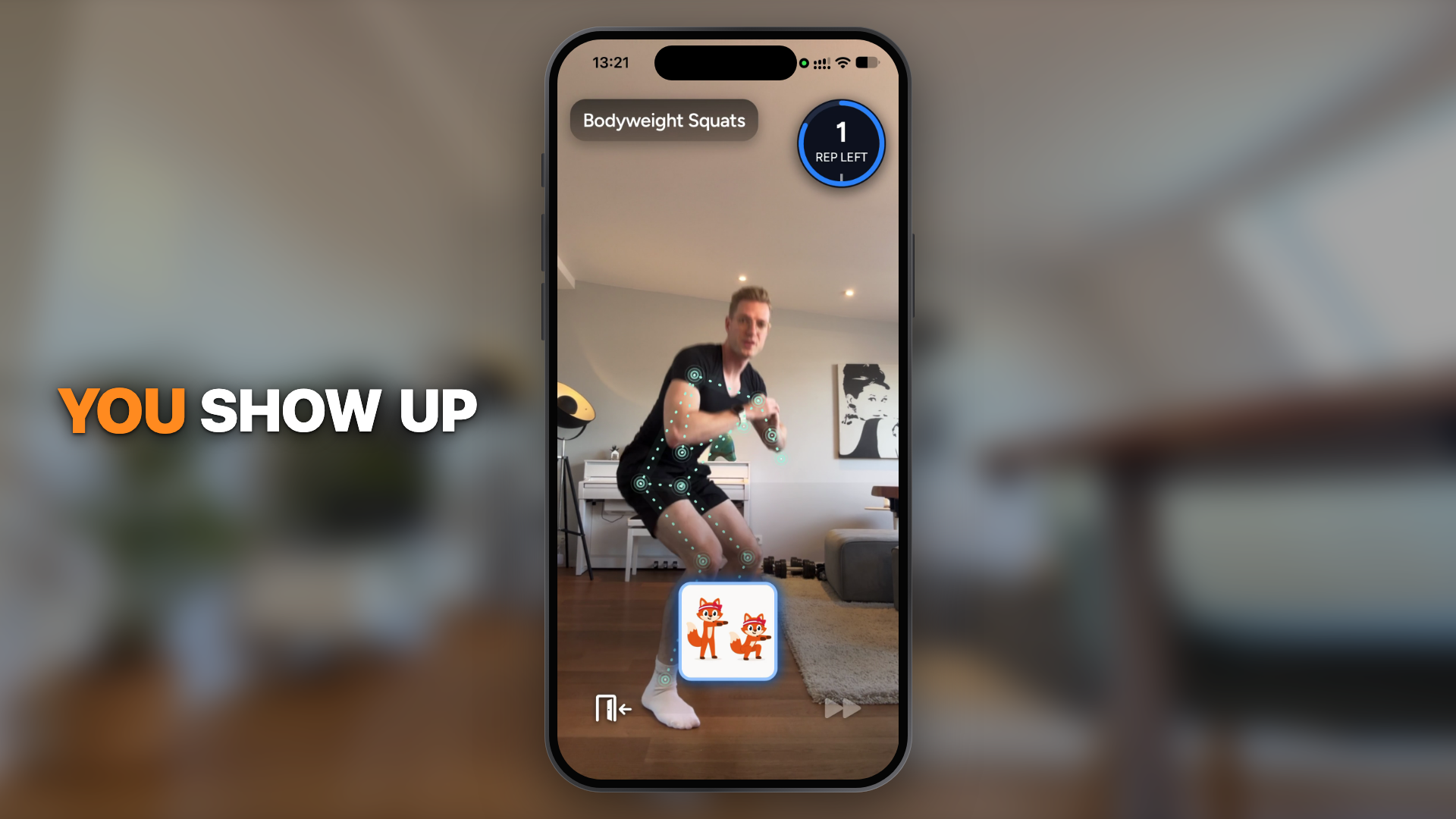
Pacey counts your reps in 3D through the iPhone camera (still from the demo video)
-

App icon
-
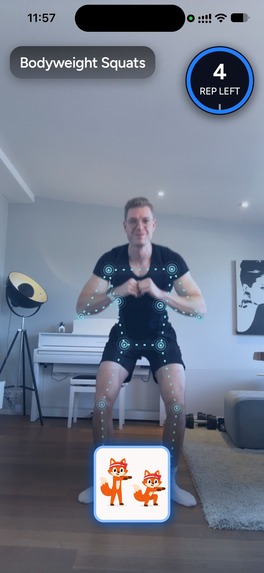
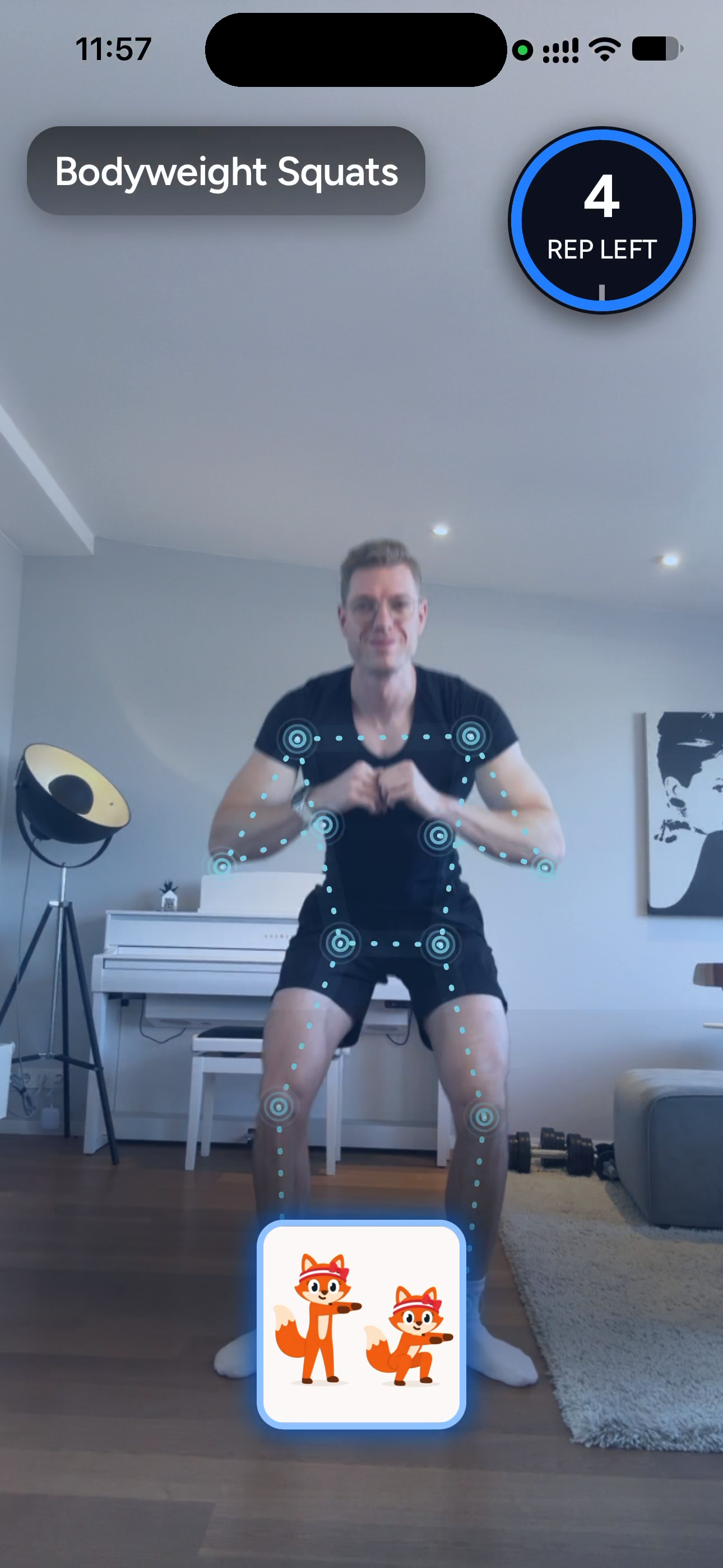
Live rep counting: 3D skeleton, reps left, all on-device
-
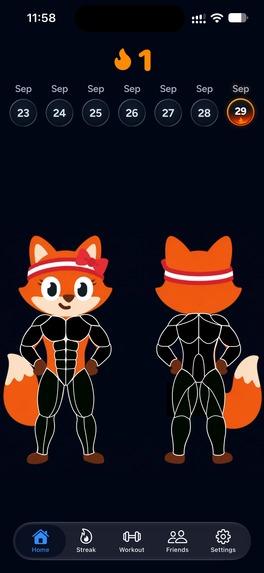
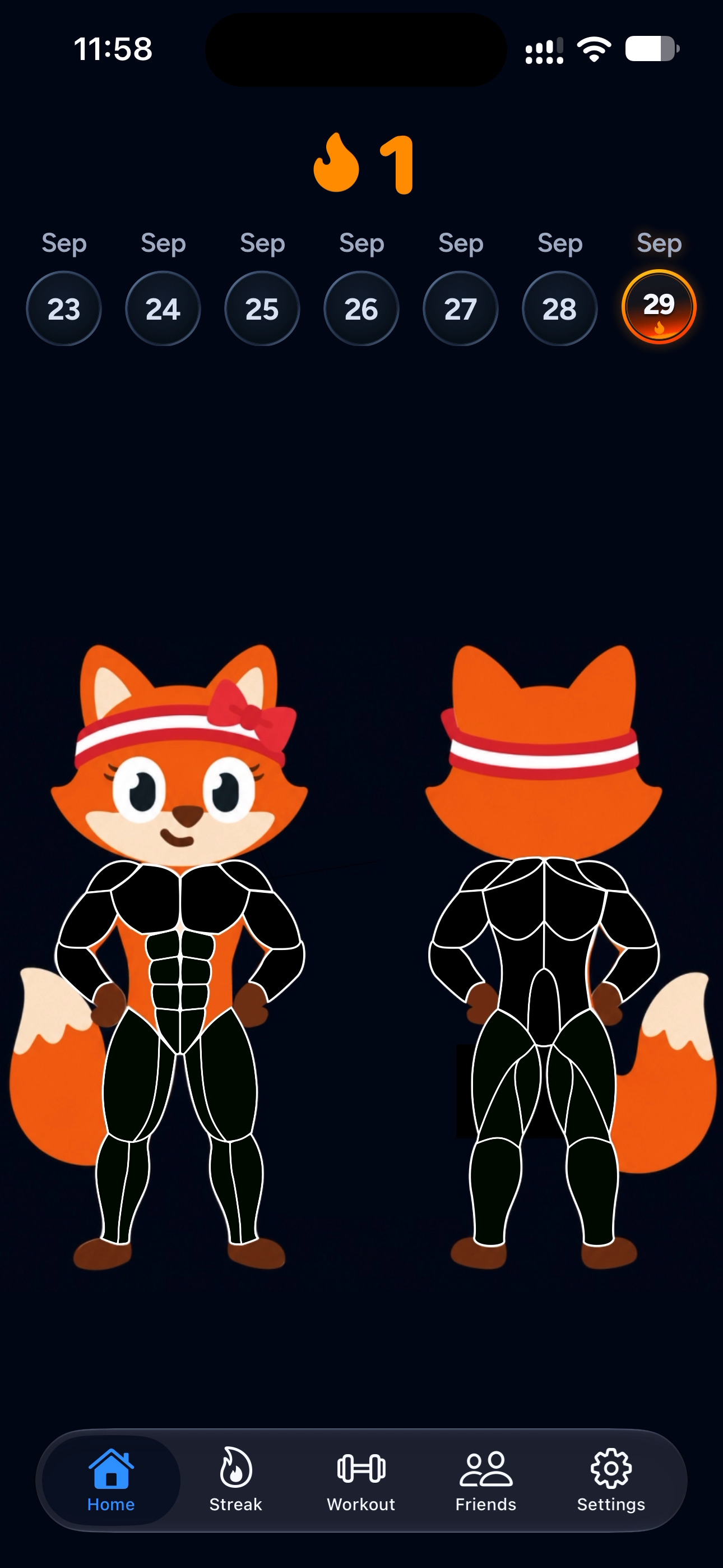
Home: streak, week strip and the body map of trained muscles
-

Home Screen widget: the scene evolves with your streak
-
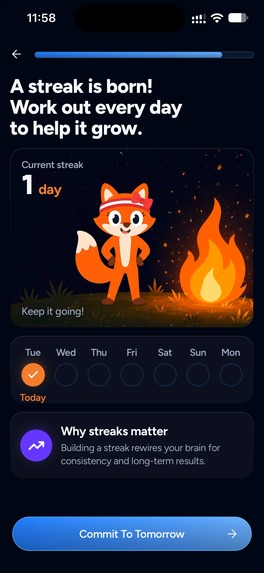
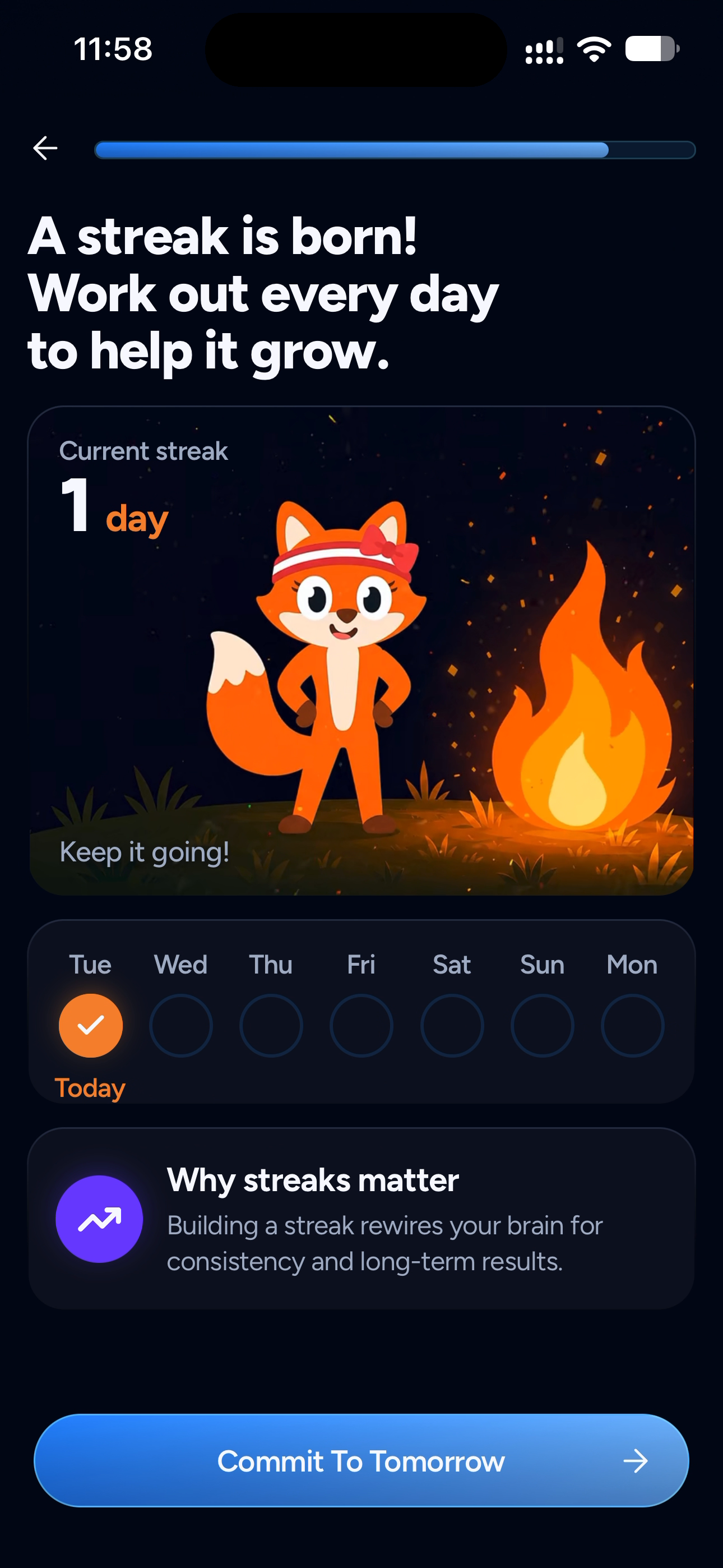
"A streak is born": the moment after your first workout
-
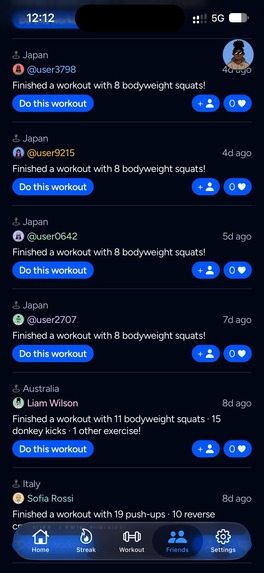
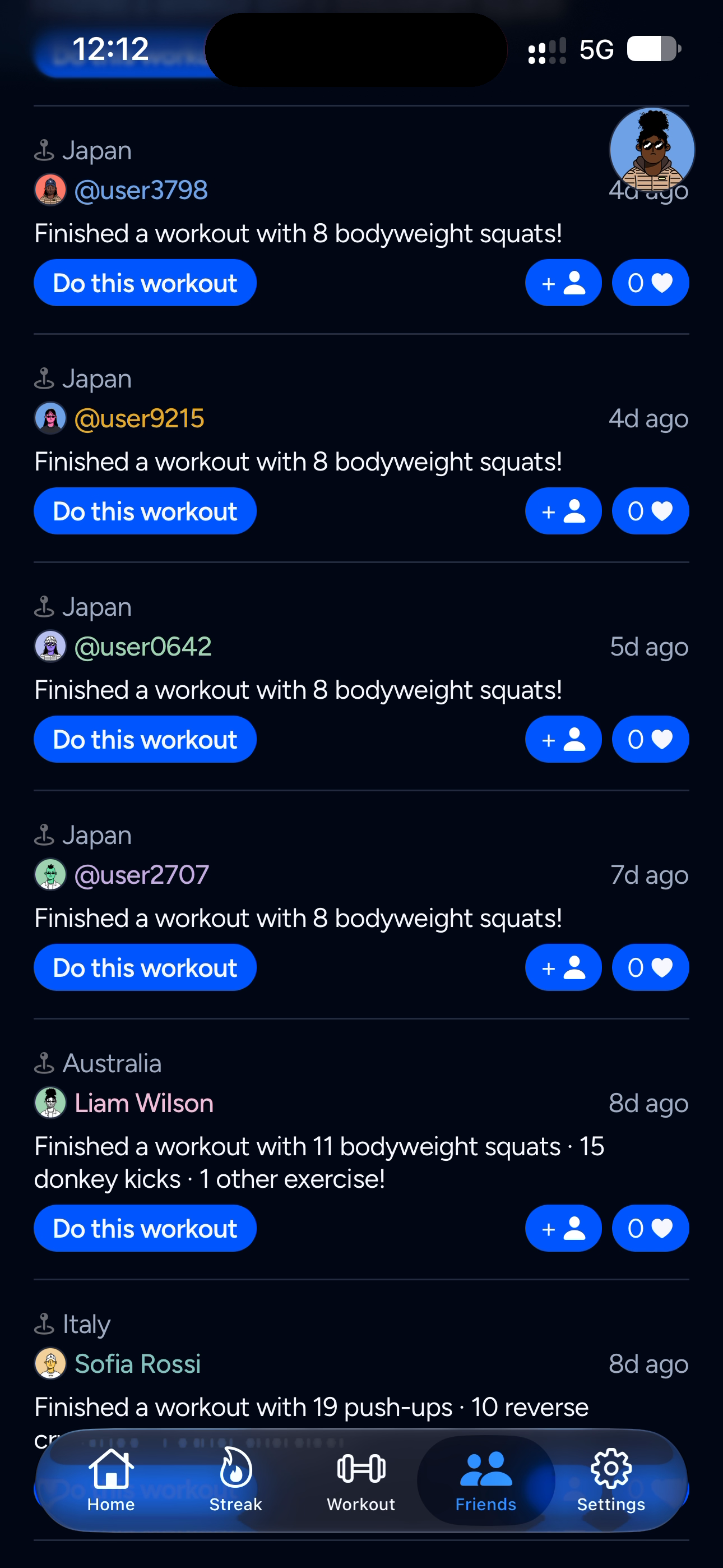
Friends: see who showed up today and join their workout with one tap
-
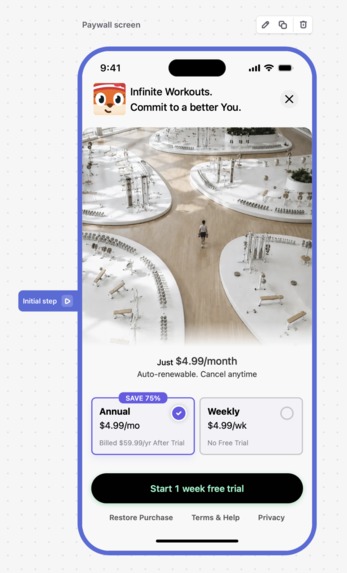
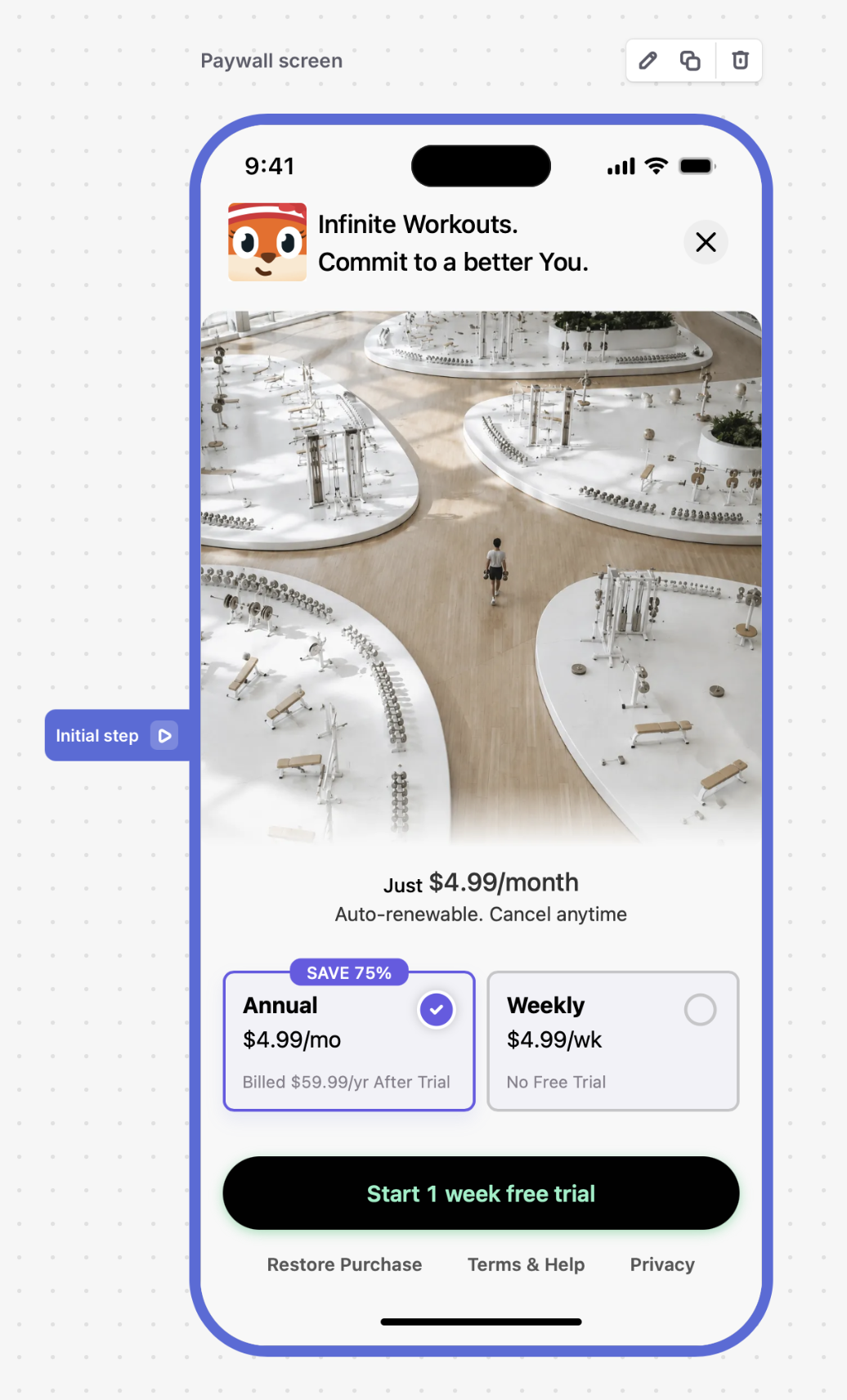
Pacey Pro paywall (RevenueCat): annual with a free trial, or weekly


Inspiration
We're two engineers who kept failing at the same thing for different reasons.
Nick started doing exercises to get rid of back pain. The advice is always the same: they only help if you do them every day. And at the beginning you feel a bit lost, because you don't know whether you're doing them right. Quirin goes to the gym, but not every day, and rarely in the morning. Which is a huge bummer, because the feeling you get when you start the day with a workout is unbeatable. You can't help but win the day.
Same conclusion from opposite directions: consistency is key. We both had language-app streaks in the hundreds of days, but working out every single day felt much harder than that. Does it have to be? What if we used the same gamification tricks as our favorite language-learning apps to take away the mental energy it takes to show up every single day? Work smarter, not harder.
So we built the trainer we wanted. It shows up every day, keeps sessions small enough that there's no excuse, tells you when you're in position, and watches you do the reps.
What it does
Pacey is a daily bodyweight workout app for iPhone, with a fox trainer called Pacey.
- A rep counter with audio feedback that makes it fun. Put your phone down, step back. Pacey tracks your body in 3D through the front camera, waits until you're in position, then counts every rep with a satisfying click. Only the real ones: a half squat doesn't count.
- Just show up. Sessions don't have to be long. Commit to at least one exercise; you can always do more. That's the mental trick. The hard part is starting, not finishing. No gym, no equipment. Pacey picks a fresh mix every day, or you build your own: pick exercises, set reps, go.
- Progress you can see today. Progress on your body takes weeks to show. XP for every rep shows it right now, another trick borrowed from the language apps. Add a daily streak, a streak calendar, and a Home Screen widget whose scene evolves as your streak grows.
- Body map. No need to think about which muscles to rotate. Pacey watches you work out and keeps track for you. Every workout lights up the muscles you trained on her body; tap a muscle group and she adds a matching exercise.
- She gets to know you. A short onboarding quiz (goals, current routine, daily target) shapes the plan.
- Friends. See who showed up today, react, and join their exact workout with one tap.
- Private by design. All camera tracking runs on the device. Your workout video never leaves your phone.
- Pacey Pro via RevenueCat: unlimited workouts, streak tracking, position verification and form guidance, with a two-week free trial.
How we built it
App. Expo / React Native with TypeScript, Convex as the backend, RevenueCat for subscriptions and the paywall, expo-notifications for reminders. The goal is cross-platform from day one. All business logic, including the whole pose-tracking pipeline, is TypeScript that runs on both platforms. iOS shipped first; the Android app isn't launched yet, but it runs the same code. We write the Home Screen widget in TSX and compile it to SwiftUI/WidgetKit with expo-targets; it has a Kotlin twin for Android.
Pose detection. We use BlazePose, Google's MediaPipe pose model. It finds 33 body landmarks per frame and estimates them in 3D, and it runs on-device on iOS and Android, on the GPU, at about 10 ms per frame on an iPhone 14 Pro Max. That's not our code; everything that turns landmarks into counted reps is.
The tracking pipeline (our own, ar-workout-tracking, consumed by the app as a TypeScript package):
- Inputs. Front camera frames at 30 fps, the phone's gravity vector from the motion sensor at 100 Hz, and the lens intrinsics. They come live from the phone, or replayed from a recorded clip with its sensor side-cars, so the exact shipping path can be tested offline.
- Geometry. Gravity tells us which way is up, the intrinsics tell us how the camera projects the world, and from both we fit the floor plane. Rotate or tilt your phone as you like; the exercise logic never sees the camera angle. The floor plane is deliberate work on our side, because everything downstream depends on it: how deep a squat is, whether you're lying flat, whether your hips are up.
- Exercise models. Every exercise implementation delivers two scalars to the rep-counting logic: stance confidence (are you in the right position for this exercise at all?) and rep progress (0 = flexed, 1 = extended, where you are within the movement). Nothing above this layer knows what an elbow is.
- Rep tracker. Shared across all exercises: an entry gate (it tracks nothing until it has seen you at rest in the start position, so lowering into a plank can't count as a push-up), phase tracking, and a count only when the upper threshold is crossed in the active phase, with a minimum phase duration so a tremor at the threshold doesn't count.
Recorded clips as a test suite. Early on we started recording every workout we used for development, with its gravity and intrinsics side-cars, and hand-labelling the reps. That library became the test suite. Every change to an exercise runs against every clip, live path and replayed path give the same numbers, and golden traces pin the shipping TypeScript pipeline to a Swift reference implementation. We also cross-check exercises against each other's clips. A push-up model must detect the stance in push-up clips and keep a low stance confidence on squat or glute-bridge clips. The exception is a stance that is the same in both exercises. Reverse crunches and glute bridges both start lying on your back, and there the models may agree. (The push-up model has a test that literally says "nothing supine may ever pass".)
PoseReview, our debug viewer. A macOS tool we built to tune all of this. It replays any recorded clip and shows:
- the 3D pose, which you can orbit, with the floor grid, the gravity arrow and the phone's tilt, joint angles, and the option to colour every joint by the model's own confidence;
- two curves over time, rep progress (the exercise model's output) and stance confidence, with the counter's thresholds drawn in (lower and upper threshold, stance gate, minimum phase duration), so you see where a rep was counted, where one was missed, and where the gate rejected a half rep;
- above them, phase progress, the rep tracker's output, a sawtooth that restarts at every phase flip, with the background coloured by the tracker's state (active, passive, or not yet entered). With the counter's input and output on one screen, a wrong count is explainable in seconds;
- timestamped review notes ("in position from here on", "count here", "missed", "false positive") saved next to each clip, which record the ground truth the test suite checks against.
We found most of the bugs below by looking at these curves next to the video.
Adding an exercise is now a fast loop. Record two or three clips of the exercise, mark them up in PoseReview (where the stance begins and ends, where rep progress is at its minimum and maximum), and the markers become the spec. With that, an LLM coding agent can write the exercise model, run it against the marked clips and against every other exercise's clips, and iterate until the curves match the markers. We built the first exercise by hand and lived with two for a long time; we added the rest with this loop, and we review the curves as well as the code.
Design. Pacey and all her animations are original artwork. The 21 widget scenes are one square illustration each, with the live flame and streak number drawn on top. We used Remotion for the in-app widget setup tutorial (and for this demo video).
Challenges we ran into
- Counting only real reps. Our first counter armed on any threshold crossing, so lowering yourself into a plank counted as a push-up. The fix was structural. The counter must first see you at rest in the start position before it tracks anything.
- Joints you can't see. Stance confidence collapsed at the bottom of a push-up, because the joints that mattered were hidden behind the body. The general lesson is that we have to weight every measurement by how visible its joints are, per frame, and those weights change with the viewing angle. Both stance confidence and rep progress now weigh their inputs by per-joint confidence, so a hidden wrist can't invalidate a good rep.
- Angles, not distances. Measuring angles between joints is more reliable than absolute distances, partly because the pipeline can't know absolute length units. We rewrote most of the exercise models around angles.
- Making the tech invisible. The hardest design work was removing things. The workout screen went through several rounds until only the ring, the number and the skeleton were left.
Accomplishments that we're proud of
- Tracking that feels effortless. Other apps make you tap, type and log; with Pacey you put the phone down and move, and the counting, the history and the body map take care of themselves, entirely on the phone.
- Shipped on Sep 16, and real people use it: 686+ downloads, 4.9★ on the US App Store, 30 active trials and the first paying subscribers.
- The widget. Watching your own streak scene change is the moment people mention first.
What we learned
- The consistency features (streak, widget, friends) matter as much as the core feature. Nobody keeps an app that is only accurate.
- For sensor pipelines, replayable inputs are everything. If you can't re-run the exact live path offline, you can't fix it.
- About 10% of buyers pick the weekly plan at roughly four times the annual price per week. We didn't expect that.
What's next for Pacey — AR Workout Tracker
- More exercises and full-body plans; form feedback beyond "in position / not in position".
- Android. The pipeline is shared TypeScript and the native layer already has its Kotlin twin, so it's next.
- Streak Saver and smarter reminders; group challenges on top of the friends feed.
Built With
- blazepose
- convex
- expo-notifications
- expo.io
- kotlin
- mediapipe
- react-native
- remotion
- revenuecat
- swift
- swiftui
- typescript
- widgetkit

Log in or sign up for Devpost to join the conversation.