-
-
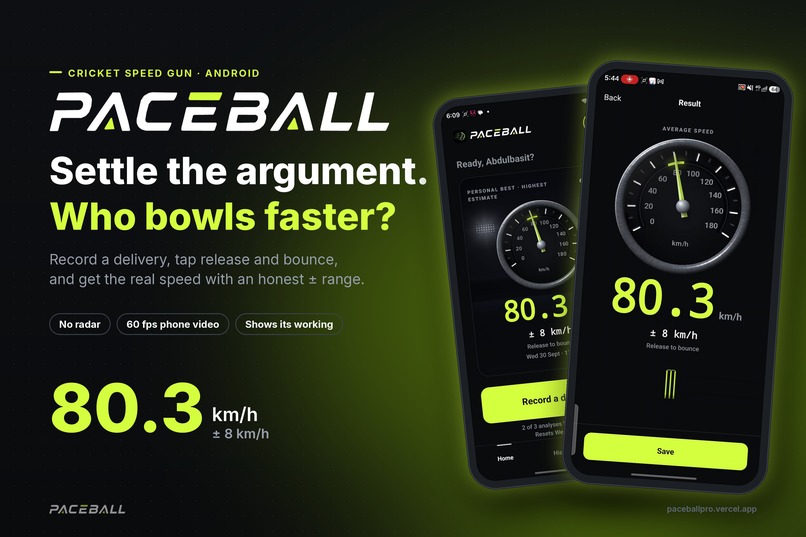
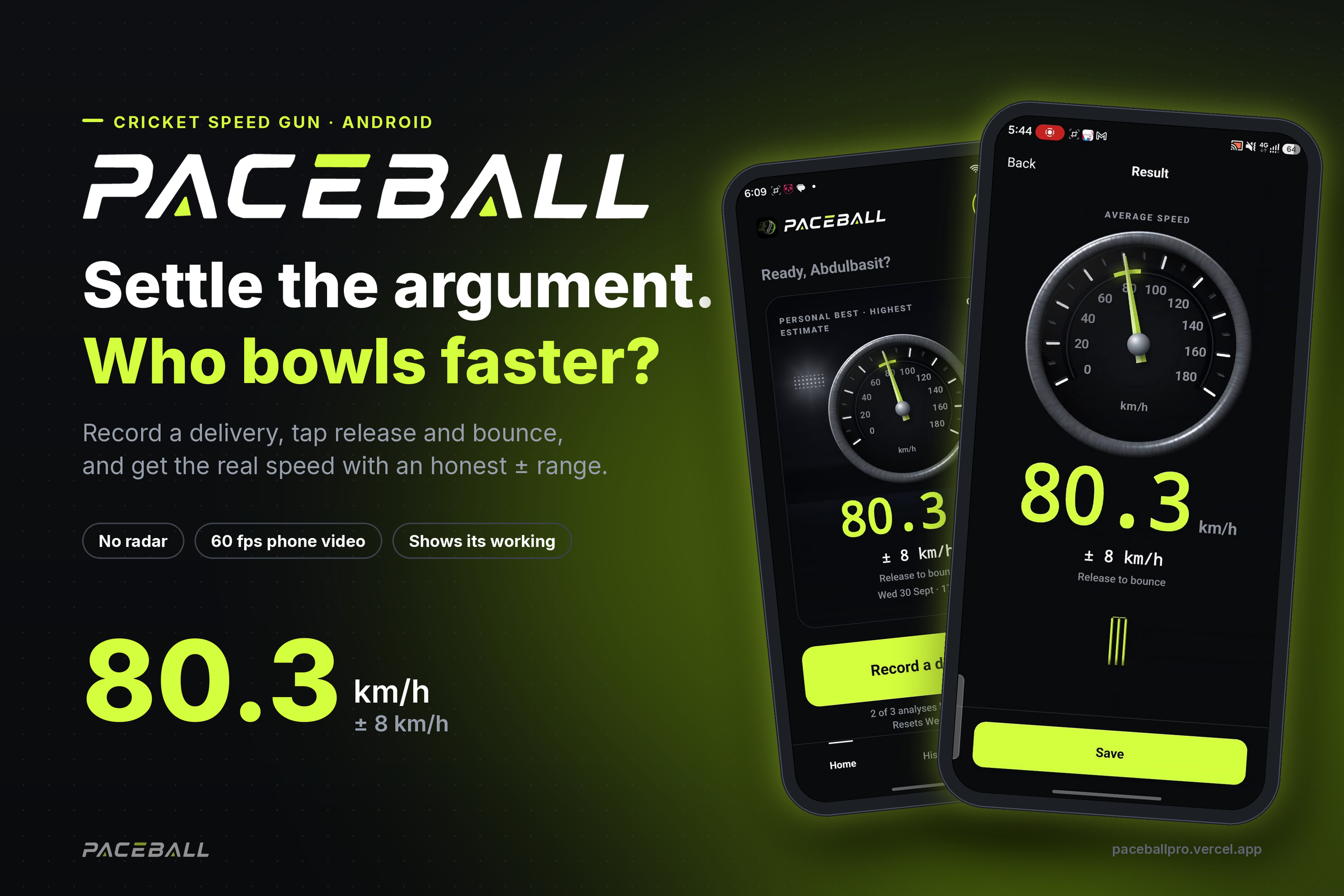
Paceball turns your phone into a cricket speed gun. Record a delivery, tap release and bounce, get the speed with an honest ± range.
-
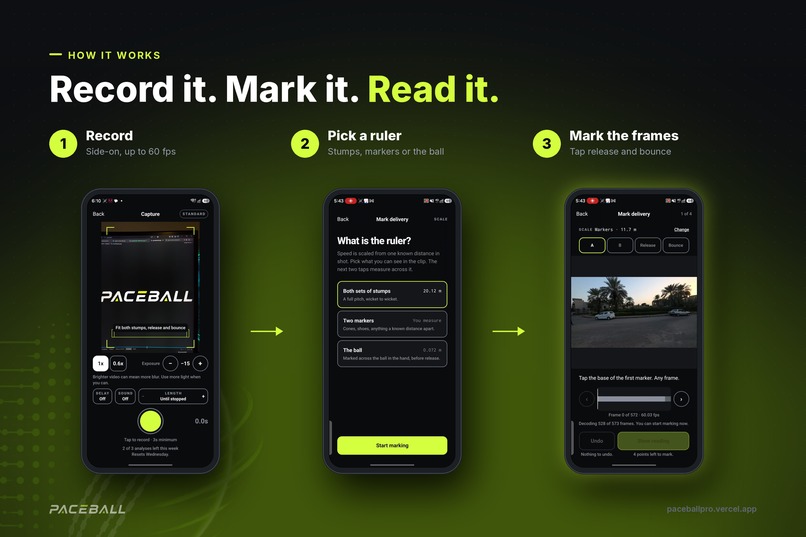
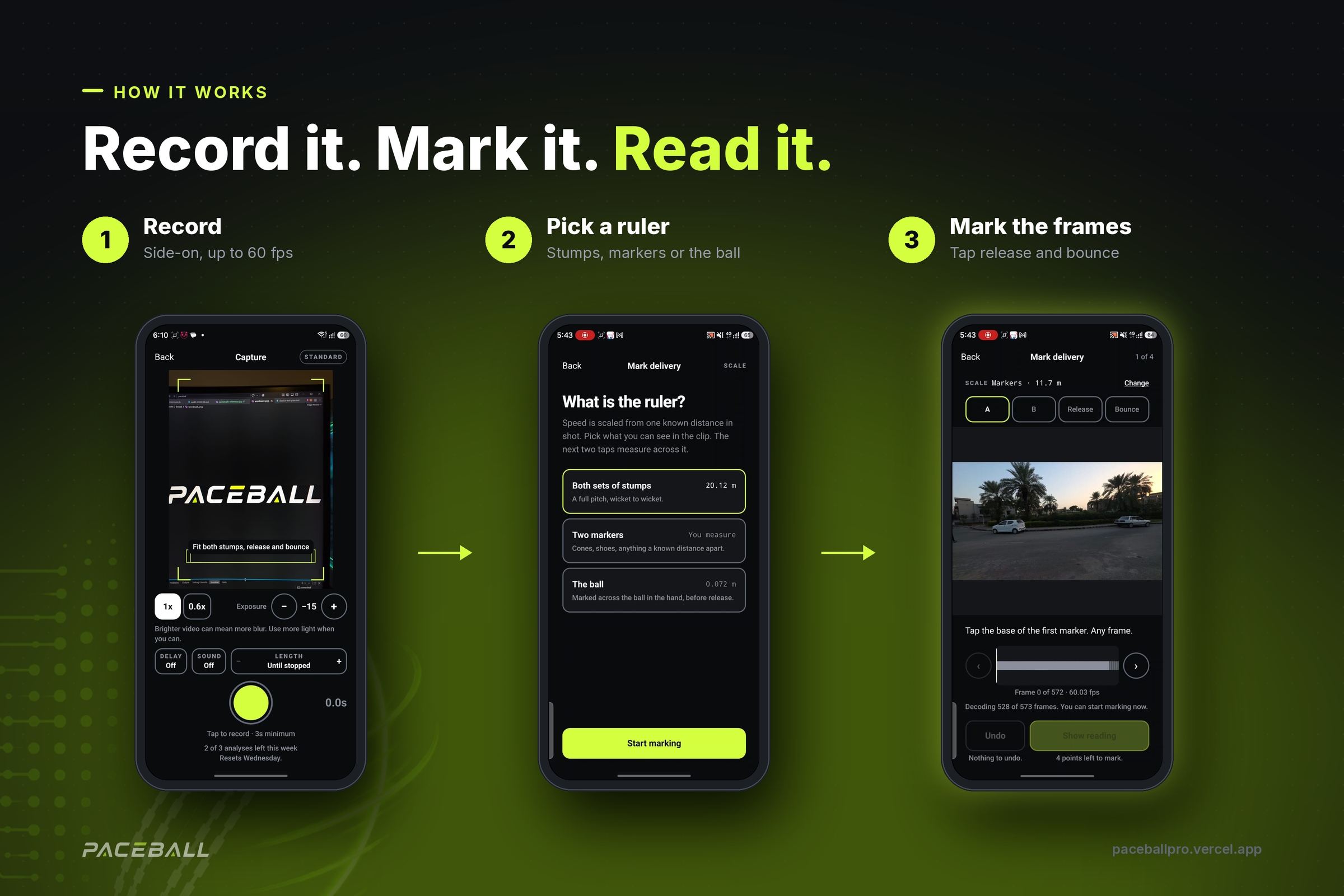
Three steps: record the delivery side-on, pick a ruler (stumps, markers or the ball), then mark release and bounce frame by frame.
-
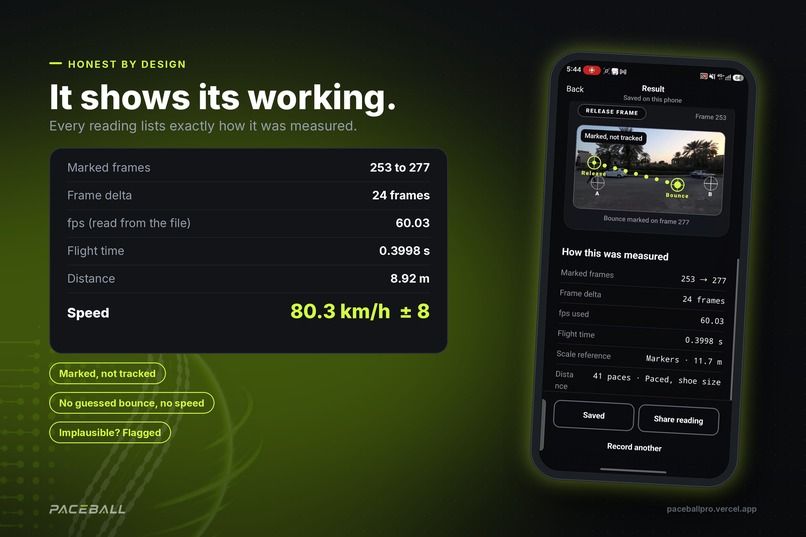
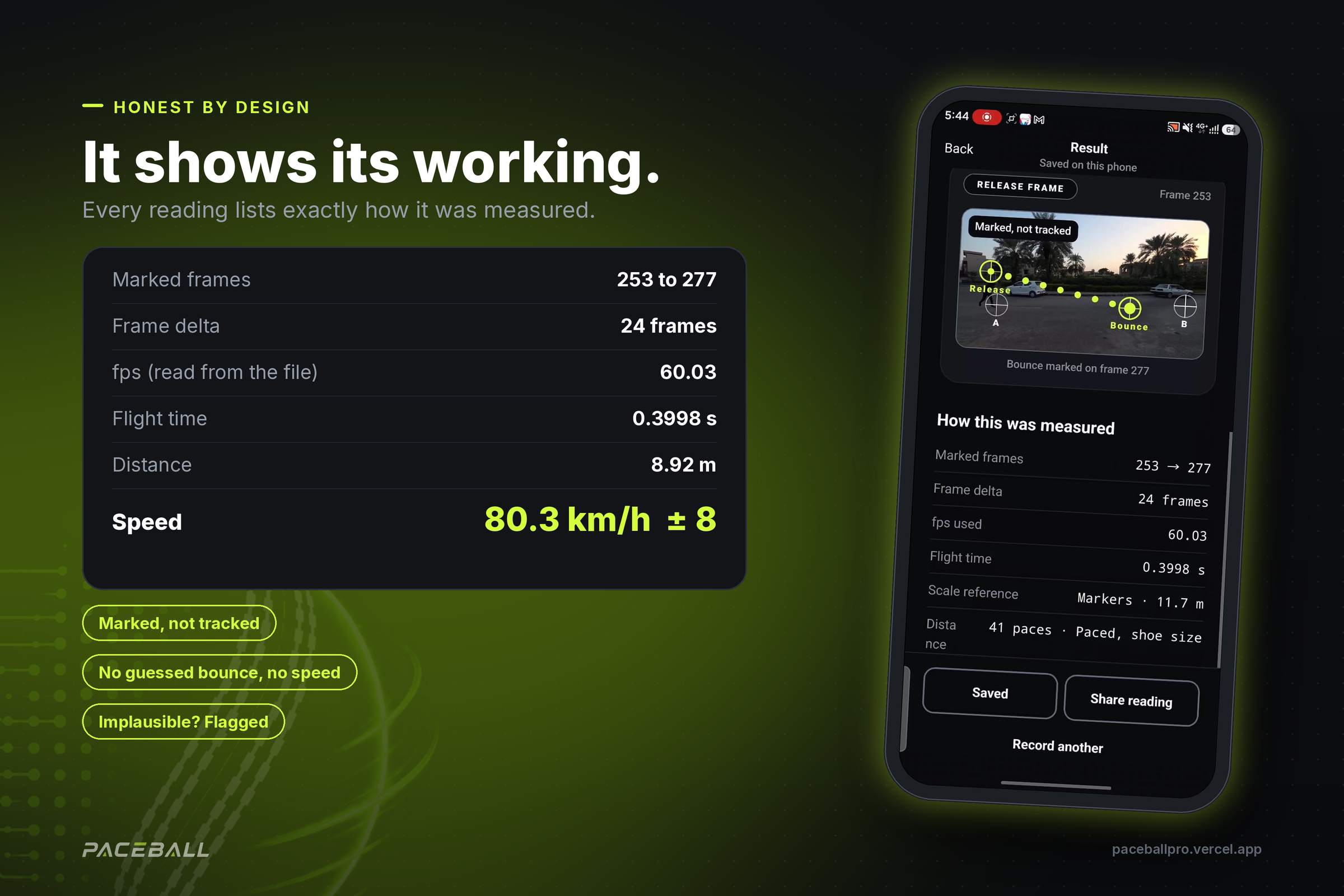
Every reading shows its working: frames, fps read from the file, flight time and distance. 8.92 m in 0.3998 s = 80.3 km/h ± 8.
-
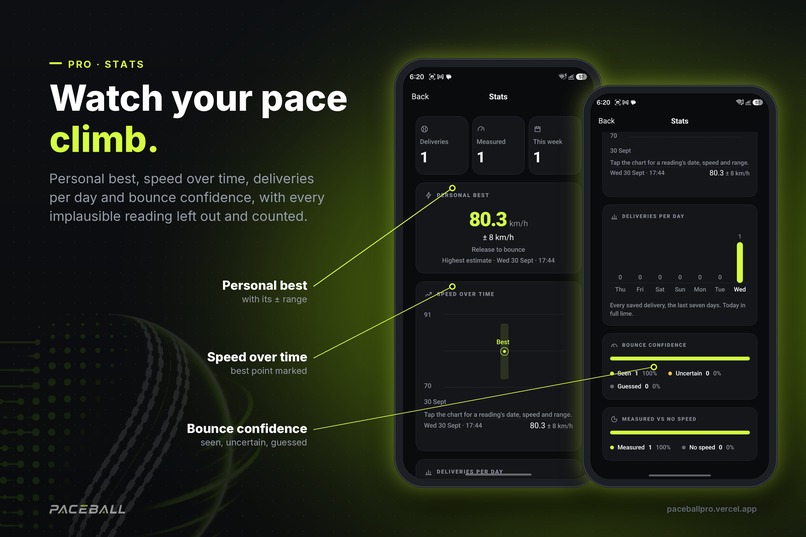
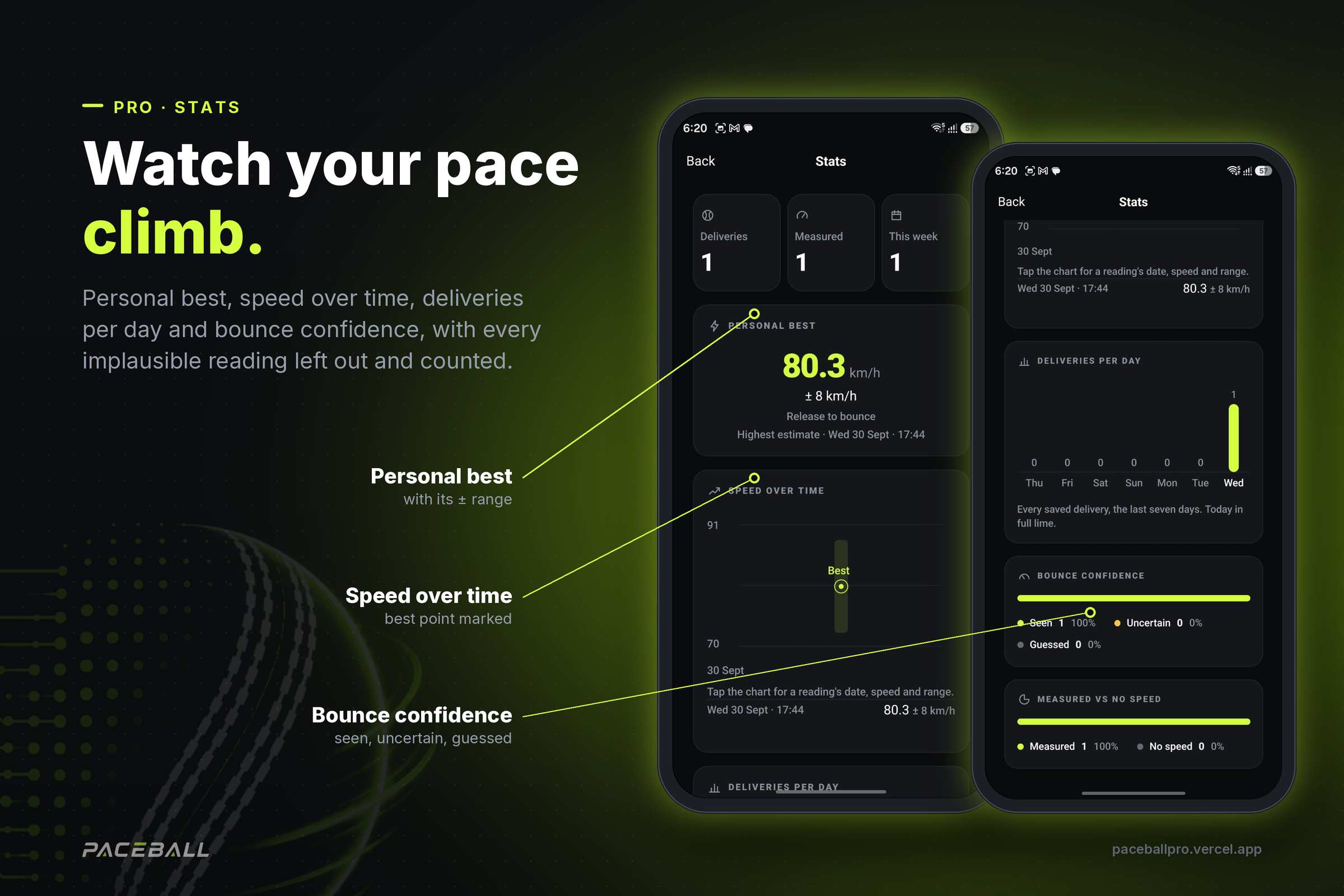
Pro Stats: personal best with its range, speed over time, deliveries per day and bounce confidence. Implausible readings are left out.
-
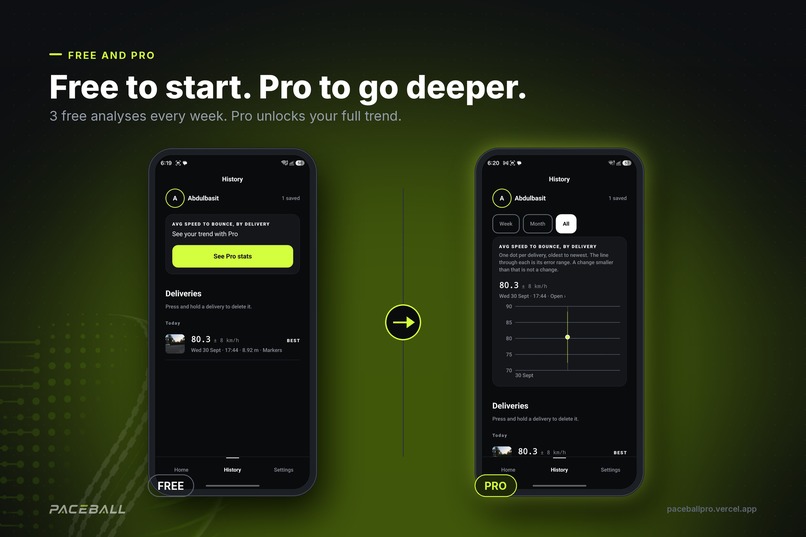
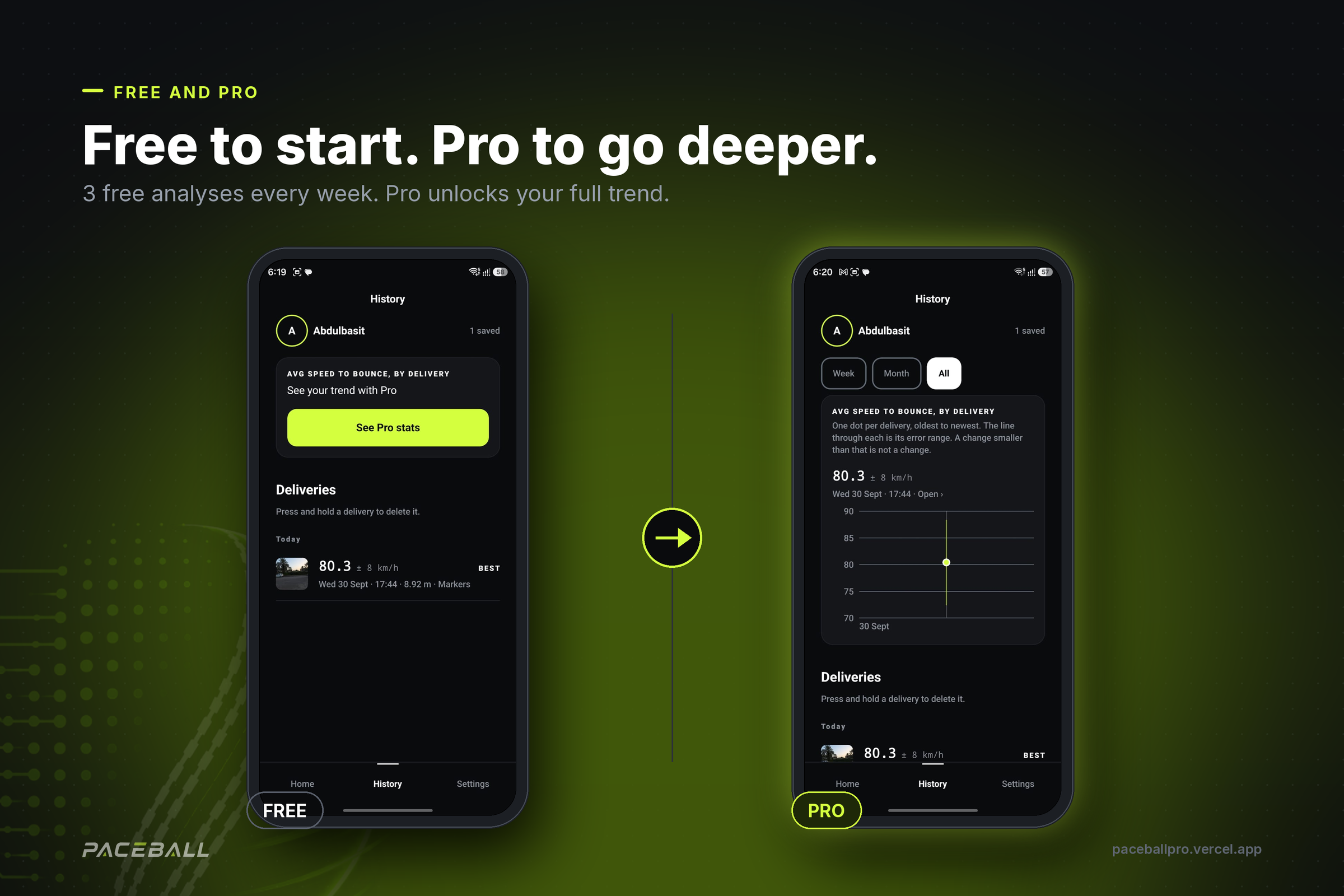
Free players get 3 analyses every week. Pro, powered by RevenueCat, unlocks the full trend in History, Stats and Compare.
-
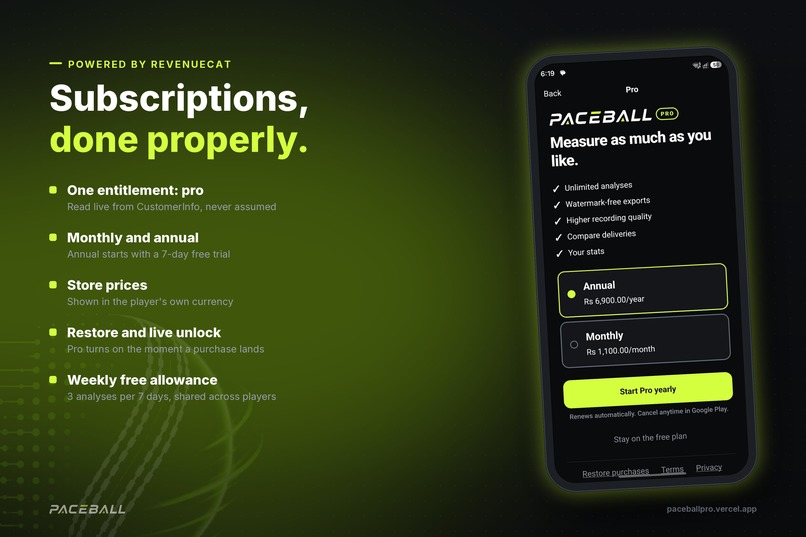
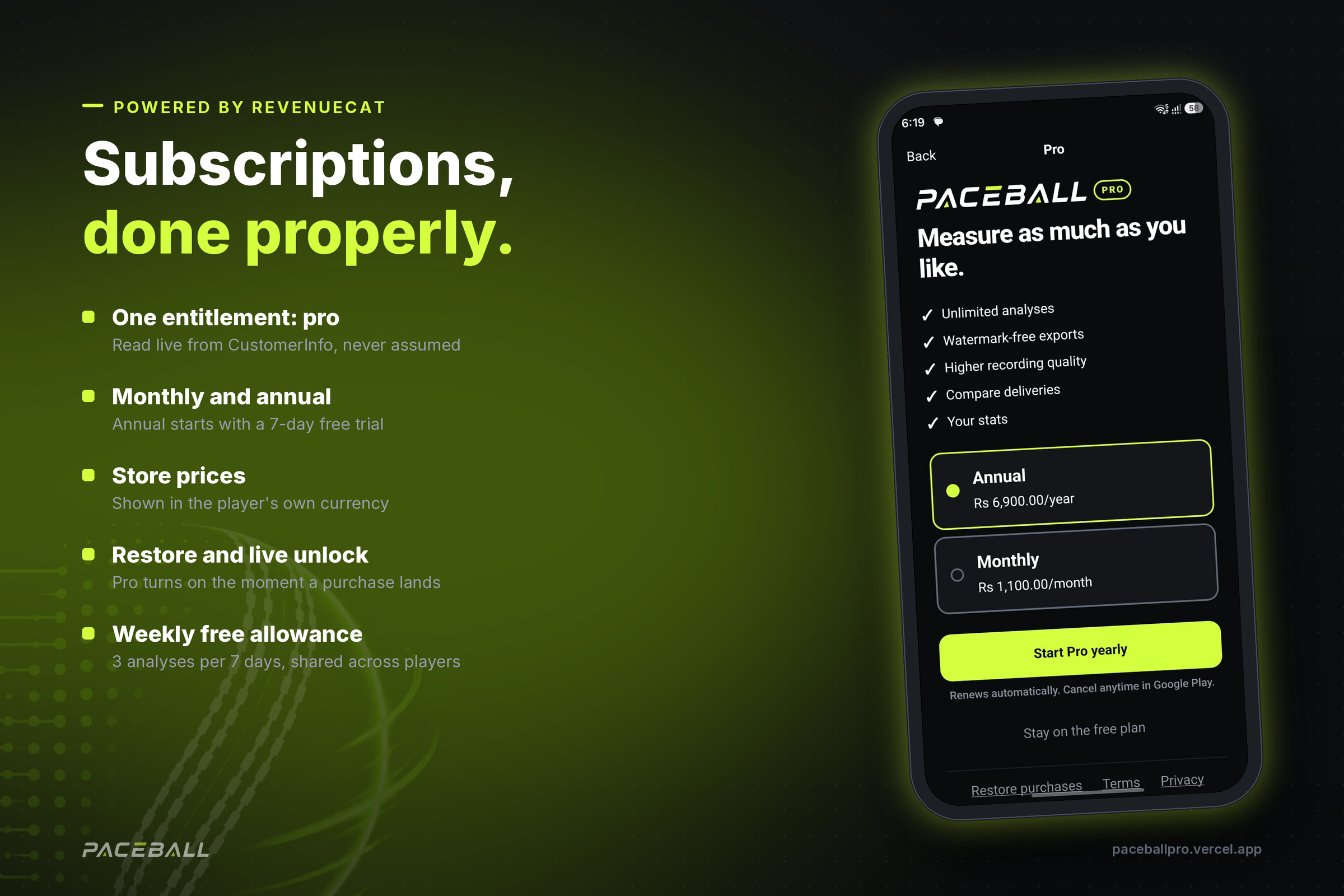
RevenueCat powers Pro: one entitlement, monthly and annual plans, a 7-day trial on annual, store prices, restore and instant unlock.
-
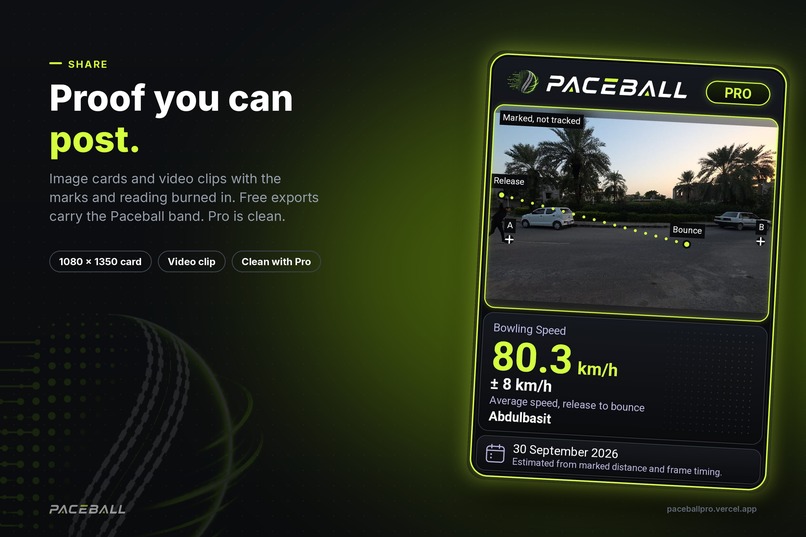
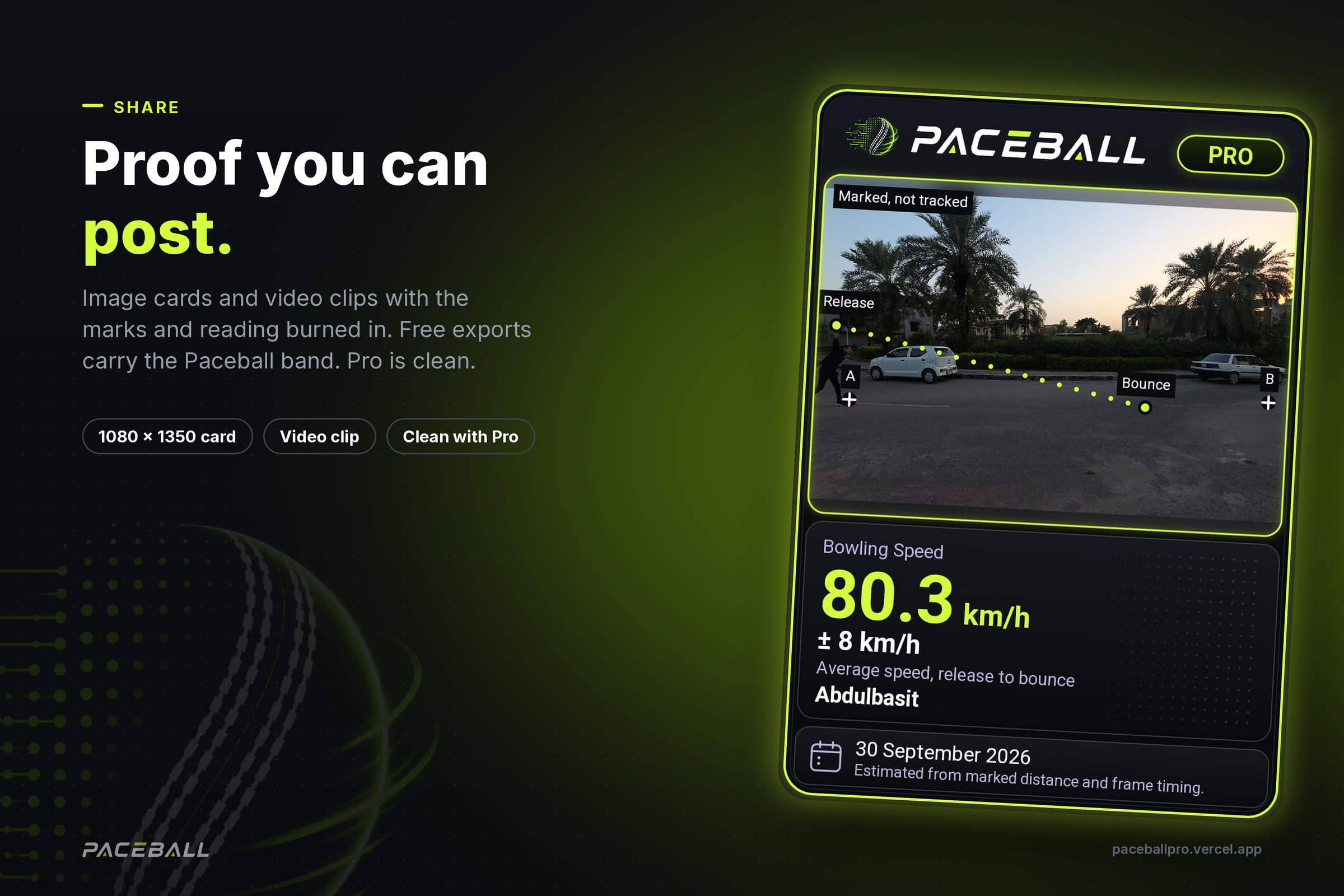
Share cards and video clips with the reading burned in. Free exports carry the Paceball band; Pro exports are clean.
-
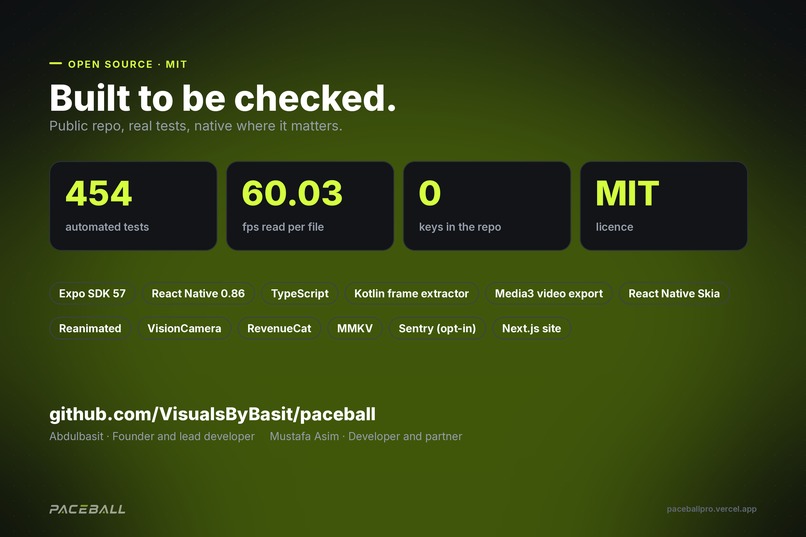
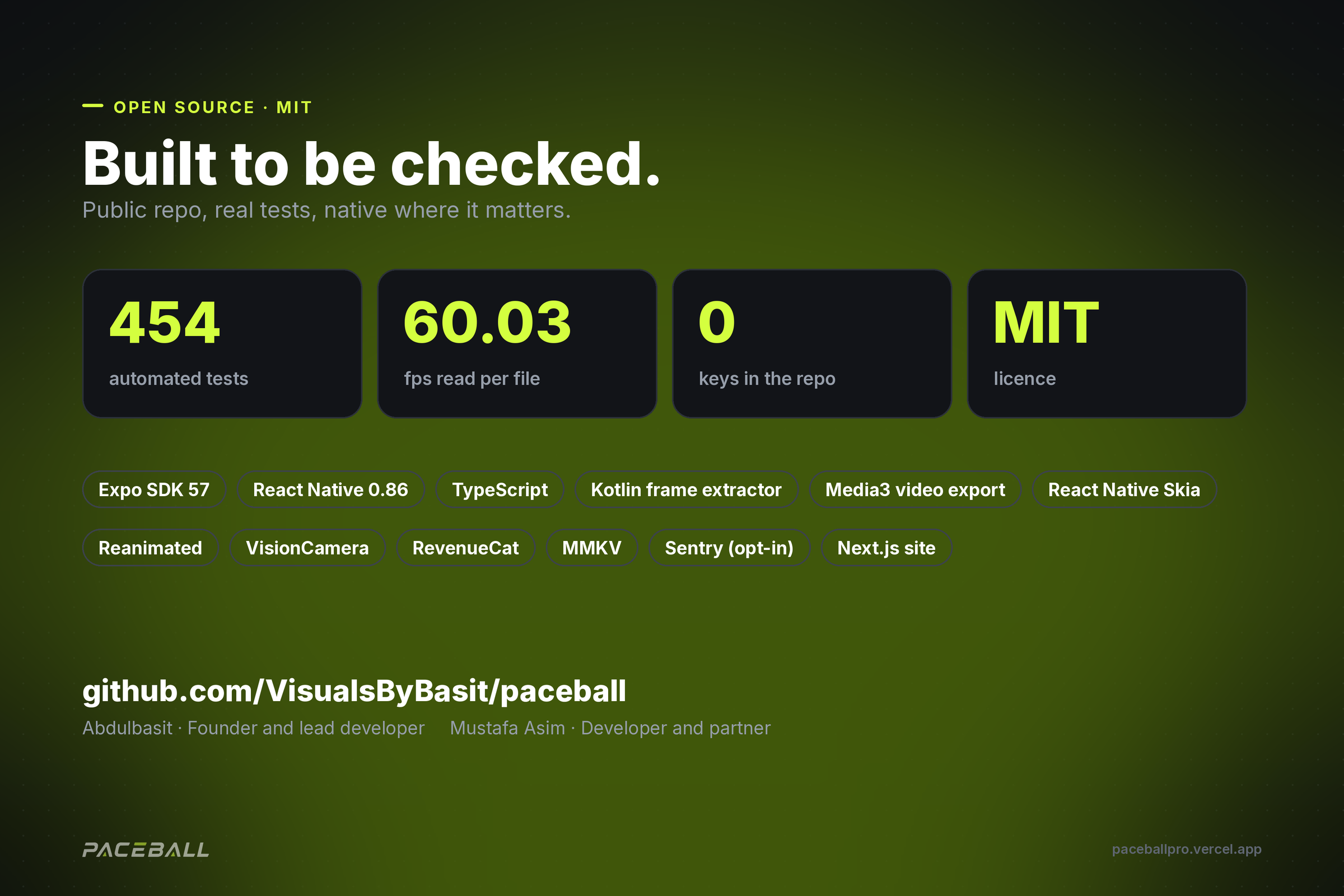
Open source under MIT: 454 automated tests, fps read per file, no keys in the repo. Built with Expo, Kotlin, Skia and RevenueCat.
-

Paceball app icon, 1024 x 1024
-
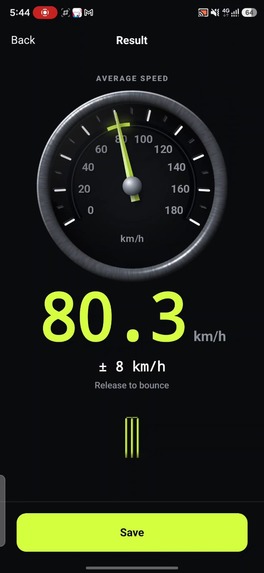
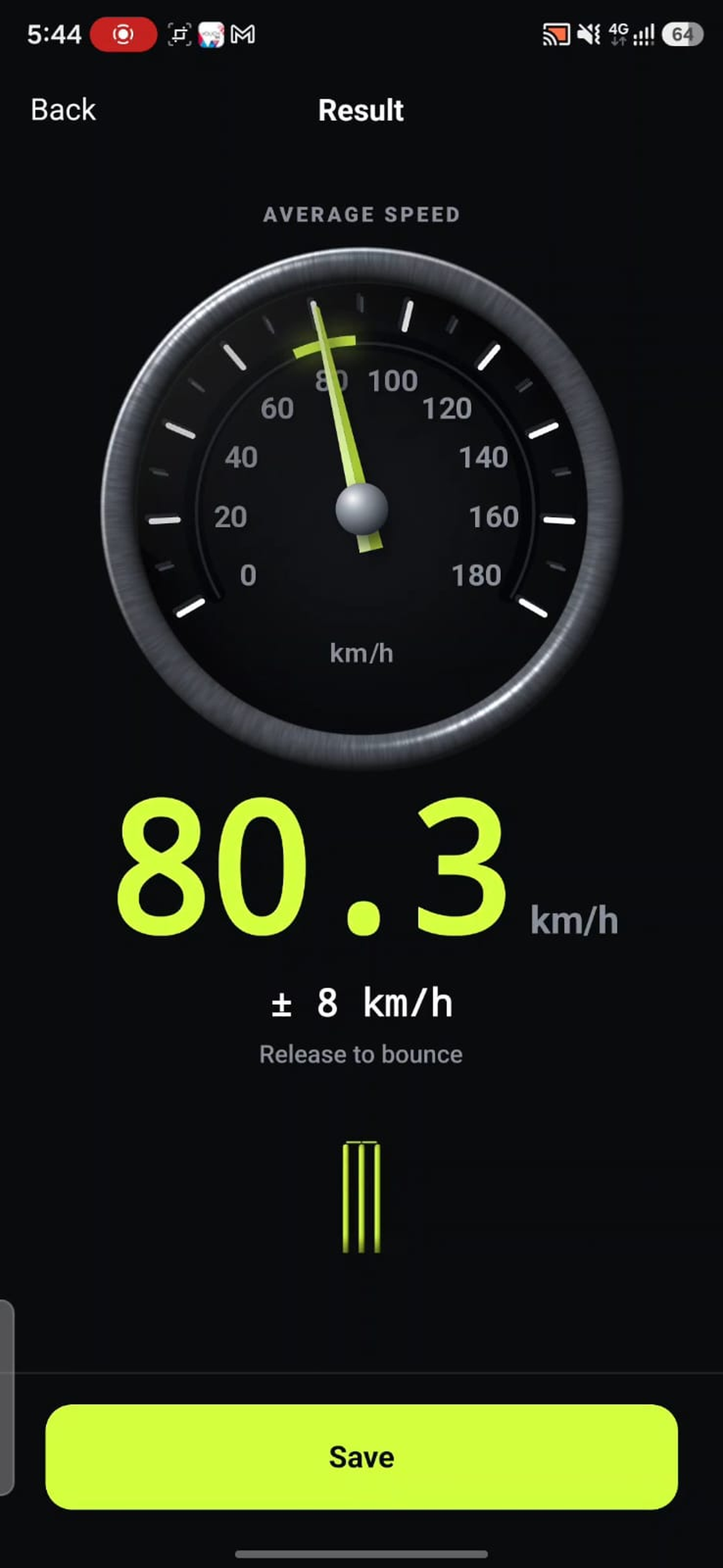
Result screen, unframed: 80.3 km/h ± 8, release to bounce.
-
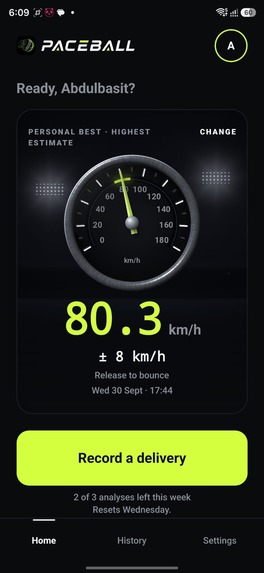
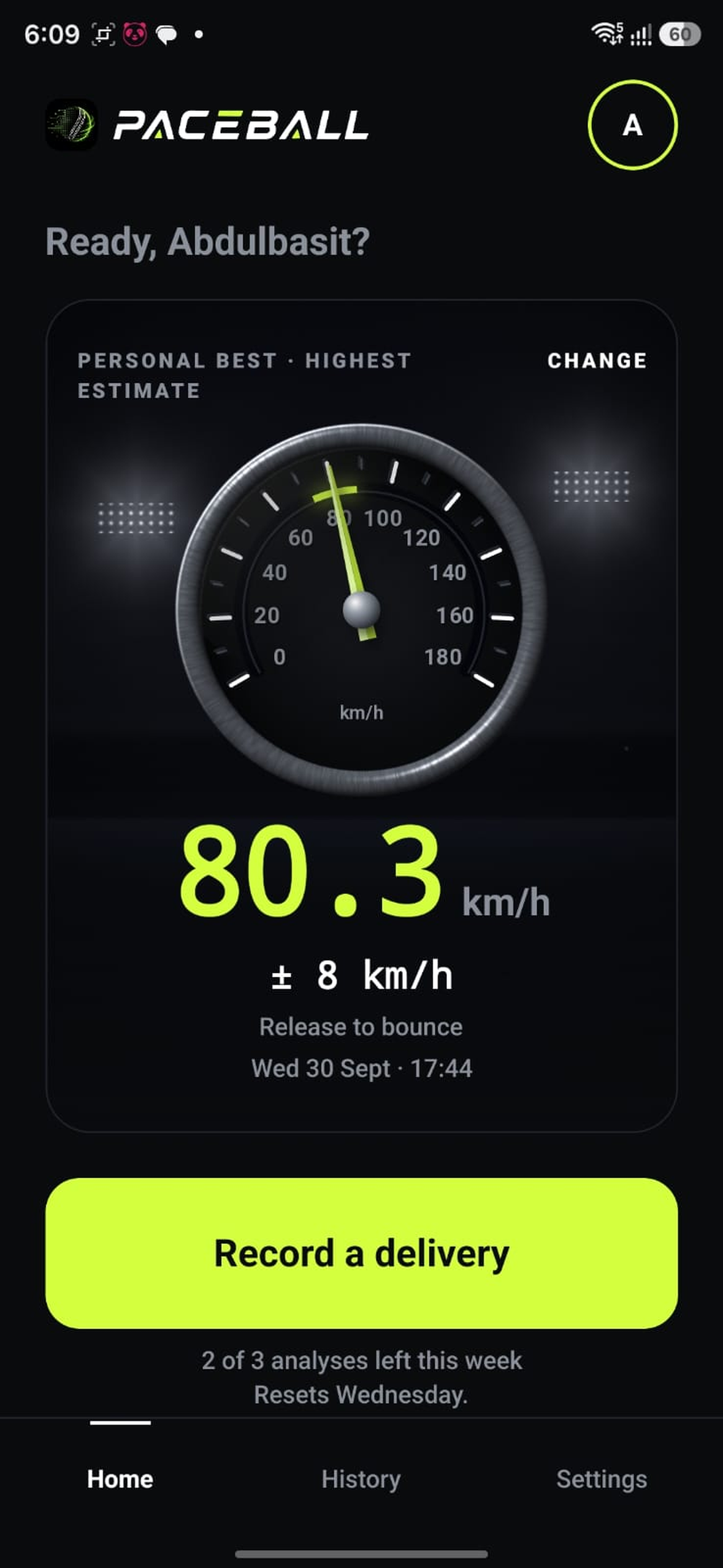
Home screen, unframed: personal best with its ± range.

Inspiration
"That one was quicker than yours." "No chance, mine was faster."
Go to any net session or street match and you'll hear this argument. Every bowler is sure he's the quickest in the group, and nobody can prove it. Radar guns cost hundreds of dollars and belong on TV, not at the local nets, so the argument never ends.
We wanted to settle it. Almost everyone already carries a phone that films at 60 fps, so we asked: can a phone video give a speed both bowlers have to accept? And if it can't be sure, can it at least say so honestly, instead of handing the loudest bowler a number to brag about?
That became Paceball: a speed gun that shows its working, so the answer is something you can check, not just believe.
What it does
- Record a delivery side-on, with both ends of a known distance in frame: the stumps, two markers, or even the ball itself as a ruler.
- Mark the reference, then step frame by frame and tap the ball at release and where it bounces.
- Read the average speed from release to bounce, with an honest ± range worked out for that exact reading.
Every result shows its working: the frames you marked, the fps read from the file, the flight time, the scale and the distance. The frame is labelled "Marked, not tracked", because the line joins the points you tapped and nothing more.
On top of that:
- A personal best on Home, with a speedometer that sweeps to your reading
- History, Stats (speed over time, deliveries per day, bounce confidence) and Compare
- Multiple players on one phone
- Share cards and video clips with the reading burned in
How the measurement works
Speed is distance over time:
$$ v = \frac{d}{t} $$
The distance comes from the reference you marked, and the time comes from frames:
$$ d = \frac{\text{pixels from release to bounce}}{\text{pixels per metre}} \qquad t = \frac{\Delta f}{\text{fps}} $$
A real delivery from our screenshots:
| Input | Value |
|---|---|
| Marked frames | 253 to 277 |
| Frame delta \(\Delta f\) | 24 frames |
| fps (read from the file) | 60.03 |
| Flight time \(t\) | 0.3998 s |
| Distance \(d\) | 8.92 m |
| Speed | 80.3 km/h ± 8 |
$$ v = \frac{8.92 \text{ m}}{0.3998 \text{ s}} = 22.3 \text{ m/s} \approx 80.3 \text{ km/h} $$
The ± range is the honest part. You can only mark to the nearest frame, and the scale comes from one reference distance, so every reading carries its own uncertainty, and Paceball shows it instead of hiding it.
Honesty rules, enforced in code
- No guessing: a guessed bounce gives no speed at all.
- No assumed fps: the frame rate is read from each video's own track, never assumed to be 60.
- No fake records: readings that can't be right (over 180 km/h, or a range wider than ±25 km/h) are tagged "Check this reading" and never count as a personal best, in Stats or in Compare.
How we built it
- Expo SDK 57, React Native 0.86 and TypeScript, with expo-router
- A native Kotlin module that reads the real frame rate from the video track and extracts exact frames for marking
- Media3 Transformer (Kotlin) to export shareable video clips with the reading and marks drawn in
- React Native Skia and Reanimated for the speedometer, share cards, charts and celebration, all animated on the UI thread
- VisionCamera for capture, with exposure, zoom, start delay, sound and record length
- MMKV for fast on-device storage. Deliveries never leave the phone
- Sentry, strictly opt-in
- 454 automated tests, run before every commit
How we use RevenueCat
- One entitlement,
pro, read from RevenueCat's CustomerInfo. Pro is never assumed or cached as true. - The
defaultoffering with a monthly and an annual plan. The annual plan has a 7-day free trial, and the paywall only mentions a trial when the store actually offers one to that user. - Prices from the store, in the user's own currency. Nothing is hard-coded.
- Purchase, restore and a live listener, so Pro unlocks the moment a purchase lands, followed by a celebration screen.
- A weekly free allowance: 3 analyses per 7-day period, shared across players. Pro removes the limit and unlocks clean exports, Stats, Compare and higher recording quality.
- Runs without keys: a build with no RevenueCat key shows a clearly labelled sample paywall with purchasing off, so anyone can clone the repo and run it.
Challenges we ran into
- The frame rate lie. Early on, some readings were quietly wrong because the fps the app trusted wasn't the rate the video was actually recorded at. We moved fps reading into native code that measures the video track itself, and now every result shows the fps it used.
- Deciding what not to show. It's tempting to always print a number. We chose to show no speed from a guessed bounce and to flag readings that can't be real, even though a big number looks better in a demo.
- Running out of builds. We used up our free cloud builds days before the deadline, so we moved to building on a free CI machine with EAS local builds and the same signing credentials, and kept shipping to Google Play testing.
- Burning the reading into video. Exporting clips with the speed, marks and watermark drawn in meant writing a Media3 pipeline in Kotlin that we could only test on a real build.
Accomplishments that we're proud of
- A working app on Google Play testing that gives a believable speed from an ordinary phone video
- A measurement that explains itself: every reading shows its frames, fps, scale and range
- A calm, precise design, from the speedometer sweep to the share card
- A public, MIT-licensed repo with 454 tests and a README anyone can follow
What we learned
- Honesty is a feature. Players trust a range more than a suspiciously exact number, and it ends arguments faster.
- RevenueCat made subscriptions the easy part, which let us spend our time on the measurement.
- Test on real devices early. Assumptions about fps hide exactly the bugs that matter.
What's next for Paceball
Settle more arguments, faster
- Ball tracking across every frame. Detect the ball in all ~30 frames between release and bounce and fit a curve through them, instead of relying on two taps. The range tightens from about ±4 km/h to ±1-2 km/h on the same phone, and marking drops from four taps to two. It's classical computer vision, no machine learning needed.
- Any camera angle. Perspective correction (homography) using the pitch itself (20.12 m × 3.05 m) as the reference, so you can film from behind the bowler like a broadcast camera, not only side-on.
- Automatic stump and crease detection, so calibration happens by itself.
- Automatic release frame using on-device pose detection.
- A whole over in one clip. Record six deliveries once, calibrate once, get six speeds.
Every automatic mark stays honest
- Detection assists, never replaces: every automatic mark stays draggable.
- If it can't find the ball, it says so and falls back to manual marking. It never guesses.
- The ± range is always shown. Better precision means a smaller range, never no range.
- Measurement stays on-device and works offline.
For players, coaches and academies
- Proof, not just a number: optional cloud backup of your top 5 deliveries with the video ( will also be added on single players too) they came from, so a personal best can be verified.
- Coach and academy tools on the web: squads, sessions and progress over a season, with seat-based plans.
- Form insights from on-device pose detection.
- Batsman mode, and other sports. The engine only needs a known distance.
Growth
- A public release on Google Play, then iOS.
- A lifetime plan alongside monthly and annual, and regional pricing for Pakistan, India and neighbouring markets.
- Smart reminders: a nudge after a quiet week, a personal-best celebration, a heads-up before a trial ends.
UI and Design
- A full rework of the current design, as it was done in a very limited time and we didn't had the time test other shaders on mobile like Threejs etc.
- A proper premium app feel.
- More ways to make user experience smooth and automatic.
Built With
- android
- codemagic
- eas
- expo-router
- expo.io
- kotlin
- media3
- mmkv
- nextjs
- react-native
- react-native-purchases
- react-native-reanimated
- react-native-skia
- react-native-vision-camera
- revenuecat
- sentry
- tailwindcss
- typescript
- vercel


Log in or sign up for Devpost to join the conversation.