-
-
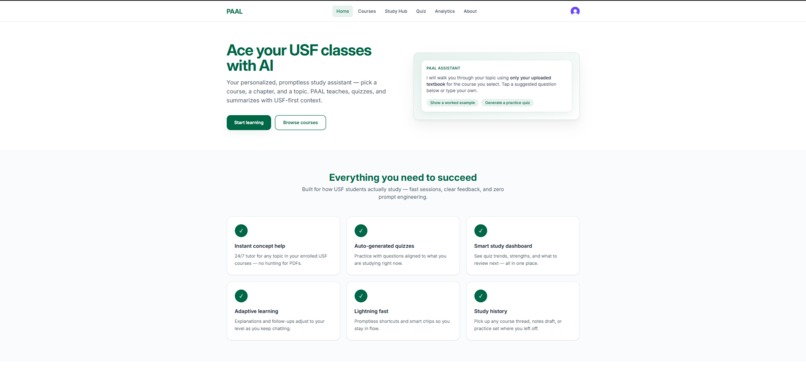
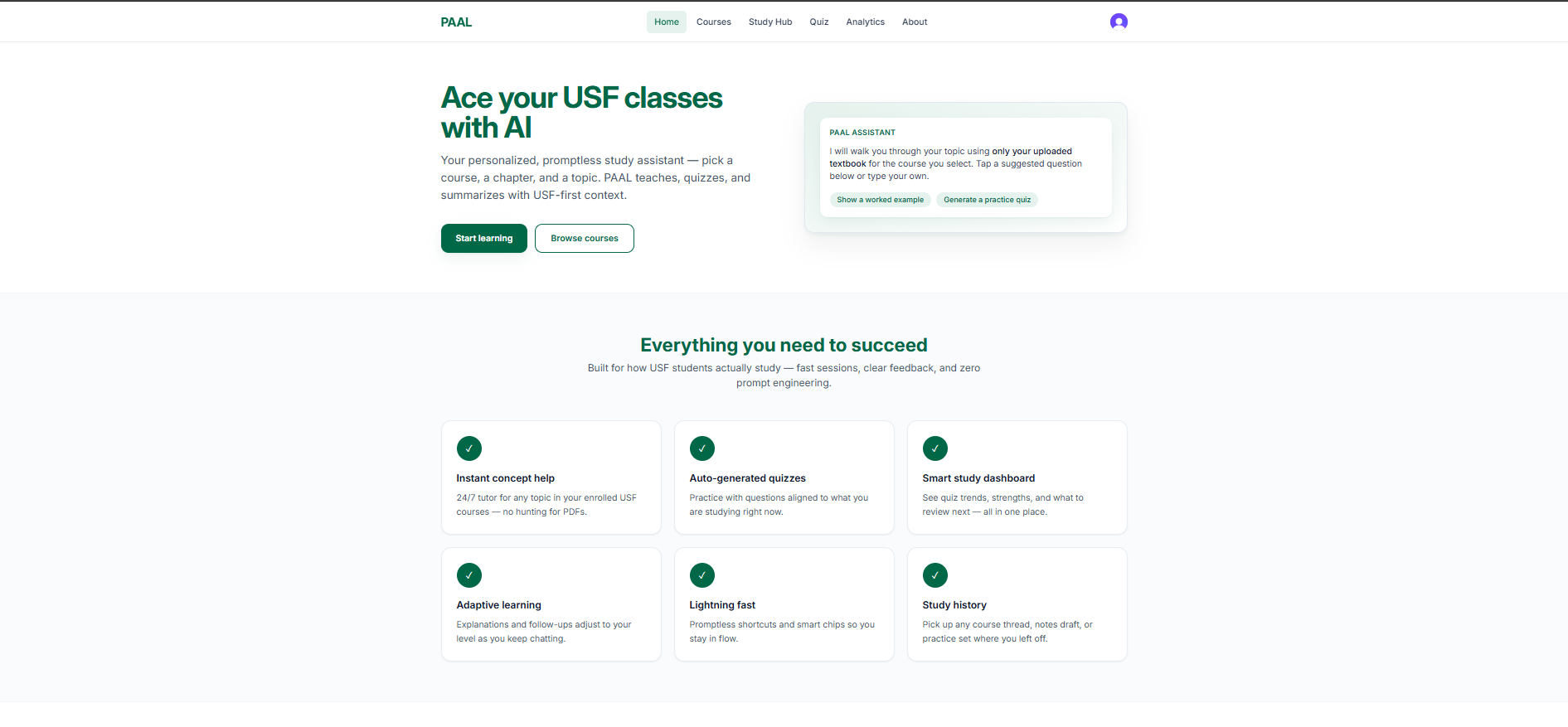
Home Page of PAAL
-
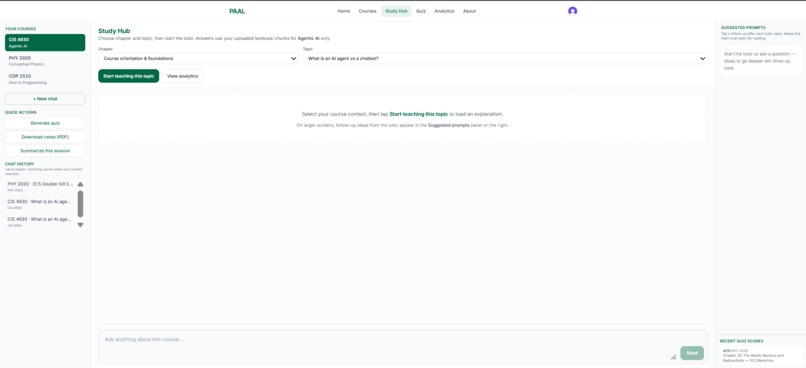
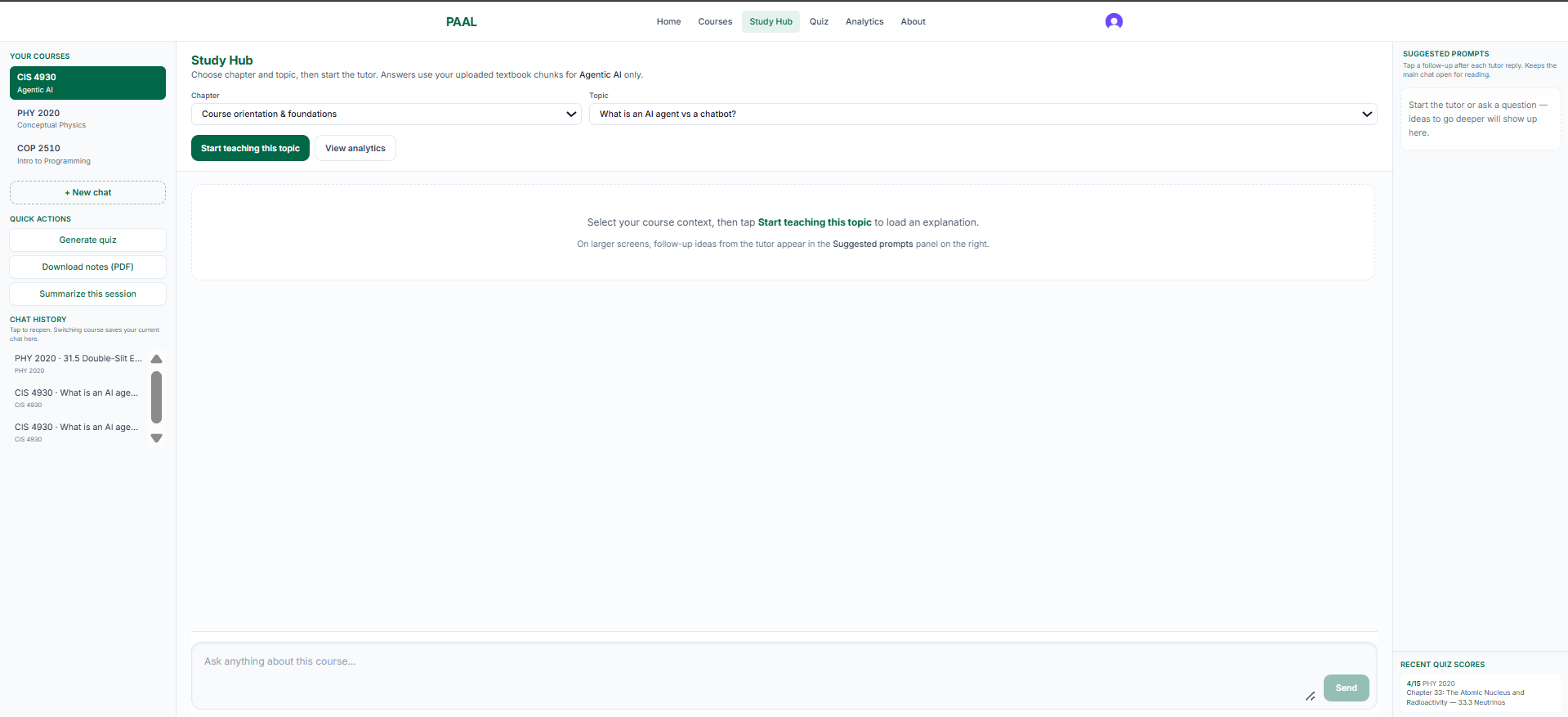
Tap-based tutoring for USF courses: choose chapter & topic, get grounded explanations, summaries, prompts, and notes PDF
-
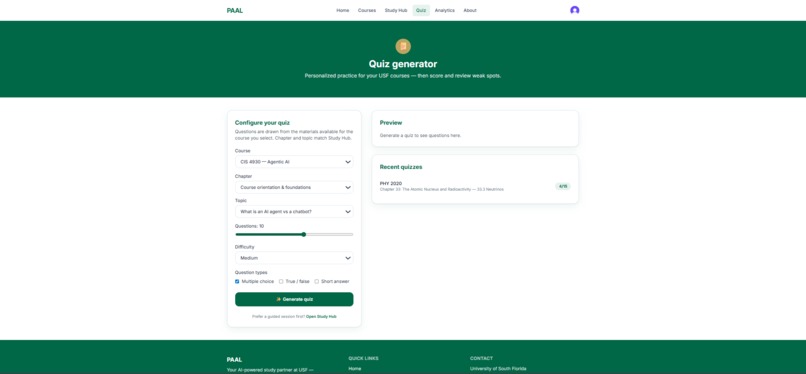
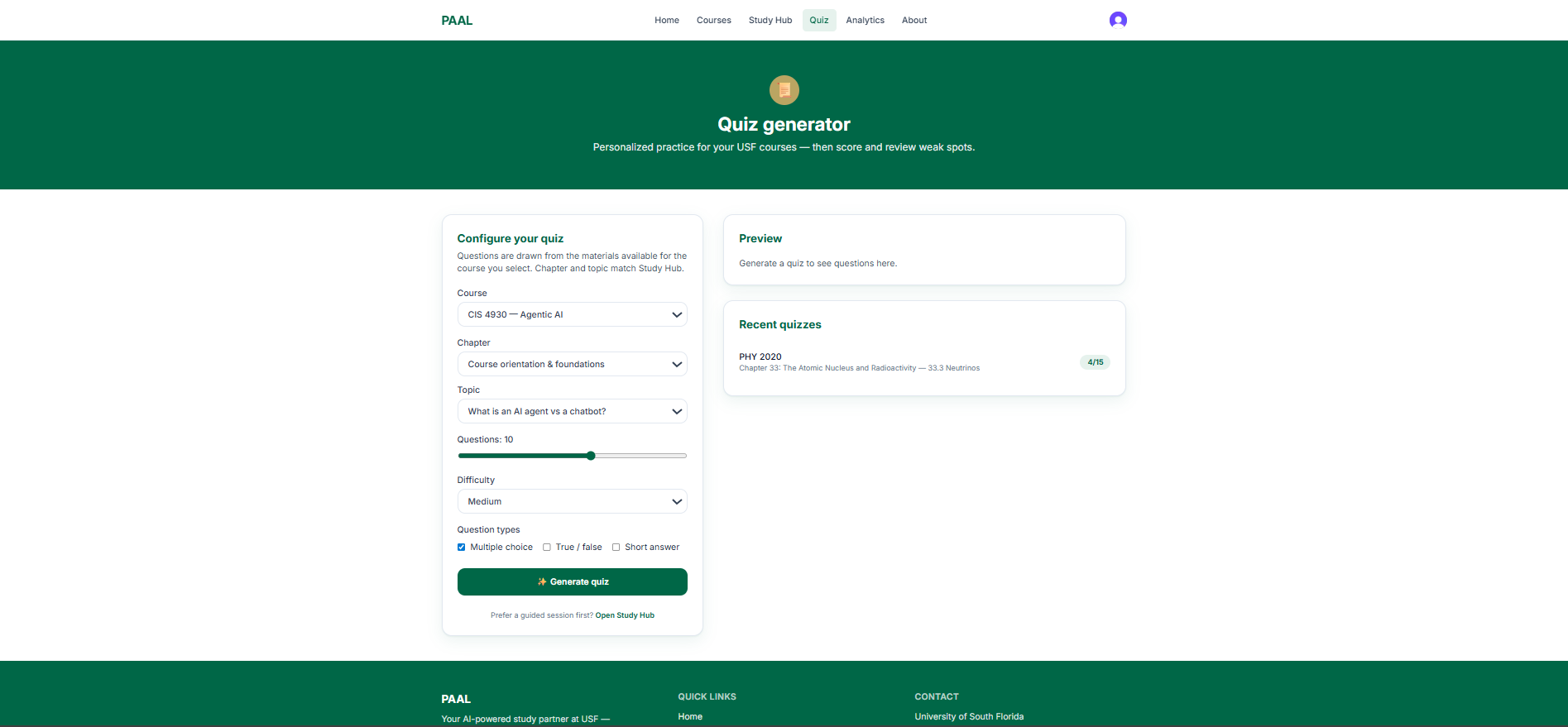
Generate course-specific quizzes by difficulty/type, submit answers, get graded feedback, and track your score history
-
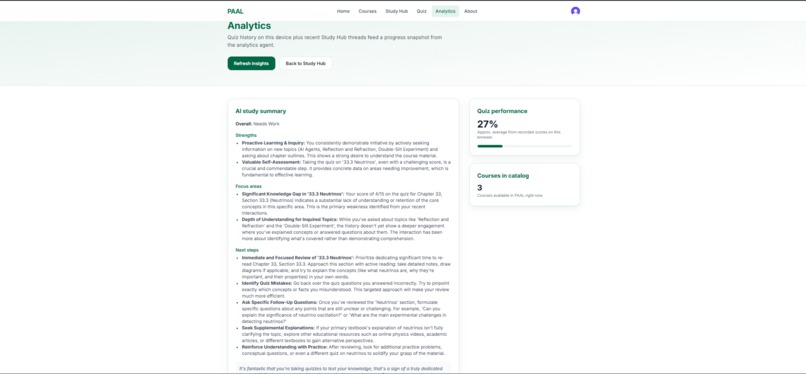
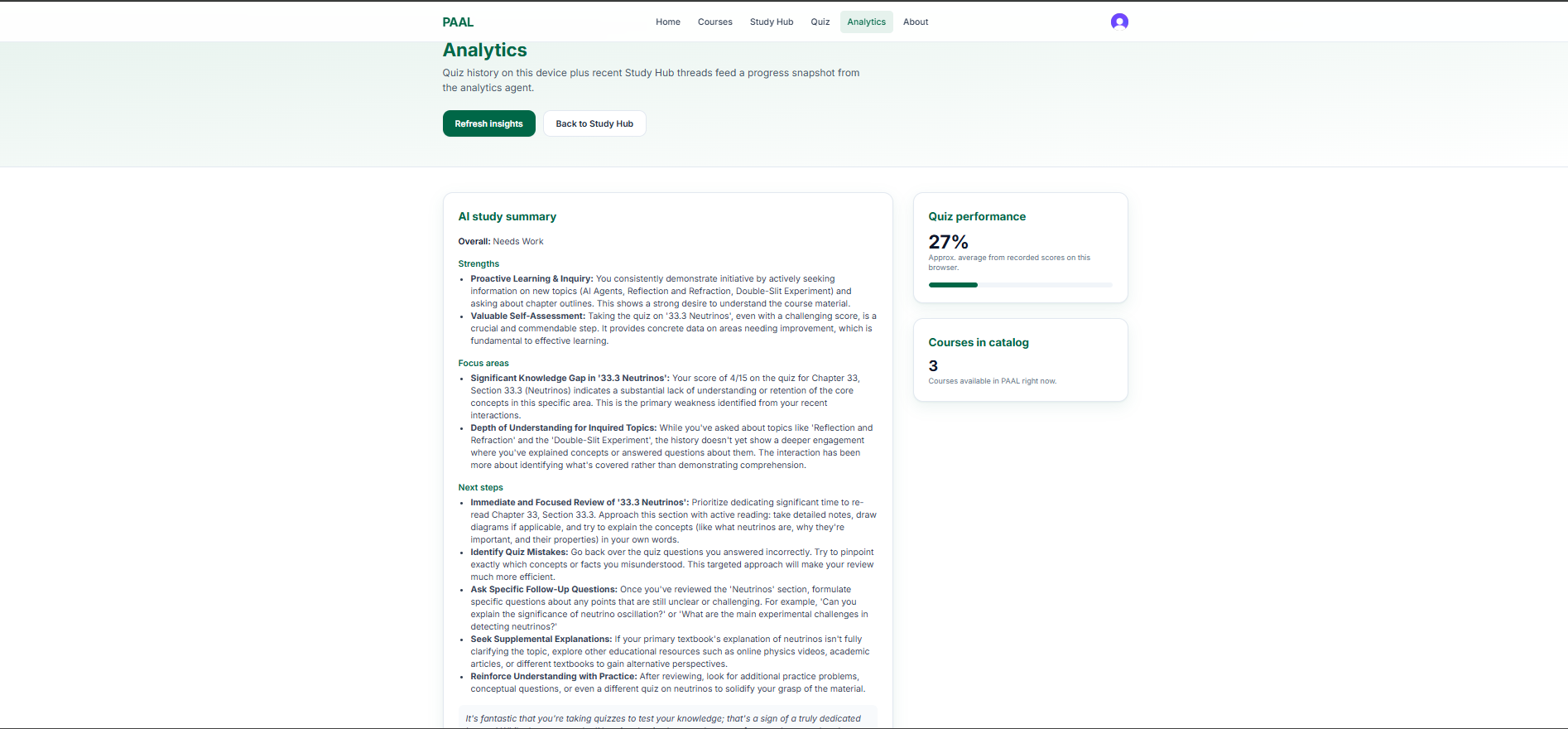
See progress insights from your recent chats and quiz scores: strengths, focus areas, recommendations, and trends.
PAAL — Promptless AI Assisted Learning
Inspiration
USF students don't need another generic chatbot—they need help that matches their syllabus, their textbook, and their deadline. Most students aren't prompt engineers: fighting a blank ChatGPT box to "ask the right question" is friction, not studying.
We built PAAL (Promptless AI Assisted Learning) so learners can get instant, course-specific support—grounded in real course materials—without turning study time into prompt engineering time.
What It Does
PAAL is built around a promptless, tap-first workflow:
- Teach / Explain — Start from course + chapter/topic and launch a structured explanation—no essay prompt required.
- Practice Quiz — Generate assessments aligned to what you're actually studying, with configurable formats and difficulty.
- Summarize & Study Outputs — Turn the session into summaries and printable study notes so the value isn't trapped in an endless chat thread.
Behind the calm UI, every action maps to a deterministic "learning job" on the backend—so students click to learn, not type to beg.
How We Built It
| Layer | Technology |
|---|---|
| Frontend | React 19 + Vite + React Router + Tailwind CSS |
| Auth | Clerk (@clerk/clerk-react) + JWT-backed API calls |
| Backend | FastAPI + SQLAlchemy + SQLite |
| AI System | CrewAI + Google Gemini (Tutor, Assessment & Analytics agents) |
| Grounding / RAG | Pinecone vector DB + course PDF indexing |
- Frontend: Multi-route app (Study Hub, Quiz, Analytics, auth screens) with Markdown rendering and PDF export utilities.
- Auth: Clerk JWT verification on the backend keeping the frontend token path reliable across routes and reloads.
- Backend: FastAPI exposing
/api/chatplus course catalog/outline endpoints; CORS configured for the Vite dev origin. - AI System: CrewAI orchestrates a sequential multi-agent crew powered by Google Gemini.
- Grounding / RAG: Retrieved textbook passages injected with strict course filters and explicit guardrails—reducing hallucinations compared to open-internet chatbots.
Challenges We Ran Into
- End-to-end integration — Wiring Vite ↔ FastAPI with CORS, proxies, and credentialed API calls while keeping local dev smooth.
- Auth + API security — Placing Clerk JWT verification on the backend and keeping the frontend token path reliable across routes and reloads.
- Agent output quality — CrewAI's verbose logging can introduce formatting noise—post-processing was needed so downstream UI/Markdown consumers get clean, parseable responses.
- Grounding at scale — Making retrieval deterministic (exact course metadata filtering + injected context blocks) so RAG doesn't depend on an LLM "remembering" to call tools correctly.
- Product truth vs AI hype — Keeping the UX promptless while still supporting deeper follow-ups—balancing simplicity with real tutoring depth.
Accomplishments That We're Proud Of
We shipped a full-stack, multi-agent AI application with:
- [x] Real authentication with Clerk + JWT
- [x] Vector-backed RAG grounding with Pinecone
- [x] Multi-agent AI crew (Tutor, Assessment, Analytics)
- [x] Polished student UX with multi-route React app
- [x] End-to-end working system in a compressed hackathon timeline
PAAL isn't a slide-deck demo: it's a working system with routes, persistence, and an agentic backend wired together.
What We Learned
We leveled up on:
- Full-stack integration — React SPA + FastAPI + Auth + env management
- Agentic AI design — Turning "chat" into task contracts
- RAG as a reliability layer — Not just for knowledge, but for reducing hallucinations
- Student-first UX — Building interfaces that respect how students actually study
What's Next for PAAL
- LMS Integration — Canvas / roster-aware course context
- Synced Learning History — Progress shared across phones and laptops
- Mobile Apps — True on-the-go studying
- Instructor Analytics — Opt-in, privacy-conscious insight surfaces


Log in or sign up for Devpost to join the conversation.