-
-
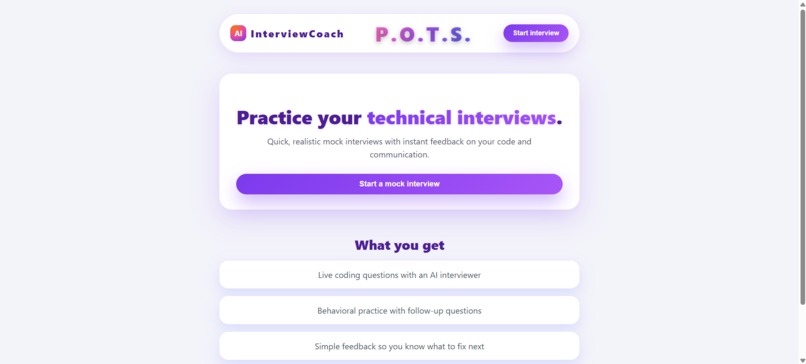
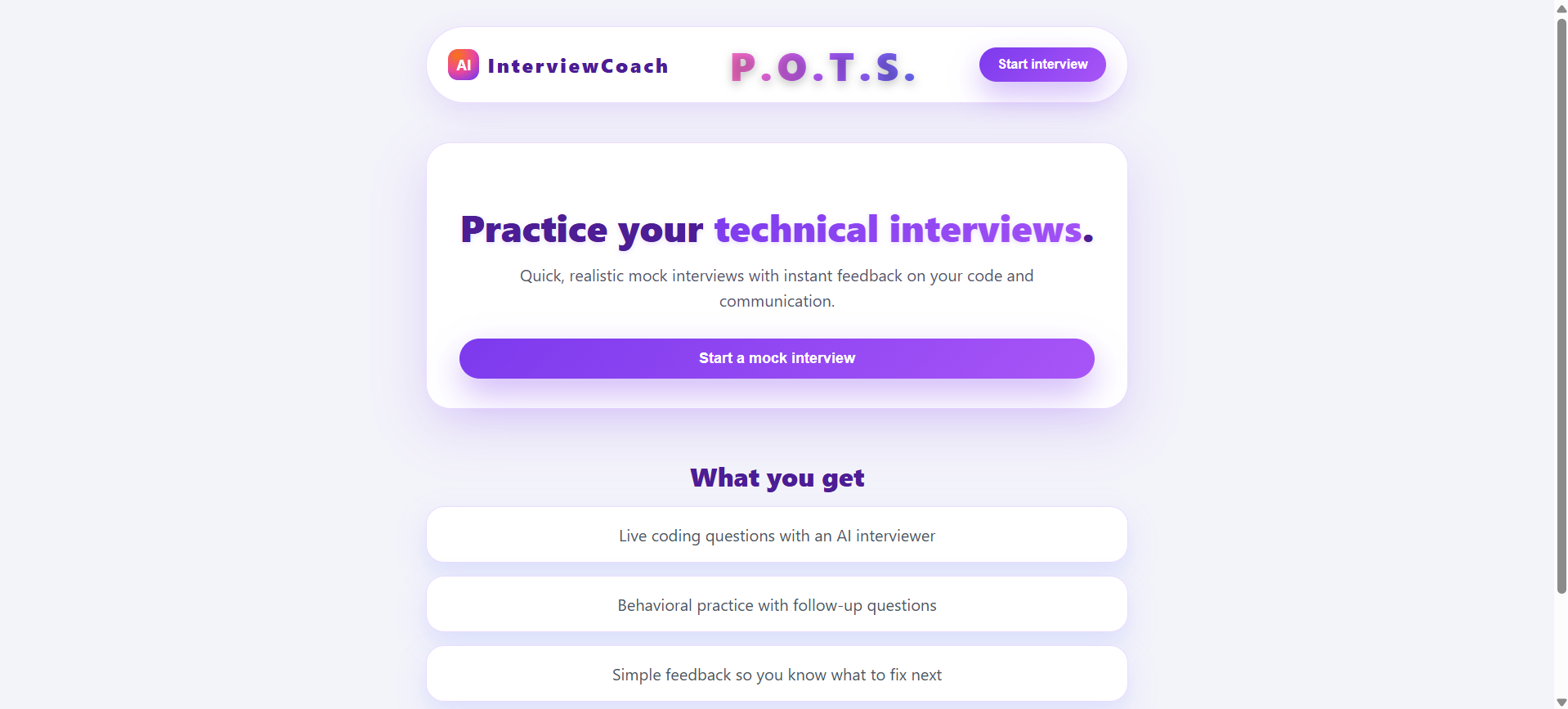
Home Page
-
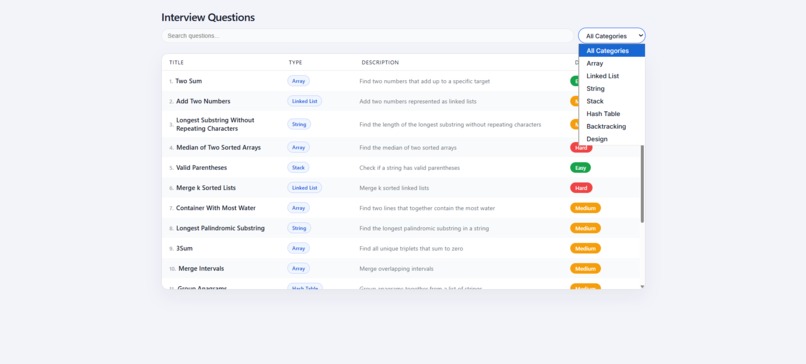
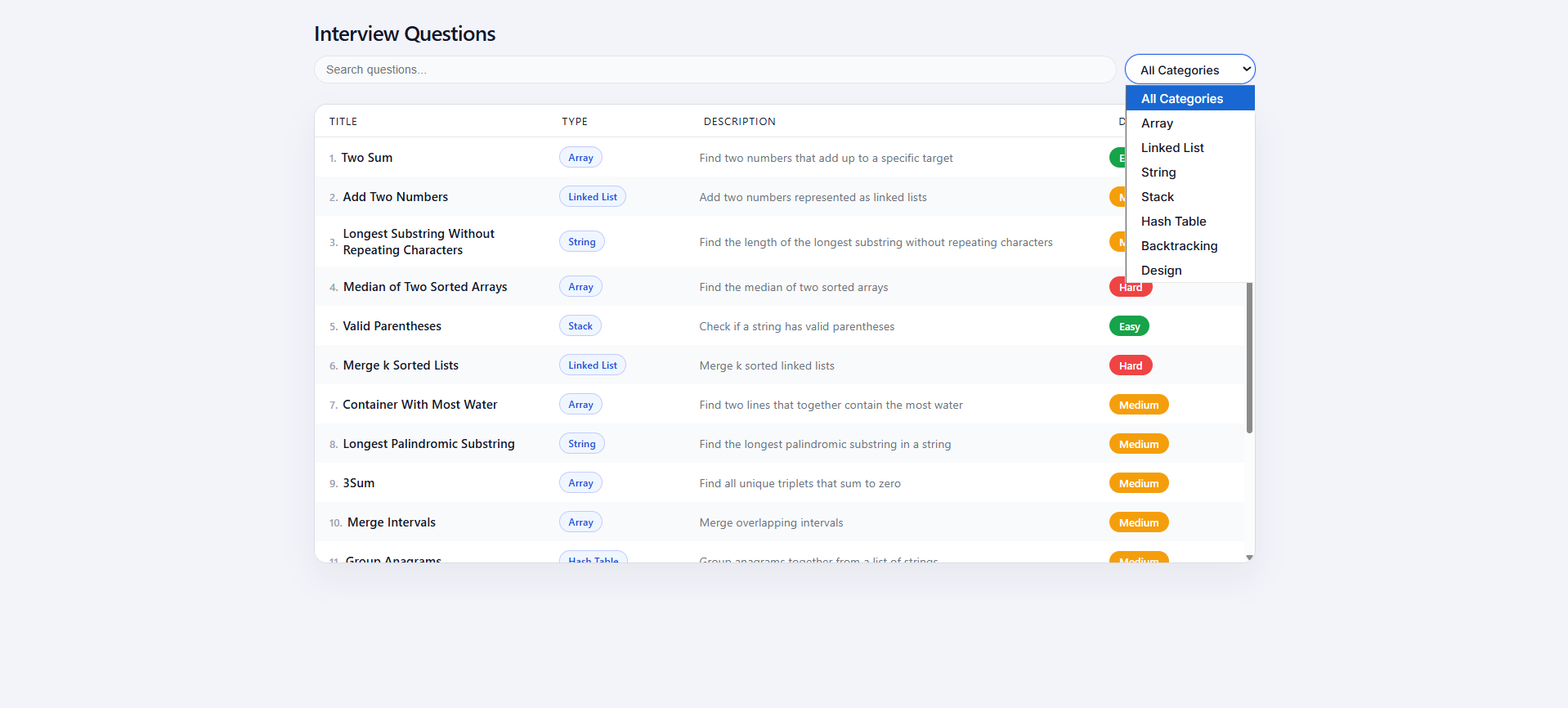
Questions Page
-
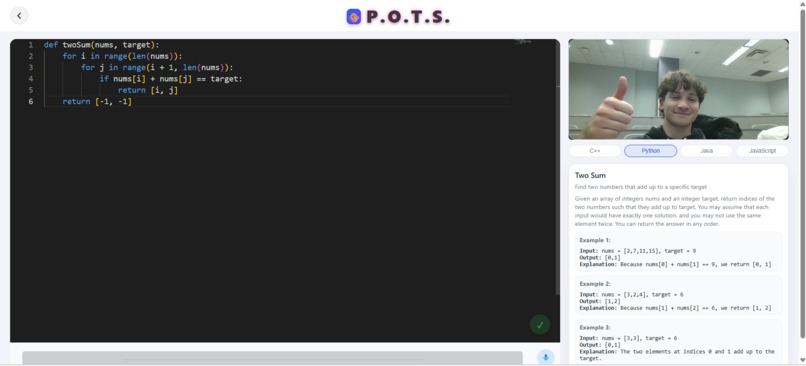
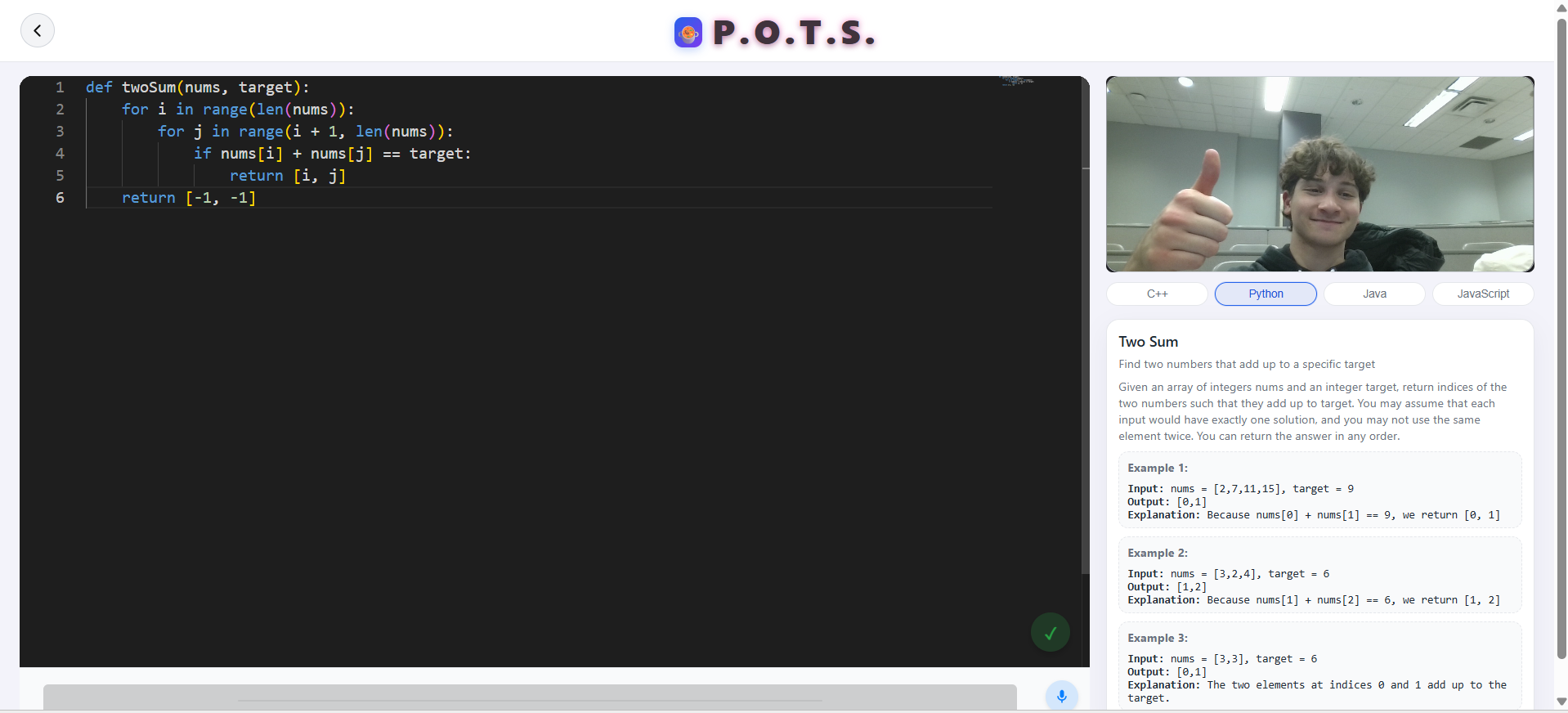
Main Page
-
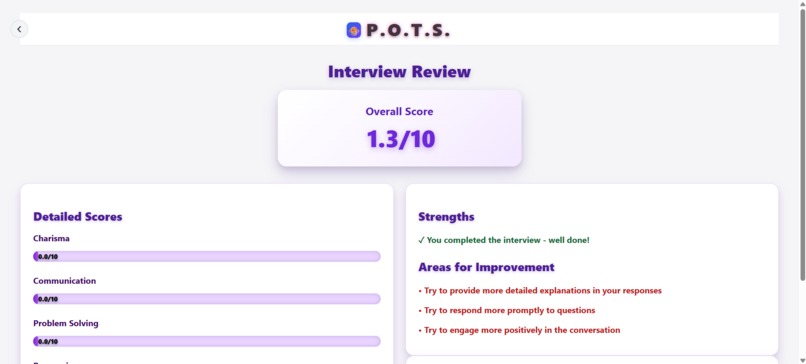
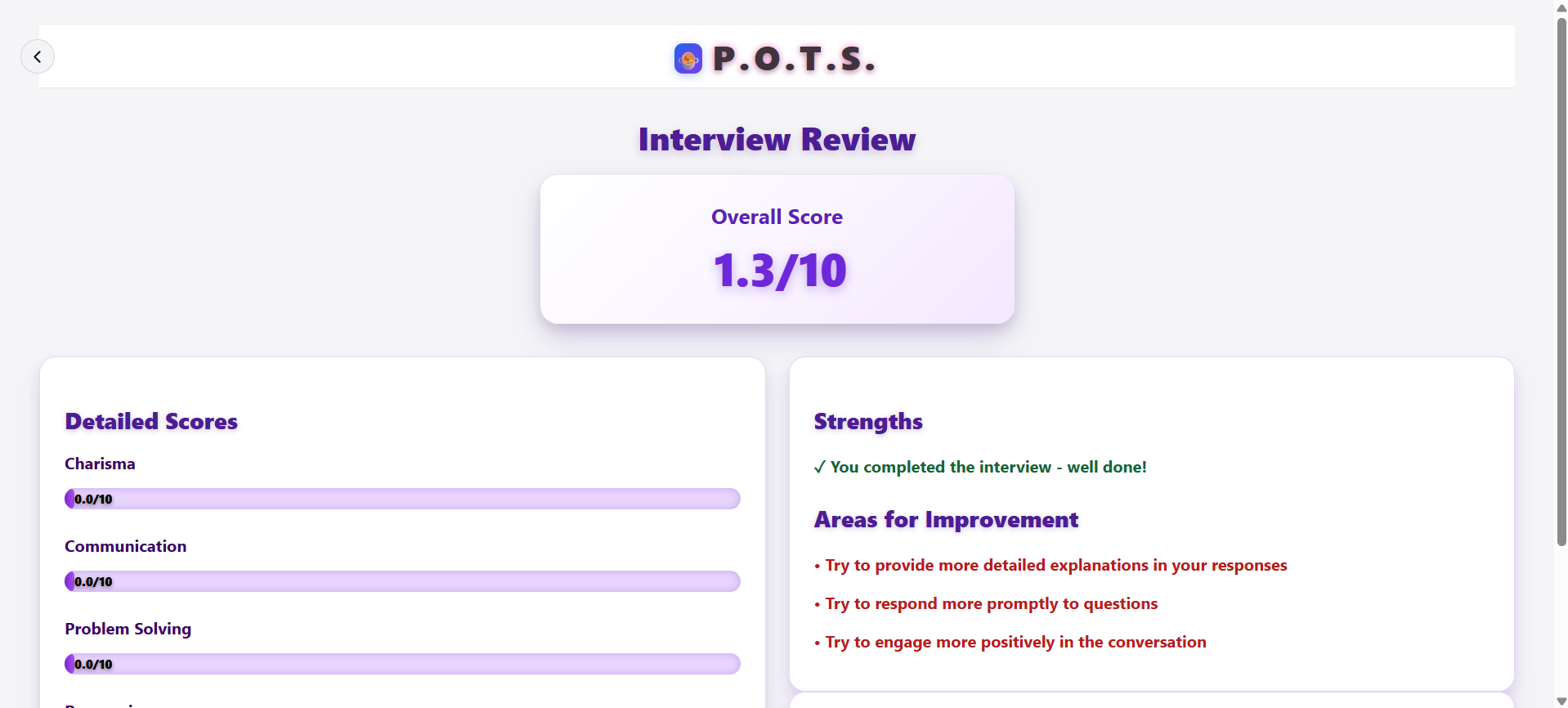
End Page
Inspiration
Anyone in tech, whether you're an industry professional reminiscing on your youth or a university student hunting for your next internship, knows the struggles of getting a job for tech. Yet more than resume screening, project-building, or even networking, most people in tech agree that the interview themselves are often the most daunting part behind tech. Introducing your person on the other side of the screen, or POTS! A dynamic voice-based conversational interview agent that provides you the full technical interview experience within the browser...
How POTS was built
Frontend
POTS' frontend is built largely through the React framework. The entire UI is built out of an assortment of components. Most components, are built through vanilla React.
The AudioVisualizer, visible when POTS is talking, creates an incredibly aesthetic wave animation that triggers on a useEffect() function when no audio stream is playing:
  useEffect(() => {
    if (!stream) return;
// ...
      const draw = () => {
        animationRef.current = requestAnimationFrame(draw);
        analyser.current.getByteFrequencyData(dataArray.current);
        // Draw visualization
        const canvas = canvasRef.current;
        const ctx = canvas.getContext('2d');
        // ... drawing logic
      };
      draw();
    };
Monaco Editor
To provide an easy-to-setup editor for tracking user coding, we used the Monaco Editor package (monaco-editor/react) for easy aesthetics and portability with our system. We then outputted the text within this into a file called test.txt, which was then accessed by Gemini and ElevenLabs for dialogue and analysis.
Interview Summaries
We parsed and cleaned Gemini's grading output into rendered markdown information. Most notably, we created dynamic scorebars that displayed Gemini's graded KPIs across a multitude of categories, feeding in info from a Flask route.
// In InterviewReview component
const renderScoreBar = (score, label) => (
  <div key={label} className="score-row">
    <div className="score-label">{label}</div>
    <div className="score-track">
      <div
        className="score-fill"
        style={{ width: `${(score / 10) * 100}%` }}
      >
        <span className="score-value">
          {score.toFixed(1)}/10
        </span>
      </div>
    </div>
  </div>
);
Coding Environment
We orchestrated an atomic, two-step execution flow to ensure data integrity. We chained asynchronous requests to force a state save before execution begins, ensuring that a user's code is persisted to the database even if the runtime crashes or the browser session is interrupted.
const handleRunCode = async () => {
  // 1. Atomic Save: Persist state before risking execution
  await fetch('/api/save-code', {
    method: 'POST',
    body: JSON.stringify({ code, language: selectedLanguage })
  });

  // 2. Execute: Run against the backend sandbox
  const response = await fetch('/api/execute', {
    method: 'POST',
    body: JSON.stringify({ code, language: selectedLanguage })
  });

  setExecutionResult(await response.json());
};
We handled stream separation in the UI to improve the debugging experience. By conditionally rendering the execution results, we visually distinguished between standard output logs and fatal runtime errors, giving candidates immediate, clear feedback on their code's performance.
<div className="output-panel">
  {/* Standard Output Stream */}
  {executionResult?.output && (
    <pre className="std-out">{executionResult.output}</pre>
  )}

  {/* Error Stream with distinct styling */}
  {executionResult?.error && (
    <pre className="std-err error-text">
      {executionResult.error}
    </pre>
  )}
</div>
Agent Context
The system combines code analysis, audio processing, and emotion data to provide context for the AI agent.
First, we use Python's compile() to validate syntax before execution. This catches basic errors early without wasting API credits or risking the execution sandbox.
def analyze_code_with_gemini(code: str) -> str:
    # 1. Syntax Check
    try:
        compiled = compile(code, "<candidate_code>", "exec")
        has_syntax_error = False
    except SyntaxError as e:
        return f"Syntax error on line {e.lineno}: {e.msg}"

    # 2. Safe Execution
    if not has_syntax_error and compiled:
        ns = {}
        try:
            exec(compiled, ns)
            # Run tests in isolated namespace
            return run_tests_with_ns(ns, title, func_name)
        except Exception as e:
            return f"Runtime error: {type(e).__name__}: {e}"
For voice, we used ElevenLabs for both speech-to-text and text-to-speech. We added an ffmpeg step to convert all incoming audio to the correct WAV format before sending it to the transcription API.
def text_to_speech(text, output_file='output.mp3'):
    # Use turbo model for lower latency
    data = {
        "text": text,
        "model_id": "eleven_turbo_v2",
        "voice_settings": {
            "stability": 0.5,
            "similarity_boost": 0.75,
            "use_speaker_boost": True
        }
    }

    response = requests.post(url, json=data, headers=headers)
    return output_file
We implemented an EmotionAwareAgent to track user sentiment. It maintains a rolling window of the last 10 interactions to calculate an "engagement score," allowing the AI to adjust its tone if the user seems frustrated or disengaged.
class EmotionAwareAgent:
    def update_emotion(self, emotion_data):
        # Keep track of last 10 emotional states
        self.emotion_history.append({
            'emotion': emotion_data['dominant_emotion'],
            'intensity': emotion_data['intensity'],
            'timestamp': datetime.now()
        })
        self.emotion_history = self.emotion_history[-10:]

    def get_engagement_score(self):
        # Calculate average score based on recent history
        recent_emotions = [e['emotion'] for e in self.emotion_history[-5:]]
        return sum(self.weights.get(e, 0.5) for e in recent_emotions) / 5
Finally, the process_interaction function ties it all together. It aggregates the current code state, the transcribed user audio, and the emotion metrics into a single context object for the Gemini prompt.
def process_interaction(audio_file, code_snapshot, emotion_data):
    # 1. Get Text from Audio
    user_text = speech_to_text(audio_file)

    # 2. Update Context
    emotion_analyzer.update_emotion(emotion_data)

    # 3. Generate Response
    # Inject emotion data into the prompt to guide AI tone
    response = generate_response(
        user_text,
        code_snapshot,
        emotion_context={
            'dominant_emotion': emotion_data['dominant_emotion'],
            'intensity': emotion_data['intensity']
        }
    )

    # 4. Generate Audio Response
    return text_to_speech(response)
Emotional Analytics and Markig
The system leverages DeepFace for real-time emotion recognition, tracking 7 core emotional states to calculate an aggregated "engagement score." This data drives the AI agent's responsiveness and provides post-interview insights.
We assigned specific weights to each emotion to quantify user engagement. Positive or attentive states (Happy, Neutral, Surprise) contribute to a higher score, while negative states (Fear, Disgust) lower it.
# Emotion weights for engagement calculation
engagement_weights = {
    'happy': 0.9,
    'neutral': 0.7,
    'surprise': 0.8,
    'sad': 0.3,
    'angry': 0.2,
    'fear': 0.1,
    'disgust': 0.1
}
To normalize the data, we implemented a weighted average calculation. This ensures the engagement score remains a consistent float between 0.0 and 1.0, regardless of the confidence levels returned by the computer vision model.
def calculate_engagement(self, emotions: Dict) -> float:
    if not emotions:
        return 0.0

    engagement = 0.0
    total_weight = 0.0

    for emotion, prob in emotions.items():
        weight = self.engagement_weights.get(emotion.lower(), 0.5)
        engagement += prob * weight
        total_weight += weight

    return min(max(engagement / max(total_weight, 0.001), 0.0), 1.0)
We built the logging system to capture time-series data. Every frame analysis is stamped and serialized to CSV, allowing for granular playback of the candidate's emotional journey throughout the session.
Log format:
timestamp, angry, disgust, fear, happy, sad, surprise, neutral, dominant_emotion, engagement
Finally, we exposed this data via REST endpoints to feed the frontend visualizations. The system runs the heavy computer vision tasks in a background thread to prevent blocking the main application loop, ensuring the UI remains responsive.
# Get current emotional metrics
@app.route('/api/health/status')
def health_status():
    return jsonify({
        'status': 'success',
        'data': tracker.latest_data
    })

# Get aggregate session stats
@app.route('/api/health/summary')
def health_summary():
    return jsonify({
        'status': 'success',
        'data': tracker.get_summary()
    })
Gemini Orchestration
At the core of POTS is the Gemini 1.5 Flash model, acting as the central intelligence that bridges conversation, code execution, and emotional analysis. We chose this specific model for its low latency, allowing it to ingest aggregated state—code from test.txt, transcribed audio, and emotional scores—to generate real-time, tonally appropriate responses.
def run_gemini(user_query, code_context, emotion_context):
    try:
        # Inject state into the system prompt
        system_prompt = f"""
        You are POTS, a technical interviewer.
        Current Code: {code_context}
        User Emotion: {emotion_context}
        Analyze logic errors but do not give answers directly.
        """

        model = genai.GenerativeModel('gemini-1.5-flash')
        return model.generate_content([system_prompt, user_query]).text
    except Exception as e:
        return fallback_response()
Beyond technical correctness, POTS utilizes Gemini to manage the interview's emotional tone. By ingesting the aggregated engagement_score and dominant emotion from our computer vision pipeline, the model dynamically shifts its persona in real-time.
If the system detects "frustration" or low engagement, Gemini modifies its internal prompt to become more encouraging and hint-heavy. Conversely, if the candidate is "happy" or "neutral" (indicating confidence), the model reduces assistance and increases the scrutiny of its questions, simulating the varying pressure of a real high-stakes interview.
if emotion_data['dominant'] == 'fear' or engagement_score < 0.4:
    tone_instruction = "Be encouraging. Offer small hints. Lower the pressure."
else:
    tone_instruction = "Be professional and strict. Challenge assumptions."

final_prompt = f"{base_prompt} \n [INSTRUCTION]: {tone_instruction}"
Contextual Integration
Gemini serves as both a conversational agent and a silent code reviewer. The system continuously feeds the content of the Monaco Editor into the prompt context. This allows the agent to "see" what the user types in real-time, validating syntax and offering specific, line-level feedback if the sandbox execution fails.
Challenges
There are multiple things we found challenging. Originally, we wanted to integrate the Presage SmartSpectra prizetrack in place of our current emotional recognition system. However, after spending a few hours building the system, we realized that we were being gatekept by certain dependencies not available for MacOS. As such, since including a phone with IOS or Android would only make the setup more clunky, we omitted this aspect of the project.
In addition, it was difficult managing all the ports and threads of the project. With so many different agents and routes talking to eachother, it made the complexity behind debugging much harder and oftentimes had routes leaking into the wrong application.


Log in or sign up for Devpost to join the conversation.