Inspiration
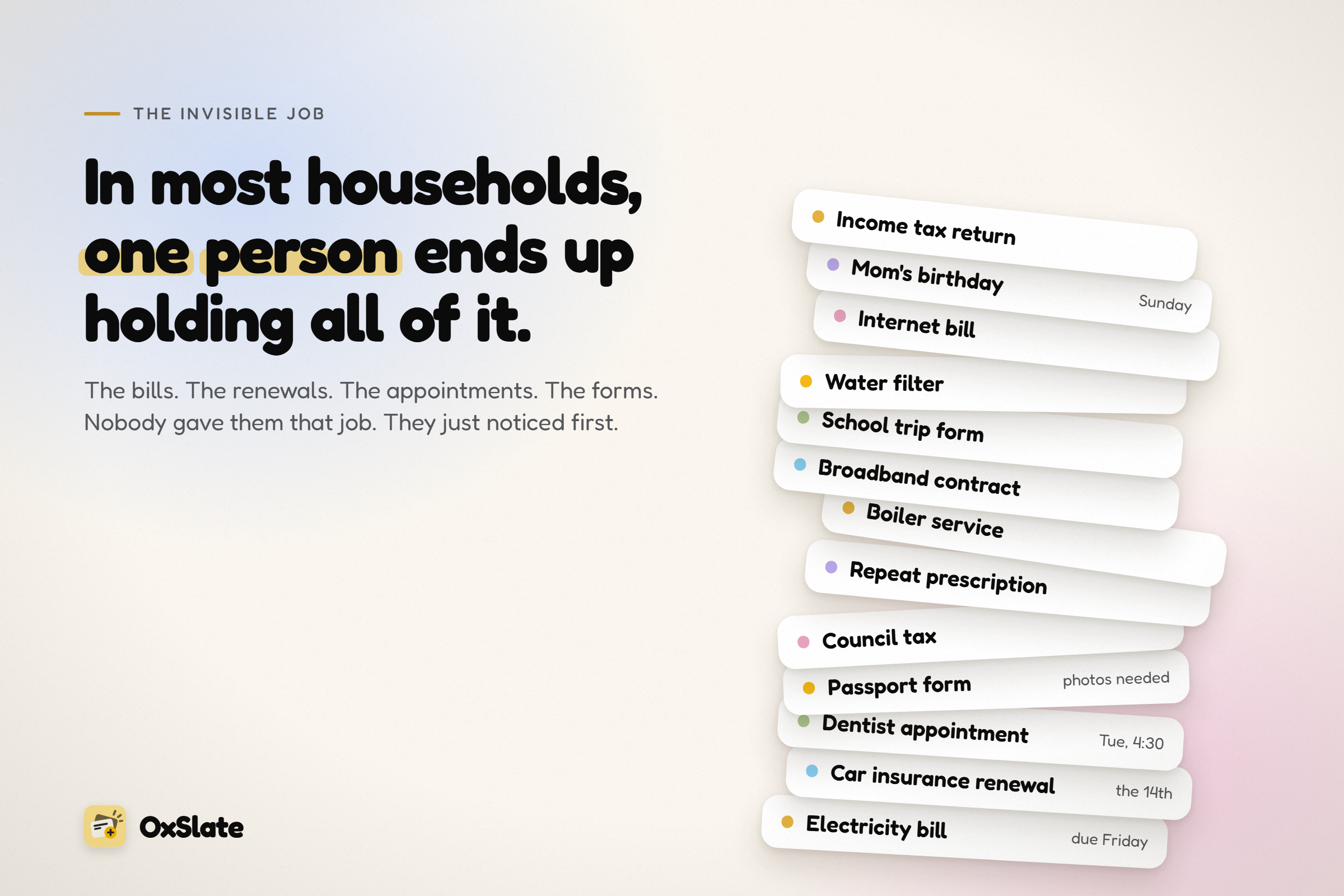
In most households, one person ends up holding all of it: the bills, the renewals, the appointments, the forms. Nobody gave them that job. They just noticed first, and then noticing became the job.
Every app we found for this treats it as a shared to-do list: two equal users, both logging things, and usually a tally of who did what. That doesn't fit the households we built this for, many of them ADHD households, where one person carries the admin and the other would rather not manage a list at all. A second list is one more thing to keep up, and a scoreboard turns help into a verdict.
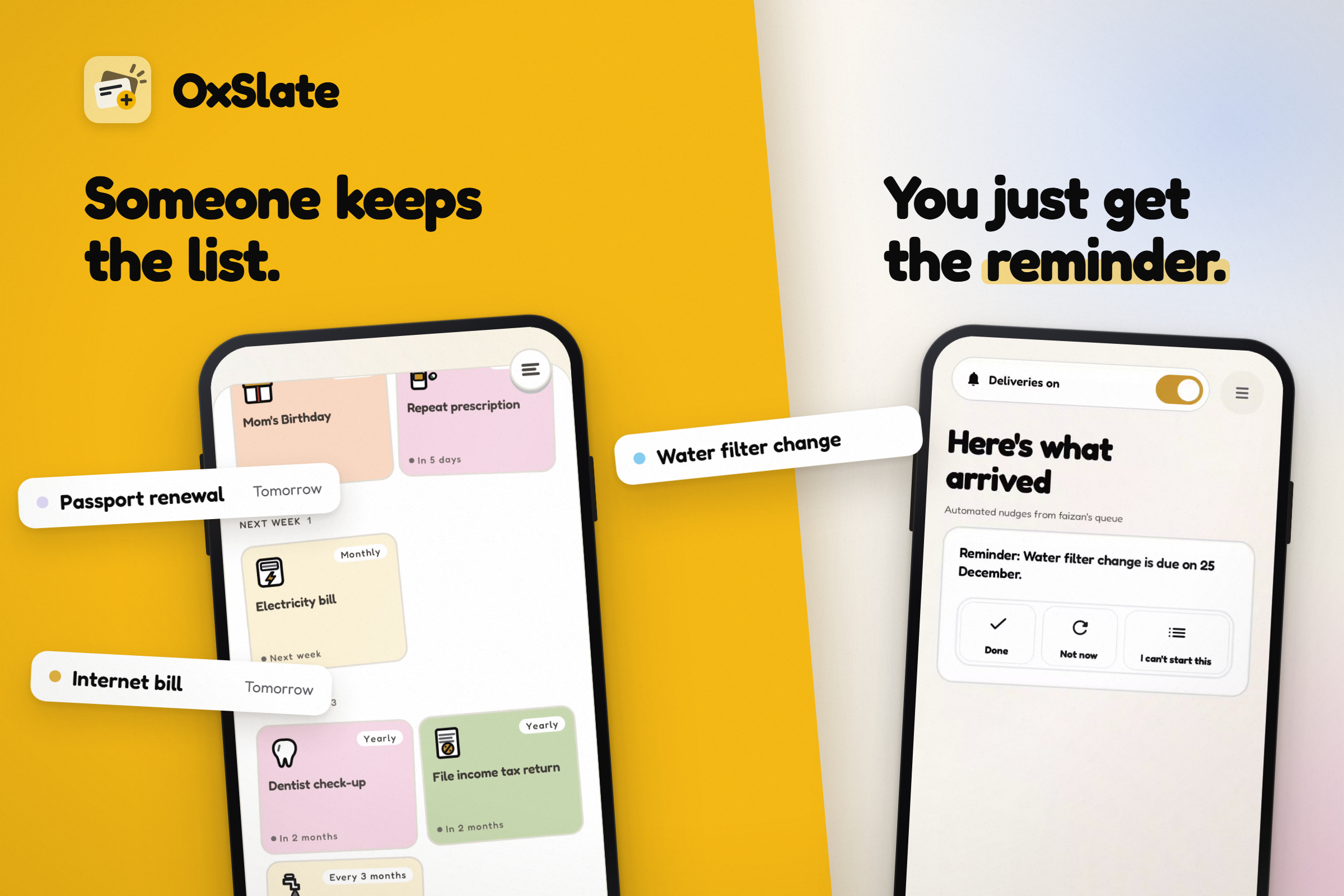
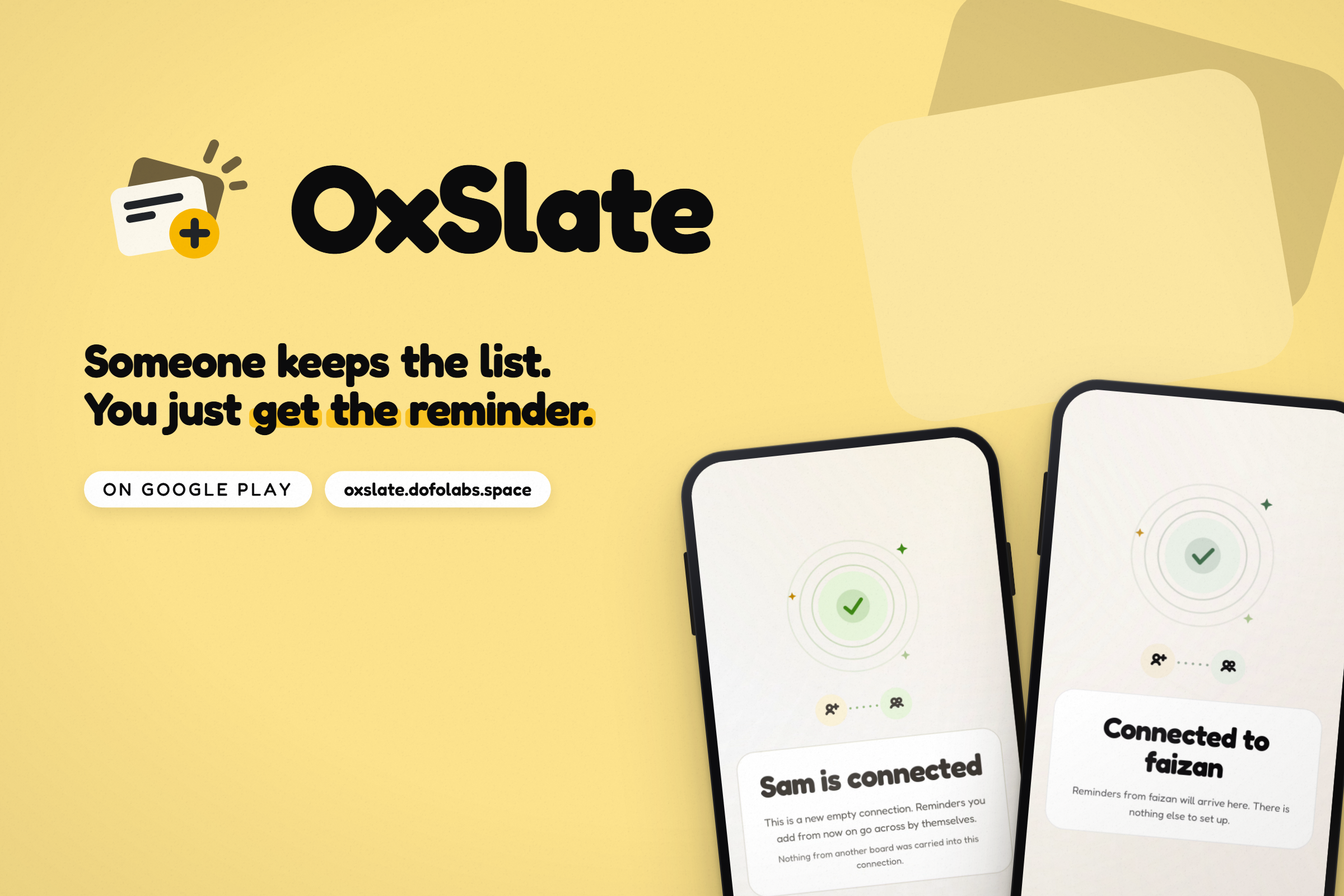
One idea shaped the design more than any other: help that turns into nagging can do more harm than no help. So we built the opposite shape. One person keeps the list. The other maintains nothing. They just get the reminder.
What it does
OxSlate runs on two phones, and it is lopsided on purpose.
For the one who remembers
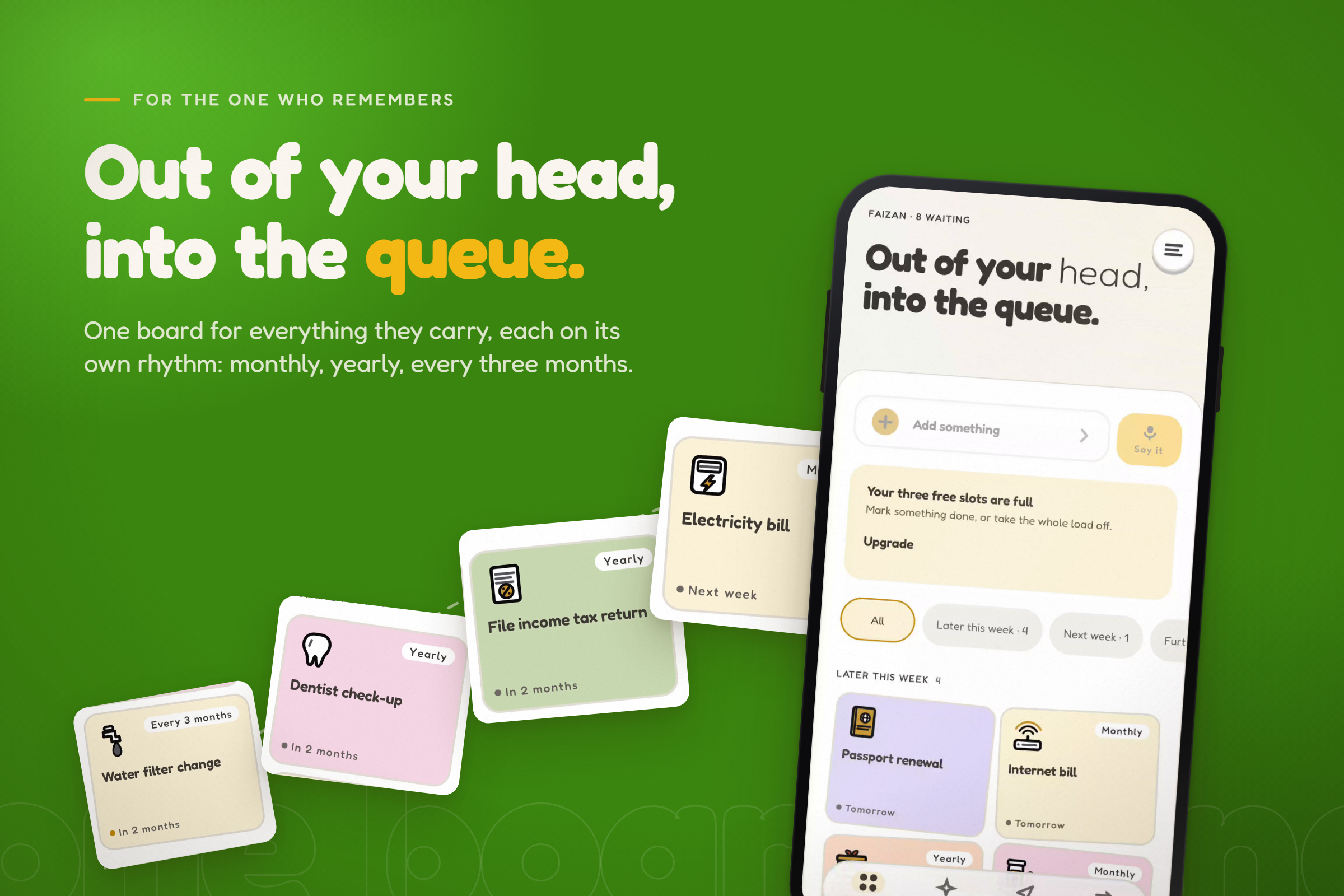
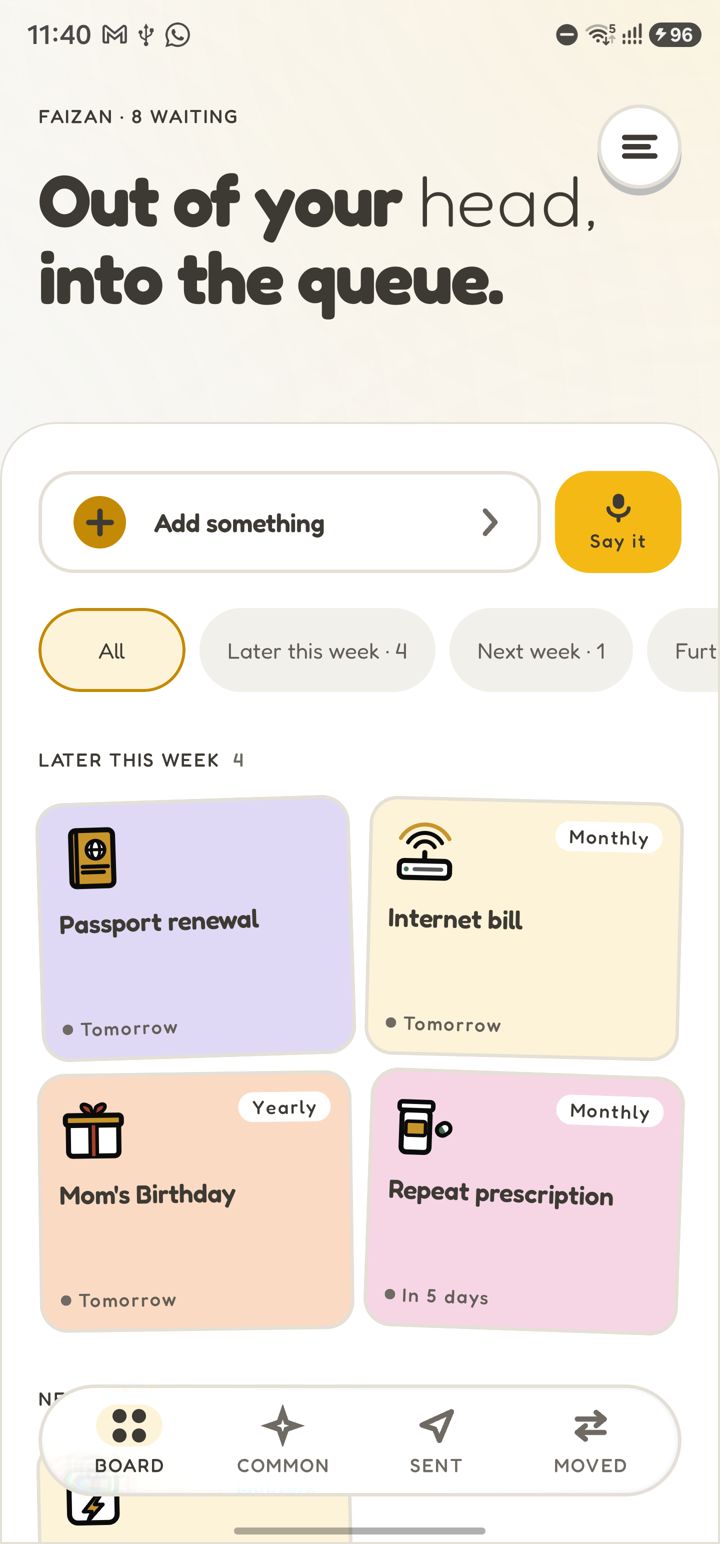
- One board for everything they carry for someone, each item on its own rhythm: monthly, yearly, every three months.
- Adding is quick. Type it, hold to talk and list several things at once, or photograph a bill and get a draft with the due date, amount and reference filled in.
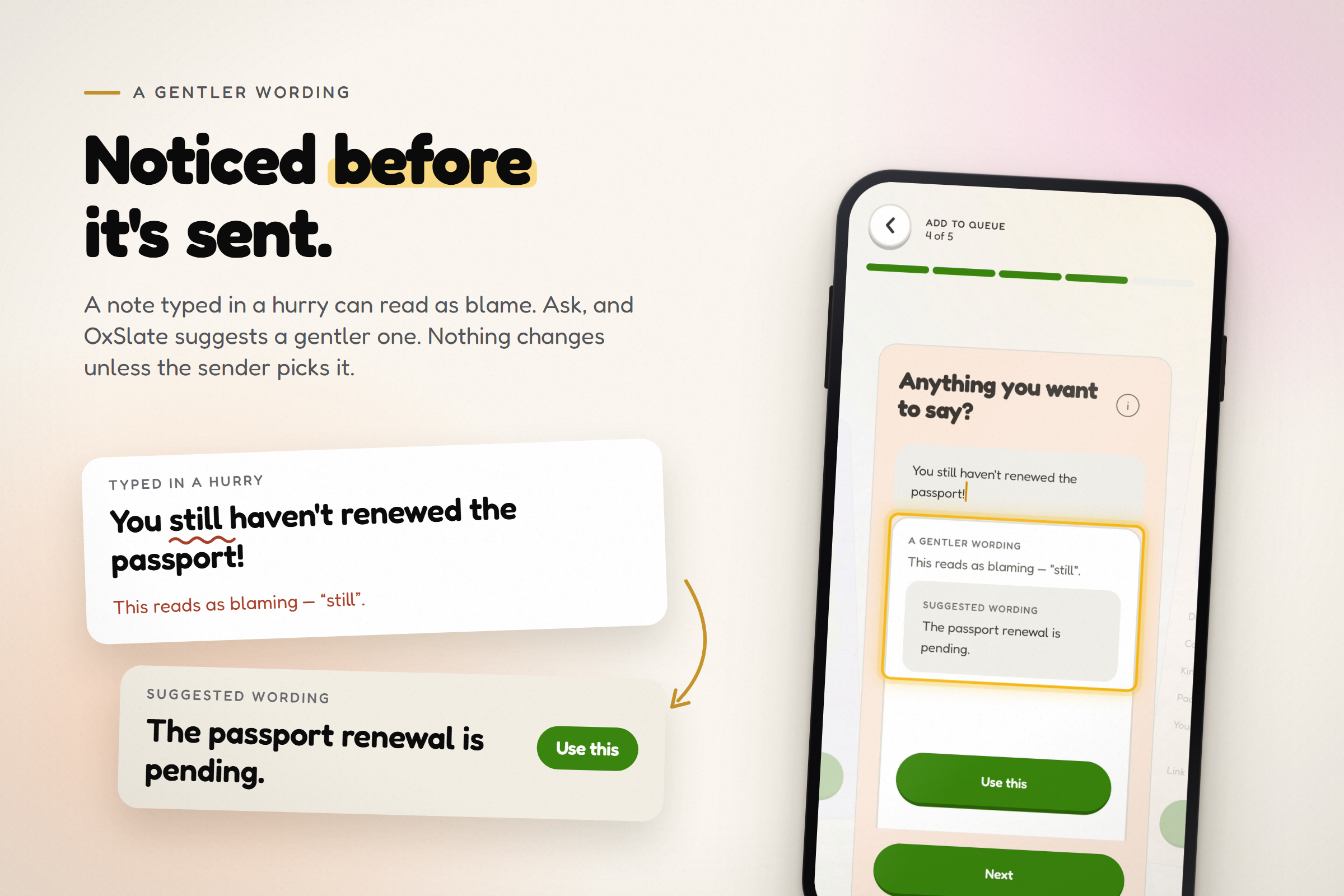
- A gentler wording, only when asked. A note typed in a hurry ("You still haven't renewed the passport!") is noticed on the phone before it's sent. Ask, and OxSlate suggests a calmer one. Nothing changes unless the sender picks it.
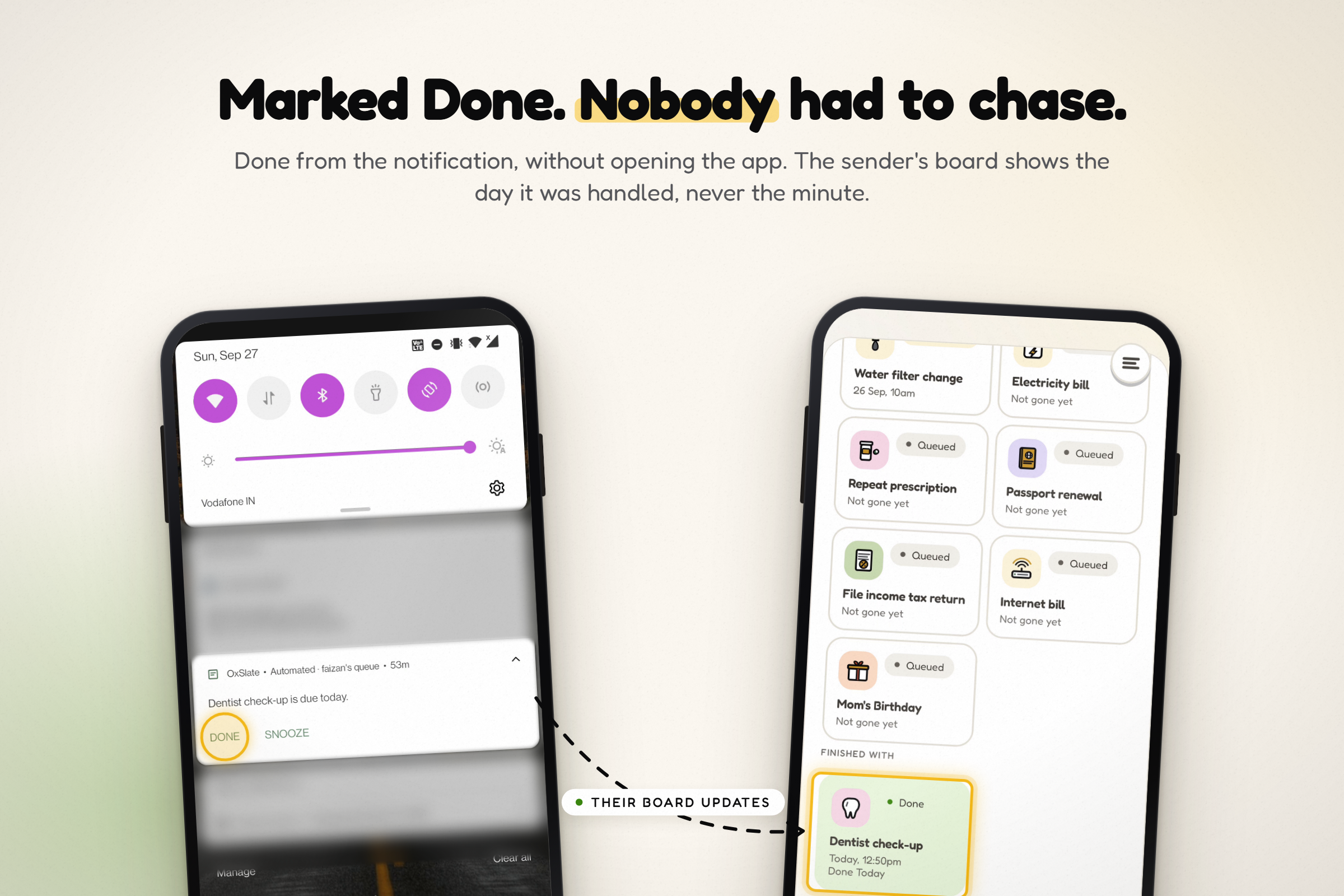
- They see eight plain states and nothing else: Queued, Delivered, Done, Snoozed, Date passed, Stopped, Back with you, Theirs now. The day something was handled, never the minute.
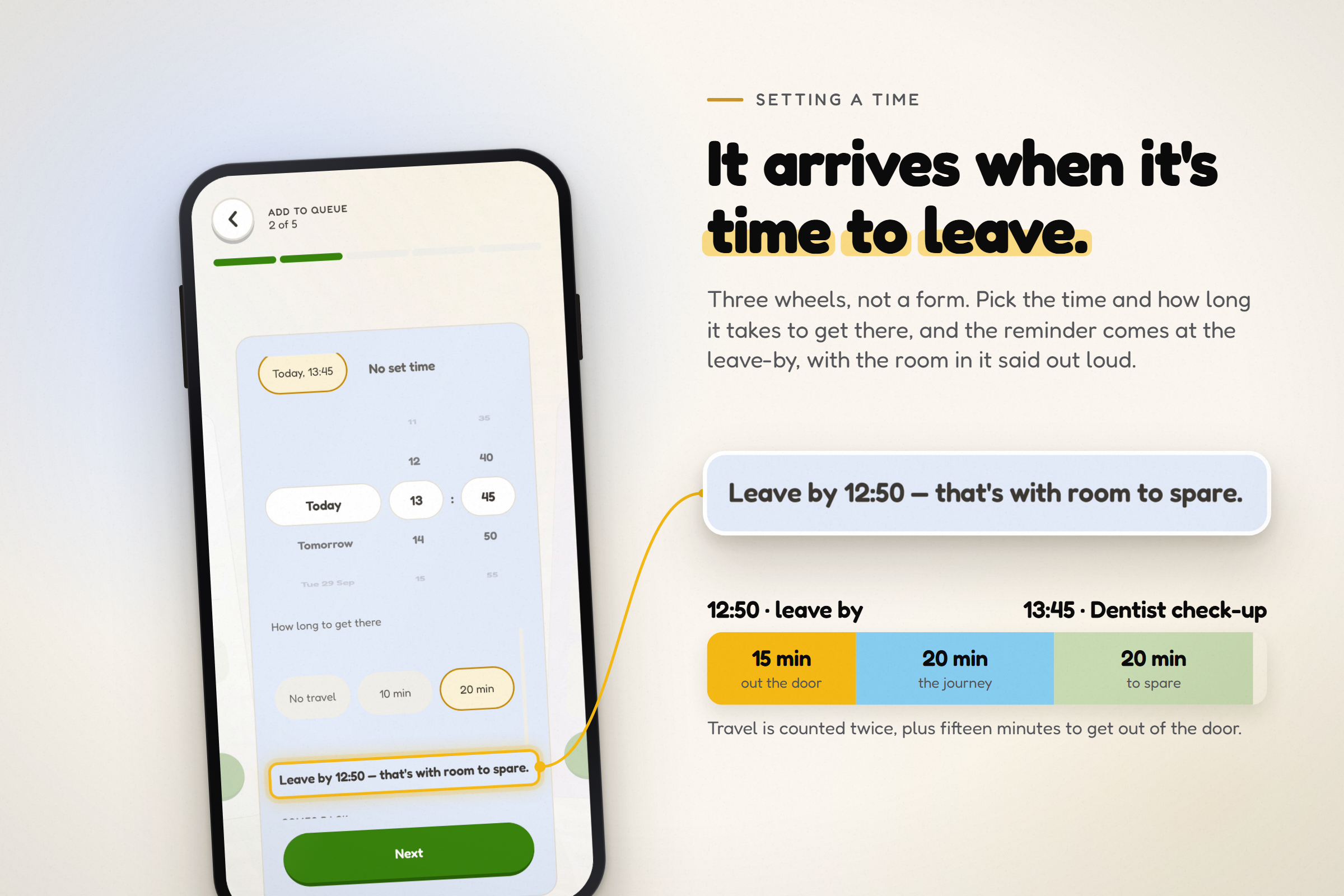
It arrives when it's time to leave. Set an appointment on three wheels, add the journey, and the reminder comes at the leave-by time, with the cushion stated out loud:
$$\text{leave by} = \text{appointment} - (2 \times \text{travel} + 15\ \text{min})$$
A 13:45 dentist 20 minutes away arrives as "Leave by 12:50 — that's with room to spare."
For the one who gets reminded
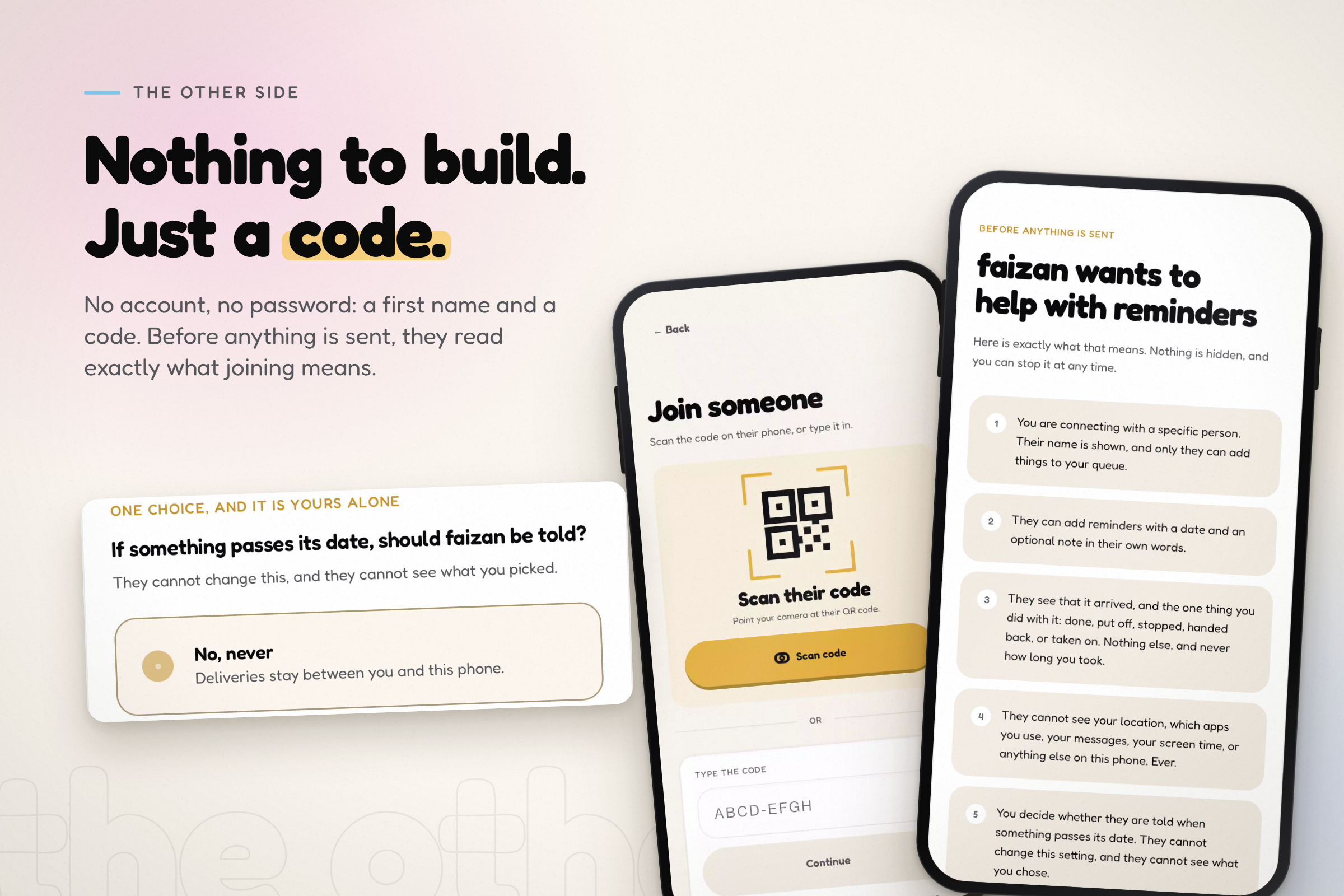
- Nothing to set up. No account, no password, no price. A first name and a code, and a screen that says exactly what joining means before anything is sent.
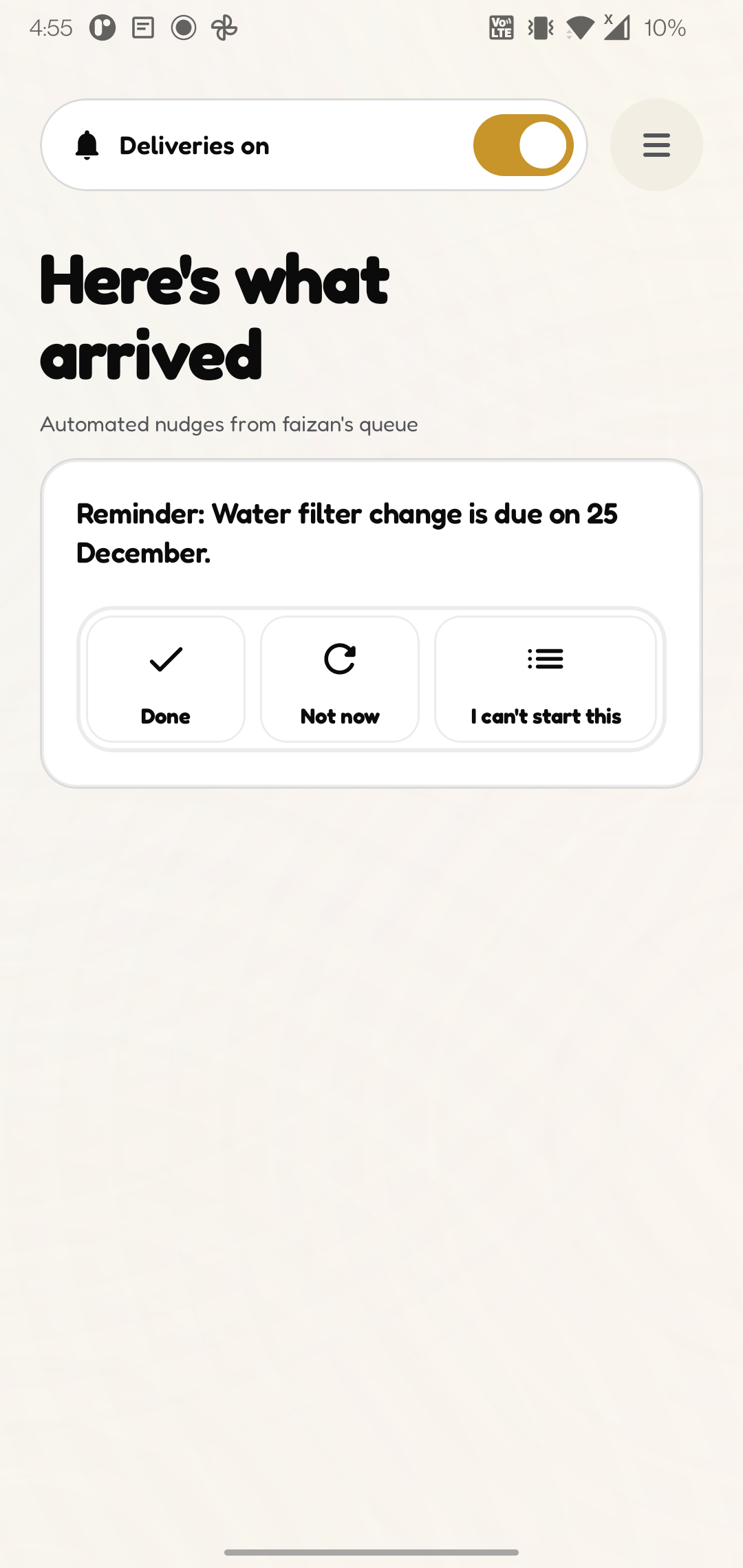
- One reminder at a time, at a sensible hour, with Done right on the notification. The app, the notification and the home-screen widget always agree on which one.
- One choice is theirs alone: whether a passed date is ever mentioned to the sender. The sender can't change it, or see it.
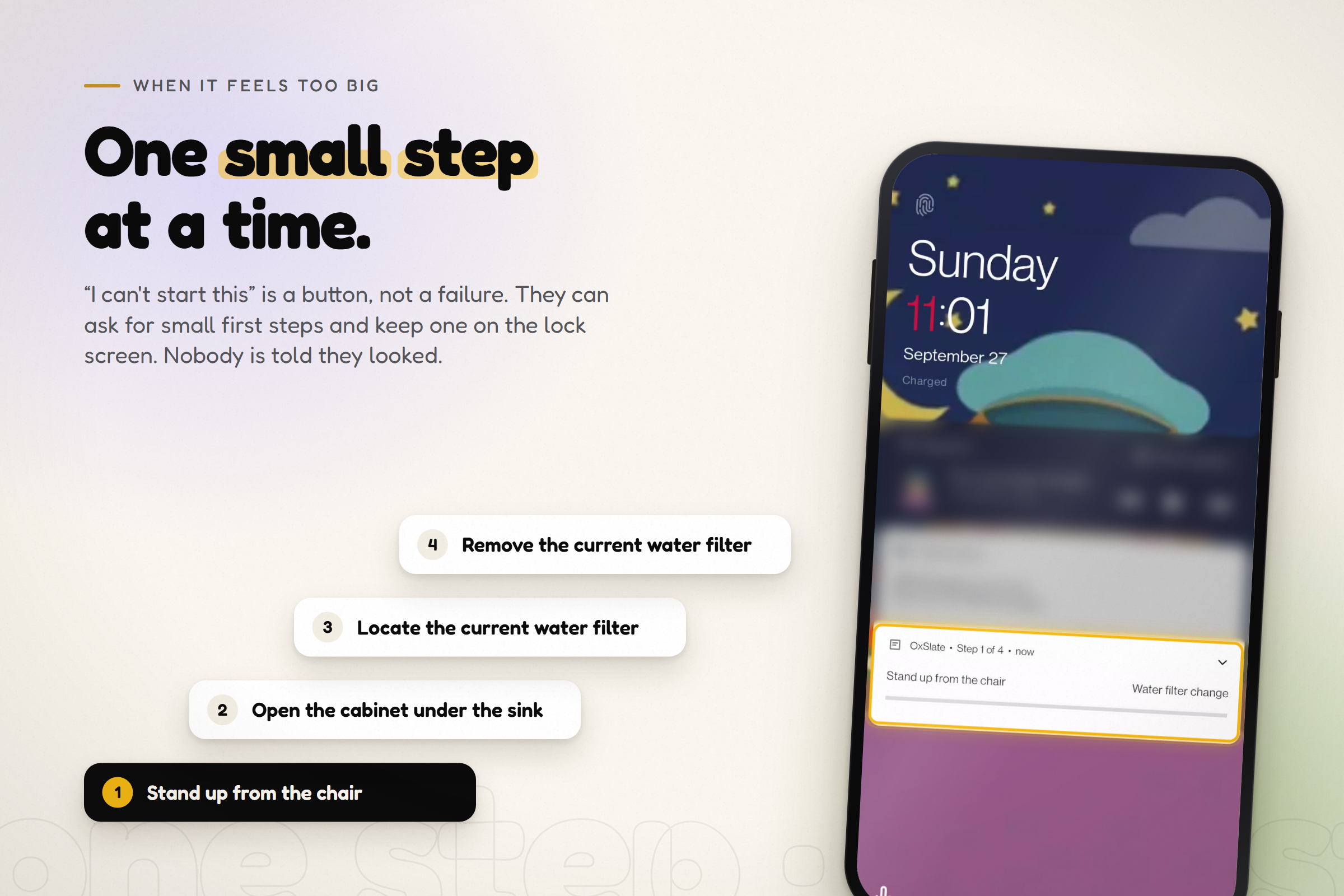
- When something feels too big, "I can't start this" is a button. They can ask for two to four small first steps, and "Do it with me" puts one step at a time on the lock screen.
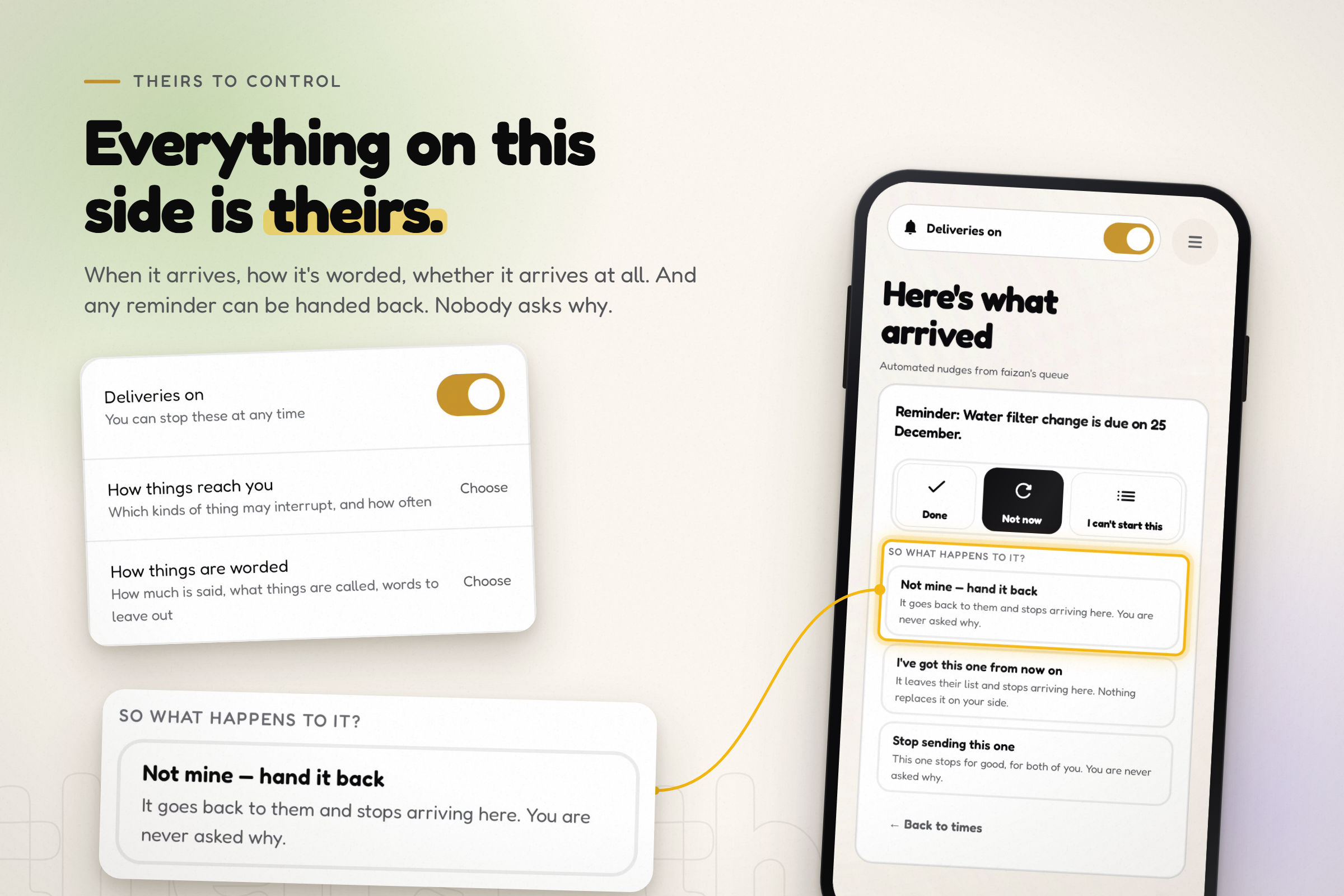
- Everything else is theirs too: not now, hand it back, take it on for good (with a one-off export to their own calendar), stop this one, pause everything, have it read aloud, disconnect. Nobody asks why.
- "What they can see" is one screen listing everything the sender can see, and what is never recorded: no read receipts, no response times, no scores, no streaks.
Built with ADHD households in mind. The default pacing is short and direct, with each follow-up spaced further apart; a "Gentler" pacing is slower and softer. Follow-ups get calmer, not louder: a unit test fails if any follow-up in a series is more forceful than the one before it.
How it makes money. The sender pays; the receiver never sees a price. Three things at a time are free, always. One plan, Unlimited, monthly or yearly, sold through RevenueCat, takes the rest.
How we built it
- Android app: Kotlin and Jetpack Compose. Every product rule lives in a pure Kotlin domain module with no Android or network code: scheduling, wording, the eight states, the leave-by rule. The widget uses Jetpack Glance.
- Delivery: the schedule is handed to Android's AlarmManager on the receiving phone, using delivery windows rather than exact alarms. A data-only OneSignal push, carrying only ids, prompts a phone that hasn't been opened to sync. The words are rendered on the phone from its own copy.
- Backend: TypeScript on AWS, defined with the CDK: an API Gateway HTTP API, Lambda, one DynamoDB table, EventBridge Scheduler to fire each delivery, SES for sign-in codes, Secrets Manager for keys.
- AI, only when a person asks for it: Amazon Bedrock (Amazon Nova Lite) suggests gentler wordings, breaks a task into steps, reads a bill and turns a spoken paragraph into items. It runs behind our own API, so no model key is on a phone, and each device has a daily budget. Amazon Polly reads reminders aloud, with the phone's own voice as the fallback.
- Billing: the RevenueCat SDK on Google Play Billing 8.
- Tests: nearly 900 unit tests across the app and domain modules, backend tests with node:test, and smoke suites that run against the deployed stack.
- The demo video was recorded on two real phones running the Play Store builds, with the reminder delivered on its real schedule, and edited in Remotion. Nothing is sped up.
Challenges we ran into
- One thing at a time, everywhere. The app, the widget and the notification shade each used to pick "the" reminder their own way, so the shade could stack three notifications while the app promised one at a time. One shared policy now decides for all three.
- Reaching a phone nobody opens, at the right hour. Quiet hours were applied when scheduling but not on arrival, so a push waking a dormant phone could post at 3am. The check now runs at the moment of arrival, on every path.
- Answers given with no signal. A Done tapped in a tunnel used to change that phone and reach nobody. Answers are now written down before they're sent, and retried until the other phone knows.
- A bug found while filming the demo. Handing a reminder back left its second, already-delivered copy on screen. Every answer now reaches all of that reminder's copies; the fix is in 1.0.3.
- Not measuring people, for real. "No scores" is easy to say and easy to break later. The data shapes can't hold a person's totals, and tests fail if someone adds a field that could.
Accomplishments that we're proud of
- Live on Google Play, with the receiving side built as a protected space: nothing on it can be configured by the sender.
- "What they can see" is generated from the app's code rather than written by hand. Add a state and it appears on that screen, and a test checks that every state has a plain-language meaning.
- Wording that softens over a series instead of escalating, enforced by tests.
- A demo shot honestly: two real phones, a real schedule, real deliveries.
What we learned
- Hidden padding gets discovered, then discounted. Saying the cushion out loud ("with room to spare") keeps it working.
- Pressure produces freeze. The third reminder about a bill should be calmer than the first.
- "No streaks" is becoming common marketing. It only means something if the data model can't hold one.
- Helpers need looking after too. A tired sender's tone can undo the arrangement, which is why the app looks at the note before it goes, not at the person after.
- Real phones find what emulators don't: some Android skins drop a notification's whole action row when one action has no icon.
What's next for Oxslate: Someone Remembers
- End-to-end encryption of reminder text between the two phones, so the server schedules by id and time only.
- On-device models where phones support them (Gemini Nano through ML Kit), so wording, steps and bill reading can stay on the phone.
- Households, not just pairs: two parents supporting a teenager, siblings supporting a parent, a partner and a paid carer.
- Support for the supporter: help for the person carrying the list, not only for the one receiving it.
- More languages.
Built With
- amazon-web-services
- kotlin

Log in or sign up for Devpost to join the conversation.