-
-
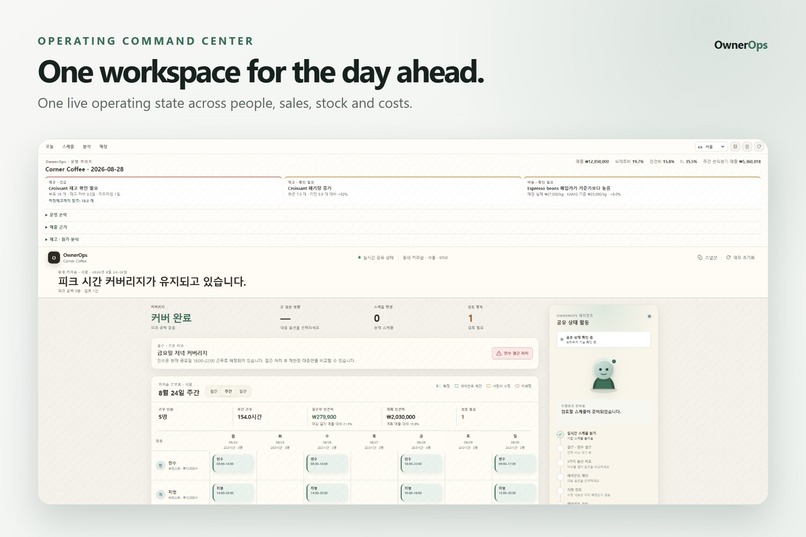
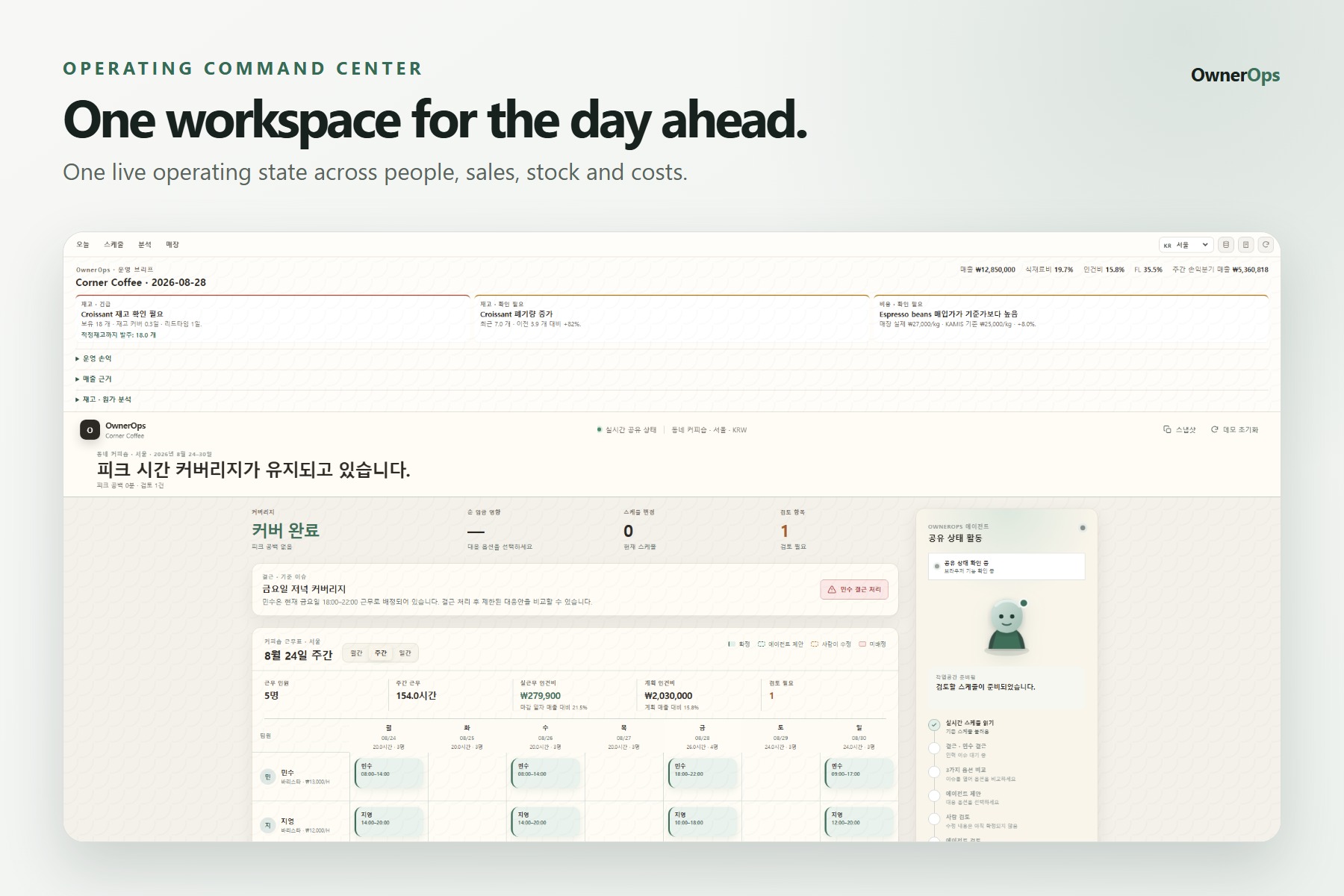
One live operating state across people, sales, stock and costs.
-
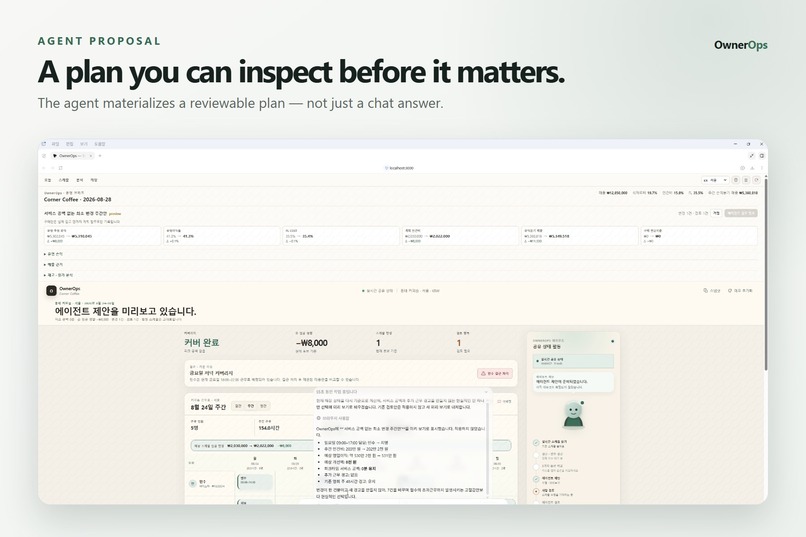
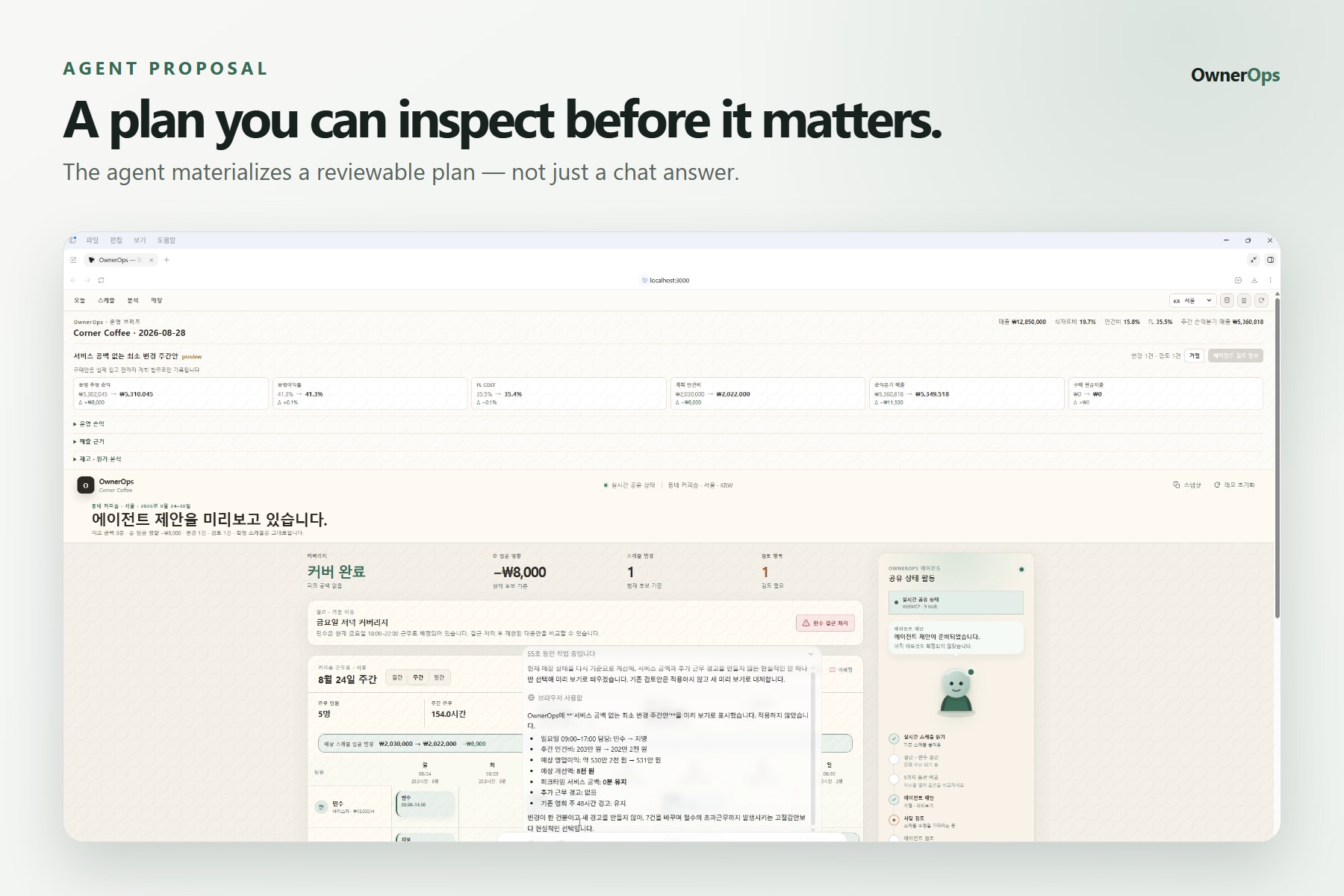
The agent materializes a reviewable plan — not just a chat answer.
-
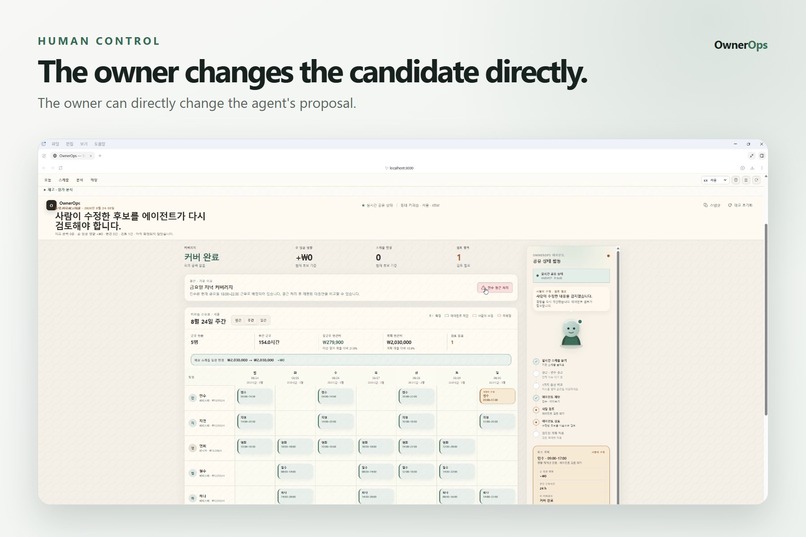
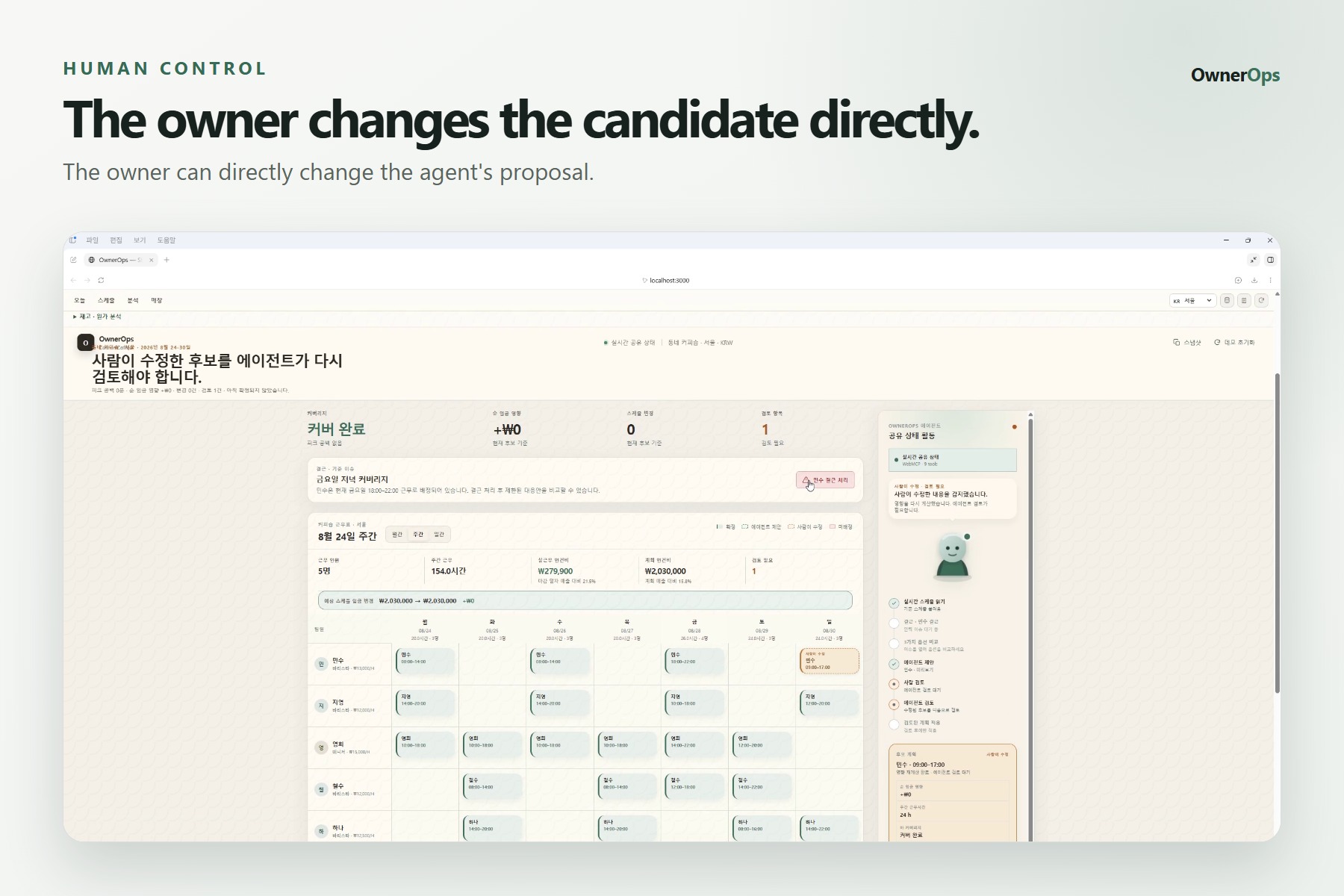
The owner can directly change the agent's proposal.
-
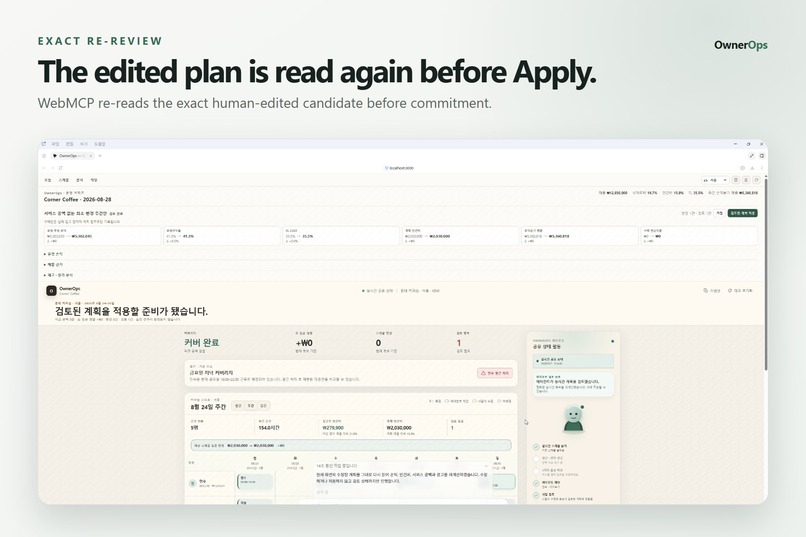
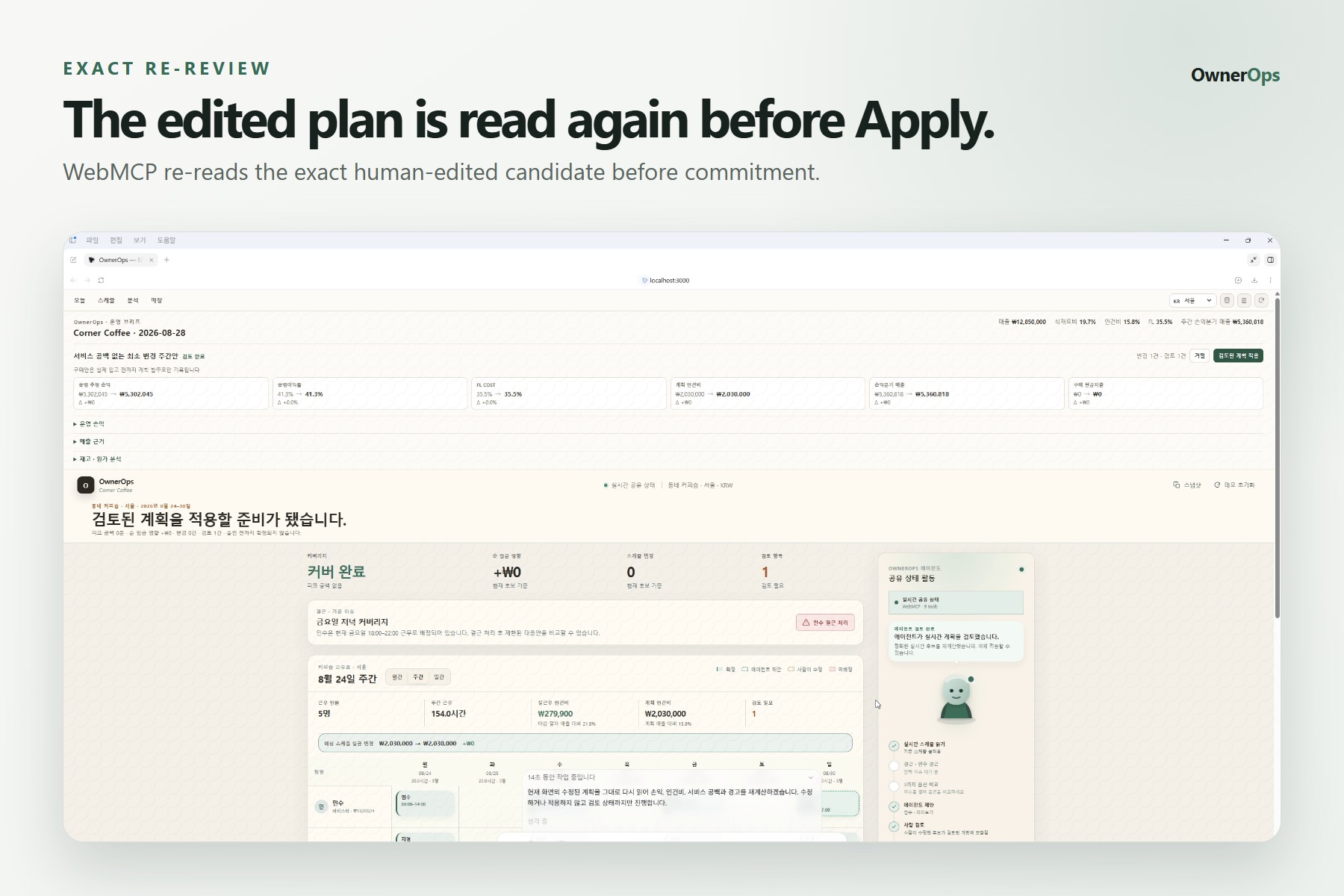
WebMCP re-reads the exact human-edited candidate before commitment.
-
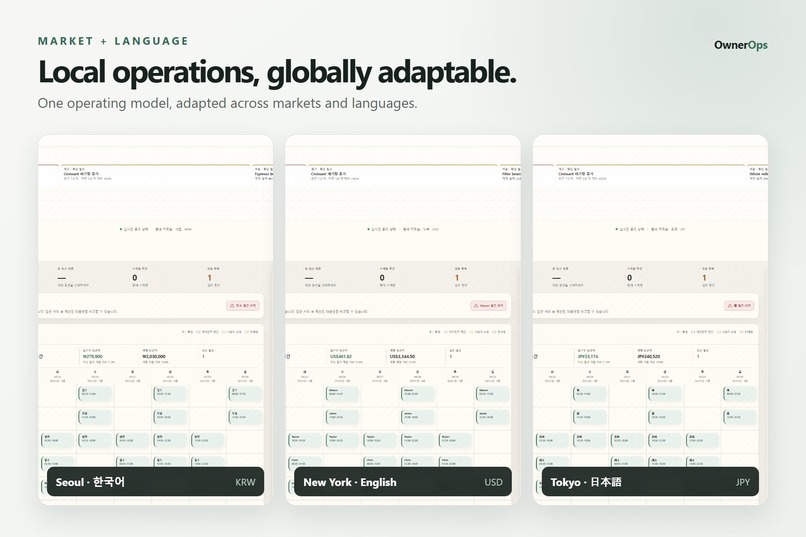
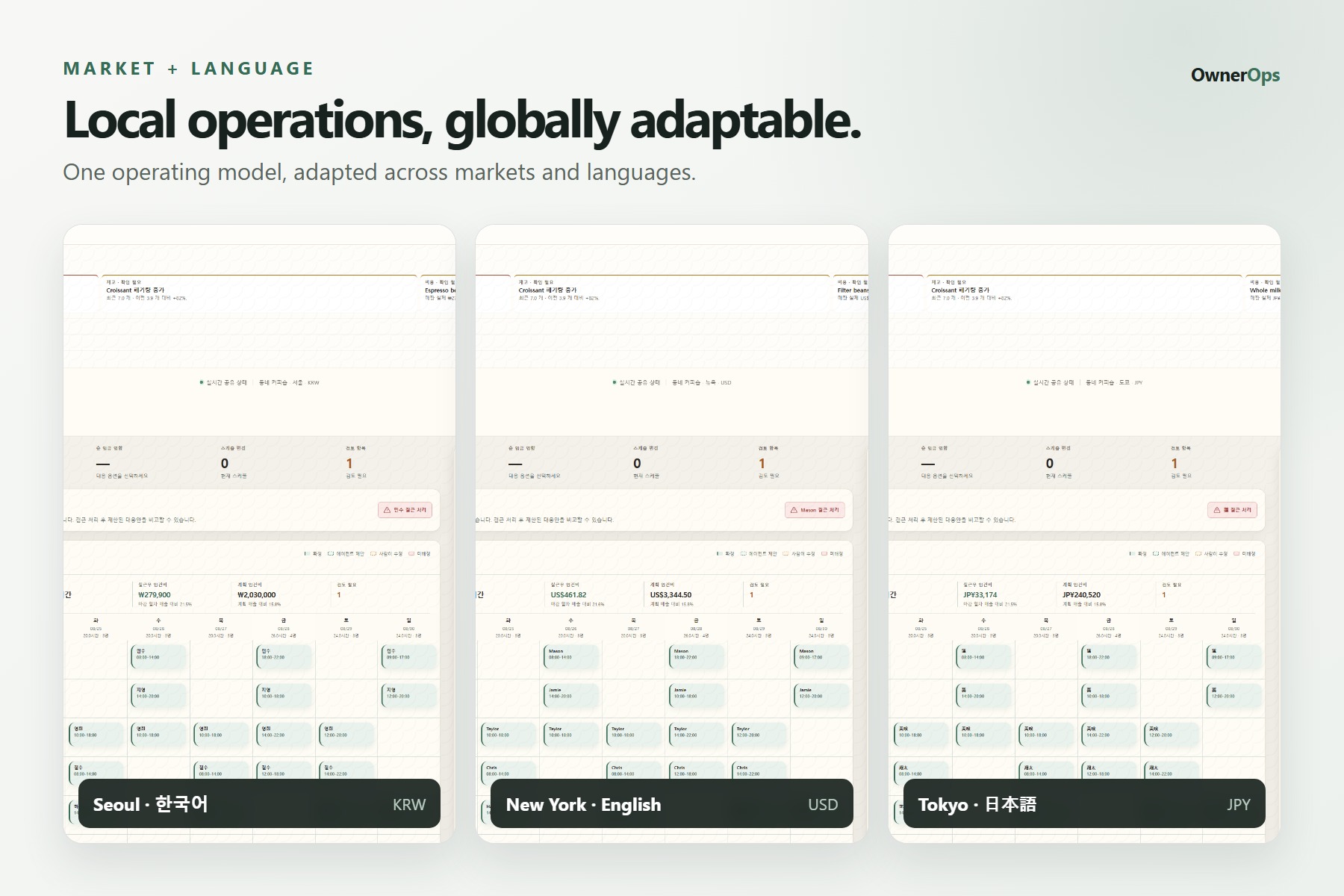
One operating model, adapted across markets and languages.
Inspiration
OwnerOps started from a problem that feels very practical to me.
In Korea, I see many people worrying about stable employment or considering small businesses as another path. But running a small store is difficult in ways that are easy to underestimate.
Labor costs keep increasing. Employee schedules are difficult to manage. Ingredient prices change. Rent is expensive. And even understanding how much money is actually left after all of those costs can be surprisingly difficult.
Large companies have separate people for finance, purchasing, HR, and operations.
A small business owner often has to do all of that alone.
My background is not traditional web product development, so I did not start this project because I wanted to build an impressive AI demo.
I started with a much simpler question:
Could AI actually make running a small business a little easier?
To me, this feels like one of the positive ways AI can be used — not replacing the owner, but helping them understand the business, organize information, compare options, and make better decisions.
That idea became OwnerOps, an AI Store Manager built with WebMCP.
What it does
I tried to build OwnerOps around the kinds of questions I think a real store owner might ask:
- Am I spending too much on labor?
- Can I change this schedule without hurting service?
- Which inventory items are becoming risky?
- Are ingredient costs getting too high?
- How much money is the store actually keeping?
- What happens if operating costs increase?
OwnerOps brings staffing, schedules, sales, inventory, waste, purchase costs, operating costs, and profitability into one working store state.
The owner uses a normal visual application.
The AI agent uses nine structured WebMCP Site Tools.
Both work with the same StoreState.
For example, the owner can ask:
Improve this week's operating profitability without creating a service coverage gap.
The agent can read the relevant store information and create a StorePlan Preview.
But I did not want the AI to simply make the change by itself.
The owner can modify the proposed worker or shift time directly in the UI.
When that happens, the previous review becomes invalid.
The agent must then read the exact human-edited candidate again using evaluate_current_plan.
Only after that version becomes REVIEWED can the owner apply it.
The core flow is:
Agent proposes → Human edits → Agent re-evaluates the exact edit → Human applies
That became the most important interaction in OwnerOps.
Why WebMCP
I did not want the AI to understand the store by looking at screenshots and moving a mouse around a website.
The application already knows its schedules, sales, inventory, costs, and current plan.
WebMCP lets the agent work with those capabilities directly.
The OwnerOps UI is for the human.
The WebMCP tools are for the agent.
But both operate on the same state.
I deliberately kept the WebMCP surface to nine intent-level tools instead of exposing every internal function.
The tools represent things the agent actually needs to do — read the store, create and preview plans, record events, evaluate the current candidate, and apply reviewed changes.
Direct interaction with the rendered UI is left to the human for things such as editing the proposal and approving Apply.
How I built it
OwnerOps is built with Next.js, React, TypeScript, PostgreSQL/Supabase, and WebMCP through document.modelContext.registerTool(...).
Because web product development is not my main professional background, I used AI tools heavily throughout the project.
I used them to learn unfamiliar technologies, implement and review code, debug problems, generate tests, and repeatedly verify whether the product actually behaved the way I intended.
I still tried to make decisions from the problem first rather than adding AI features simply because they were possible.
The current prototype covers connected operating areas including staffing, sales, inventory, waste, purchasing, operating costs, and profitability.
I also experimented with different markets including Seoul, New York, Tokyo, Madrid, and Shanghai to see how the same operating model could adapt to different currencies and local contexts.
Challenges
The hardest part was not getting the AI to generate a recommendation.
It was making sure the human and the agent did not silently end up working with different versions of the same plan.
If the agent proposes a schedule change and the owner manually changes it, the AI cannot continue reasoning about its original proposal.
The human-edited version has to become the current truth.
That is why OwnerOps invalidates the previous review after a human edit and requires the agent to evaluate the current candidate again before Apply.
Testing the real WebMCP flow was also harder than I expected.
There were cases where ChatGPT could see the OwnerOps Site Tools, but that did not always mean it would actually stay on the structured tool path.
I had to test the real ChatGPT desktop workflow repeatedly and make the Site-Tools-only boundary clearer.
Several proof attempts failed before the complete flow worked reliably.
That taught me an important difference:
A tool being registered is not the same as a real agent successfully using it end to end.
I also tried to be careful about data.
It would have been easy to make every number in the demo look like live external data, but I did not want to do that.
OwnerOps distinguishes store data, deterministic demo data, cached or seeded references, and external observations.
During final video production, the schedule-history data source returned no usable history rows.
Instead of fabricating the missing states just to make the demo look better, I left that sequence out.
What I learned
The biggest thing I learned is that useful AI for real operations is not only about generating a good answer.
The state behind the answer matters.
The person using the system needs to understand what the AI is proposing, be able to change it, and remain in control of consequential actions.
I also learned how much AI development tools can lower the barrier between understanding a problem and being able to build software around it.
For me, going from a small-business problem to a working WebMCP application was one of the most valuable parts of the challenge.
What's next
There are several areas where I think OwnerOps could become much more useful.
One is public data.
Ingredient prices, wages, consumer prices, rent, weather, and local economic information could be connected to public APIs and open datasets.
That would allow a store owner to compare their real operating costs with broader market conditions instead of relying only on stored reference data.
I am also interested in the openness of POS and store data.
Today, a lot of small-business operating data is tied to specific POS vendors, credit-card companies, delivery platforms, or other closed systems.
I would like to see a future where store owners can control and use their own sales, inventory, cost, and operating data more freely.
With more open standards and open-source software, tools like OwnerOps would not need to belong to one POS vendor or one platform.
Different developers and AI agents could build useful tools around the same open store data.
That is much bigger than this prototype, but it is the direction I would like to explore.
I hope AI can make capabilities that were once practical mainly for larger companies more accessible to small business owners — while keeping their decisions and their data under their own control.
Built With
- chatgpt
- github-actions
- next.js
- node.js
- openai
- playwright
- postgresql
- react
- supabase
- typescript
- vercel
- vitest
- webmcp

Log in or sign up for Devpost to join the conversation.