-
-

Dream it. See it. Owlnyx turns memories into a journal, storyboards, and conversations.
-
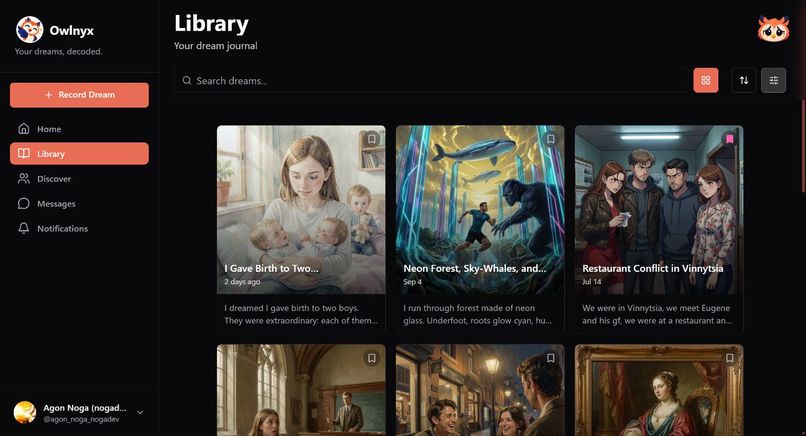
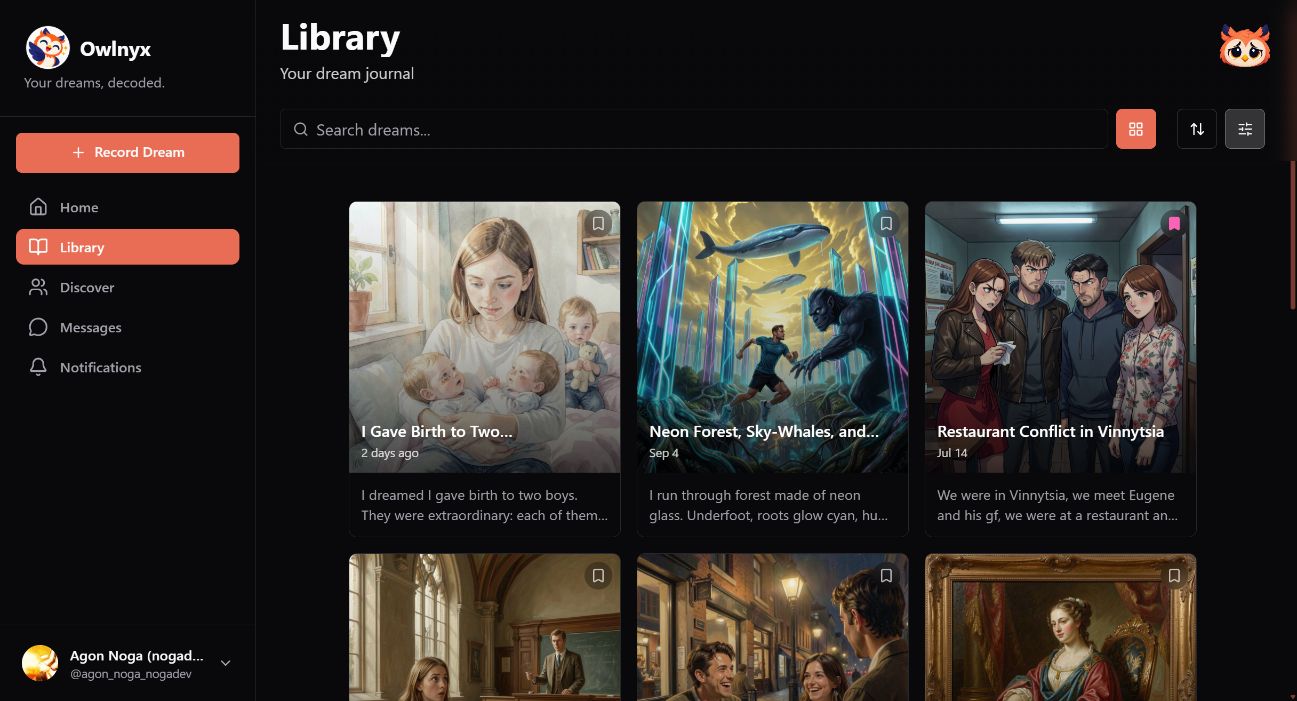
Your dream library in grid view, using real test-account dream images. Current web app screenshot.
-
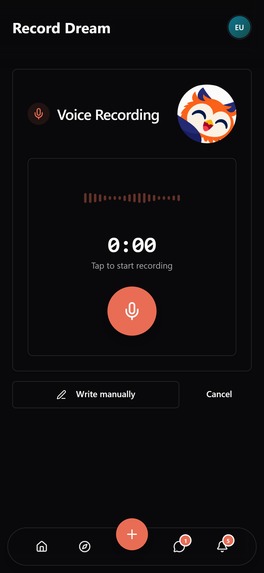
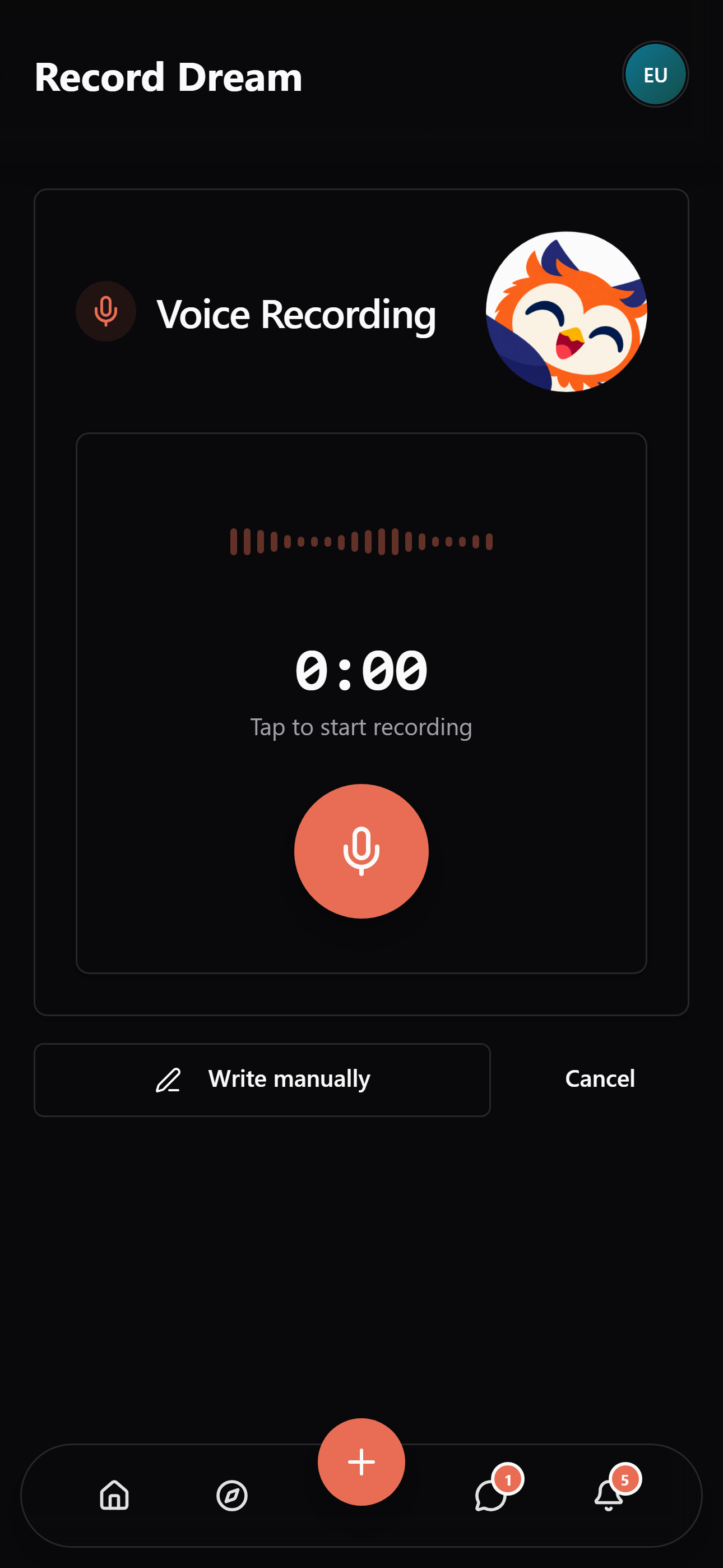
Speak before the dream fades: voice recording feeds your dream journal.
-
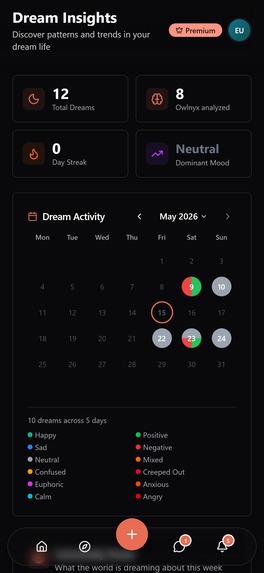
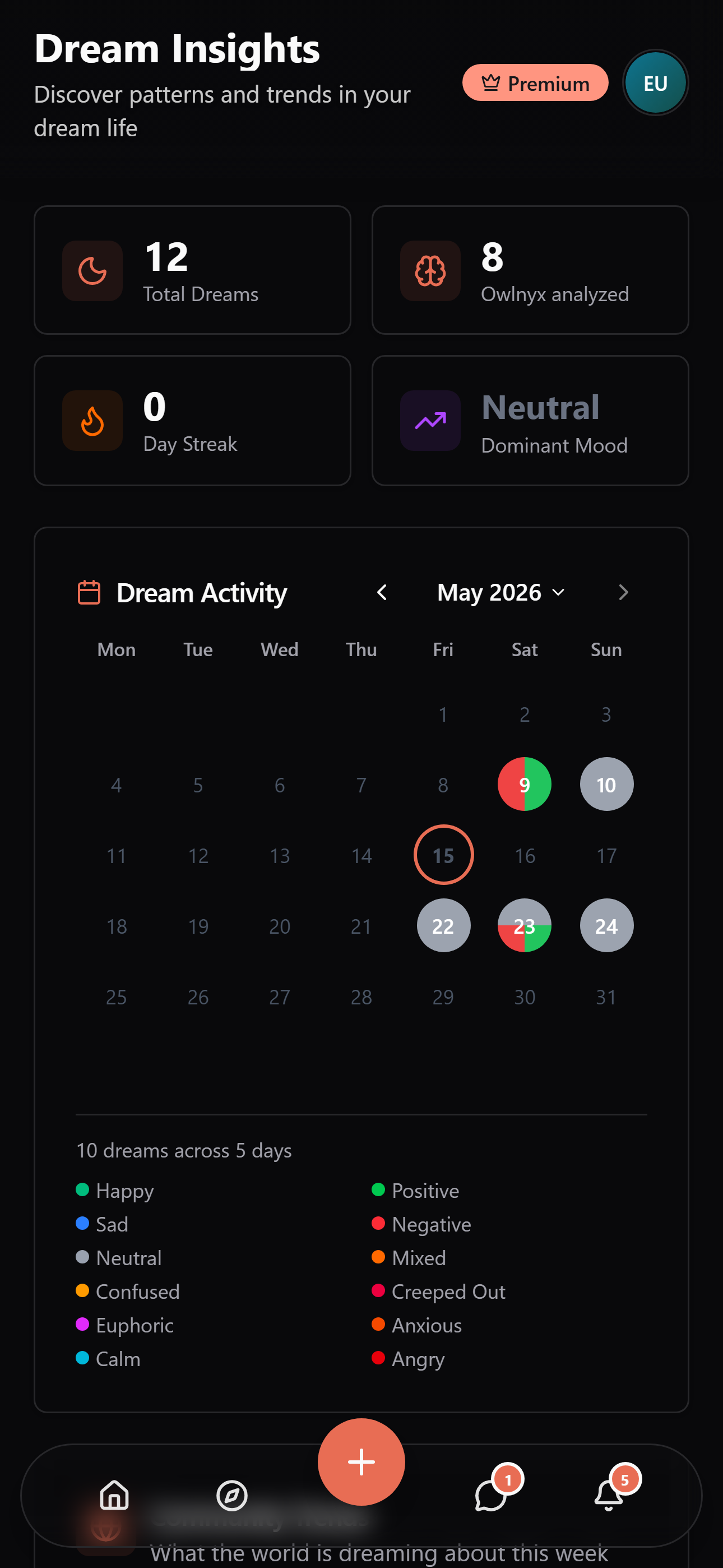
Dream activity and moods across a month with varying activity, using test-account history.
-
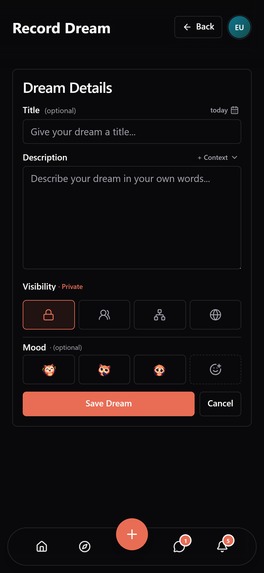
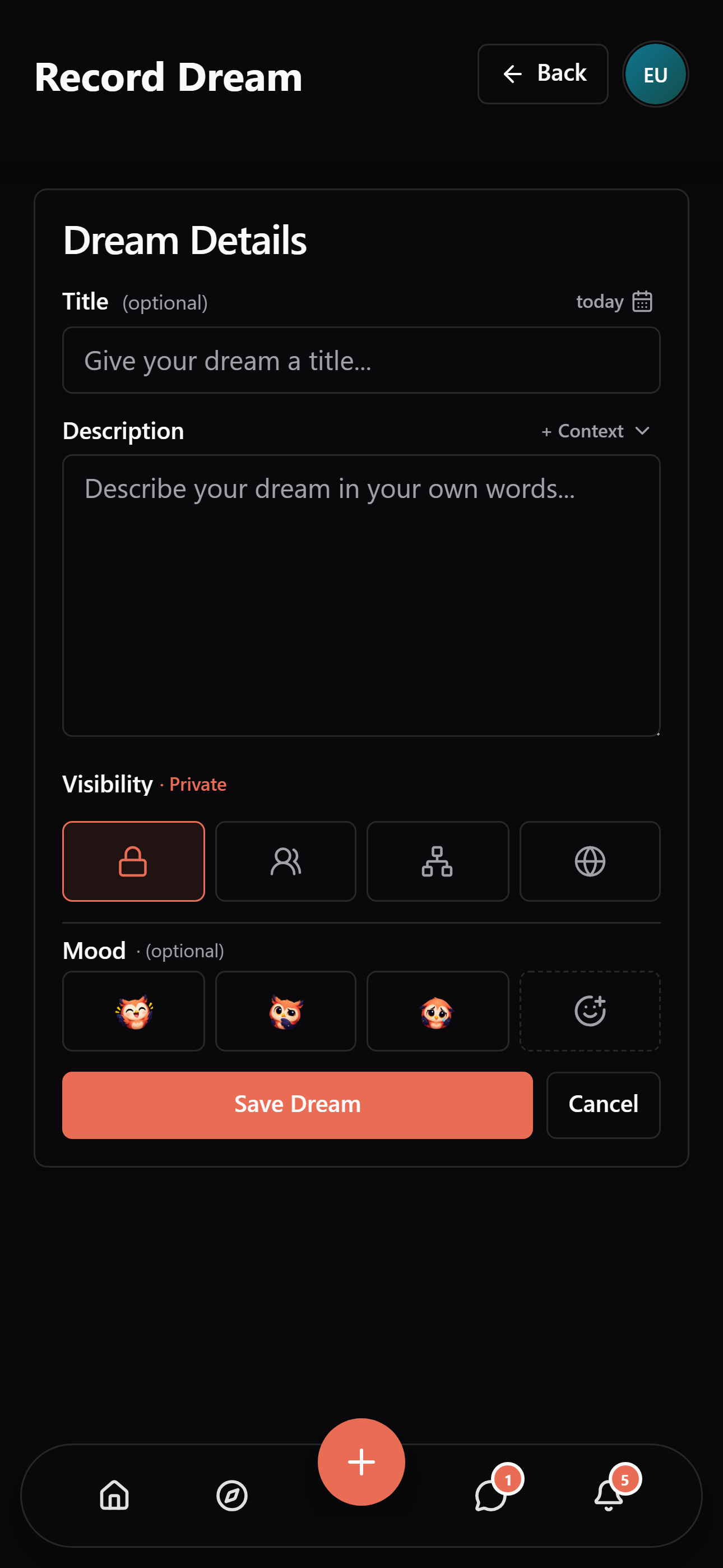
Write it in your own words, choose a mood, and control who can see each part.
-
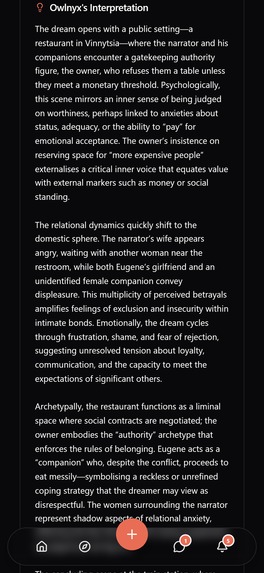
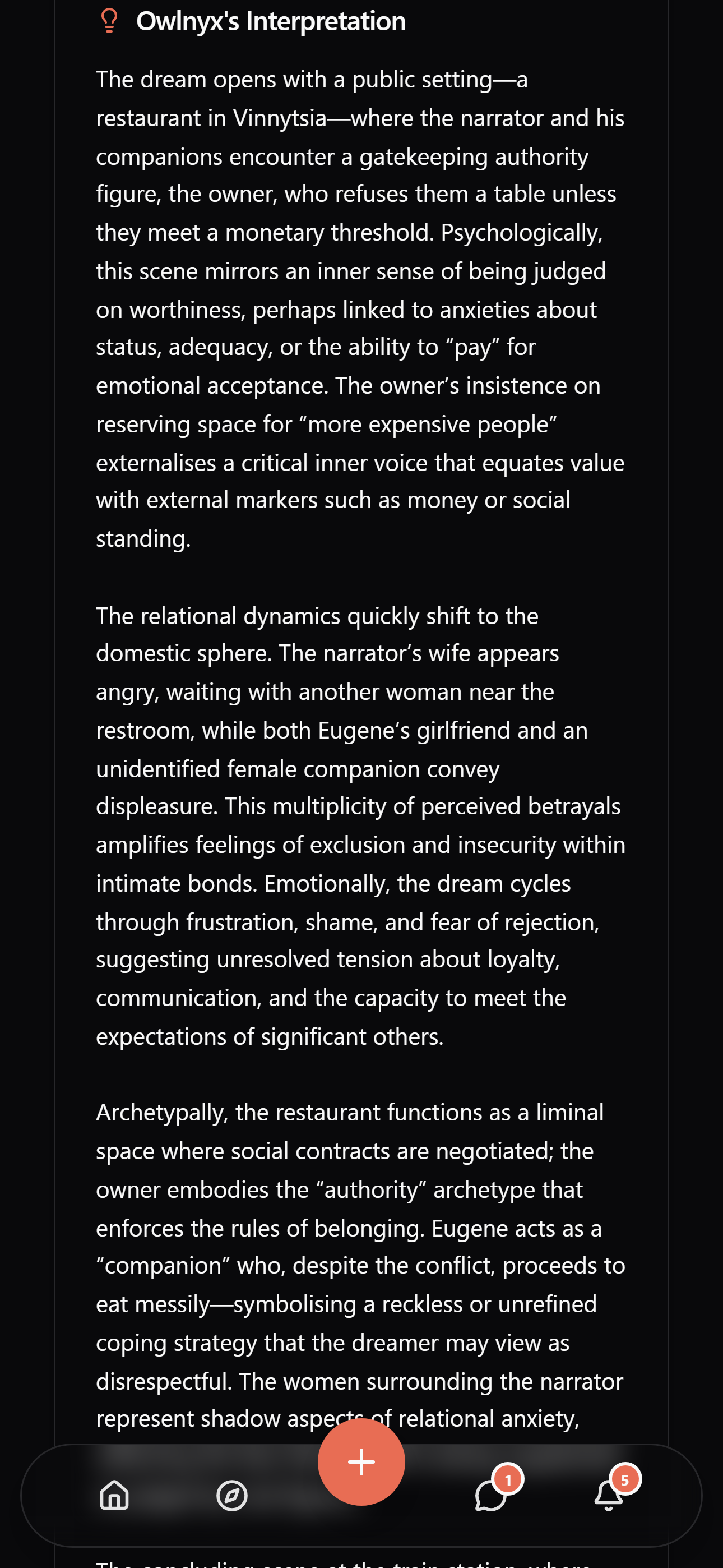
Owlnyx’s reading of the same dream: a starting point for reflection, not a definitive meaning.
-

Owlnyx app icon — uncropped 1024 × 1024 PNG.
-
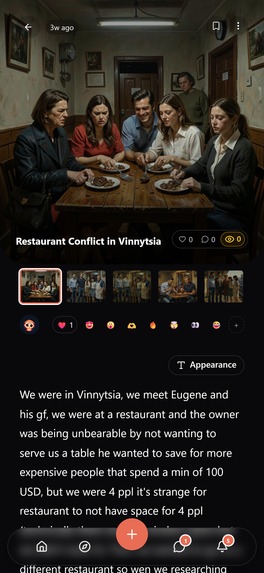
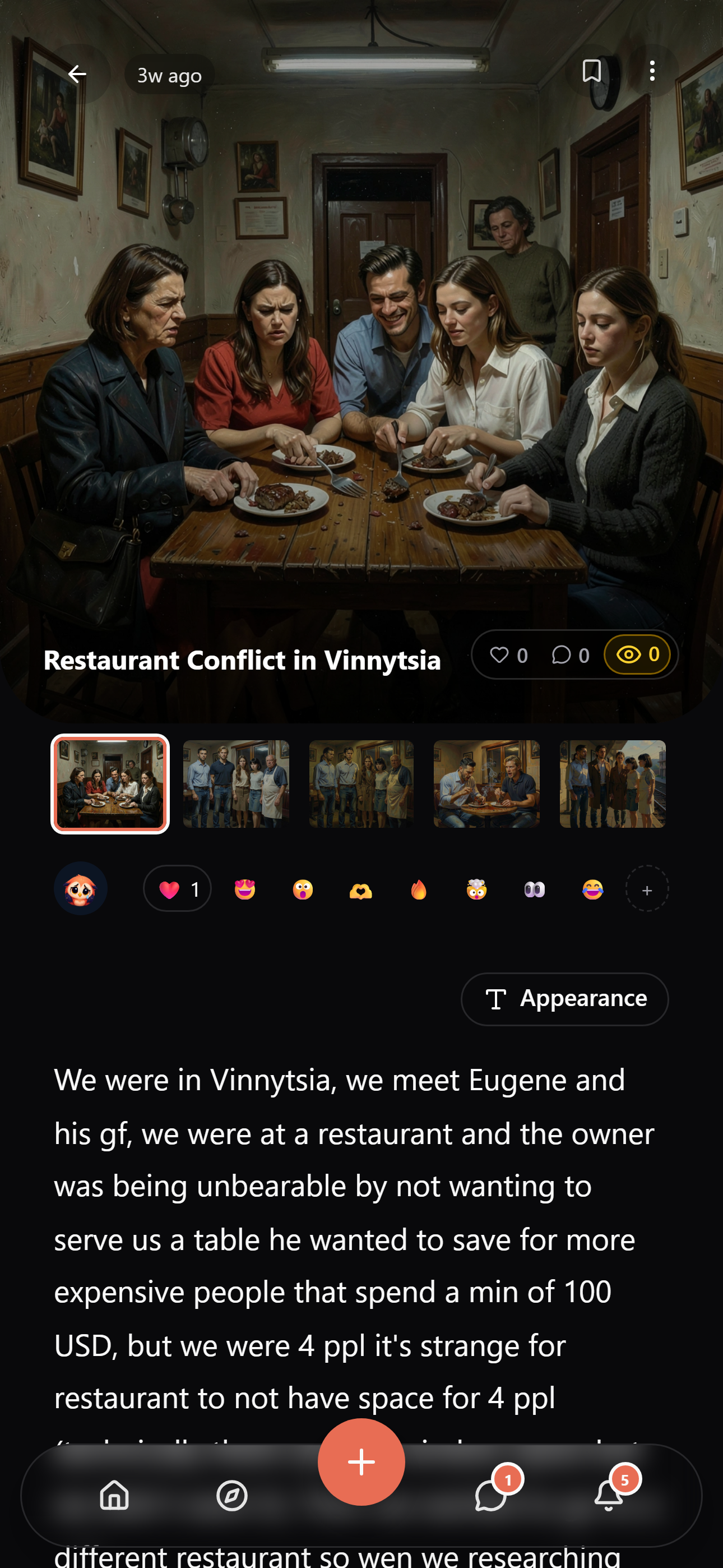
A real test-account dream with its existing storyboard. App screenshot without a device frame.


Inspiration
You wake up remembering a dream, reach for your phone, and it's already starting to disappear. I wanted somewhere to save those bits while they're still there, then come back to them later.
Dreams can get weird. A familiar room changes halfway through. Someone you haven't seen in years turns up. You remember how it felt but can't explain why. I wanted to keep those details, even when they don't make much sense yet. With Owlnyx, you can speak the dream while you remember it and explore it with a companion that knows which dream you're talking about.
"You choose what you post. You don't choose what you dream." That's the idea behind it. Some dreams are worth sharing. Some you want to keep to yourself. The journal needs room for both.
What it does
You can record a dream by voice or write it manually. Whisper transcribes the recording. In the manual form, you can add context and choose a mood. Both end up in the same dream entry, so you can keep working on it from there.
Owlnyx picks out themes, emotions, symbols, and characters, and can turn scenes into a visual storyboard. Your original dream stays alongside the interpretation and images. You can always go back and see what you actually recorded.
The library has image-led cards, a grid, and a compact list. Use whichever works for you. Search, sorting, favorites, and filters help you find dreams when you don't remember the exact title. Insights shows your activity and moods on a calendar, with recurring patterns to explore as you add more dreams.
The app supports 43 languages and is available on the web, iOS, and Android. The links are below. Owlnyx's interpretations give you something to reflect on. They aren't diagnoses or a claim that there's one correct meaning for your dream.
A conversation about your dream
Originally, the reflection questions just sat there below the interpretation. I wanted to be able to respond to them. So each dream now has a private "Talk with Owlnyx" chat, with the dream and its interpretation already there as context.
You can choose a question, ask your own, or tell Owlnyx which part of the interpretation feels wrong. Select part of a message and quote it in your reply. You shouldn't have to copy the whole response just to talk about one sentence. The conversation is saved, so you can come back to it.
I want Owlnyx to feel like a personal companion you can keep talking to as your journal grows.
You can also use a reflection question to ask other people. It appears as a quote in the comment composer, and you can add your own response before posting. That discussion is separate from your private chat. Sharing the dream doesn't share your conversation with Owlnyx.
Sharing without giving away everything
Dreams are private by default. You can share an entry with friends, friends of friends, or everyone. You choose that in the dream entry itself.
The text, voice notes, interpretation, and storyboard each have their own sharing controls. You can control comments too. Settings has your reusable defaults, but you can change them for an individual dream.
Maybe you want to show the images but keep the voice recording private. Or discuss the dream without sharing Owlnyx's interpretation. One public/private switch wouldn't cover that.
Discover is where you can browse shared dreams. There are reactions, view counts, and threaded comments. You can continue a conversation in DMs. If you only want a private journal, that's fine too.
How it makes money
There's a free allowance, monthly or annual Premium, and optional credit packs. Premium includes larger voice and image allowances and additional features. Credits let you keep transcribing or generating images after you've used up an allowance.
I wanted both options because people won't all use it the same way. Someone who journals regularly might want a subscription. Someone who occasionally wants a bigger storyboard might prefer a credit pack. Voice transcription and image generation cost money, so the allowances also help account for that usage.
How RevenueCat fits into Owlnyx
RevenueCat handles purchases and restoring purchases on iOS and Android. It uses the signed-in Owlnyx account as the customer identity. Subscriptions come from Offerings, and credit packs have their own offering. After a purchase, the app checks the Premium entitlement. Closing the purchase sheet isn't enough to assume access is ready.
The backend receives authenticated RevenueCat webhooks and updates subscription access and credits. A credit grant is tied to the store transaction, so receiving the same event again won't give someone the pack twice. Cancellation and expiration also need different handling. Turning off renewal shouldn't remove time someone already paid for. Sandbox and live events are kept separate.
Web checkout has its own payment flow. Premium access and credits belong to your Owlnyx account, while billing management stays with the store or merchant you paid through. An existing subscription should still be manageable if the web payment provider changes.
The purchase flow has been tested in sandbox. The last purchase-review check for this submission was on September 30: the iOS subscriptions and credit packs had been submitted to Apple and were awaiting approval. Those tests aren't revenue or conversion results.
How I built it
The journal, chat, and social features all work with the same dream entry. Whisper handles transcription, OpenRouter handles interpretations and conversation, and ImageRouter generates the storyboard images. Longer processing runs asynchronously, so saving a dream doesn't have to wait for every image and interpretation to finish.
A lot of the work was handling what happens when something fails. A provider request shouldn't take the dream or its existing images with it. Retrying a job shouldn't repeat paid work that already finished. Access checks need to account for who owns the dream, who it's shared with, and which parts were shared. The private chat has separate access checks.
OneSignal handles push notifications. The deployed "Dream win-back" Journey sends notifications around the user's local hours and points them toward recording another dream. I still need real usage data to see whether that actually helps people come back.
Challenges I ran into
The chat could leave you waiting about 20 seconds, then show the whole answer at once. Meanwhile, there was nothing to tell you it was working. It needed immediate feedback, a visible waiting indicator, and a response that streams as it arrives. The chat now follows the response as it streams, opens at the latest message, and lets you send with Enter.
I also care about the transitions. Expanding a question, opening the reflection editor, or showing replies shouldn't make the page jump around. Those interactions needed smooth transitions in both directions, including when you toggle them repeatedly. Reduced motion and keeping your draft after a failed send are part of the written UI rules now. Quoted replies also needed to look like quotes, and the comment tree needed to make parents and siblings easier to follow.
On mobile, choosing "friends of friends" pushed the sharing-settings icon to the right. Expanding the options also caused horizontal overflow. Testing the shortest label with everything collapsed didn't catch it. Longer labels and other languages need testing too.
The store screenshots needed work. One had translated UI but an English dream title. Another used generic artwork when there were real test-account dreams with existing storyboards. I moved the gallery toward those actual screens and dreams. The screenshots in this submission show the product and its dream artwork. The promotional cover is separate.
Then there was signing, OAuth, billing credentials, and purchase review. Getting the app installed doesn't mean the subscription is approved. I had to check each part separately, even when the paywall itself looked finished.
What I learned
A reflection question is more useful when you can do something with it. You can talk to Owlnyx, write a reflection, or ask other people. You choose how far to take it and what to keep private.
Feedback needs to be there while you're waiting. Did the request start? Is Owlnyx thinking? Will my text still be there if it fails? Those questions shouldn't be left unanswered by the UI. I now check waiting states and transitions along with access rules and purchases before calling something finished.
Testing needs to go past the button. A purchase needs to give the right access or credits. A shared dream needs to expose only what was selected. Screenshots need to show the app people can actually open. These checks take longer, but a button responding doesn't prove the rest works.
What I'm proud of, and what comes next
You can record a dream, find it later, see its storyboard, and talk about it with Owlnyx or other people. I like that the private conversation stays with the dream. You can question the interpretation or quote one part without starting over in another chat app.
Next, I want to improve the first session from recording to reflection, make recurring patterns easier to understand, and work on personalization. I want to follow real usage: whether people finish their first dream, come back to record another, and keep talking about it. I haven't reported growth or retention gains from sandbox tests.
Built With
- revenuecat

Log in or sign up for Devpost to join the conversation.