-
-
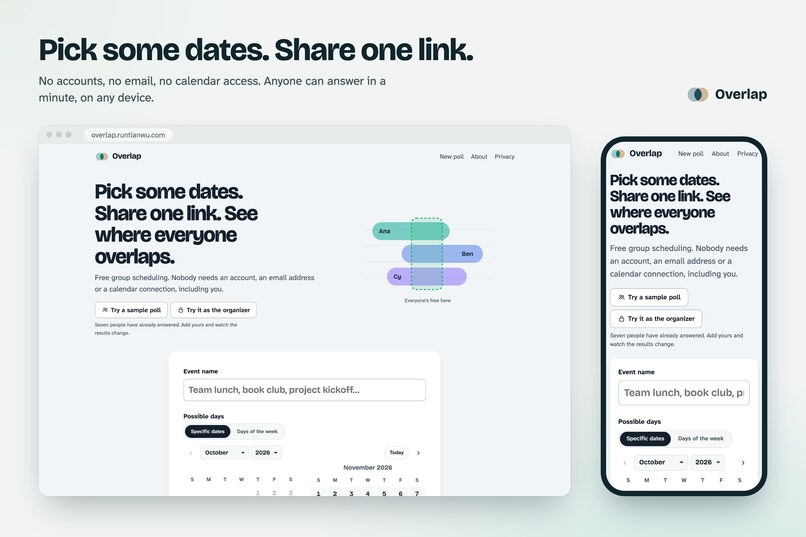
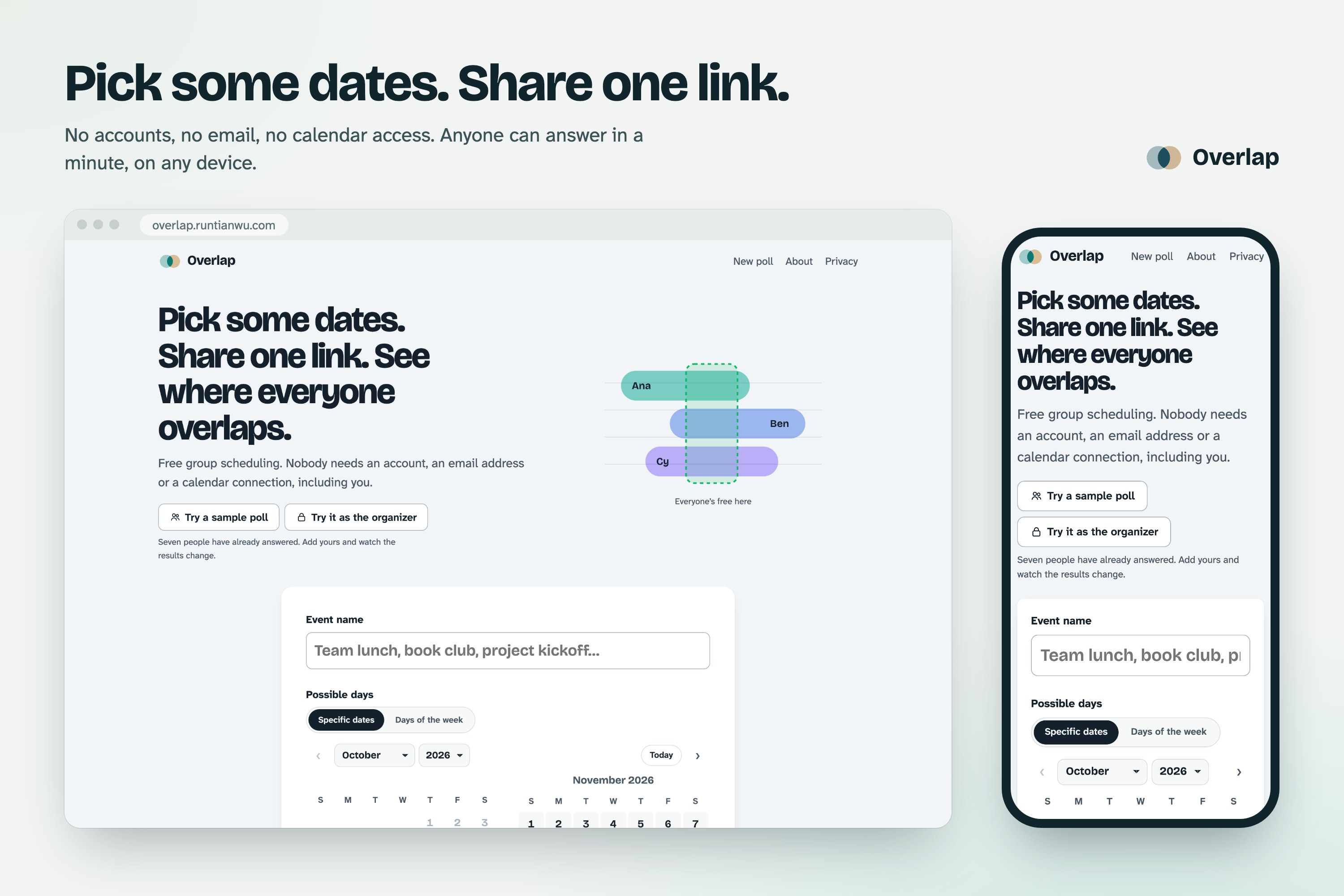
1. Start in a minute: Name it, pick dates and hours, share one link. No accounts, for you or your guests.
-
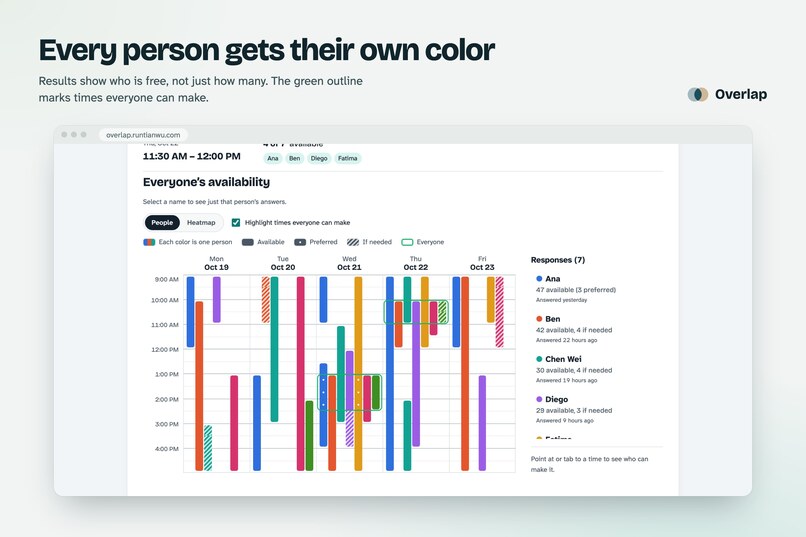
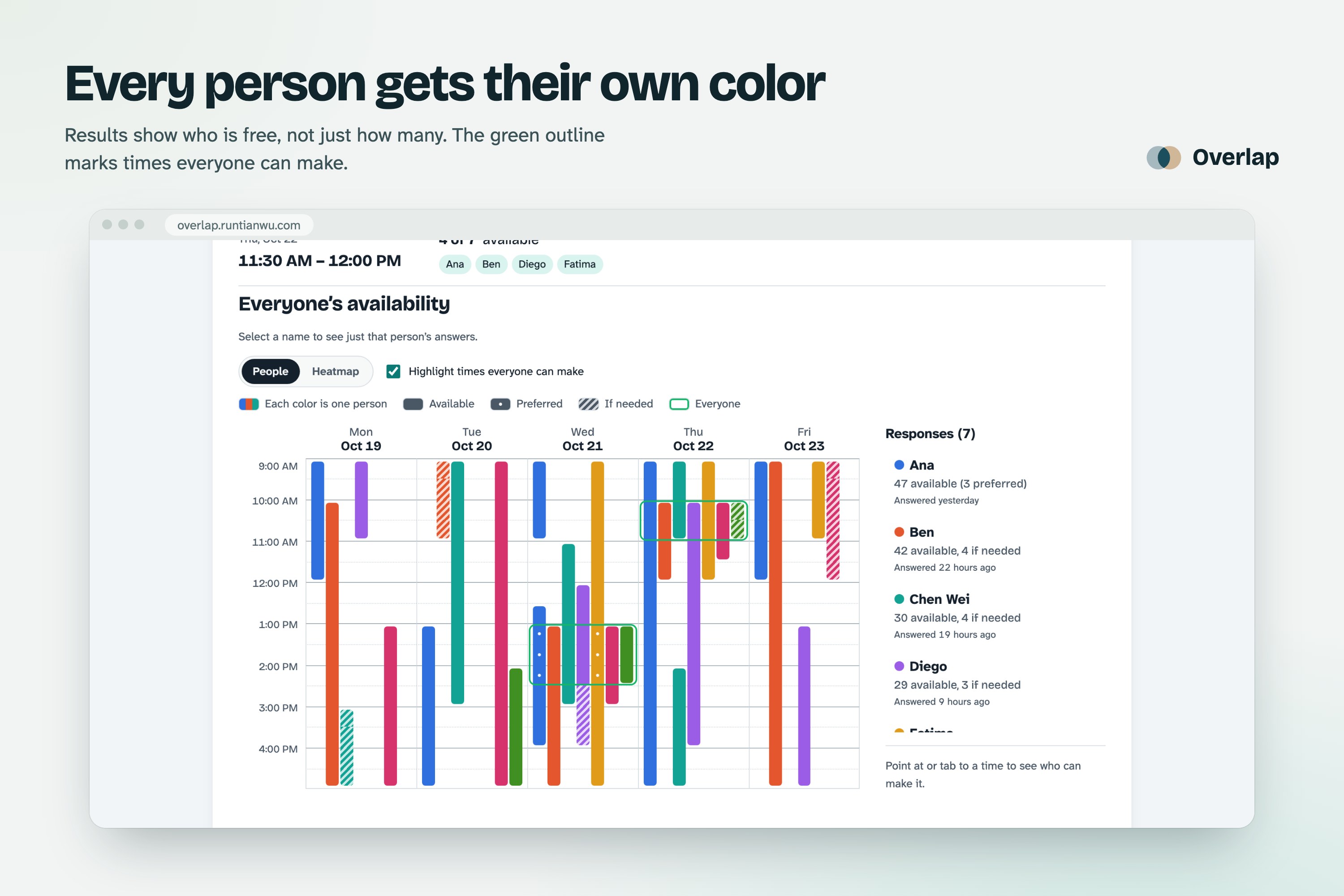
2. See who, not just how many: Each person gets their own color. A green outline marks the times everyone can make.
-
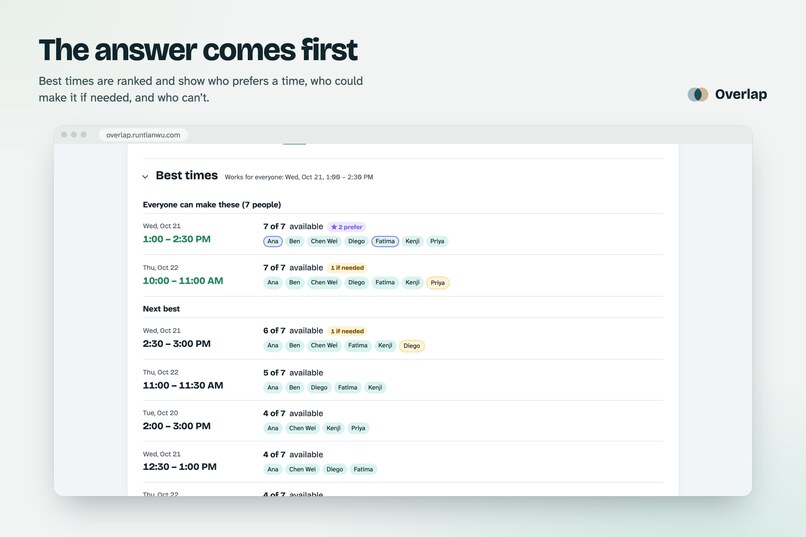
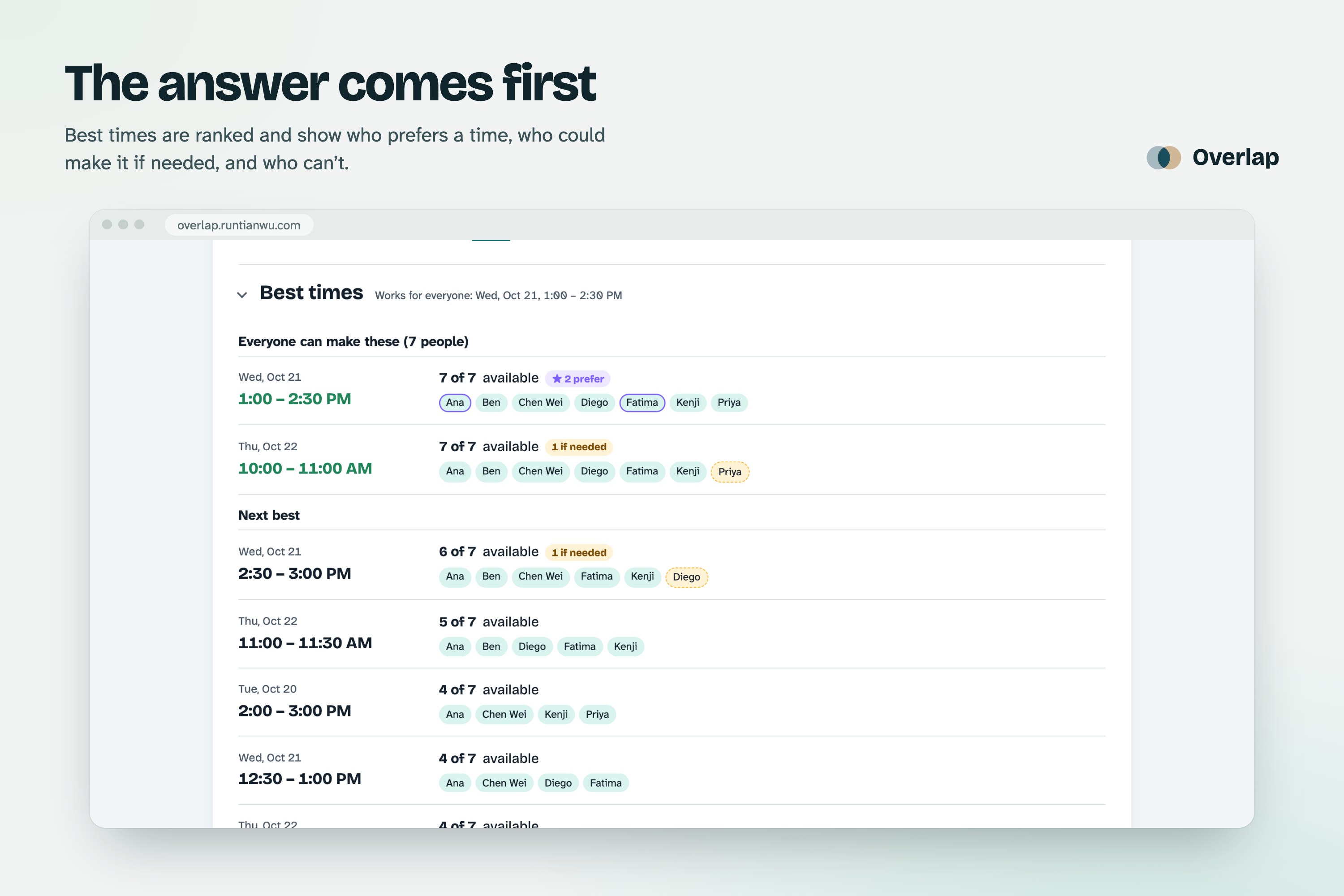
3. The answer comes first: Best times are ranked for you, showing who prefers each one and who could only make it if needed.
-
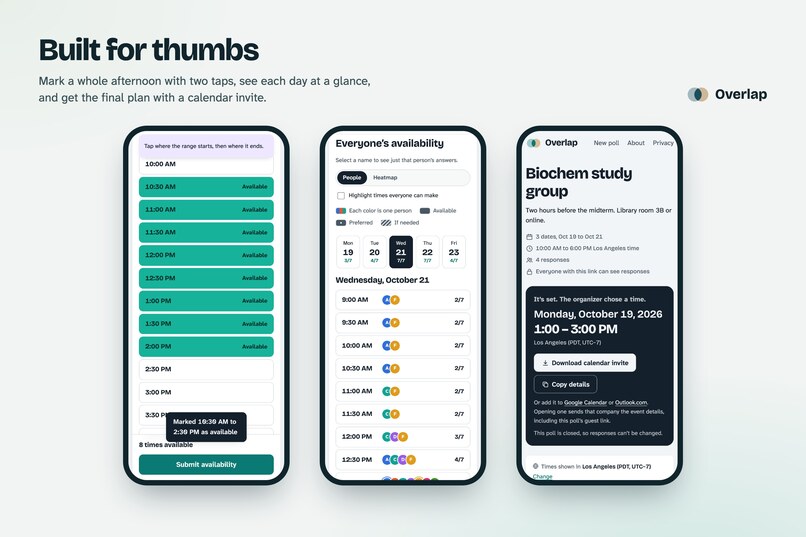
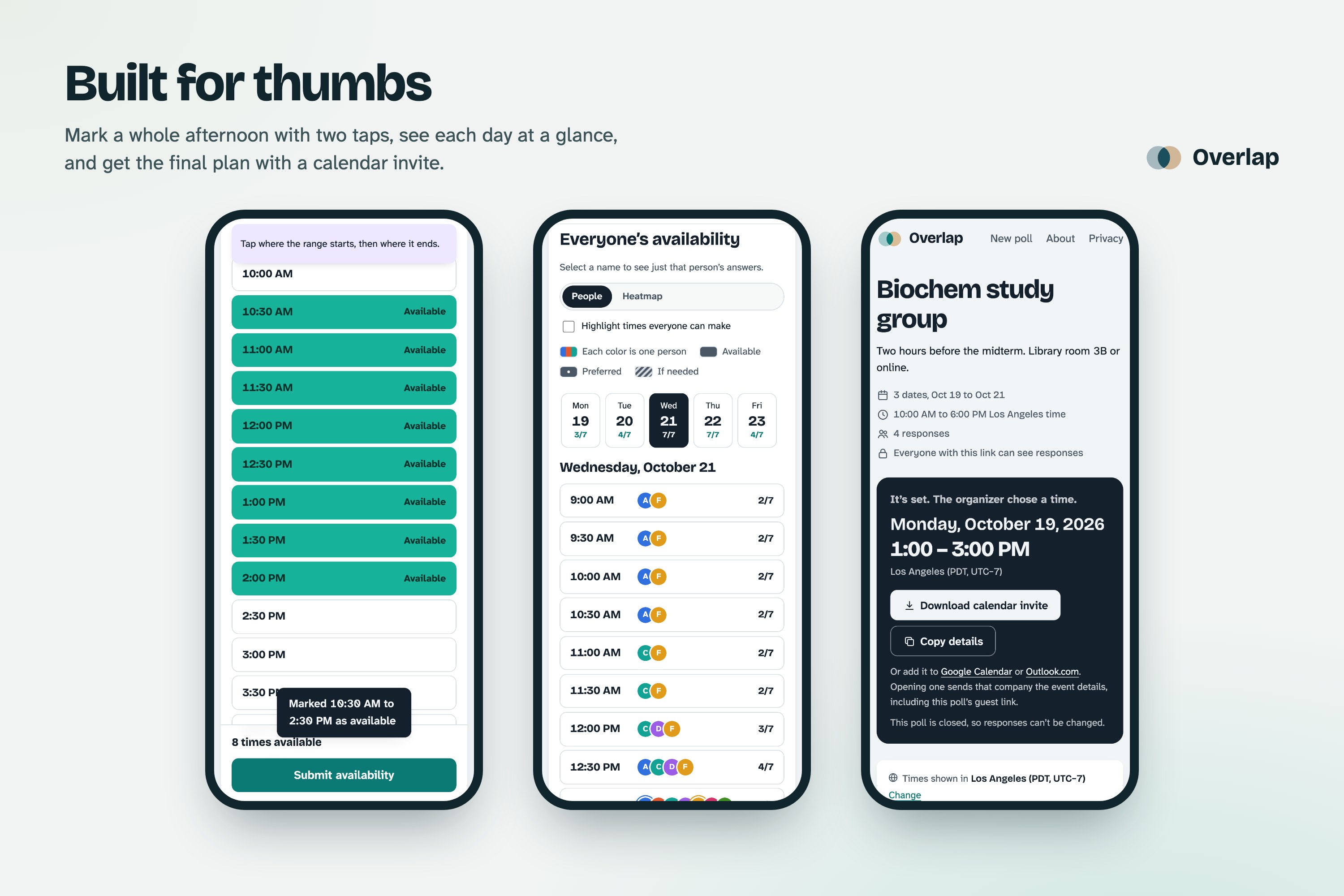
4. Built for thumbs: Two taps mark a whole afternoon. Each day shows who is free, and the final plan comes with a calendar invite.
-
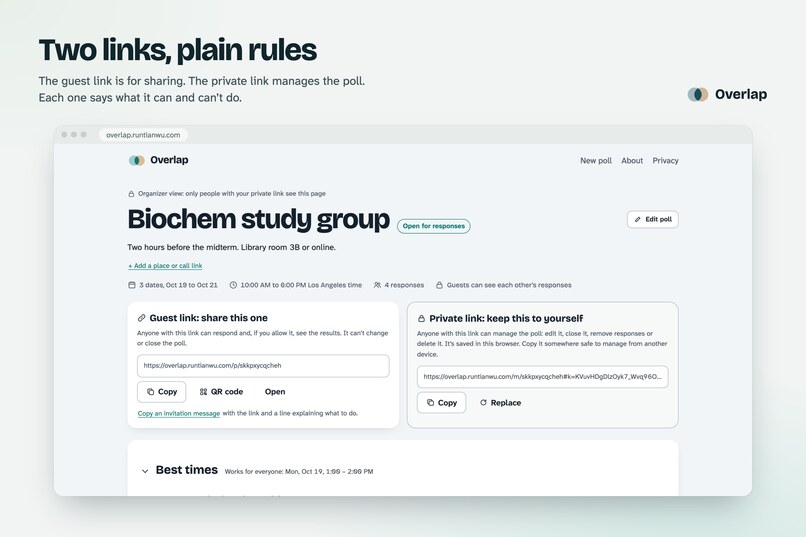
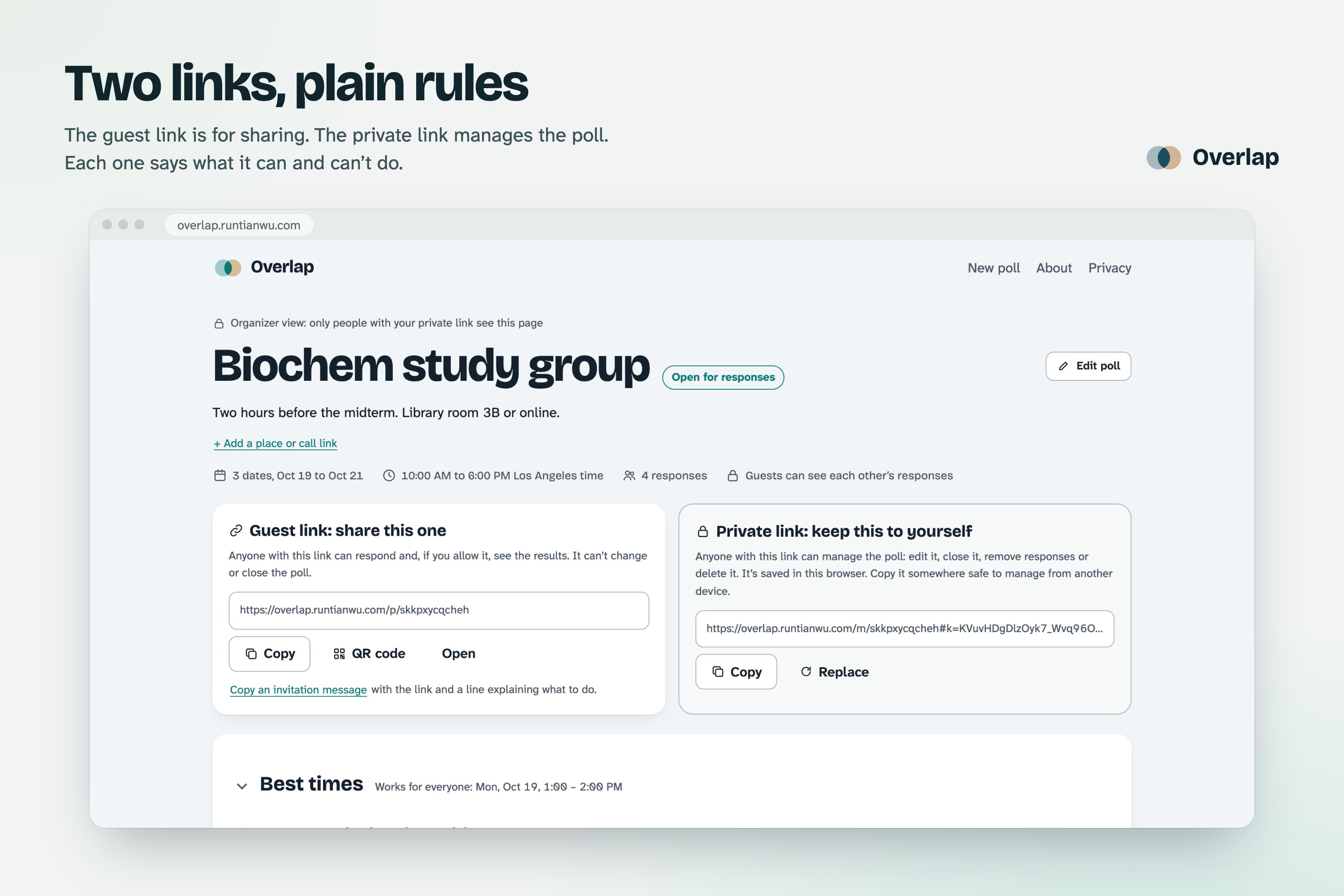
5. Two links, plain rules: Share the guest link; keep the private one to manage the poll. Each says what it can and can’t do.
-
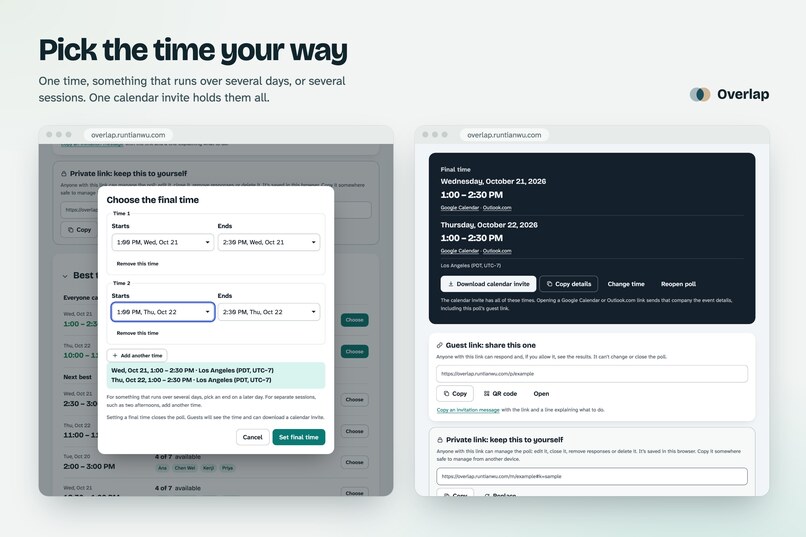
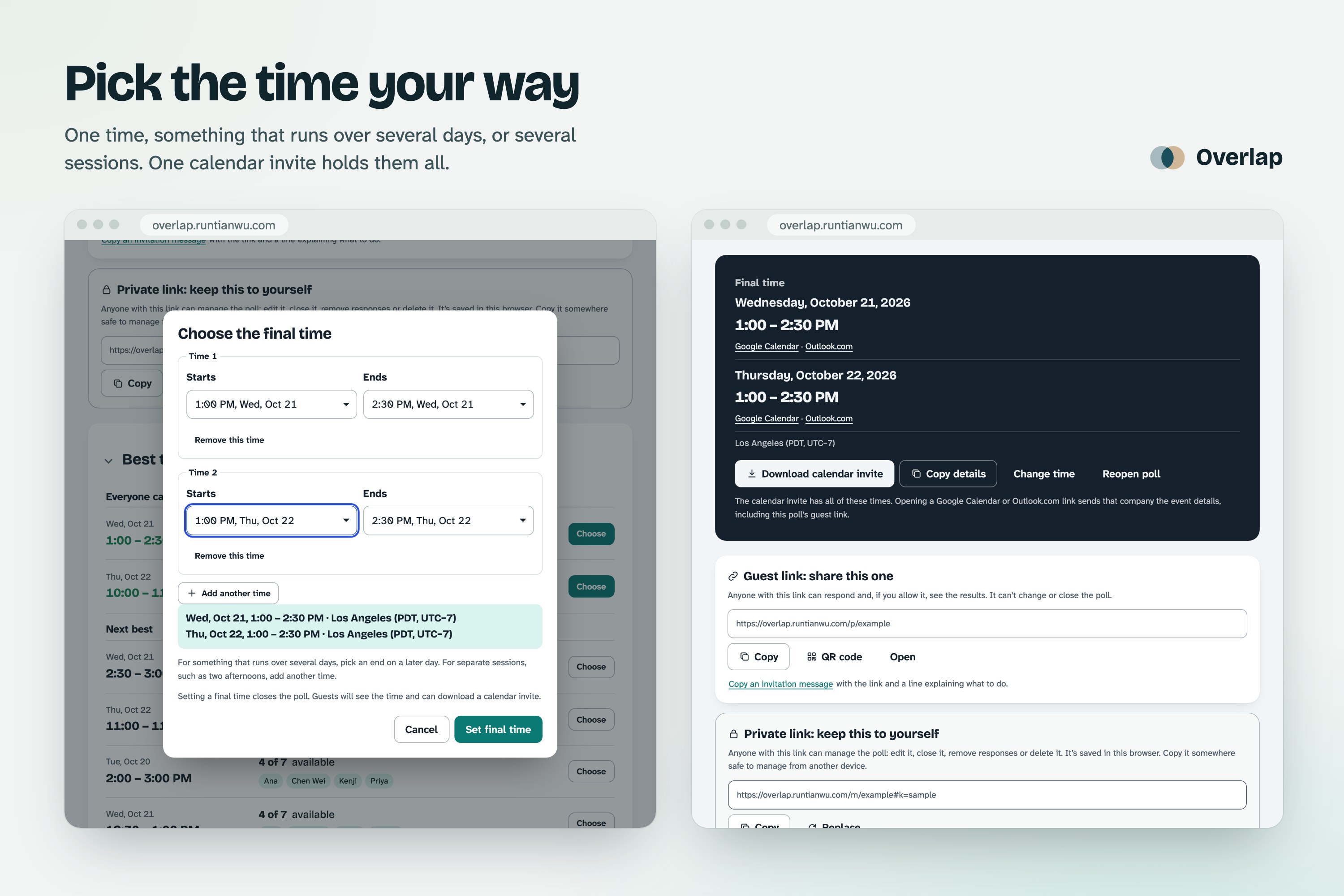
6. Pick the time your way: One slot, something that runs over several days, or several sessions, all in one calendar invite.
-
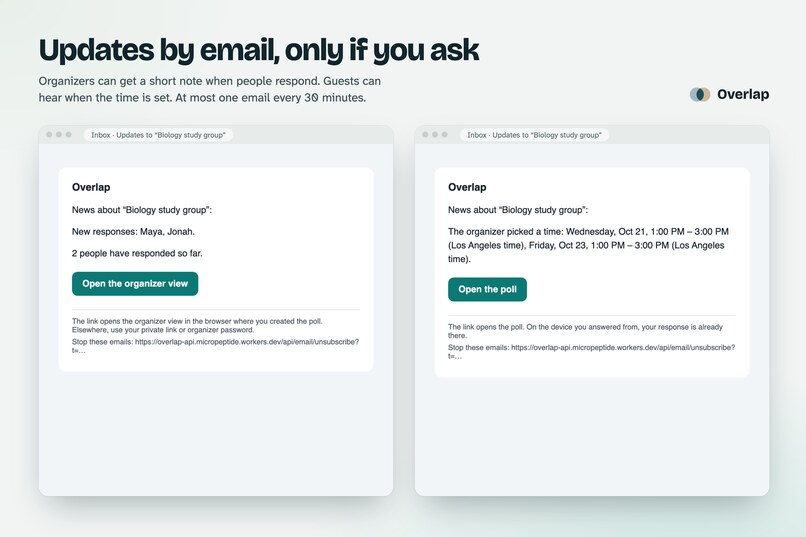
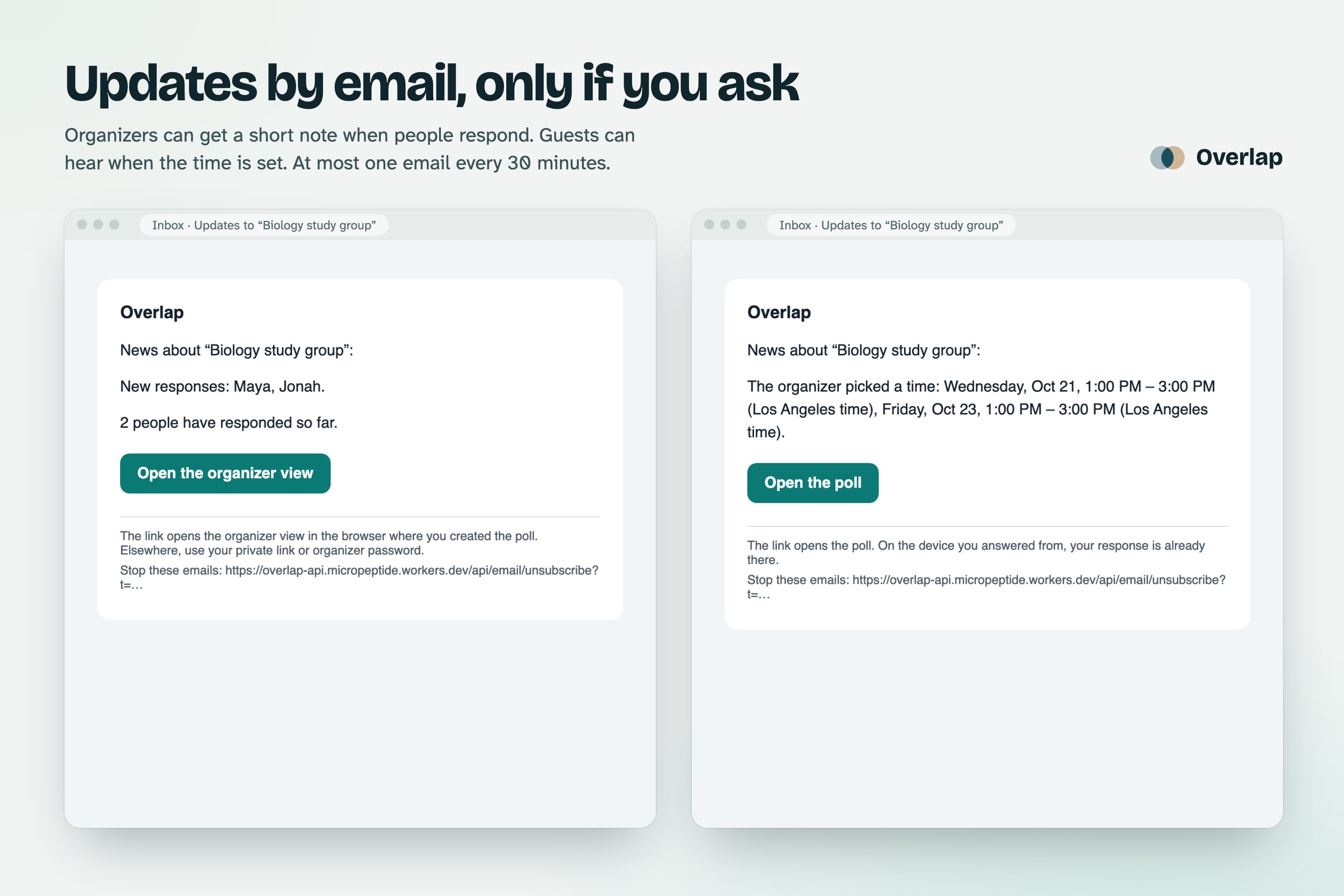
7. Email only if you ask: The real emails Overlap sends when people respond and when the time is set. Confirmed first, easy to stop.
-
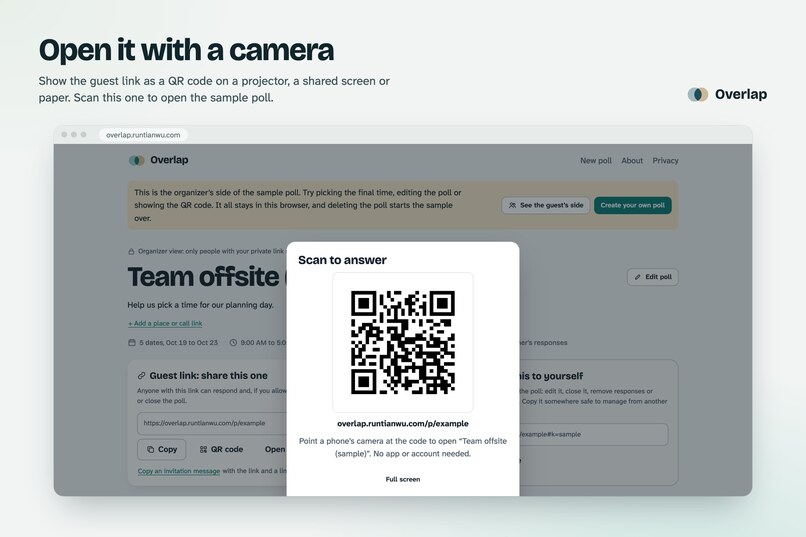
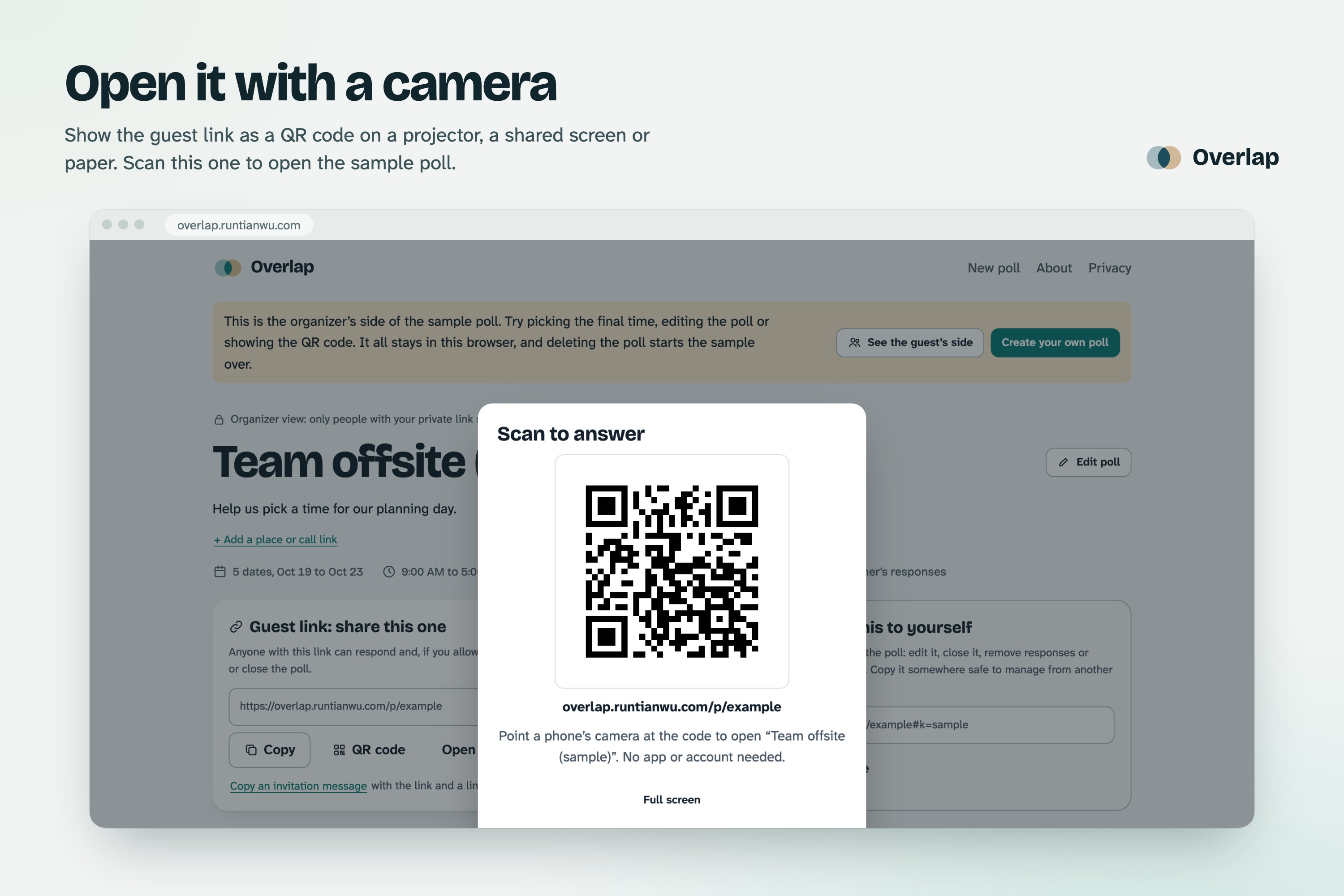
8. Open it with a camera: Show the guest link as a QR code on a screen or paper. Scan this one to open the sample poll.
-
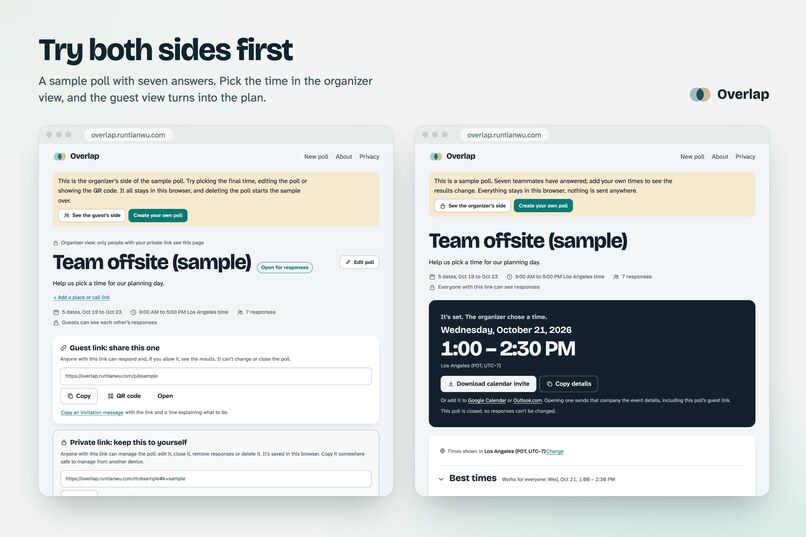
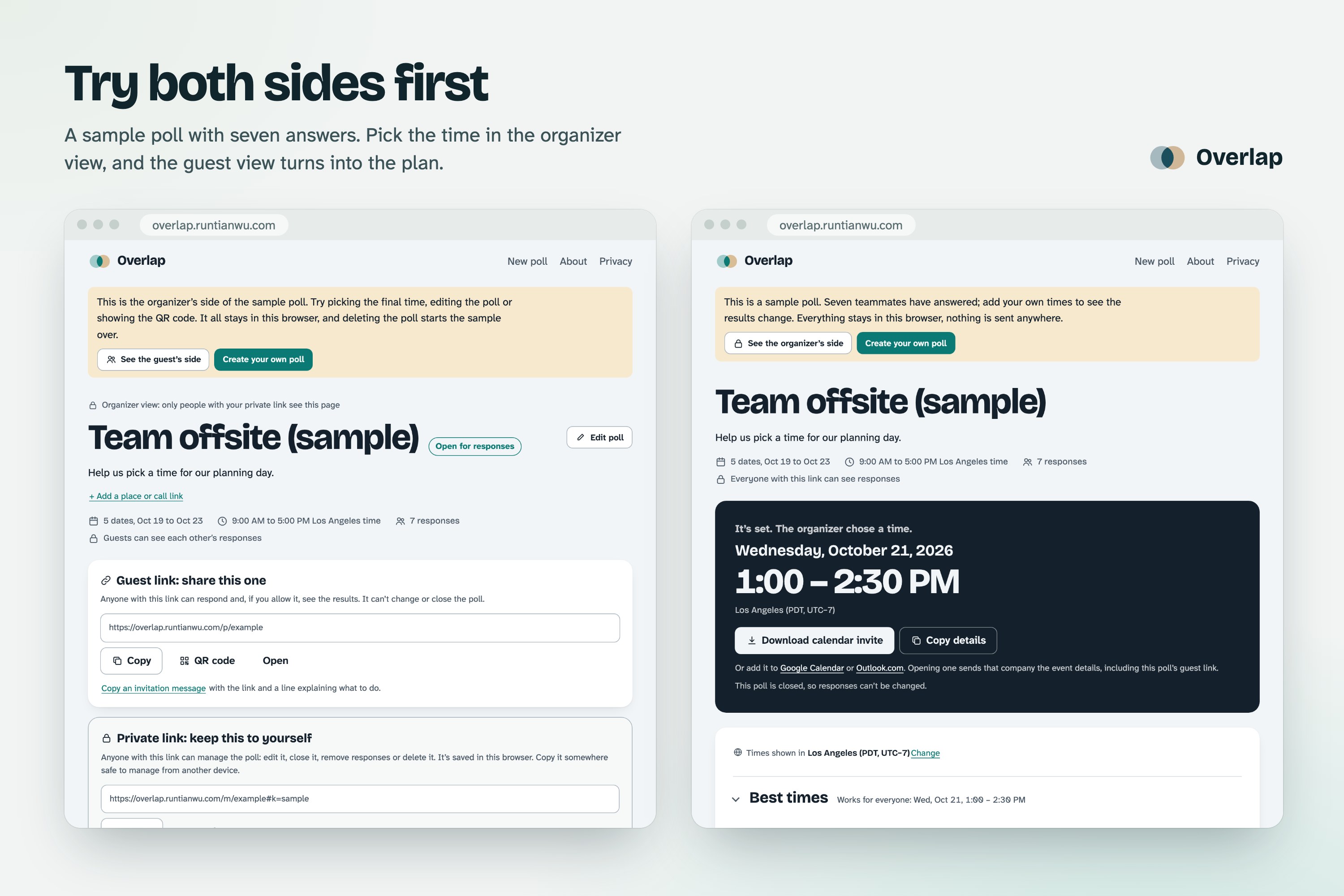
9. Try both views first: A sample poll with seven answers. Set the time in the organizer view, and the guest view becomes the plan.
-
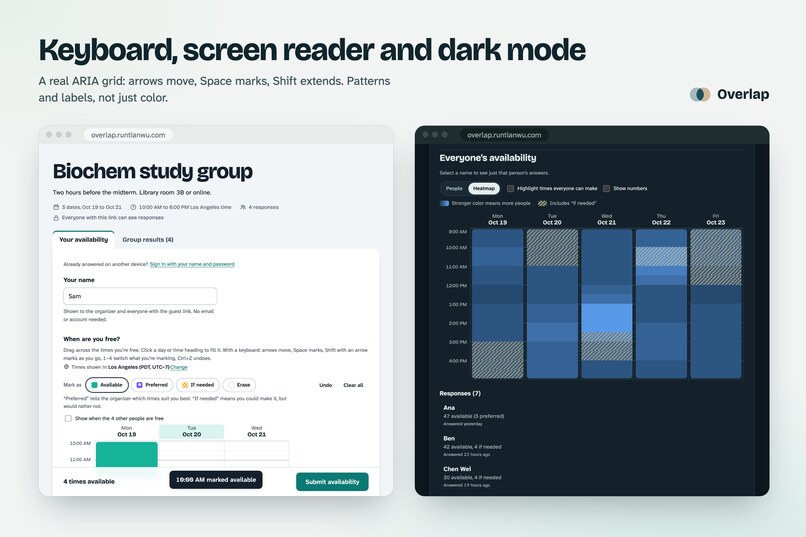
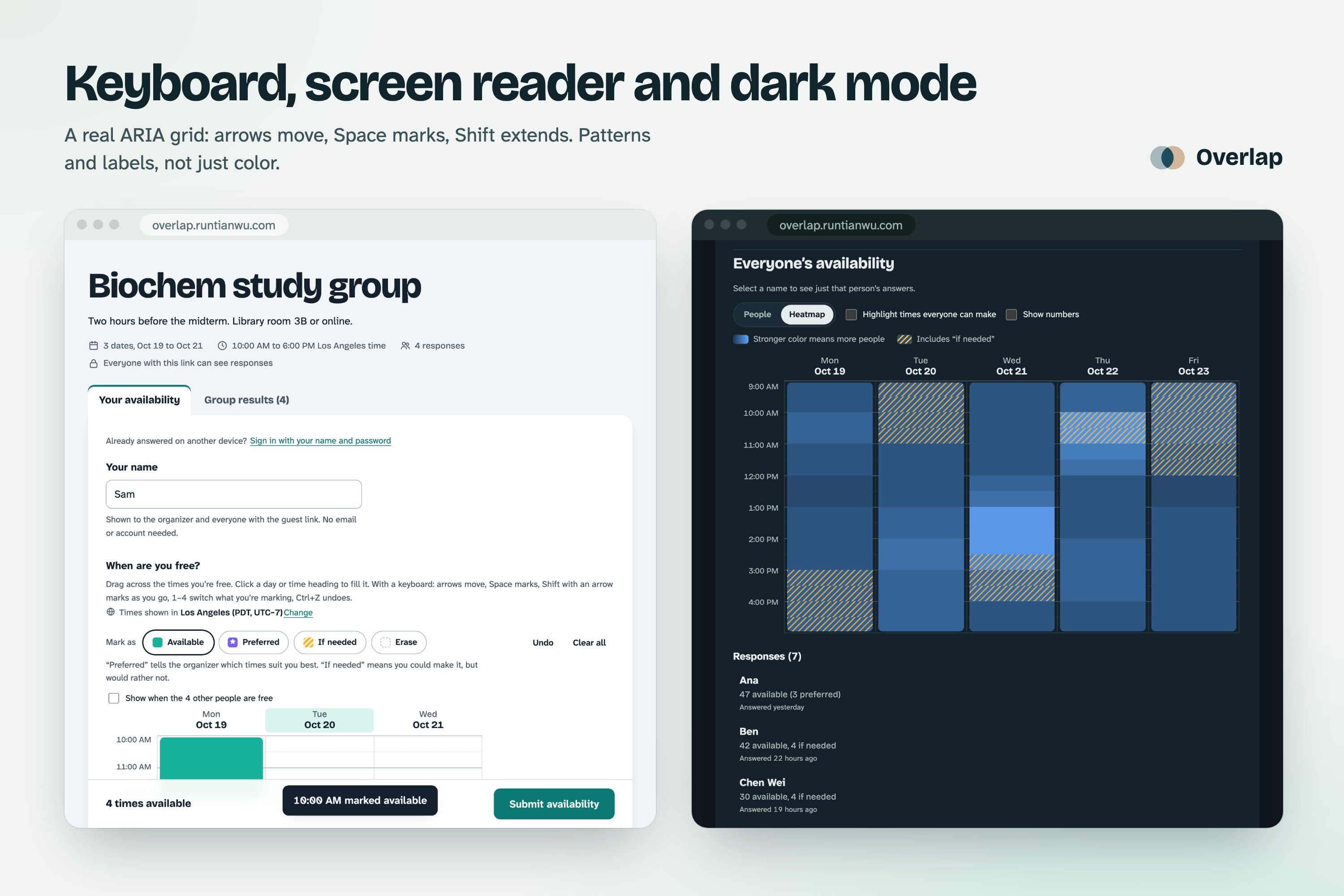
10. Made for everyone: A real keyboard grid with screen reader labels. Patterns and outlines, not color alone. Light and dark mode.
-
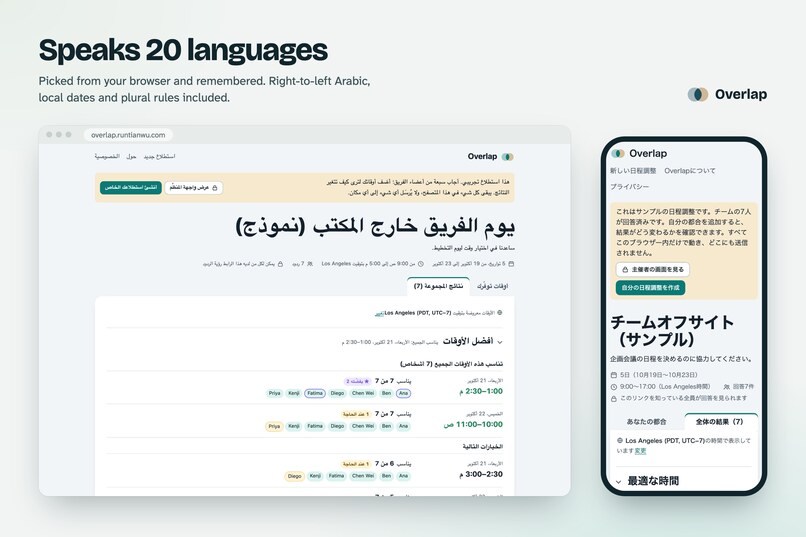
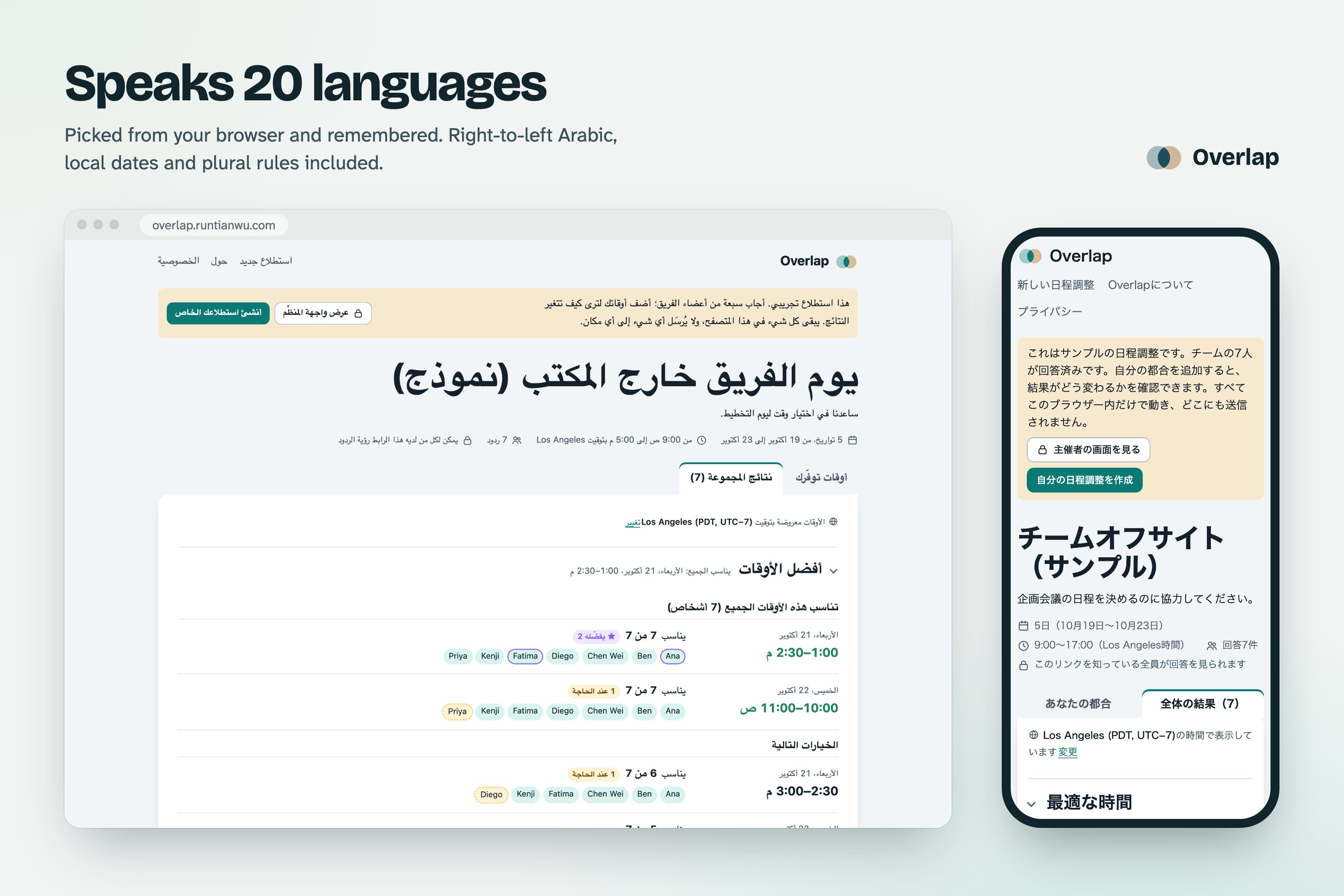
11. Speaks 20 languages: Picked from your browser and remembered, with local dates, plural rules and right-to-left Arabic.
Inspiration
Every group I'm part of plans things the same way. Someone asks "when works?", the chat fills up with half-answers and calendar screenshots, and the person who replies last gets stuck with whatever's left.
Group planning tends to break down in three places. Someone has to guess which times to offer, as in a Doodle-style poll where people vote on a few options. When everyone answers, most scheduling links stop at a heatmap of how many people are free; on When2meet, for example, you find out who by hovering over the grid one square at a time ("Mouseover the Calendar to See Who Is Available"). And then someone still has to compare everything, pick the time and tell the group.
So I built the version I'd actually send to my friends. You open one link, answer in about a minute, and never sign up. Overlap gives every person their own color, so you can see exactly who is free when. It puts the best times at the top, ranked, showing who prefers each one and who could only make it if needed, so the group can settle on a time without anyone doing the math. Then it carries the plan through: the organizer sets the final time, as one slot, several days or several separate sessions, and everyone gets a calendar invite.
It also does a lot more than a typical scheduling link. The organizer stays in control after publishing: the dates, times, a note for guests and a place to meet can all change, and the organizer can set a closing date, choose who sees the answers, lock or remove answers, export them, share the link as a QR code, manage the poll from any device with a password, and get email updates. I put just as much care into the design: a calm, readable interface in light and dark mode, a phone layout where two taps mark a whole afternoon, and full support for keyboards, screen readers and 20 languages.
How Overlap is different
- You see who, not just how many. The People view gives each person their own colored lane, so you can read the group's week at a glance. For big groups, a heatmap is one click away.
- It finds the answer for you. Best times ranks the options at the top of the results, starting with the times everyone can make, then the closest matches, with names on each one.
- Answers have shades. Besides Available, people can mark times as Preferred or If needed, and the ranking uses both.
- It finishes the job. The organizer sets the final time, and every guest's page turns into the plan with a calendar invite. A final time can be one slot, something that runs over several days, or several separate sessions.
- A full toolkit for the organizer. After publishing you can still change the dates, times, note for guests, place or call link, closing date, who sees responses and whether answers can change. You can also share by QR code or a ready-made invitation, remove an answer, export everything to CSV, close and reopen the poll, duplicate it for the next meeting, manage it from any device with an optional password, and get an email when people respond.
- Built for everyone. It works by touch, mouse, keyboard and screen reader, in 20 languages including right-to-left Arabic, and in light or dark mode.
- Private by default. There are no accounts, ads, cookies or tracking. Passwords are optional and never leave your browser, and email is opt-in.
- Polls stay until the organizer deletes them. Some free tools delete polls automatically (Crab Fit after 3 months without activity, Rallly's free plan 30 days after the dates pass). Overlap keeps a poll until its organizer deletes it, and guests can delete their own answer at any time.
What it does
If you only have ten seconds, open the sample poll. Seven teammates have already answered, and you can add your own times and watch the results change. The same sample has an organizer view, where you can pick the final time, edit the poll, show the QR code or see an example email, then switch back to the guest view and see it change. Everything in the sample stays in your browser.
For the organizer
- Create a poll. Give it a name, pick dates (or days of the week, for a meeting that repeats) and a time window. Select a range picks a long stretch of dates in two clicks and can skip weekends. Under More options you can add a note for guests, a place or video call link, a meeting length, a closing date, and choose whether guests see each other's answers and whether they can change them.
- Share it. You get two links, each with a short note saying what it does. The guest link is for sharing: copy it, share it from your phone, paste a ready-made invitation message, or show it as a QR code on a projector or a shared screen. The private link is how you manage the poll: save it (in your notes, or have it emailed to you) and you can always come back, from any device. Your browser remembers it too, and if it ever leaks, Replace makes a new one.
- Decide. Best times sits above the grid. Choose one, adjust its start and end (the end can be on a later day), or add more sessions, then set it. Guests see the plan with a calendar invite (.ics, Google Calendar or Outlook).
- Manage. Edit anything, close or reopen the poll, remove an answer, export to CSV, duplicate it for the next meeting, or delete it. An optional organizer password lets you manage the poll from any device through the guest link, without keeping the private link.
For guests
- Mark your times. Type a name, with no account, then paint with a brush: Available, Preferred (dotted) or If needed (striped), with an eraser and undo. On a computer you drag across the grid. On a phone you tap where a block starts and where it ends. You can show everyone else's answers faintly behind yours.
- Come back later. After submitting you get a private edit link. Or set an optional password, and sign in on another device with your name and password. Your browser turns the password into a key, so the password itself never reaches the server.
- See the results. Everyone's colored lanes, a highlight for times everyone can make, and names for any time you hover over or focus. On a phone, each day shows a count like "5/7" with people's initials.
Email, only if you ask. Organizers can get their private link by email and a short note when people respond. Guests can get their edit link and hear when the time is set. You confirm your address first, there's at most one email every 30 minutes, every email has a one-click unsubscribe link, and the address is deleted when you stop.
Everyone sees times in their own time zone, with the organizer's zone shown alongside.
How I designed it
User flows
My rule was to ask for as little as possible and explain only what people need right then. There's no sign-up step. Your browser remembers the polls you made and the ones you answered, and every answer comes with a private edit link you can copy. Error messages tell you what to do next. If you type a name someone already used, Overlap points you to your edit link instead of overwriting their answer. On the results page, the answer to "so which time?" comes before the grid it's based on. Once a time is picked, that's the first thing both the organizer and the guests see.
Visual design
I went with a calm teal palette that stays readable in light and dark mode. Headings are set in Bricolage Grotesque, and body text in Atkinson Hyperlegible Next, a typeface made for readers with low vision. Color is never the only signal: Preferred is dotted, If needed is striped, and "everyone" is an outline.
Interaction and information architecture
Each link stands for one simple idea. The guest link is for sharing, the private link is for managing, and your edit link only touches your own answer. Two taps mark a range of times on a phone or a range of days in the calendar, and you can cancel a range halfway through. The sample poll does the onboarding: you see how it works before you've invited anyone.
Accessibility and inclusion
- An axe-core scan finds zero violations of the WCAG 2.2 AA rules across 28 page states, covering light and dark mode in English and Arabic.
- The availability grid is a real ARIA grid. Arrow keys move, Space marks, Shift+Arrow extends the selection, the keys 1 to 4 switch brushes, and Ctrl+Z undoes. Every result cell has a full spoken label, for example "Tue, Oct 20, 9:00 AM, 3 of 7 available, 1 if needed", and changes are announced quietly as you mark.
- Windows High Contrast mode keeps the focus rings, selections and person colors. Reduced motion turns the animation off. Pages reflow down to 320px wide and at 200% zoom, and the focused cell never hides behind the sticky save bar.
- Overlap speaks 20 languages. It picks one from your browser and remembers your choice, and it handles plural rules and local date formats properly, including the Thai Buddhist year and right-to-left Arabic. Names are isolated by text direction, so a mix of scripts never comes out scrambled.
Privacy
I treated privacy as part of the design. Polls are reached through links with random keys; there are no accounts, so nothing ties a poll to you. There are no cookies, no analytics and no third-party scripts, and even the fonts come from Overlap's own server. Passwords are optional, and your browser turns a password into a key (PBKDF2, 210,000 rounds) so the server never sees it. Email updates only happen if you ask for them; you confirm the address first, and you can unsubscribe in one click.
How I built it
Overlap is open source under the MIT License, and all of the code is on GitHub.
The front end is plain JavaScript modules, hand-written CSS and HTML. There's no framework, no build step and no runtime dependencies, so it loads fast even on a cheap phone.
The API runs as a Cloudflare Worker with a D1 (SQLite) database, and the pages are served as a static site on Cloudflare. The same API code also runs as one Node.js process with built-in SQLite, so anyone can host their own copy.
The time-zone math and the overlap ranking live in one module that the server and the browser share. Times are stored as moments in UTC and laid out in each viewer's own zone. A fast path skips the slow conversion except near daylight-saving changes.
From the browser, I lean on Intl for dates, numbers, plural rules, week starts and splitting names into initials, Web Crypto for passwords, and the Web Share API for sharing from a phone. The QR codes come from a small encoder written for the project (no library), and the tests check every code with an independent QR decoder. Email, for people who opt in, goes through Resend.
There are 73 unit tests and 128 browser tests on desktop and phone sizes, including the axe accessibility scans. The same browser tests also run against a local copy of the Cloudflare setup. A separate check makes sure every language has every message, with matching placeholders and plural forms.
Challenges I ran into
Painting on a phone was the first hard part. Dragging to paint fights with scrolling, so on phones you get a list of times for each day plus a two-tap range mode. Keeping the page perfectly still while the hint text changed took a few rounds of fixes, which I checked in the iOS Simulator.
Showing a lot of people at once was the next. A heatmap tells you how many people are free but hides who they are. Colored lanes fix that for up to 12 people. Past that, Overlap switches to a heatmap, and phones show stacked initials.
Time zones were fiddly. I had to handle daylight-saving changes, a guest in Tokyo answering an organizer in Los Angeles, and weekly polls that shouldn't drift when the clocks change.
Letting people come back without accounts was a design puzzle more than a technical one. The answer turned out to be private links, the browser remembering your polls, and an optional password that never leaves your device.
Accomplishments that I'm proud of
The sample poll means a first-time visitor gets the idea from a single screen, from either side: as a guest or as the organizer. I'm also proud of the People view, which lays out each person's free time side by side. Automated checks find zero accessibility violations, and the grid works fully with a keyboard and a screen reader. It shipped in 20 languages, right-to-left included, and it's live, free, private and open source.
What I learned
Most of good scheduling UX turned out to be removing steps. The accessibility work made the app better for everyone: keyboard support pushed me toward clearer focus states, writing screen reader labels made me fix vague wording, and designing for a 320px screen gave me a better phone layout overall. I also learned how much the order of information matters. Moving the answer above the data changed how people read the whole page.


Log in or sign up for Devpost to join the conversation.