-
-
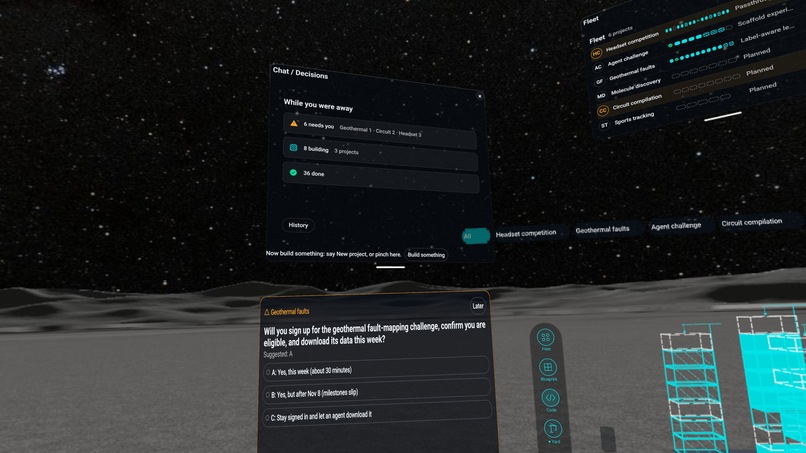
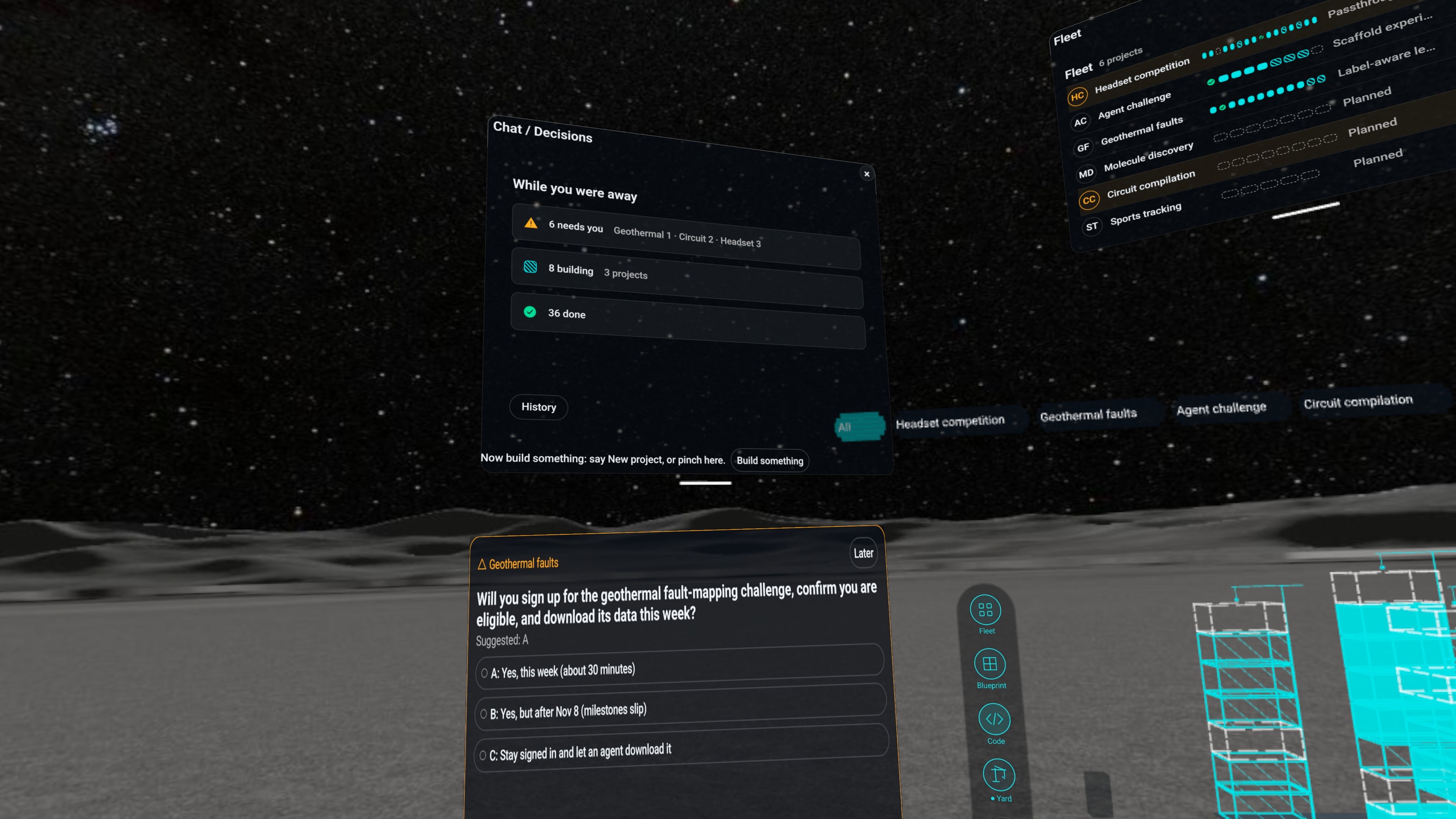
Headset recording: the morning briefing and a decision waiting for an answer, with Fleet and the Yard behind.
-
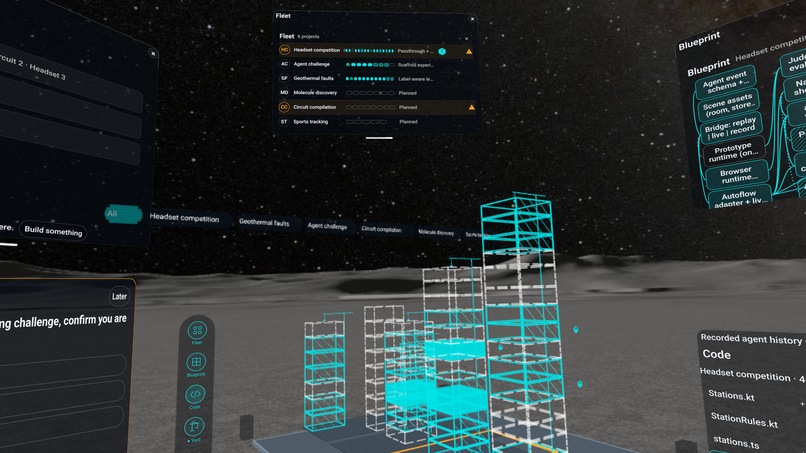
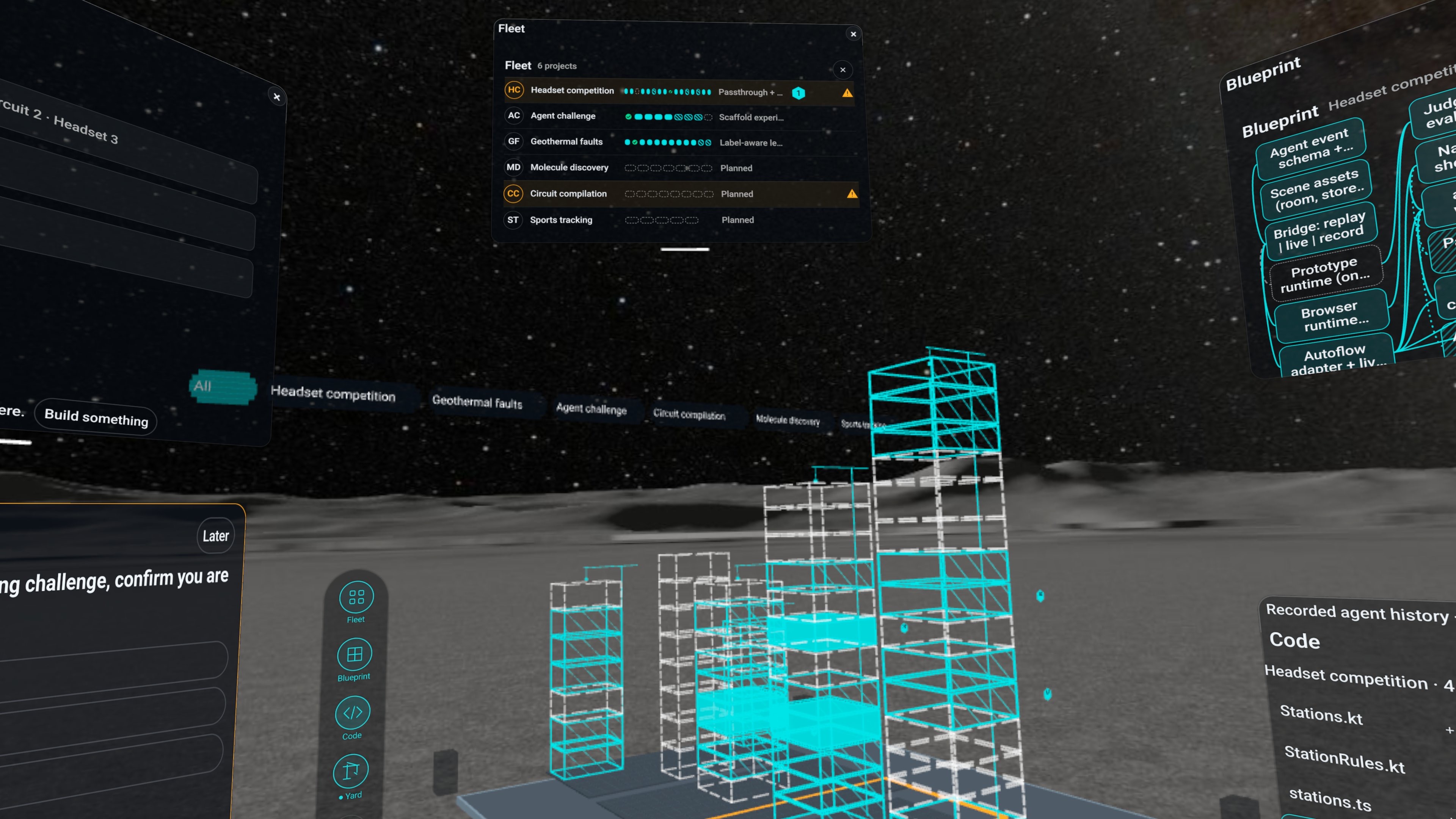
Headset recording: Fleet lists six projects; in the Yard each project is a building going up.
-
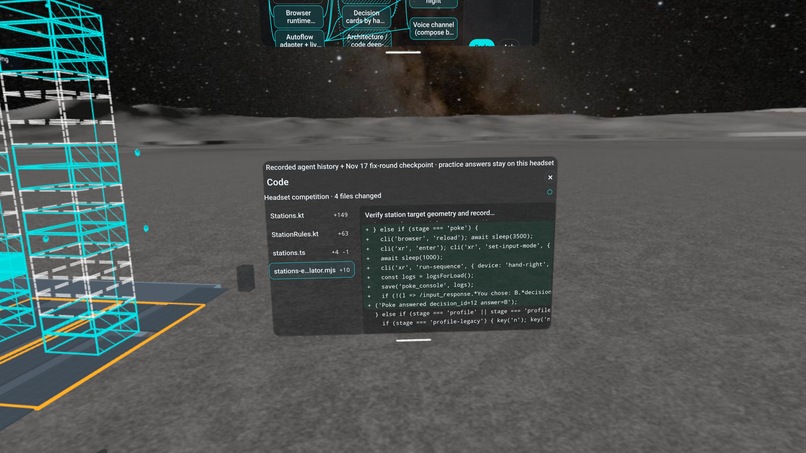
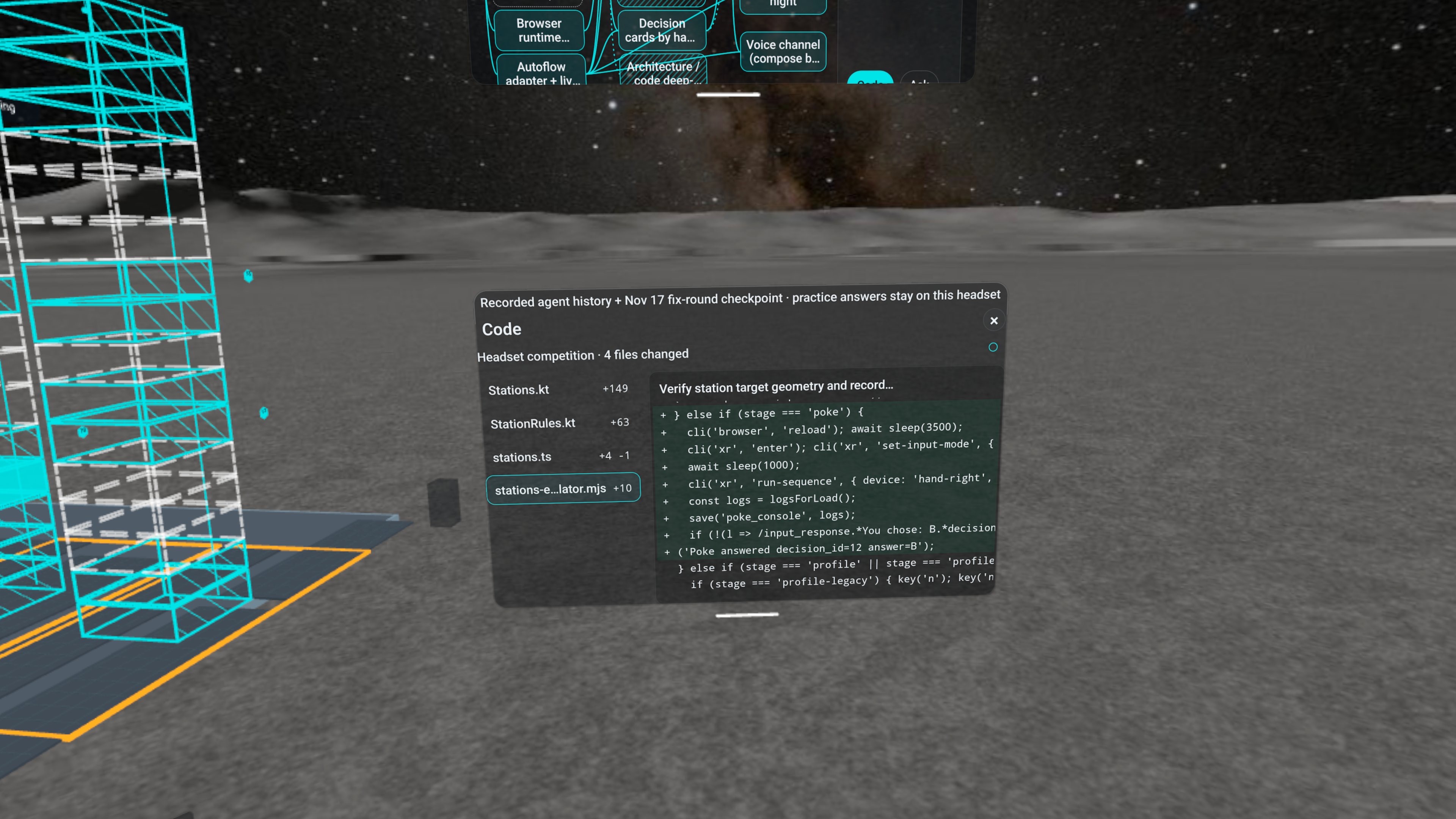
Headset recording: the Code window shows what an agent changed, beside the Yard.
-
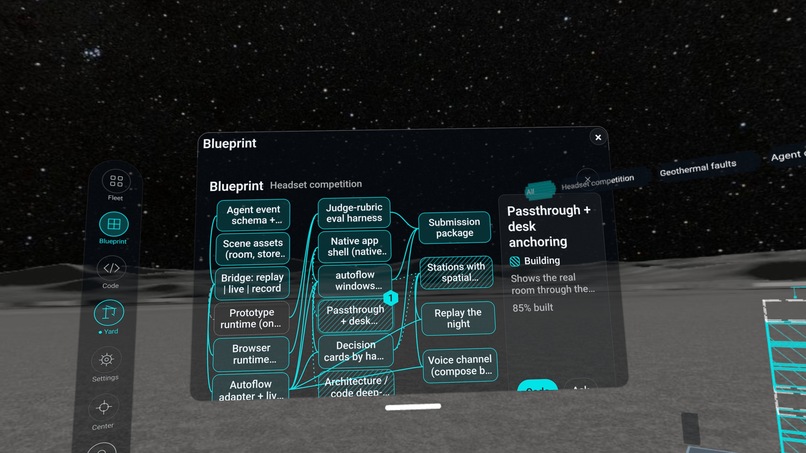
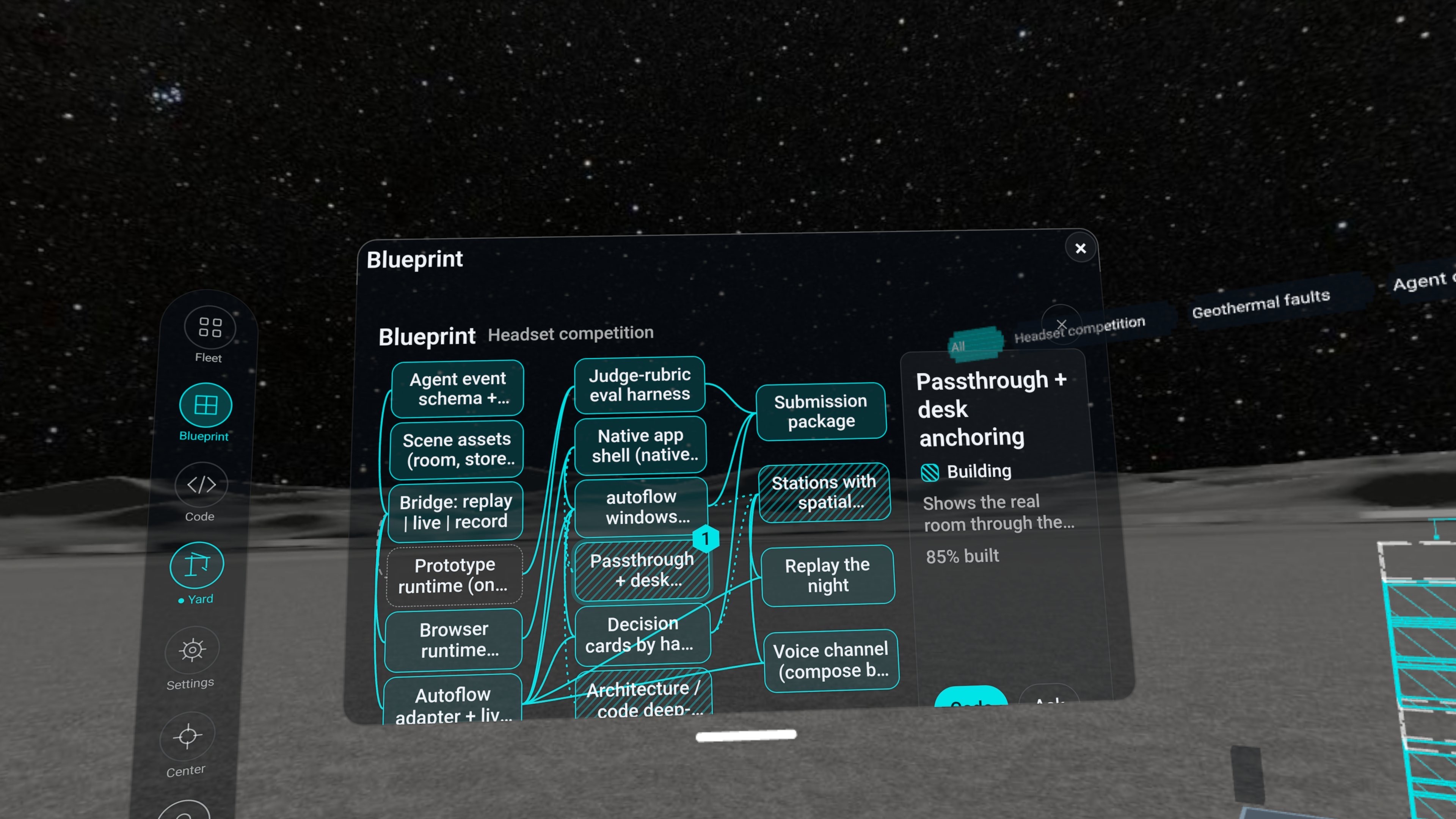
Headset recording: Blueprint shows a project's parts and how they connect; a picked part says what it is and how far built.
The problem
Coding agents now write most of the code on my projects, and I run them on six projects at once. That moves my job up a level: from writing lines to deciding what gets built. The tools did not move with it. I still watch my agents through terminal windows, one scrolling wall of text for each.
Two things go wrong. I lose track: questions get buried in log lines, and I cannot tell which project is waiting on me. And I lose understanding: once you stop reading every line, you slowly stop knowing your own codebase.
What Flowstate is
Flowstate is a command room in VR for the coding agents on your own computer. A small host program on your PC runs the coding agent you already have installed and signed in, and the headset pairs with it over your Wi-Fi. Inside, you see every project being built, answer the questions only you can answer, and start new work, with your hands and voice and no controllers. With no computer paired, the same room plays a recorded day of real agent work, so anyone can try it.
The idea behind it: work at the level of decisions, and keep the understanding.
- See the work, not the logs. A 3D build site gives each project its plot: the work rises as a wireframe tower, and a thin crane marks each working agent. One look shows which projects are being built and which are waiting on you. Fleet lists the projects and their agents.
- While you were away. The briefing says what was done, what is being built and what needs your decision.
- Decide by hand. An agent's question arrives as a card with its options and a recommendation. Pinch an option and hold a thumbs-up; a receipt confirms it.
- Keep the understanding. Blueprint shows a project's architecture; Code shows what an agent changed, as a diff. You stay above the code and read the lines only when you want to.
- Voice. Commands that run on the headset change the room: "Open settings", open or close the briefing, recenter. Ask "What needs my attention?" and the answer appears as text.
- Your space. Windows hang in the air where you put them: pull one close or push one aside by its grab bar. Work on the Moon, in the mountains, on a beach, in a plain space, or in your own room through passthrough.
Why it is new
Putting a monitor inside a headset was never the point. Flowstate is a control surface for software that is doing real work on your machine. In Live mode the towers are real tasks, the cards are a real agent's questions, and your answer goes back to that agent, which carries on in its own git worktree and commits the code. Your own coding agent builds on your computer, and its progress, its questions and its commits appear in the headset. The demo is real work too: the recorded day is a real day of six of my projects.
Inspiration
The picture in my head was the holographic workbench from science fiction: an engineer standing inside their work, screens hanging in the air that they push aside or pull close, the thing being built taking shape in front of them, and an assistant they simply talk to. Coding agents made the assistant real. A headset makes the room real. Flowstate is my attempt to put the two together: you stand in the middle of your projects, put the windows where you want them, and tell your agents what to build.
How to try it (judges)
No computer needed. Open Flowstate seated. With no computer paired it runs in demo mode: a recorded day of six real projects, labelled Recorded.
- In front of you is the build site: each plot is a project, each crane an agent. The board beside it reads "Recorded day · time · replay".
- In the briefing ("While you were away"), open Needs you and pick a question. Pinch an option, then hold a thumbs-up (or pinch "Confirm selected option"). The card says "Recorded · Practice only": your answer stays on the headset.
- From the sidebar on your left, open Fleet, Blueprint and Code to see the projects, an architecture and a diff.
- Say "Open settings" and change place: Moon, Mountain, Beach, or your own room in passthrough. Move any window by its grab bar.
The briefing also offers "Now build something", a replay of one recorded agent build.
What works today, and what does not yet
- Checked on a worn headset: pinch selection, window grabs, held thumbs-up confirmation, places and passthrough, and the voice commands "Open settings", briefing open and close, and recenter.
- Demo mode needs no computer. Answers you give there are practice: they stay on the headset and reach no agent.
- Live mode. Start the Flowstate host on your computer, pair the headset with it over Wi-Fi with a six-digit code, then start a project by voice. Your own coding agent builds it on your computer, one git worktree per task, and its progress, its questions and its commits appear in the headset. It starts new projects; it does not attach to an existing repository yet.
- The film. The film shows the recorded day: real work by my own agents, replayed in the headset; Live mode drives the same views from your computer.
- Speech. Status questions are answered as text. The app does not synthesize speech; the only voice it can play is a set of recorded clips.
- Room anchoring. Scanned-room anchoring did not work because no room model was available, so windows float where you put them.
How it is built
Native Kotlin on Meta Spatial SDK 0.15.0. The build site is a 3D scene drawn from the agents' event log. Tracked hands drive pinch selection, window grabs and held thumbs-up confirmation. Speech recognition runs on the headset with a fixed command set. No language model runs on the headset. The host is a small Node.js program on your own PC: it runs your coding agent in one git worktree per task and talks to the headset over your Wi-Fi once you have confirmed the same six digits on both.
Pictures
The pictures were captured in the headset.
What's next (future plans)
The host and app source are public. Next: attach Live mode to existing repositories, and test with people who have never seen it.
Target launch date: December 2026.
Built With
- git
- hand-tracking
- horizon-os
- kotlin
- meta-spatial-sdk
- on-device-speech-recognition
- passthrough