Over The Shoulder
Looks over your shoulder while you struggle to figure out why your computer doesn't work and helps you fix it.
Built at StormHacks 2026 by Akashdeep Singh and William Chan.
Inspiration
Most people can't tell you what's wrong with their computer in technical words. They say "it's broken" or "the internet isn't working", and the person helping has to ask question after question before they even know what the error says. The fix is often simple once someone actually sees the screen.
We wanted to build the helper that sits next to you, looks at what you're looking at, and walks you through the fix at your pace, without making you feel silly for not knowing the jargon.
What it does
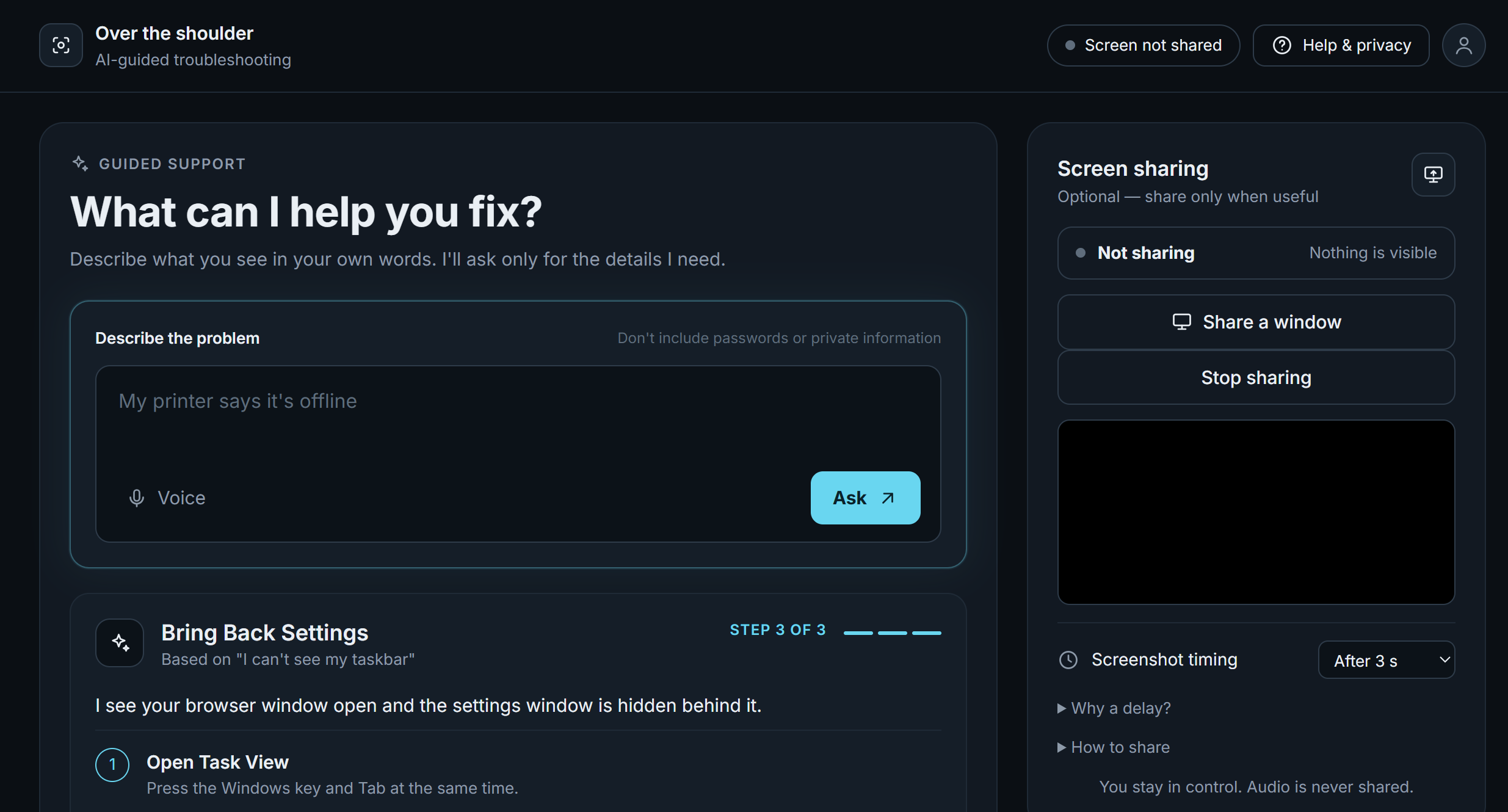
Over The Shoulder is a voice-enabled tech support helper. You describe your problem by typing or speaking, and you share the window that has the error. It looks at your screen, tells you what it sees, and gives you one step at a time. Each step is spoken aloud in a calm voice.
When you finish a step, press "Done, next step" or "That didn't work", and it looks at your screen again to see what changed.
- It sees your screen through a shared window or tab, and a screenshot goes along with each message you send.
- It gives a single instruction at a time and waits to hear how it went.
- It listens when you speak, and it talks back.
- It shows you the exact screenshot it was sent, so nothing is hidden.
- If you share your whole screen, a countdown with beeps gives you time to switch to the problem before the screenshot is taken.
How we built it
Browser page  ──►  Express server  ──►  Gemini (reads the screenshot, writes the next step)
(screen share,                     └─►  ElevenLabs (text to speech, speech to text)
 microphone)
- Backend: Node.js and Express, with four routes:
/api/ask(Gemini),/api/speak(ElevenLabs text to speech),/api/transcribe(ElevenLabs speech to text), and/api/health. The server keeps API keys private, validates every request, retries when Gemini is busy, and caches repeated audio so we don't spend extra credits. - Gemini: the
@google/genaiSDK receives the conversation and the latest screenshot as an inline image, with instructions that tell it to describe what it sees, give exactly one step, keep replies short enough to be spoken, and never ask for passwords. - ElevenLabs: text to speech gives the helper its voice, and Scribe speech to text turns the user's recorded question into text.
- Frontend: plain HTML and JavaScript. The browser's
getDisplayMediacaptures the screen,MediaRecorderrecords the microphone, and a canvas turns a video frame into a compressed JPEG. - AI assistance: the page (
public/index.html) was generated with AI assistance. The server and the Gemini and ElevenLabs integrations were written by the team, with AI help for documentation lookups and debugging.
Run it locally
You need Node.js 18 or newer and a recent Chrome or Edge.
- Clone the repo and run
npm install. - Create a
.envfile next topackage.json, based on.env.example:GEMINI_API_KEY=your-gemini-key ELEVENLABS_API_KEY=your-elevenlabs-key ELEVENLABS_VOICE_ID=your-voice-id - Run
npm run devand openhttp://localhost:3000.
To try the page without any API calls, open http://localhost:3000/?mock=1.
Challenges we ran into
- The helper kept screenshotting itself. You have to click on the helper page to ask a question, so a shared screen showed the helper instead of the problem. We fixed it by steering people toward sharing the problem window, hiding the helper tab from the share picker, and adding a delayed screenshot with countdown beeps for whole-screen sharing.
- Black screenshots. A hidden video element can stop painting frames in some browsers. We render the capture video as a visible preview, which also shows exactly what is being shared.
- Gemini availability. A model name we started with had been retired, and the current models sometimes returned "high demand" errors. We moved to current model names and added retries with a friendly message, and we plan for a fallback model.
- Voice quirks. Browsers record in different audio formats, and a silent fallback to the browser's own voice made the helper sound like two different voices. We now pass the real recording type to the server and show an error instead of masking failures.
- Working on two machines. Mixing CommonJS and ES module code, merge conflicts, API keys that must never reach Git, and a project folder nested inside an old one all cost us time.
Accomplishments that we're proud of
- It works end to end: you can talk to it, show it your screen, and it talks back with a step you can follow.
- Voice runs in both directions, with ElevenLabs for speaking and listening and Gemini for seeing and reasoning.
- We wrote and debugged the backend ourselves, including retries, caching, and request validation.
- We thought about trust. The user chooses what to share, sees every screenshot that is sent, and can stop sharing at any time.
- The helper's replies are short and one step at a time, which is how a good support call actually goes.
What we learned
- Writing for voice is different from writing for text. Short, single-step answers work much better when they are spoken.
- Browser APIs for screen sharing and microphone recording are powerful but full of details, such as permissions, file formats, and what actually gets captured.
- External APIs fail in ways you have to plan for: busy servers, retired models, rate limits, and keys that look right but aren't.
- Clear contracts between the two halves of a project, and small commits to separate files, keep a two-person team from stepping on each other.
- Keeping secrets out of Git from the first commit saves a lot of trouble later.
What's next for Over The Shoulder
- Watching the screen continuously, so it can notice when a step worked without being asked.
- Faster, more conversational voice with streaming audio.
- Hosting it with an access code and rate limits, so others can try it without sharing our keys.
- Extra safety checks for steps that could cause data loss, with clear confirmations.
Built With
- elevenlabs
- geminiapi
- html
- javascript
- node.js

Log in or sign up for Devpost to join the conversation.