-
-
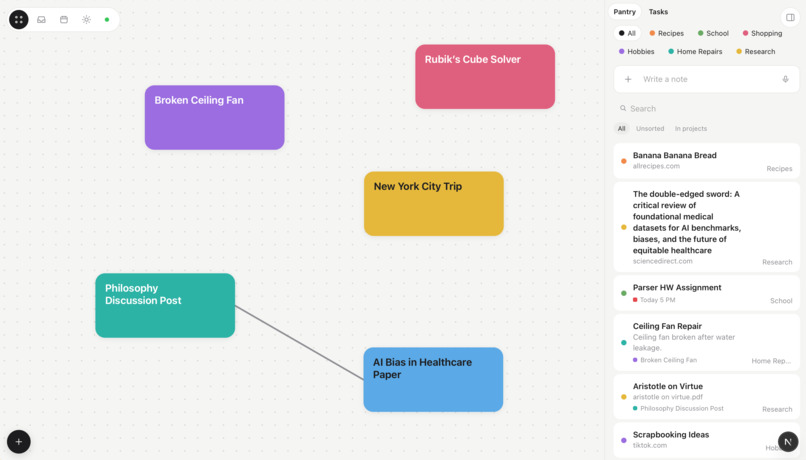
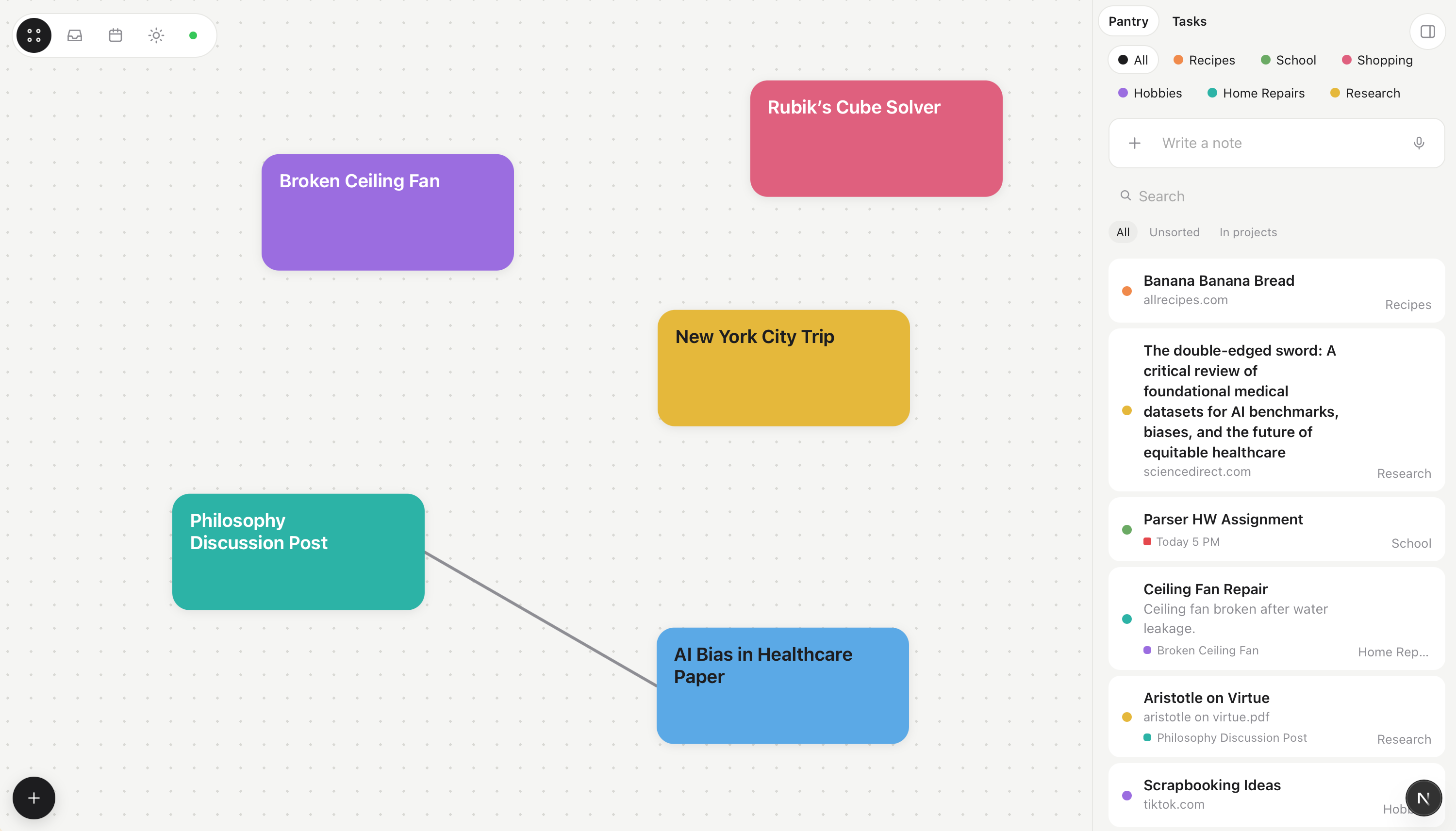
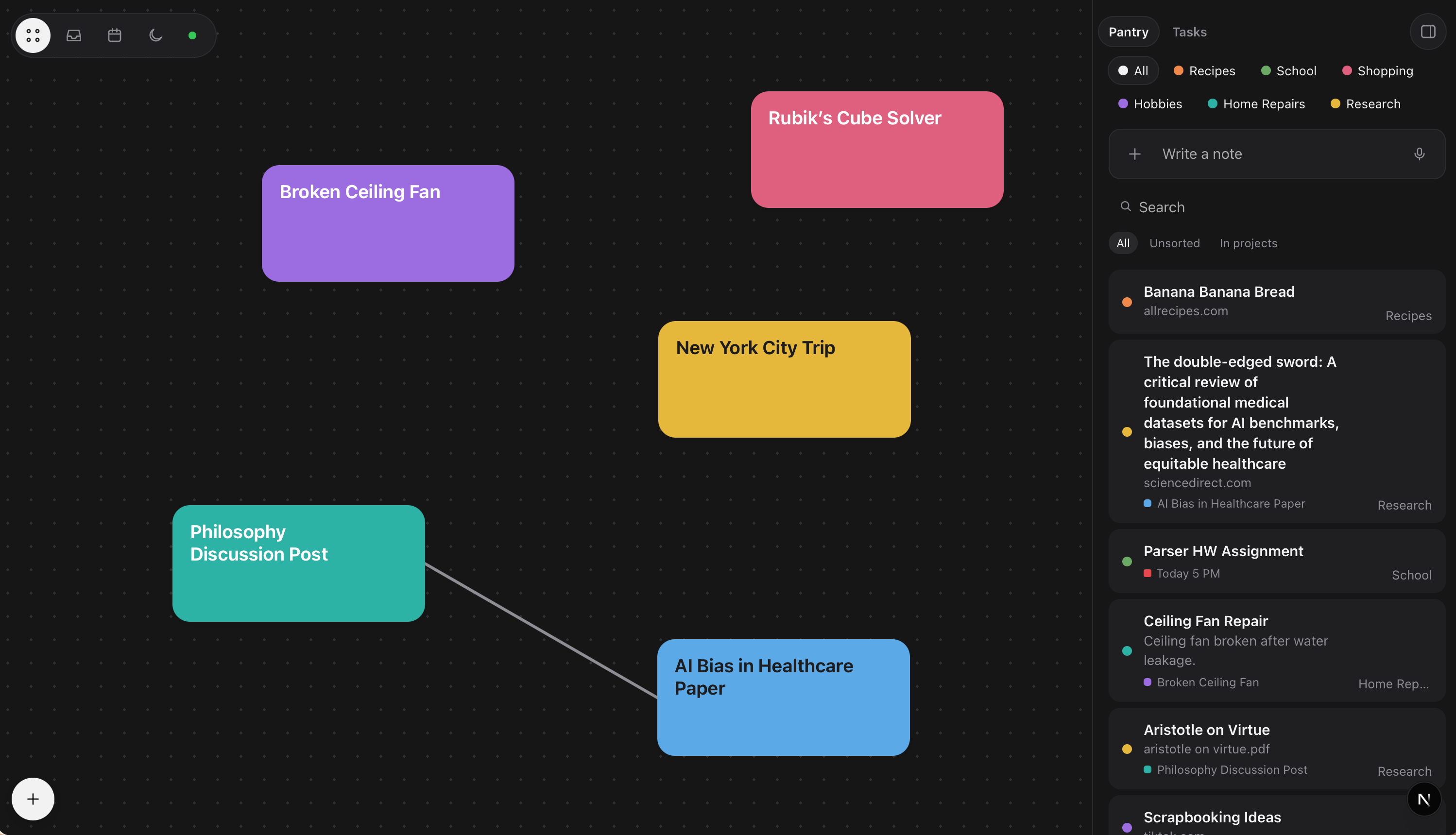
The project hub, with several *Manual*/*Assisted* projects and the *Pantry* in the sidebar, with a dump of notes, links, PDFs, and videos.
-
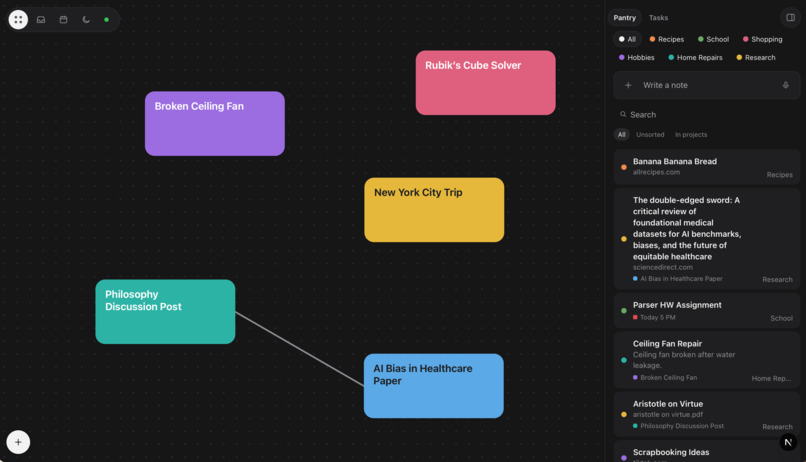
Dark mode!
-
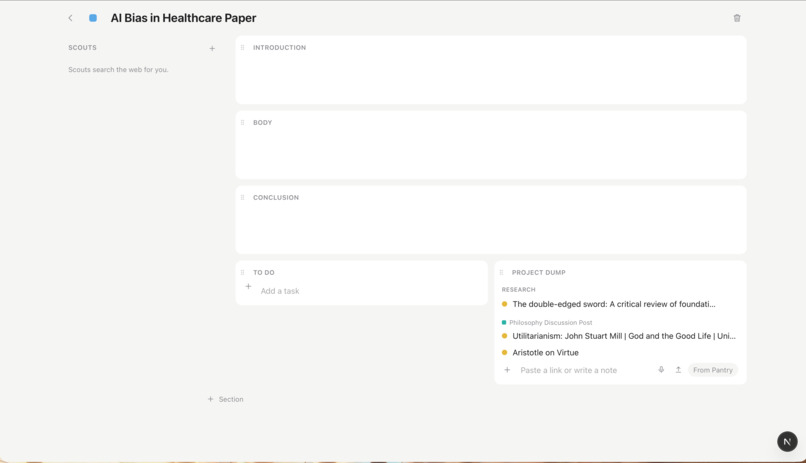
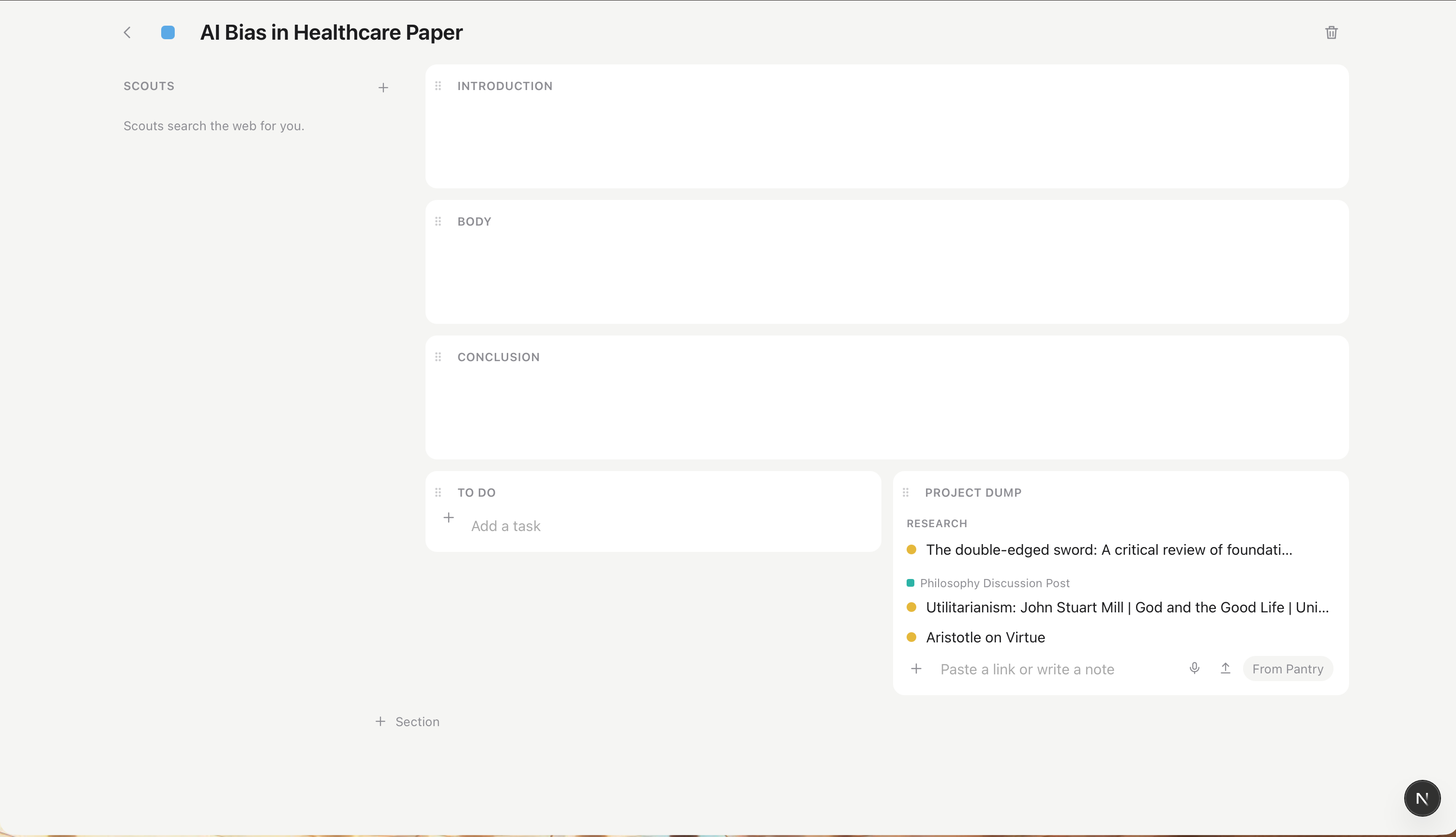
A curated place to write my essay. Connected sources from my Pantry, Scouts to find me information/answer questions, and an in-project AI.
-
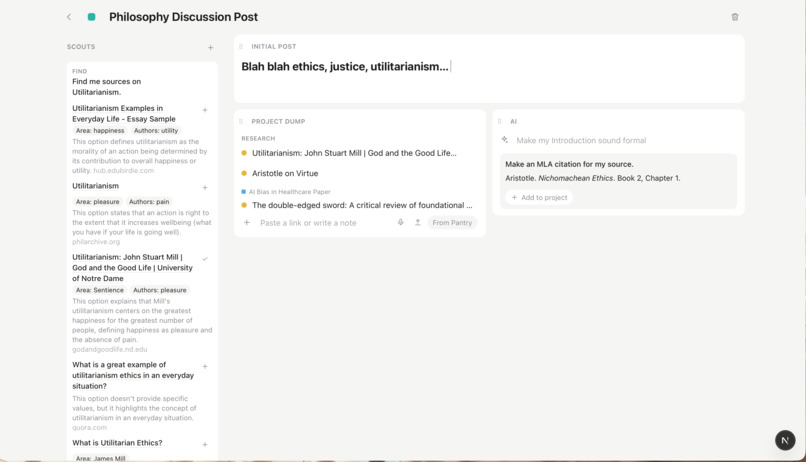
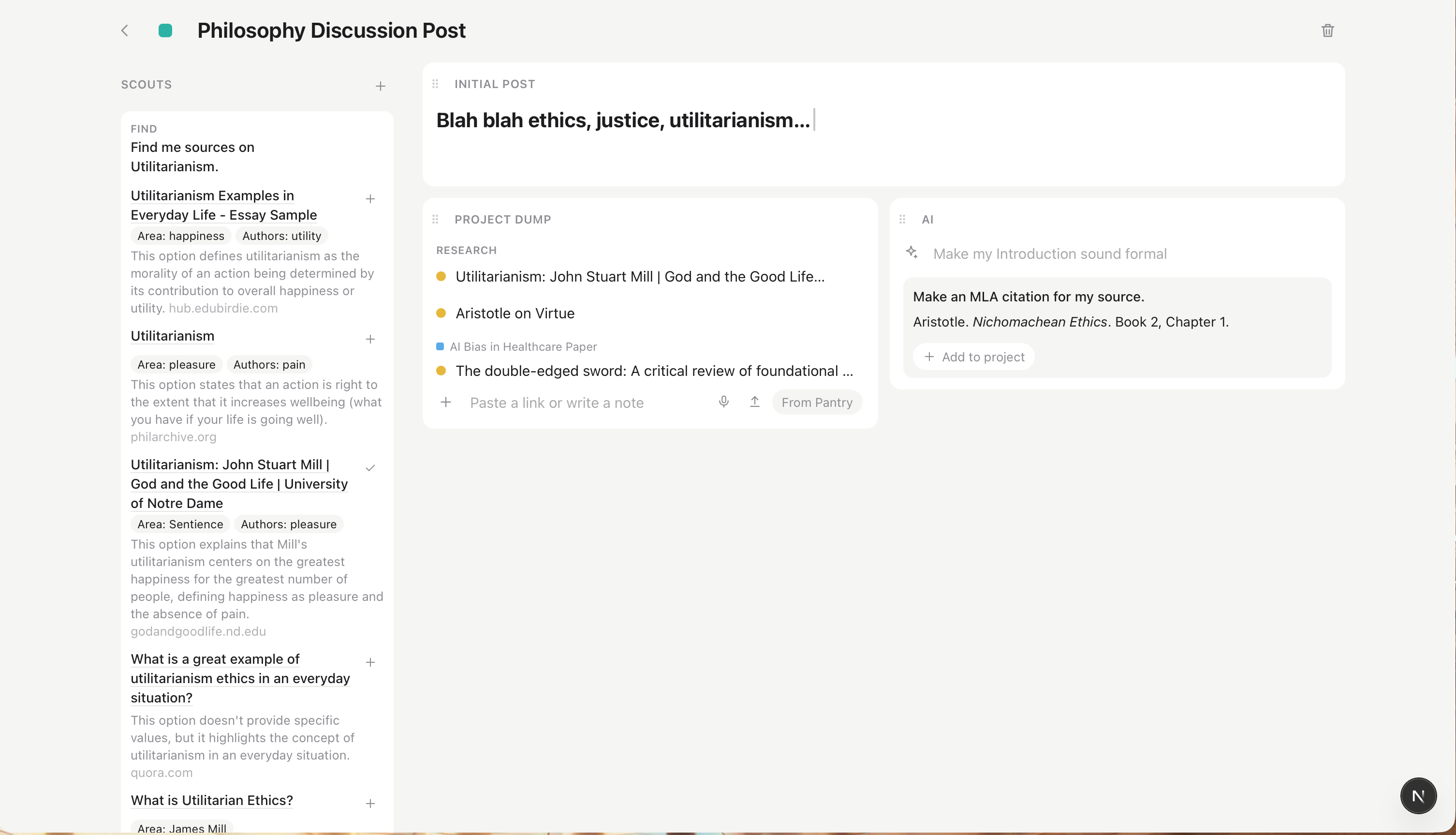
A space to form my discussion post, complete with a Scout's search for sources, shared Project Dump with a linked project, and queryable AI.
-
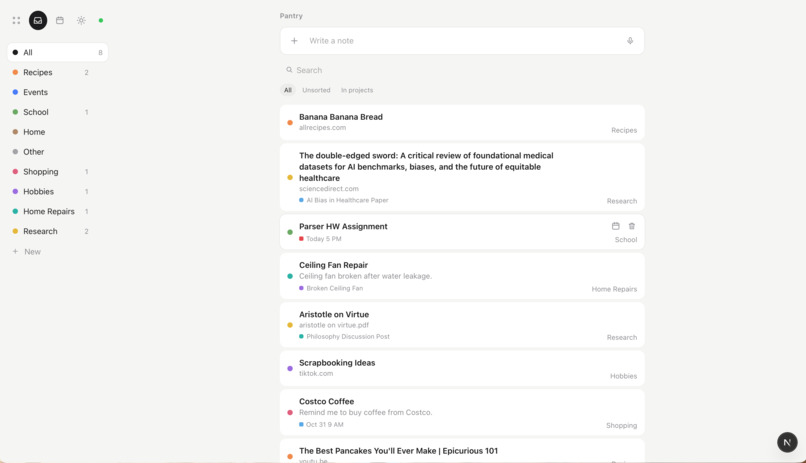
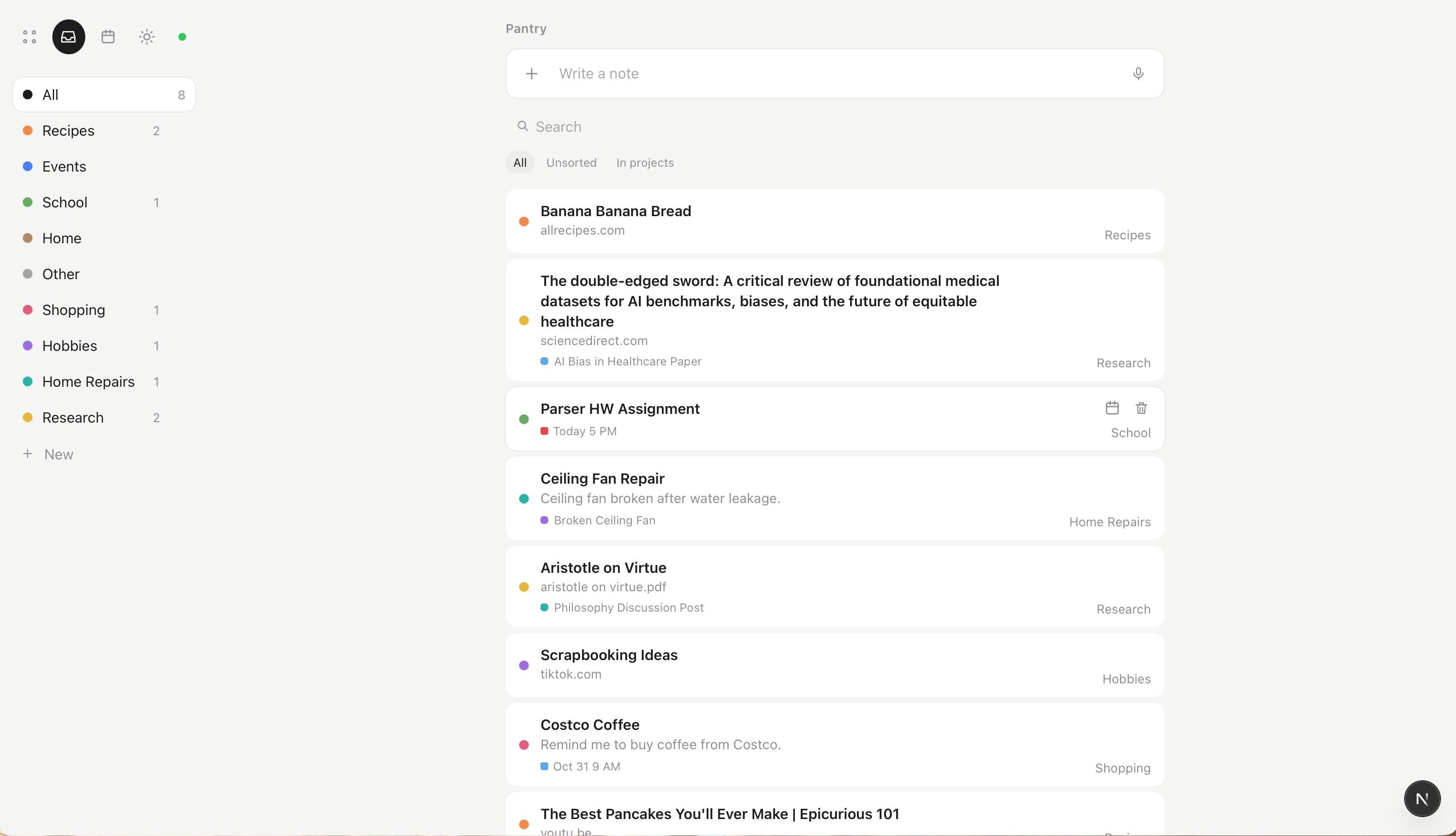
The *Pantry* page, with a brain dump of ideas, tasks, notes, links, and documents - sorted into categories and projects.
-
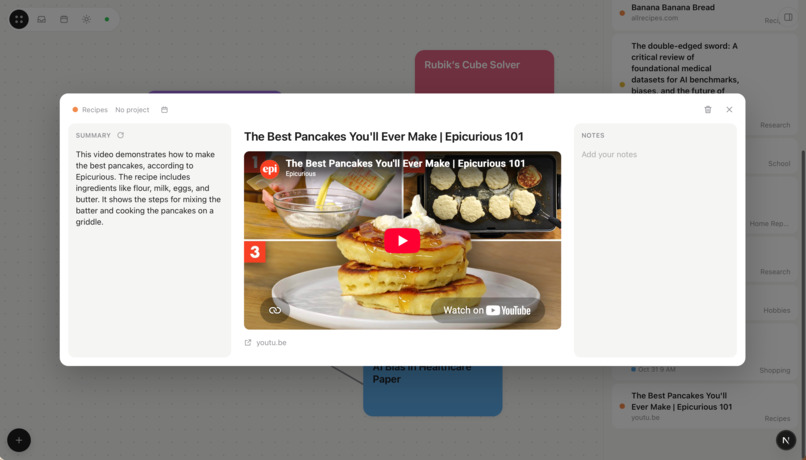
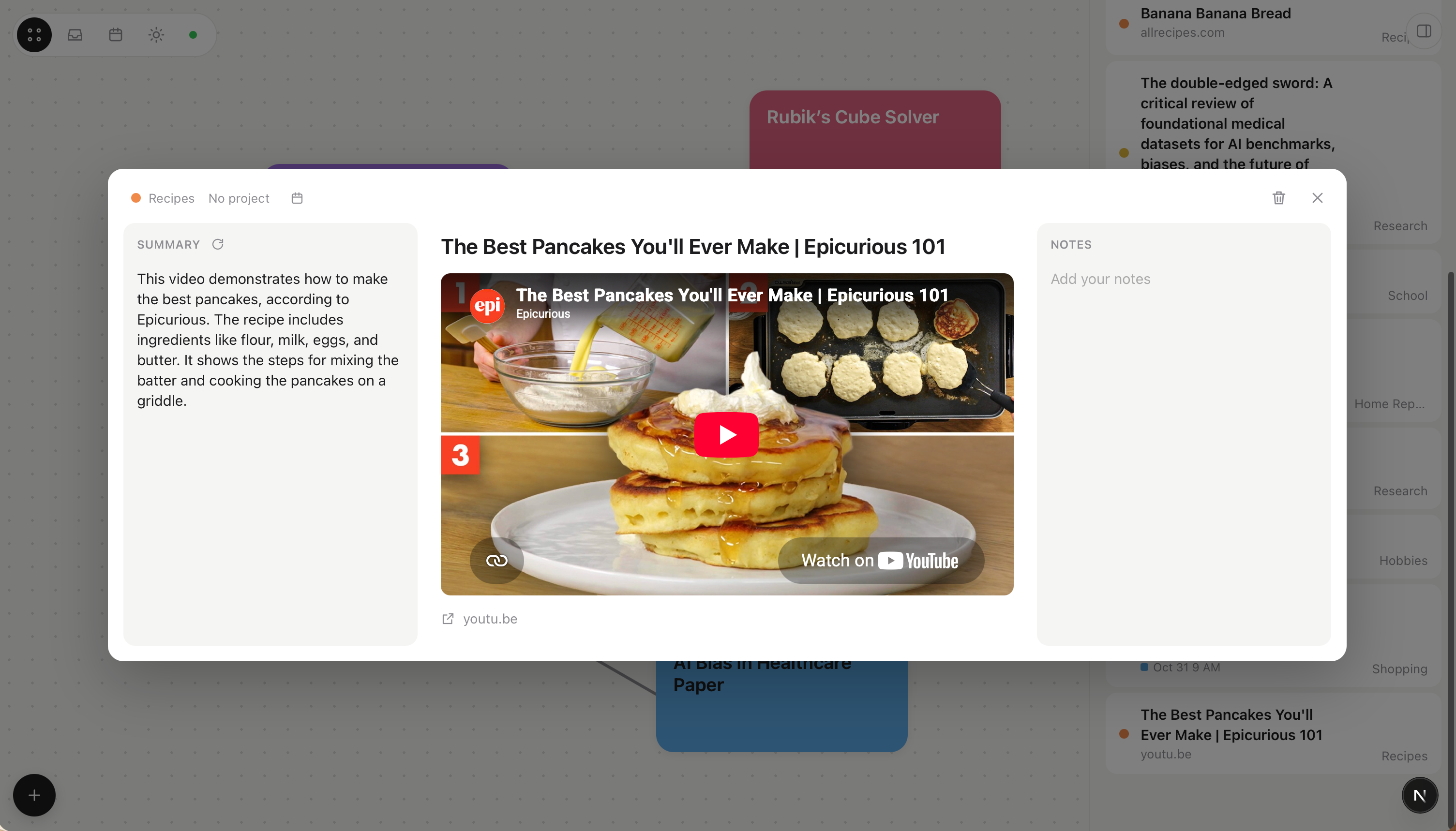
A YouTube video dumped into the Pantry!
-
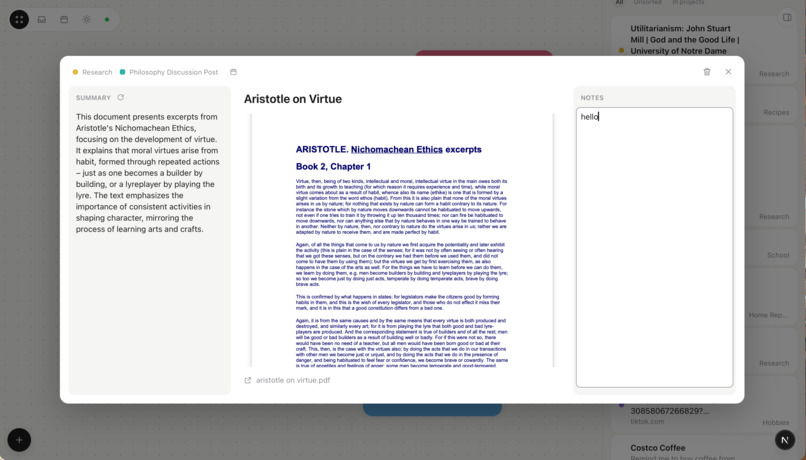
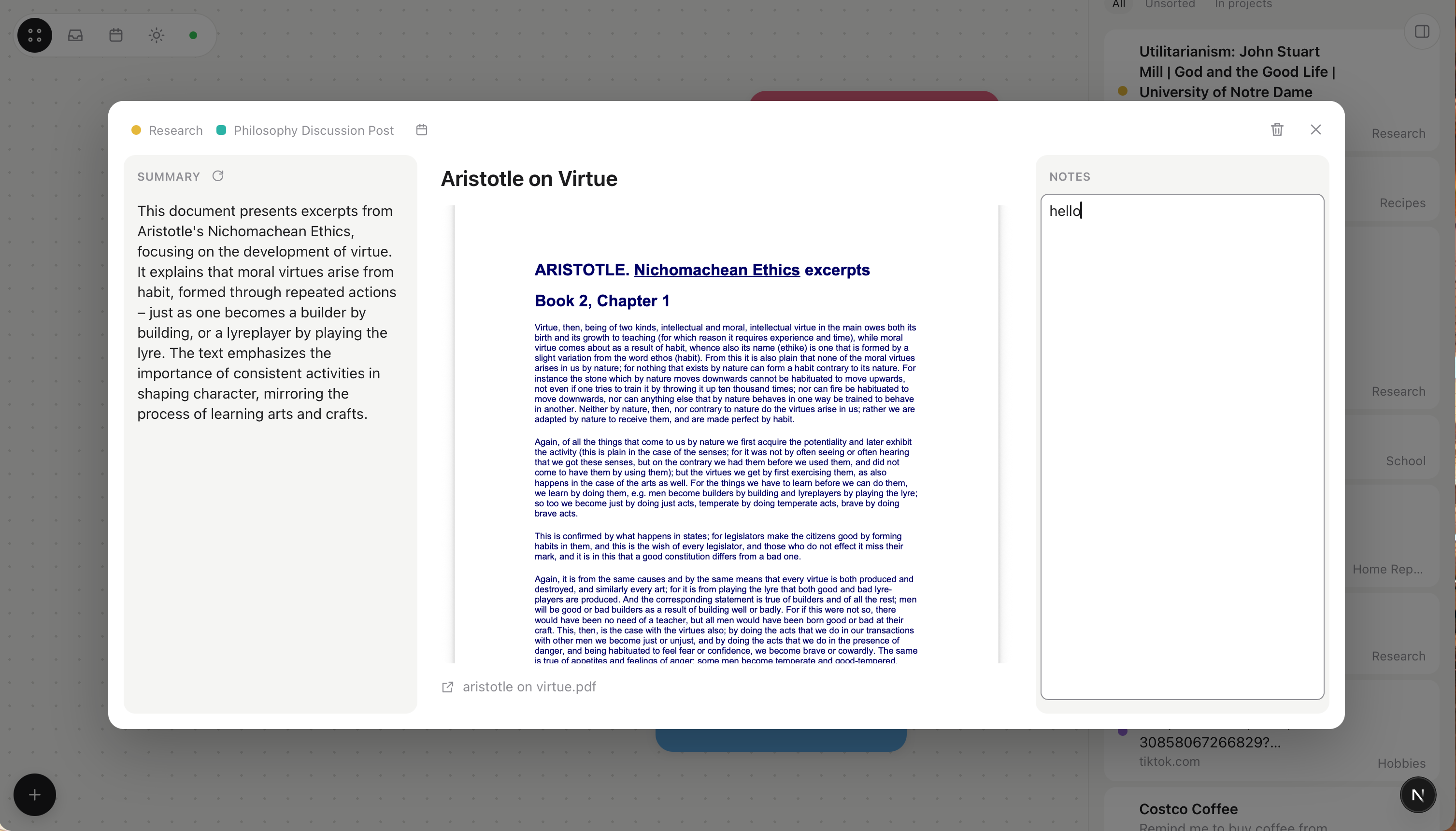
A PDF dumped into the Pantry!
-
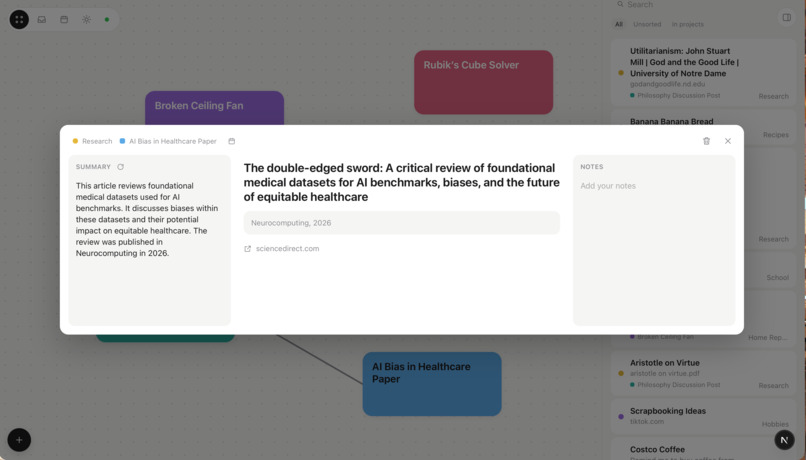
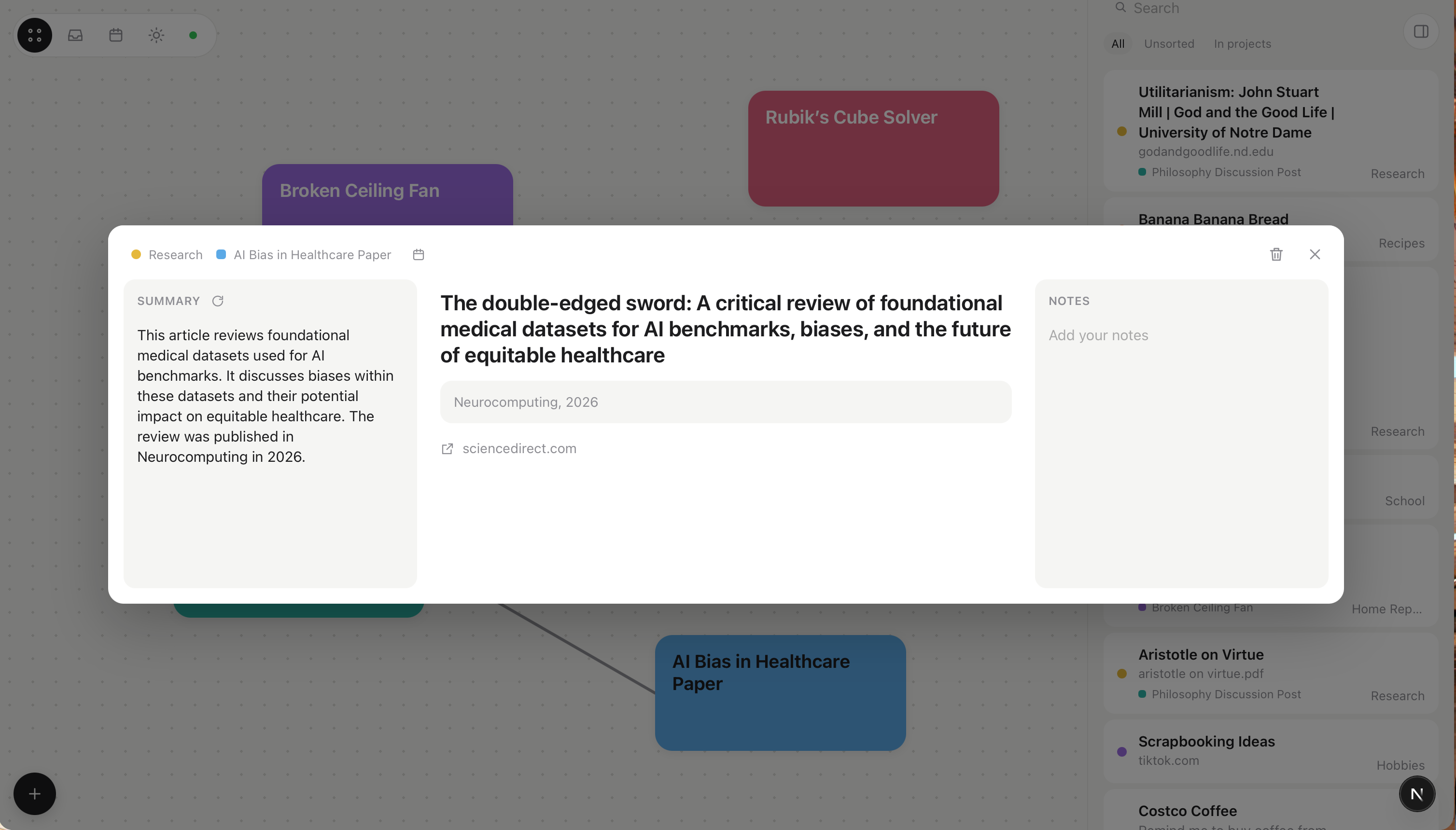
A peer-reviewed paper dumped into the Pantry!
-
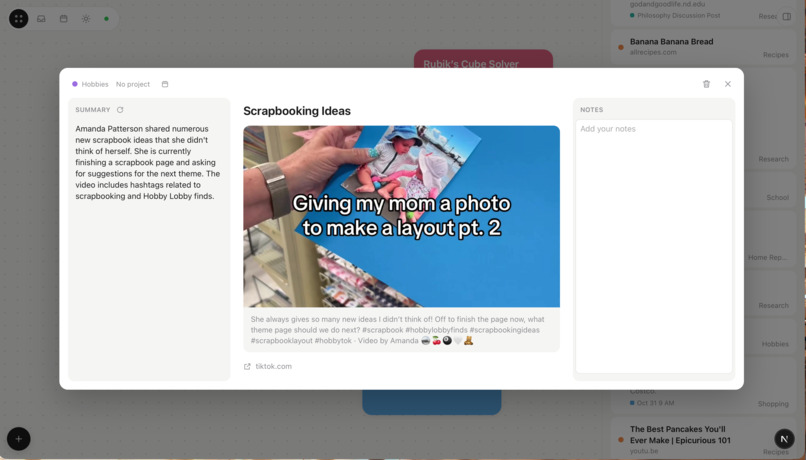
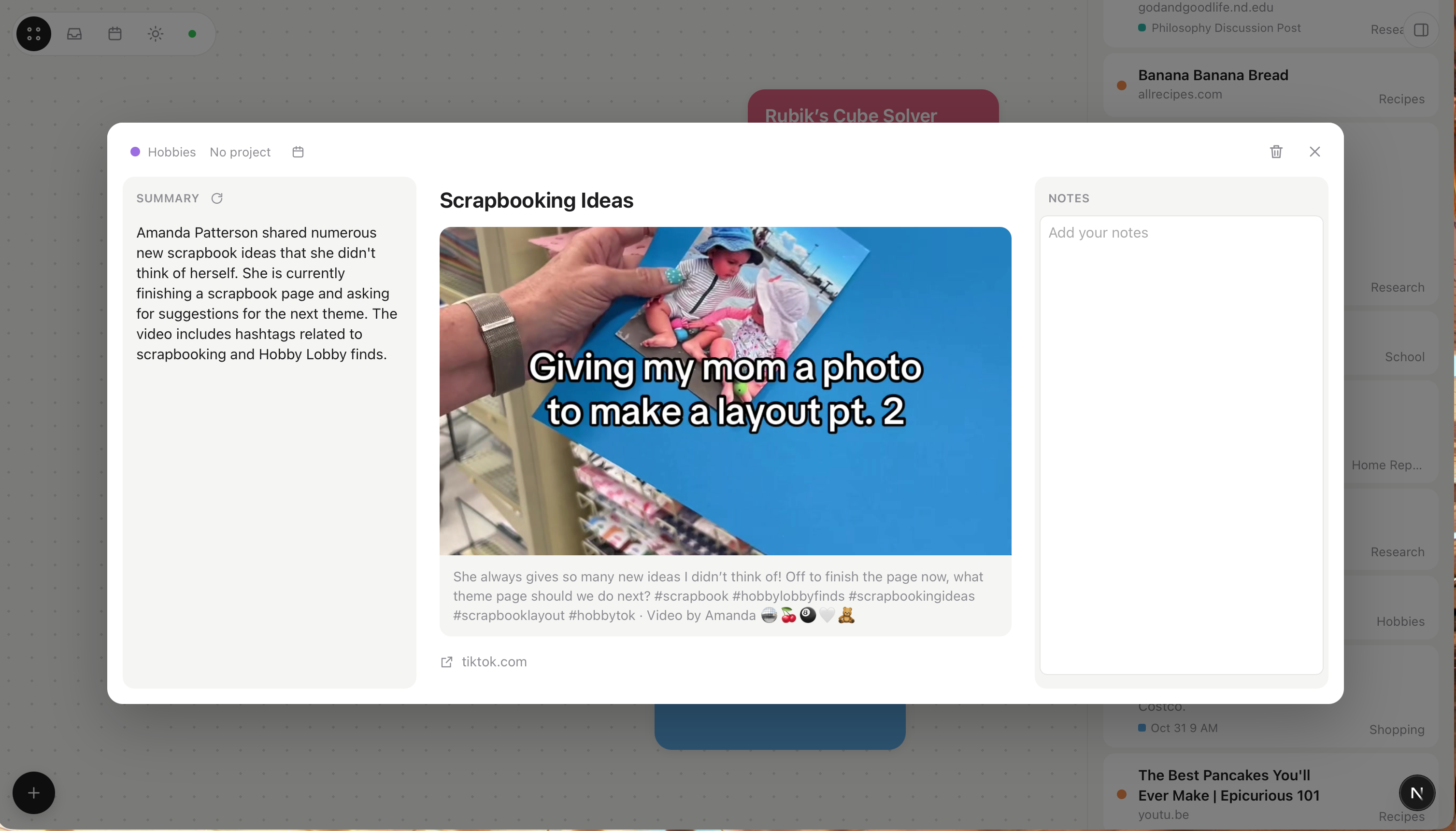
A TikTok video dumped into the Pantry!
-
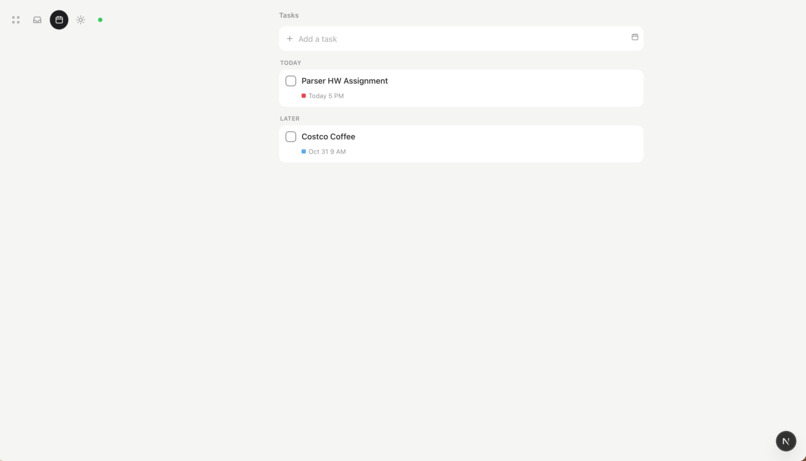
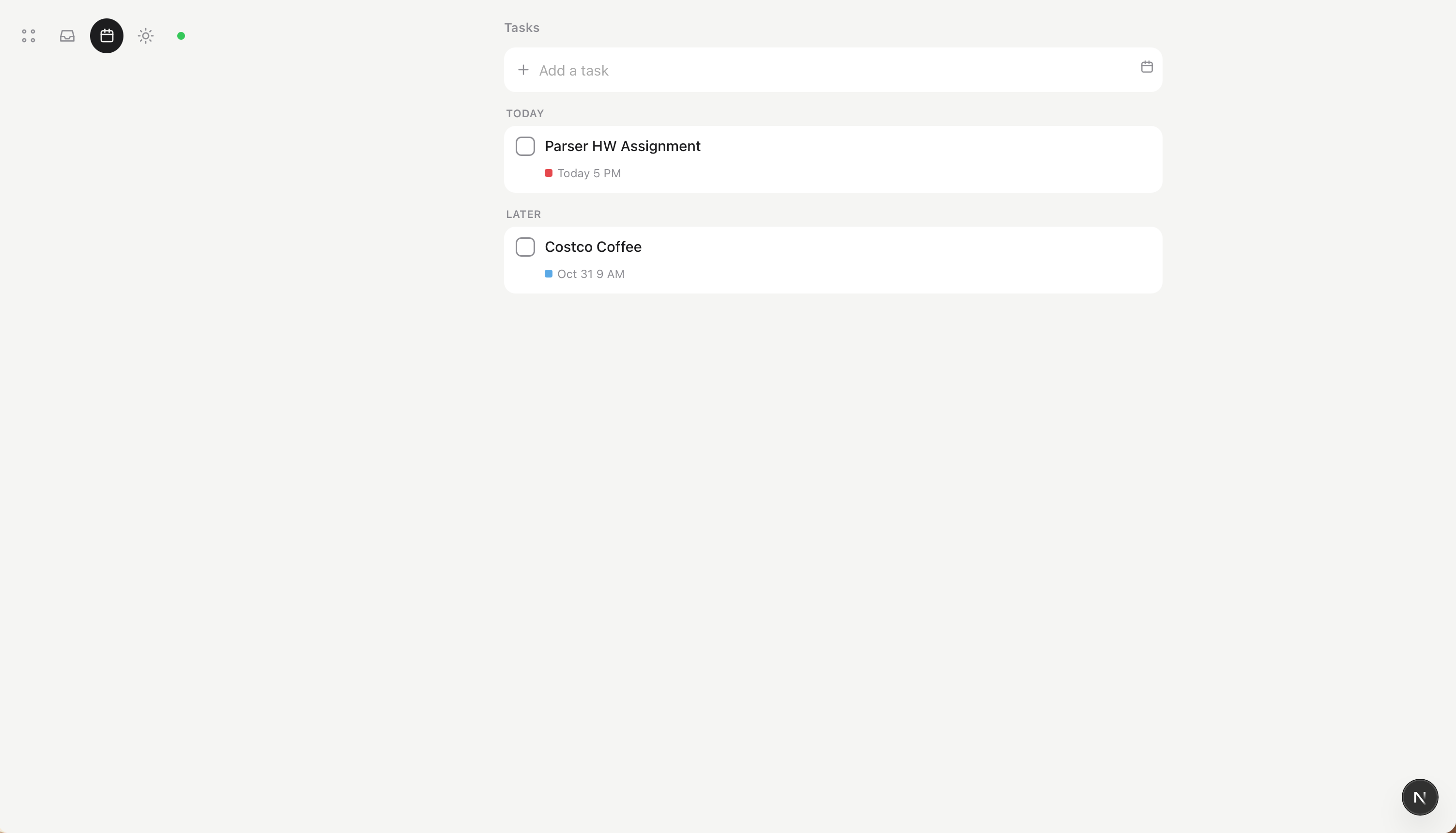
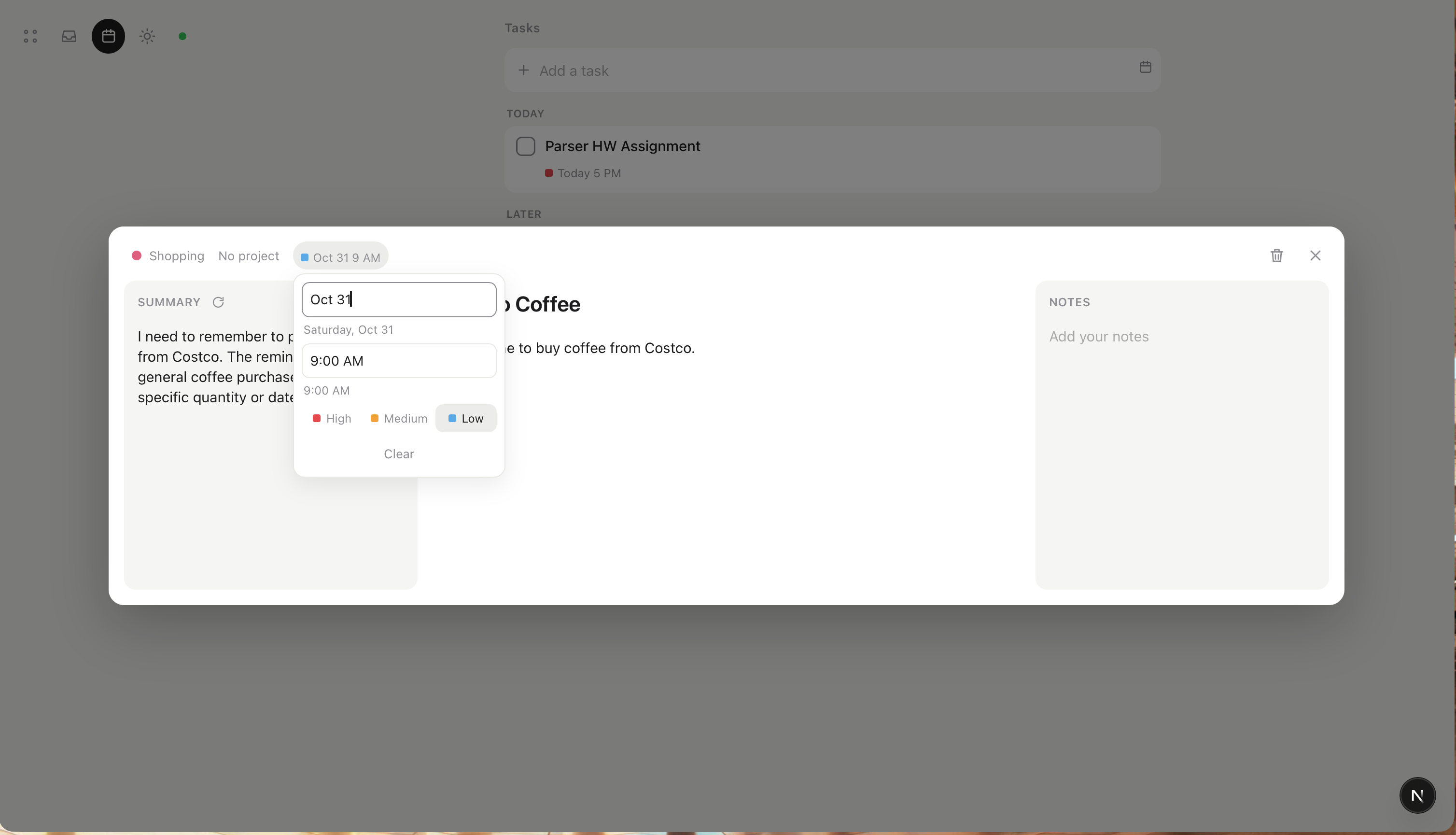
The *Tasks* page, where tasks are sorted by date, time, and importance. Tasks can connect to categories in the Pantry and projects.
-
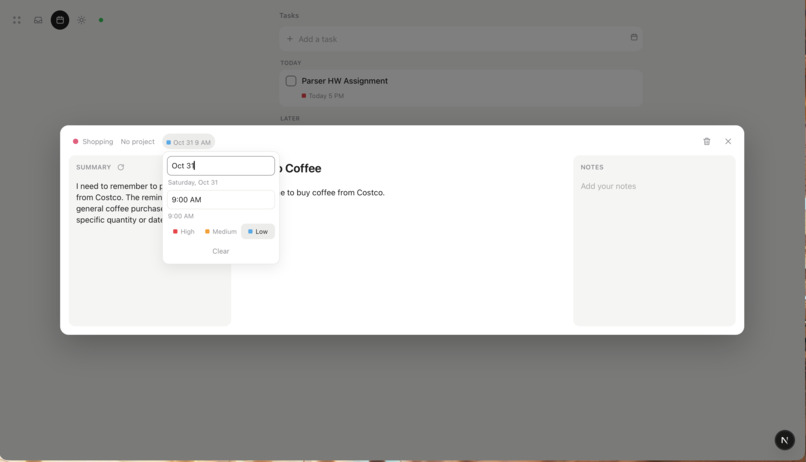
A customizable reminder!
Inspiration
Our notes, screenshots, saved links, and to-dos often end up cluttered, scattered across a dozen apps. Most of our ideas never turn into something solid. We wanted one place to toss all our ingredients, have it sorted and easily accessible, and turn them into research and working spaces or tasks, all on our own machine.
What it does
Oven is a local-first AI organizer. You toss anything into the Pantry: links, notes, files, PDFs, images, or your voice. Oven sorts these ingredients into categories automatically. When you’re ready, you cook them into projects, which are spaces on an infinite canvas to organize information, research, plan, and work.
In Pantry, your thoughts are summarized, categorized, editable, and annotable. Thoughts from your Pantry can turn into tasks or projects. Tasks are prioritized and have deadlines, and are neatly formatted for your viewing pleasure. Every project space is shaped based on your goals, and each comes with its own customizable layout. Manual projects are yours to shape, with curated places to do your work, write, and think. Assisted projects are hubs to research and collect information, with an overview, a to-do list and researched resources. Each project links to sources from your Pantry, so everything is connected. Projects can also have helpers, called Scouts, which search the web to find things or answer questions. Each project also comes with an AI fed that project's context and sources, so it stays up-to-date on your questions and desires.
How we built it
Oven is a Next.js and TypeScript app that runs on your own computer. Everything is stored in a local SQLite database through Prisma, and writing sections use the TipTap editor.
Local AI. Google’s Gemma 3 runs on-device through Ollama. One small model sorts the Pantry, summarizes links and files, builds Assisted projects, creates tasks, powers the AI section and Scouts, and understands images. unpdf reads PDFs.
Reading links. Oven fetches each page directly, Mozilla Readability pulls out the main text, and Gemma summarizes it. Videos use oEmbed and research papers use Crossref.
Online only when it helps.
Bright Data (SERP API and Web Unlocker) powers web search for Scouts and Resources. Cartesia Ink 2 streams live speech-to-text, so your words appear as you talk.
Simple on top. The Hub is an infinite canvas of project cards you can move, resize, color and connect, with the Pantry and Tasks in the sidebar.
Challenges we ran into
- Getting a small local model to return reliable structured output.
- Keeping it fast on a laptop by keeping the model loaded, using shorter prompts, and showing results as they arrive.
- Live speech-to-text streaming, and typed dates like “next fri.”
- Working out what a "project" is, and keeping customizability and freedom without a cluttered, AI-heavy UI.
Accomplishments that we're proud of
- It works offline, and your data never leaves your machine unless you ask a Scout to search.
- It understands loose requests. Asking it to “turn my sources into citations” just worked.
- It’s a clean, simple interface for a lot of power underneath.
What we learned
Making things simple and clean is hard! It is difficult balancing lots of capability with easy usage.
What's next for Oven
- Faster: quicker sorting and project building with smarter use of the local model.
- Mobile companion app: toss things into the Pantry from your phone wherever you are.
- Sync across devices: keep your Pantry, projects and tasks in step between your laptop and phone, privately.
- Better and more Scout uses.
Built With
- bright-data
- bright-data-serp-api
- bright-data-web-unlocker
- cartesia
- cartesia-ink
- crossref
- css
- gemma
- gemma-3
- html
- javascript
- linkedom
- mozilla-readability
- next.js
- node.js
- oembed
- ollama
- prisma
- react
- sqlite
- tiptap
- typescript
- unpdf
- websockets


Log in or sign up for Devpost to join the conversation.