-
-
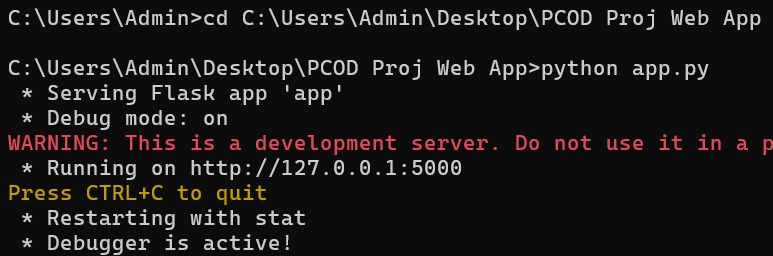
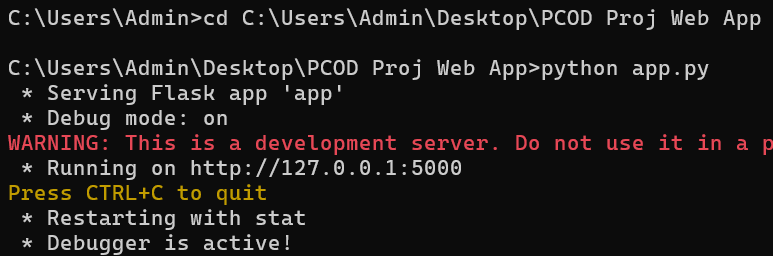
Command prompt
-
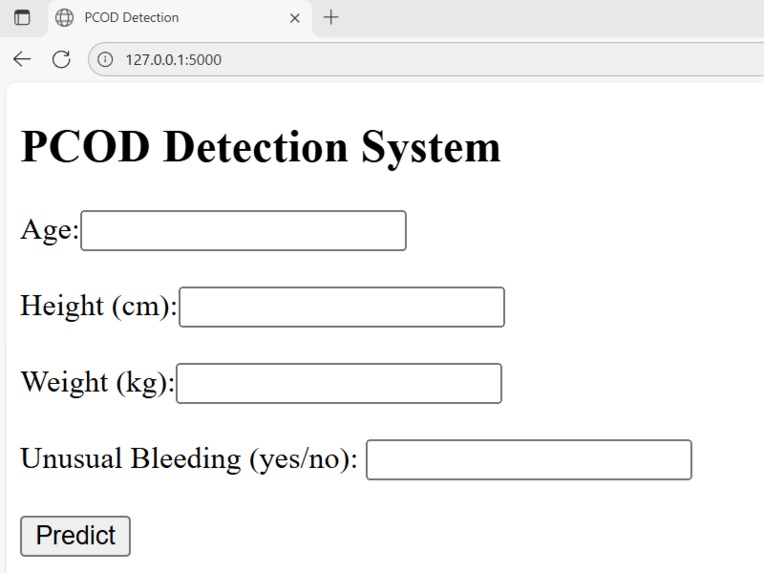
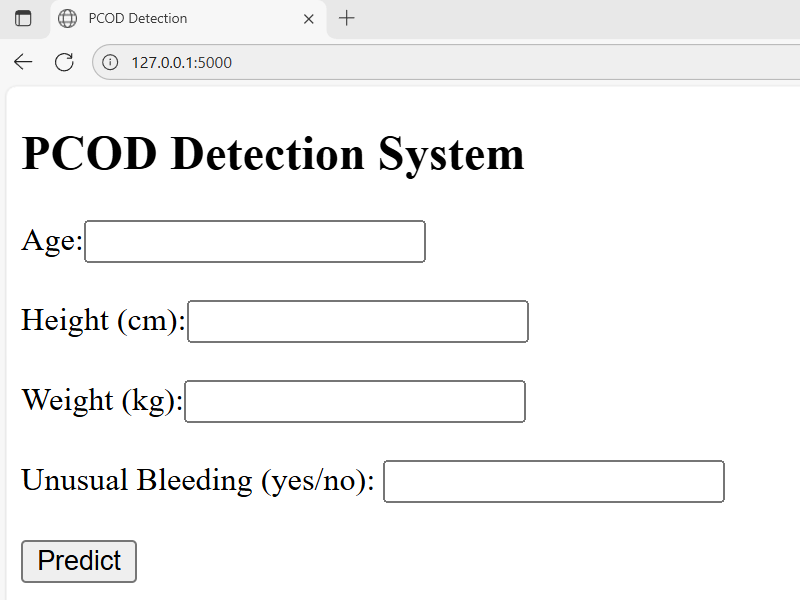
The webpage
-
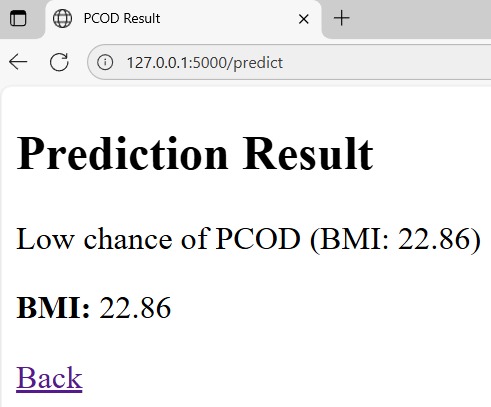
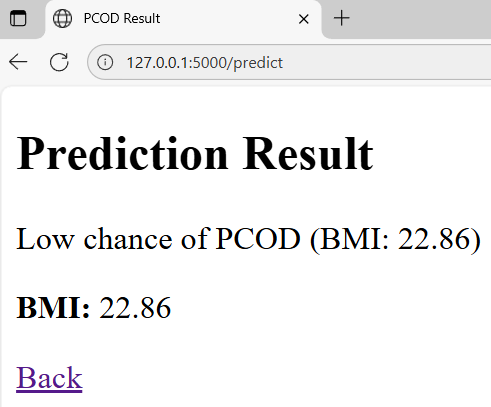
Prediction result page
-
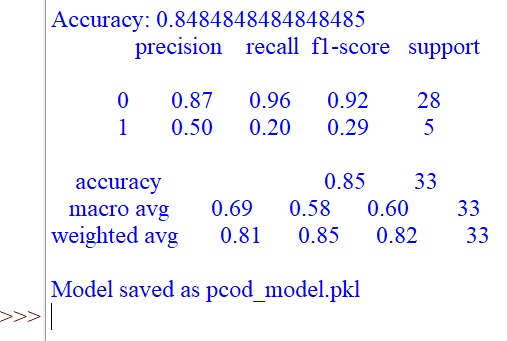
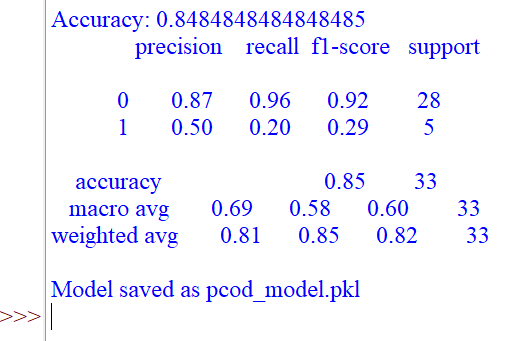
Model
Inspiration
Polycystic Ovarian Disease (PCOD) often goes unnoticed until symptoms become severe, leaving many women without proper care or timely diagnosis. I wanted to explore how machine learning and web technologies could make detection more approachable and accessible. The idea behind OvaSense was to create a lightweight, web-based tool where users can quickly enter their details and get a meaningful prediction without needing complex medical tests.
What it does
OvaSense is a PCOD detection system built using machine learning. Users can enter inputs such as age, weight, BMI, cycle details, and other symptoms through a web interface. The system processes these inputs and, using an SVM-based classifier, predicts the likelihood of PCOD. The result is shown instantly, along with guidance for next steps so users can make more informed decisions about seeking professional care.
How it is built
- Preprocessed a Kaggle dataset related to PCOD symptoms and health parameters.
- Trained a Support Vector Machine algorithm to classify whether PCOD is likely.
- Evaluated model performance to ensure balance between prediction strength and medical sensitivity.
- Built the front-end and back-end using Flask, making the system accessible through a simple web browser.
- Integrated the model with Flask so users can get real time predictions directly from the web app.
Challenges
- Ensuring the dataset was properly cleaned and balanced for training.
- Finding the right hyperparameters for SVM to improve accuracy while keeping the model lightweight.
Accomplishments that I'm proud of
I'm glad that I successfully deployed a machine learning model into a working Flask web app.
What I learnt
I learnt how to integrate machine learning models with Flask for web deployment.
What's next for OvaSense: PCOD Detection by ML
- Expanding the dataset with larger and more diverse samples to improve model generalization.
- Adding visualizations and reports to give users a clearer picture of their health status.
- Collaborating with medical professionals to validate predictions and enhance credibility.
How to run this project (Windows)
- Download the code files
- Run the train_svm.py file
Then, in the command prompt:
3.1 Go to your project folder
3.2 Run the command python app.py
3.3 Click the link the project is running on
After navigating to the website enter the info and click predict


Log in or sign up for Devpost to join the conversation.