-
-
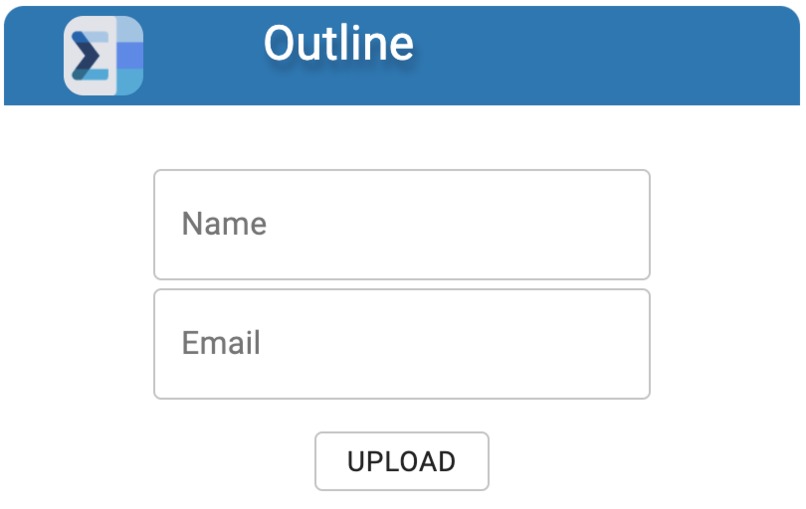
Frontend Interface
Inspiration
We all know the pain of going through up to 8 course outlines at the start of a term, scavenging to find the dates and deadlines embedded in paragraphs of text. Consider this: an average university student wastes more than 2 hours each semester dreadfully scanning syllabuses for important dates and deadlines. A single mistake or missed date could mean failing an exam or an assignment.
The question is: How can we address the grueling task of going through course outlines where mistakes are detrimental?
Course outlines typically follow a simple format, either a table or in a paragraph with relatively consistent wording across the different courses. The perfect conditions for a PDF parser. This is an opportunity to save university students from stress and automate the process of adding course outline dates to their calendars.
What it does
Outline is a Chrome extension for university students to efficiently and effectively parse through PDF course outlines for important deadlines and dates. It then compacts this information into a downloadable .ics file which can then be imported into a calendar, automatically populating one’s calendar with all the crucial dates from the course. It even automatically adds the events into the user’s Google Calendar.
Outlines splits the pdf text into individual sentences and analyzes it for common patterns such as “final exam from 1:00 to 4:00pm on January 3.” It then extracts the title of the event, the start time, the duration, as well as the date of the event. This is repeated throughout the document and all added to a single .ics file to be downloaded. We designed Outline to be easily accessible in a Chrome extension to be accessed on the go as the student visits different course websites.
How I built it
We implemented Natural Language Processing to filter through each sentence of the pdf file which is saved as a base64 file. Additionally, we created a REST backend using an Express node.js framework to allow users to send and receive requests from a separate server. The frontend is developed with React.js for a simple and responsive frontend user interface where the pdf is uploaded and the .ics file is downloaded. The pdf file is transferred to the backend with Axios.
The backend is created with the pdf-parse npm package which converts the pdf into text and the chrono-node npm package which parses through the pdf for dates. We decided to use an Express framework on the backend because it integrated fluently with React.js on the frontend. Although we were inexperienced with pdf parsing coming into the Hackathon, we were able to quickly learn chrono-node and implement a sophisticated version.
Challenges I ran into
The main challenge faced was the pdf parsing and then knitting all the different individual components together. As none of the team members had worked with natural language processing before, there were many uncertainties and roadblocks in how to first extract the text, then analyze the text in an effective manner. We also encountered problems stitching it together. Transferring base64 pdf files from the frontend to the backend was very challenging as the file was too large for Axios. Also, actually creating an .ics file proved to be much more challenging than expected; we were able to get the string format which we had to convert to a downloadable .ics type file. All in all, with the help of documentation and other online resources, the team was able to learn the necessary technologies and tools in the time frame.
Accomplishments that I'm proud of
We are very thrilled with the results of our project and we hope that our sweat and tears will go on to minimize that of countless students. Each challenge we surmounted lifted us closer to our desired creation. We managed to develop a fully-fledged pdf parser with a front-end upload, which was challenging, but we are proud to have pulled through. It was especially difficult finding dates in a text block of thousands of words and correctly identifying the dates, titles, and duration. With trial and error, and lots of debugging, we were more than delighted to see the .ics file finally download as expected and seeing our idea become a reality.
What I learned
We learned that scoping is an important part of the project. In the beginning, we had a long list of features that we wanted to include. After spending a few hours on them, we quickly realized that just implementing the key features would take up most of the time we have due to the complexity of the natural language processing tool. But we were flexible in our work, and we managed to redeploy our energies with minimal losses.And once we scaled back and reorganized, we once again took great strides down our streamlined, but supple workflow. Still, to the industrious, time lost early is no less precious than the final seconds on the clock.
What's next for Outline
Because our program needed to add to the user’s calendar, the app had sensitive scopes. This meant that Google had to assess our app to ensure it followed their user data policies. We were required to submit amongst many other things, a YouTube video showing how we planned to use the Google user data we had access too. The final nail in the coffin was the 3-5 business days it took Google to verify an app. Thus, we were unable to publish the chrome extension within the time constraints of the Hackathon. The current build still requires the user to be a tester.
Built With
- axios
- express.js
- javascript
- node.js
- react.js


Log in or sign up for Devpost to join the conversation.