-
-
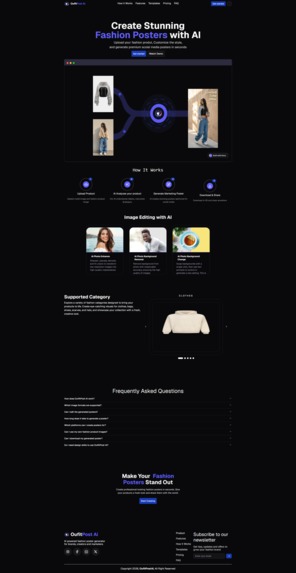
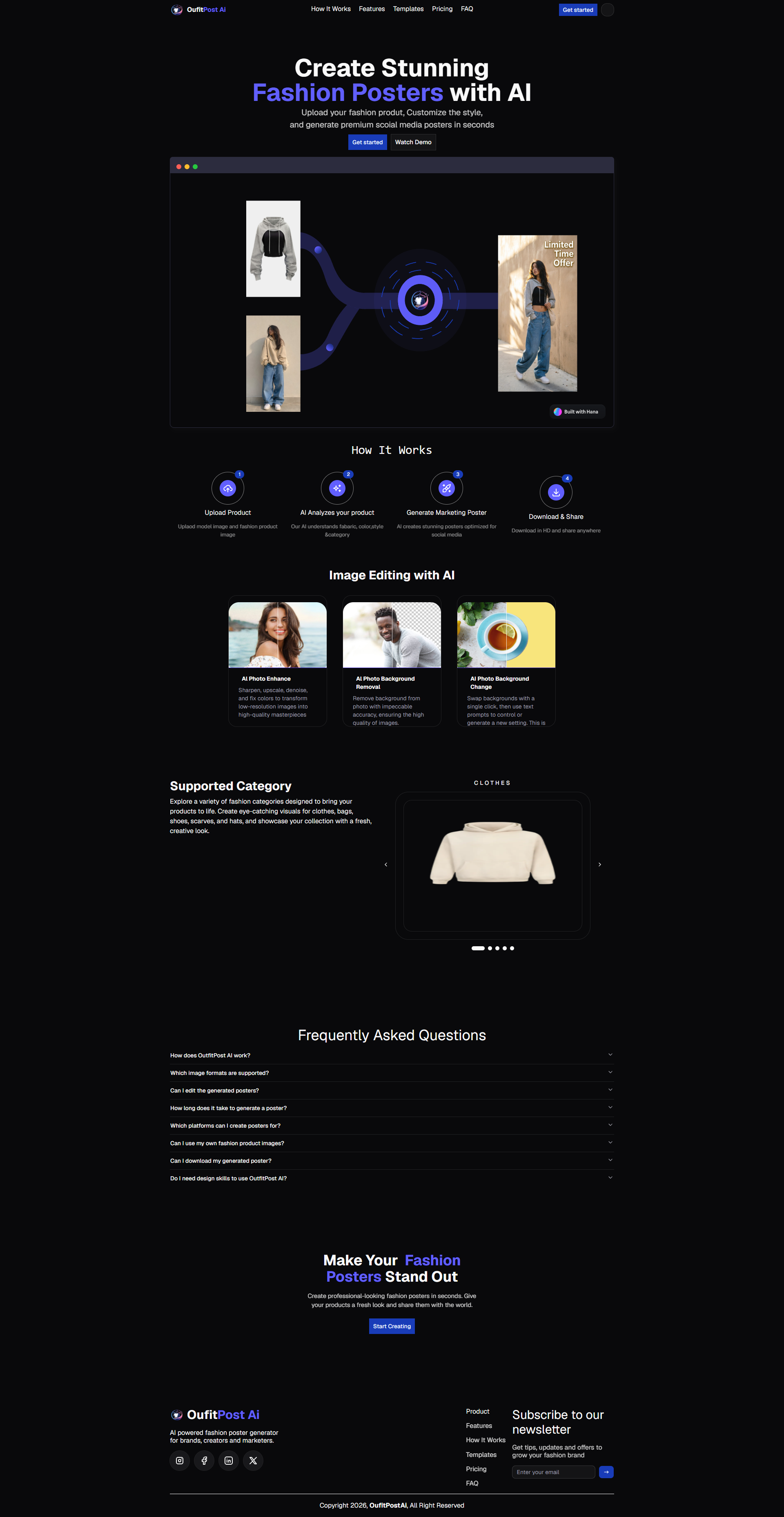
landing page
-
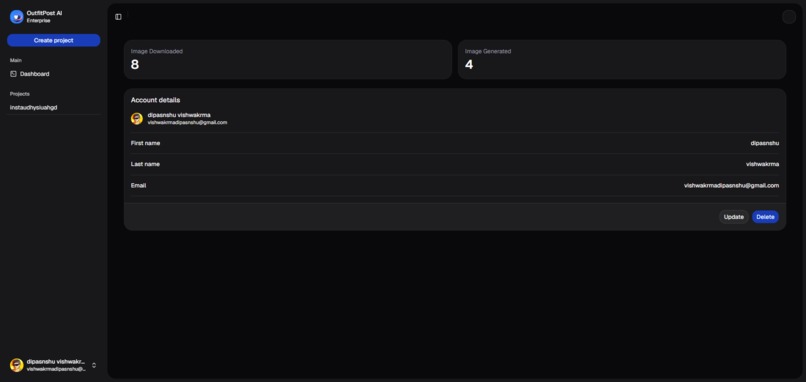
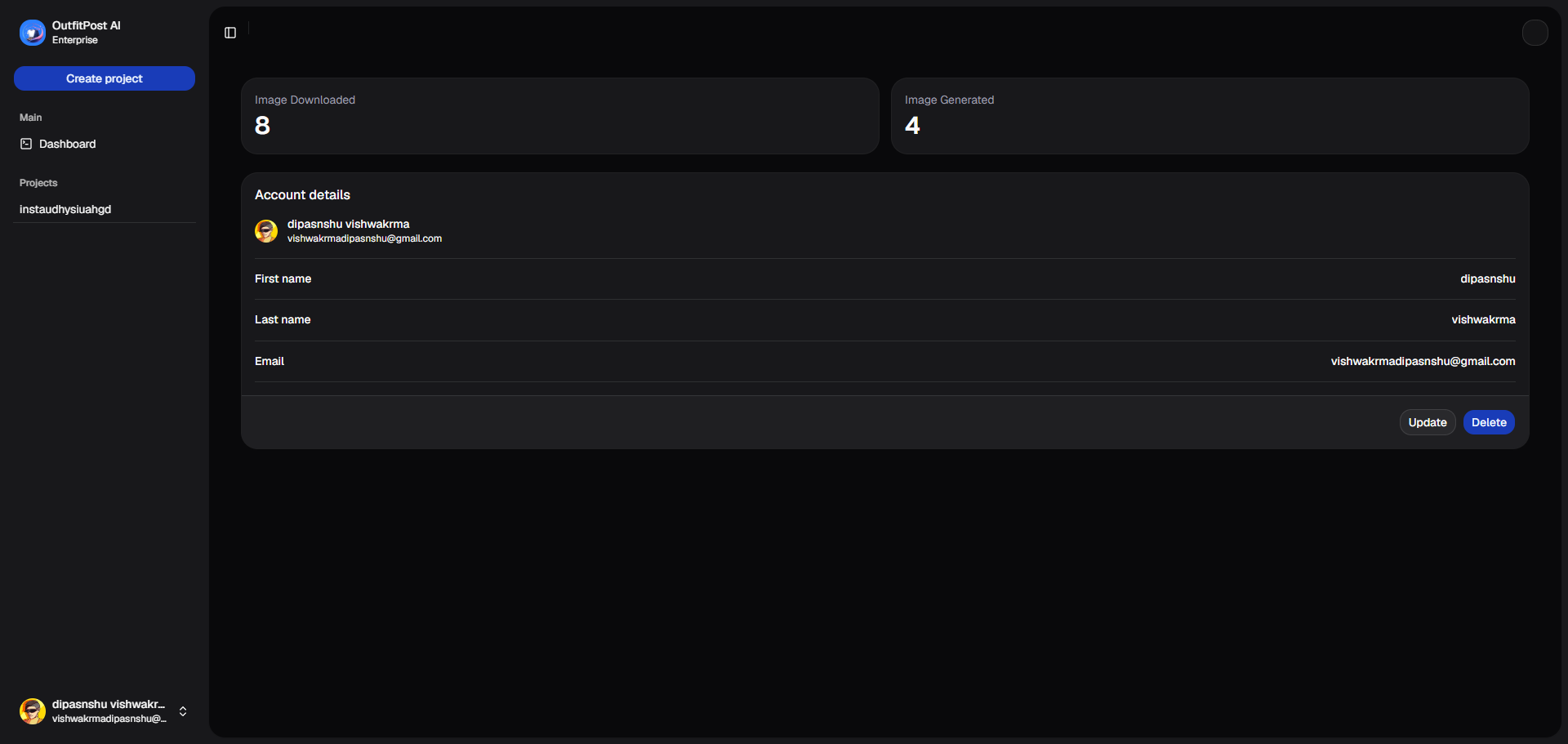
dashboard
-
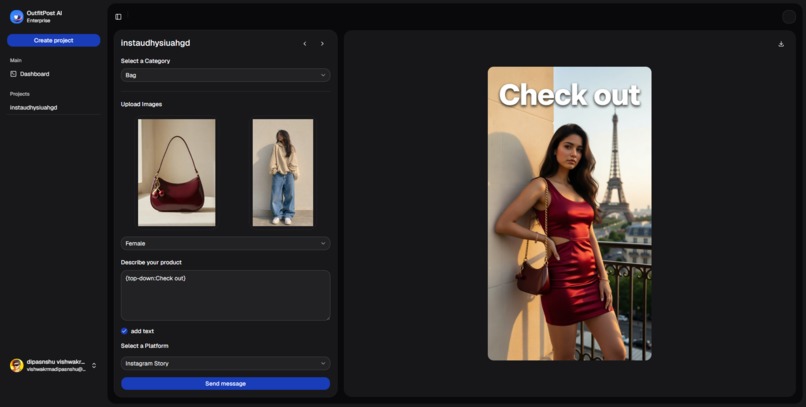
poster making
-
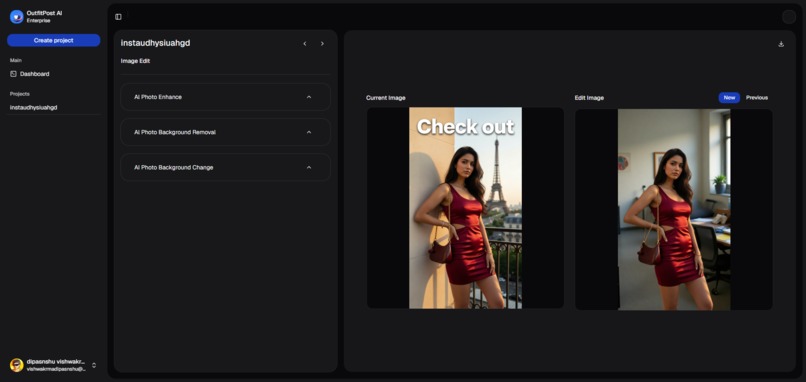
Editing image
-
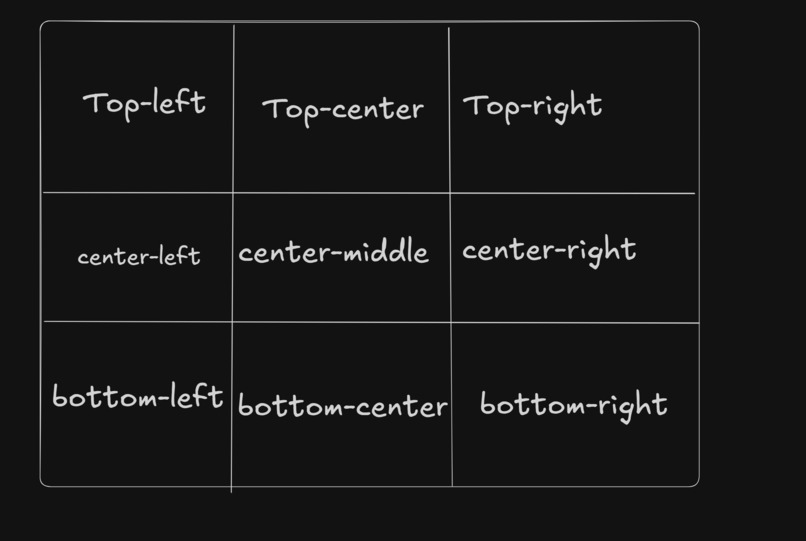
Text position for add text in Image
-
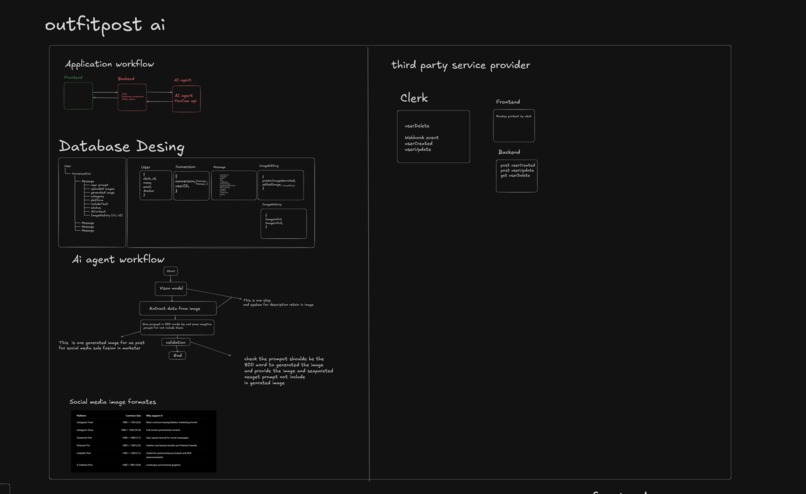
workflow
OutfitPost-AI — Project Story
Inspiration
Creating professional fashion content usually requires models, photographers, designers, and image-editing tools. We wanted to simplify this process by allowing users to upload fashion products and generate professional fashion visuals using AI.
What it does
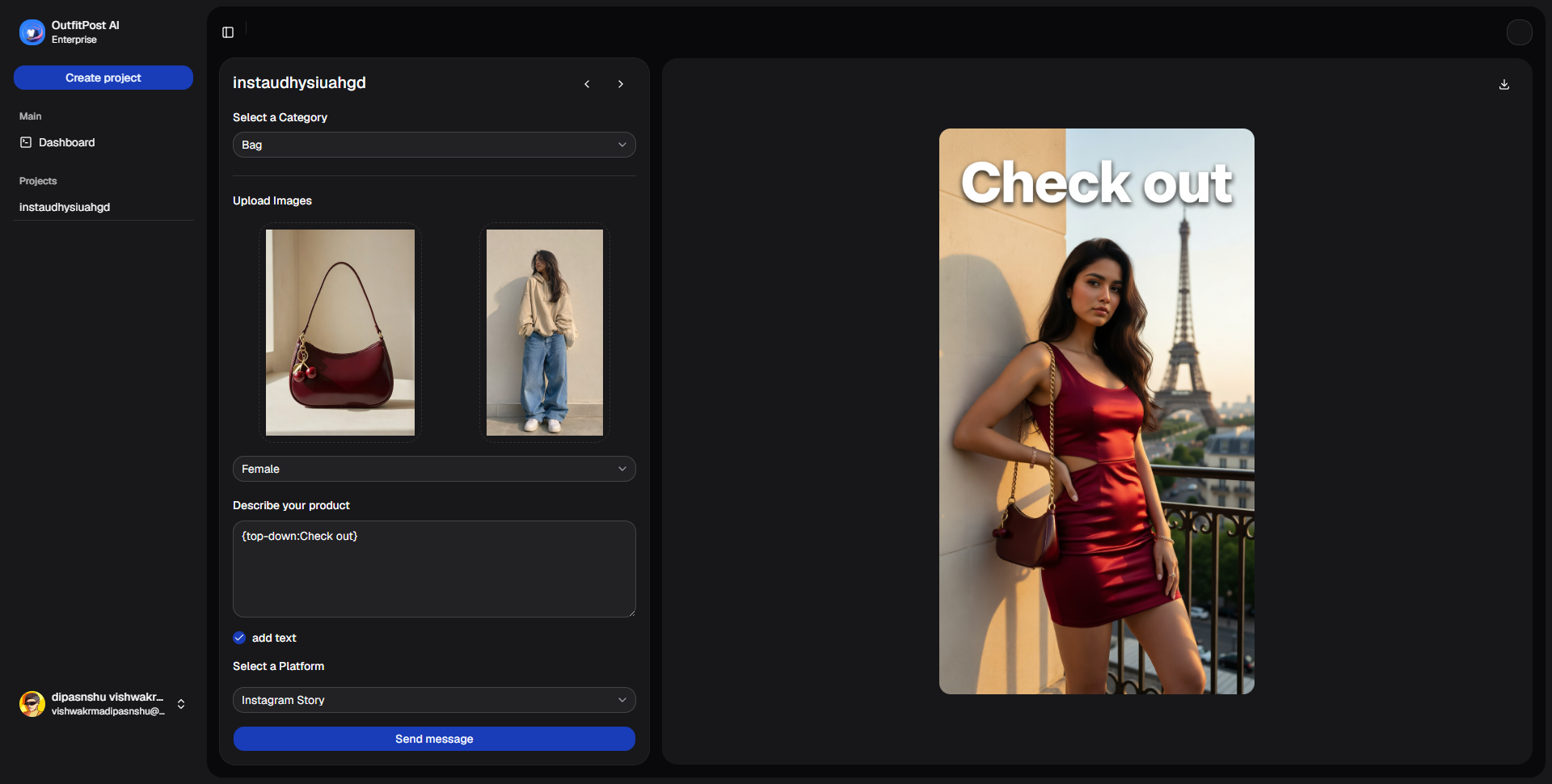
OutfitPost-AI allows users to upload fashion products and model images, apply AI-powered virtual try-on, and generate professional fashion posters.
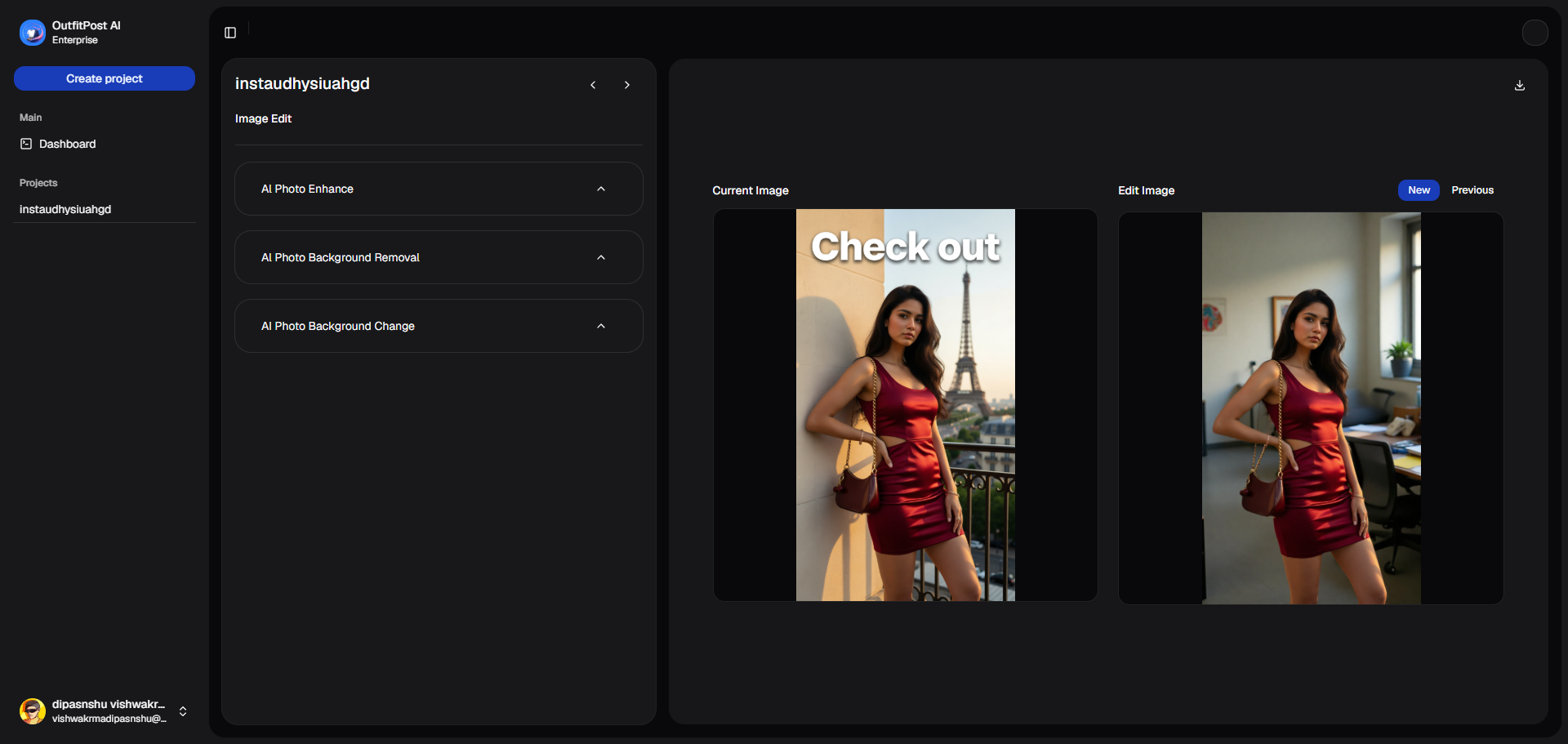
Users can further enhance images with:
- Background removal
- Background replacement
- Image enhancement
- AI-powered fashion image processing
The generated visuals can then be used for social-media content.
How we built it
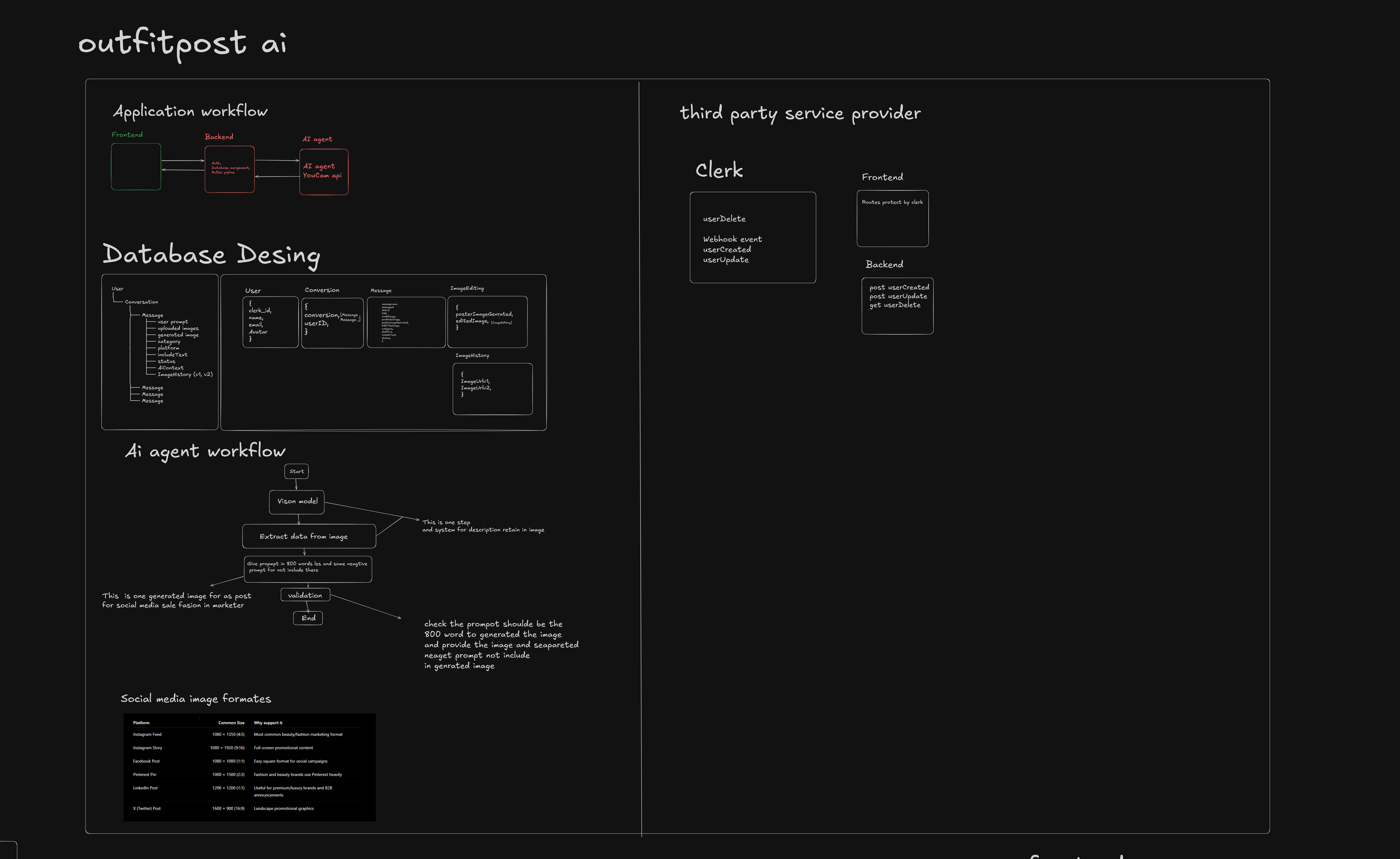
We built OutfitPost-AI using a React and TypeScript frontend with a Node.js/Express backend.
The backend is separated into:
- Gateway Service — handles API requests, authentication, database operations, and image storage.
- AI Agent Service — handles AI workflows and image-processing operations.
Technologies
- React
- TypeScript
- Node.js
- Express
- MongoDB
- Cloudinary
- Clerk
- LangGraph
- Groq
- YouCam APIs
Challenges We Ran Into
One of our biggest challenges was connecting multiple AI image-processing APIs into a single workflow.
We also faced issues with:
- Image uploads
- Handling image URLs between the frontend and backend
- Authentication
- Cloudinary image storage
- Communication between the gateway and AI-agent services
- Managing AI-generated image data
- Keeping the AI processing service separate from the main backend
Another challenge was designing the system so that AI processing could remain independent while still allowing the frontend to reliably receive generated images and project data.
Accomplishments That We're Proud Of
We successfully built a working end-to-end fashion AI workflow instead of creating only a UI prototype.
We connected:
Frontend
   ↓
Gateway Backend
   ↓
AI Agent
   ↓
AI Image APIs
   ↓
Generated Image
   ↓
Cloudinary / Frontend
We are especially proud of creating a separate AI-agent service that can orchestrate different fashion image-processing workflows.
What We Learned
We learned how to:
- Design and connect multiple backend services
- Work with external AI APIs
- Handle image uploads and image URLs
- Implement authentication
- Store and manage images with Cloudinary
- Build AI workflows using LangGraph
- Manage communication between frontend, backend, and AI services
We also learned that building an AI application requires much more than simply integrating an AI API. Reliable data flow, error handling, authentication, storage, and service communication are equally important.
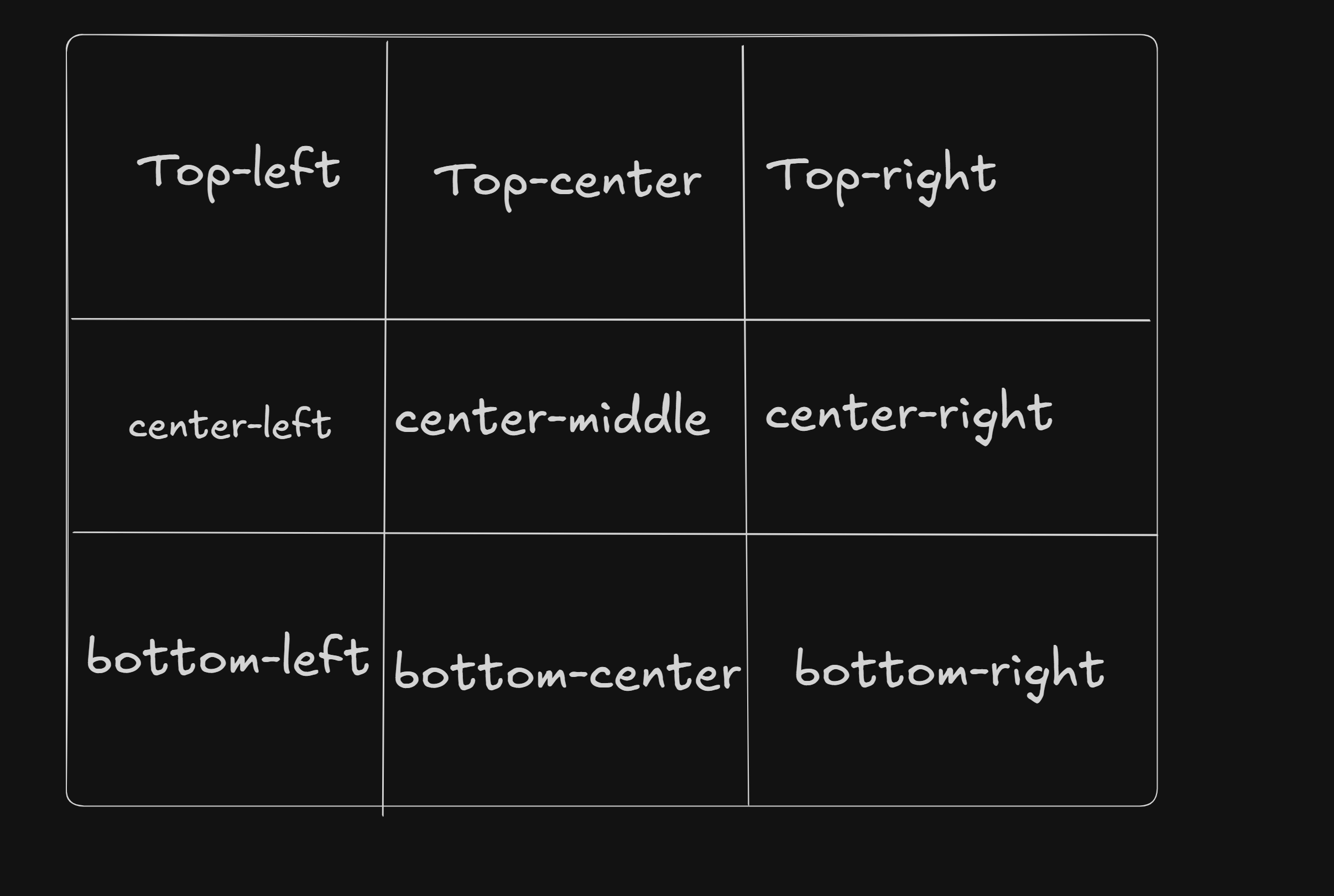
Text Placement
When text is required, describe its position using:
{position: text}
The position should specify where the text should appear in the image, such as:
- Top center
- Top left
- Top right
- Center
- Bottom center
- Bottom left
- Bottom right
Example:
{top-center: "Summer Collection"} {center-left: "New Arrivals"} {bottom-center: "Shop Now"}
What's Next for OutfitPost-AI
Next, we want to:
- Improve the AI creative workflow
- Add more fashion categories
- Add more AI image-generation capabilities
- Improve image editing
- Support more social-media formats
- Improve the quality of generated fashion posters
- Make the platform more scalable and reliable
- Add more automated creative tools for fashion brands
Our long-term goal is to make OutfitPost-AI a complete AI-powered creative platform for fashion brands and creators.
Built With
- clerk
- cloudinary
- langgraph
- mongodb
- react


