-
-
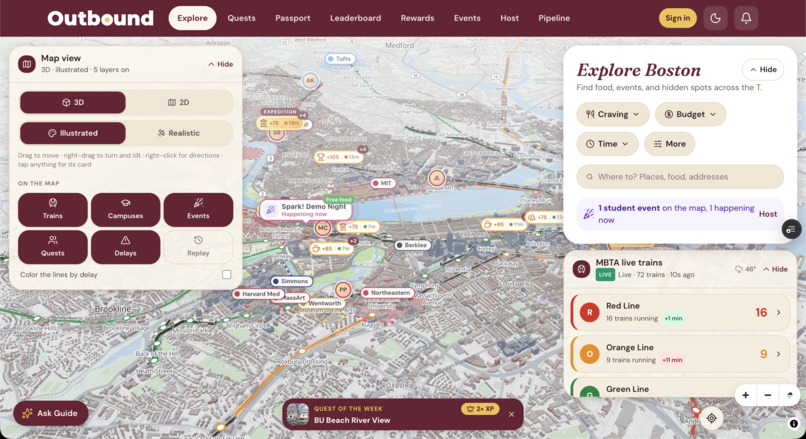
Homepage
-
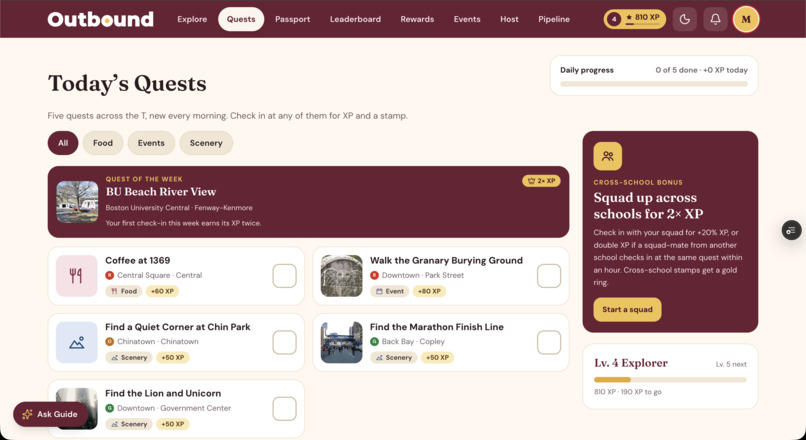
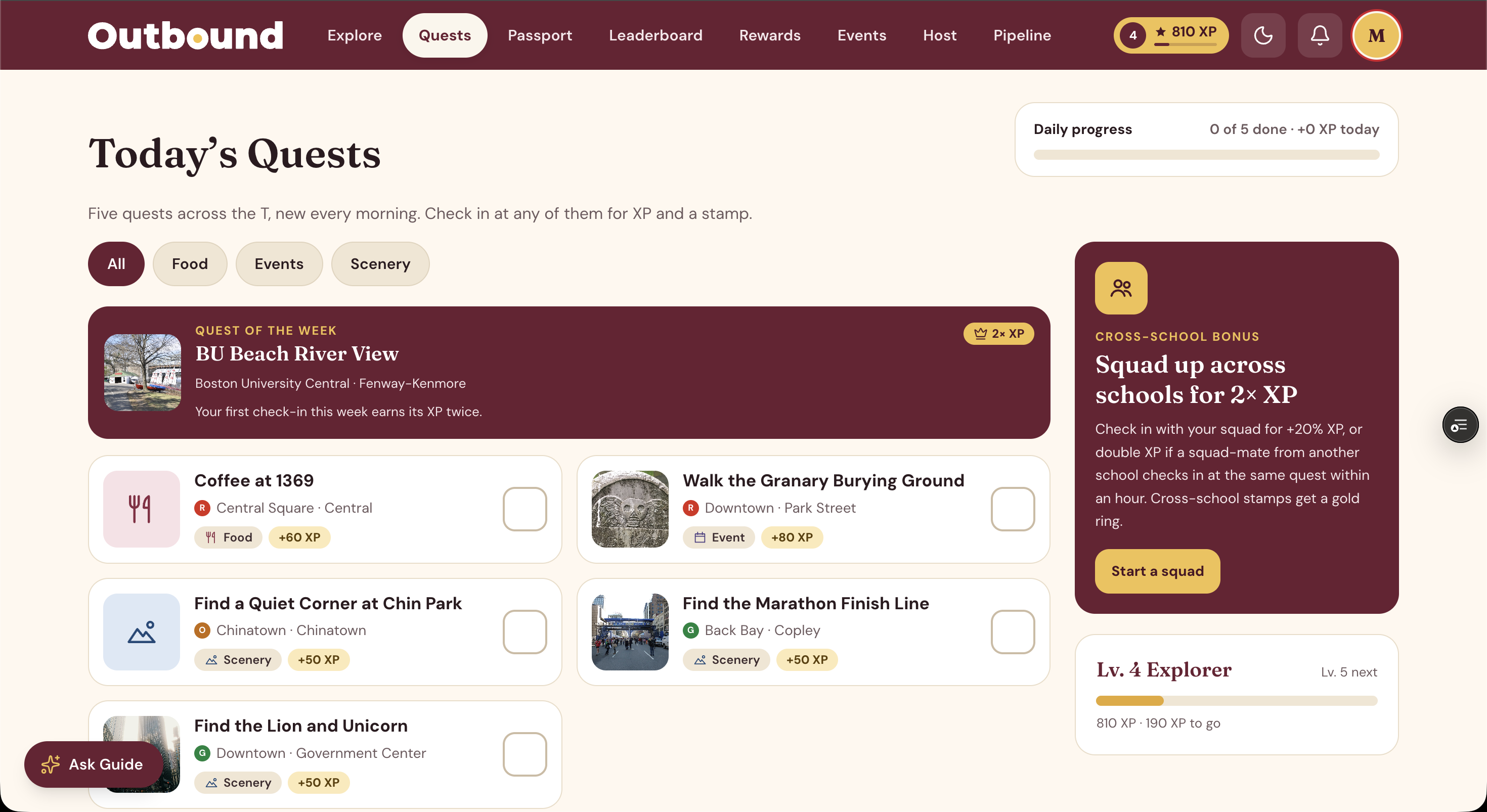
Quests Page
-
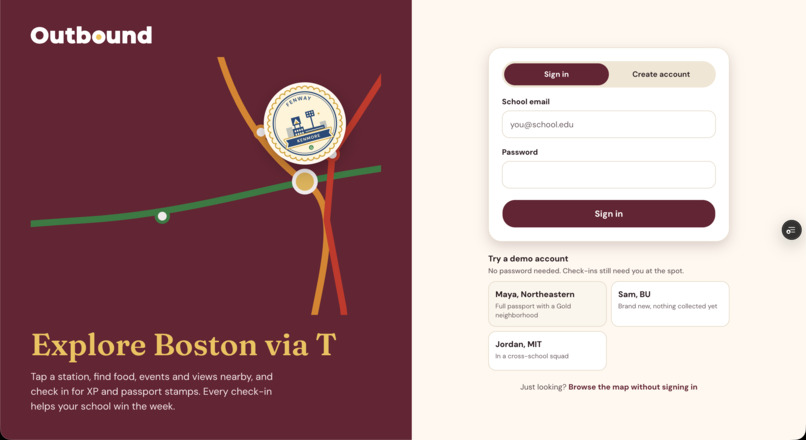
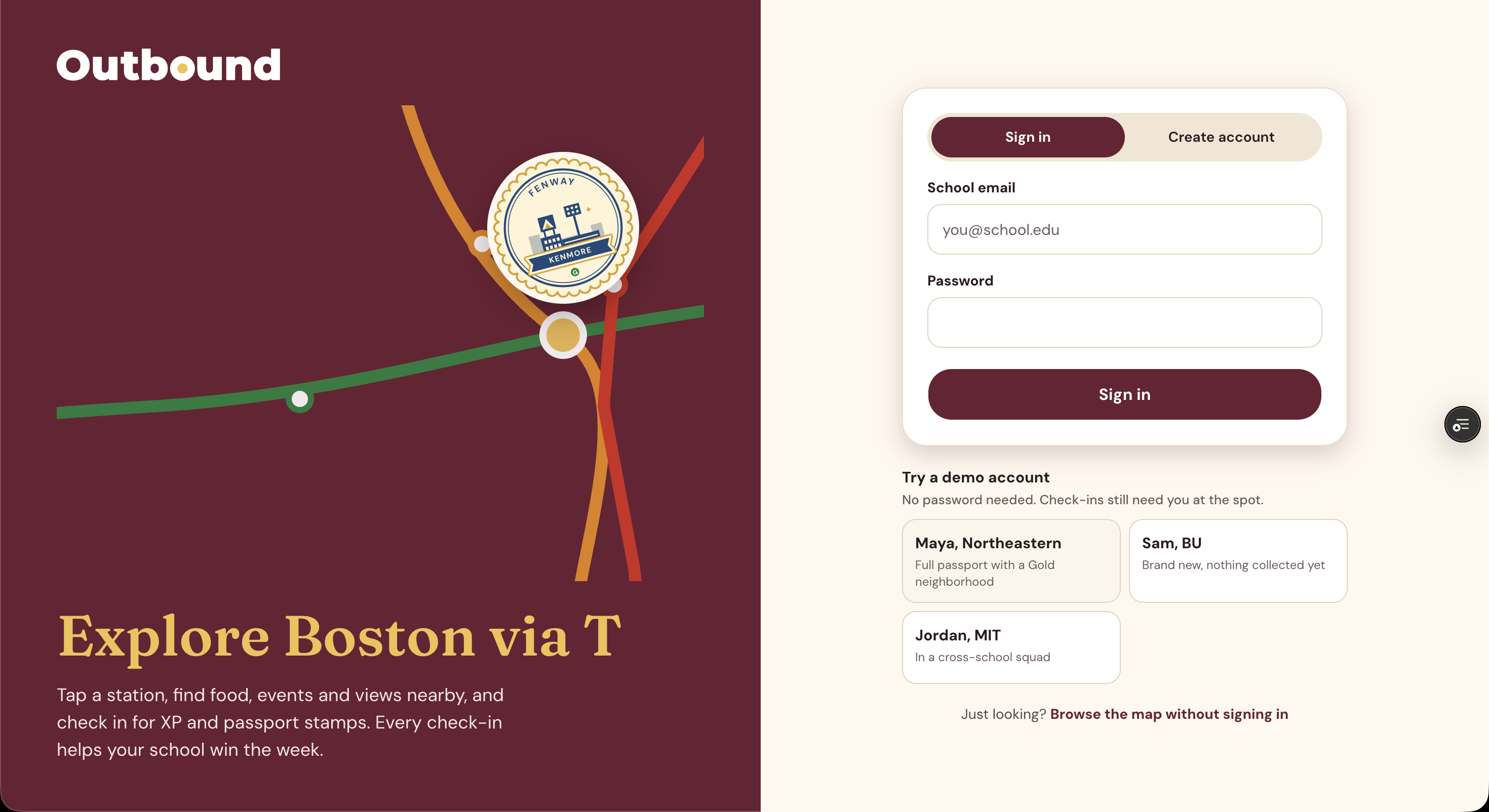
Sign In Page
-
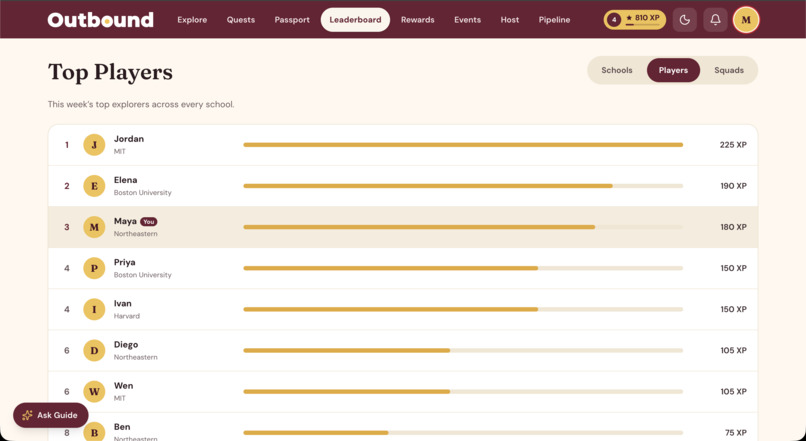
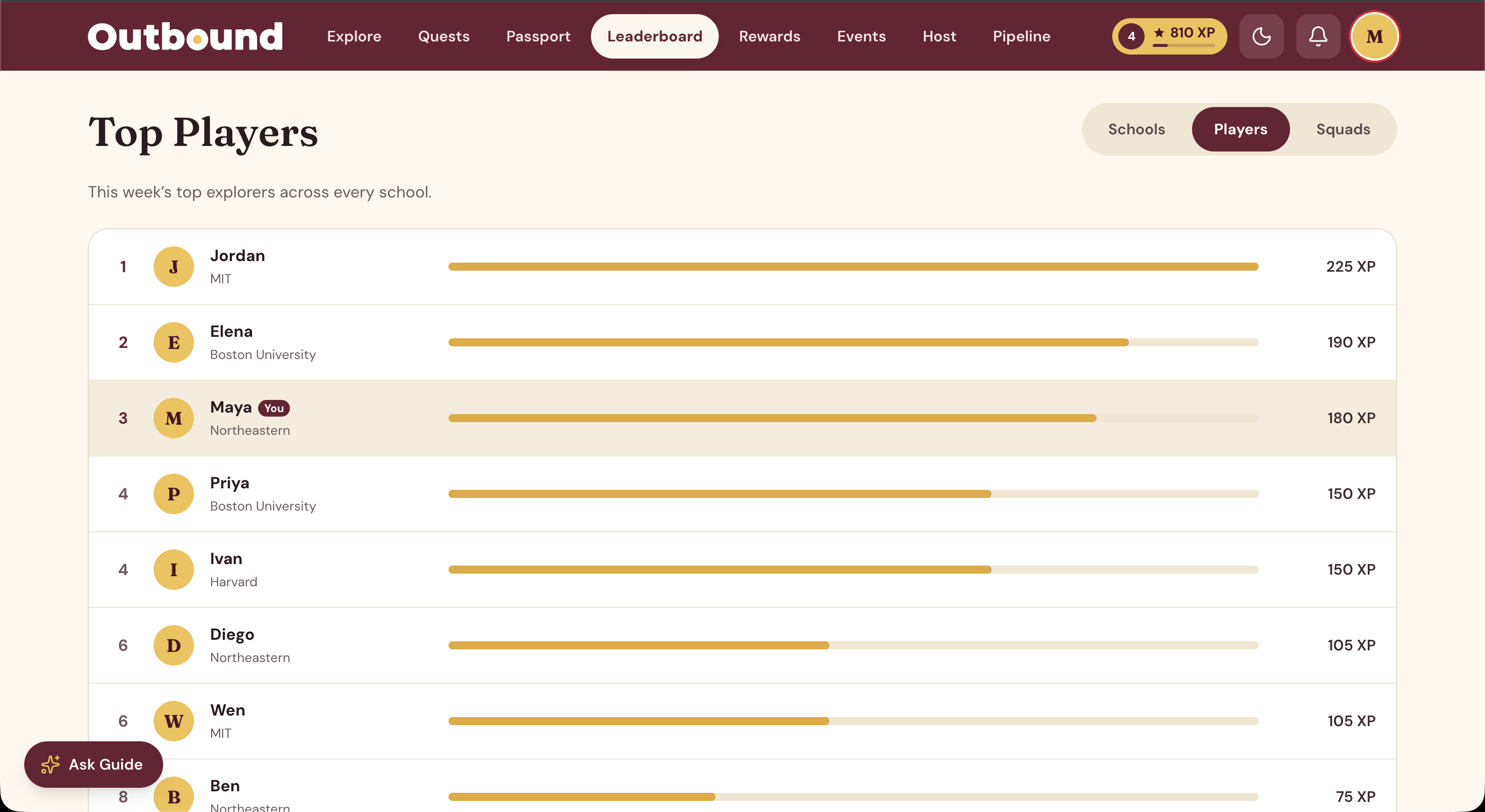
Top Players (Individual)
-
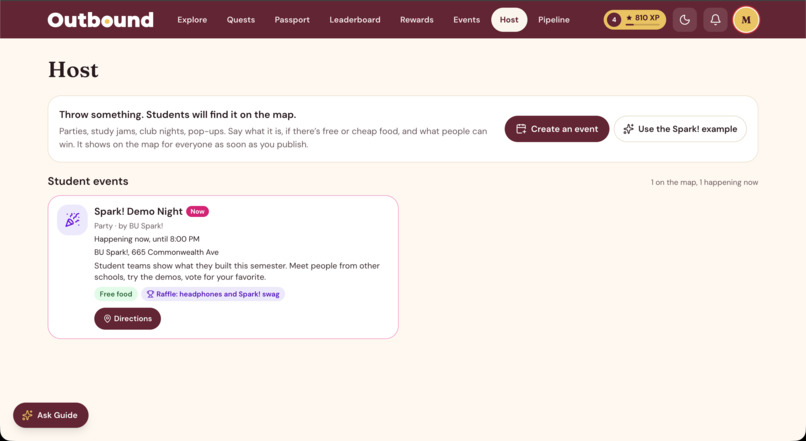
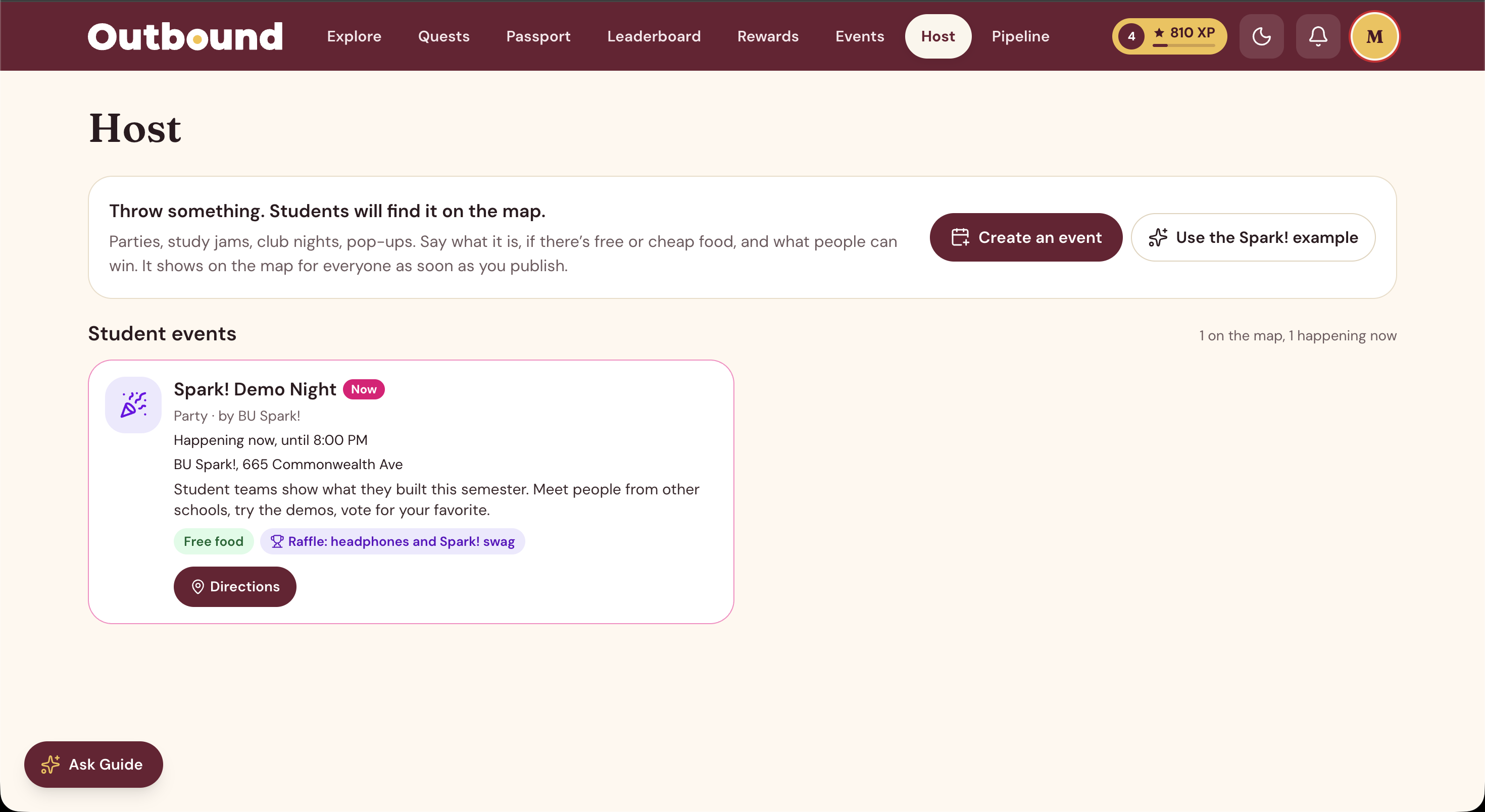
Host Event Page
-
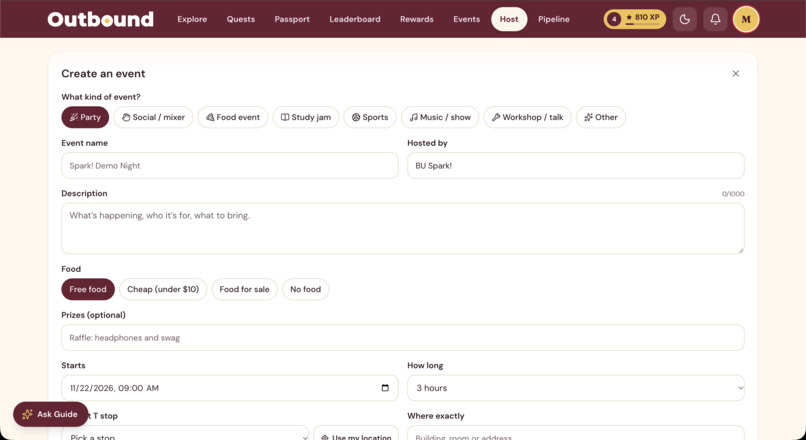
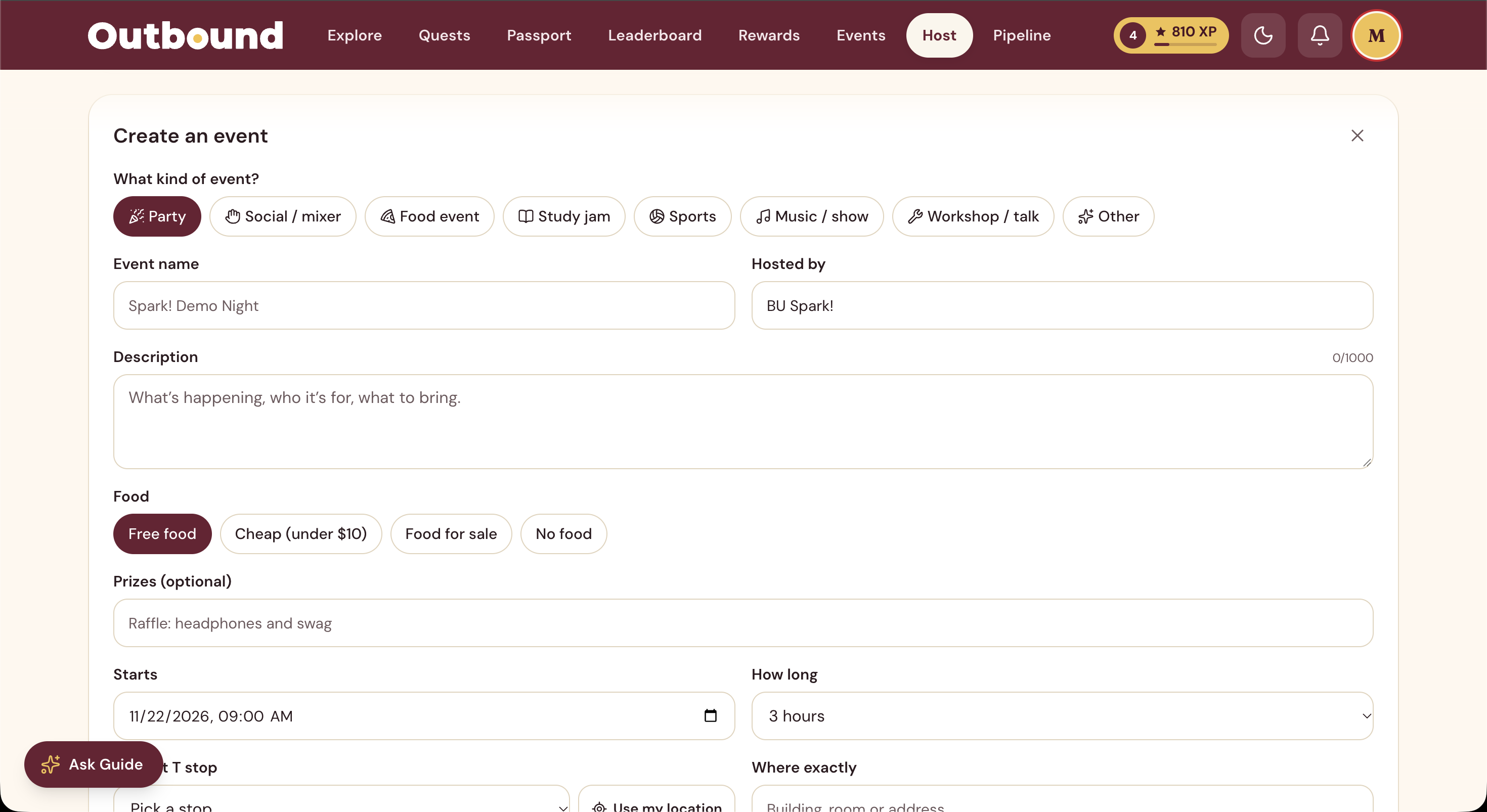
Create Event
-
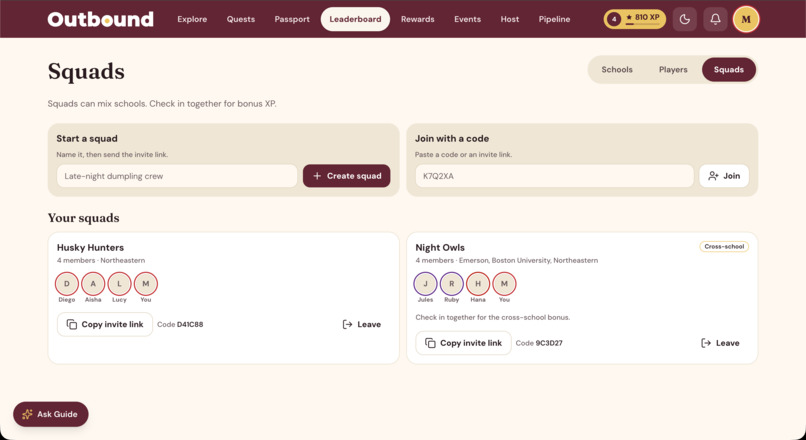
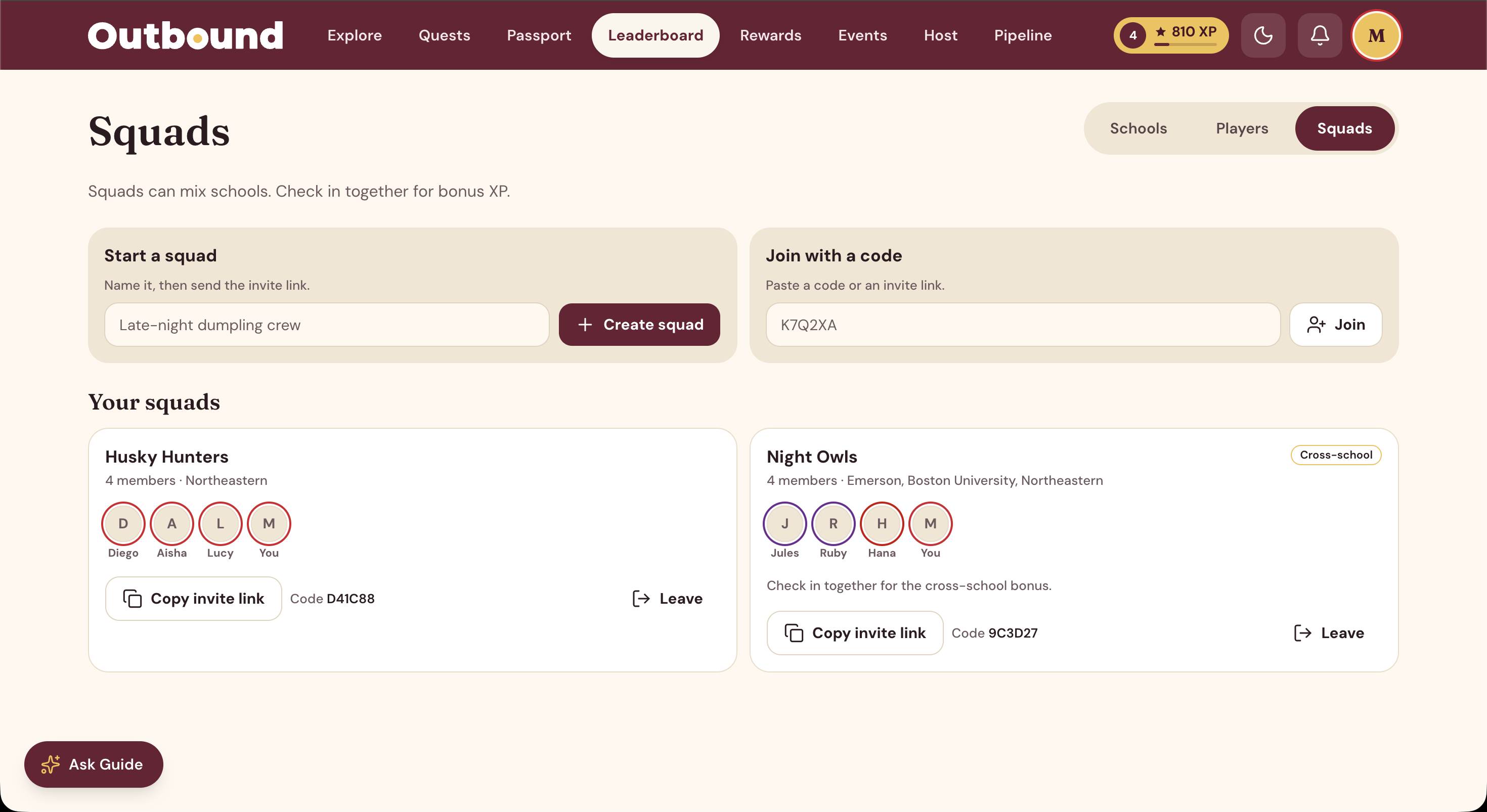
Squads Page
-
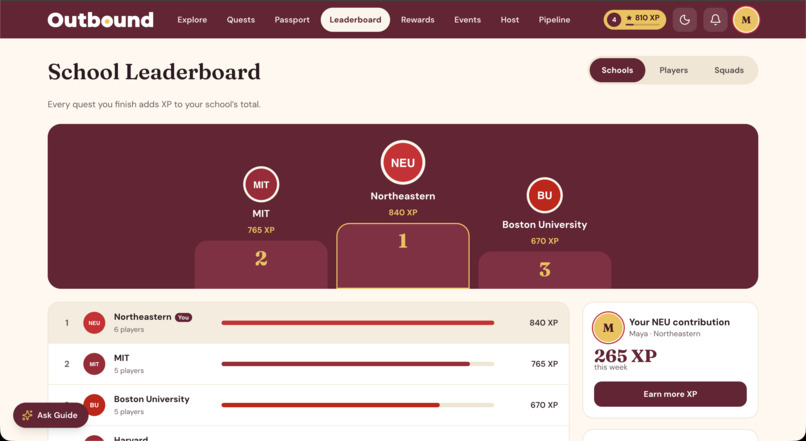
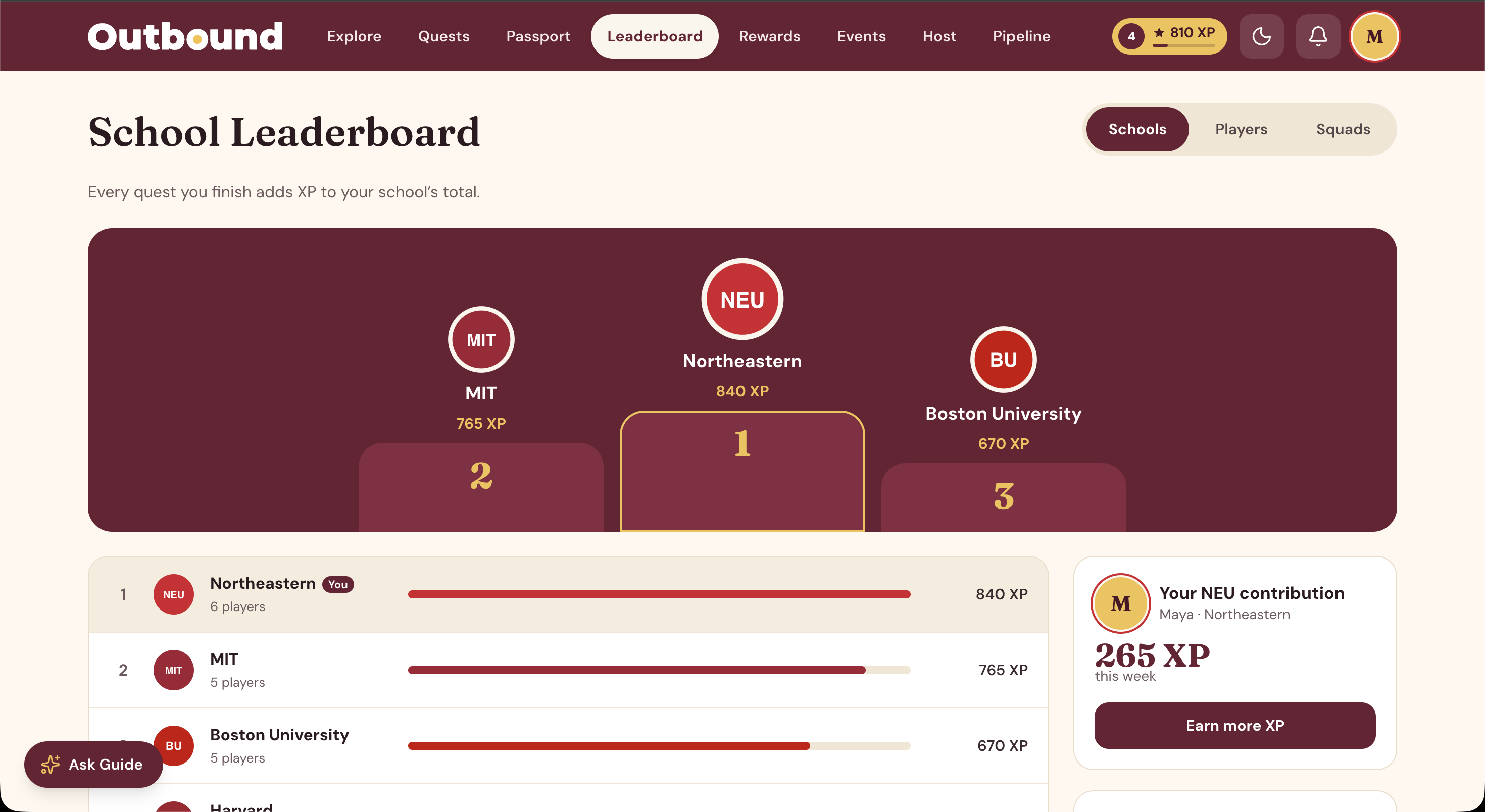
Leaderboard Page (School)
-
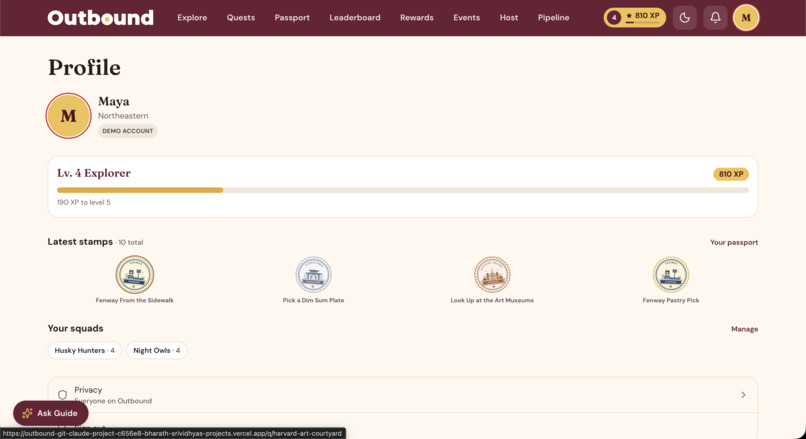
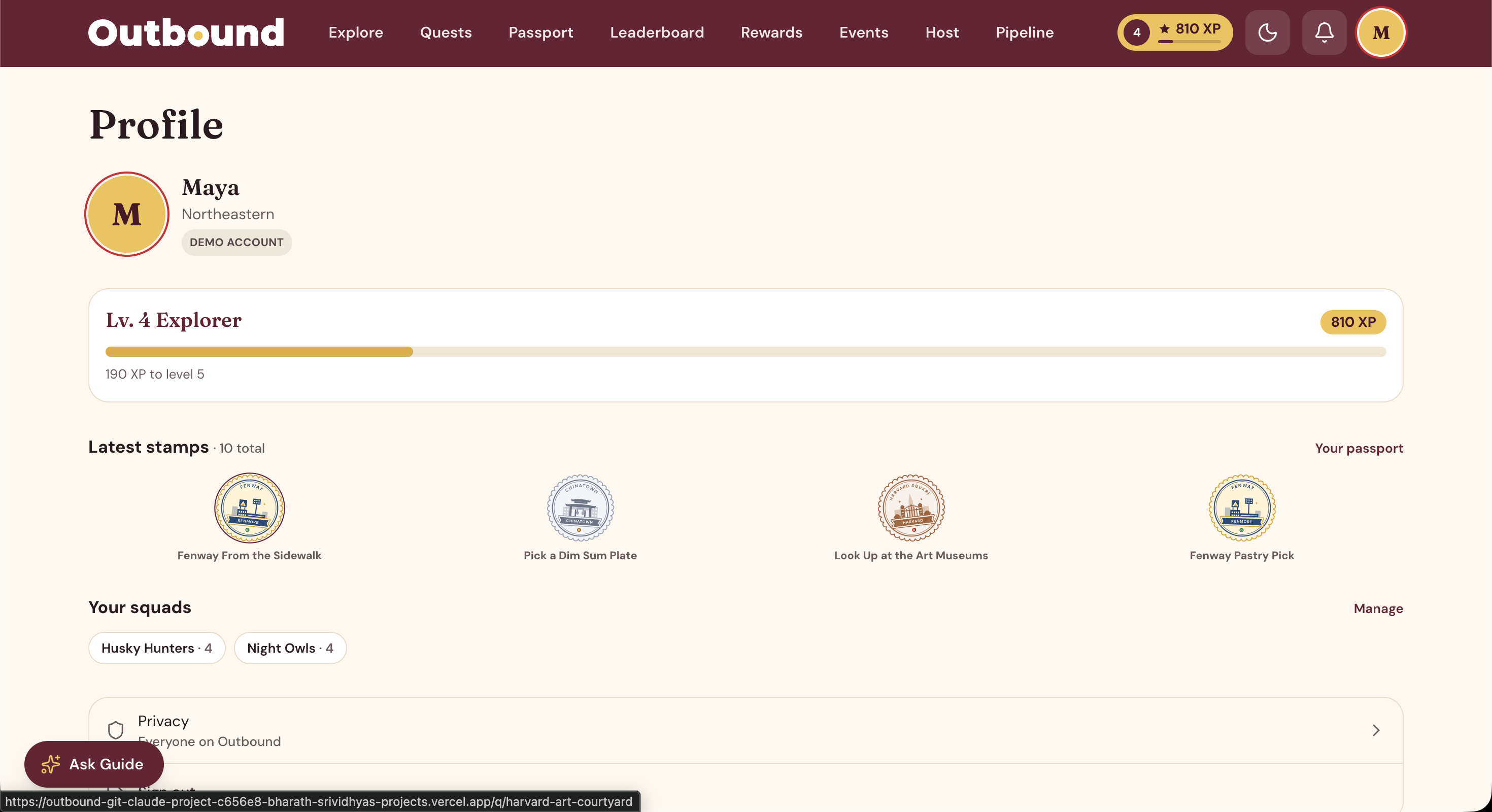
User Profile
-
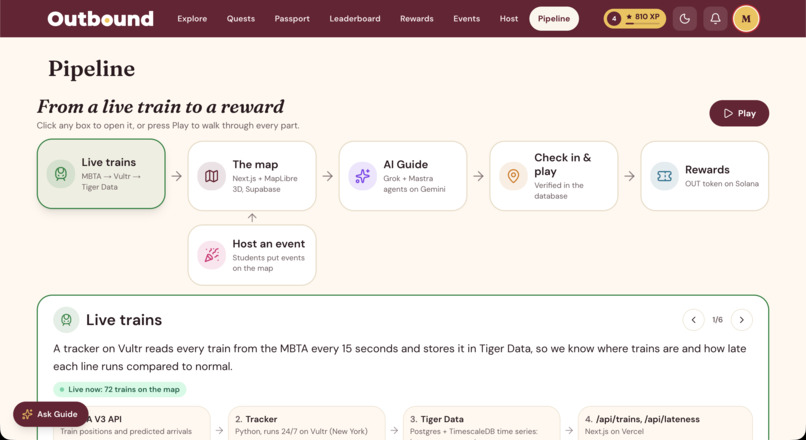
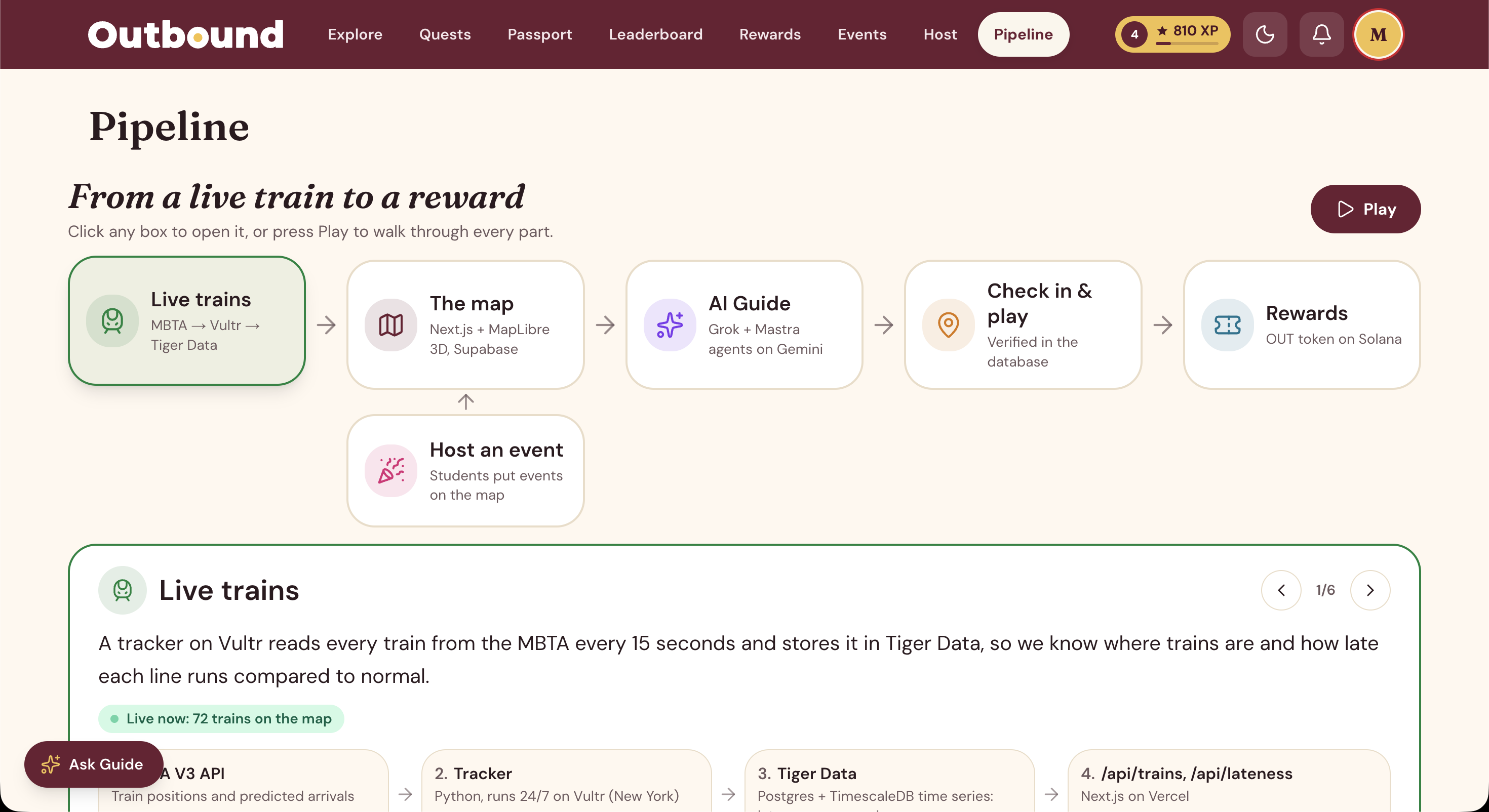
Pipeline
-
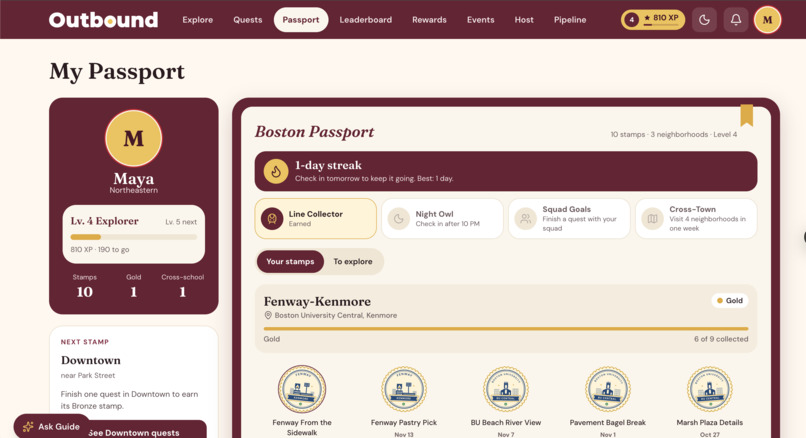
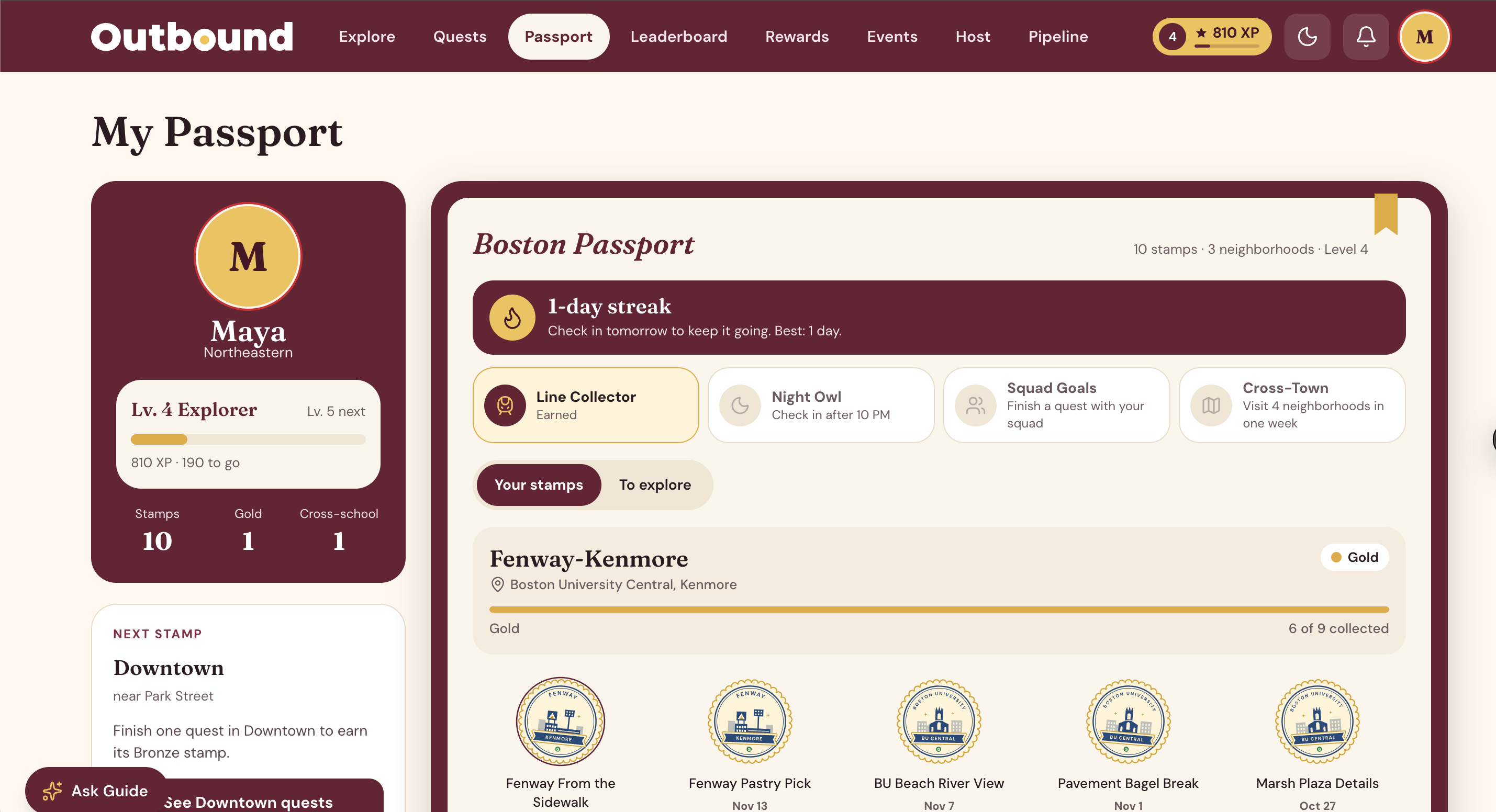
(Signed In User) Passport Page
-
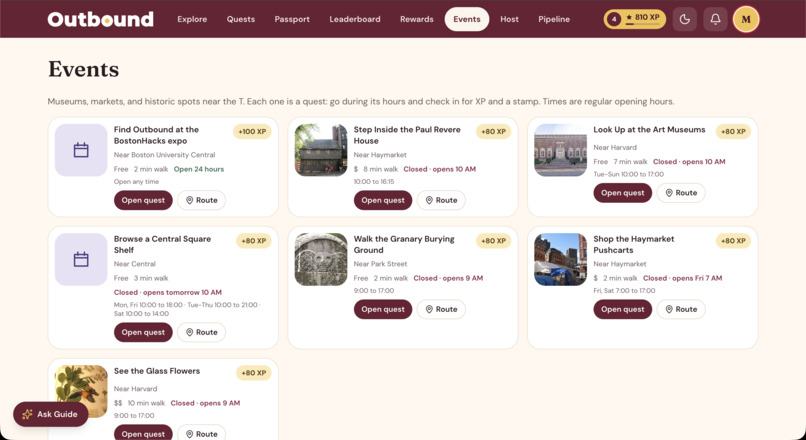
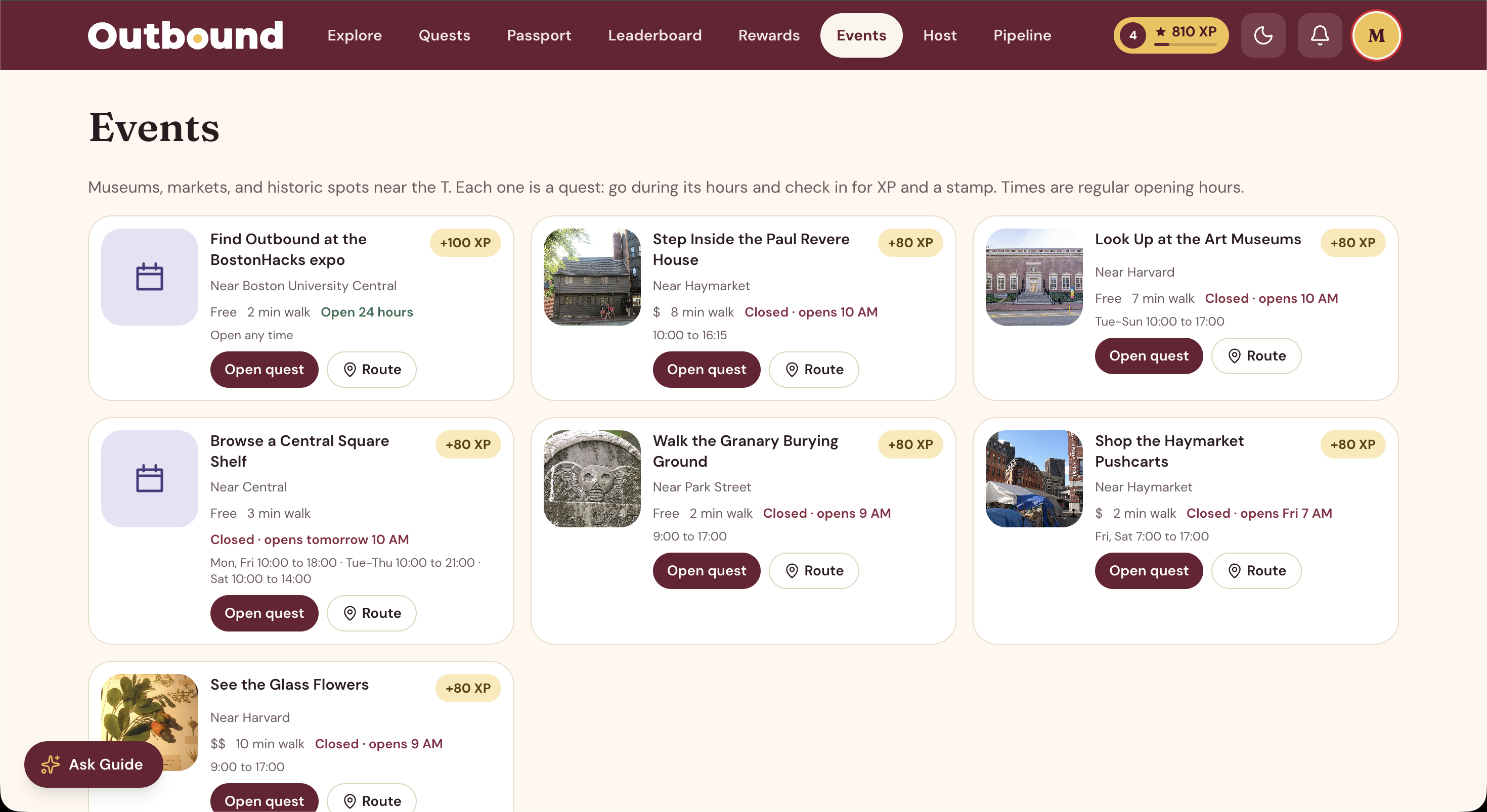
Events Page
-
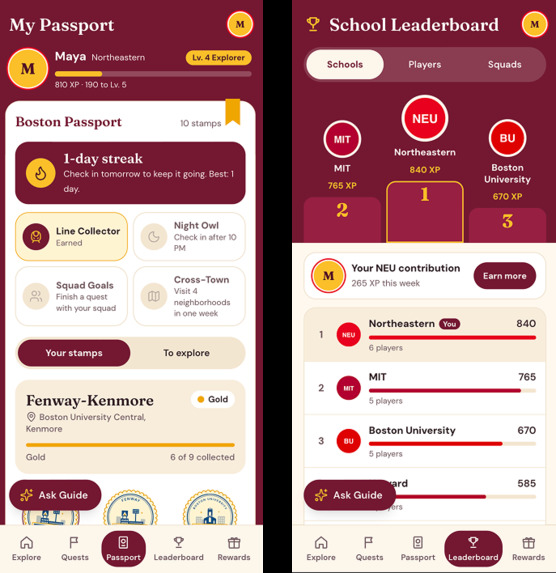
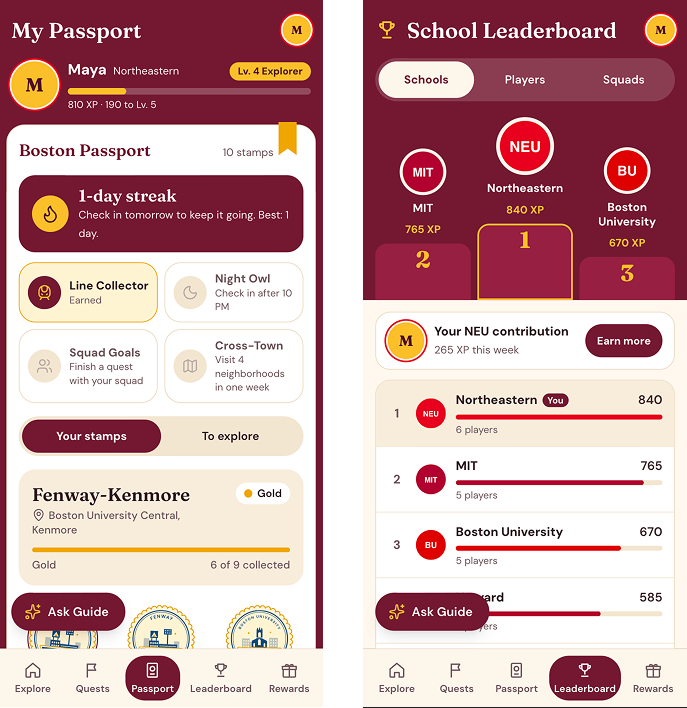
Mobile Screens (Passport + Leaderboard)
-
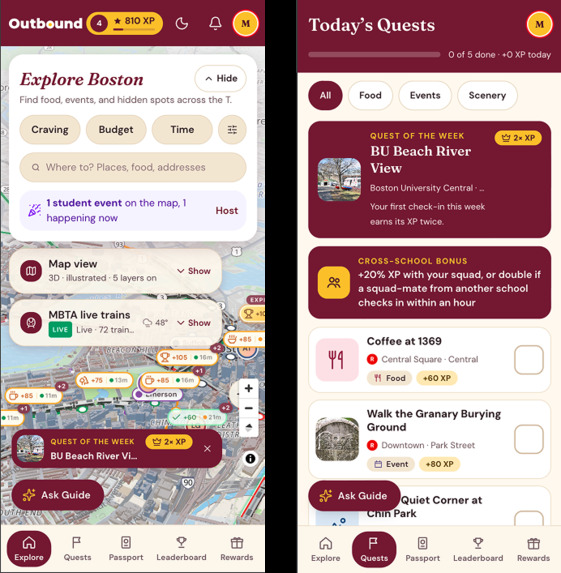
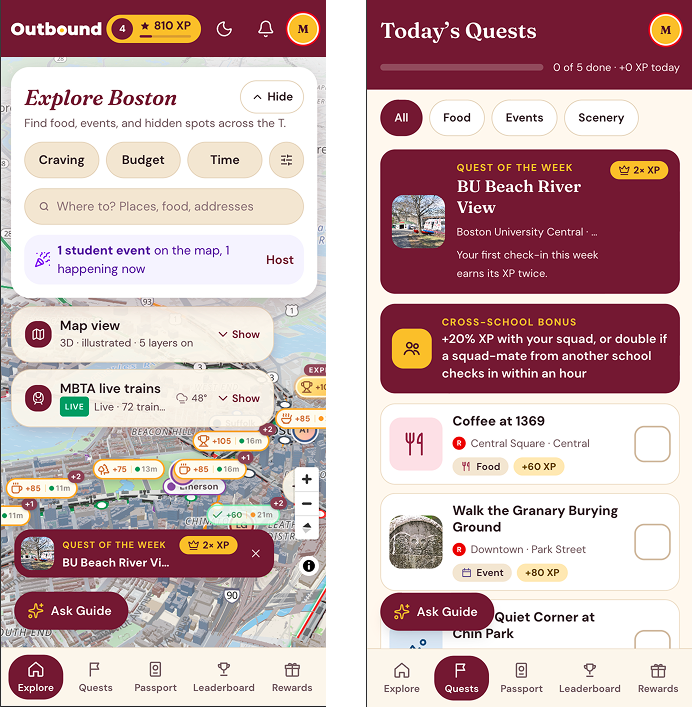
Mobile Screens (Home + Quest)
Inspiration
Give a Boston student 45 minutes between classes and the hardest question is often, "Where can I go that's worth the trip?" The café is saved on TikTok, the event is on a university calendar, and figuring out which train to take is another search. We know the feeling. We usually end up at the same few places.
Boston has more than 30 colleges and universities, yet it's easy to spend four years exploring the same neighborhood and meeting mostly people from your own school. We built Outbound to give students a reason to get off at an unfamiliar T stop, and someone to go with.
What it does
Outbound turns Boston's T into a multiplayer exploration game. Students join their university's team, find a quest or any place worth XP, ride the T there, and check in when they arrive. Each trip earns XP, fills a neighborhood passport, and helps their school climb the weekly leaderboard. XP becomes OUT, a token on Solana, that students can spend on coupons.
- Find a trip that fits. Filter Boston by craving, budget, available time, T line, open now, minimum XP and free food. Every restaurant and place on the map shows the XP it's worth, based on the kind of place, how far you ride and how cheap it is.
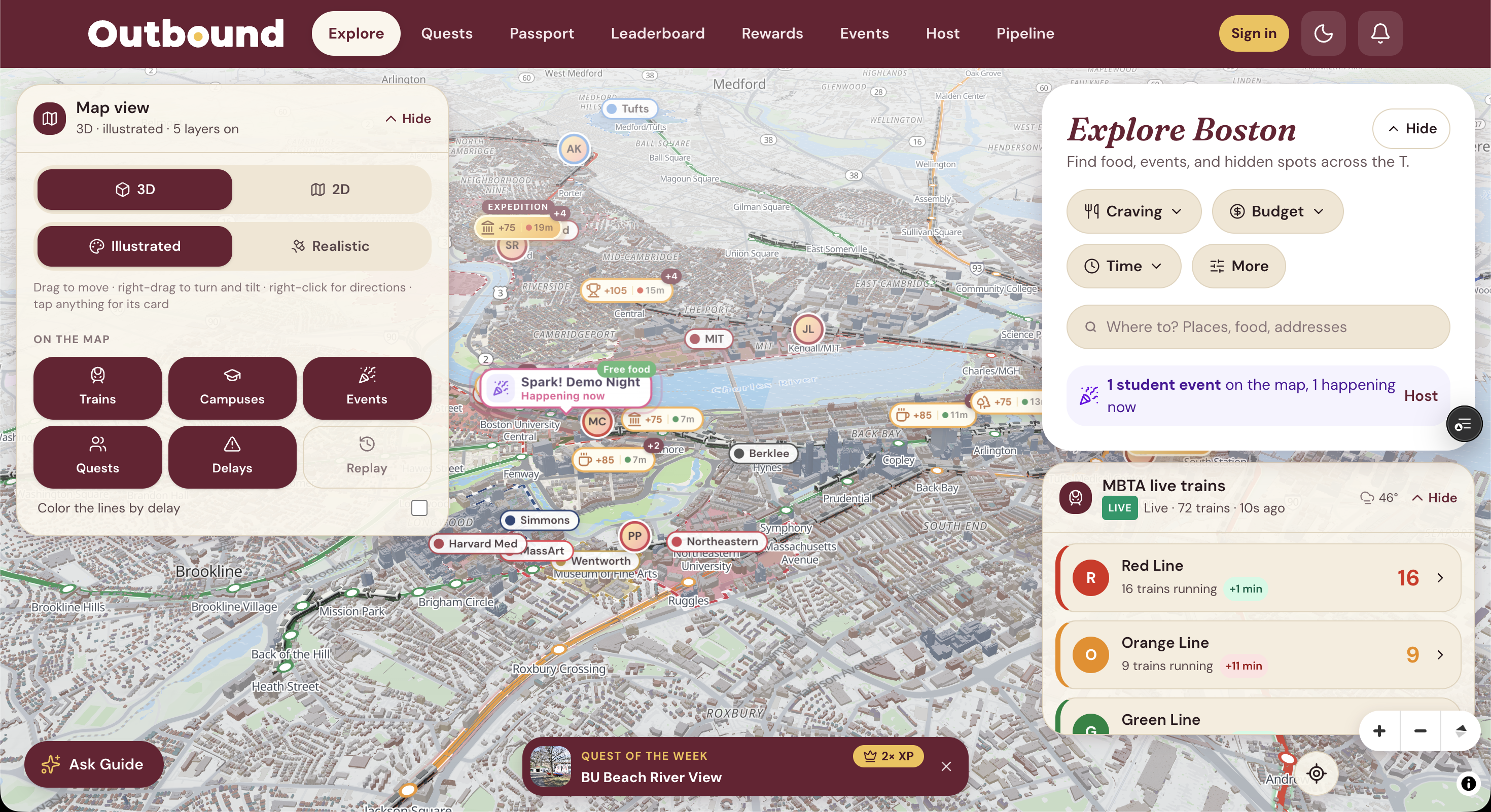
- See how to get there. The map flies from a globe into a 3D view of Boston, where Red, Orange, Green and Blue Line trains move along their real routes. The MBTA card shows trains per line, how late each line is compared to normal for this hour, and tonight's last trains. Tap anything for a card with cost, sample reviews and every way to ride there: minutes, fare and transfers from our own MBTA route planner. Preview the ride animates it; Start trip follows along.
- Start with a photo. Show the Outbound Guide a photo of food or a place. Grok looks at it, then Mastra agents on Gemini decide whether it's food or a place, find where to get it near the T, plan the ride with live trains and delays, and return one answer card with a route on the map. In a live test, a photo of boba returned matching Chinatown quests. The Guide also answers questions about the app itself, like "how do I earn XP?"
- Go do the quest. Try dim sum in Chinatown, visit a café in Back Bay, explore Boston Common, or attend a local event. Check-ins require you to be within about 75 meters of the destination, verified by the database. Events can use a QR code. Each quest or place can be claimed once per day, up to 8 places a day.
- Host an event. Any student or club can publish an event (what it is, free or cheap food, prizes, time and nearest T stop), and it appears on everyone's map right away, so students from different schools end up in the same room.
What makes it a multiplayer game
- Collect a Boston Passport. Each neighborhood stamp progresses from Bronze at 1–2 completed quests to Silver at 3–4 and Gold at 5 or more. The collection spans Fenway, Back Bay, Chinatown, Harvard Square, Davis Square and Revere Beach. Players also build daily streaks and earn Line Collector, Night Owl, Squad Goals and Cross Town badges.
- Explore with someone from another school. A BU student and a Northeastern student can complete a quest together, earn a cross-school bonus, and add a gold border to their stamps. Each still scores for their own university. Schools qualify for the weekly rankings once at least five players participate.
- Earn XP for trying something new. Quests award base XP, with 25 extra XP for a first visit and another 25 for discovering a new neighborhood. Squads earn a 20% bonus, cross-school squads get a 2× multiplier, and the featured Quest of the Week awards double base XP. A new level every 250 XP.
- Share a discovery on your terms. A quest card shows the destination, XP earned, and a QR code a friend can scan to try it. Public, Friends and Ghost modes let students control who sees completed visits. They can also hide individual check-ins and explore with a squad without sharing their live location.
- Try a reward. Each XP corresponds to one OUT, which students can claim to a Phantom wallet. In the demo, 100 OUT unlocks a sample 10% coupon, 250 OUT unlocks 20%, and 500 OUT unlocks 30%. OUT runs on Solana devnet and has no monetary value. Local business discounts are a future goal.
How we built it
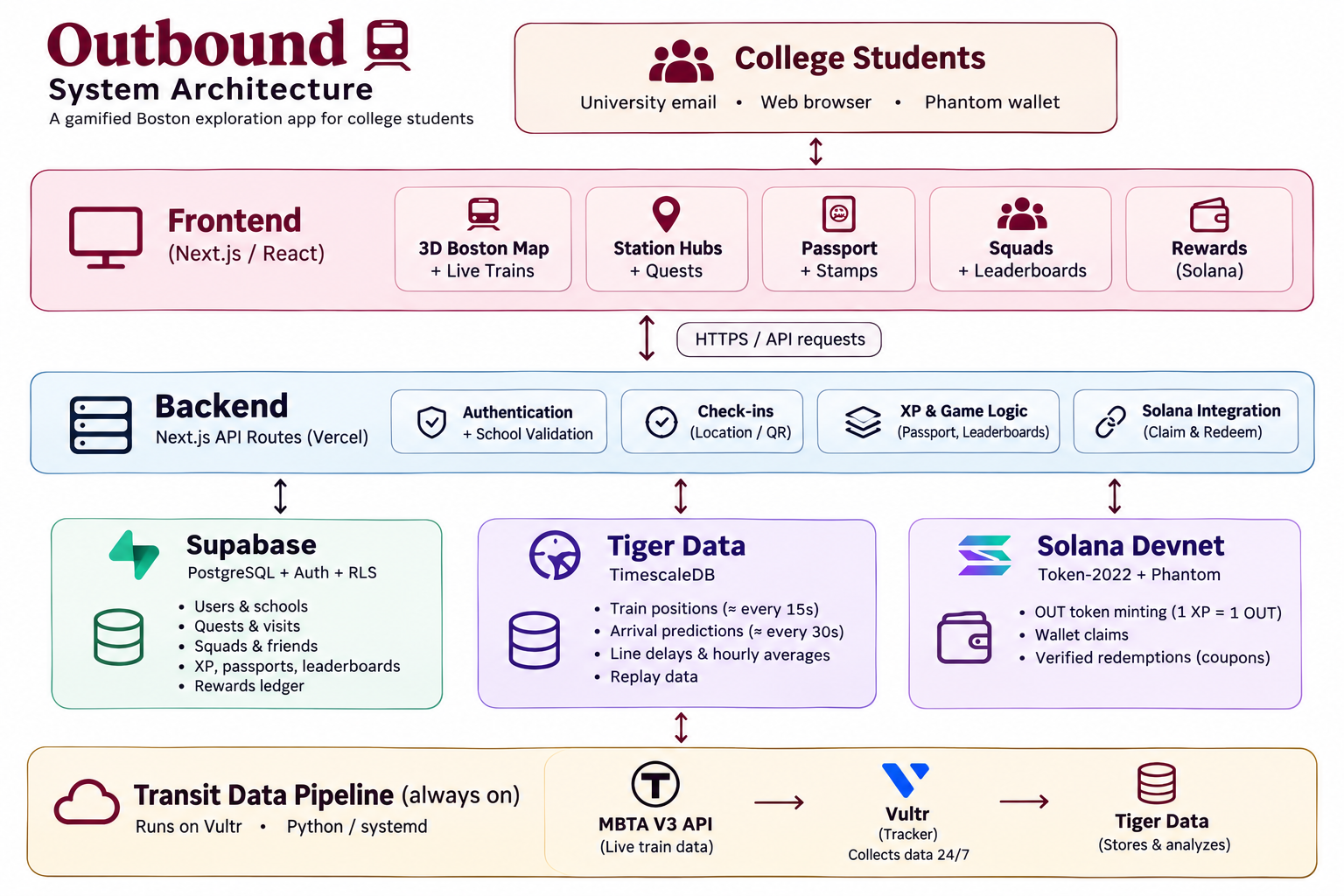
- Live 3D map. MapLibre GL and OpenFreeMap, with an illustrated and a realistic view and real building models from the Boston Planning & Development Agency and Cambridge. Line-specific 3D trains use MBTA V3 vehicle positions. The map has LIVE, REPLAY and DEMO modes; our replay exporter turns recorded positions back into train movements the frontend can animate.
- Our own route planner. Directions run on a graph of every MBTA station, line, transfer and fare we built ourselves, so routing works without a Google key. Each trip shows up to four T options with minutes, fare, distance and transfers.
- Tiger Data for transit history. Our tracker records vehicle positions about every 15 seconds and predicted and scheduled arrivals every 30 seconds. A typical position poll captures about 67 trains, and a prediction poll about 230 arrivals. Tiger Cloud stores these streams in two PostgreSQL/TimescaleDB hypertables,
train_positionsandarrival_predictions. - Delay estimates students can use. Two continuous aggregates,
line_delay_hourlyandline_trains_5min, refresh every five minutes./api/latenesscompares the last 15 minutes with the normal lateness for that line at that hour to produce a readout such as "Orange Line +6 min". When schedules are missing, it falls back to observed service drift. Position data is compressed after six hours and kept for 14 days. - Vultr for continuous collection. The Python tracker runs independently of the website on a Vultr Cloud Compute instance in New York, so it keeps collecting even when nobody has the app open. It runs on Debian 13 as a systemd service that restarts automatically, on one vCPU and 0.5 GB of RAM at about $0.005 per hour.
- Mastra agents on Gemini. The photo pipeline is a chain of Mastra agents: a Photo Decider (food, place or neither), a Food Researcher (
findFoodPlaces), and a Trip Planner with tools forsearchQuests,nextTrains(live arrivals),lineDelays(Tiger Data lateness) andlocatePlace. Gemini 2.5 Flash runs the agents and writes the final answer card as structured output. The server streams each stage to the app as it happens. - Grok for vision and backup. Grok 4.7 through the xAI Responses API describes photos and answers text questions with the quest list and an app FAQ in its instructions. Our server verifies each returned quest ID before a student sees it. If Gemini hits a rate limit or error, Grok takes over in under a second for 10 minutes, and a keyword matcher answers if every model is down. The browser resizes photos to a JPEG with a maximum dimension of 1,024 pixels.
- Gemini for natural-language search. Gemini 2.5 Flash powers
/api/search, translating a request into cravings, budget, time, categories, tags and keywords, applied to curated quests with known locations. A keyword fallback keeps search available if Gemini is offline. - Supabase for accounts, scoring and privacy. Students register with a supported university email; a database trigger matches the domain to a school. PostgreSQL stores quests, visits, XP, passport progress, squads, friendships, rankings, privacy settings, hosted events and rewards. Row-level security controls which records a student can access, and every check-in, XP award and reward claim is verified on the server.
- Solana for verifiable redemptions. OUT uses the Token-2022 standard on devnet. Our server calculates each student's unclaimed balance and mints it to their Phantom wallet; a ledger prevents duplicate claims, and the app can top up a little devnet SOL for fees. To redeem, the student transfers OUT to our treasury wallet, and the backend checks the token mint, sender, destination, exact amount, memo, and whether the transaction was already used before issuing a coupon code and QR.
- Design and deployment. We used Cursor to help build passport stamps and badges inspired by Boston architecture and vintage travel souvenirs, in a burgundy, navy, soft blue and golden yellow palette, with light and dark mode. Outbound is a Next.js app on Vercel at outboundwith.us, built with Cursor and Claude Code, with 349 automated tests. API keys stay on the server.
Challenges we ran into
- Keeping the map and the data in sync. Train positions, arrival predictions and historical delays update at different rates. We had to keep the 3D animation smooth while handling missing schedules and gaps in the live feed.
- Rewarding real exploration fairly. A new neighborhood or a cross-school trip should count for more than visiting the same spot again. Proximity checks, event QR codes, daily limits and server-side scoring enforce that.
- Making AI recommendations trustworthy. A convincing suggestion is useless if there's no quest when you arrive. Gemini searches through structured filters, Grok's suggestions must match real quest IDs, and the agents plan with live train data instead of guesses.
- Keeping the AI up during a demo. We hit Gemini rate limits mid-build, so we added a fallback chain from Gemini to Gemini Lite to Grok, with a circuit breaker and a keyword fallback.
- Connecting everything in one weekend. Four people built the map, screens, backend, AI and wallet in parallel, so merging into one complete journey was its own project: find a quest, reach it, check in, climb the leaderboard and claim a reward.
Accomplishments that we're proud of
- A photo became a playable quest. Our live boba test connected a student's craving to an actual destination in Chinatown.
- A reward worked end to end. We claimed 400 OUT to a Phantom wallet and redeemed 100 OUT for a sample coupon through a verified on-chain transaction.
- The city kept moving even when the app was closed. Our Vultr tracker kept collecting MBTA observations for historical comparisons and replay.
- Two rivals could earn something together. Our favorite detail is the cross-school gold border: two students compete for different universities and come home with a stamp neither could earn alone.
What we learned
- A useful recommendation starts with a constraint. "I have $15 and 45 minutes" is a better starting point than a list of popular places. Pairing curated quests with transit conditions answers the question students actually have.
- The reward shapes the game. Rewarding new neighborhoods, different activities and cross-school squads gives students reasons to vary where they go and who they go with.
- Trust comes from details students rarely see. Historical baselines make delays meaningful. Checking quest IDs keeps AI suggestions grounded. Server-side validation prevents duplicate rewards, and visit-level privacy lets friends share discoveries while keeping their movements private.
What's next for Outbound
- Expand across Greater Boston. More stations, neighborhoods, quests and universities in Cambridge, Somerville, Brookline, Quincy and Revere.
- Give squads more ways to play. Friend leaderboards, squad challenges, campus-versus-campus events and seasonal stamps for fall foliage, winter markets and rivalry weeks.
- Turn demo coupons into real student offers. Partner with local cafés, restaurants and attractions, and move OUT to Solana mainnet.
- Make each recommendation more personal. Use interests, budgets, time, past visits and transit conditions.
- Bring the idea to other college cities. New York, Philadelphia and Chicago. In Boston, the goal is already clear: one unfamiliar stop worth trying, and a friend to go with.
Honesty notes
Leaderboard players marked "(sim)" are simulated from our student survey. Place reviews, coupons and friends on the map are sample data, and OUT is a devnet test token. All of these are labeled in the app.
Built With
- claude-code
- cursor
- gemini
- godaddy
- grok
- maplibre
- mastra
- mbta
- mbta-api
- next.js
- openfreemap
- phantom
- postgresql
- python
- react
- solana
- supabase
- tailwindcss
- tiger-data
- timescaledb
- token-2022
- typescript
- vercel
- vultr
- xai


