-
-

Logo
-
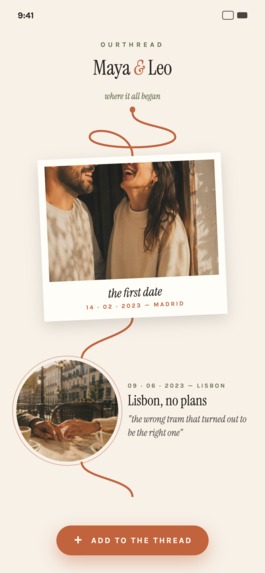
Timeline 1 (Terracotta theme)
-
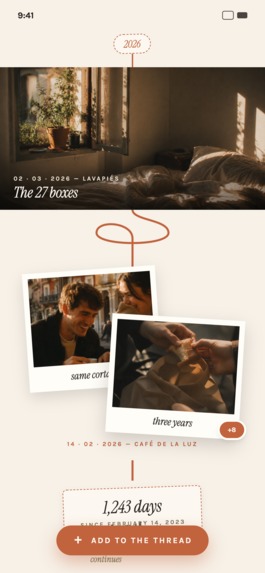
Timeline 2 (Terracotta theme)
-
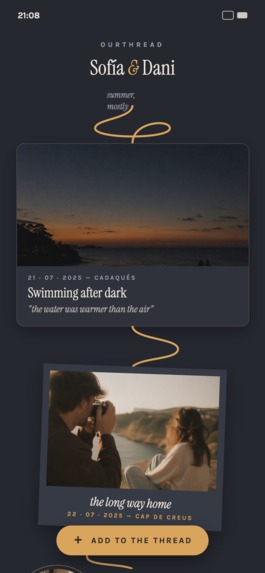
Timeline 3 (Nocturnal theme)
-
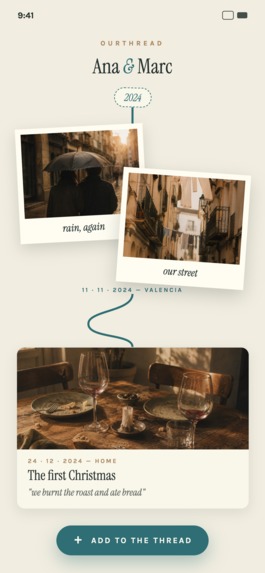
Timeline 4 (Ocean&Sand theme)
-
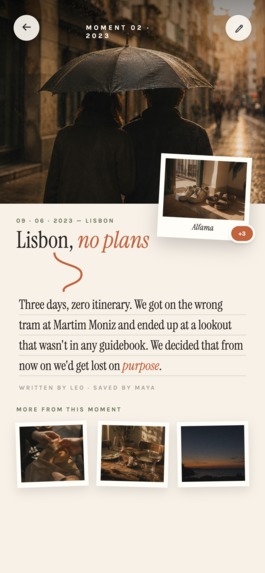
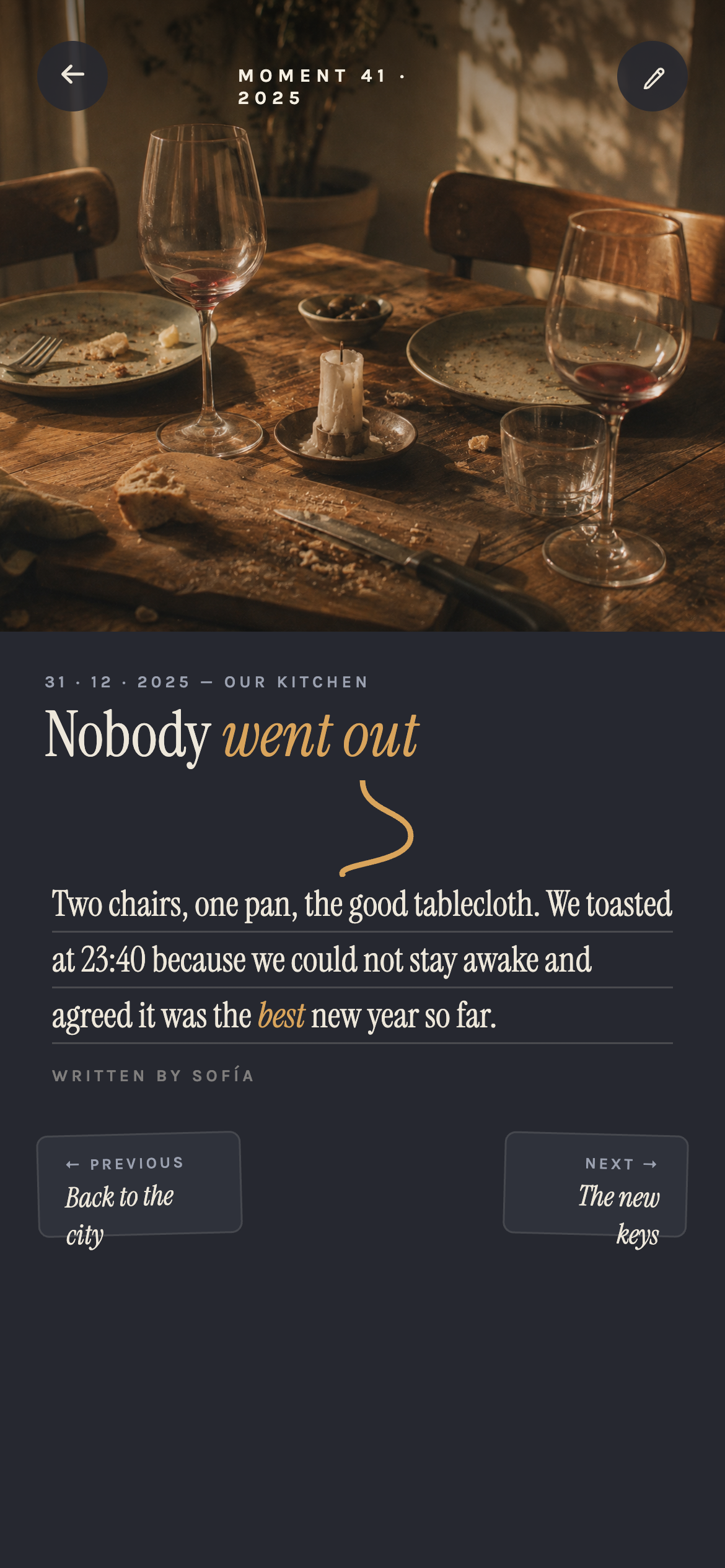
Moment details 1 (Terracotta theme)
-
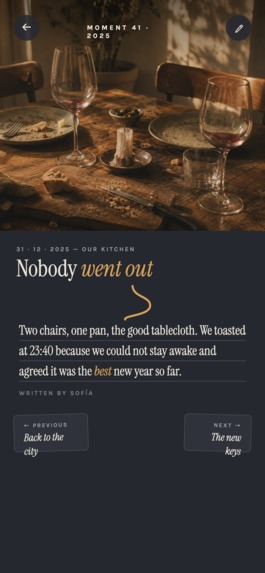
Moment details 2 (Nocturnal theme)
-
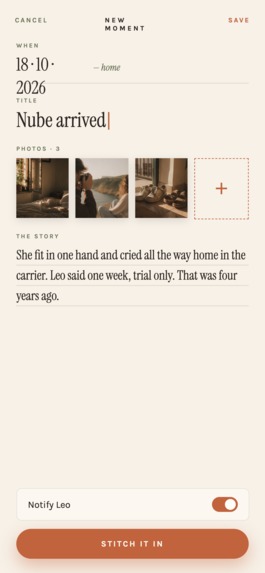
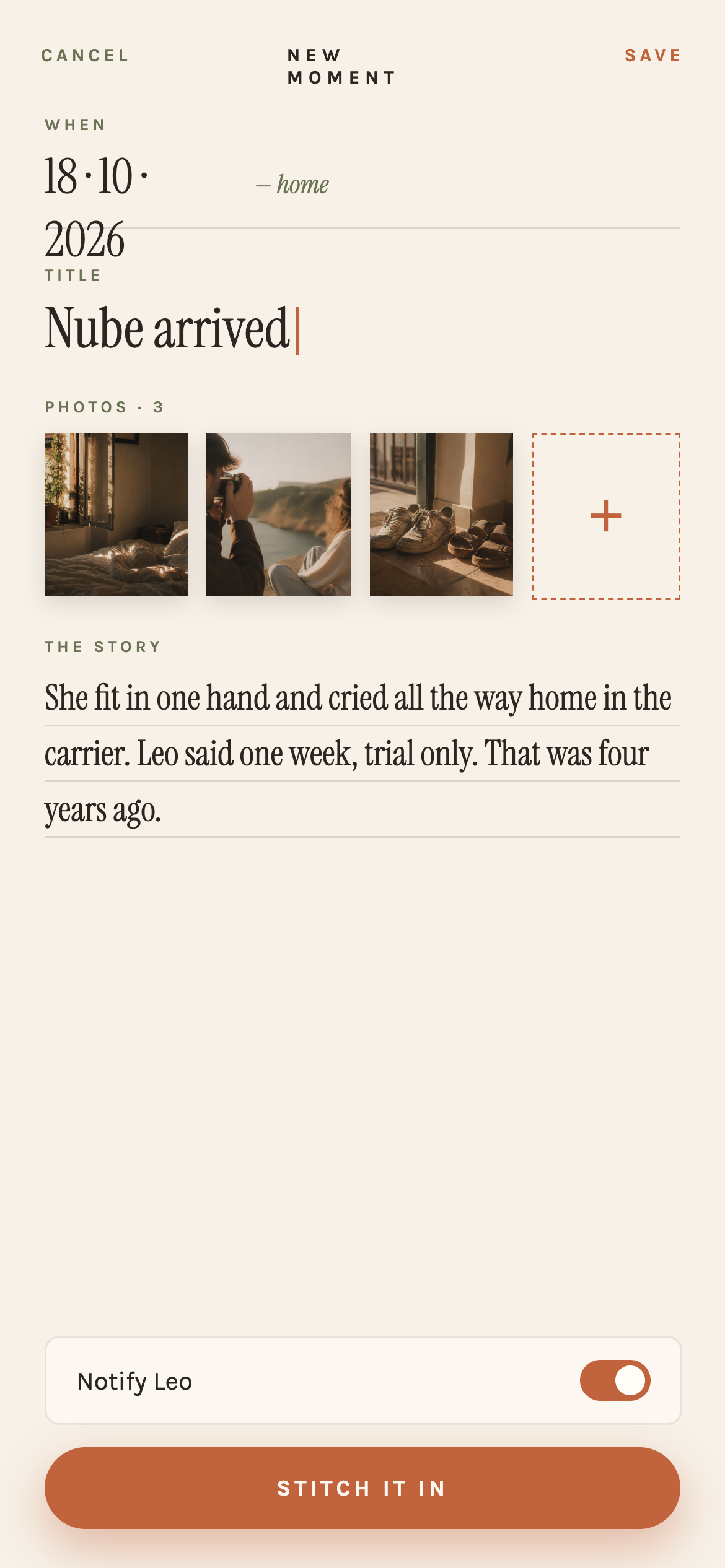
Create moment (Terracotta theme)
-

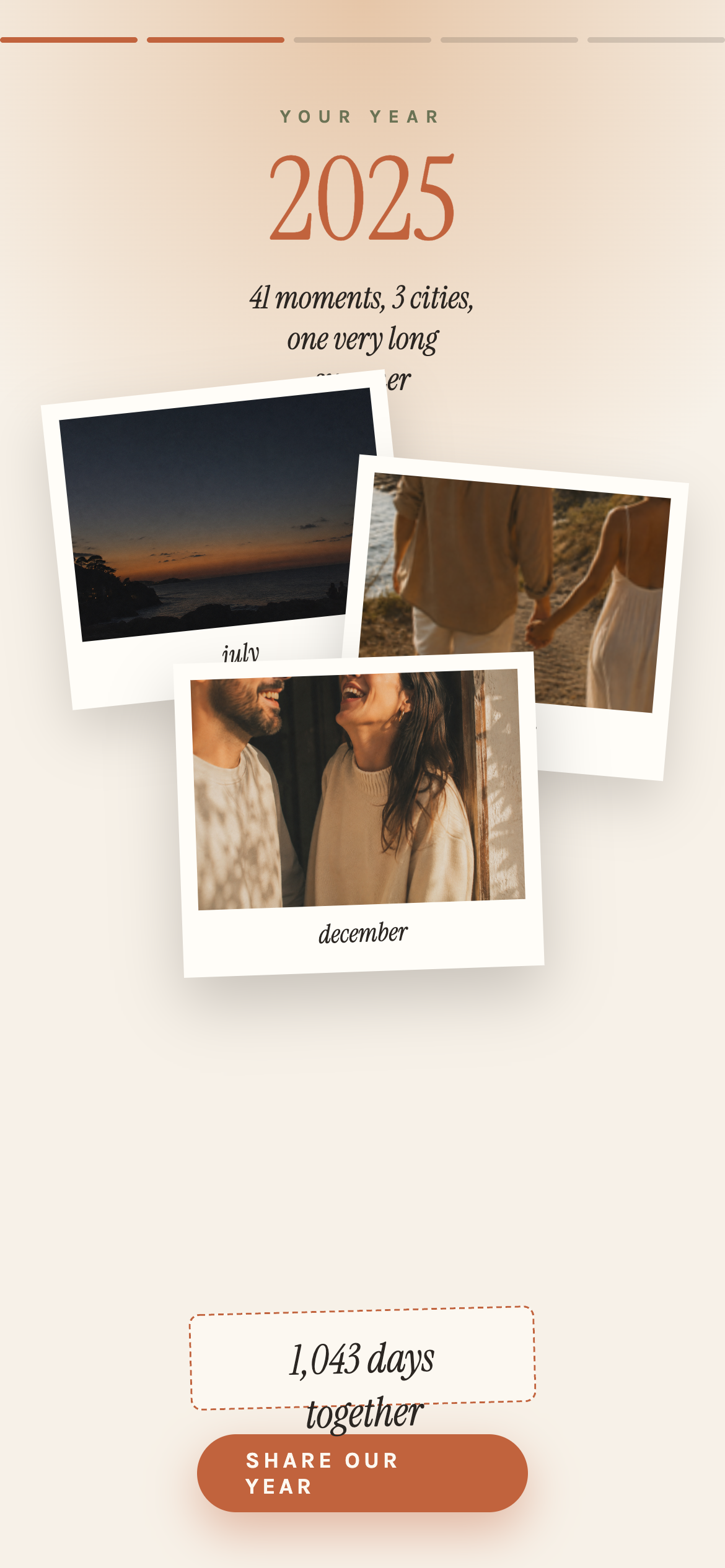
Annual recap (Terracotta theme)

Inspiration
Couples take thousands of photos together, but they end up scattered across camera rolls, group chats, and cloud backups with zero shared narrative. A shared album is a folder, not a story. We wanted something with the emotional weight of a physical scrapbook, kept together, that a couple actually opens and adds to — not another social feed optimized for other people's attention.
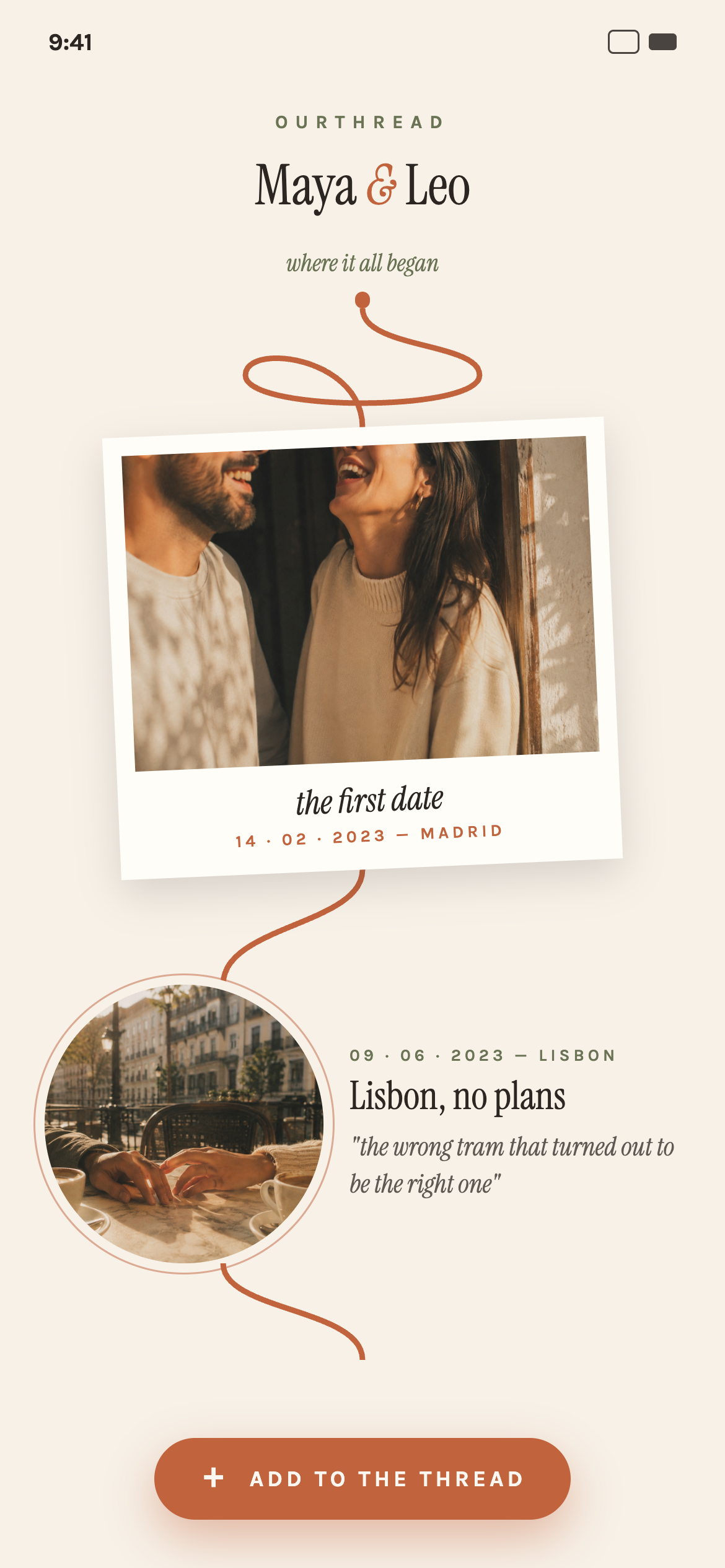
The idea crystallized around a single visual metaphor: a thread that runs through every milestone — first date, moving in together, trips, anniversaries — literally stitching the relationship's timeline together. Once we had that metaphor, the product language followed naturally: you don't "post" a memory, you "stitch a moment." An empty timeline isn't an empty state, it's "the thread awaits its first stitch." That consistency of voice is what pushed this from a CRUD photo app into something with a real point of view — which is also why we targeted the Design Award category alongside HAMM.
Prize Categories
Primary targets: HAMM (monetization) and the Design Award. We'd also be glad to be considered for the Grand Prize, but we built OurThread first and foremost to win on monetization strategy and visual craft.
HAMM: monetization built around the couple, not the individual
- One subscription per couple. A relationship app that charges each partner separately feels wrong, so one purchase unlocks premium for both. Entitlement is tied to the couple, not to a user. RevenueCat webhooks (
INITIAL_PURCHASE,RENEWAL,EXPIRATION) go to a Supabase Edge Function, which updates the couple's subscription row. The backend decides access from that row, so the partner who didn't pay gets premium right away without any promotional-entitlement workarounds. - The free tier is the trial. Free couples get one timeline, up to 5 moments and the default theme. We dropped a separate 7-day trial because it was redundant. Five stitched moments is enough to get a couple emotionally invested in their thread. When the paywall appears, it comes at the moment they want to keep going, not on an arbitrary timer.
- Premium grows with the relationship. Premium adds unlimited moments, 5 alternate color palettes with a matching adaptive app icon, seasonal and limited-edition themes, cloud backup, and an exportable Annual Recap. The Recap gives couples a reason to come back every year, and it's shareable, which helps new users find the app.
Design Award: a point of view, executed with polish
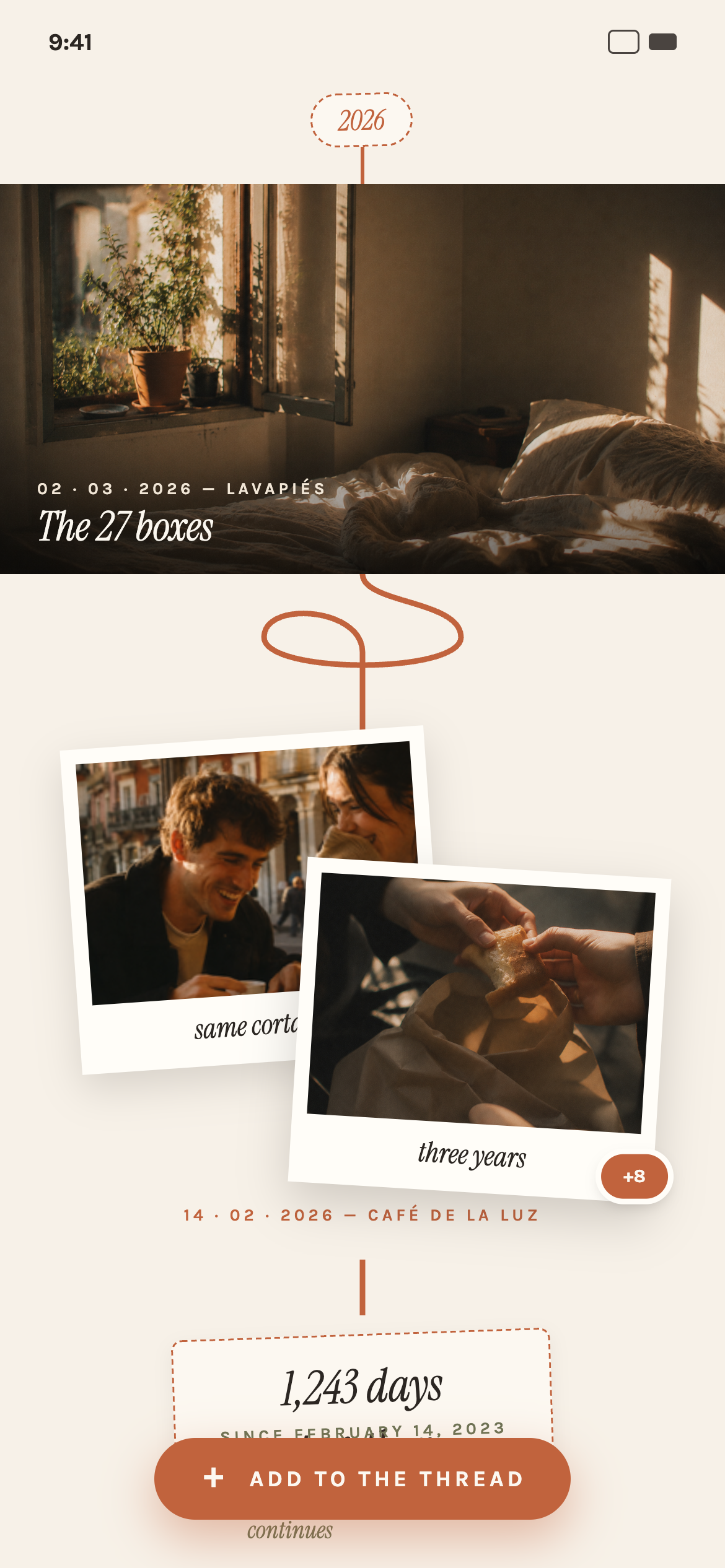
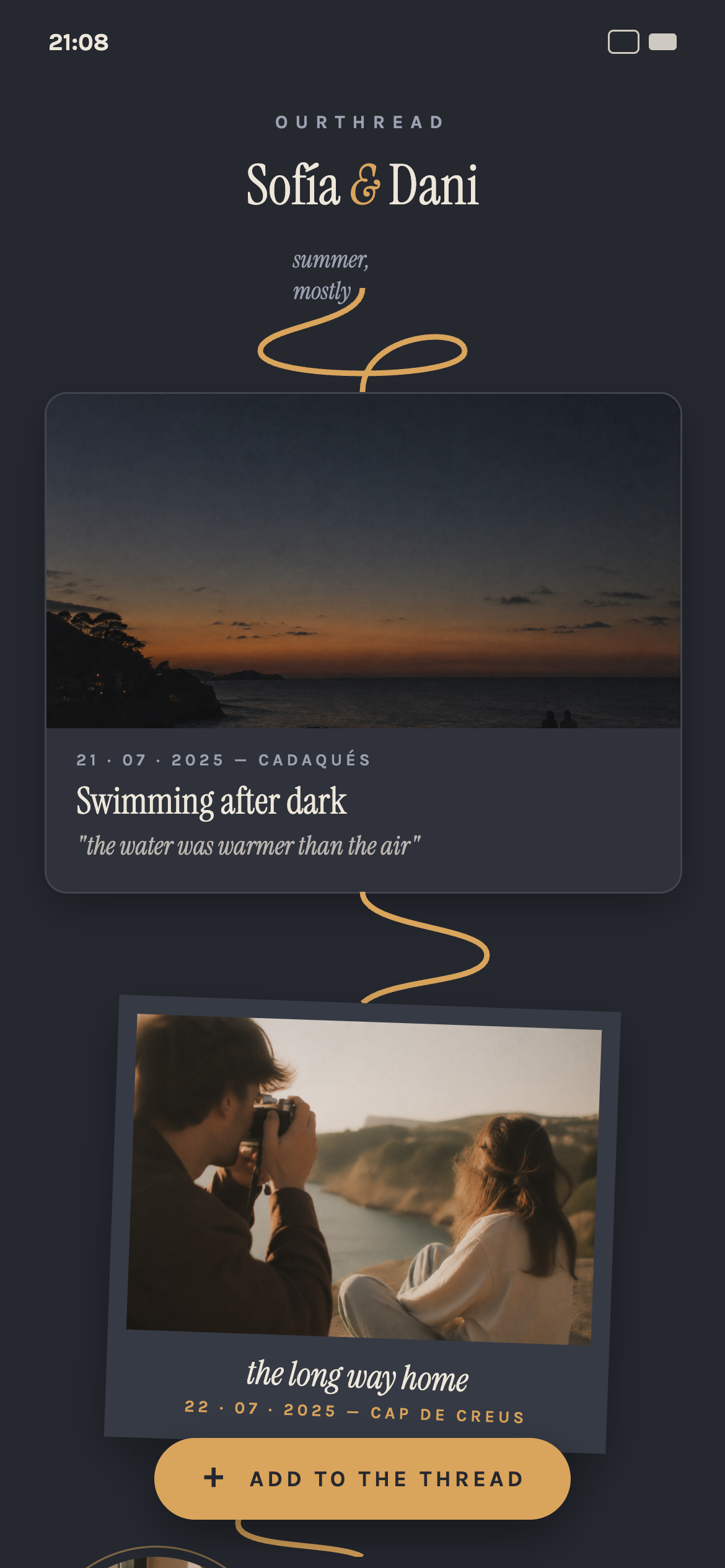
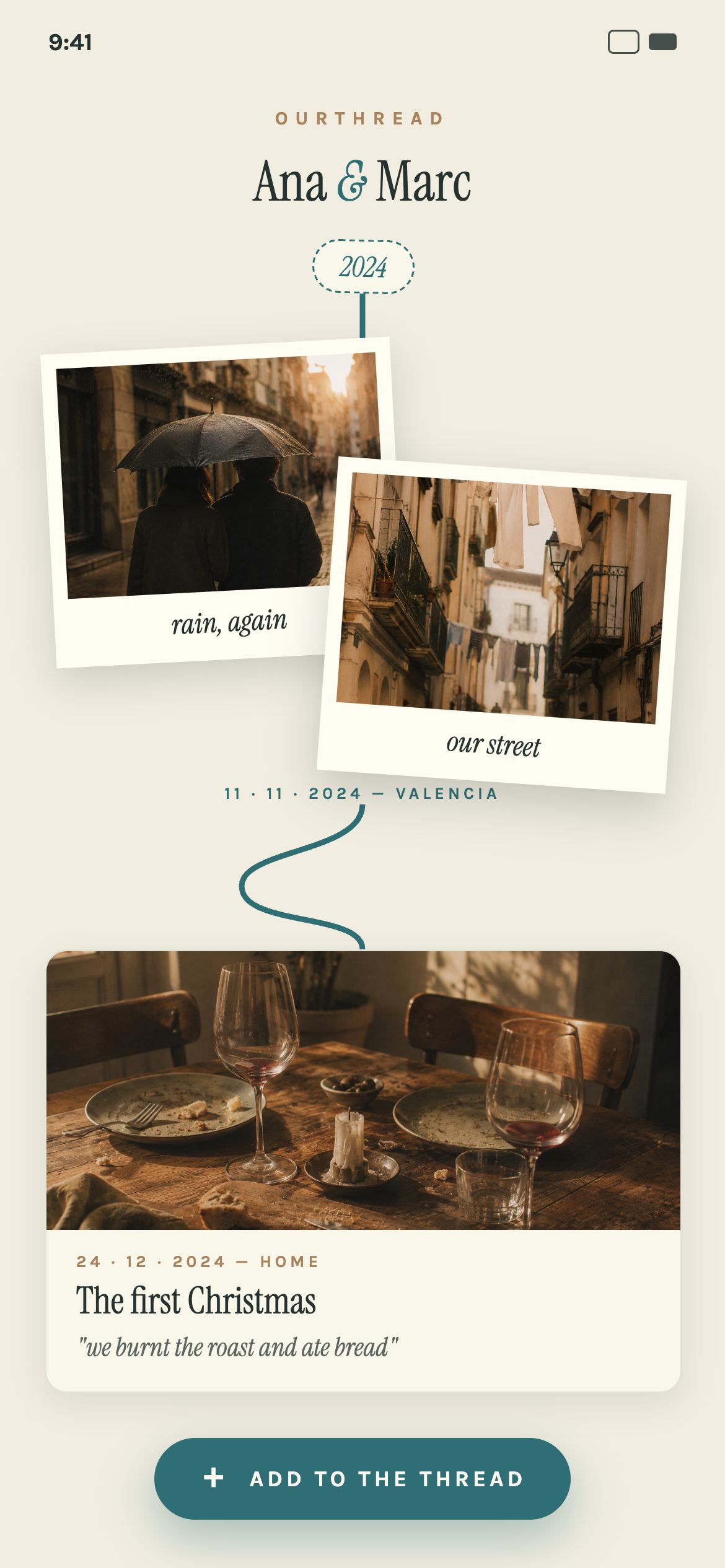
- The thread is how you navigate the app, not just decoration. A continuous terracotta thread connects every moment in chronological order. The timeline opens at the newest stitch, and you scroll up to relive the story from the beginning.
- Layouts are permanent. Card rotations, cover layouts (polaroid, duo-polaroid, circle, full-bleed and more) and thread connector shapes look varied but are derived from each moment's ID, never regenerated per session. Both partners see the exact same scrapbook on any device, every time, because the product's promise is a shared artifact that doesn't change.
- One design system across six themes. Every screen reads from shared tokens, so all six palettes work across the whole app without redesigning any screen.
- The copy uses the same metaphor throughout. You "stitch a moment," "unstitch" one, and an empty timeline "awaits its first stitch." Editorial serif titles, a warm cream background and no dating-app clichés (no saturated pinks, no generic hearts) make the app feel like a travel journal.
What it does
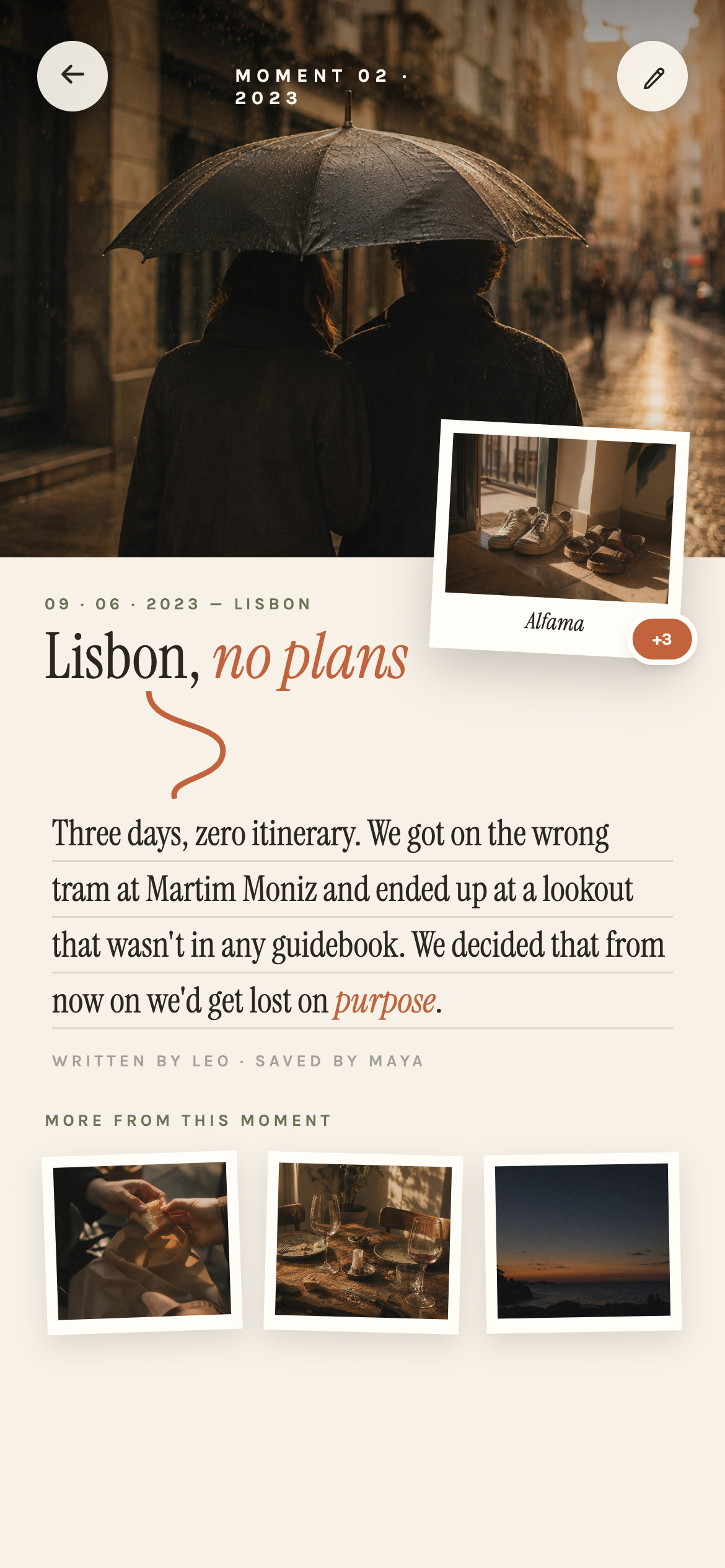
OurThread is a shared visual diary for couples, built for iOS. Two partners link their accounts through a single-use invite link, and from then on they both add to one collaborative timeline: photos plus a short note, pinned to a date and location. The timeline renders as a chronological, top-to-bottom thread — each moment gets one of several deterministically-varied layouts (polaroid, circle crop, full-bleed, duo-polaroid for two photos, wide) connected by hand-drawn-feeling thread connectors, so the same moment always looks the same on any device, in any session, for both partners.
The subscription is priced per couple, not per person — one partner pays, both get premium. Free gives you one timeline and up to five moments as a natural trial (we deliberately dropped a separate 7-day trial as redundant); premium unlocks unlimited moments, five additional color themes (including an adaptive iOS app icon per theme), cloud backup, and an exportable Annual Recap — a five-slide, story-style playback of the year's moments, styled like an end-of-year Spotify Wrapped but built entirely around the thread/stitch visual language, shareable straight to Instagram Stories.
How we built it
React Native + Expo for the client, Supabase for essentially everything on the backend — Postgres, Auth, Storage with Row Level Security scoped to couple_id, Edge Functions, and Realtime. Auth is Sign in with Apple and Google collapsed into a single tap on the welcome screen (Apple requires offering both once you offer any third-party social login). RevenueCat handles the paywall and entitlements; a Supabase Edge Function listens for RevenueCat's purchase/renewal/expiration webhooks and updates the couple's row in a subscriptions table keyed by couple_id rather than user_id — that one modeling decision let us support shared-per-couple premium without needing RevenueCat's one-to-many promotional-entitlement grant for the second partner; the backend just resolves access from the couple, which either partner's session can read.
Data fetching runs through TanStack Query, with a clean split we held to throughout: plain Supabase calls live in services/api.ts, and the hooks components actually use (useMoments, an infinite query paging the moments table, etc.) live in services/queries.ts. The design system is token-based rather than hardcoded per screen — colors, type, spacing, and radii all read from useTheme() — which is what let us ship six total palettes (default terracotta plus five premium ones) without re-implementing any screen per theme, including swapping the iOS app icon via setAlternateIconName. The whole visual language — including exact hex values and font stacks — was prototyped first as real interactive HTML/CSS files before any of it became React Native components, so we always had a literal source of truth to extract from instead of eyeballing a screenshot.
The trickiest interaction piece was the timeline itself: card rotation, layout choice per moment, and the connector shape between cards all needed to look organic and varied, but had to be fully deterministic — seeded from the moment's own id — so a shared timeline renders identically for both partners and doesn't visually drift between app sessions. We also built the thread connectors as a scroll-linked reveal, tracing in as you scroll rather than just appearing, and iterated through a few reveal techniques (SVG mask reveal, then a clipped-View approach) before landing on one that performed well on device. PostHog is wired in for product analytics on the moments/recap/paywall funnels, which is already shaping what we prioritize next.
This was also effectively a two-person team of one developer plus Claude: the entire visual system started as interactive HTML/CSS prototypes built in Claude Design, which is what let us lock in exact colors, typography, and spacing before a single React Native component existed, instead of translating screenshots by eye. Claude Code did the heavy lifting turning that design reference into the actual app — screens, the seeded timeline logic, the RevenueCat/Supabase webhook wiring — working directly from a project-level spec that encoded the data model, business rules, and design tokens so the output stayed consistent screen after screen. Building something with this much visual and logical polish (six themes, deterministic layout system, full onboarding/paywall/recap flow) solo, in the Shipaton's timeframe, wouldn't have been realistic without that workflow.
Challenges we ran into
Getting the timeline to feel alive without feeling random was the core design tension of the whole project — early passes used naive randomness for layout and connector selection, which looked fine in isolation but broke the moment you reopened the app and a moment's layout had changed, or a couple opened the same timeline on two different phones and saw two different things. Reworking that around a stable per-moment seed fixed it, but took a few iterations to get connector variety and layout selection (e.g., avoiding two "circle" layouts back to back) to still look intentional rather than mechanical.
The Annual Recap's share flow was its own multi-day fight — getting the exported share-preview image to actually match what's rendered on screen (rather than clipping content or losing styling) took several passes, including moving from a bottom sheet to a modal for the share preview to get reliable layout behavior.
Modeling the couple relationship correctly also took real thought: subscriptions, invite links, and even "has this person finished onboarding" all needed to be derived from relational state rather than flags, since a couple can legitimately exist with only one partner onboarded, invites must be provably single-use without silently overwriting an existing partner, and none of that can drift out of sync the way a boolean flag can.
Accomplishments that we're proud of
The deterministic-but-organic timeline rendering is the piece we're proudest of — it's subtle, but it's the difference between an app that looks hand-crafted and one that looks templated. We're also proud of holding the sewing/thread metaphor all the way through the product, from microcopy to the Annual Recap's visual identity to the empty state, instead of it being a launch-screen gimmick that fades away three screens in. And the couple-level subscription model, worked out entirely through data modeling rather than a special-cased integration with RevenueCat's promotional entitlements, kept the payments code simple while still doing the right thing for both partners.
What we learned
Modeling shared, two-person state correctly from day one saves you from a lot of special-casing later — almost every "who sees what, who can do what" question in this app collapsed into "read it off the couple's row," once couples and subscriptions were modeled at the couple level instead of the user level. We also relearned that visual consistency is a much harder engineering problem than a design problem: getting variety and permanence to coexist in the same feature (the timeline layout) meant treating "randomness" as a first-class, testable, seeded system rather than a decoration layer.
What's next for OurThread
OurThread is already live on the App Store, with the full feature set — including settings/account and the theme switcher — shipped. From here, the focus shifts from building to growing: using Layers to run organic growth experiments (App Store listing, screenshots, positioning) and leaning on PostHog to actually understand user behavior across the moments/paywall/recap funnels — which themes get picked, where the paywall converts or drops off, whether the Annual Recap drives re-engagement — and letting that data, rather than guesses, decide what gets built next.
Built With
- claude
- claude-code
- claude-design
- expo.io
- layers
- postgresql
- posthog
- react-native
- revenuecat
- social-login
- supabase
- supabase-auth
- tanstack-query
- typescript


Log in or sign up for Devpost to join the conversation.