-
-
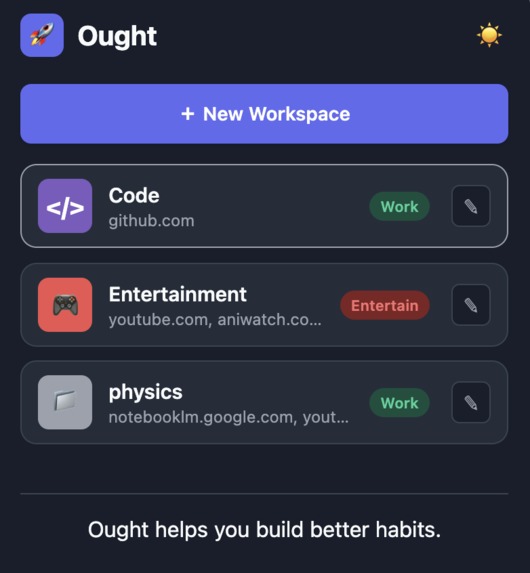
first view
-
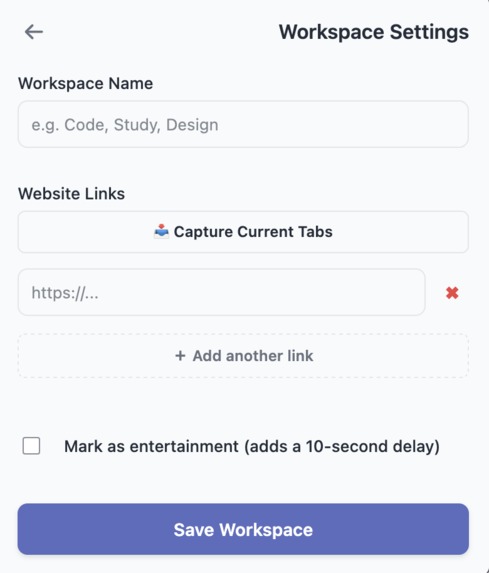
inside workspace
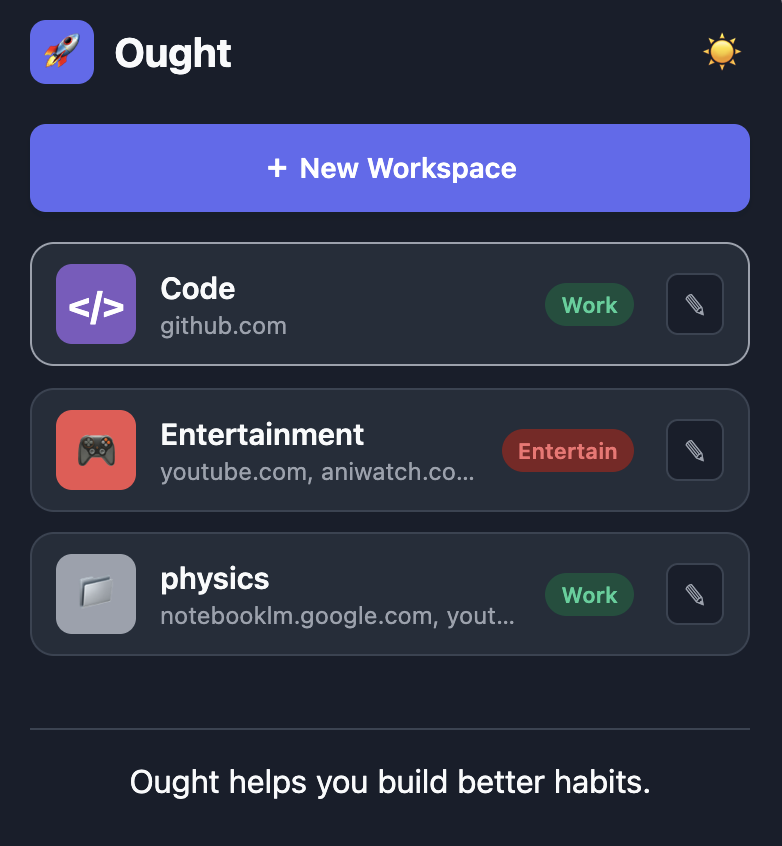
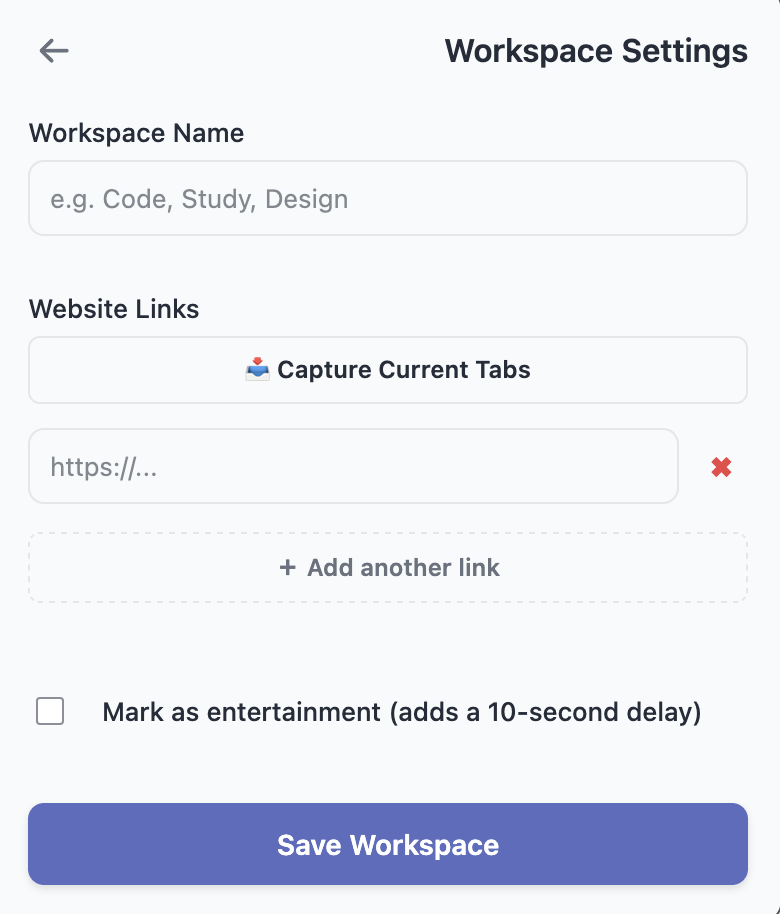
Inspiration
There's this dangerous five-minute window every time you sit down to actually work. You open a new tab, you go to click GitHub, and somewhere between typing the URL and it loading, YouTube's autoplay gets you instead. It's not a willpower problem. It's a setup problem the friction of opening your real workspace is just barely higher than the friction of opening something that'll eat your next two hours.
We wanted a tool that killed that gap entirely. Not another blocker app that guilt-trips you, but something that makes starting the productive thing instantly easier than starting the distracting thing, and makes the distracting thing cost you something on the way in.
What it does
Ought is basically a workspace launcher you set up named environments ahead of time, and then getting into "work mode" takes one click instead of ten minutes of opening tabs.
You create a workspace like "Code" or "Study," assign it a set of URLs, and clicking it opens everything at once. No more manually opening five sites in the right order every time you sit down.
Instead of copying and pasting links to build these workspaces, there's a "capture current tabs" button open what you actually need, hit it, and it saves your open tabs as a workspace on the spot.
The part we spent the most time on is the Entertainment tag. Mark a workspace as Entertainment YouTube, Netflix, whatever and clicking it doesn't just open it. You get a 10-second countdown and a quote first. It's not a block; you can still get through. It just makes you sit there for ten seconds instead of clicking straight into autopilot, which is usually enough to make you reconsider.
And all of it stays on your machine no login, no cloud storage, nothing being tracked. Install it and it just works.
How we built it
Ought is built as a browser extension using plain HTML, CSS, and vanilla JavaScript — no frameworks, nothing running on a server. We stuck to the standard WebExtension APIs instead of anything Chrome-specific, mostly so it stays fast and doesn't lock us into one browser. Everything gets saved through the browser's native storage.local API, so a workspace lives entirely on your machine. No login screen, no syncing to some server somewhere. The main feature runs on the tabs API: open whatever sites you need for a task, hit "capture current tabs" in the popup, and it saves that whole set as a named workspace you can reopen later in one click. For the UI we went with a centered popup instead of a full page — light/dark toggle, and each workspace card gets tagged as Work or Entertainment. Want me to swap this into the ought-devpost.md file in place of the current "How we built it" section, since this version frames it as cross-browser rather than Chrome-only?
Challenges we ran into
We originally tried building this as a full new-tab-page override, replacing Chrome's default tab entirely. It ended up looking like a bloated full-page web app crammed into a browser tab, which wasn't the vibe. Switching to a compact popup meant redoing most of the CSS and rethinking the layout from scratch.
The edit-workspace screen was the other rough part letting someone dynamically add, remove, and reorder URL fields, and pulling in their currently open tabs to prefill that list, all without React or any state library to lean on. A lot of manual DOM manipulation and event listener bookkeeping.
Accomplishments that we're proud of
Getting a genuinely dynamic UI working in pure vanilla JS feels like the real win here. Everyone reaches for React the second things get stateful, but managing URL fields that get added, removed, and pulled in from open tabs — all through raw DOM manipulation actually worked, and we didn't cut any corners doing it.
The onboarding time is basically zero. No account, no password, nothing syncing in the background — install it and you're using it in under three seconds because there's just local storage sitting behind it. We're probably most proud of the 10-second delay mechanic though. It would've been so much easier to just build another site blocker, but those get uninstalled the first time someone's annoyed. Making someone sit through a countdown and a quote instead of hard-blocking them treats them like they can make their own call — it's a nudge, not a wall.
And we cared more than we expected about how it looked. This wasn't supposed to read as a rushed weekend build — the light/dark toggle works the way you'd want it to, and the workspace cards look like something from a real app instead of a hackathon prototype.
What we learned
Skipping the backend turned out to matter more than we expected. No cloud database, just the browser's native storage.local API and the thing loads instantly and works fully offline. Privacy wasn't even something we had to build in separately; it's just a side effect of never sending data anywhere.
The dynamic URL interface was the real DOM workout letting people add, remove, and pull in active tab URLs on the fly, all in vanilla JS. No framework to lean on meant actually thinking through state, event listeners, and re-rendering by hand instead of letting something like React paper over it.
We also ended up caring more about cross-browser support than planned. Once we moved off Chrome-specific naming and stuck to the standard WebExtension APIs (tabs, storage), the extension started working across Firefox, Brave, and Edge without extra effort.
What's next for Ought
A couple ideas we didn't have time for: scaling the countdown timer automatically based on how close your next deadline or calendar event is, and for Work workspaces specifically, remembering the exact timestamp of a paused tutorial video so it resumes right where you left off instead of starting over.
Built With
- css
- html
- jason
- javascript


Log in or sign up for Devpost to join the conversation.