-
-

how the button interacts with edge
-

button design V_2
-
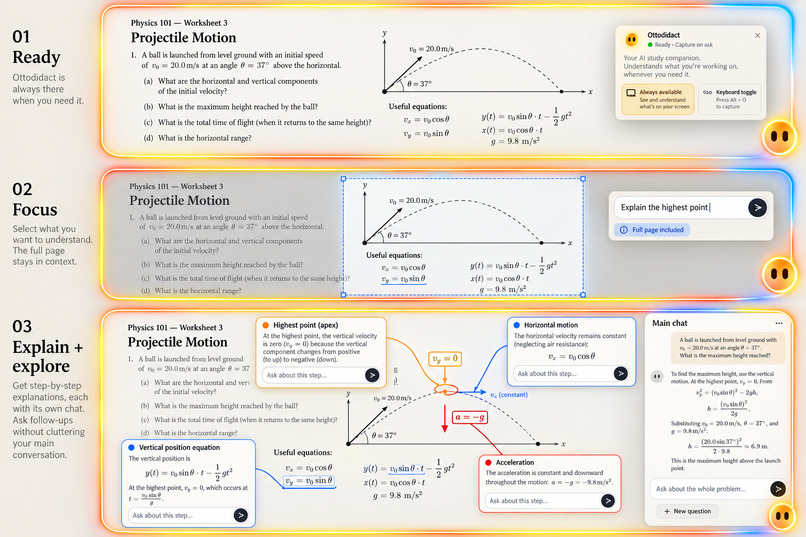
designing the UI V_1
-
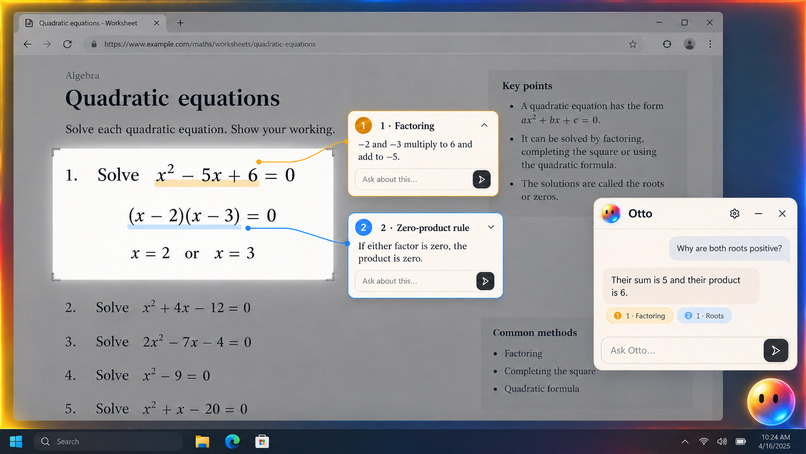
UI design V_2
-
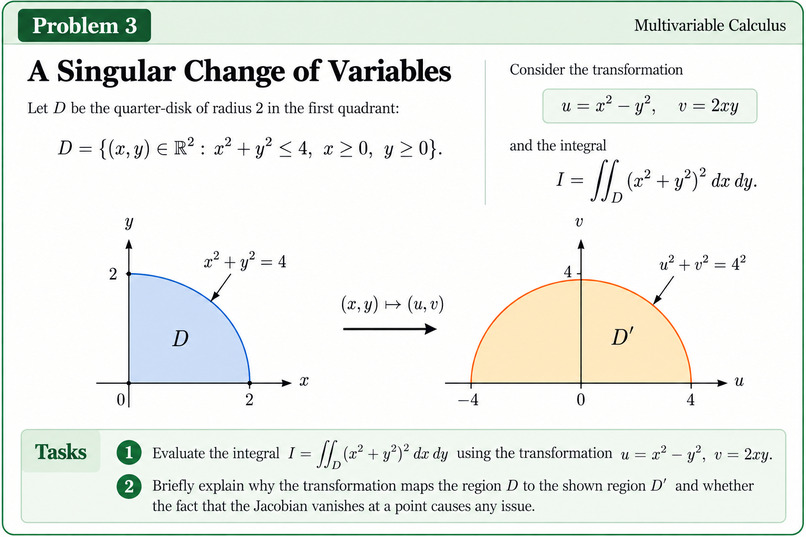
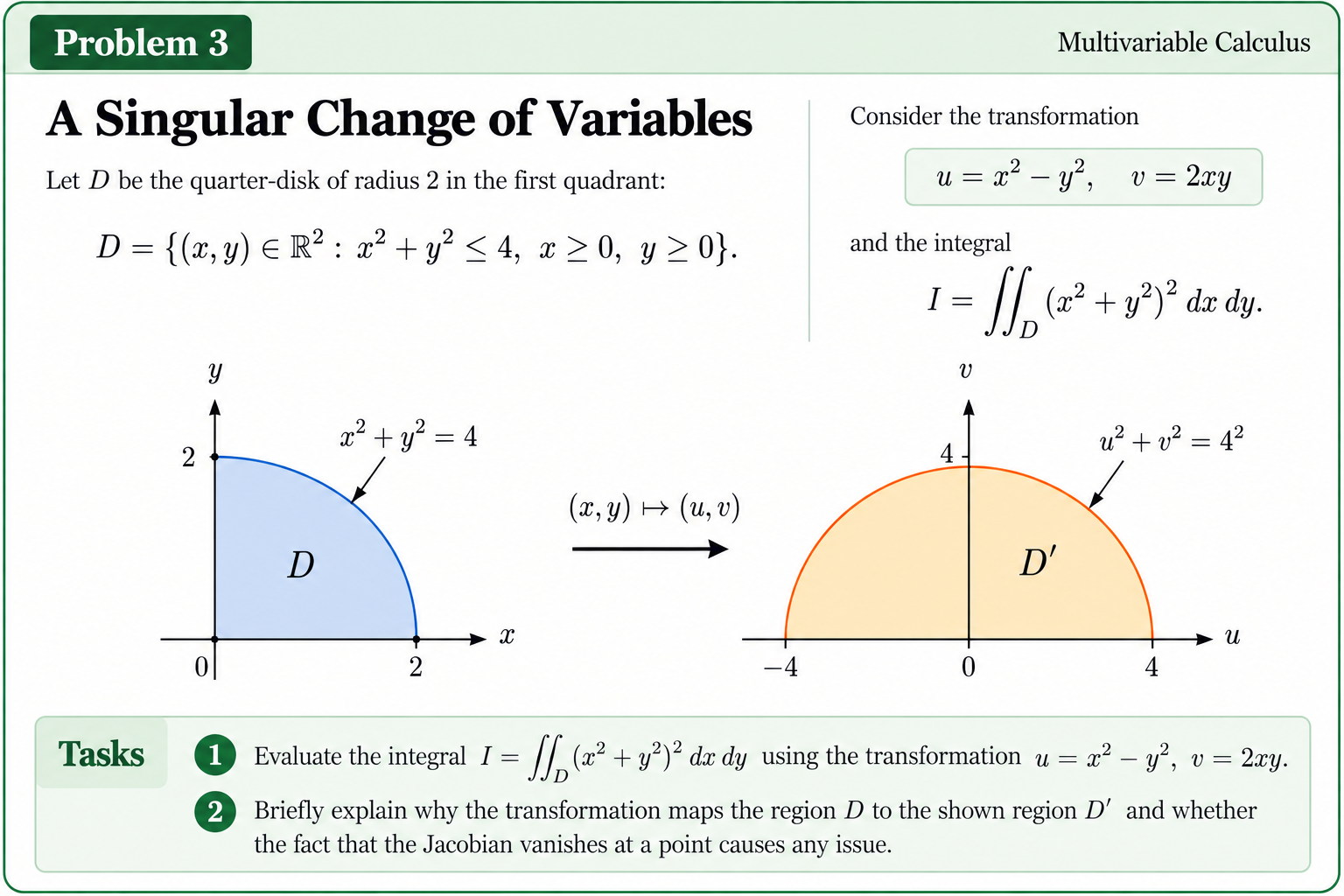
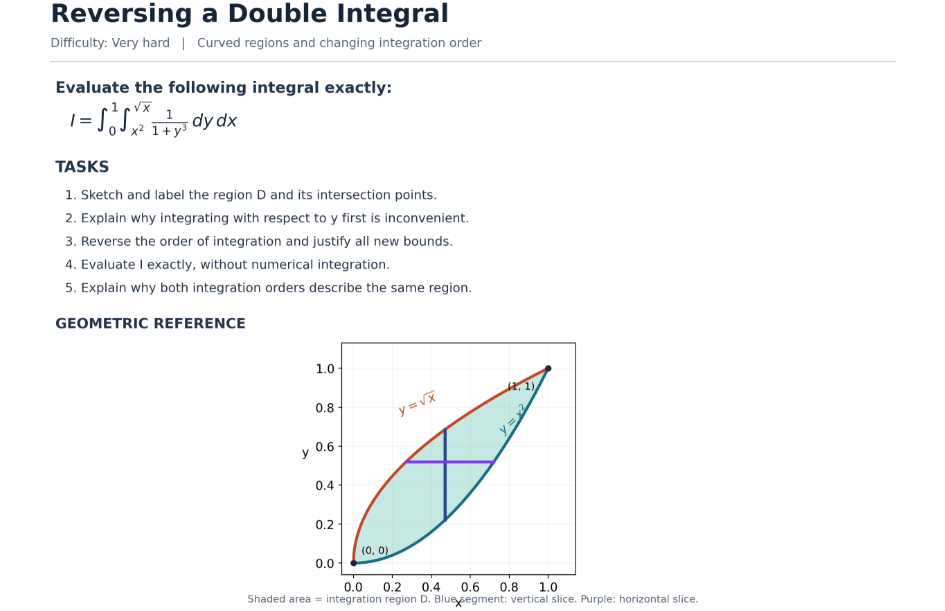
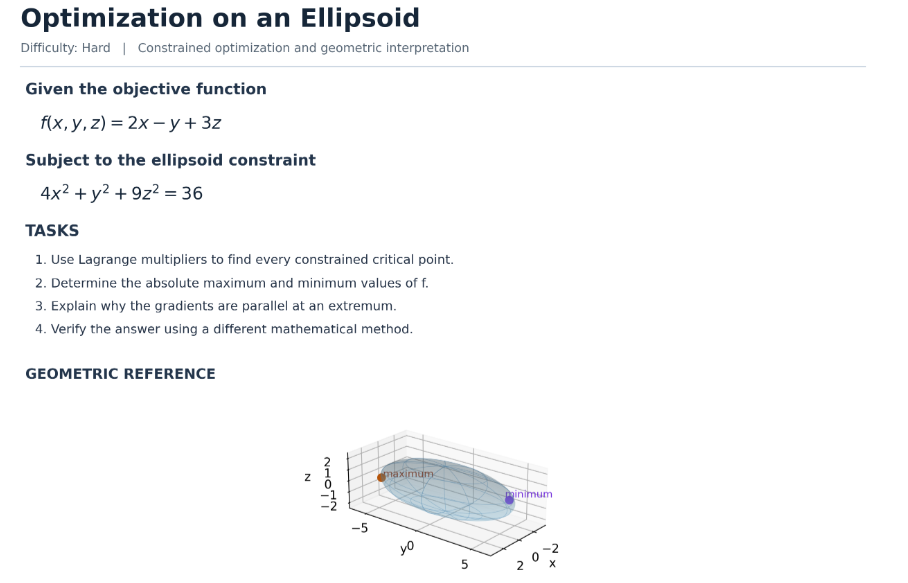
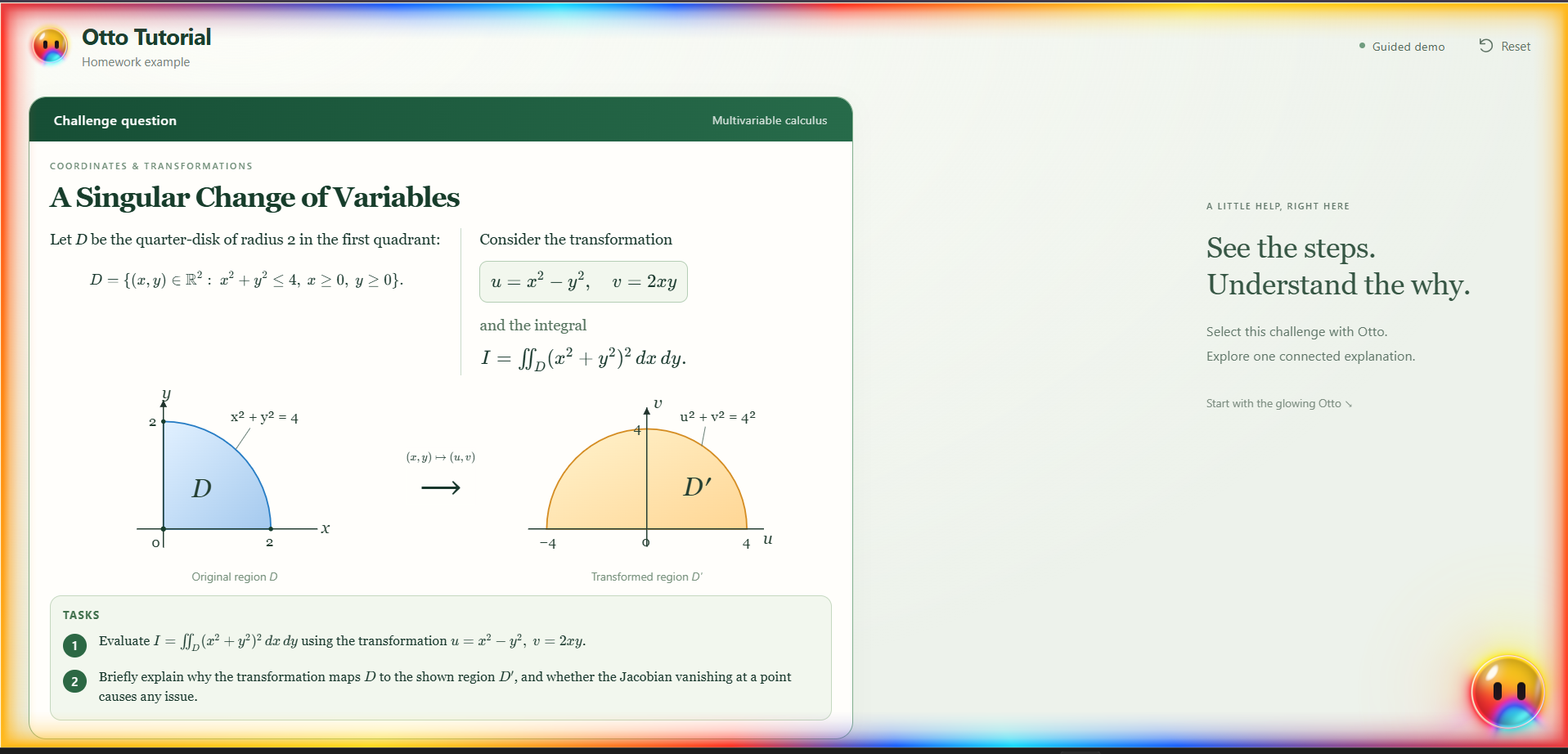
HARD math question to test capabilities
-
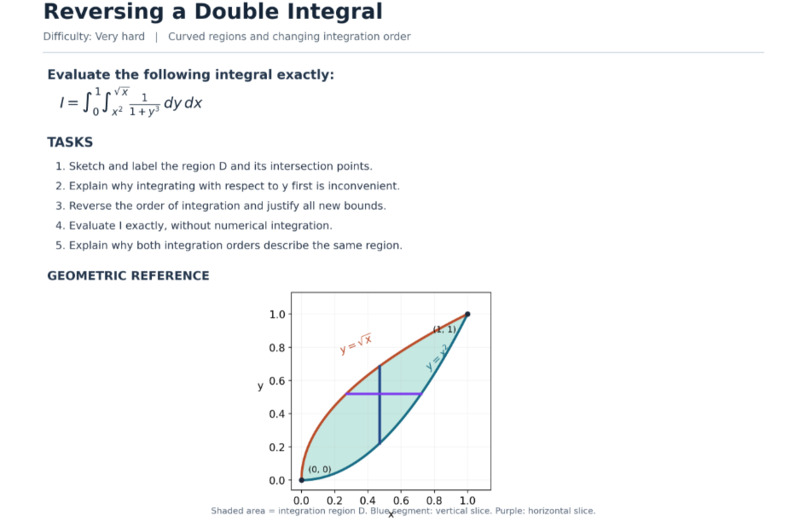
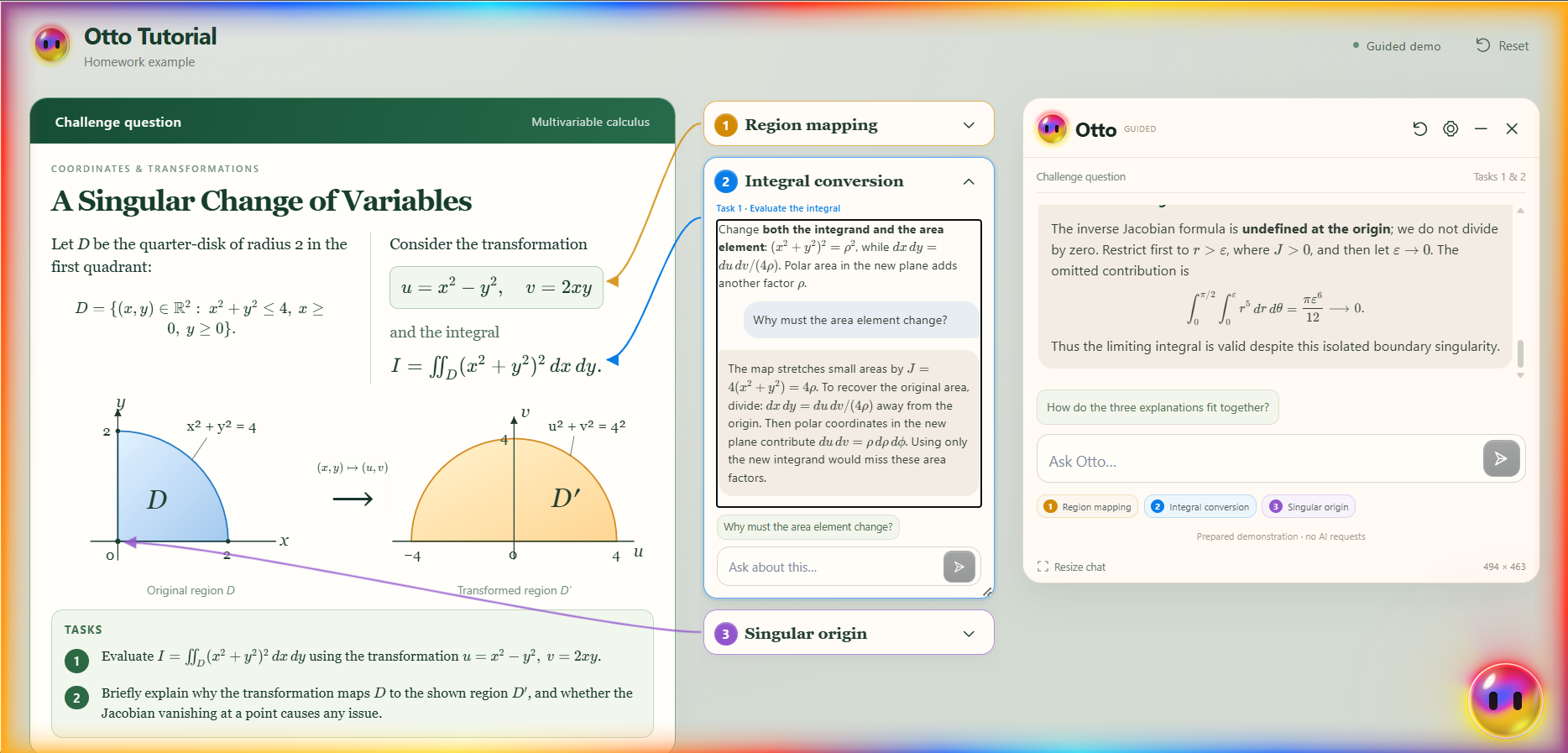
Medium math to test the box and arrows
-
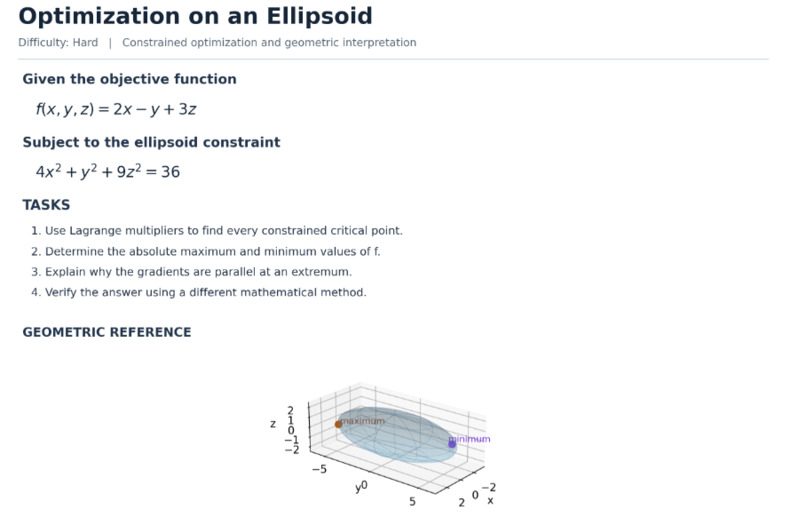
medium test to see if OTTO can do it with proper formatting
-
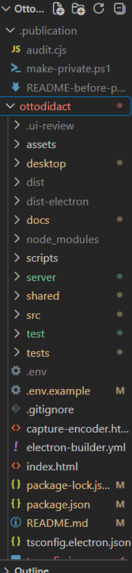
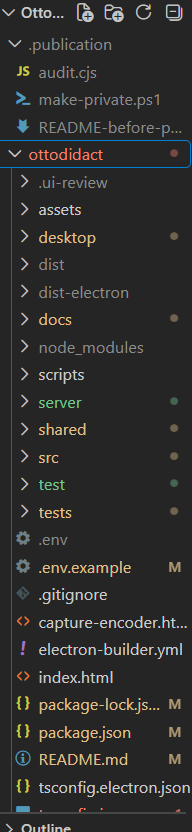
file management was a NIGHTMARE so many files and folders
-
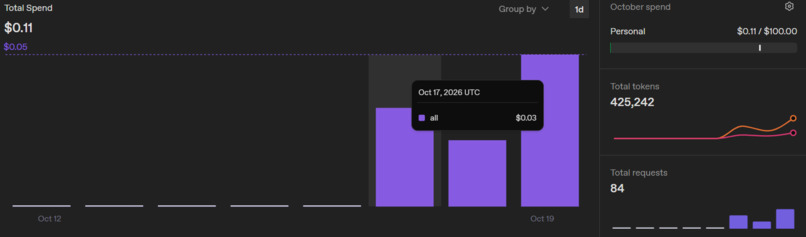
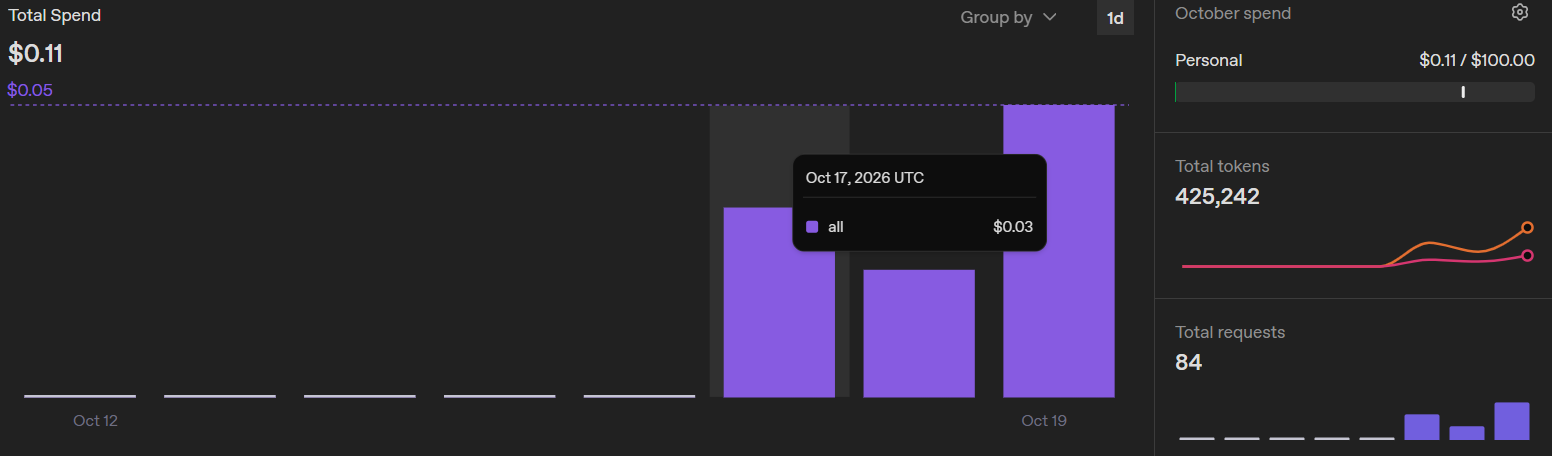
optimizing costs since im broke :(
-
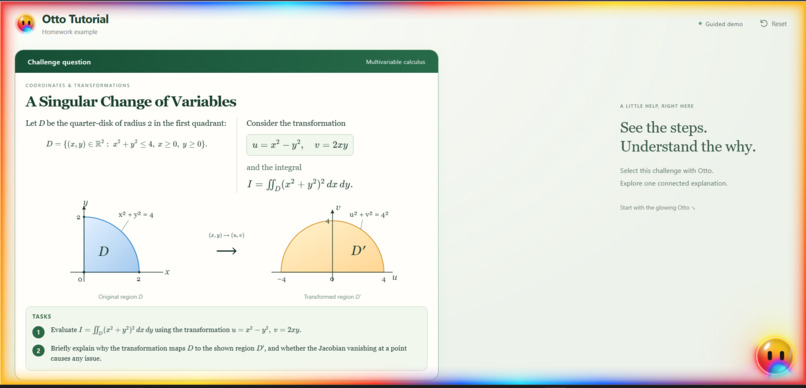
making the DEMO site (no AI connected since i dont got any money left)
-
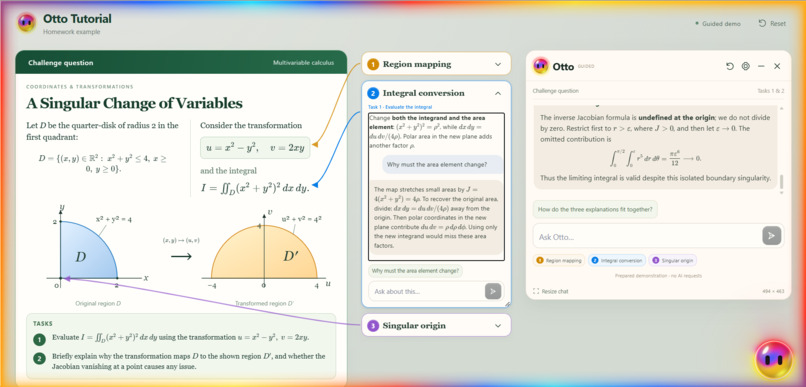
testing the DEMO site
-
scuba cat for extra aura
-
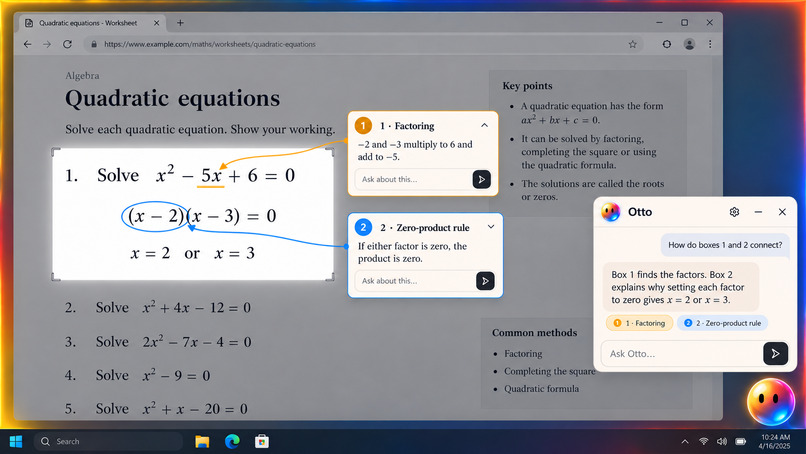
testing other markings other than arrows
-
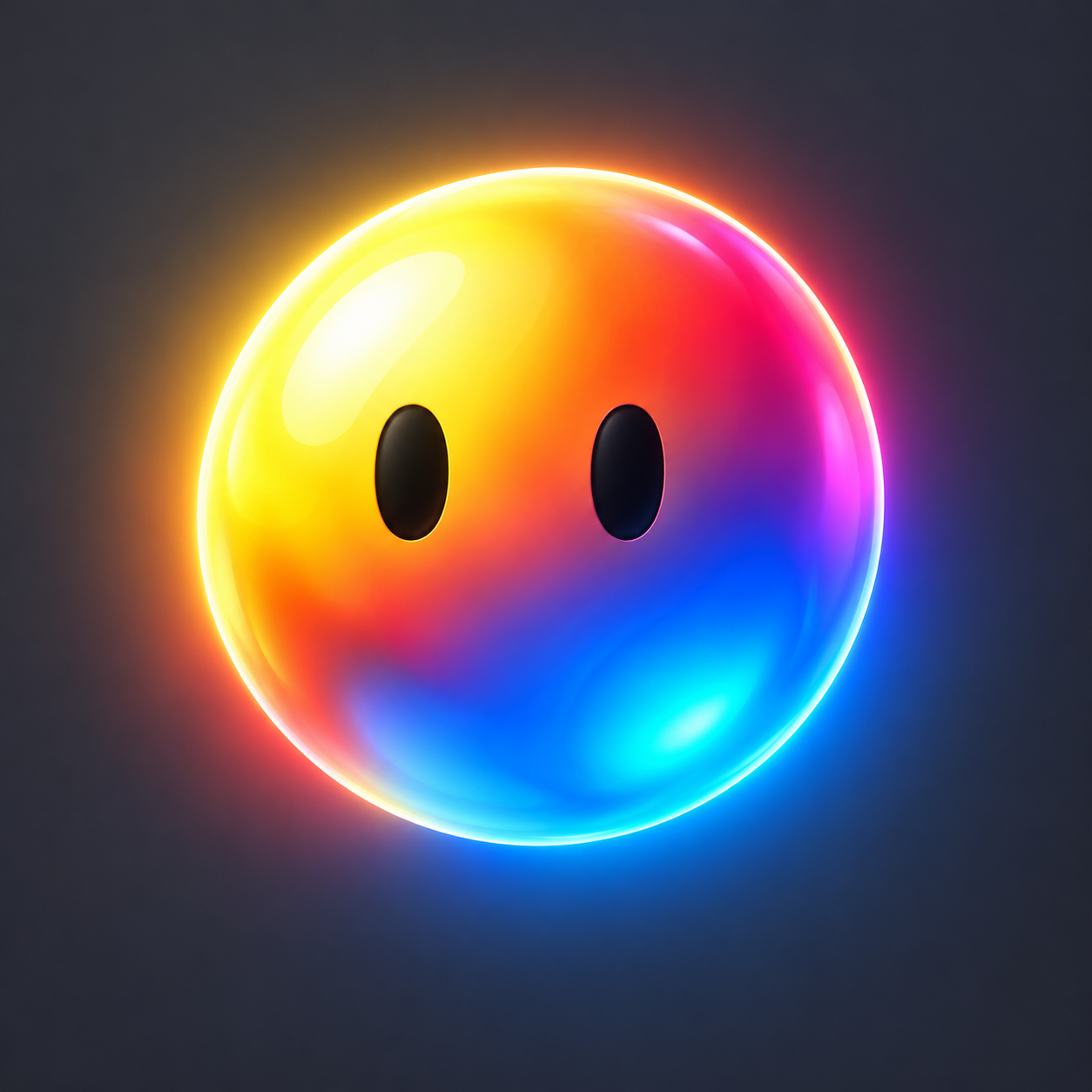
logo v_3, this one is my favorite and is still in development :)

Inspiration
Ottodidact was inspired by Google Lens's visual interaction, ChatGPT's conversational AI, and the step-by-step explanations of a real teacher.
Traditional AI chats often bury the original question under countless follow-ups. We wanted to create an AI tutor that lets students explore individual concepts without losing their original learning path.
What it does
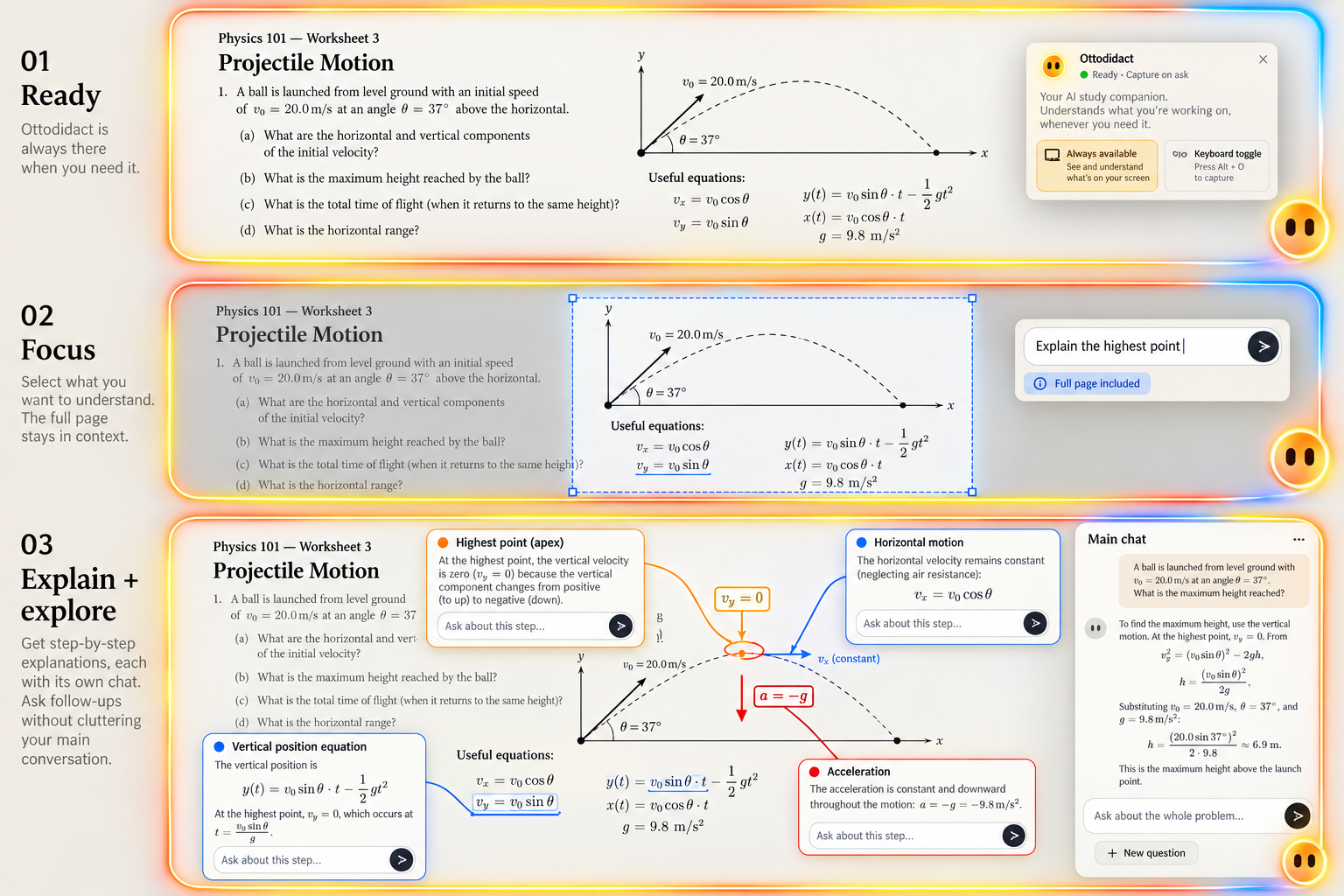
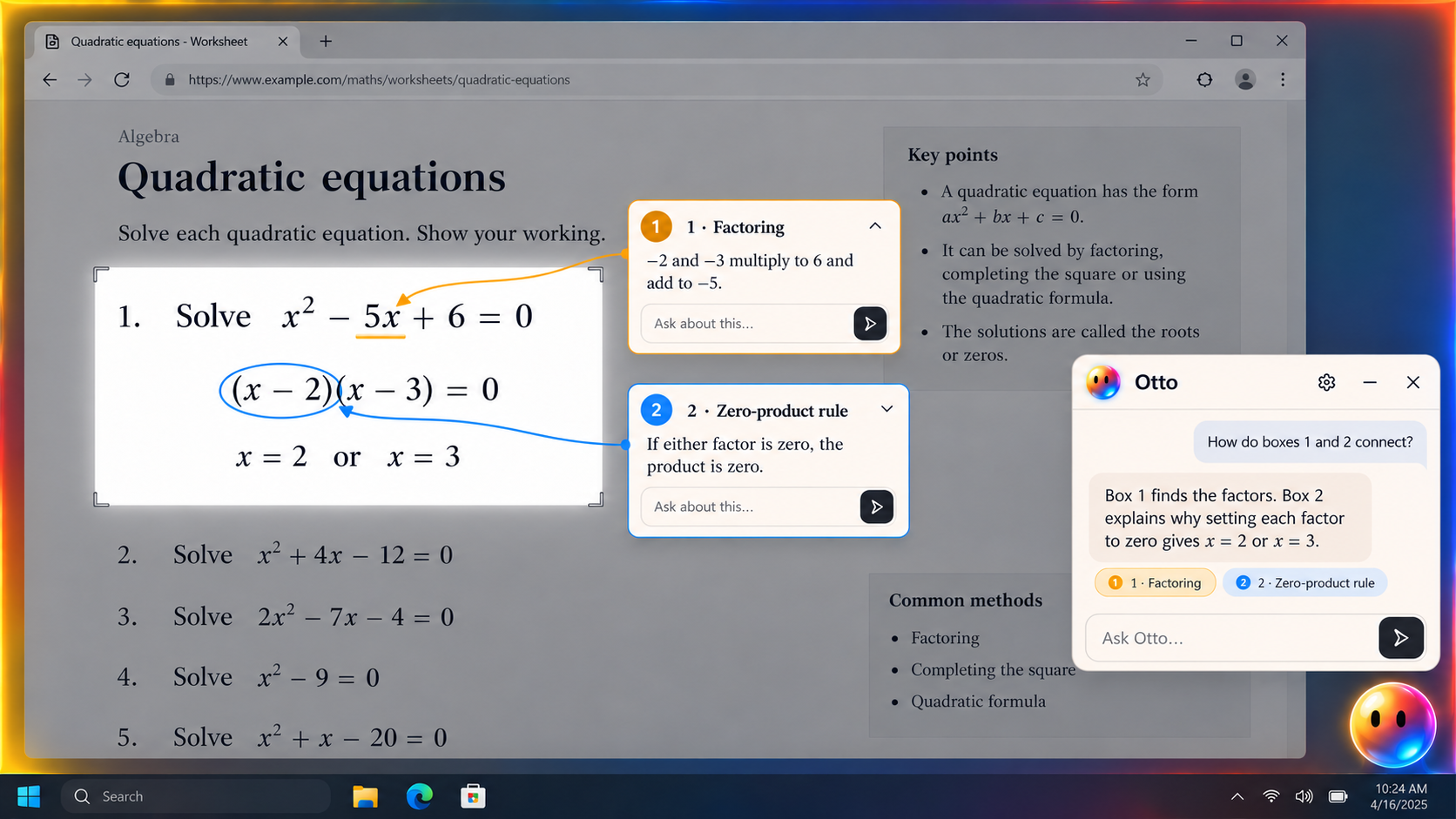
Ottodidact is a desktop AI tutor that understands and explains content directly on your screen.
- Screen Selection: Select any region of your screen, including equations, diagrams, text, or code, and ask Otto about it.
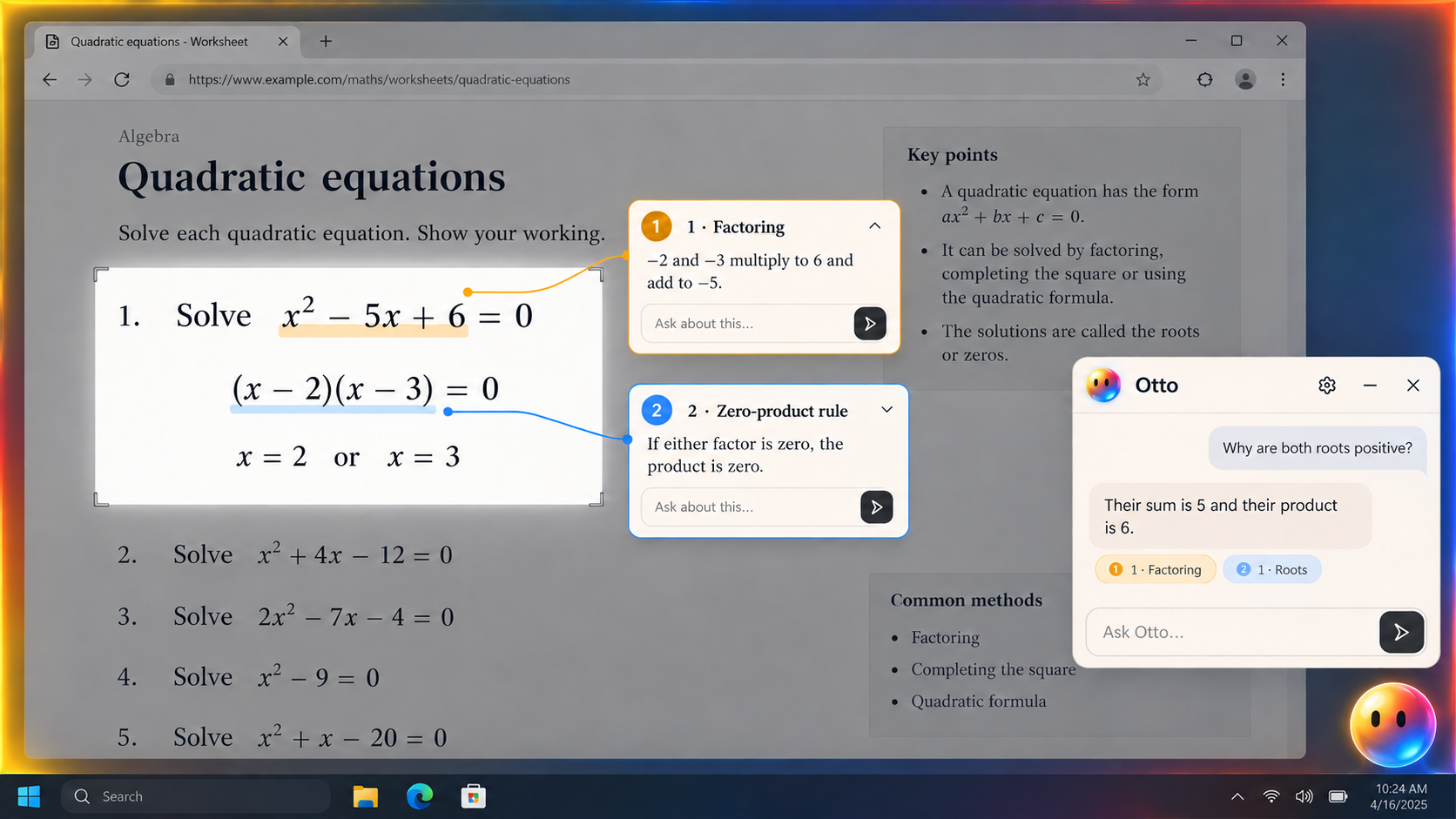
- Visual Explanations: Otto uses arrows, circles, underlines, and highlighted regions to connect explanations to exact parts of the screen.
- Contextual Side Chats: Ask questions about specific steps in separate conversation branches without interrupting the main explanation.
- Persistent Main Conversation: The original question and explanation remain accessible regardless of how many follow-up questions you explore.
- Dynamic Overlays: Explanation cards automatically resize and reposition around screen content.
- Desktop Integration: Otto stays accessible as a floating companion, allowing students to learn across different applications without switching to a chatbot.
How we built it
Ottodidact was developed using Electron, React, TypeScript, and the OpenAI API, combining desktop screen capture, AI vision, and custom visual annotation systems.
Our implementation includes:
- Screenshot processing: Captures selected screen regions and sends visual context to the AI.
- Coordinate-based annotations: Maps AI-identified targets to screen coordinates for arrows, circles, and underlines.
- Dynamic UI positioning: Calculates explanation-card positions, dimensions, and annotation connections.
- Context management: Maintains separate conversation histories for the main explanation and individual side questions.
- AI integration: Uses multimodal language models to interpret visual content and generate contextual explanations.
We combined AI-assisted coding with manual development, code reviews, debugging, and extensive testing to refine the application.
Challenges we ran into
Our biggest challenge was accurate visual annotation placement. Mapping AI-generated coordinates onto screenshots required handling screen scaling, variable content sizes, overlapping elements, and unusual selection boundaries.
Another challenge was dynamic explanation layouts. Cards needed to resize and reposition without covering important content or other conversations.
We also encountered API latency and token costs, particularly when processing large screenshots and maintaining multiple conversations. Optimizing the amount of visual and conversational context sent to the model became an important part of development.
Accomplishments that we're proud of
- Built a functional desktop AI tutor that interacts directly with screen content.
- Implemented contextual side conversations that preserve the original explanation.
- Developed a visual annotation system connecting explanations to precise screen locations.
- Created dynamically positioned and resizable explanation cards.
- Integrated screenshot-based AI understanding into a floating desktop interface.
- Tested the interface across different display scaling settings and edge cases.
Our biggest accomplishment is combining visual grounding, contextual branching, and interactive tutoring into one experience instead of relying on a conventional linear chatbot.
What we learned
We learned that building an effective AI application involves much more than integrating a language model.
Precise coordinate mapping, screen overlays, context isolation, UI collision handling, and token optimization were critical engineering challenges.
We also learned how to use AI-assisted development effectively while maintaining human control over architecture, debugging, and code quality.
What's next for OttodidactAI
- More precise visual grounding: Improve annotation accuracy for small symbols, equations, and complex diagrams.
- Lower latency and API costs: Optimize screenshot processing, model routing, and context reuse.
- Smarter conversation branching: Improve how side conversations retain context without affecting the main explanation.
- Enhanced tutoring: Introduce adaptive explanations based on a student's understanding and progress.
- Broader desktop support: Improve compatibility across applications, screen layouts, and learning environments.
Our long-term goal is to make Ottodidact a universal AI learning companion that works directly with whatever a student is studying. (also we are launching the product on NOV 20th for feed back!, if you read all of this, please give me a change to market and test my product on devpost!)
And as SCUBA CAT ONCE SAID: "KEPP ON SCUBA-ING, and you will reach da surface" (he didnt say that actually)


Log in or sign up for Devpost to join the conversation.