-
-
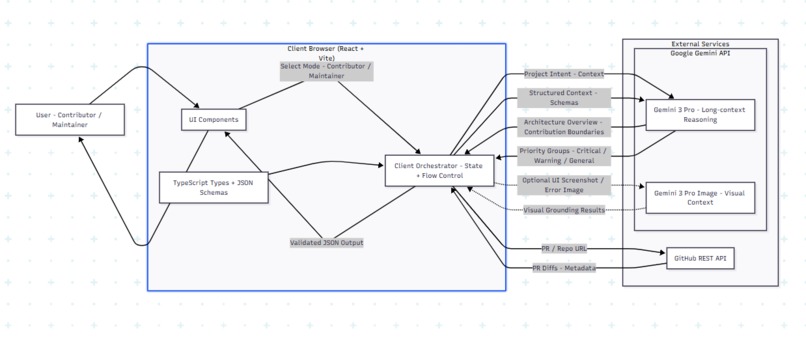
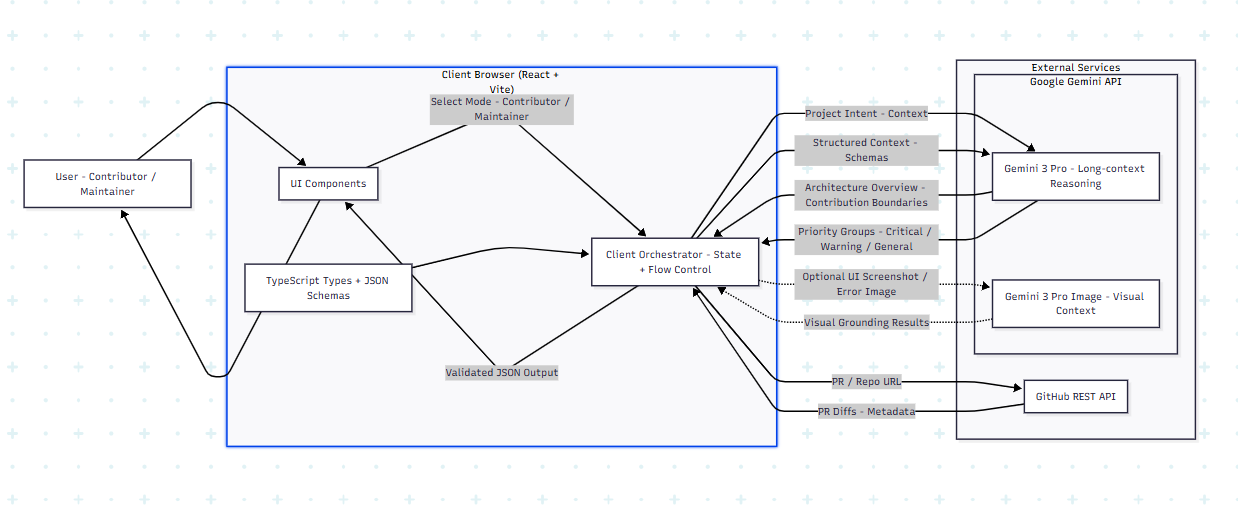
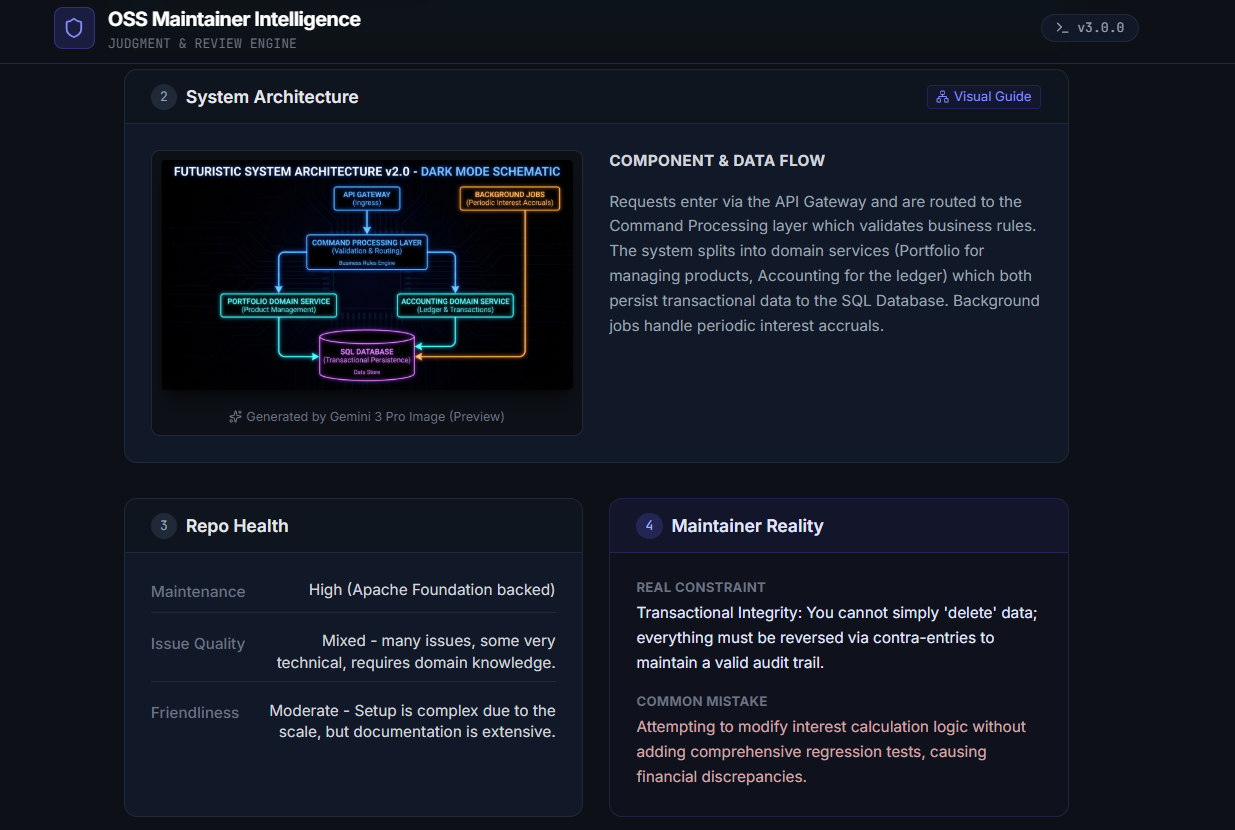
Architecture Diagram of the System
-
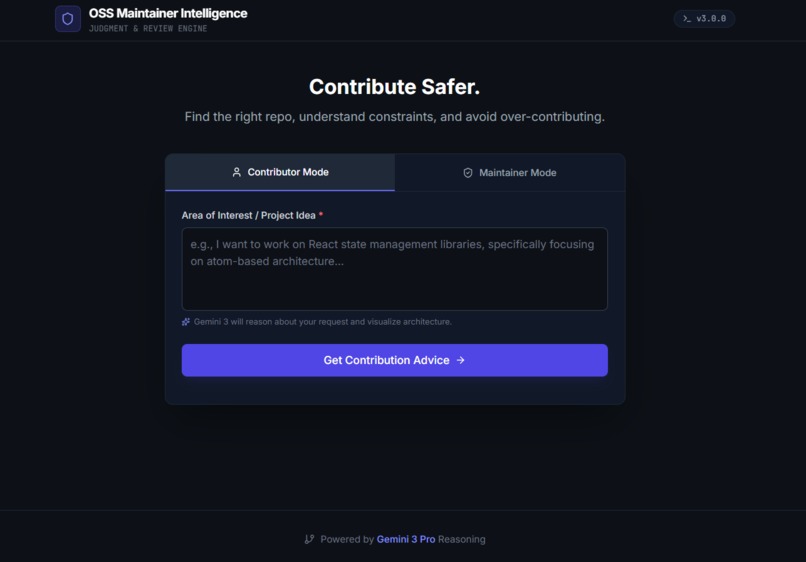
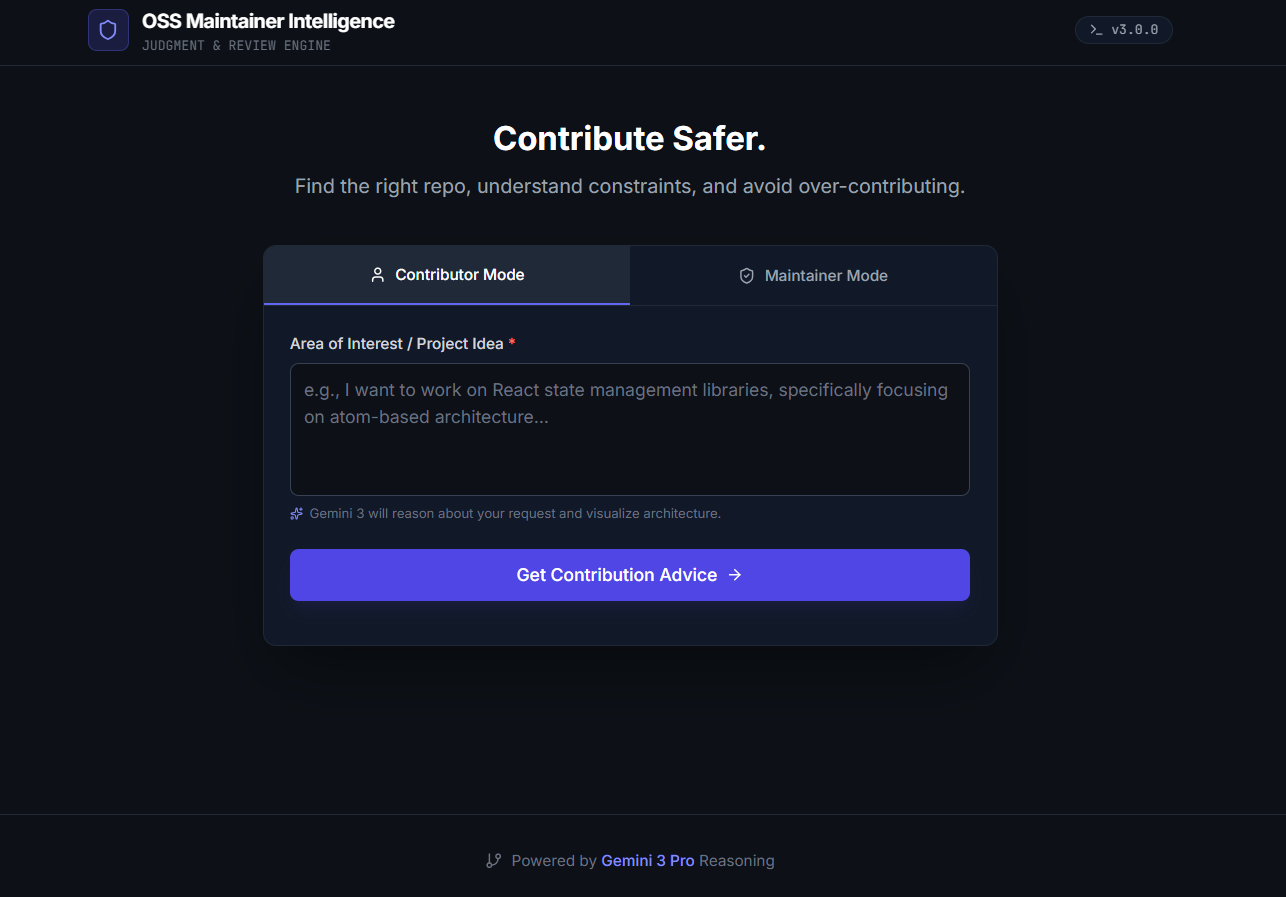
Contributor Mode Interface
-
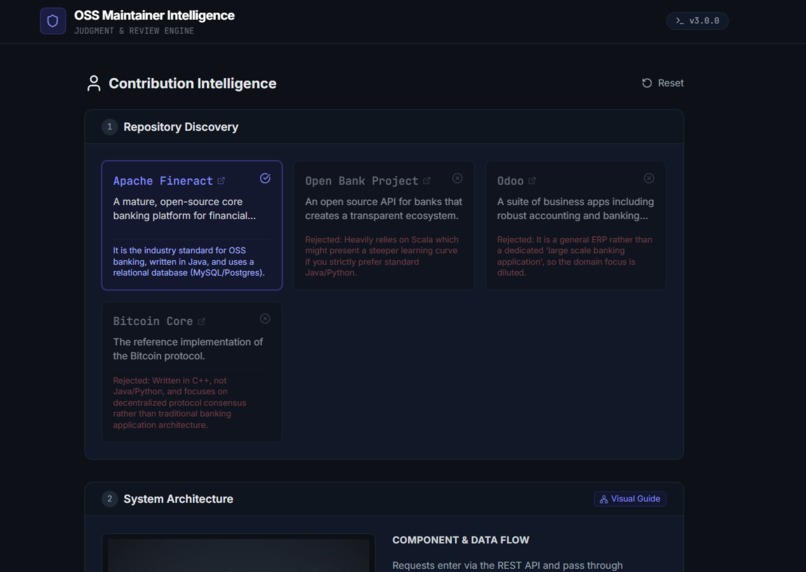
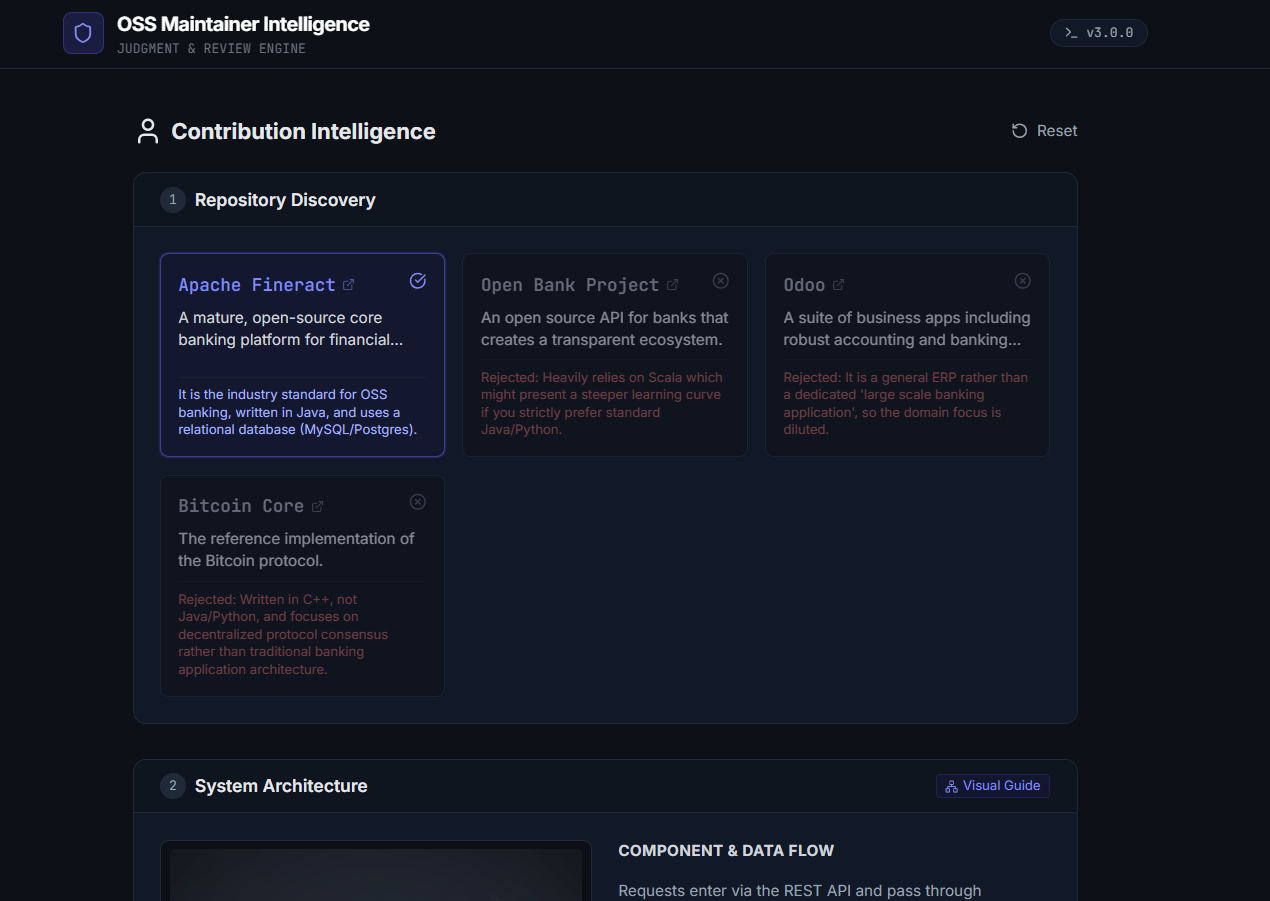
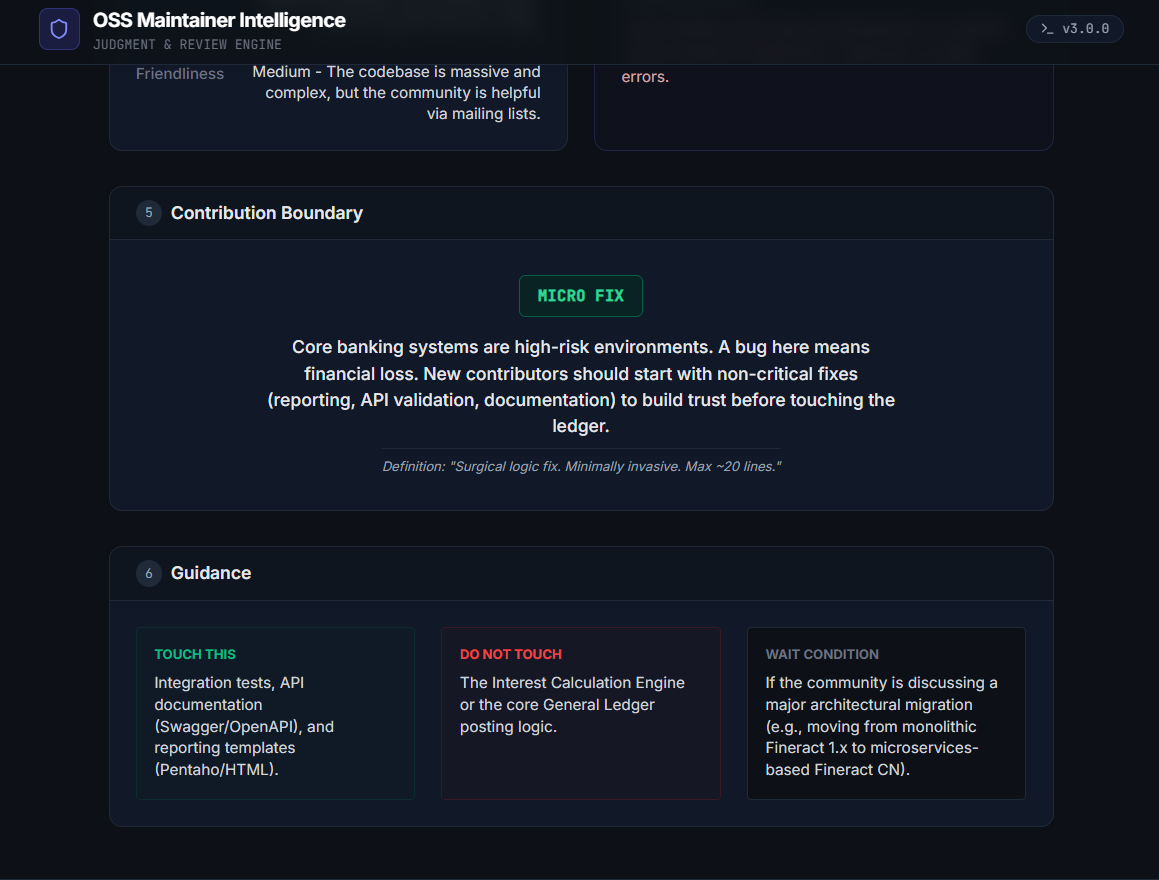
Contributor Mode Interface during Testing
-
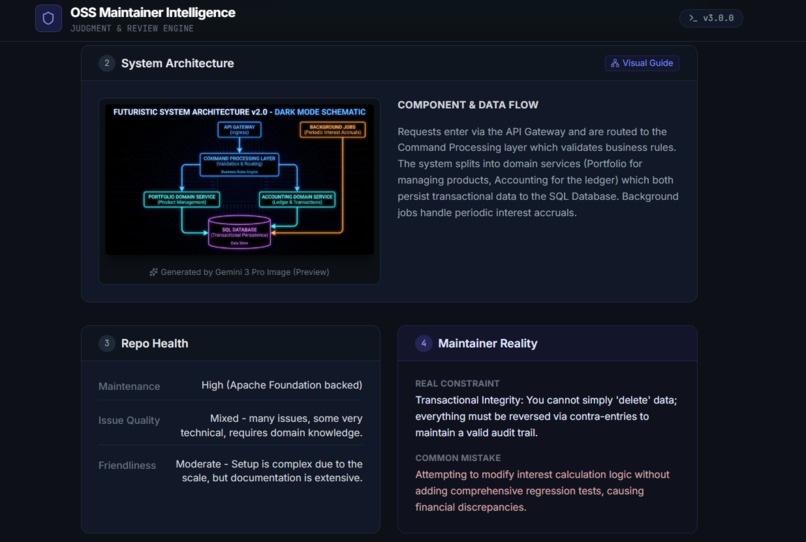
Contributor Mode Interface during Testing
-
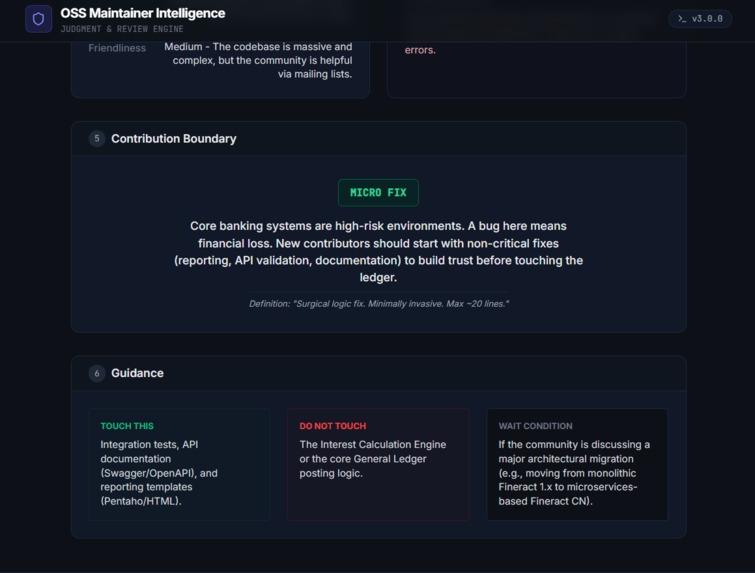
Contributor Mode Interface during Testing
-
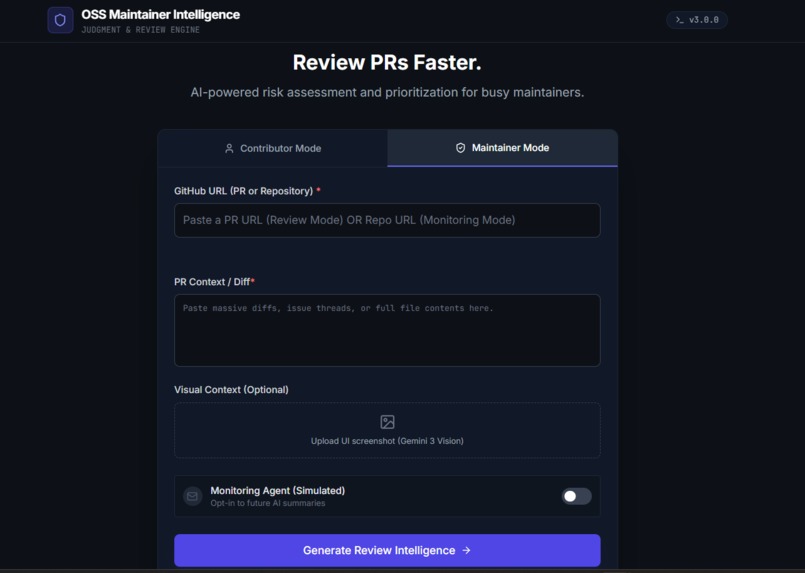
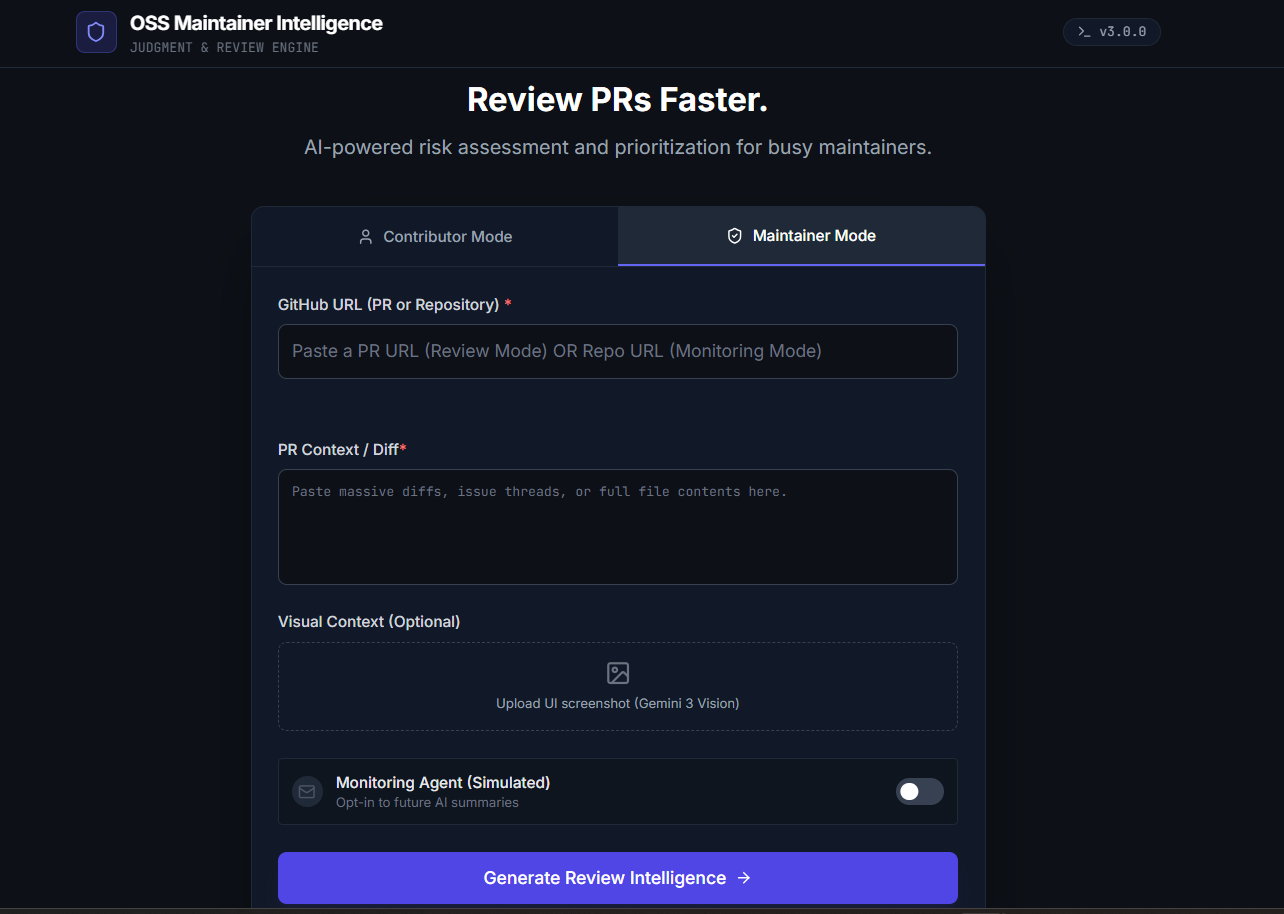
Maintainer Mode Interface (Repository Mode)
-
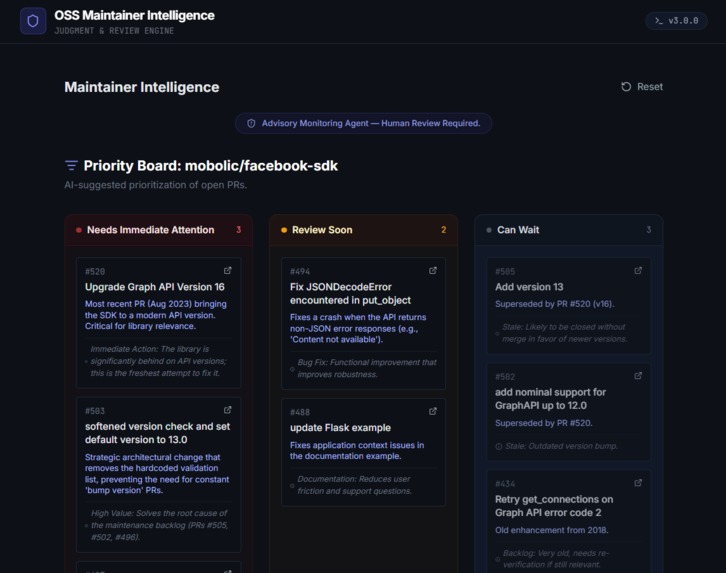
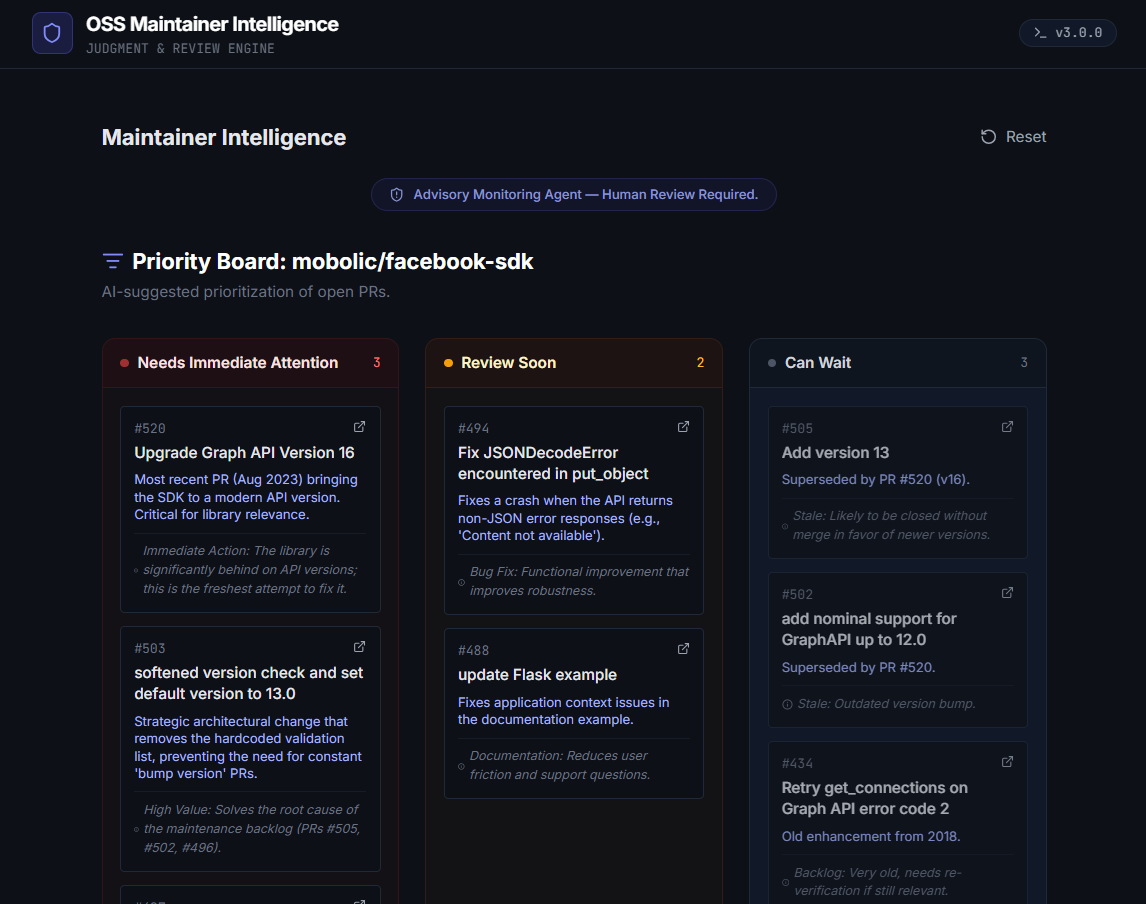
Maintainer Mode Interface during testing (Repository Mode) -1
-
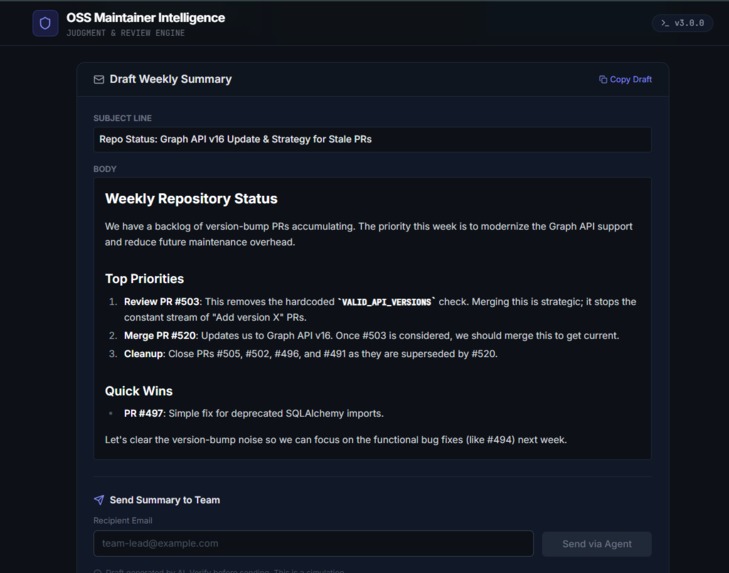
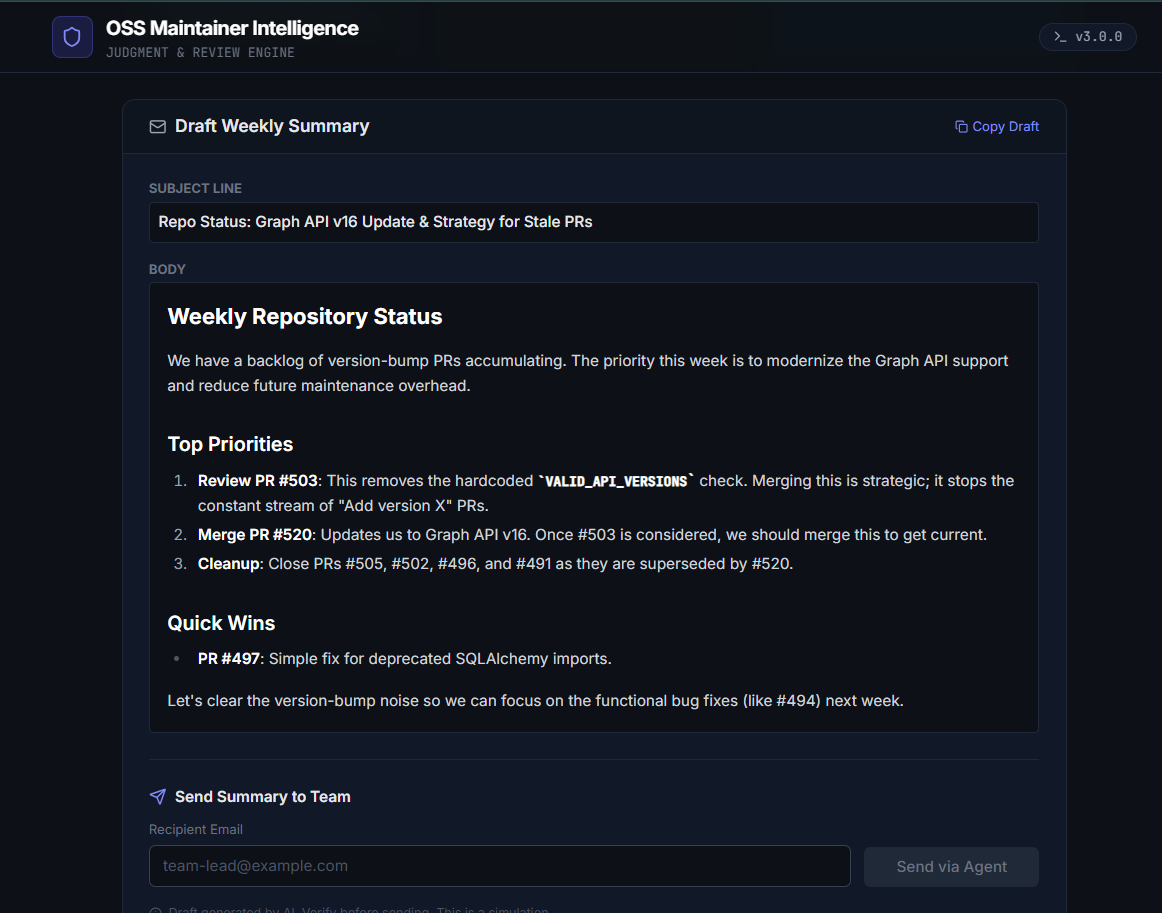
Maintainer Mode Interface during testing (Repository Mode) -2
-
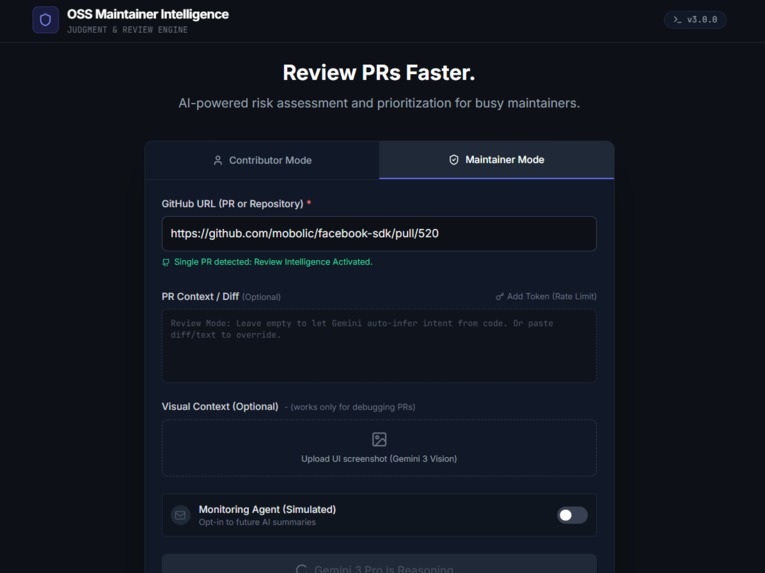
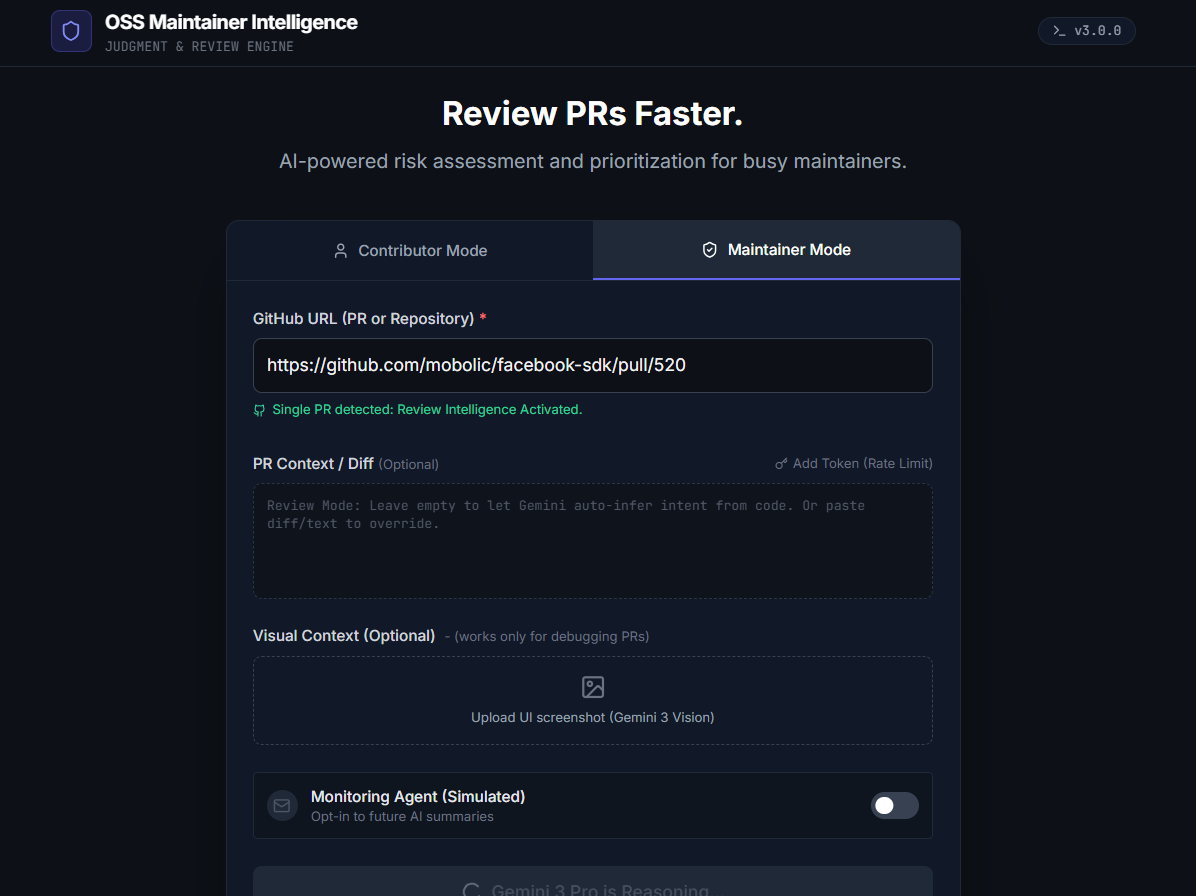
Maintainer Mode PR only mode testing-1
-
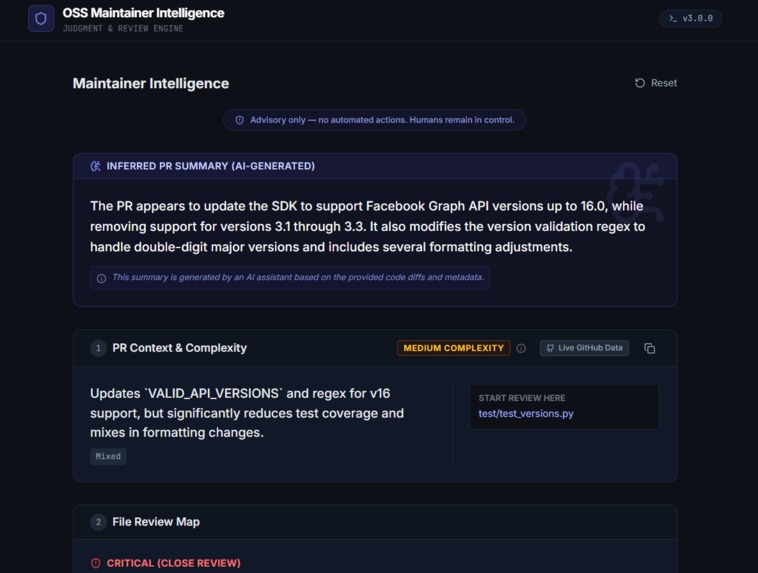
Maintainer Mode PR only mode testing-2
-
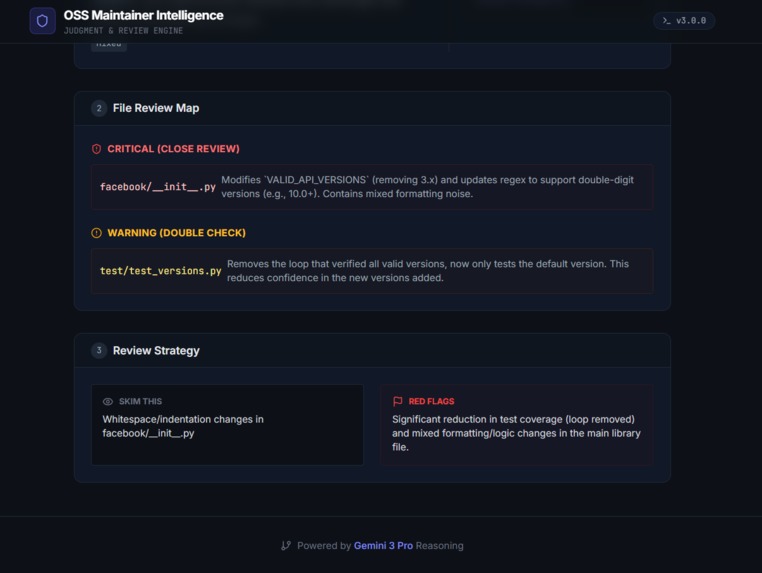
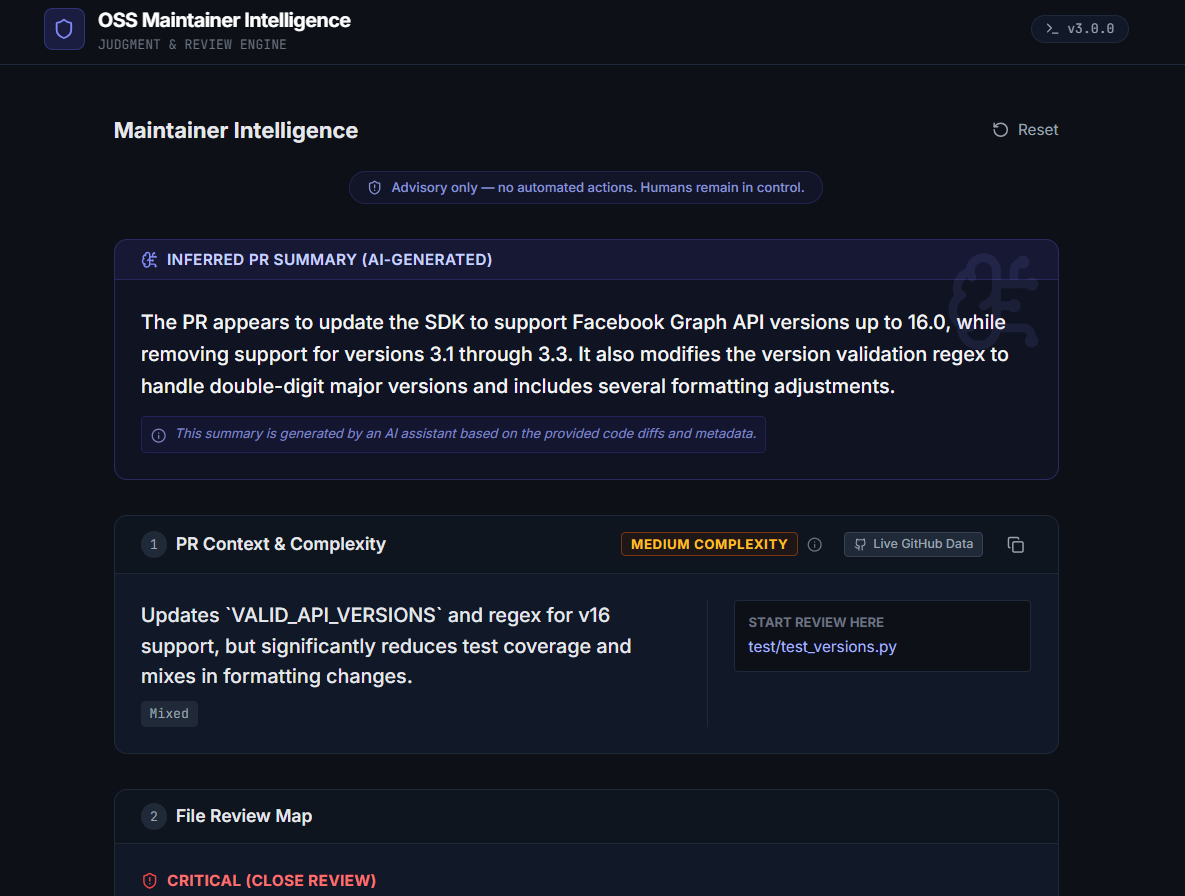
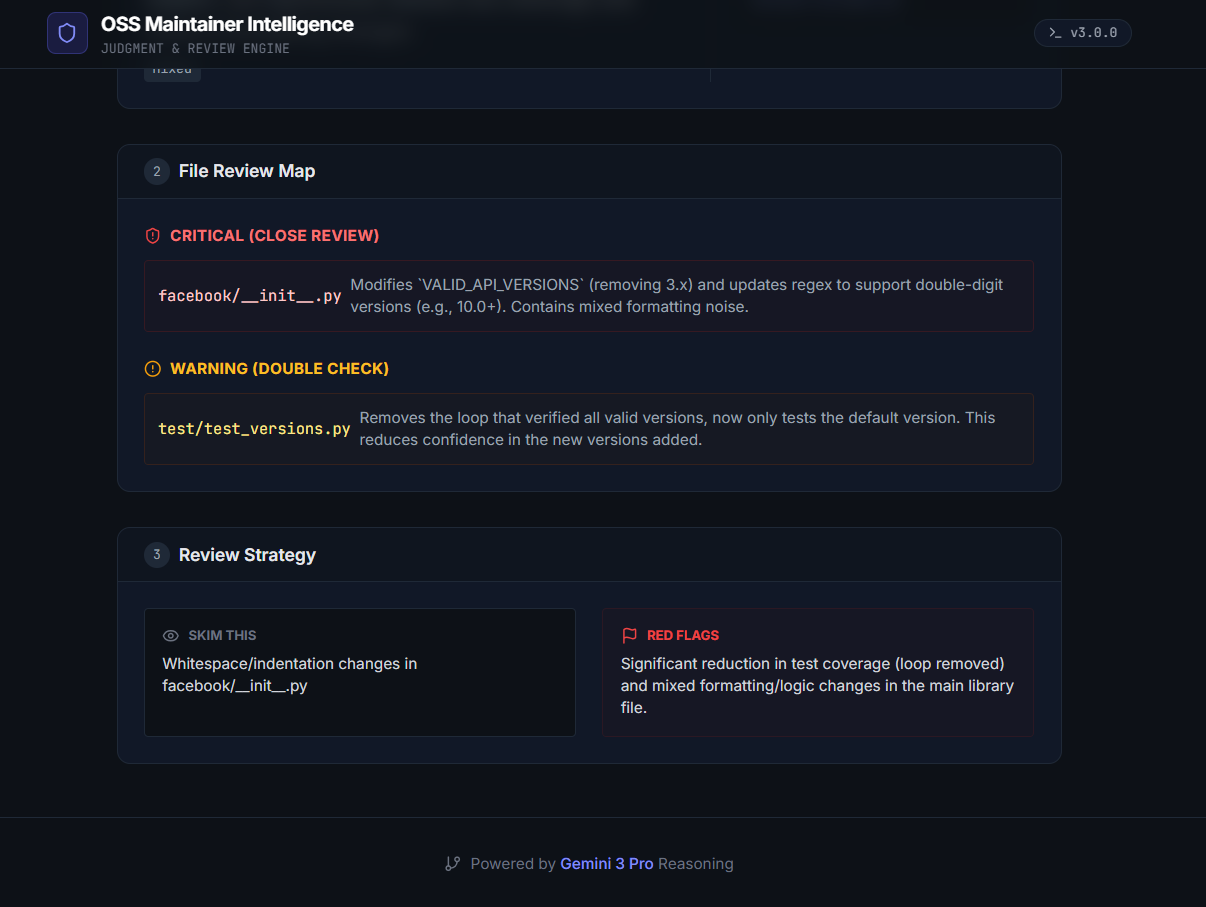
Maintainer Mode PR only mode testing-3
Inspiration
Open Source Software (OSS) is facing a growing imbalance. On one side, maintainers are burning out, overwhelmed by large pull requests and constant notification noise. On the other side, new contributors are often lost, submitting trivial or poorly scoped PRs because they don’t understand the system architecture.
From my own experience reviewing and merging PRs, I realized that the hardest part of open source is reviewing code safely, not writing it. This project was inspired by a simple idea: AI should help humans make better decisions, not just generate more output.
What it does
OSS Maintainer Intelligence is a Gemini 3–powered application that supports both contributors and maintainers.
Contributor Mode (The Guide)
- Users input the type of application they want to contribute to.
- Gemini identifies relevant OSS projects and provides a high-level overview of how the system works, along with an Architecture Diagram (if necessary).
- The system clearly defines contribution boundaries, guiding users on how much to change or when not to contribute at all.
Maintainer Mode (The Reviewer)
- Users paste a GitHub Pull Request URL (with optional read-only access token for private repositories).
- Gemini analyzes the full diff and file structure.
- Files are grouped into:
- Critical (needs close review)
- Warning (double-check)
- General (safe to skim)
This helps maintainers immediately know where to focus their attention first.
The system is strictly advisory and never auto-merges or auto-comments.
Note: Repository-level analysis is scoped to the latest 20 PRs since this is for a demo and also to help maintainers focus on what is actively blocking progress instead of historical noise. It can be modified later.
Final Outcome
Open-source maintenance is not a single interaction. It is a long-running process that spans days or weeks as pull requests evolve. OSS Maintainer Intelligence is designed as an orchestrated system that continuously reasons over repository state, contributor intent, pull request diffs, and multimodal inputs such as UI screenshots or error images.
Rather than responding to a single prompt, the system coordinates multiple reasoning steps including discovery, prioritization, risk assessment, and visual-context debugging. This helps maintainers stay oriented and make better decisions over time, while keeping humans fully in control.
How I built it
I built a modern, responsive frontend using React 19, Vite, and Tailwind CSS.
The core intelligence layer uses the Google GenAI SDK (@google/genai):
- Logic & Reasoning:
gemini-3-pro-previewis used for long-context reasoning. - Structured Output: Gemini is constrained with strict JSON schemas so it returns predictable, machine-readable decisions instead of free-form text.
- GitHub Integration: Read-only GitHub API access is used to fetch PR metadata, file lists, and diffs.
Example of the structured approach used in the system:
{
  "reviewPriority": "CRITICAL",
  "reason": "Core transaction logic modified"
}
How This Project Uses Gemini 3
Gemini 3 is central to this project, not just as a text generator but as a reasoning engine.
First, Gemini 3’s long-context reasoning is used to analyze real-world GitHub pull requests, including large diffs and complex file structures, while filtering out noise so maintainers can focus on what matters.
Second, the project uses Gemini 3’s multimodal capabilities by combining repository context with visual inputs such as UI screenshots or error images. This allows the system to reason about issues that are difficult to understand from code alone and connect what a user sees on the screen back to the underlying codebase.
Third, Gemini 3 is constrained using strict JSON schemas, enabling structured and predictable outputs such as risk levels, priority classifications, and recommended next actions. This makes the system reliable for decision support rather than free-form chat.
Finally, Gemini 3 is used in a multi-step, orchestrated workflow across contributor guidance, repository-level monitoring, and pull request triage, aligning with long-running maintenance tasks rather than single-prompt interactions.
Challenges I ran into
- Context size vs. noise: GitHub diffs can be massive. I had to carefully balance how much context to provide without overwhelming the model.
- Judgment over generation: Designing prompts that encourage restraint especially recommending no action was more challenging than generating suggestions.
- Consistency: Ensuring Gemini always returned valid structured outputs required careful schema enforcement.
Accomplishments that I'm proud of
- Building an AI system that prioritizes judgment over automation
- Demonstrating Gemini’s long-context reasoning on real-world PRs
- Creating a tool that respects maintainer workflows and human control
What I learned
I learned that responsible AI design is about restraint, clarity, and structure. Using Gemini as a decision-support system rather than a generator, leads to more trustworthy and practical outcomes.
In simple terms, the goal is to minimize wasted human attention on unnecessary areas.
What's next for OSS Maintainer Intelligence
Real GitHub App: Converting this from a web interface to a verified GitHub App that comments directly on PRs via webhooks.
Backend Email Integration: Connecting the drafted emails to a real SMTP service (SendGrid/Resend) so maintainers can click "Send" for real.
IDE Extension: Bringing the "Contribution Boundary" advice directly into VS Code.
Built With
- css
- gemini-3-pro-preview
- github-api
- google-gemini
- mermaid.js
- react
- tailwind
- typescript
- vite

Log in or sign up for Devpost to join the conversation.