-
-

Logo
-
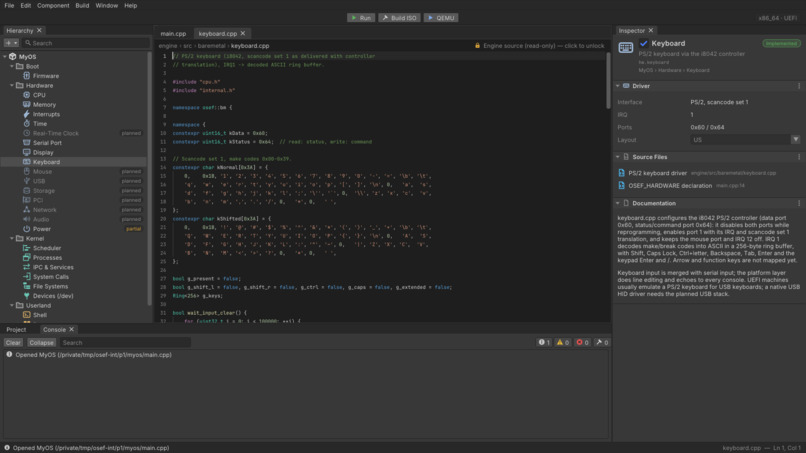
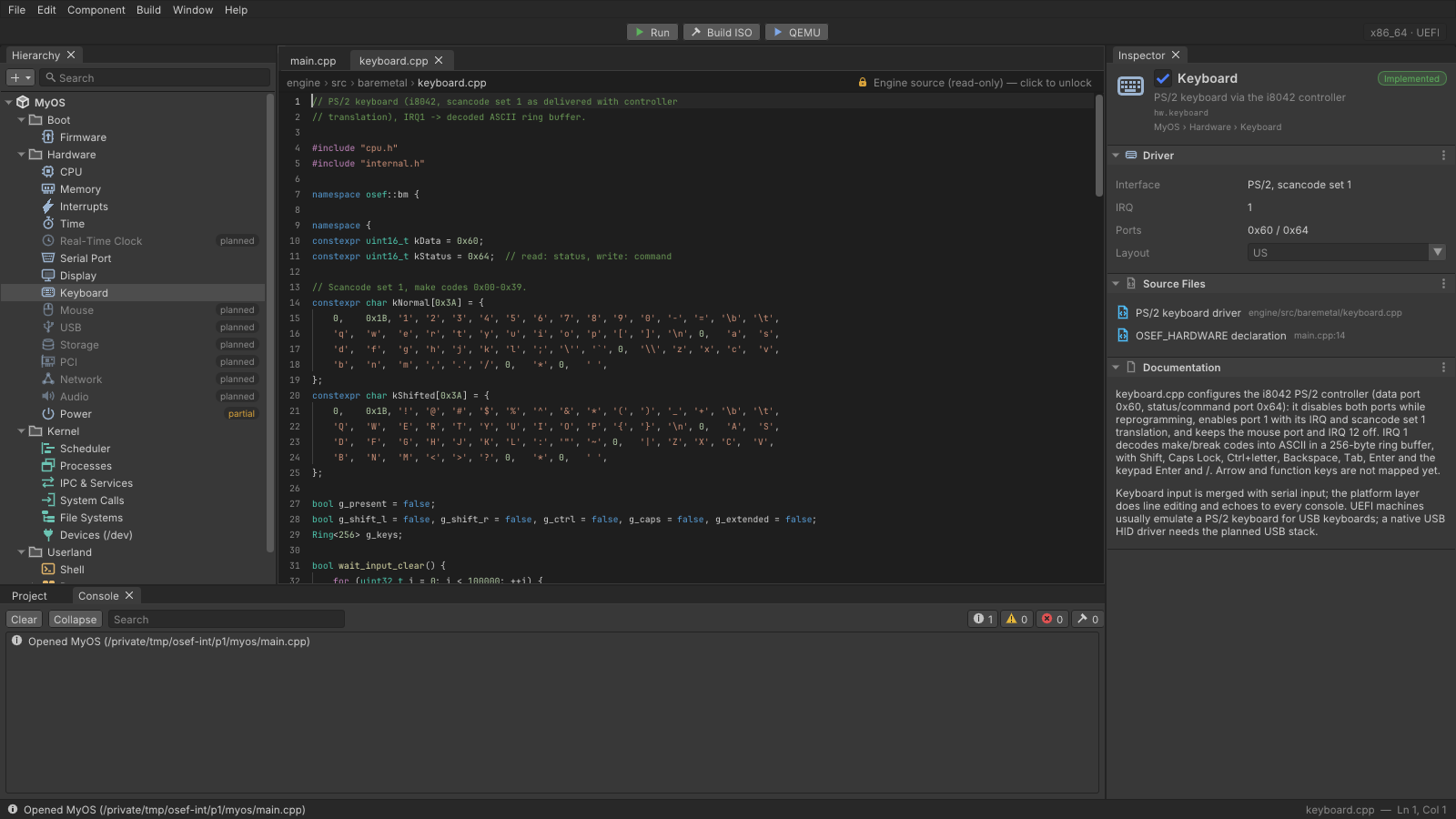
UI screenshot
Inspiration
Game engines changed who gets to make games. You don't need to write a renderer or a physics system first: you open Unity or Godot, drop in objects and start building. Operating systems never got that. To make your own OS, you still start with a bootloader, a linker script and weeks of work before anything shows up on screen. We wanted to give OS development its own game engine, with a runtime that does the hard parts and an editor that makes them visible.
What it does
OSEF (Operating System Engine Framework) lets you build an operating system the way you'd build a game.
- The engine supplies the runtime: a kernel loop, scheduler, file systems,
IPC, syscalls and a hardware abstraction layer. You add processes (like game
objects, with
on_start/step/on_exit), modules (like engine plugins), programs, devices and your own init. - Hardware is declared, not assumed. Each OS states its machine with
OSEF_HARDWARE: architecture, BIOS or UEFI firmware, devices and memory. A bad or incomplete declaration fails at compile time. - One source, two targets. The same
main.cppruns as a normal desktop app for fast iteration and builds as a bootable x86_64 ISO for real hardware or QEMU. - Real drivers. Serial, framebuffer, PS/2 keyboard, and USB through an xHCI driver with HID keyboard support. It also handles ACPI power-off and custom interrupt handlers.
- The OSEF Editor is a Unity-style desktop app with a hierarchy, an inspector, a code editor and one-click Run, Build ISO and Boot in QEMU buttons. Its OS Settings panel and New OS wizard let people who don't program configure an OS (name, look, devices, interrupts), and those settings compile to real code.
How we built it
- C++20 throughout, with no runtime dependencies for hosted builds.
- A freestanding core library (
String,Vector,Map,Function, smart pointers,format, ...) replaces the C++ standard library. That lets the same engine code compile for a desktop OS and for bare metal. - The bare-metal pipeline uses clang targeting
x86_64-unknown-none-elf, an ELF linker with our own linker script, the Limine bootloader and xorriso to produce the ISO. The ISO boots only with the firmware the OS declares. - The editor is built with Dear ImGui (docking branch), GLFW and
OpenGL 3. It runs on macOS, Linux and Windows, and on macOS it can be
packaged as a native
.app. - Build systems: a Makefile and a CMake build that match, plus
tools/bootstrap.sh, which builds any missing toolchain pieces (binutils, xorriso, Limine, QEMU, OVMF) locally without sudo. - Testing: CI runs on Linux, macOS and Windows. A headless test boots every example ISO in QEMU, types commands over the serial console, checks the output, takes a screenshot, and checks that each OS refuses to boot under the wrong firmware.
Challenges we ran into
- Living without the standard library. Running the same code on a desktop and on bare metal meant writing our own containers, strings, formatting and smart pointers from scratch.
- BIOS vs. UEFI. The two firmware paths behave differently, and UEFI needs more memory than tiny OS declarations ask for, so we had to make firmware a first-class, enforced part of the hardware declaration.
- USB. Writing an xHCI driver means command rings, event rings, device enumeration and HID descriptors, all with no OS underneath to help.
- Memory-mapped hardware. ACPI tables and device MMIO live at physical addresses that we first had to page-map to reach. That was needed for things like a clean power-off.
- Cross-platform tooling. Building cross-compilers and ISOs the same way on macOS, Linux and Windows, without asking anyone for root access, took far more work than expected.
Accomplishments that we're proud of
- One
main.cppboots as a real operating system in QEMU and also runs as a desktop app. - A full USB stack that gets a keyboard typing into our shell.
- Hardware mistakes become compile errors instead of mysterious boot failures.
- Someone who has never written C++ can use the editor's wizard to create and boot their own OS.
- Automated boot tests that drive every example OS end to end over its serial console.
What we learned
- How a computer really starts up: firmware, bootloaders, paging, interrupts and ACPI.
- The game-engine model fits OS design surprisingly well. Ticks, lifecycle hooks and plugins map cleanly onto the scheduler, processes and modules.
- Good defaults and clear error messages matter more than features when the goal is to make something hard approachable.
- Investing early in automated QEMU tests saved us many hours of manual rebooting.
What's next for OSEF
- More architectures, starting with ARM64 (AArch64).
- More drivers: storage (AHCI/NVMe), networking and USB mass storage.
- A visual scene view in the editor for laying out processes and IPC.
- Stable WebAssembly builds, so anyone can try an OSEF OS in the browser.
- A library where people can share modules, programs and drivers, like an asset store for operating systems.
Built With
- c++
- cmake
- dearimgui
- glfw
- limine
- make
- opengl3
- qemu

Log in or sign up for Devpost to join the conversation.