Inspiration
I created OSA (Online Shopping Assistant) to solve a personal frustration I had while online shopping. While browsing for a monitor on Target, I couldn’t find the response time in the specs—even though I was sure it was somewhere on the page. That moment sparked the idea: what if I could build a tool that reads the page for me and answers any question I have about the product?
What it does
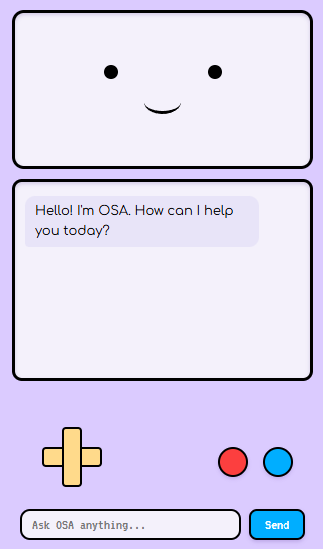
OSA is a Chrome extension that acts as a personal shopping assistant. As you browse a product page, it scans the content and uses the ChatGPT API to answer any question you ask. Whether it's about specs, compatibility, return policies, or more, OSA pulls information directly from the page to give you accurate and instant answers.
How I built it
With the help of Bolt, I built OSA using:
- React 18 for the frontend UI
- Vite as the build tool and dev server
- TypeScript and JavaScript (ES6+) for logic and type safety
- Tailwind CSS for fast, clean styling
- Lucide React for icons
On the browser side, I used:
- Chrome Extension Manifest V3
- Tabs, Runtime, and Scripting APIs
- Content Scripts to extract data from the current page
The content script (content.js) is injected into every webpage, where it reads the DOM and extracts relevant information. That data is then passed to the ChatGPT API along with the user’s question to generate an intelligent, context-aware response.
Challenges I ran into
One of the hardest parts was crafting prompts and managing how page data is passed to the ChatGPT API. Getting consistent, relevant answers from diverse and messy webpage content took a lot of testing and iteration.
Accomplishments that I'm proud of
The proudest moment was seeing the first accurate response come back based on real page content—it proved that the idea could actually work. Building the system solo, with the support and tools provided by Bolt, made it even more rewarding.
What I learned
This project helped me deepen my skills in:
- Building Chrome extensions
- Working with the ChatGPT API
- Handling cross-context messaging
- Designing effective prompts
- Processing messy web content for AI models
What's next for OSA
Next, I want to keep improving OSA’s accuracy and reliability—especially for handling more complex or poorly structured pages. The long-term goal is to release it publicly and potentially expand beyond Chrome to other browsers or platforms.
Built With
- builtwithbolt.new
- chatgptapi
- chrome
- css3
- html5
- javascript
- react
- tailwind
- typescript


Log in or sign up for Devpost to join the conversation.