-
-
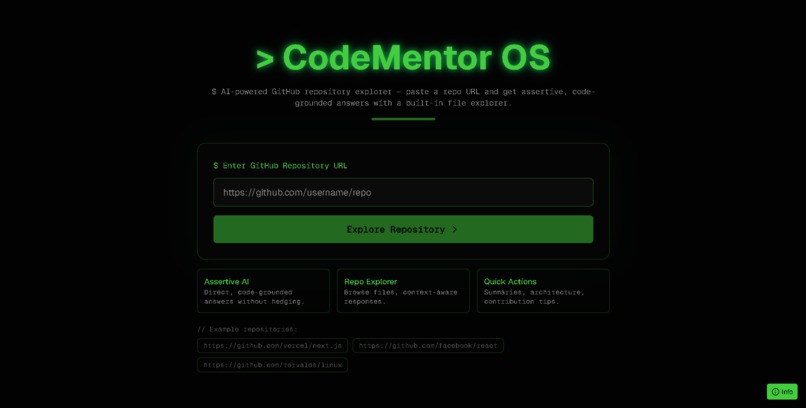
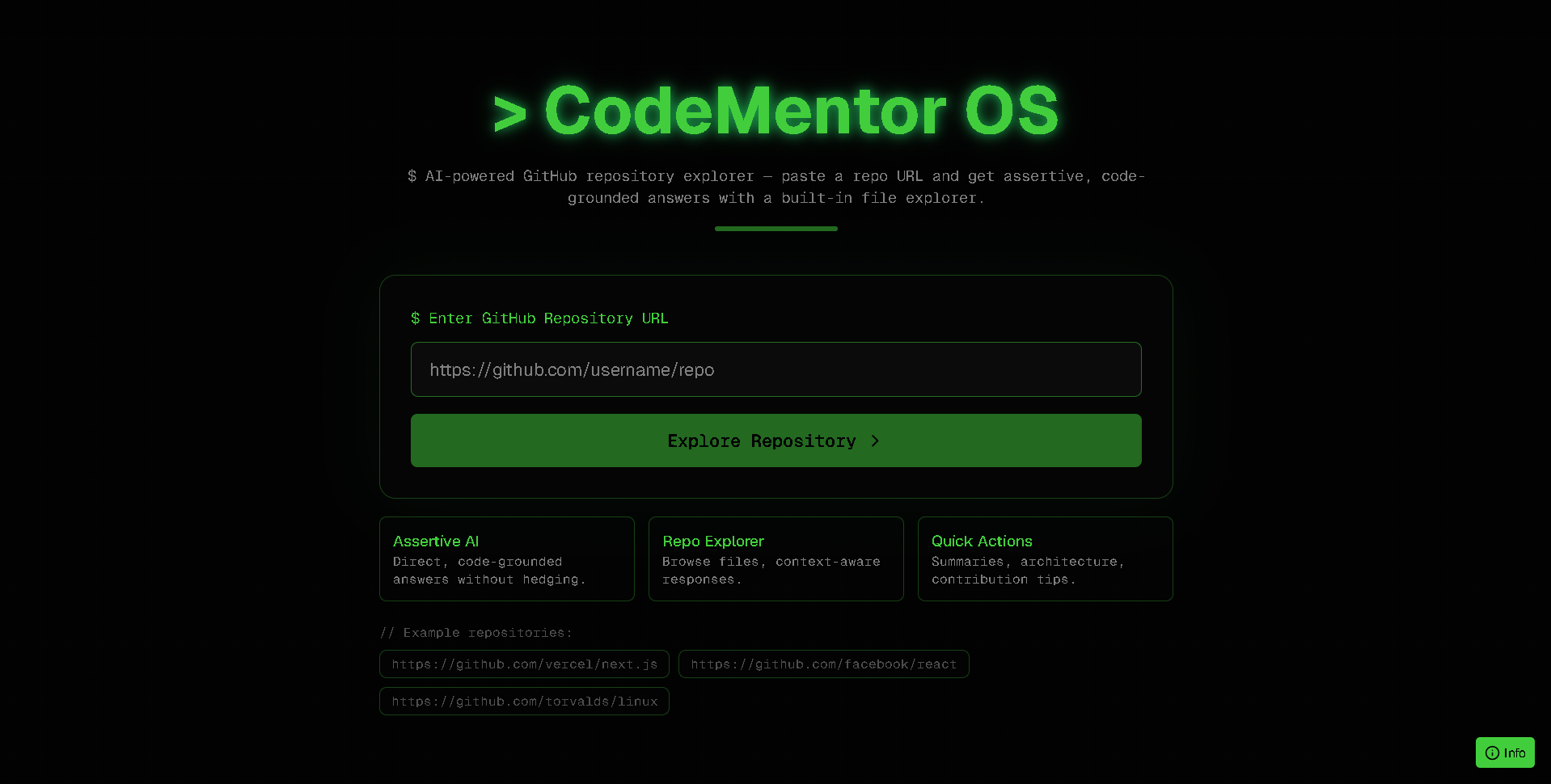
Landing Screen
-
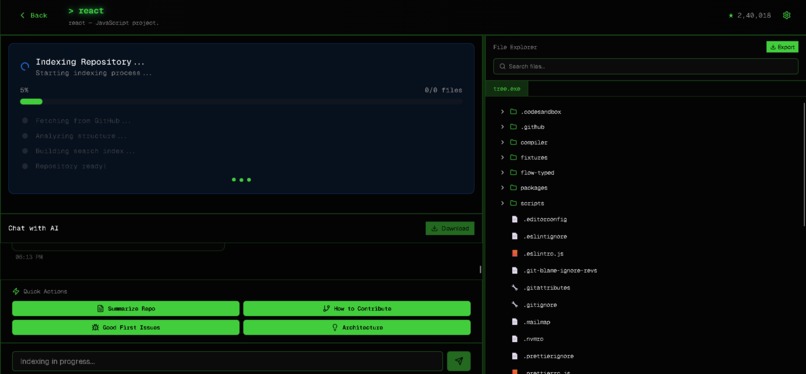
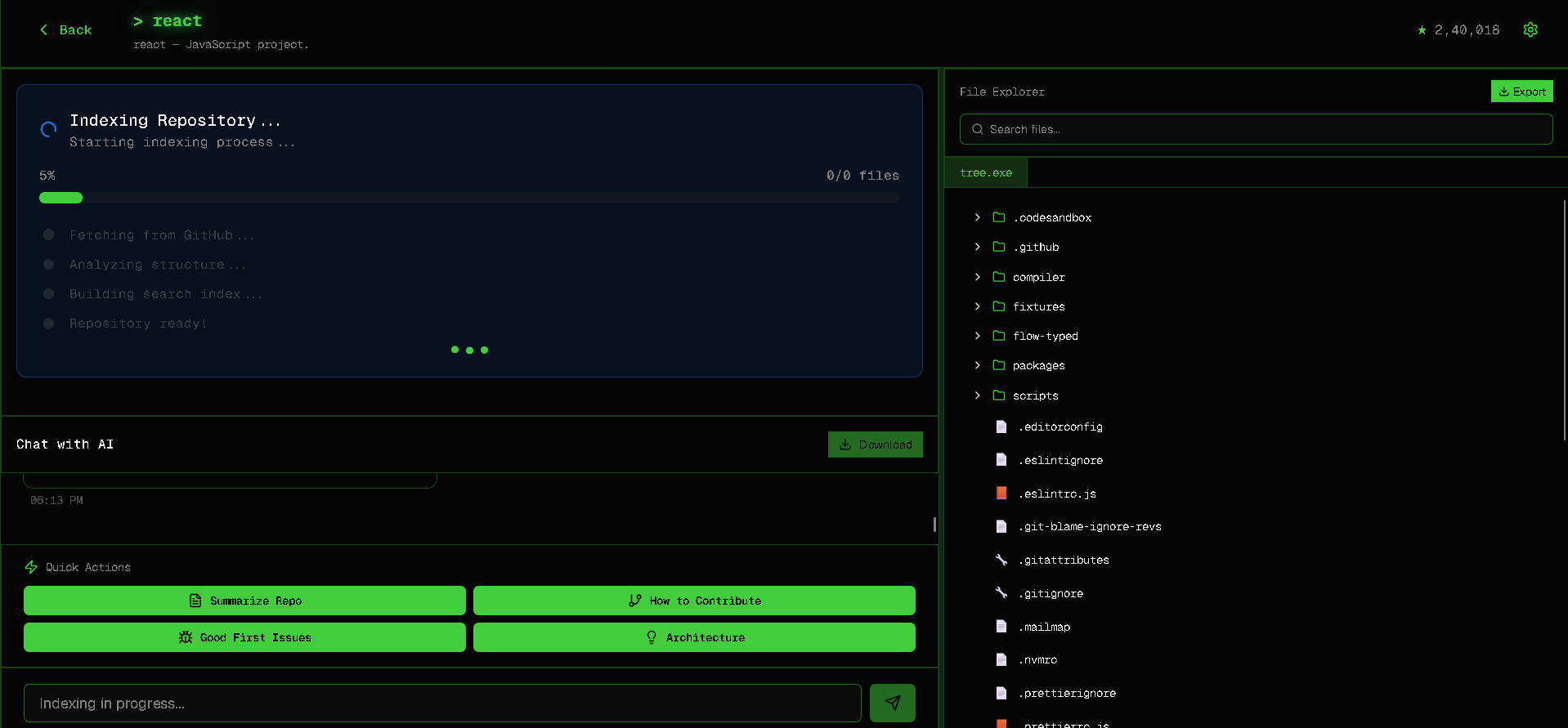
Indexing
-
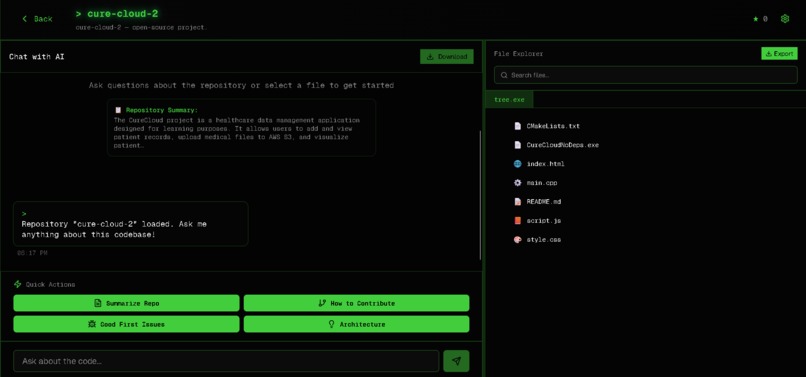
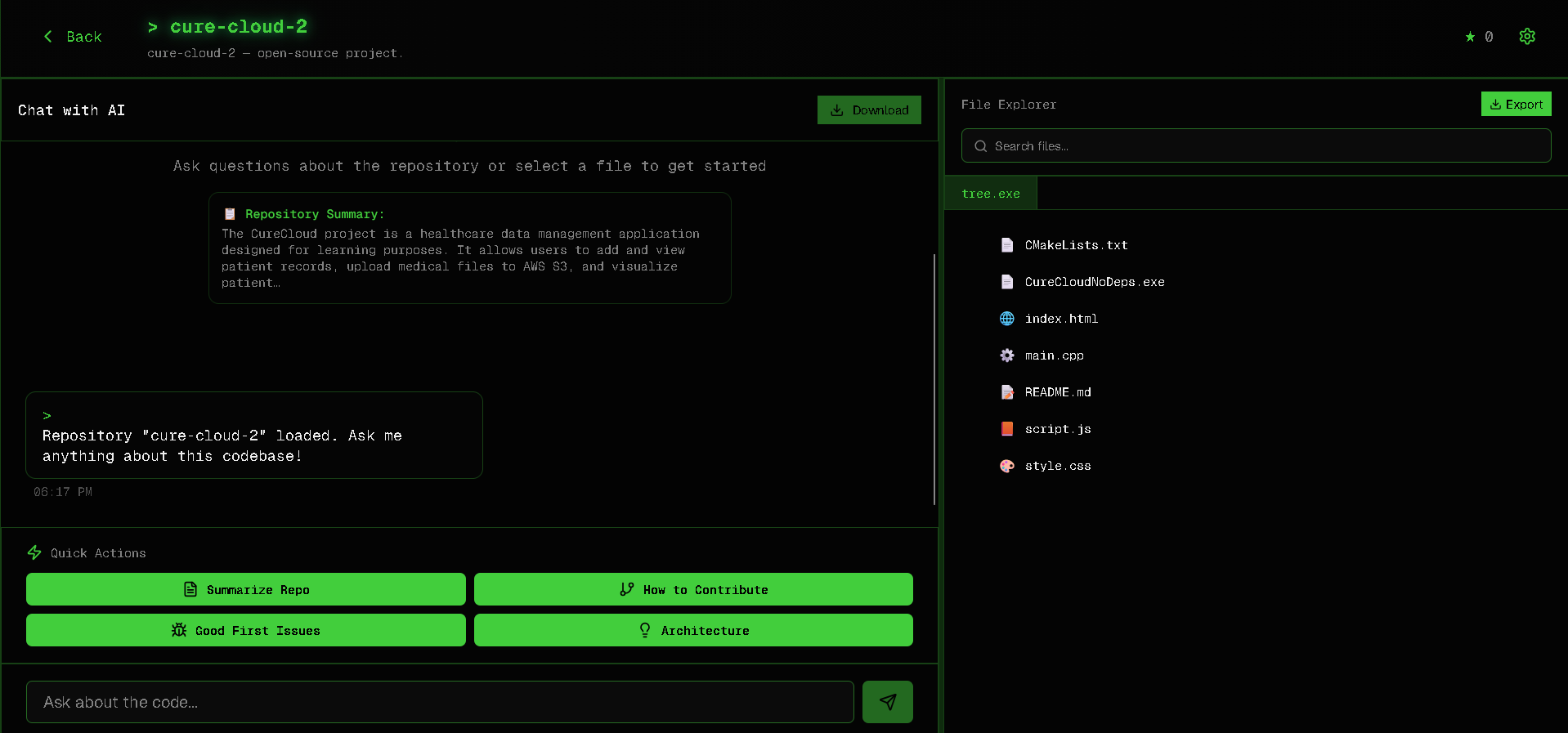
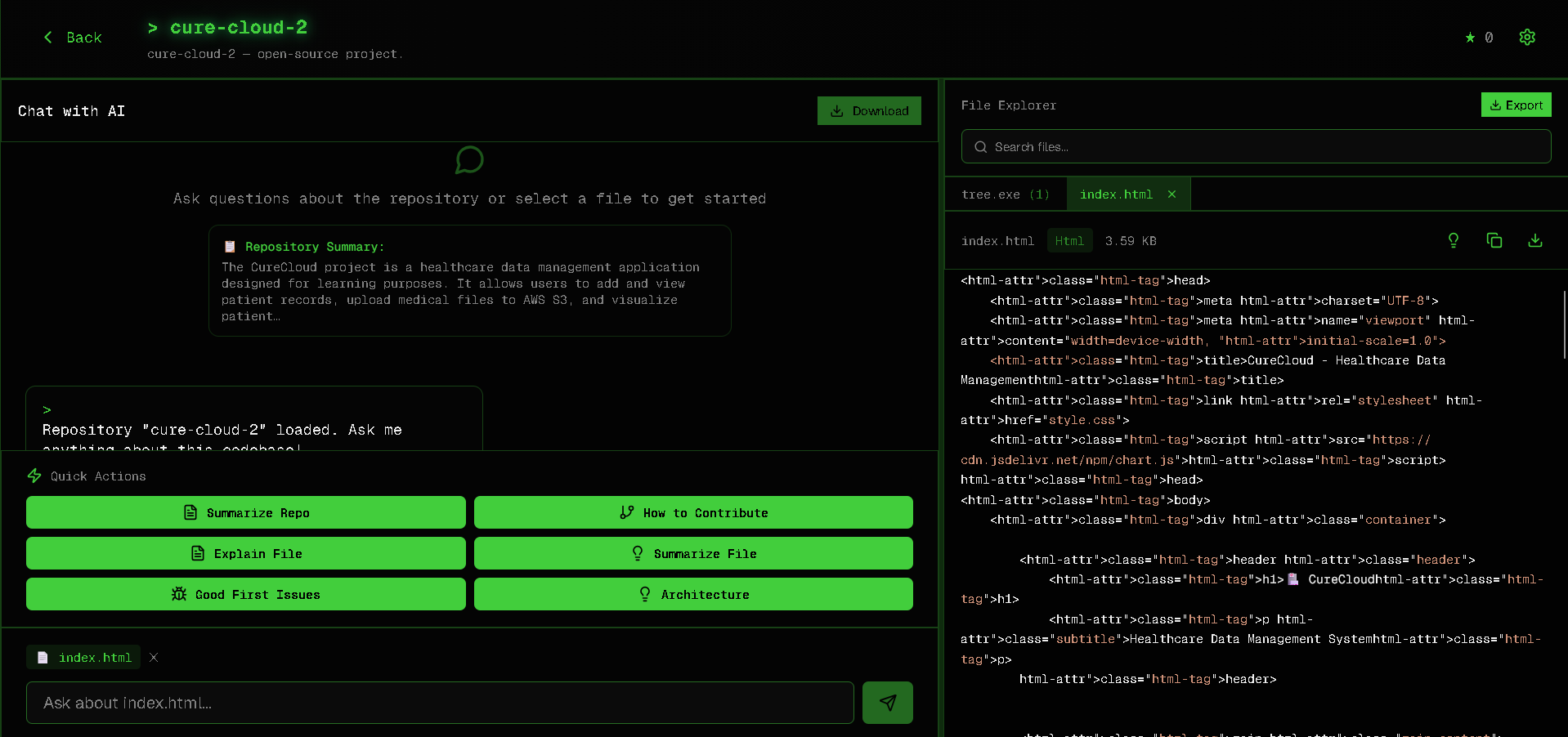
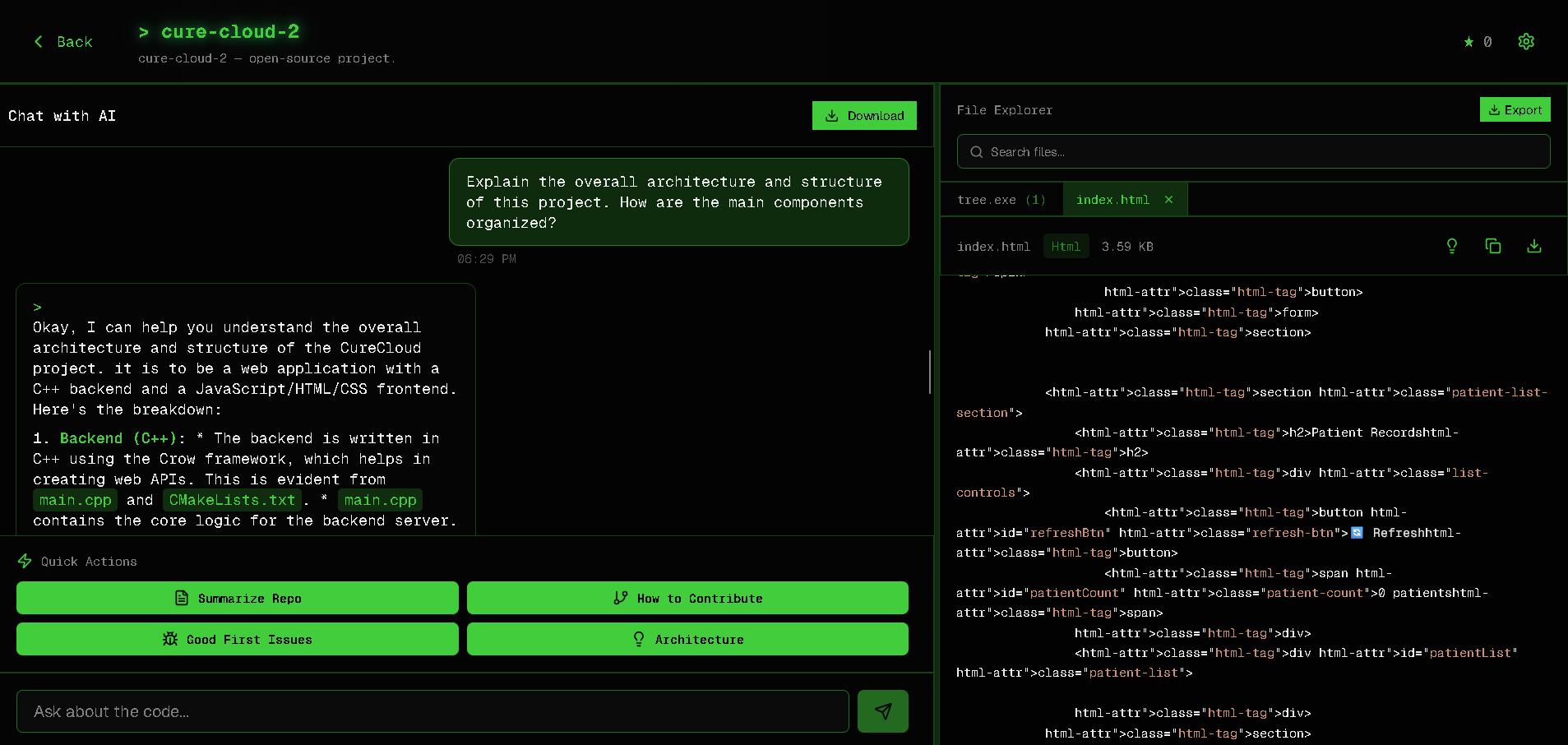
Main Interface( Chat+ file )
-
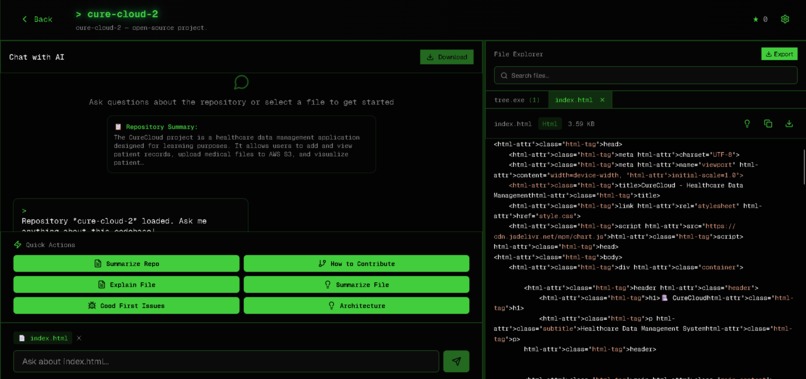
Files
-
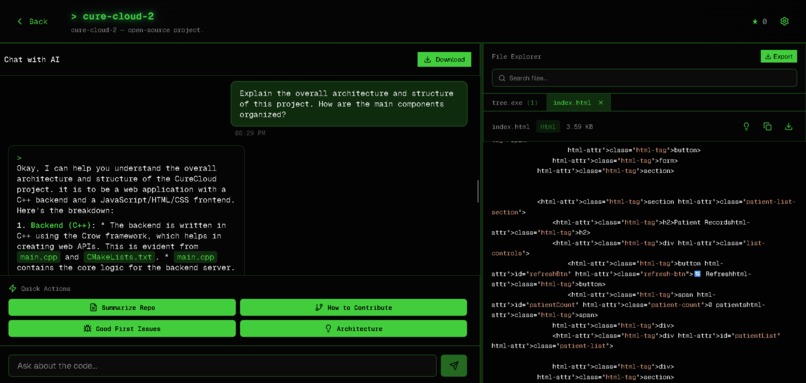
Chat
Inspiration
We’ve all been there , diving into a massive GitHub repository for the first time, completely overwhelmed by thousands of files and unsure where to begin. Documentation is often outdated, and searching for “where does 'bla bla' happen?” shouldn’t require hours of just wanderin' through the codebase.
I wanted to build something that feels like having a senior developer sitting beside you, ready to answer confidently when you ask, “Where does authentication happen?” or “Explain this API route.” — not with vague guesses, but with clear, grounded explanations backed by real code.
What it does
CodeMentor OS transforms GitHub repositories into intelligent, searchable knowledge bases.
Just paste any public repo URL, and within seconds, the system:
- Indexes the entire codebase into Elasticsearch with smart file content retrieval
- Provides semantic search that understands meaning, not just keywords
- Generates AI-powered insights like repo summaries, quickstart guides, and contribution workflows
- Answers questions assertively using Gemini AI, grounded in the actual code — no speculation
- Offers a file explorer with syntax highlighting and context-aware explanations
- Tracks indexing progress in real time with a polished progress UI
- Caches intelligently using PostgreSQL to avoid redundant API calls
Unlike generic chatbots, CodeMentor OS retrieves relevant files for every query, grounds every answer in real source code, and responds with authority telling you what the code does, not what it might do.
How we built it
Tech Stack
- Frontend: Next.js 15 (React 19, TypeScript, Tailwind CSS hacker-console theme)
- Backend: Next.js API routes (serverless architecture)
- Database: PostgreSQL (Neon) for repo metadata and indexing states
- Search Engine: Elasticsearch for semantic code search and retrieval
- AI Engine: Google Gemini 2.0 Flash for code analysis and chat
- GitHub Integration: Octokit REST API with concurrency limiting and retry logic
- Deployment: Vercel with optimized serverless function timeouts
Architecture Highlights
- Background Indexing Pipeline: Fetches repo structure, ranks files by importance (README, configs, entry points), retrieves contents in parallel, and indexes them into Elasticsearch
- Smart Retrieval: Detects filenames in queries, performs semantic search, and prioritizes recent/relevant files
- Assertive Response System: Post-processes AI output to remove uncertain language while preserving code formatting
- Progress Tracking: Displays real-time indexing updates (0–100%) through live polling
- Caching Strategy: 24-hour TTL with access count tracking for popular repositories
Challenges we ran into
- GitHub API Rate Limits: With only 5,000 requests/hour, indexing large repos required concurrency limiting (5 parallel requests), exponential backoff, and prioritization of key files like README.md and package.json.
- Elasticsearch Consistency: Indexed files weren’t always searchable right away, so we added fallback retrievals for empty results.
- Database Connection Pooling: Neon caused connection issues which were fixed using proper retry logic.
- AI Response Quality: Early answers were too cautious (“might be” or “may be”) even though the AI read the code. Fixed by introducing a tone enforcement layer for confident, direct responses.
- File Retrieval Limits: The GitHub API caps files at 1MB so skipped >256KB files which were not important , batched smaller ones, and cached results in Elasticsearch for MVP stability.
- Timeout Management: Vercel’s 15s limit forced us to design a fully async indexing system with job IDs and polling.
Accomplishments that we're proud of
- ⚡ Blazing Fast Indexing: 100+ file repos indexed in under 30 seconds
- Zero Speculation: AI gives confident, code-backed explanations
- Smart File Discovery: Detects filenames in questions and auto-fetches them
- Production-Ready Architecture: Error handling, retries, pooling, and graceful degradation
- Polished UX: Real-time progress tracking, syntax highlighting, and downloadable chat history
- 📂 Grounded Answers: Every response includes file paths and context references
- Chat is pretty fast 🛬.
What we learned
- Elasticsearch is cool but tbh tricky: not only tricky but not really easy to use for a beginner like me — but felt great getting it working :) .
- AI needs structure: Prompt design and modification mattered more than expected.
- Concurrency is delicate: Managing GitHub limits, DB connections, and indexing was a balancing act.
- User feedback matters: Still not sure how the frontend looks, but it felt great getting it functional and smooth.
What's next for OS Codementor
- Short-Term*
🔐 Private Repos: OAuth integration for authenticated GitHub access
🧩 Multi-Repo Workspaces: Compare related repos side-by-side
🧬 Code-to-Code Search: Find similar functions or APIs across files
🧾 Diff Analysis: AI-powered pull request explanations
- Medium-Term*
💻 IDE Extensions: VS Code plugin for inline AI explanations
👥 Team Collaboration: Shared annotations, bookmarks, and insights
🧱 Custom Knowledge Bases: Train AI on organization-specific patterns
📖 Automated Docs: Generate up-to-date documentation from commits
- Long-Term*
⚙️ Code Generation: “Implement a feature similar to X in this repo”
🔗 Dependency Analysis: Visualize how files and components connect
🛡️ Security Scanning: Detect and explain vulnerabilities using AI
🔁 Migration Assistant: “Convert this React class component to hooks”
Built With
- elastic
- elasticsearch
- gemini
- neon
- next.js
- octokit
- postgresql
- react
- vercel

Log in or sign up for Devpost to join the conversation.