-
-

Oro AI Agent — 1024 × 1024 app icon. Business tasks on demand. Customer replies across your channels, 24/7.
-
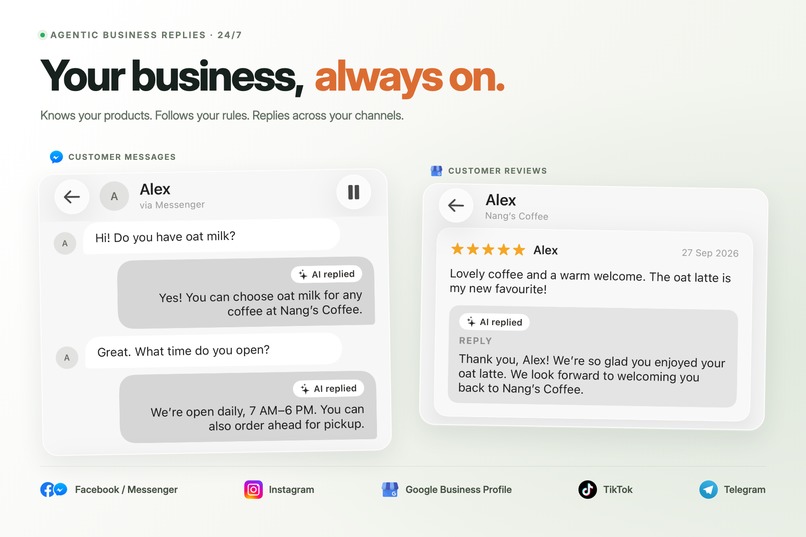
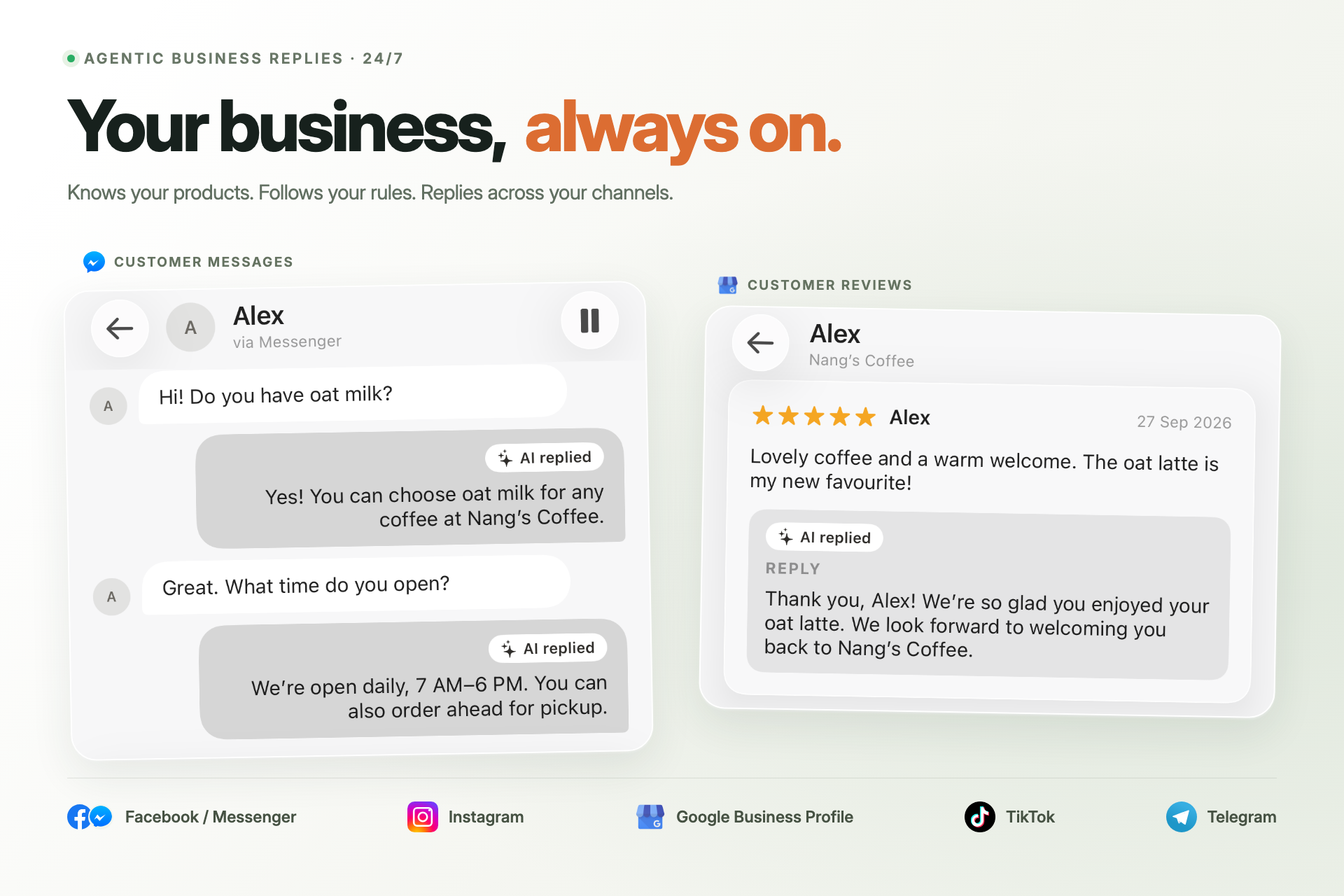
Your business, always on. Oro replies using your products and rules across business channels. Native app UI with sample data.
-
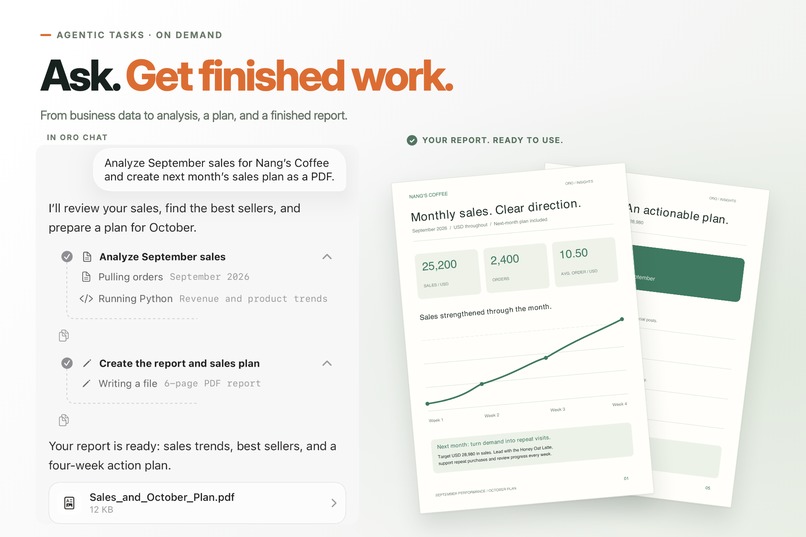
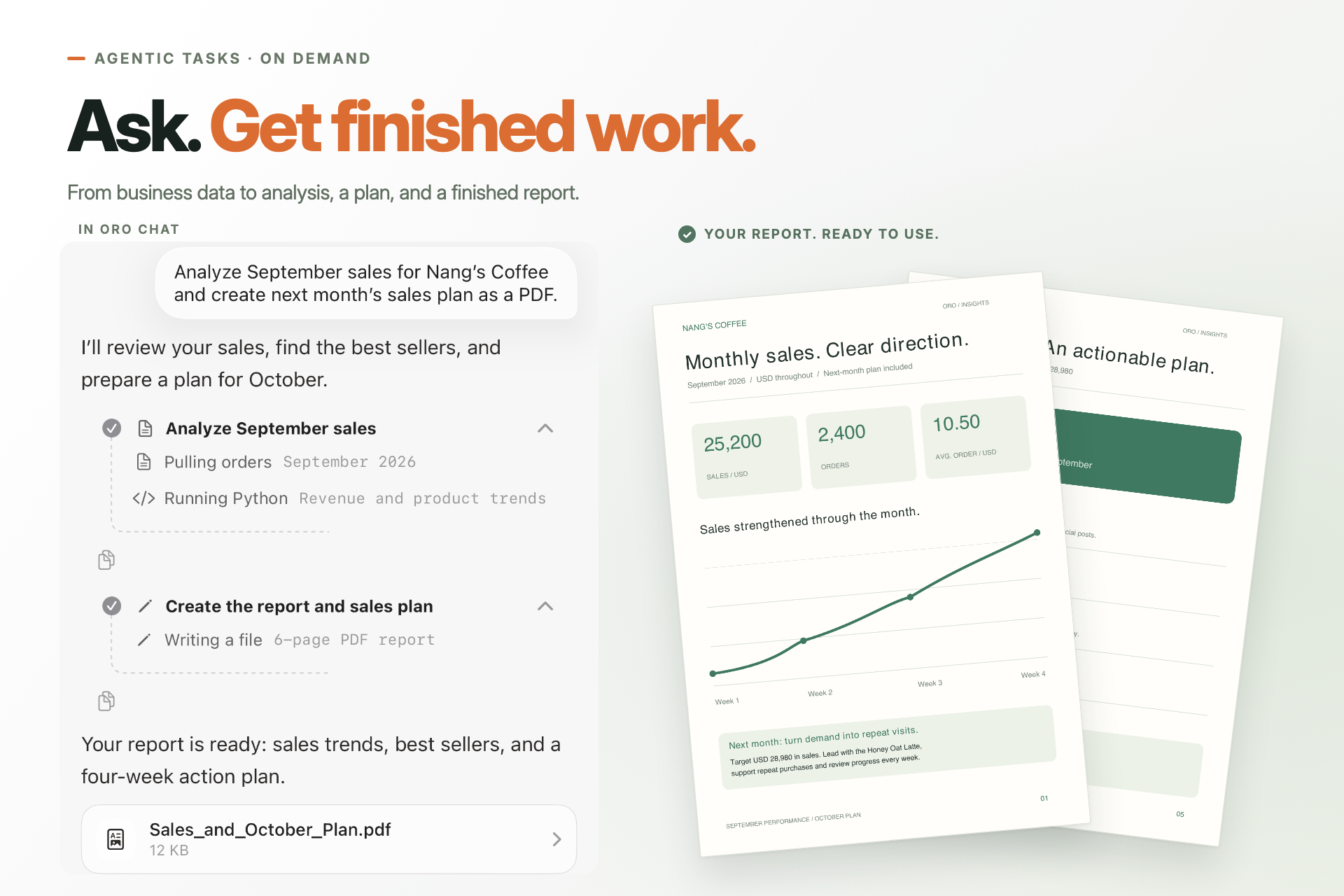
Ask. Get finished work. Native Oro Chat task steps with a sample monthly sales analysis and six-page action plan.
-
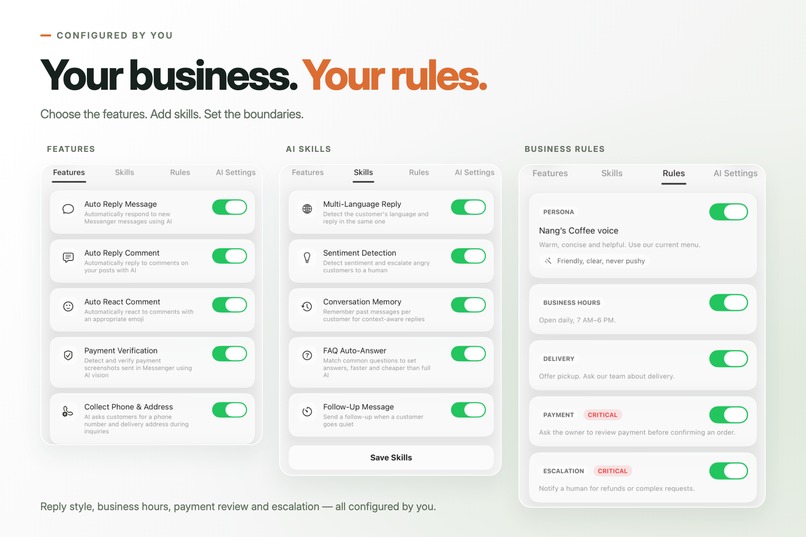
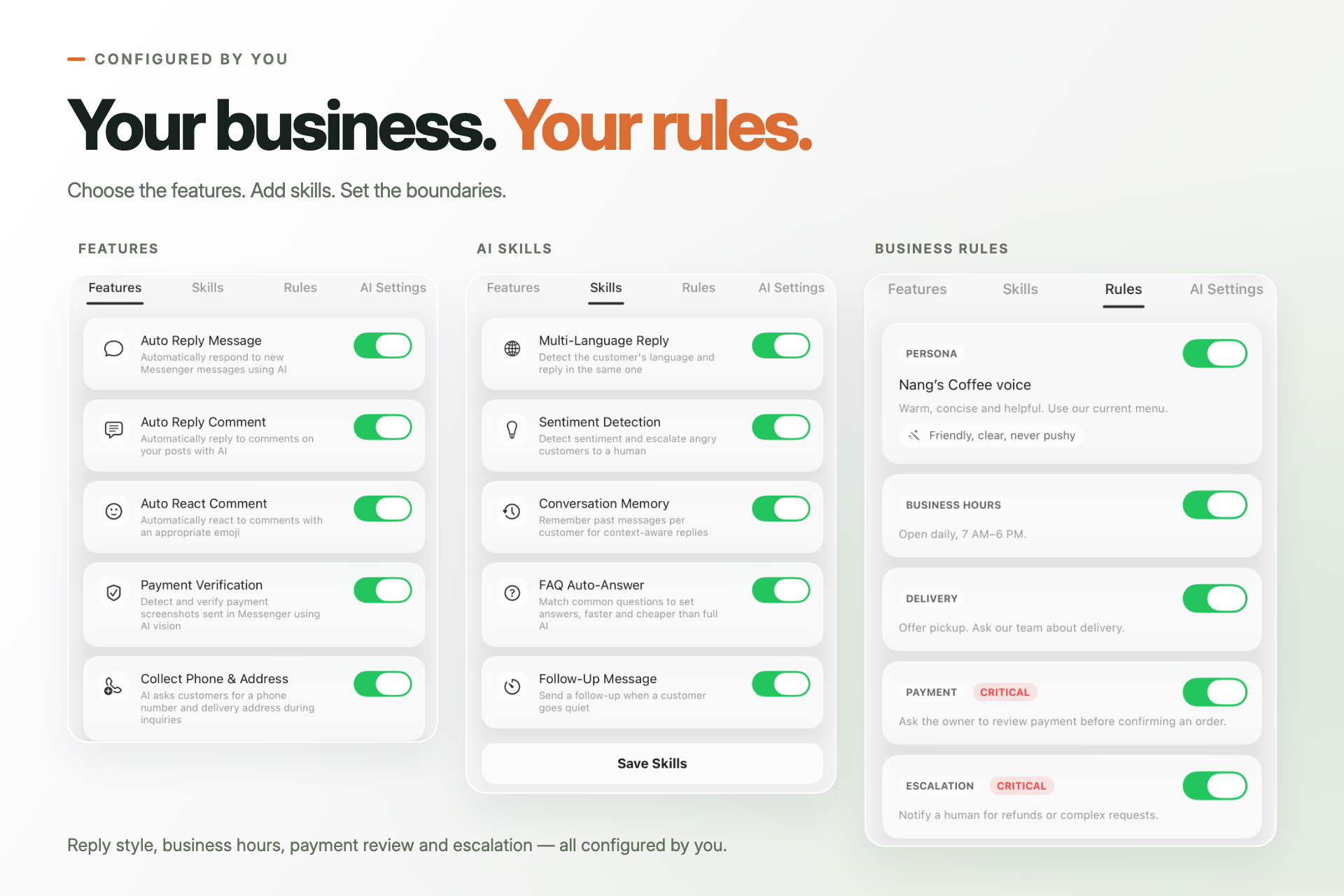
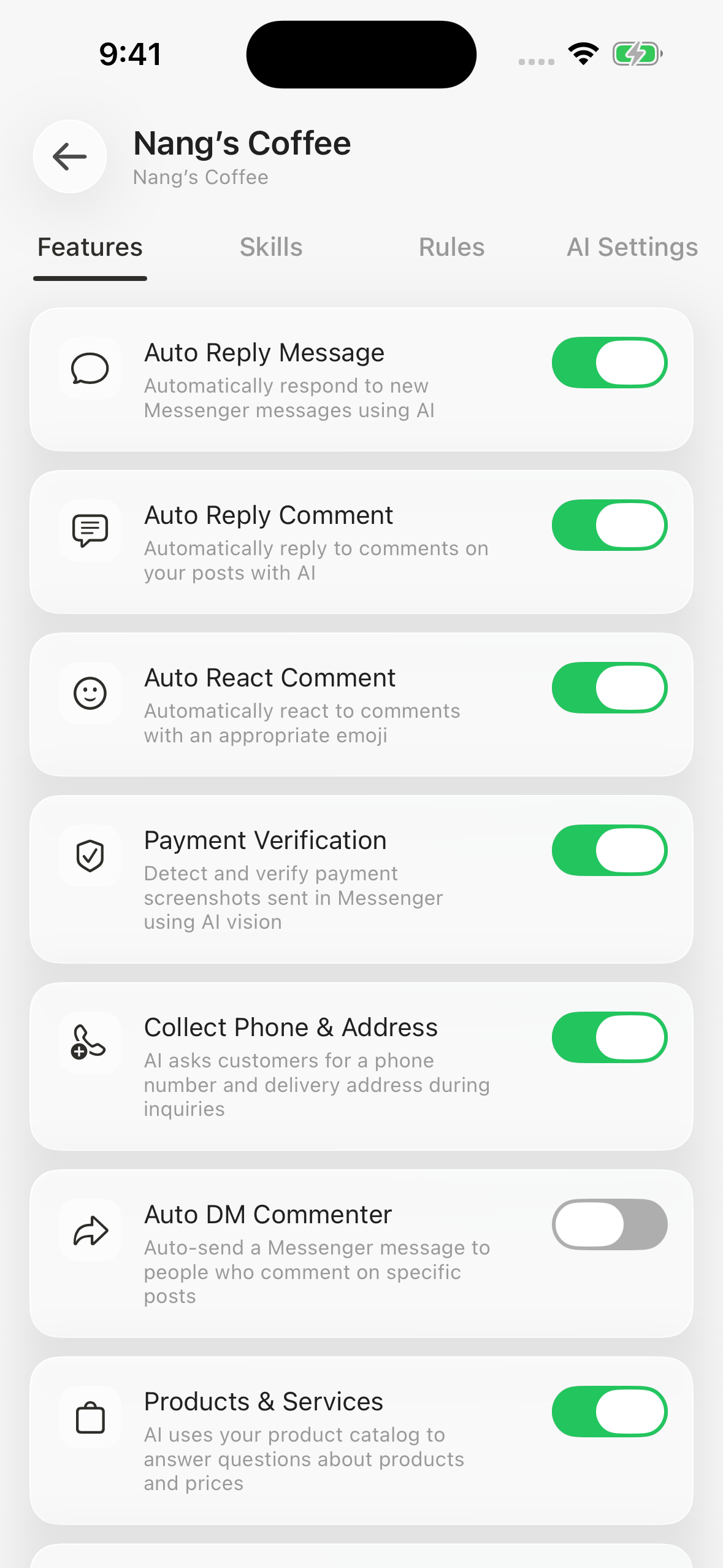
03 — Features, skills and business rules configured by the owner. Native Oro UI with sample business data.
-
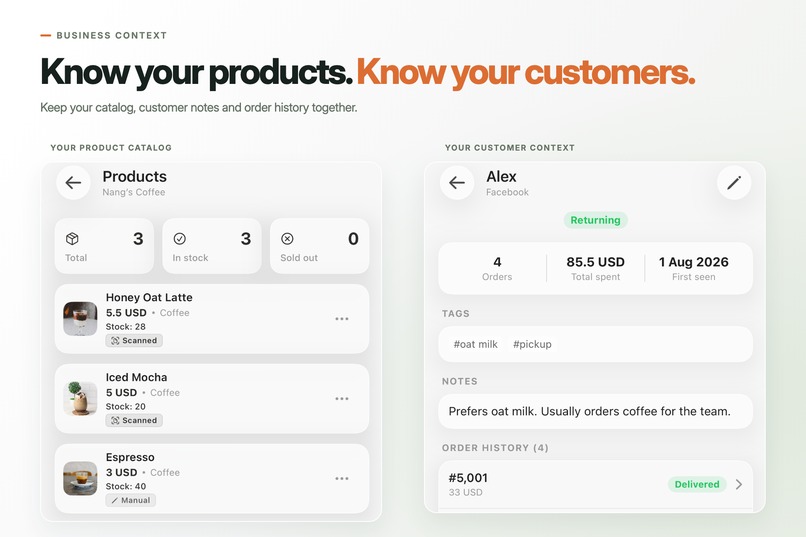
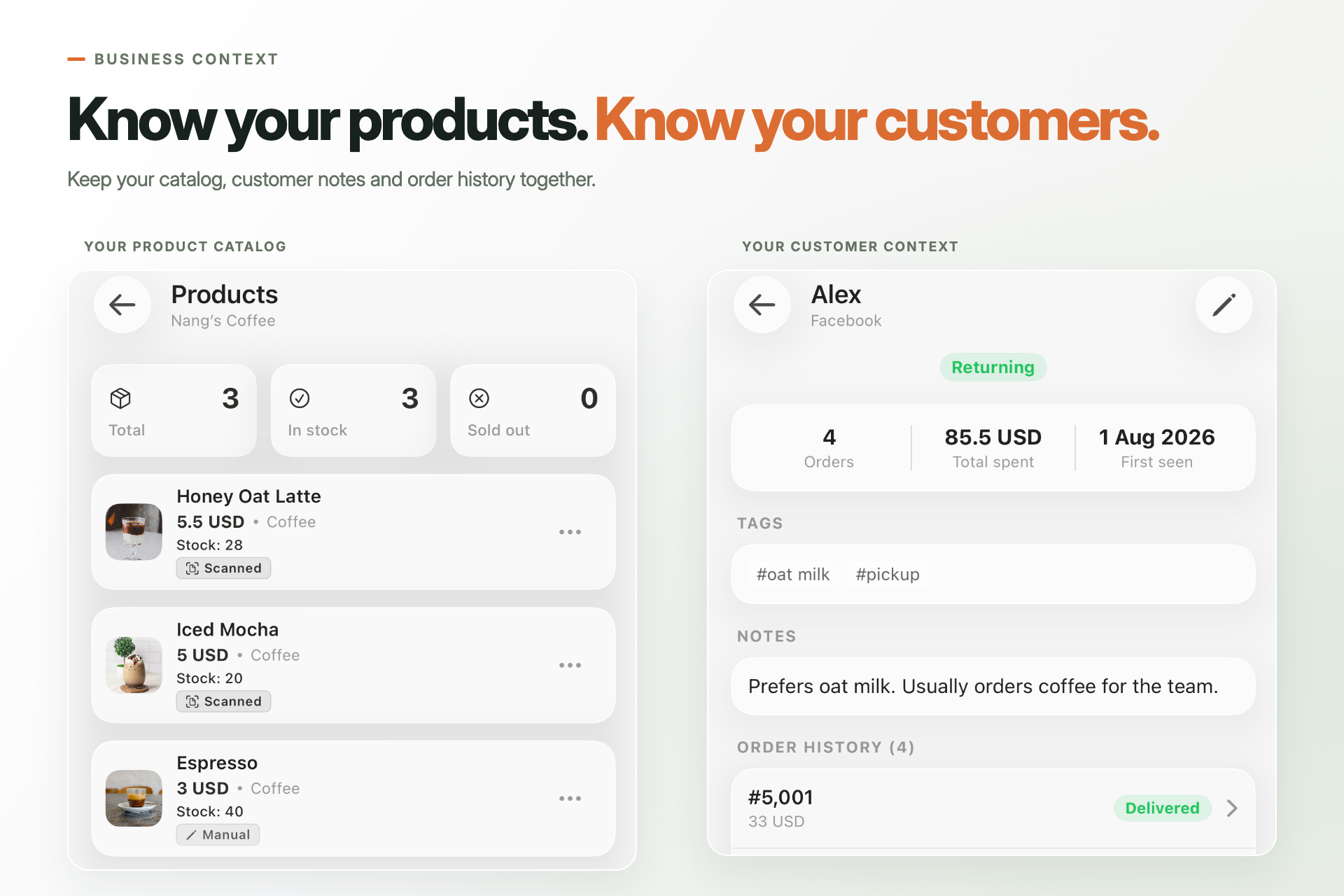
04 — Product catalog, customer notes and order history. Native Oro UI with sample business data in USD.
-
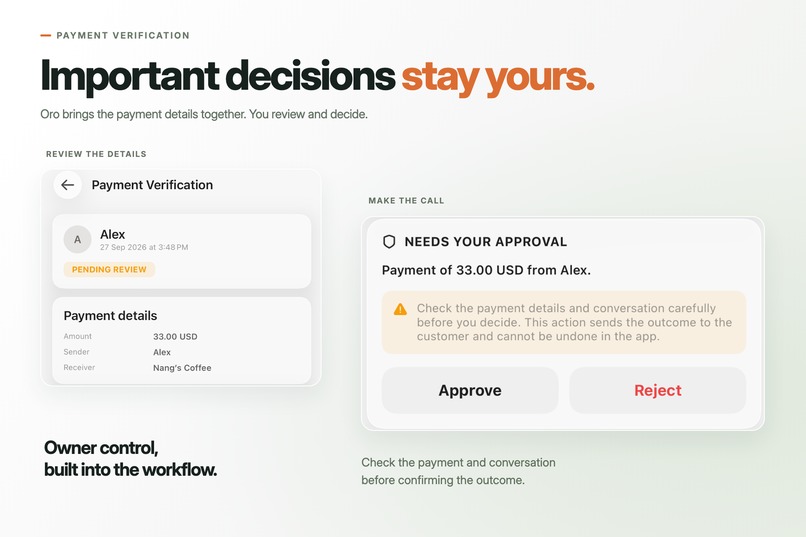
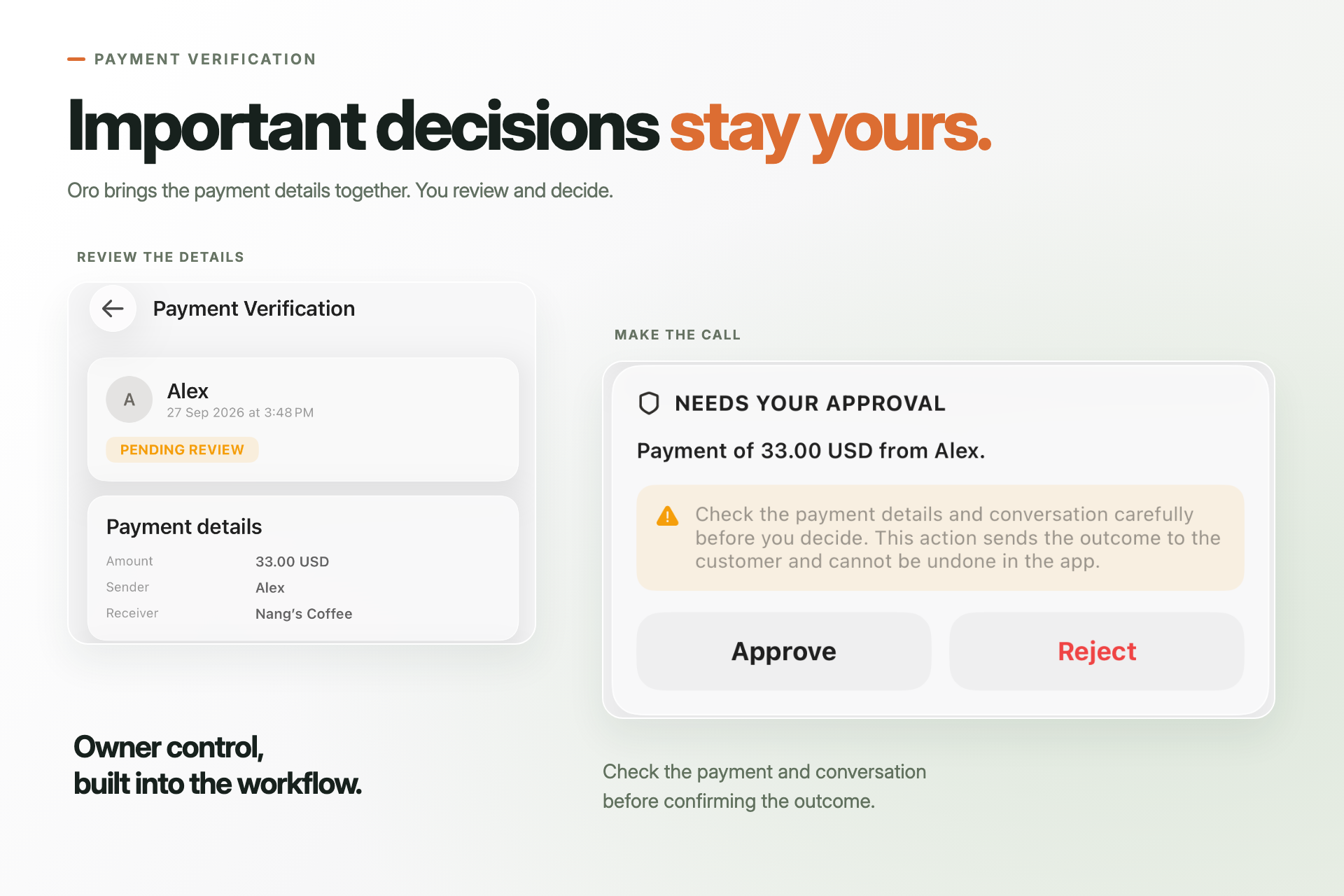
05 — Payment details prepared for owner review. Native approval controls; AI extraction is not proof of payment.
-
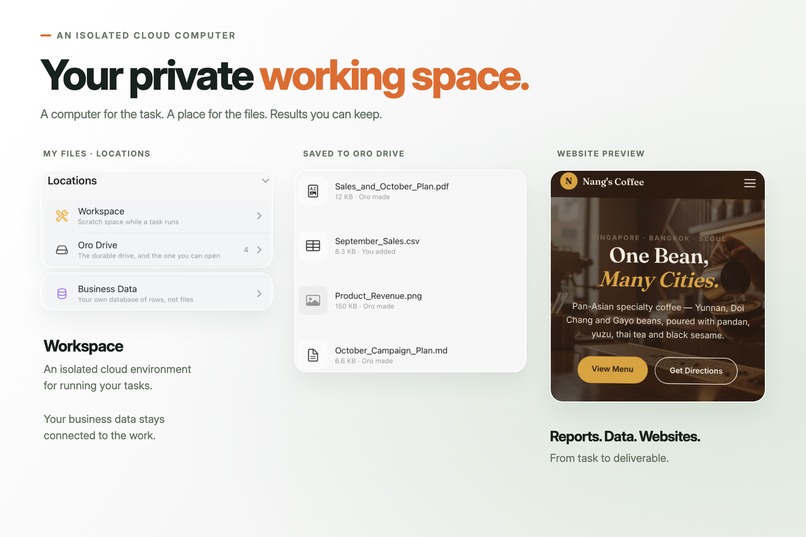
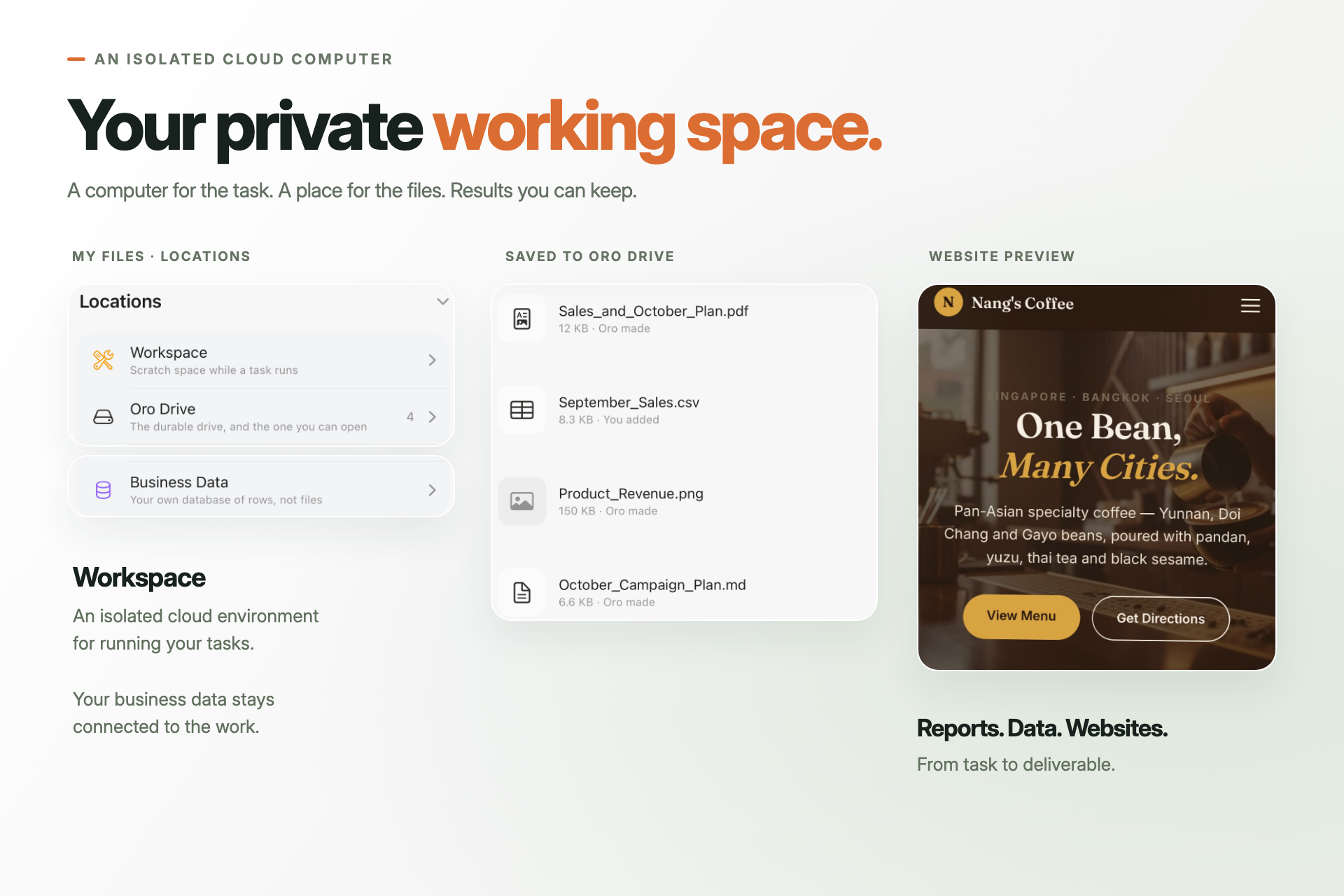
06 — Isolated cloud workspace, My Files and website output. Native UI with sample files and website.
-
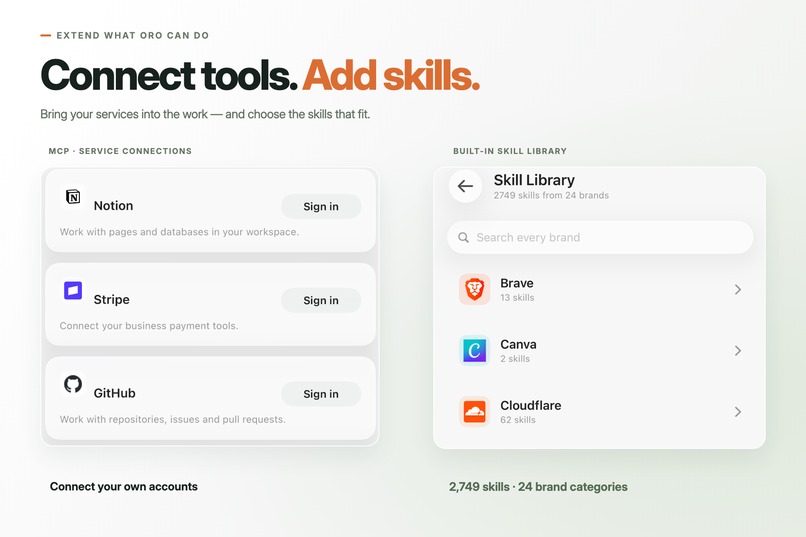
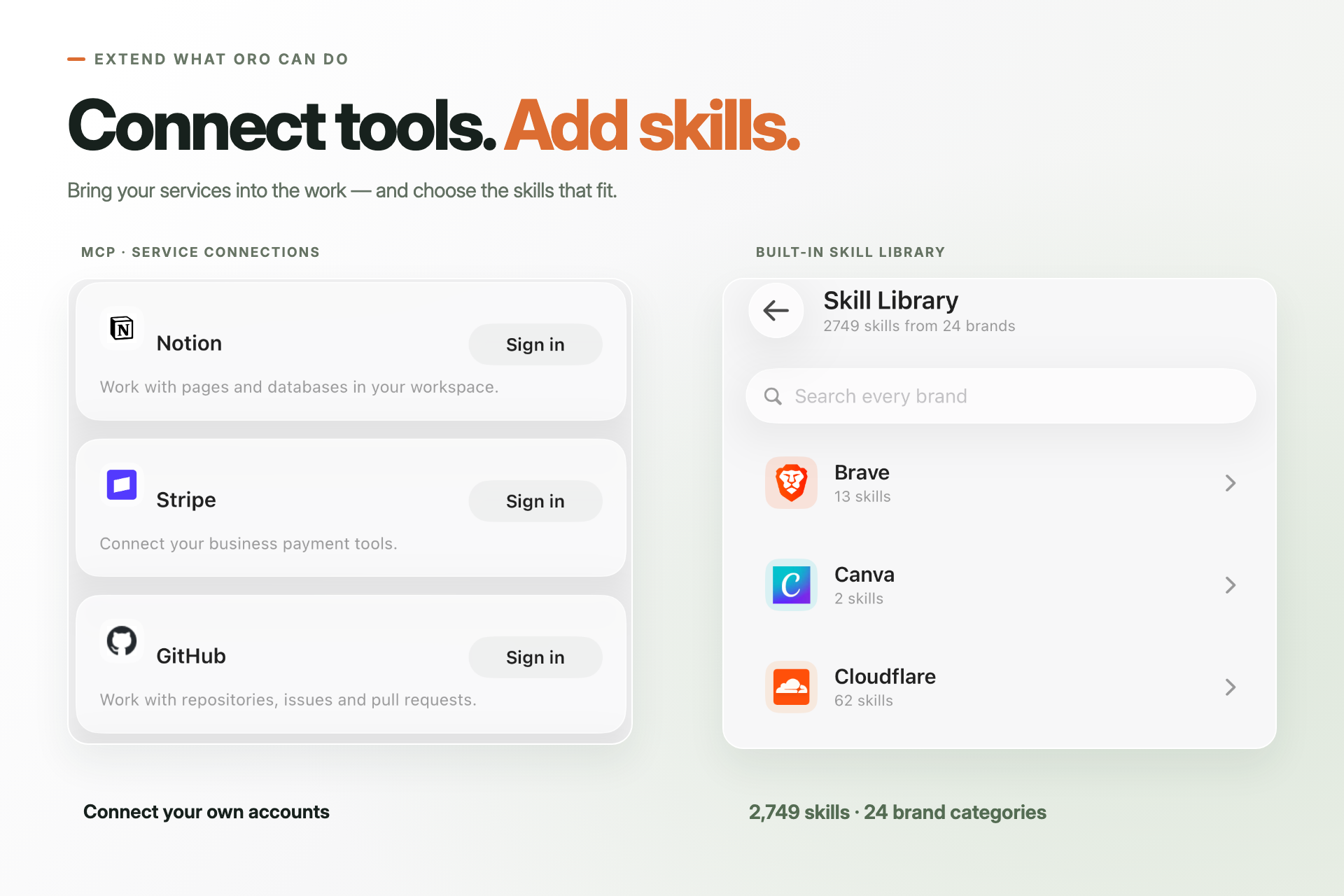
07 — MCP service connections and 2,749 built-in skills across 24 brand categories. Connections require user sign-in.
-
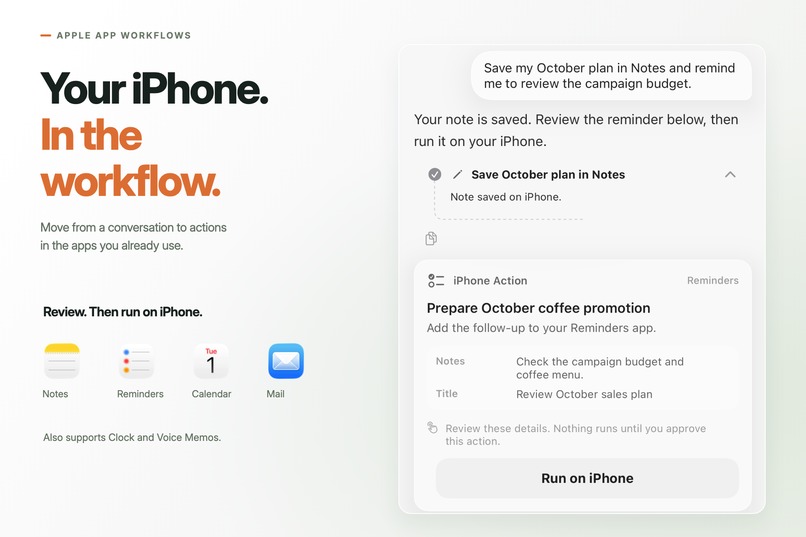
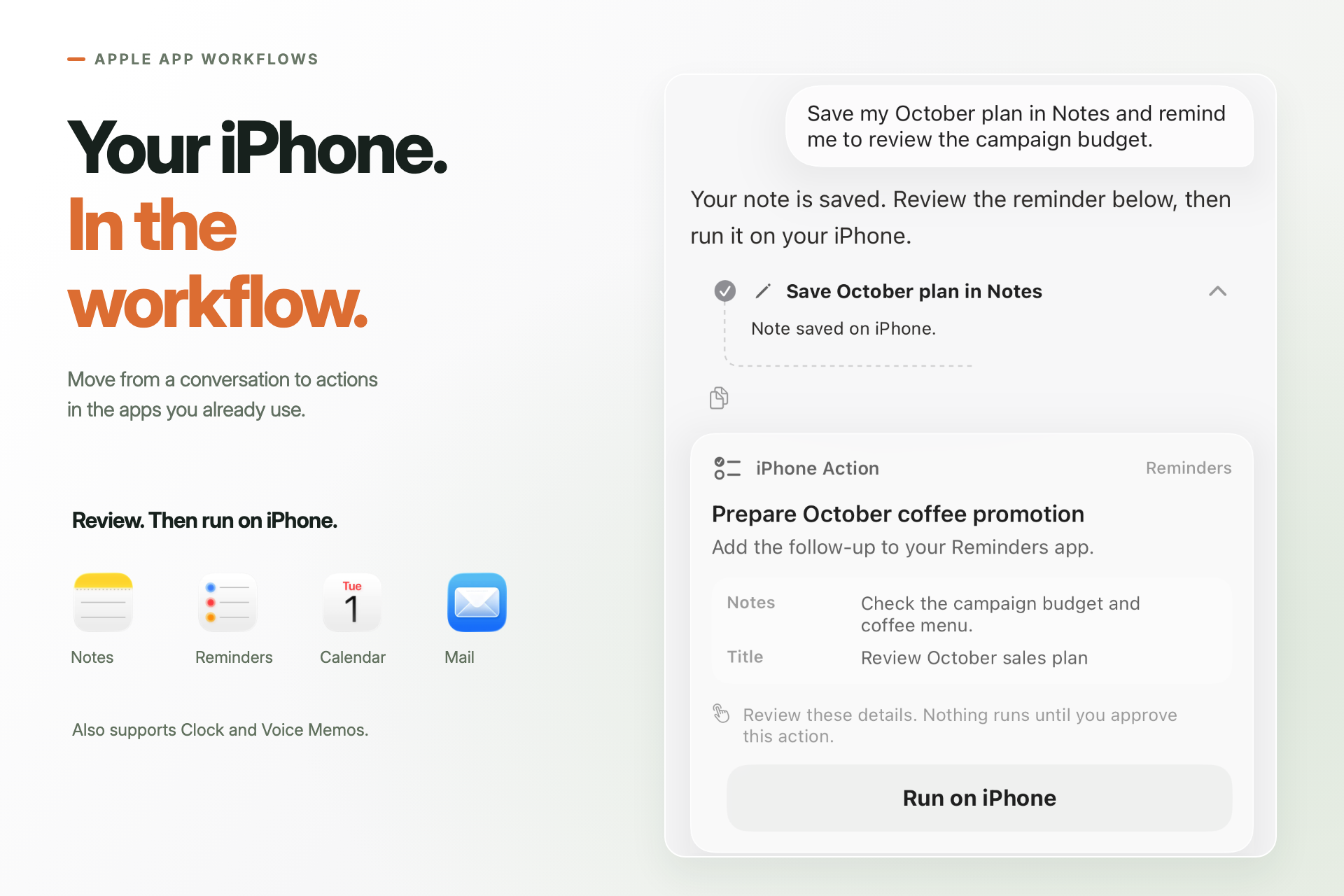
08 — Apple app workflow with native chat steps and Run on iPhone. Sample Notes and Reminders task.
-
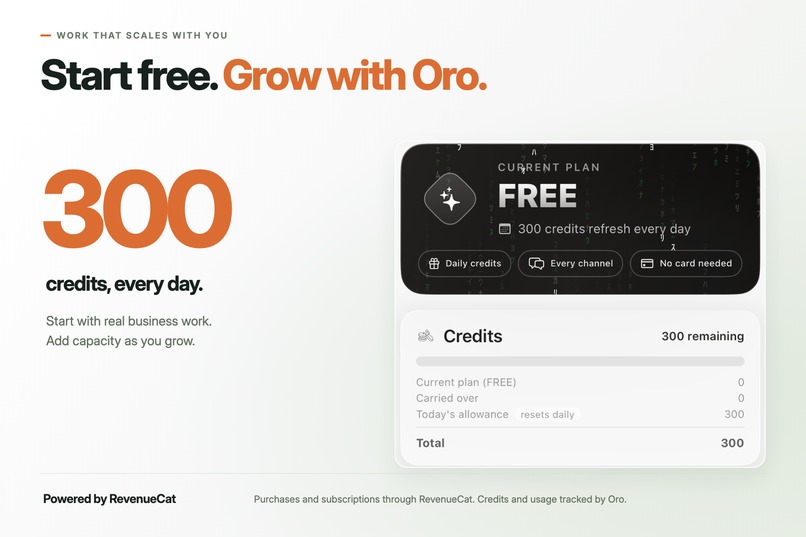
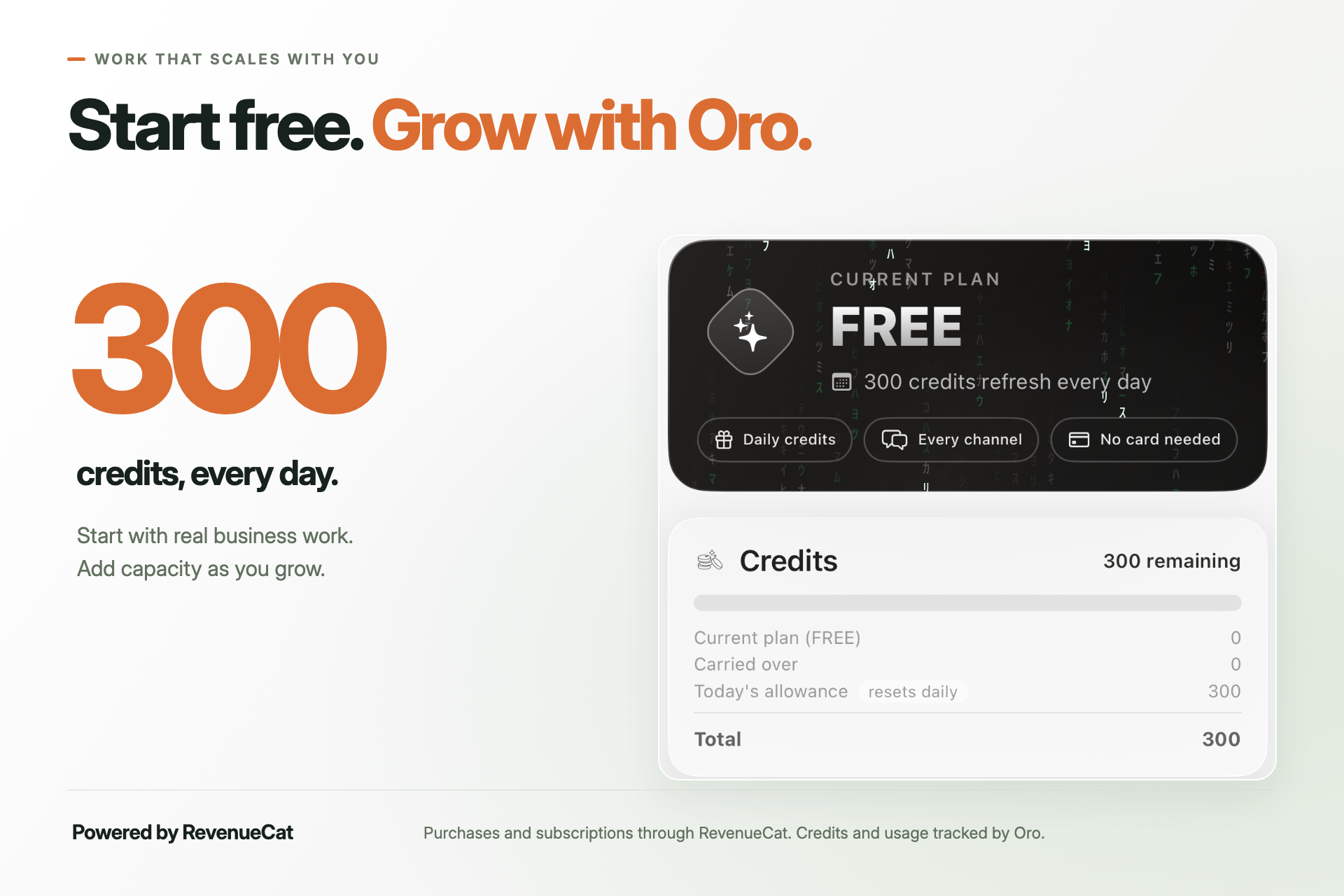
09 — Free plan: 300 daily credits. RevenueCat powers purchases and subscriptions; Oro tracks credits and usage.
-
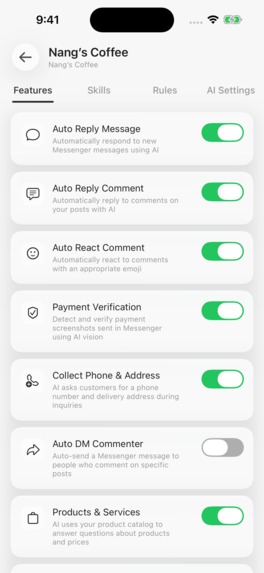
Native app screenshot: 1179×2556, without device frame. Agent Features screen with Nang’s Coffee sample configuration.

Tasks on demand. Business replies, 24/7.
Oro brings two kinds of agentic work into one native iPhone app: work you ask it to do in Oro Chat, and customer replies your business agents handle automatically across connected channels. Both start with your business: its products, services, information, and the boundaries you configure.
Your business. Your rules.
Inspiration
A small business owner can be serving a customer, checking a payment, answering the same product question, and planning tomorrow's sales at the same time. The messages keep arriving after the shop closes.
We wanted to make that workload easier to hand off from a phone. The owner should be able to connect a business, teach an agent what matters, and ask for useful work without setting up a server or keeping a computer running.
That became Oro: business-aware automation alongside an agent that can carry out the owner's tasks.
What Oro does
For your customers: configure agents for your businesses, connect supported channels, and enable the features you want. Oro uses product information, prices, persona, rules, and skills to answer messages, comments, and reviews. Supported business channels include Facebook/Messenger, Instagram, YouTube, Google Business Profile, TikTok, and Telegram, using each platform's supported messaging, comment, and review workflows. Automatic replies can keep working around the clock without the owner initiating every conversation.
For you: ask Oro Chat to research, analyze supplied business data, prepare reports, create files, or build a website. Tasks that need code or a computer run in an isolated cloud environment. Oro can return documents and working website previews, with generated files available in My Files.
Under your control: configure reply style, business hours, delivery information, escalation rules, and other business instructions. Product and customer management keep the business context organized. Payment verification brings the owner into the decision; AI extraction is not proof that money has arrived.
Oro also supports connected MCP tools and a skill library. The current catalog contains 2,749 skill entries across 24 brand categories, with access depending on the selected skill and its required connections. Apple app workflows can prepare actions for Notes, Reminders, Calendar, Mail, Clock, and Voice Memos, then present Run on iPhone when the device needs to execute them.
One business, two ways to get work done
Imagine Nang's Coffee, our example business. A customer asks whether pickup is available. Its configured agent can answer from the business's delivery and pickup information.
The owner can then ask: “Analyze this month's sales and prepare next month's sales plan.” With the relevant sales data supplied or connected, Oro can analyze it, create charts, and produce a report. The next request might turn that plan into a promotional website.
Customer conversations and owner tasks belong in the same business workflow. Oro brings those capabilities together without asking the owner to manage the underlying infrastructure.
How we built it
The app is built in SwiftUI, with native controls, streaming responses, tool progress, file previews, and action cards. We use App Intents for supported iPhone workflows and RevenueCat with StoreKit for subscriptions.
The TypeScript backend handles owner tasks and incoming channel events through separate workflows. Agent bindings resolve the relevant business configuration, and context assembly loads products, rules, persona, and enabled skills.
Computer tasks use E2B sandboxes scoped to a user and conversation. My Files stores file records and content under the user's identity. This gives the agent a working environment and the owner a place to retrieve the results. MCP connections extend the tools available to a task.
How we use RevenueCat
Autonomous work has a real operating cost. Oro uses subscription plans and credits to connect paid access with the work a business needs.
RevenueCat handles the purchase and subscription lifecycle; Oro's backend records credit grants and usage. This separation lets us respond to purchases, renewals, upgrades, cancellations, and scheduled changes without treating every notification as a new payment.
One of our hardest lessons came from upgrades. A product-change event and a renewal could arrive close together, and our early implementation granted credits twice. Deduplicating by event ID was insufficient; even the subscription periods could differ.
We corrected the meaning of the events: a product change records a change, while the associated purchase or renewal drives the credit grant. Grant keys protect against repeated processing. This turned RevenueCat integration into an important part of the product's reliability and business model.
Challenges and what we learned
Business context must stay attached to the right agent. Connecting a channel is only the beginning. Its replies need the correct catalog, rules, and settings.
Autonomous work needs visible handoffs. Streaming progress, tool steps, payment review, and device execution should make it clear what Oro is doing and what needs the owner.
Billing is part of the user experience. A successful store purchase and a backend update do not always arrive at the same moment. The interface must explain activation and recovery honestly.
What we are proud of and what comes next
We brought customer automation, business management, cloud execution, useful files, and iPhone actions into one native experience. The owner can configure ongoing work and request new work from the same app.
Next, we want to improve the journey to the first useful result, make long-task credit estimates clearer, and deepen the reliability of connected business workflows.
Oro's goal: let a small business owner hand off real work, while keeping the decisions that matter.
Built With
- app-intents
- cloudflare-r2
- cloudflare-workers
- docker
- firebase-authentication
- google-cloud-run
- ios
- mapkit
- model-context-protocol
- neon
- node.js
- postgresql
- redis
- revenuecat
- storekit-2
- swift
- swiftui
- typescript


Log in or sign up for Devpost to join the conversation.