Orma: Your AI-Powered Digital Memory
Orma is a smart memory layer for your browser that uses local AI to transform your scattered browsing history into a searchable, chat-ready personal knowledge base.
Inspiration
As a passionate learner who spends hours browsing the web, I kept running into the same frustrating cycle: I'd discover amazing information; an insightful article, a critical Stack Overflow answer, a fascinating research paper only to completely forget where I found it days later.
Browser bookmarks became a graveyard of forgotten tabs. Note-taking apps felt disconnected from the actual browsing experience. Nothing understood the context of what I was saving.
I wanted something different, a tool that could remember not just what I saved, but truly understand it, connect it to related ideas, and help me learn better over time.
That's when the idea for Orma was born: a browser extension that acts as your digital memory, intelligently understanding and connecting everything you learn online.
What It Does
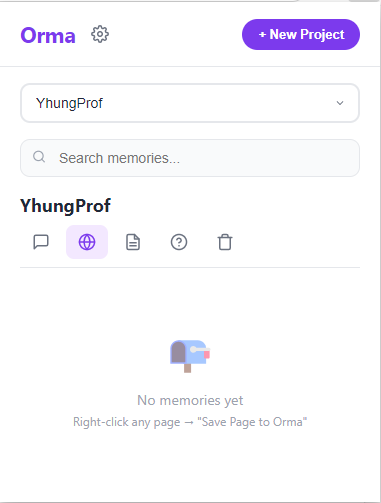
Orma is a sophisticated memory layer for your browser that transforms how you capture and interact with online information. Powered by AI, it automatically processes and connects your browsing history, enabling you to:
- 💾 Save anything with one click: Capture pages, highlights, and snippets instantly without leaving your workflow.
- 🔍 Search using natural language: Ask questions like "that article about neural networks I read last week" and get results instantly.
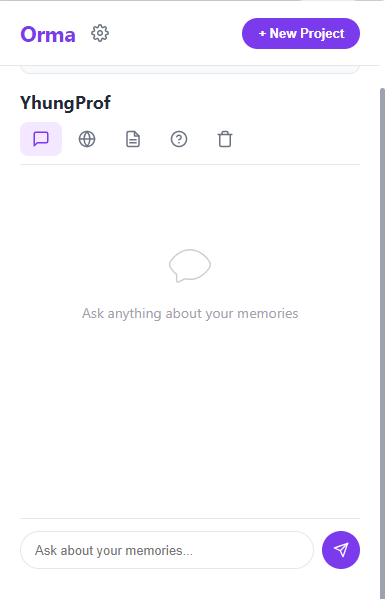
- 💬 Chat with your browsing history: Have a conversation with everything you've ever saved, powered by contextual AI.
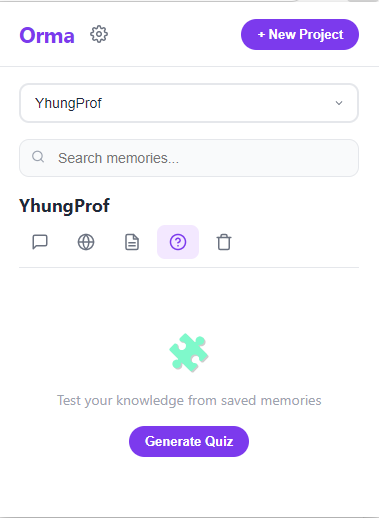
- 📝 Generate smart summaries: Get AI-generated summaries of saved content, distilling hours of reading into key takeaways.
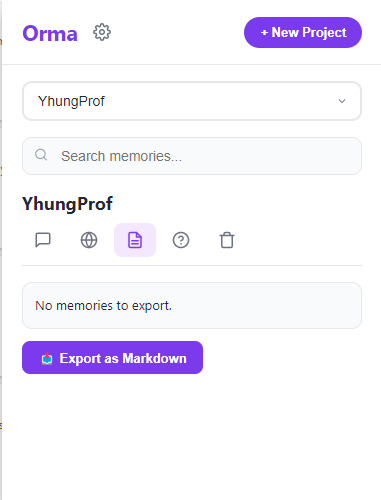
- 📂 Auto-organize into project workspaces: Orma intelligently clusters related memories into workspaces without manual sorting.
- 🤖 Enhance AI tools with perfect context : Supercharge tools like ChatGPT by injecting relevant memories as context for richer, more accurate responses.
How We Built It
Orma is built on a carefully selected stack optimized for performance, privacy, and elegance:
| Layer | Technology | Why |
|---|---|---|
| Frontend | React 18 + TailwindCSS | Native-feeling, responsive interface |
| AI Processing | Google Nano AI | Lightning-fast local processing, no data leaves your device |
| Memory Storage | IndexedDB via Dexie.js | Reliable, high-performance vector storage in the browser |
| Search | Vector search (OpenAI Embeddings) | Semantic understanding, not just keyword matching |
| Extension | Chrome Manifest V3 | Modern, secure, and performant extension architecture |
The architecture is offline-first while maintaining real-time responsiveness. Every interaction provides immediate visual feedback with smooth animations, making the experience feel instantaneous.
Challenges We Ran Into
🗄️ Vector Storage in the Browser
Implementing efficient vector storage inside IndexedDB was uncharted territory. We had to carefully optimize storage schemas and retrieval mechanisms to maintain sub-second performance even as the memory database grew to thousands of entries.
⚡ Real-Time Processing
Balancing immediate user feedback with background AI processing was a constant tension. We solved this by implementing an intelligent queue system with granular visual feedback so the UI never freezes, and users always know what's happening.
🧠 Context Preservation
Ensuring saved memories retained their original context while remaining useful for AI interactions required multiple iterations of the embedding pipeline. A snippet means nothing without the page it came from we had to encode that relationship.
🪶 Extension Performance
Keeping the extension lightweight while handling complex vector operations and AI inference was tough. We leveraged Chrome's built-in AI capabilities (Nano AI) to offload processing and keep the memory footprint minimal.
Accomplishments We're Proud Of
- ✅ Built a fully functional memory system that genuinely enhances the learning workflow
- ✅ Achieved near-instant semantic search across thousands of saved memories
- ✅ Created a natural chat interface that lets you converse with your browsing history
- ✅ Implemented smooth, real-time UI updates with polished animations
- ✅ Designed an intuitive interface that stays out of your way until you need it
What We Learned
- Deep practical insights into vector databases and embeddings in constrained environments
- Techniques for high-performance browser extension development under Manifest V3
- Strategies for hybrid local + cloud AI processing pipelines
- The critical importance of user feedback loops in memory management UX
- Methods for preserving and leveraging context in AI-powered applications
What's Next for Orma The Ultimate Browser Companion
| Feature | Description |
|---|---|
| 🤝 Collaborative Memory Spaces | Enable teams to build shared knowledge bases imagine a team that never forgets a research finding |
| 📊 Advanced Learning Analytics | Surface insights into your learning patterns what topics you explore, knowledge gaps, and growth over time |
| 🌐 Cross-Browser Support | Expand beyond Chrome to Firefox, Safari, Edge, and Arc |
| 🔒 Enhanced Offline AI | Strengthen local processing capabilities for complete privacy and offline functionality |
| 🔌 API Ecosystem | Open up Orma's memory layer for developers to build on integrations, plugins, and custom workflows |
Orma is more than a project. It's a step toward enhancing human memory with AI in a way that feels natural and empowering. We believe technology should amplify our natural abilities, not replace them. Orma is our contribution to that vision.