-
-
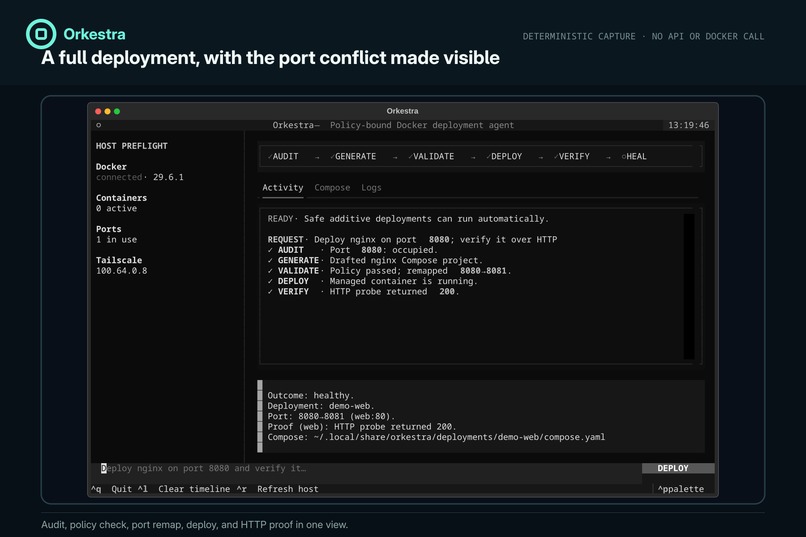
deployment-flow
-
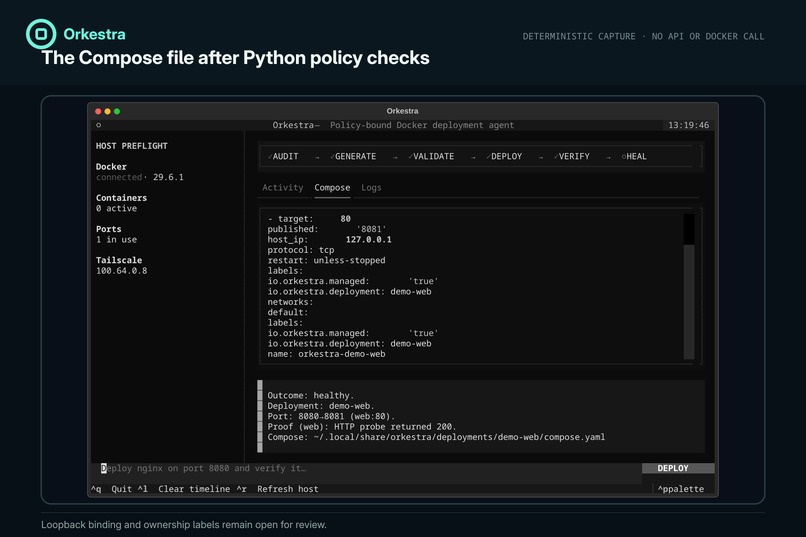
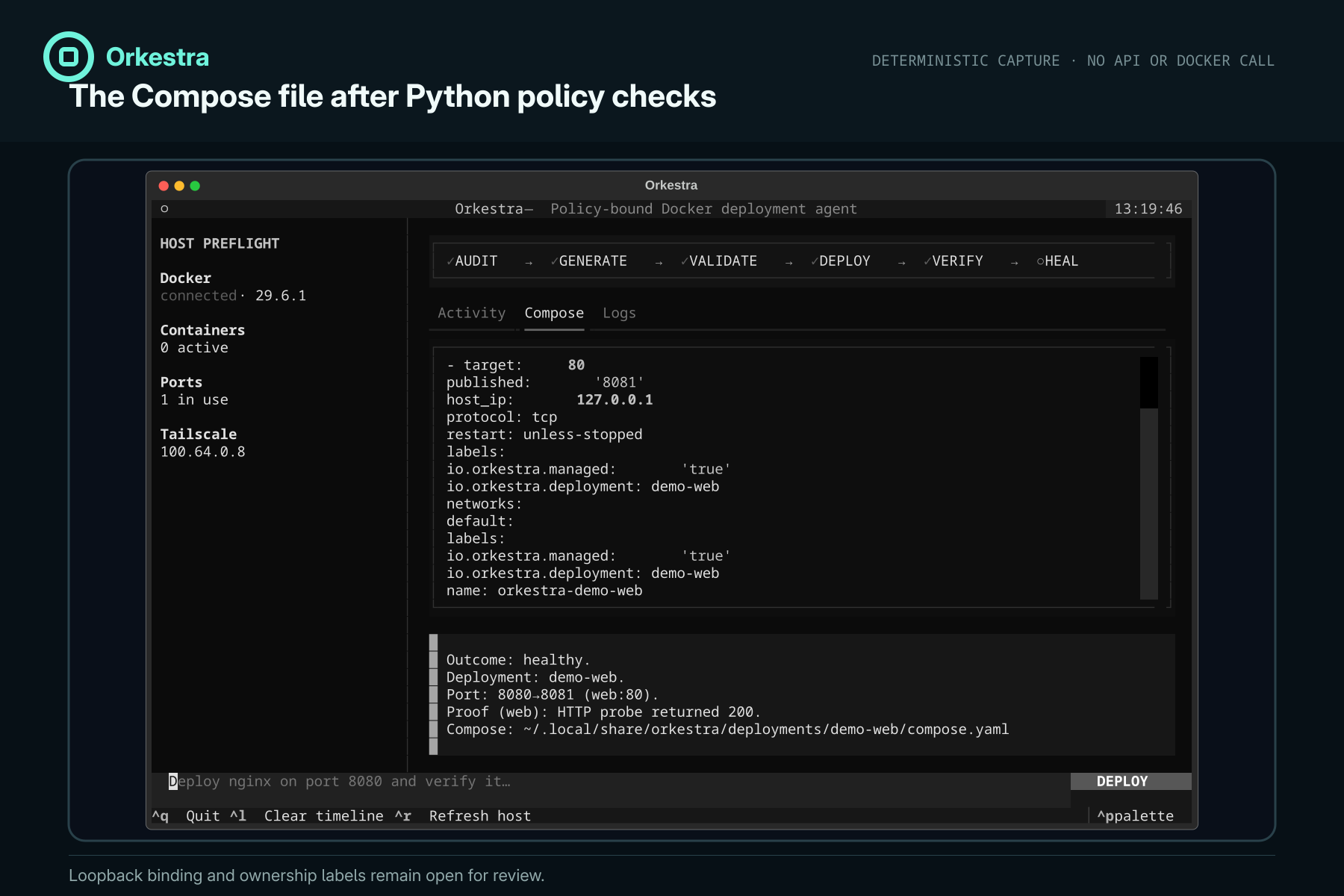
policy-checked-compose
-
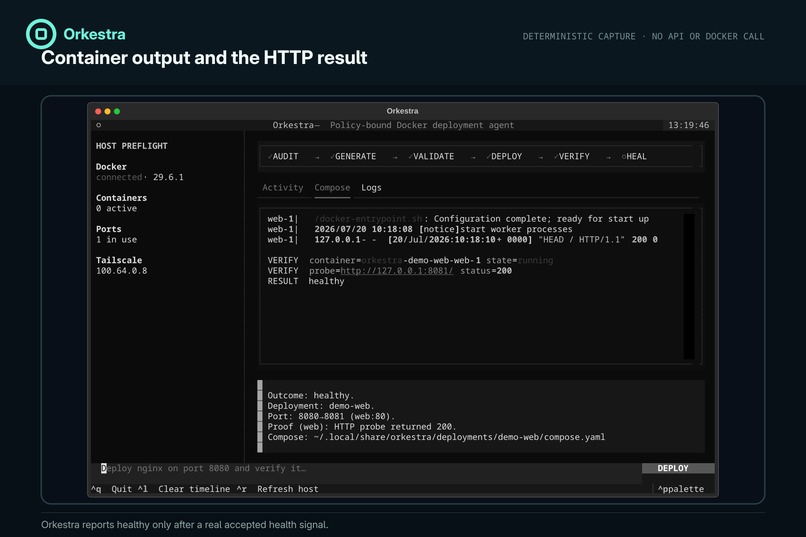
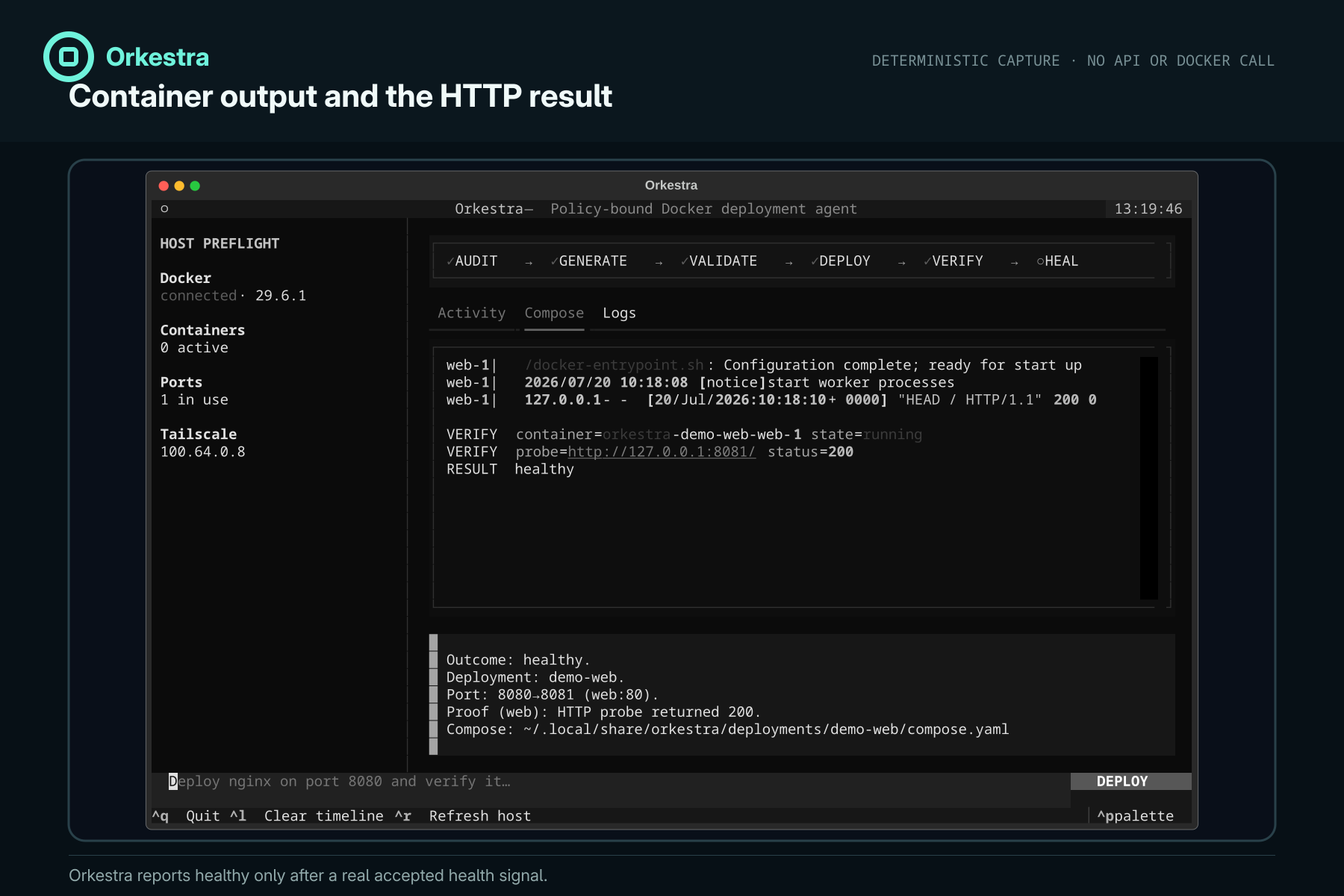
verification-evidence
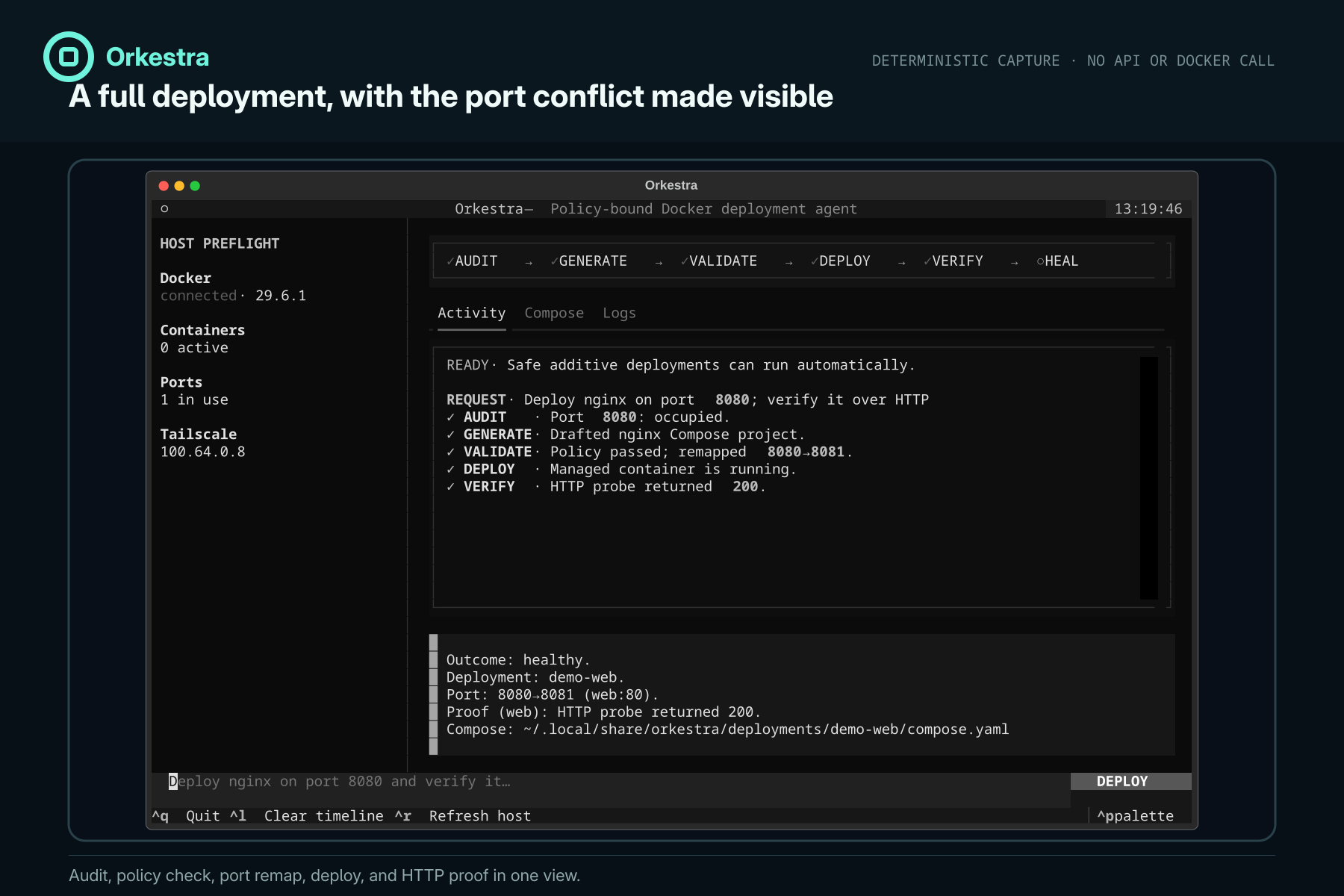
Inspiration
Running a homelab means repeating the same fragile loop: inspect the host, write Compose, discover a collision, start containers, read logs, and decide whether the service really works. General coding agents can write YAML, and broad shell agents can run commands, but neither gives this workflow a small, inspectable execution boundary.
Orkestra makes that loop the product.
What it does
Users describe a service in a Textual terminal UI. GPT-5.6 audits the live host, generates Docker Compose, and calls a local FastMCP server. Python rejects unsafe configuration, resolves known port conflicts, deploys the stack, and verifies container health or an HTTP endpoint. A failed run gets one evidence-based repair. Python can also apply and verify a known Compose file without OpenAI.
The UI exposes each agent stage plus the final Compose file and logs. The CLI manages owned stack cleanup, explicit TTLs, and user-approved workspace mounts.
Challenges
The hard part was not asking a model to write Compose. It was deciding which parts of autonomy must be enforced outside the prompt. Orkestra therefore has no generic shell tool. Deployment runs only after a second policy check, and every Docker command uses a fixed argument vector.
Verification also needed honest states. Orkestra distinguishes healthy from
running_unverified, so a started container cannot masquerade as a working
service.
API failure also needed a clear write boundary. Orkestra retries one transient fault only before Docker changes. After a deploy call starts, Python checks the saved Docker state and offers an offline command instead of replaying the agent.
What we learned
Agent security improves when the tool surface expresses product intent. A
deploy_compose tool with policy checks is easier to reason about than a shell
prompt with a growing list of forbidden commands. Clear verification states also
make the UI more trustworthy: the agent must prove success, not merely announce
it.
What's next
Remote homelab targets, a secret broker, Tailscale Serve integration, lifecycle controls in the TUI, revision rollback, scheduled cleanup, and macOS Docker Desktop support.
