Inspiration
I use Codex for work that does not fit neatly into one coding session: research, follow-ups, outreach, job applications, recurring checks, and tasks that may need a browser or a decision from me later.
Codex was already capable of doing the work. The weak point was operating it continuously.
My setup had become a collection of terminals, Docker containers, browser tabs, timers, remote desktop tools, and WhatsApp messages. It worked, but only because I kept the pieces together manually. If I left my computer, changed devices, lost a connection, or wanted something to run next week, the surrounding infrastructure became the problem.
I built Orkestr to turn that improvised setup into one coherent product:
Codex does the work. Orkestr keeps the workstation running.
For OpenAI Build Week, I reduced the larger Orkestr idea to its clearest form: one user, one continuous Codex conversation, and one persistent Linux workstation.
What it does
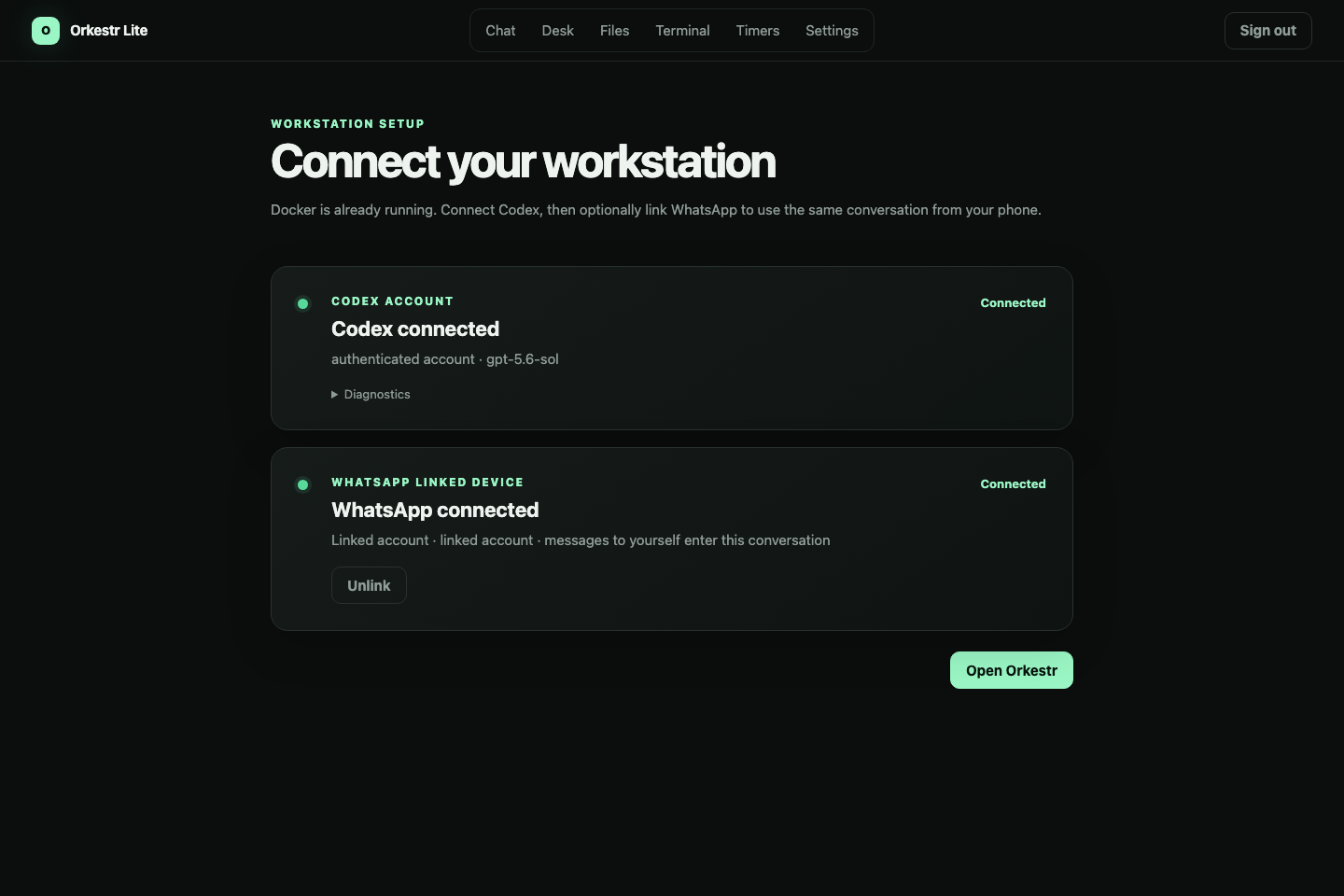
Orkestr turns Codex into an always-on operator that can be reached through:
- the Orkestr web interface;
- the user's own WhatsApp self-chat;
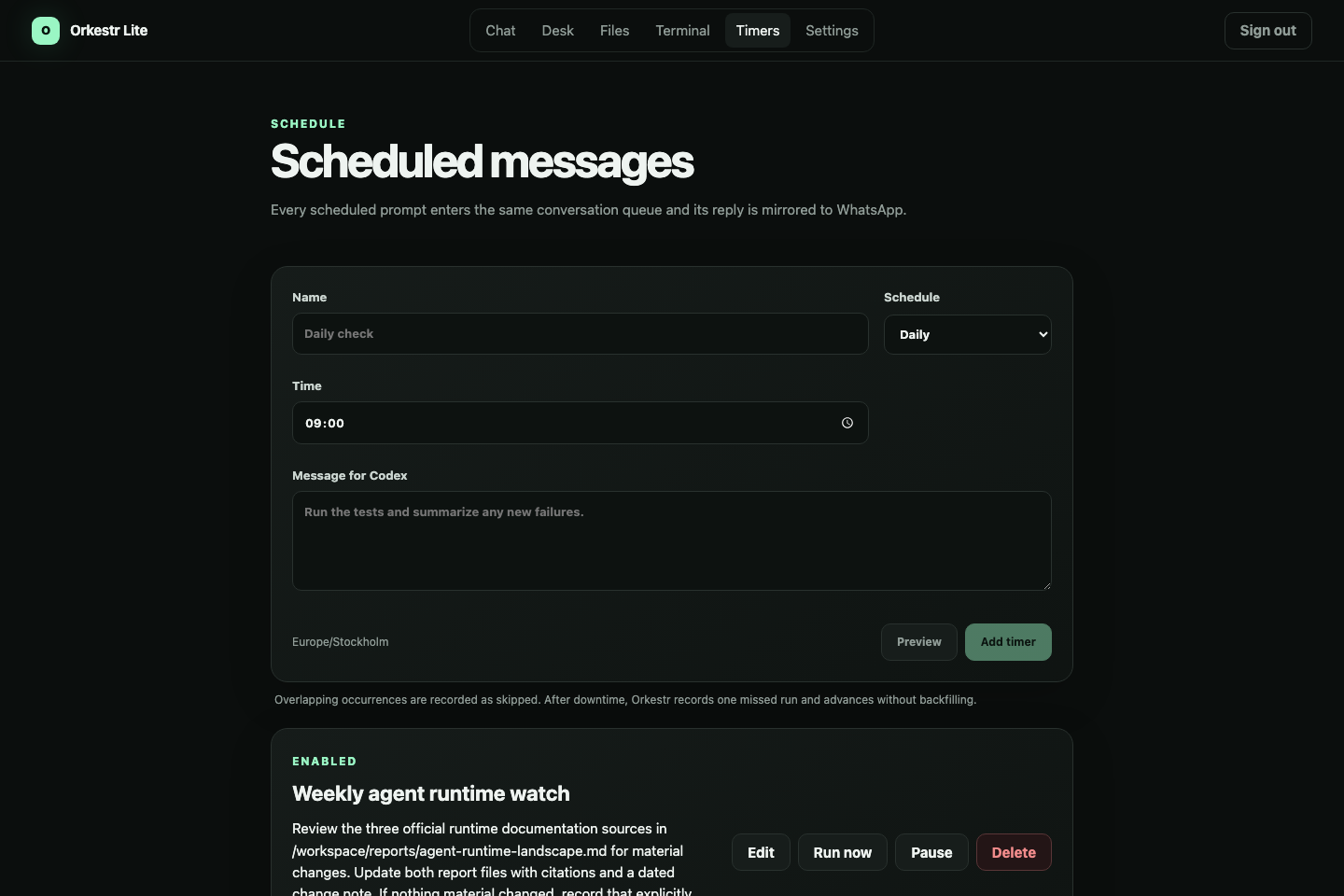
- a one-time or recurring schedule.
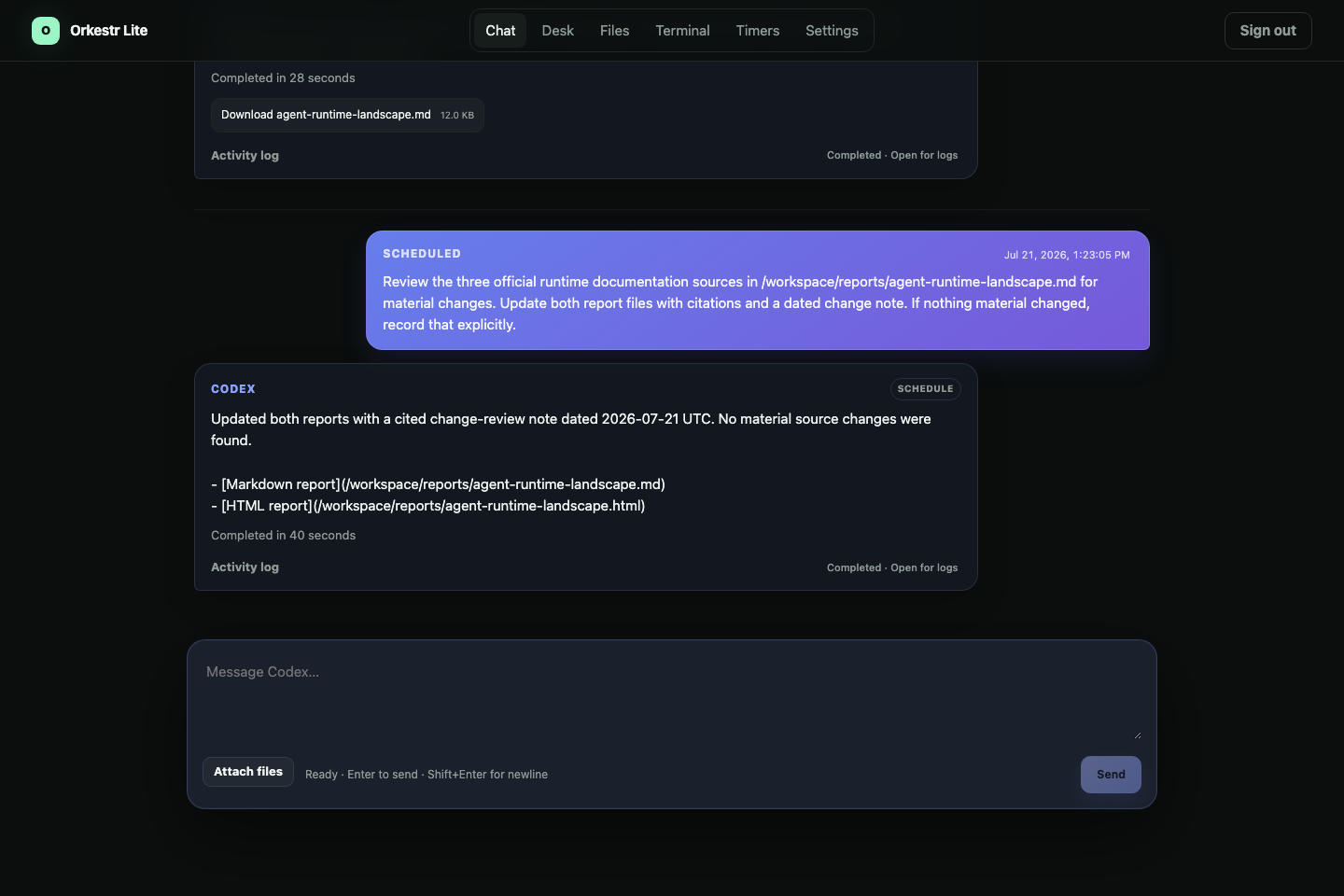
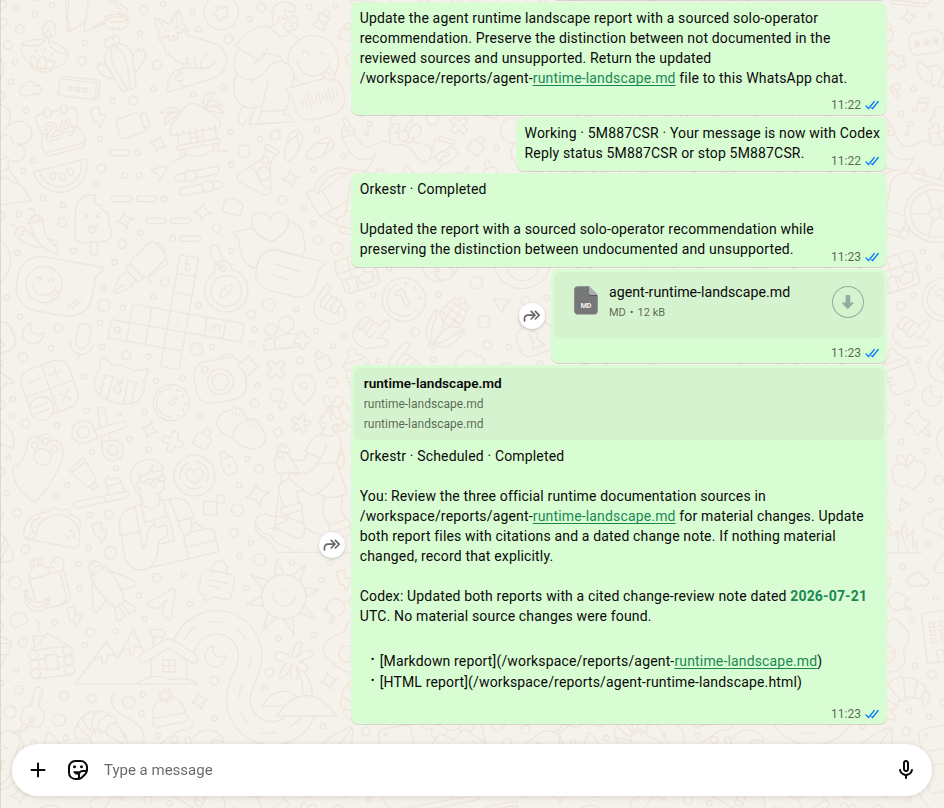
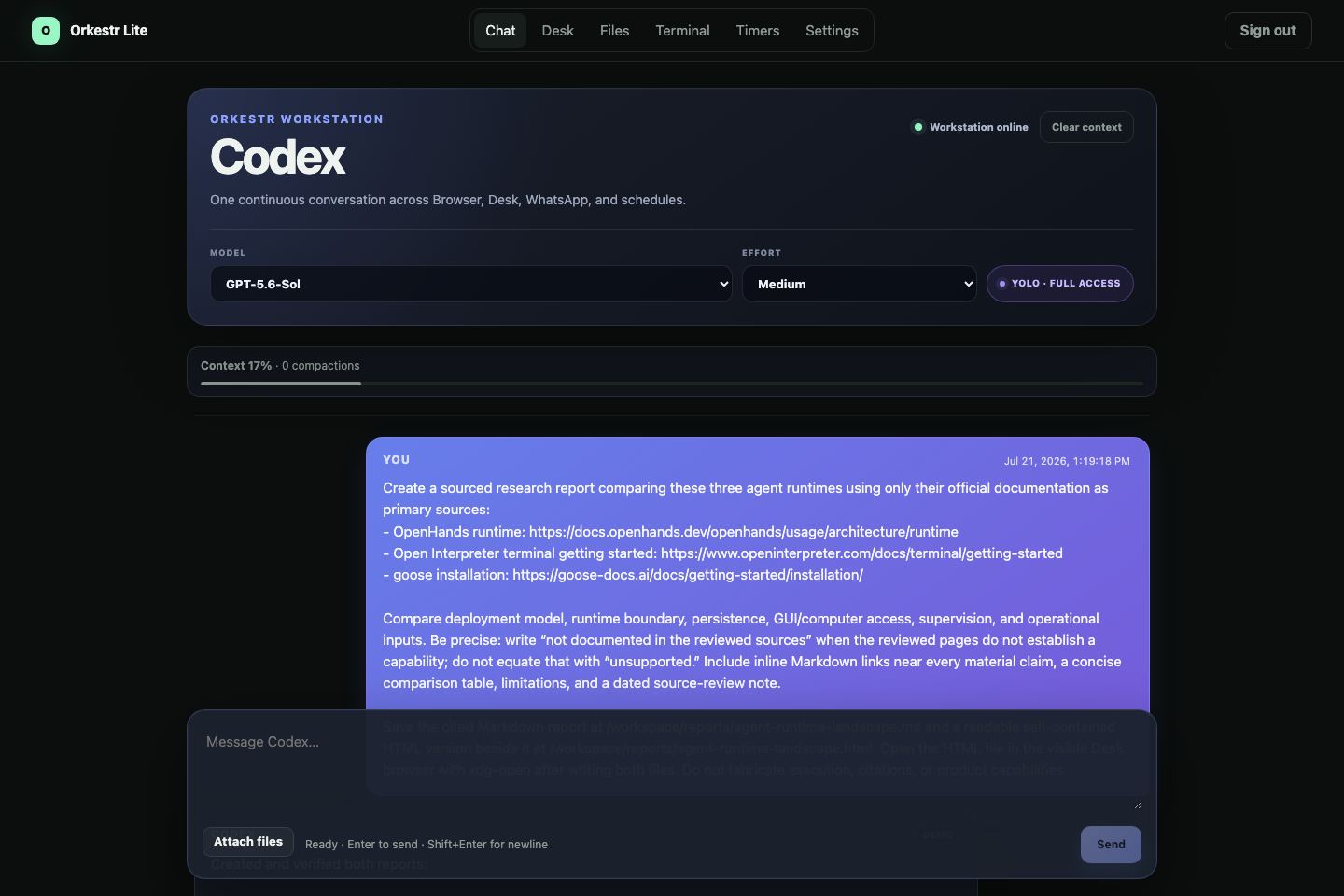
Every request enters the same durable queue and continues in the same Codex conversation. Work started from WhatsApp appears in the browser. Scheduled work does not disappear into a separate automation log. Codex keeps access to the same files, terminal, browser state, and working context.
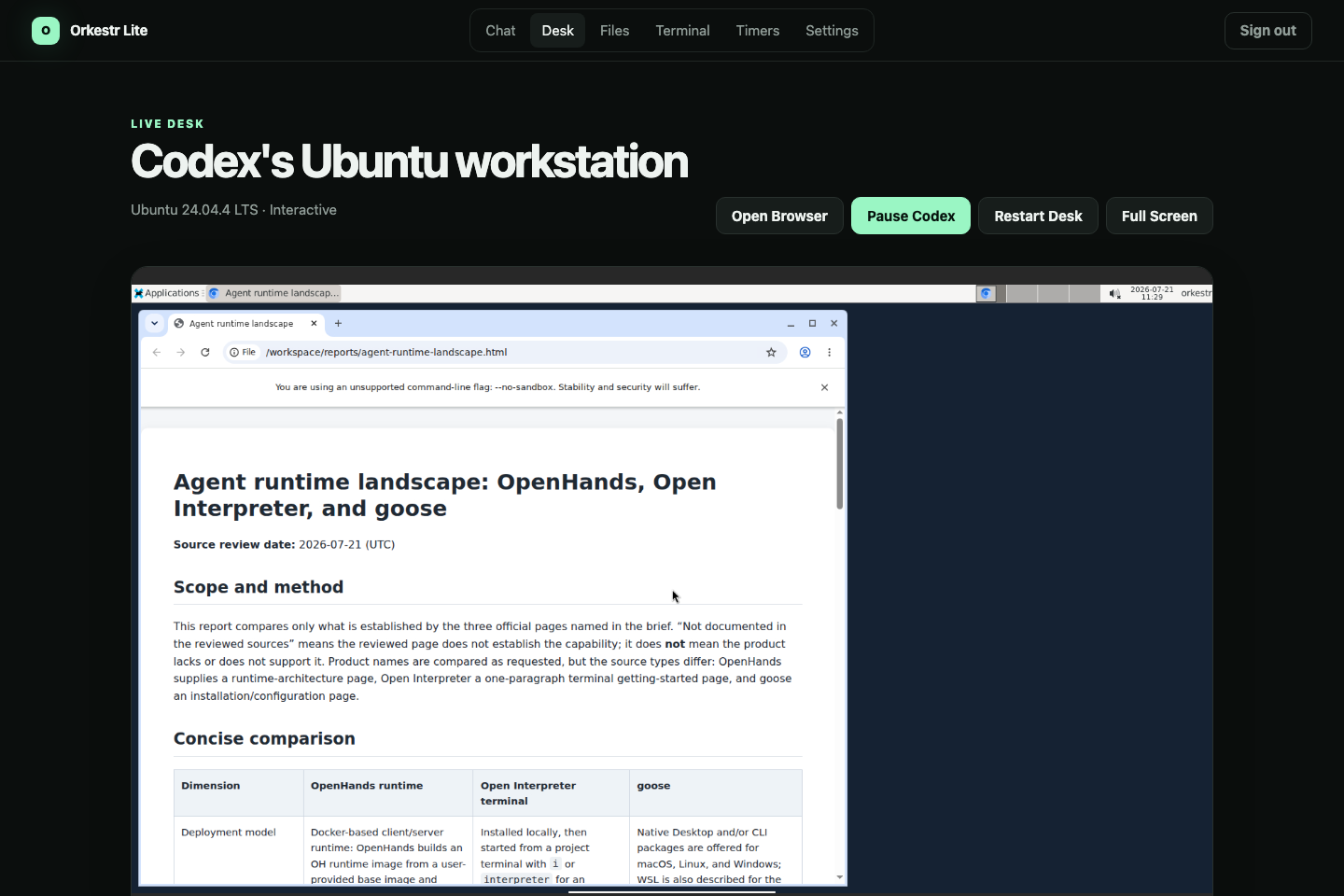
The optional Live Desk gives Codex an Ubuntu environment with Chromium, a terminal, persistent files, and a graphical desktop. The user can watch Codex work, pause it, take control of the keyboard and mouse, or leave and return later.
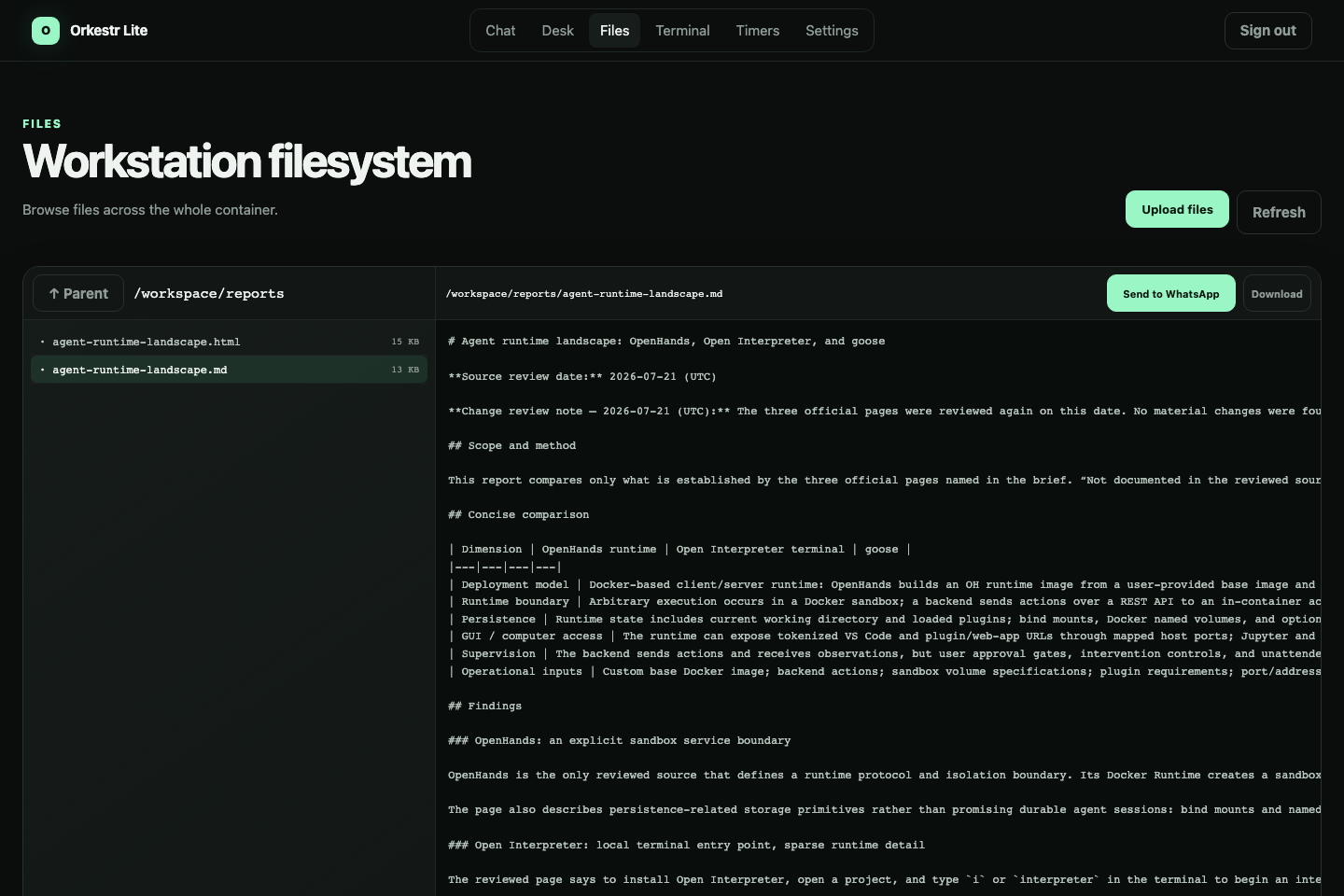
Orkestr also exposes the resulting files directly. Reports and other outputs can be inspected, downloaded, opened in the Desk, or returned through WhatsApp.
The demonstration
The public demonstration uses a real GPT-5.6 research workflow.
I ask Codex to compare three open-source agent runtimes using their official documentation. Codex performs the research and creates both a cited Markdown report and a self-contained HTML report.
The HTML report is opened inside the Live Desk, making the work inspectable rather than hiding it behind a progress indicator.
I then continue the same task through WhatsApp, asking Codex to add a sourced recommendation. Orkestr routes that message into the existing conversation, preserves the research context, and returns the updated Markdown report to WhatsApp as a file.
Finally, I configure a weekly review of the same sources. Manual requests, WhatsApp messages, and scheduled work all use the same operator, workspace, and history.
The research topic is only the example. The operating loop can also support outreach preparation, job-search operations, messaging workflows, and recurring checks.
How I built it
Orkestr is a self-hosted TypeScript application packaged with Docker Compose.
The browser interface is built with Angular. A NestJS control plane handles authentication, scheduling, queueing, persistence, file access, WhatsApp routing, recovery, and the Codex process boundary.
Codex app-server provides the actual agentic runtime. Orkestr does not imitate Codex or replace its reasoning. It gives Codex a durable environment and coordinates how work reaches it.
SQLite in WAL mode stores conversation turns, schedules, queue state, delivery state, and execution history. Browser, WhatsApp, and scheduled inputs share one FIFO queue so that two sources cannot silently create conflicting Codex turns.
The Live Desk runs Ubuntu 24.04 with XFCE, Chromium, noVNC, tmux, and the same persistent workspace used by Codex. A real PTY terminal and file browser are exposed through the web application.
WhatsApp support uses linked-device authentication and restricts control to the user's own self-chat. A durable outbox, message deduplication, batching, and retry handling protect communication across reconnects.
I used Codex with GPT-5.6 as the primary implementation environment during Build Week. It helped me implement and test the app-server client, scheduler, persistence model, WhatsApp bridge, Desk integration, file handling, Docker setup, security boundaries, and automated acceptance workflow. The submitted application also uses Codex with GPT-5.6 at runtime.
Challenges I faced
The hardest problem was not displaying a chat window. It was maintaining one honest execution state across several asynchronous inputs.
A browser request, a WhatsApp message, and a timer can arrive close together. Orkestr must preserve their order, prevent overlapping turns, report useful progress, and avoid losing work after a restart.
Failure recovery was especially difficult. If a process stops during an external action, automatically replaying the request may repeat something that already happened. Orkestr therefore records the evidence, inspects the interrupted state, and avoids silently pretending that uncertain work is safe to repeat.
The Live Desk created another difficult boundary. Codex needs enough access to operate its workstation, while the control plane, credentials, and host environment must remain protected. The Desk and control services therefore communicate over a private Docker network. Orkestr does not expose Codex app-server or VNC publicly, does not mount the Docker socket, and binds the application to the local machine by default.
The final challenge was product discipline. The underlying system could have become a generic orchestration platform. I deliberately removed projects, agents, workflow graphs, and multi-user abstractions. The product became clearer when I committed to one operator, one conversation, and one workstation.
What I learned
I started by thinking that persistent agents mainly needed better remote control. That was incomplete.
An always-on operator needs continuity across five things:
- conversation context;
- files and browser state;
- incoming work;
- execution history;
- the path back to the human.
Persisting only the chat is not enough.
I also learned that human takeover should not be treated as a failure mode. For browser-based and operational work, the ability to inspect, pause, correct, approve, or take control is part of a trustworthy system.
Finally, adding another automation interface is less valuable than making existing interfaces converge. The browser, WhatsApp, and scheduler become useful because they reach the same operator instead of creating three disconnected bots.
What is next
The current release is intentionally local, self-hosted, and single-user.
The next steps are event-based watchers, webhook inputs, reusable workflow templates, stronger VM-level isolation, and a managed deployment option.
The long-term goal is simple: let people operate capable AI workers without having to assemble the surrounding infrastructure themselves.
Built With
- angular.js
- chromium
- codex
- docker
- github
- gpt-5.6
- nestjs
- node-pty
- node.js
- novnc
- openai
- playwright
- rxjs
- sqlite
- typescript
- ubuntu
- websockets
- xfce
- xterm.js
