-
-
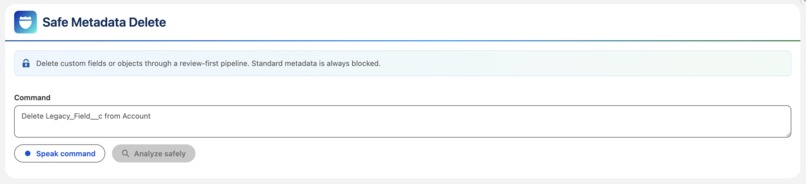
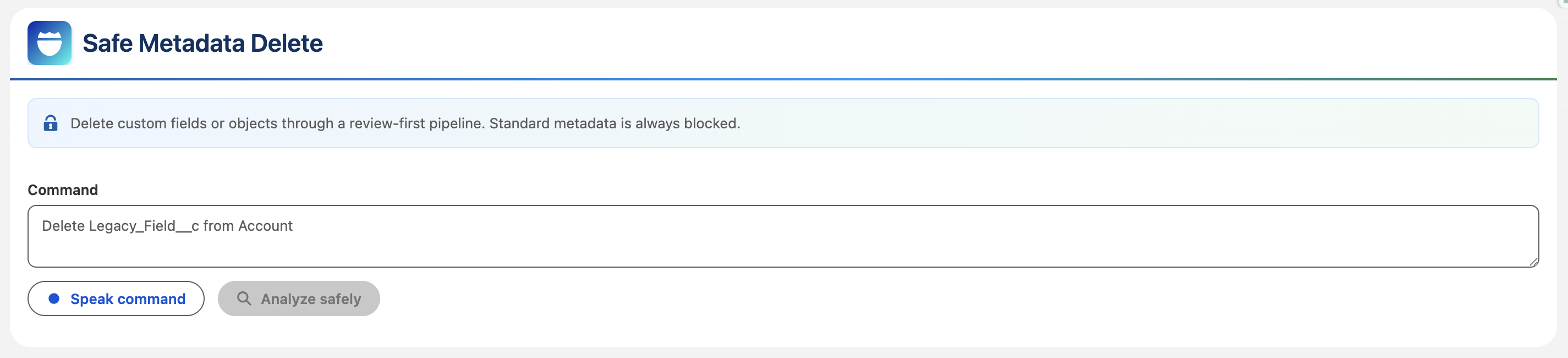
Dev Tool to Delete fields and objects safely
-
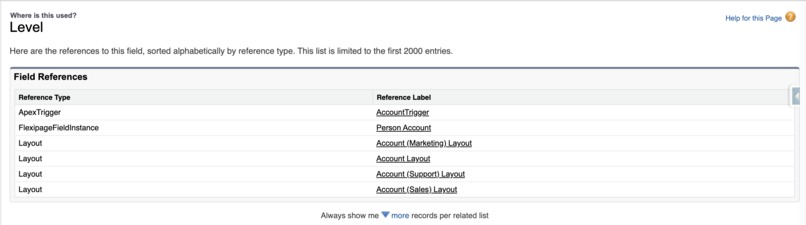
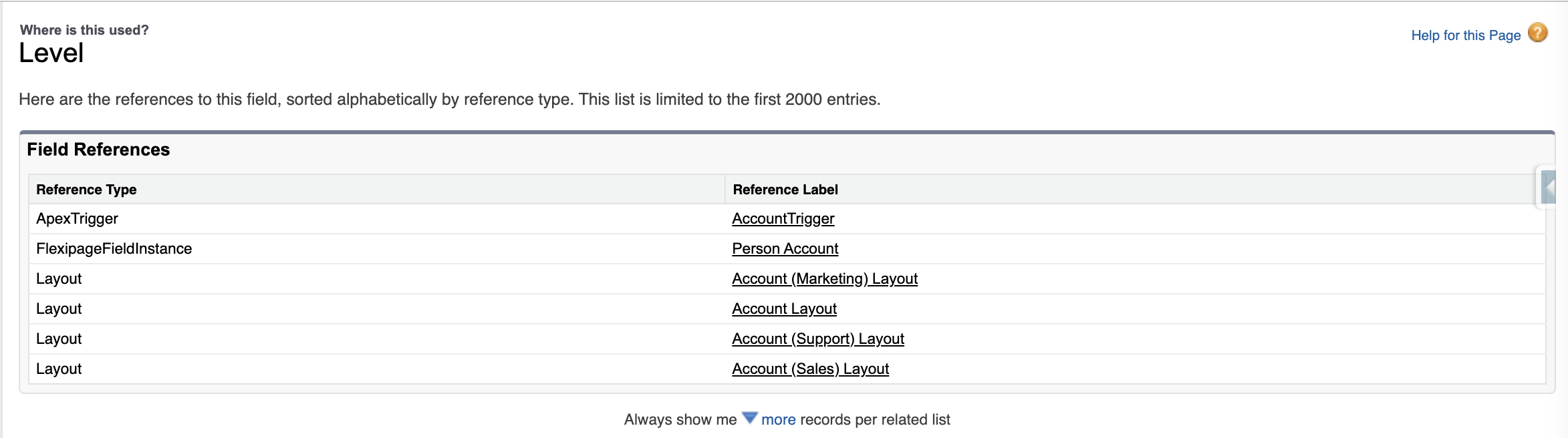
Field references cross checked in SF org
-
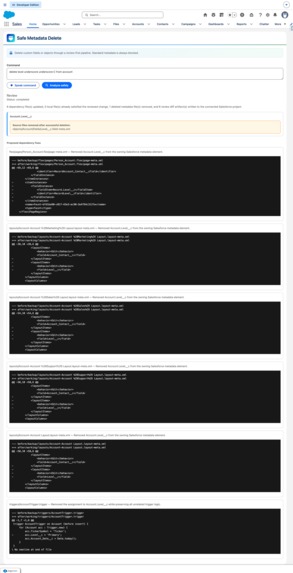
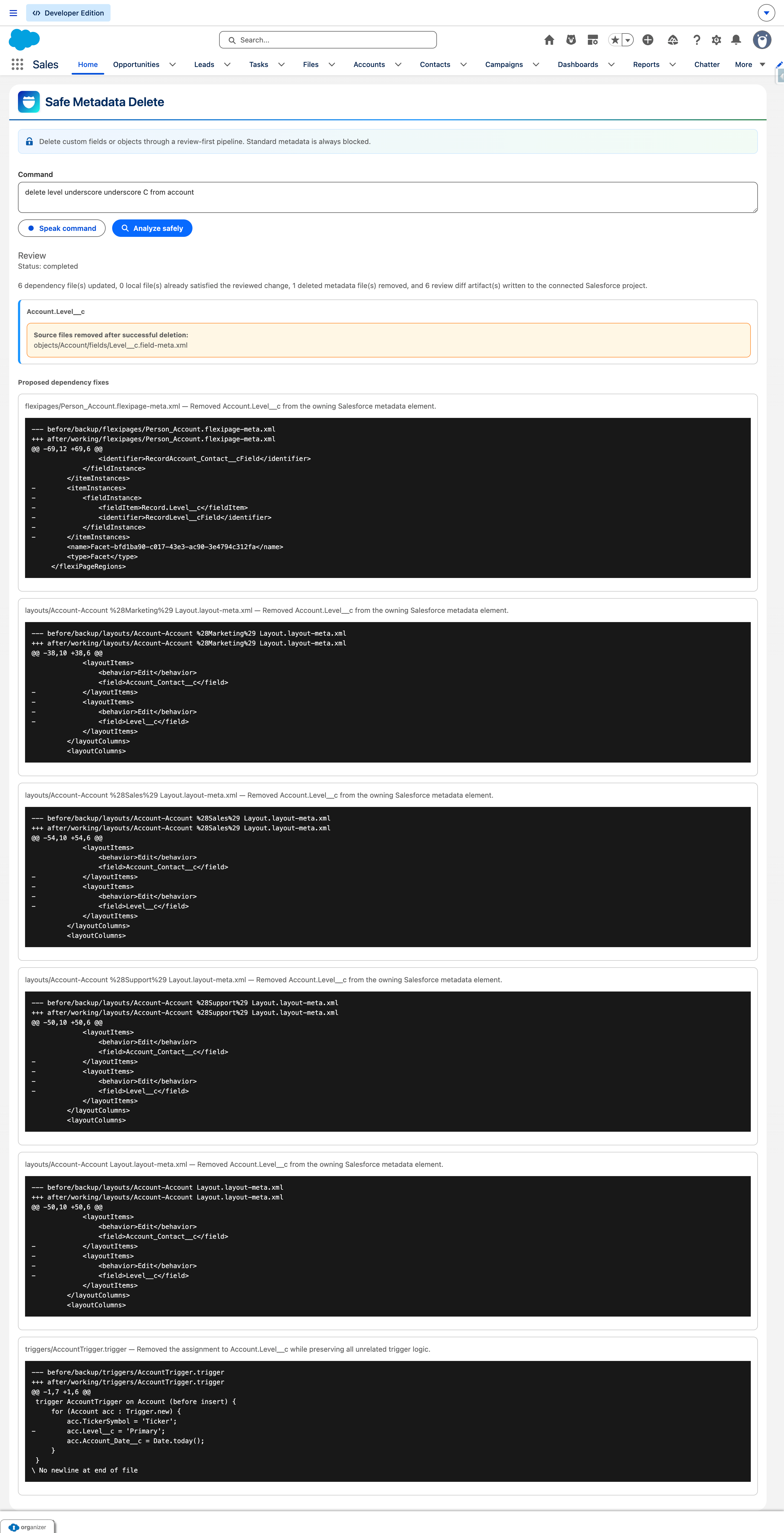
Field References cross check before and after delete
-
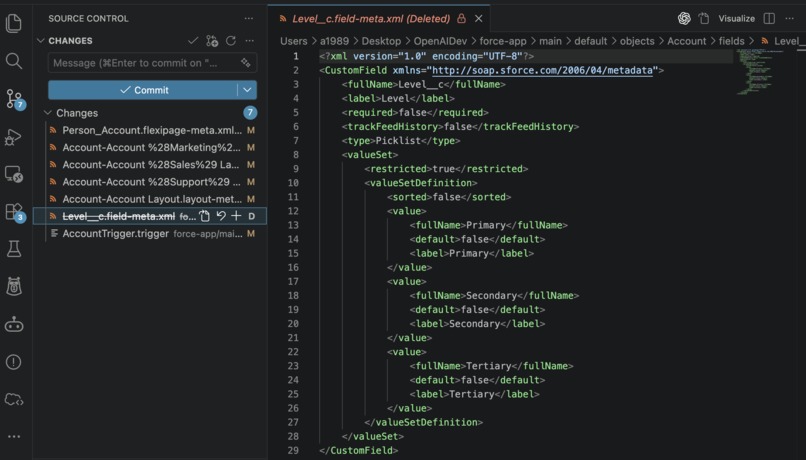
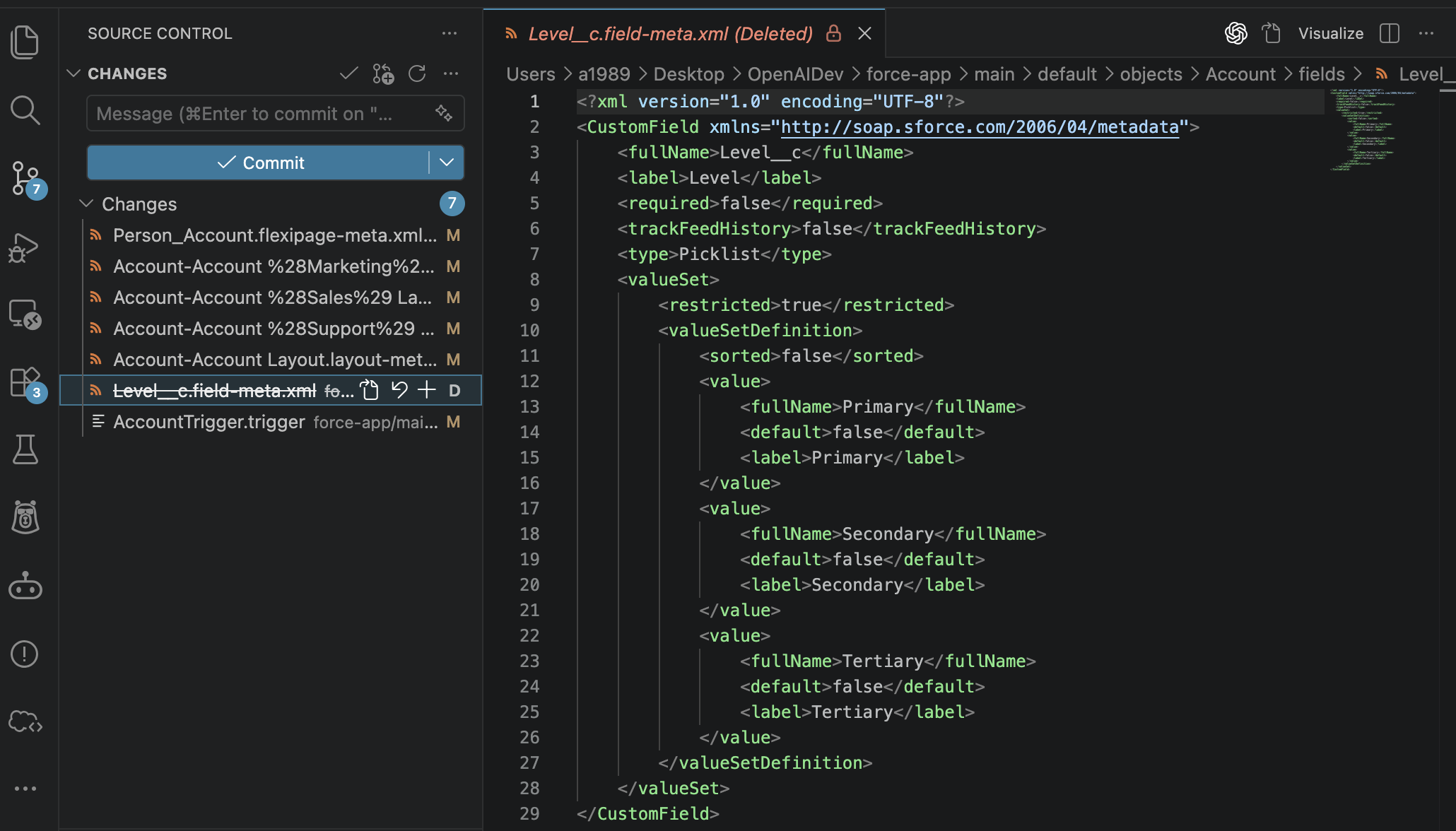
Destructive changes ready for commit
Inspiration
Deleting Salesforce metadata is rarely a simple operation. A custom field or object may be referenced by layouts, reports, validation rules, flows, Apex, relationships, and Lightning pages. Missing one dependency can break a deployment or leave an org in an inconsistent state.
I built SafeChange AI to make destructive metadata changes understandable, reviewable, and recoverable.
What it does
SafeChange AI is a review-first Salesforce metadata deletion assistant embedded in Lightning.
An administrator can type or dictate a command such as:
Delete Legacy_Field__c from Account
SafeChange AI then:
- Interprets the request using structured OpenAI output.
- Validates object and field API names.
- Blocks standard, missing, or unsupported metadata.
- Counts records before custom-object deletion.
- Maps dependencies through the Salesforce Tooling API.
- Detects incoming lookup and master-detail relationships.
- Retrieves a metadata backup before making changes.
- Generates dependency-removal updates and unified diffs.
- Flags Apex, Flow, and unknown dependencies for manual review.
- Requires explicit human approval and a one-time token.
- Validates and deploys dependency fixes before deletion.
- Performs deletion through a separate post-destructive deployment.
- Supports rollback from the retrieved backup when needed.
- Synchronizes generated changes to the Salesforce project for source control.
No destructive operation runs during the analysis stage.
How I built it
I created the user experience as a Salesforce Lightning Web Component supporting typed commands and browser-native speech recognition.
A Node.js and Express service coordinates the safety pipeline. It uses the OpenAI Responses API with strict structured output to extract deletion intent and prepare focused metadata XML edits.
The backend reuses an authenticated Salesforce CLI session. I use the Salesforce REST and Tooling APIs to inspect metadata, query dependencies, check relationships, and count records. The Salesforce Metadata API deployment flow handles validation, dependency updates, deletion, and rollback.
Each request creates an isolated run containing its plan, backup, proposed changes, diffs, approval token, and deployment results. Pending approvals are intentionally invalidated when the backend restarts.
Challenges I faced
Salesforce dependencies are distributed across several metadata types and APIs. MetadataComponentDependency also requires resolving component identifiers before dependencies can be queried reliably.
Display names do not always map directly to deployable metadata names. Layouts, reports, list views, validation rules, and FlexiPages therefore require type-specific resolution and careful XML updates.
The most important challenge was controlling destructive execution. I separated planning from approval, blocked uncertain dependencies, added backup and validation stages, and required explicit confirmation before deployment.
Accomplishments I'm proud of
- Created a non-destructive planning stage for destructive Salesforce changes.
- Combined AI reasoning with deterministic validation and safety rules.
- Made every proposed metadata edit visible as a reviewable diff.
- Prevented standard metadata and unresolved dependencies from being deleted.
- Added record-impact warnings and relationship blockers.
- Implemented validation, approval tokens, backups, and rollback.
- Preserved source-control visibility by synchronizing generated changes locally.
What I learned
AI is most effective in administrative tooling when it proposes changes inside a deterministic control system. Structured output, platform validation, visible diffs, and explicit approval are essential when an operation can affect production metadata or business data.
I also learned that safe Salesforce automation requires treating dependency discovery, source synchronization, deployment, deletion, and recovery as one coordinated workflow.
What's next for SafeChange AI
- Add support for more metadata operations and dependency types.
- Introduce configurable organizational approval policies.
- Add persistent, auditable run history.
- Support authenticated multi-org deployments.
- Provide CI/CD and pull-request integration.
- Expand from safe deletion to AI-assisted metadata lifecycle management.
Built With
- codex
- cors
- css
- eslint
- express.js
- github
- gpt5.6
- html
- javascript
- node.js
- openai
- openaiapi
- openairesponseapi
- prettier
- salesforce
- salesforcecli
- salesforcedx
- salesforcemetadataapi
- salesforcerestapi
- salesforcetoolingapi
- soql
- supertest
- webspeechapi
- xml


Log in or sign up for Devpost to join the conversation.