-
-
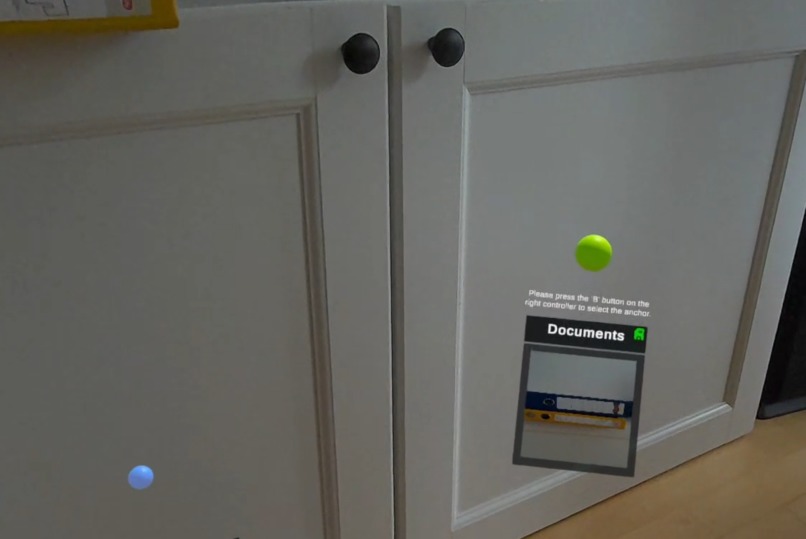
Anchor metadata: lists, pictures and audio notes
-
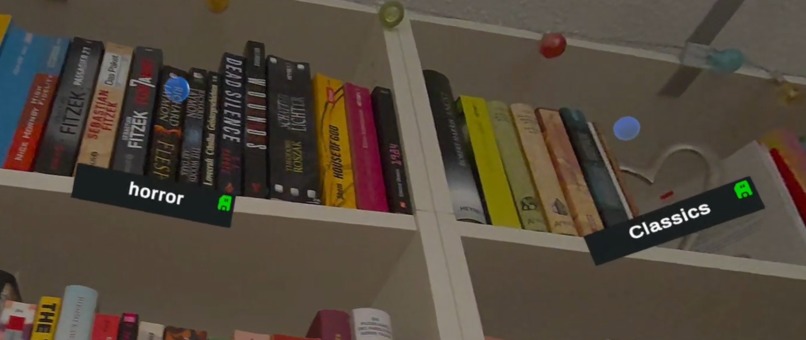
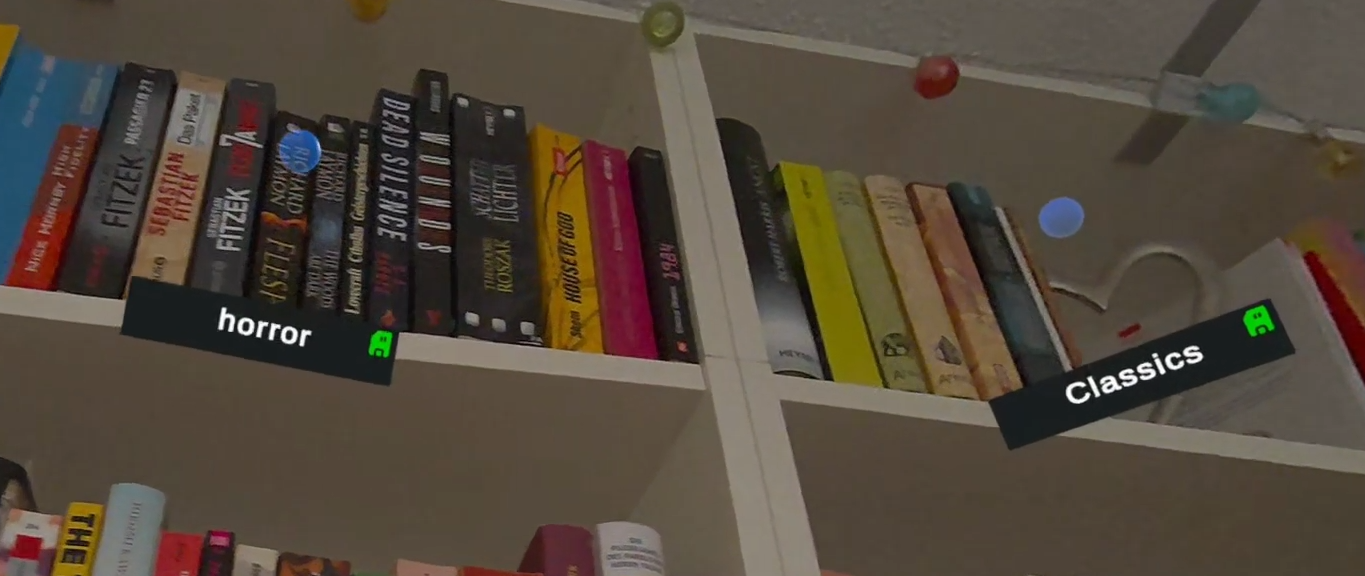
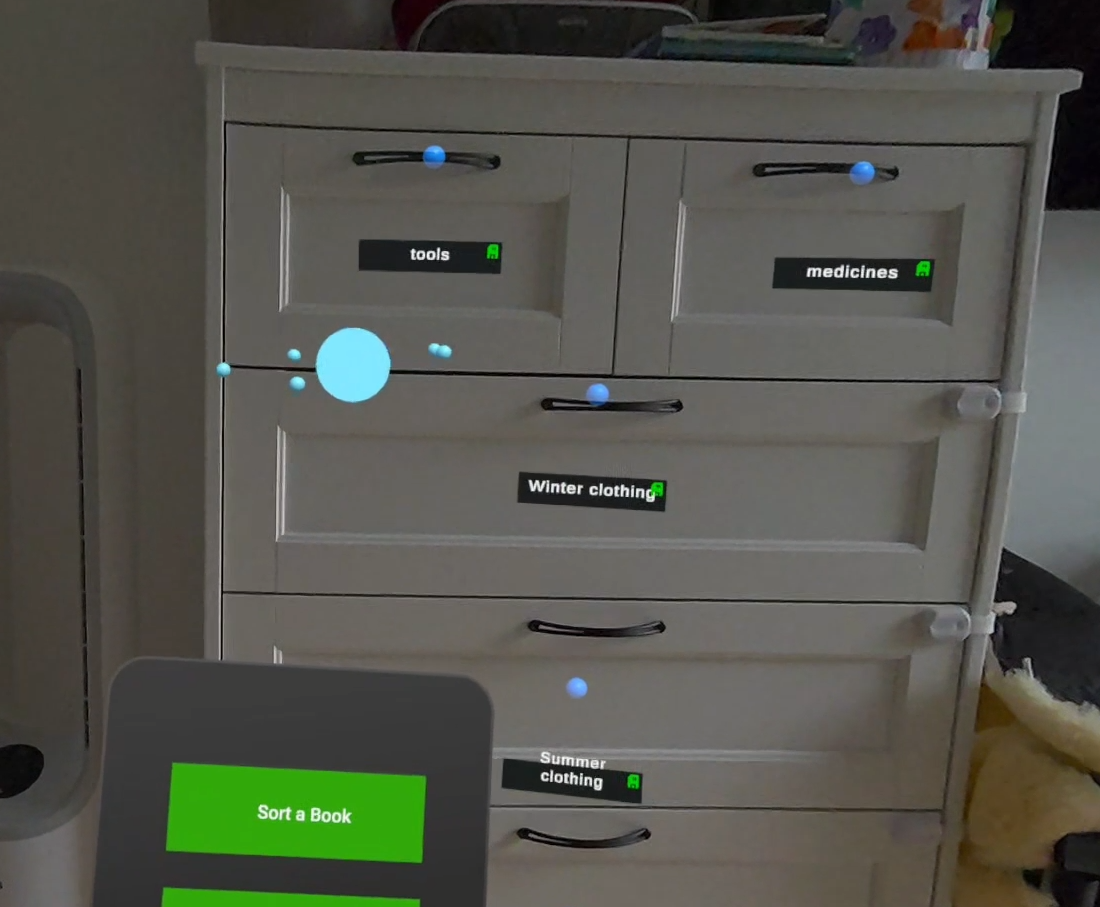
Labeled shelves
-
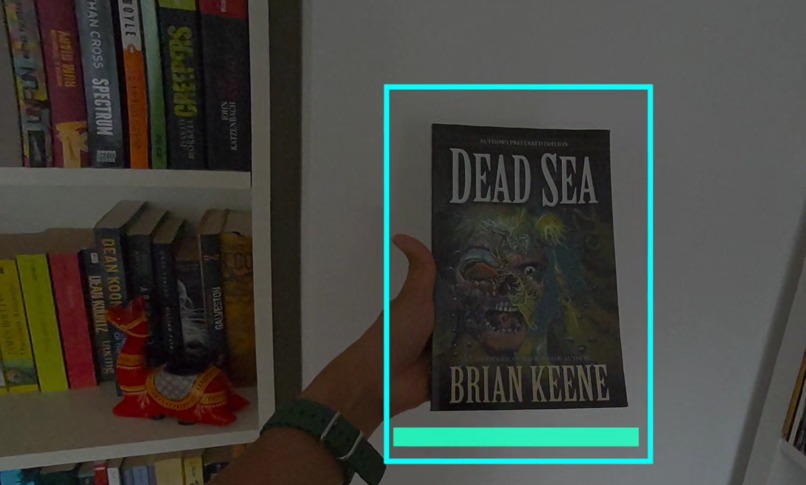
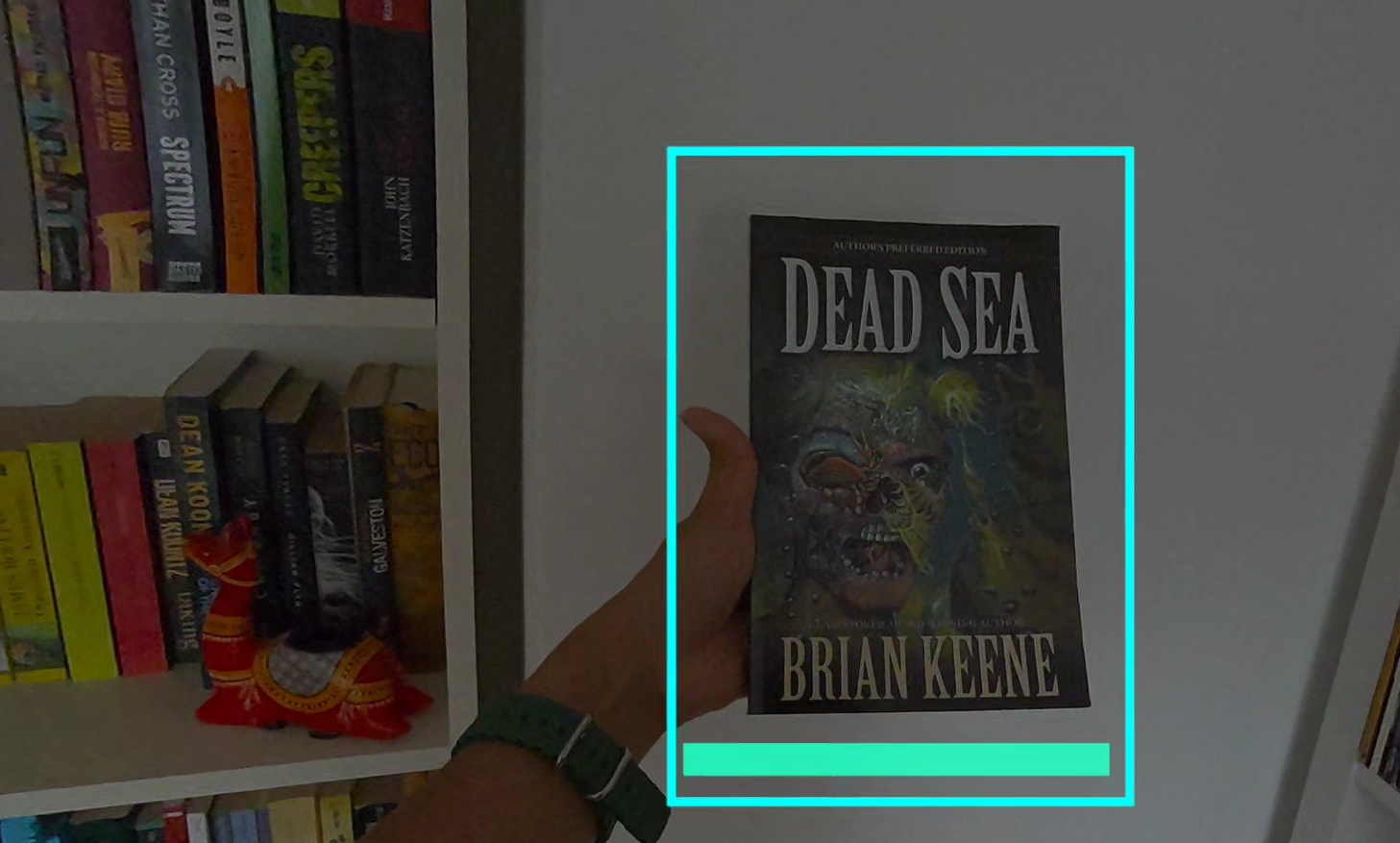
OCR scanning to sort a book by genre, suggested by the AI assistant
-
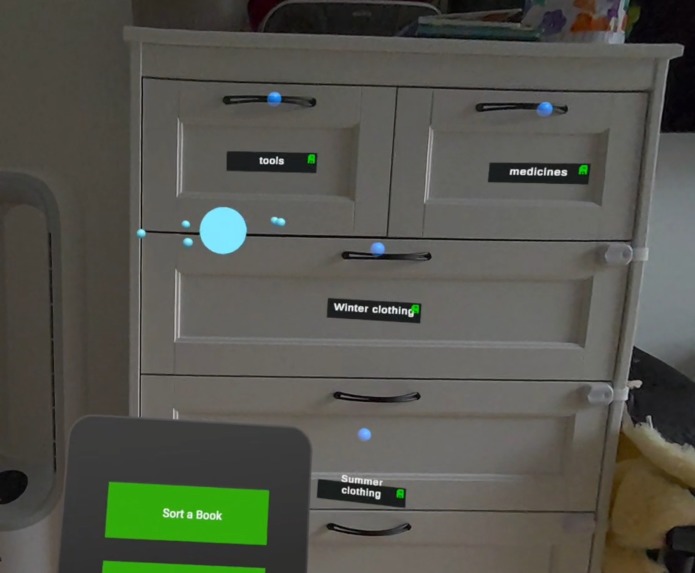
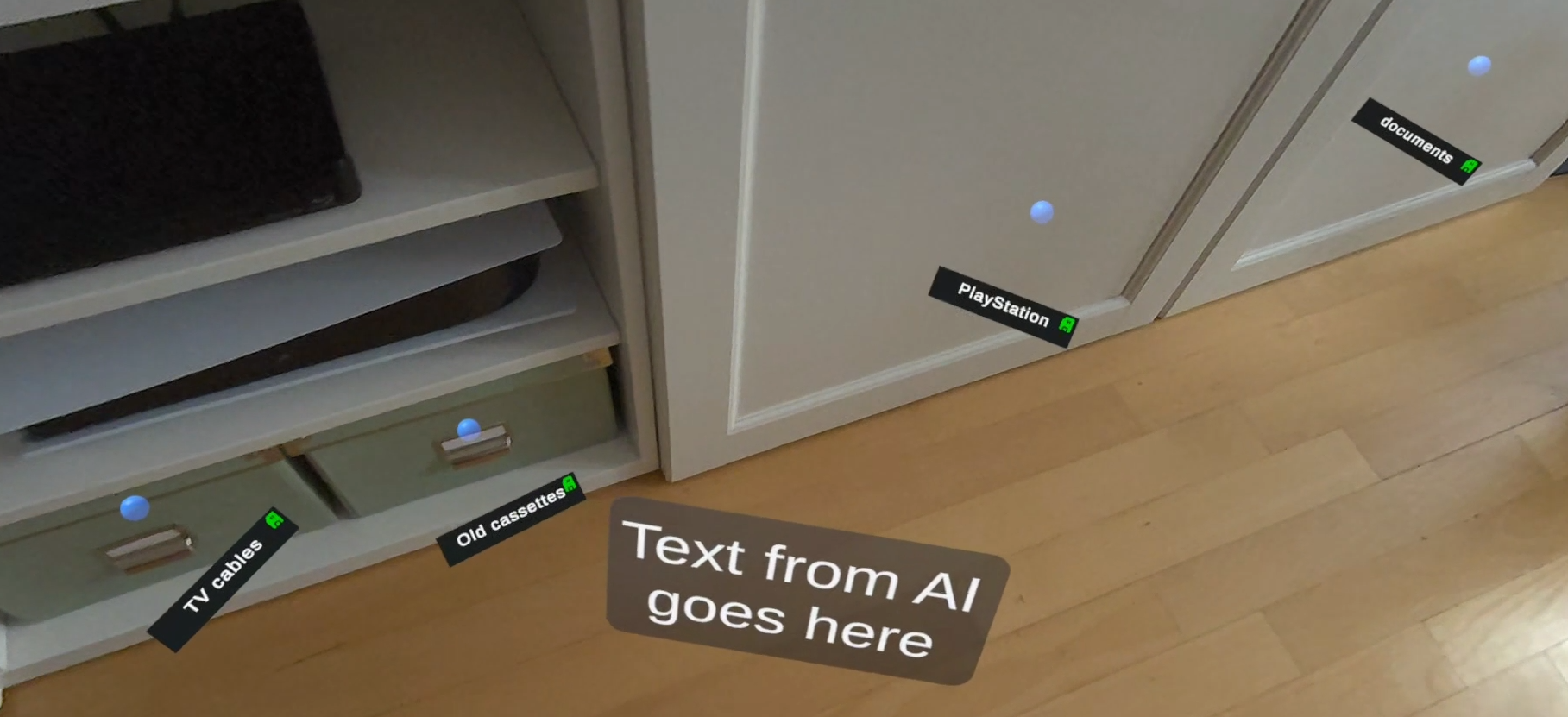
Ask the AI assistant to find your items around you
-
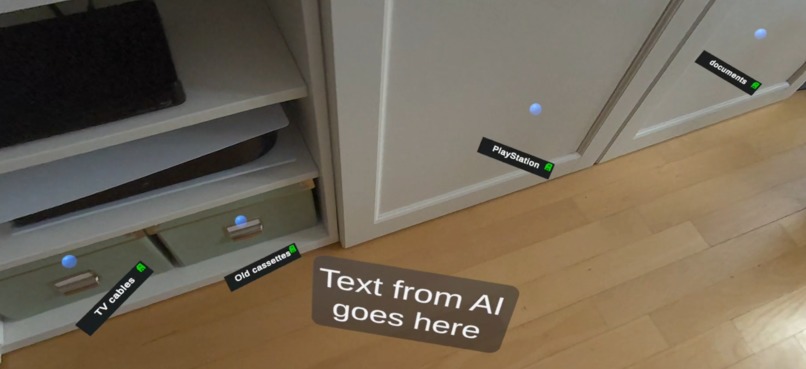
Labeling for closed cabinets
Inspiration
OrganizeXR was created to reduce the stress of losing everyday items and the mental load of remembering placements. It simplifies organization while gently supporting memory through repeated spatial interaction.
What It Does
OrganizeXR is a Mixed Reality assistant that helps you tag, find, and sort real-world items using spatial anchors, voice AI, OCR, and simple controller input. It blends practical organization with lightweight memory support to keep your space tidy and intuitive.
How We Built It
Built for Meta Quest 3 in Unity 2022.3.62f3.
- One teammate focused on AI and spatial interaction
- The other on OCR, flow, and UX
AI Layer & Tools
- Groq OpenAI GPT OSS 120B model
- Whisper for speech input
- PlayAI for text-to-speech
- Anchors stored in structured JSON for consistent highlighting, selection, and sorting
- Meta XR SDKs for controller tools, UI, passthrough access, and anchor workflows
Features
OrganizeXR uses a stable room-scale boundary so anchors persist reliably. The Main Menu on the left controller provides five core functions:
Tag
Place spatial anchors anywhere and label items with metadata so they always have a remembered home.
Find
Ask the AI to locate any anchored item; the matching anchor highlights in your space.
Sort
Scan a book cover or describe an item; the AI suggests the best anchor based on titles, genres, or item descriptions.
Ask
Learn about or rename anchors using voice. Without eye tracking, hover over an anchor with the right controller until it turns gray, press A to open its menu, then select actions with the trigger.
Test
A memory game that helps you recall where items are and boosts cognitive engagement.
*NEW FEATURES - UPDATED build after the previous XRCC online hackathon which ended on Nov 26th, 2025 *
Hand interactions
We have added hand interactions to the entire app for the features alongside controller usage. There is a control panel that explains the hand interactions. This can be reached via the Main Menu and pressing the Controls button.
Adding audio to anchor metadata
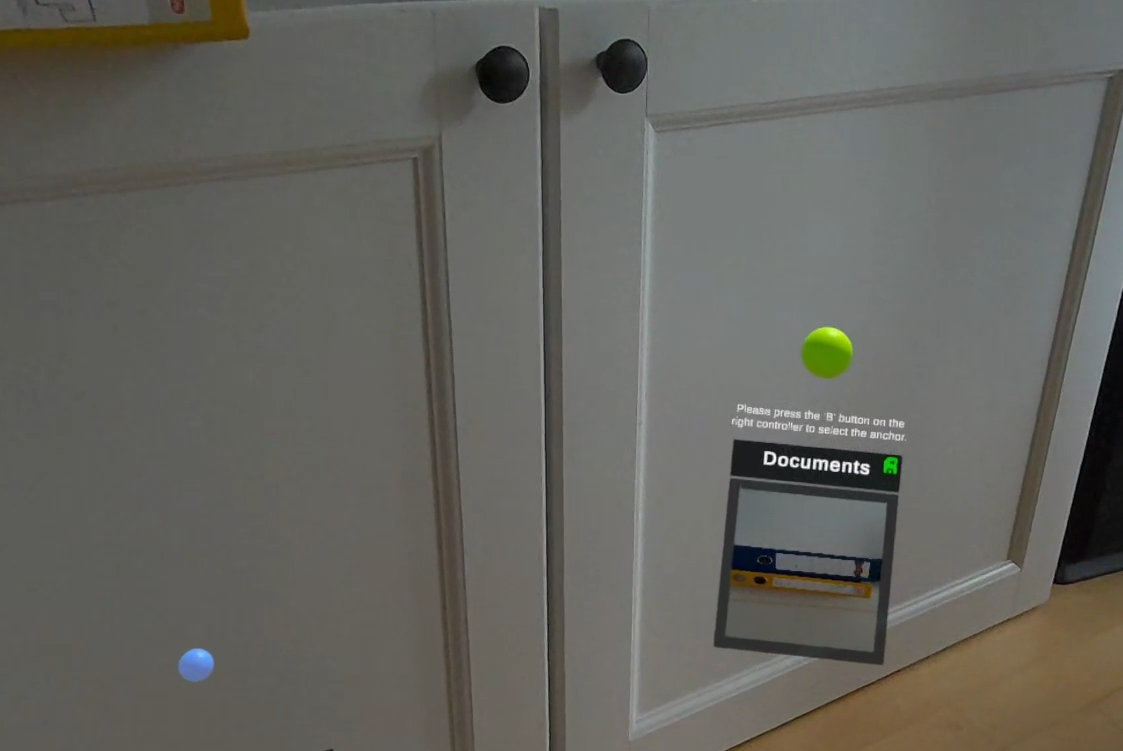
You also have the possibility to add audio clips to an anchor, to save voice reminders or important information like who you have lent the item to, cost of items or any other metadata. This is in addition to the existing metadata information like pictures or lists to an anchor.
Feature Video: https://www.youtube.com/watch?v=GVdeFhkxEvs
Accomplishments
Created in just four weeks alongside full-time jobs, the prototype delivers a functional Mixed Reality experience centered on real organizational challenges, focusing on simple, meaningful features that improve everyday use.
Challenges
- OCR scanning in passthrough was harder than expected. We iterated heavily with heuristics to get “good enough” results.
- The app relies on a strong AI model; for the prototype, we used a cheaper model with limits.
- Letting the AI pick anchors, especially during Find or Sort, required extensive testing.
- Some edge cases remain unsolved, but accuracy improved significantly when switching to OpenAI GPT OSS 120B instead of Llama 4 in the final polishing phase.
Biggest Lesson Learned
Relentless testing and clear user-flow planning were essential. Writing down:
- What the user presses
- What they see
- How each feature behaves
…and cross-checking this with development made a major difference. Hackathon timelines force fast decisions, and our workflows weren’t always as intuitive as intended. Identifying these gaps early helped us simplify features, optimize time, and still deliver a working experience.
What We’d Do Differently Next Time
- Form the team earlier. Both teammates were from development/PM backgrounds, and finding a dedicated UX/UI designer during the hackathon window was difficult. Earlier access to the participant directory would help match skills better.
- Use higher-quality AI models. While the lightweight model helped rapid experimentation, accuracy and nuance were limited. A production-ready version of OrganizeXR will integrate more capable AI systems for better suggestions, richer interactions, and a more polished UX.
What’s Next for OrganizeXR
- Integrating higher-fidelity AI models for smarter sorting and querying
- Improving OCR accuracy and multi-object recognition
- Adding a predictive organization engine that proactively suggests anchor locations
- Personalization profiles that adapt to each user’s habits
- Cross-device syncing and long-term memory features


Log in or sign up for Devpost to join the conversation.