-
-
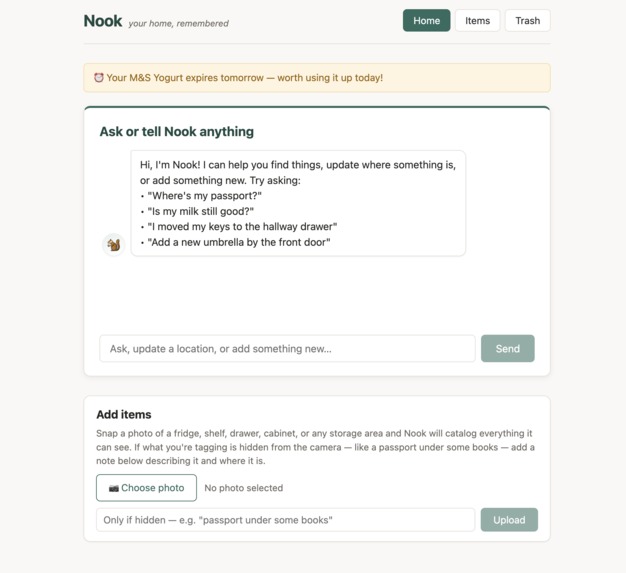
One calm home for everything you own
-
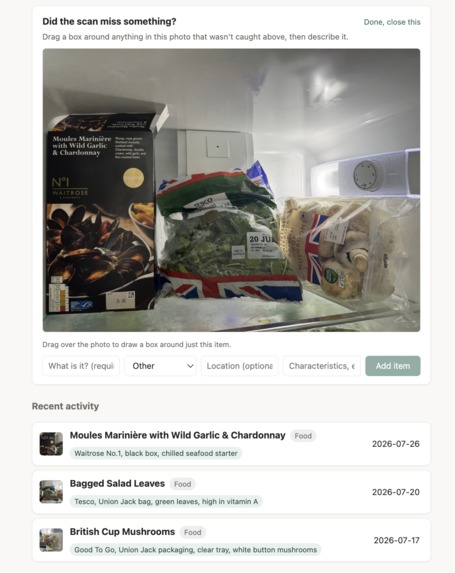
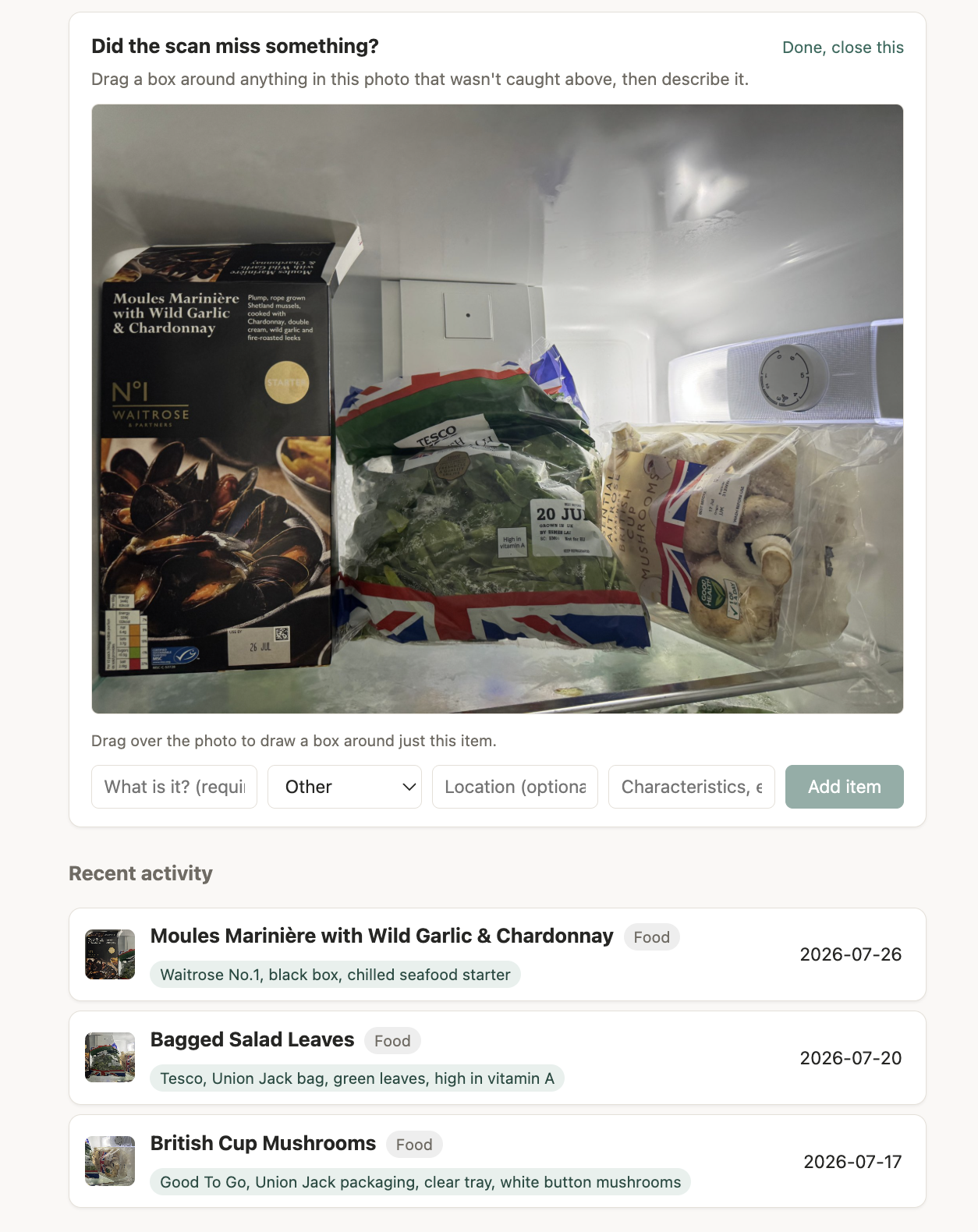
Point, shoot, and let Nook build the catalog
-
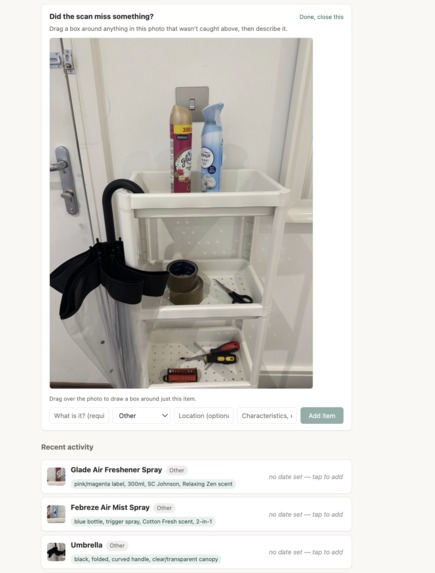
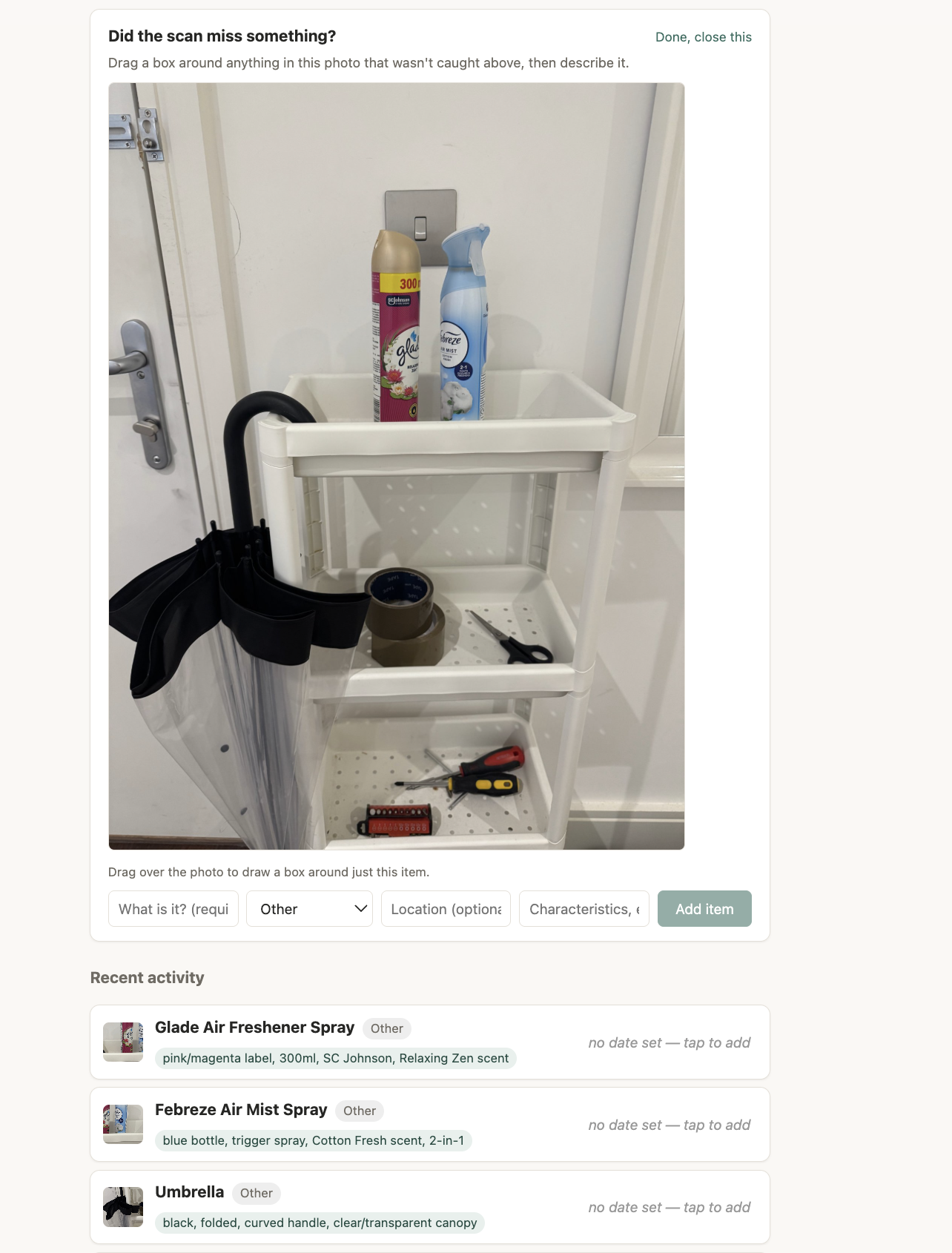
The same flow works beyond food
-
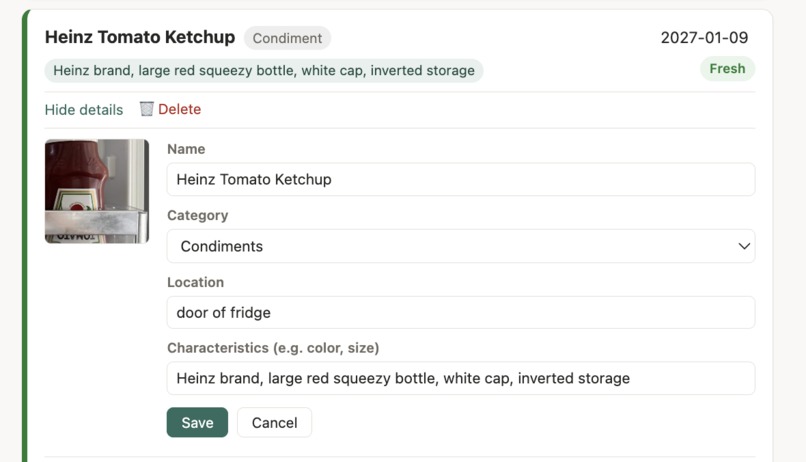
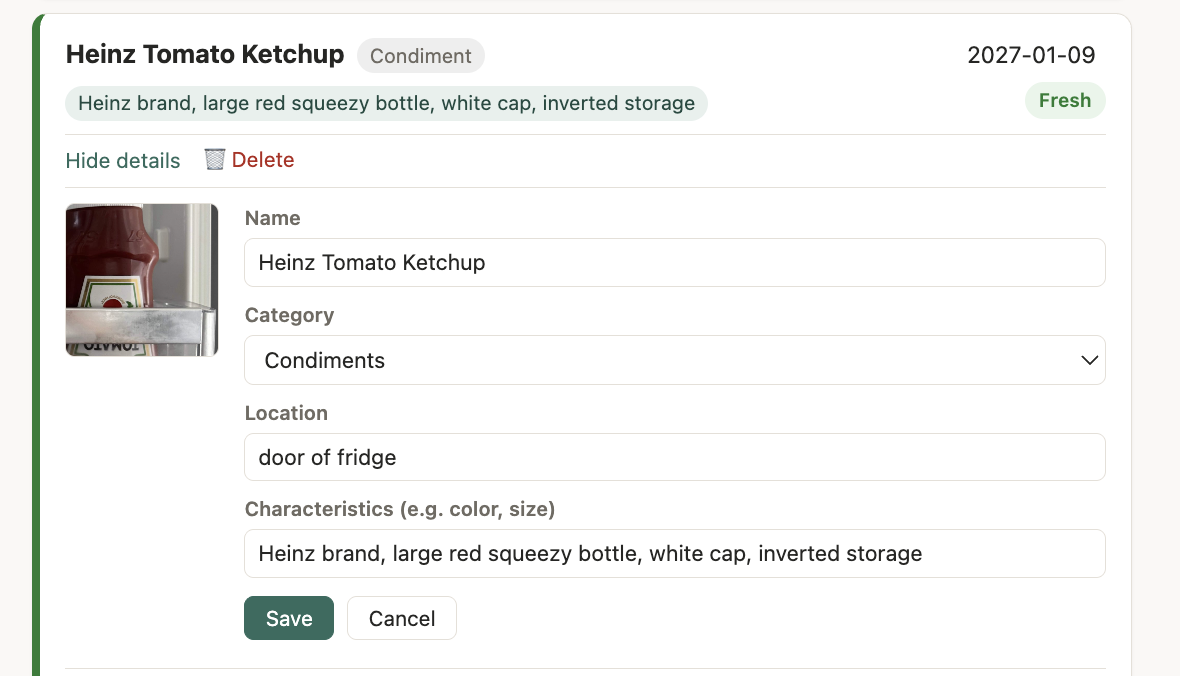
Keep the human in control
-
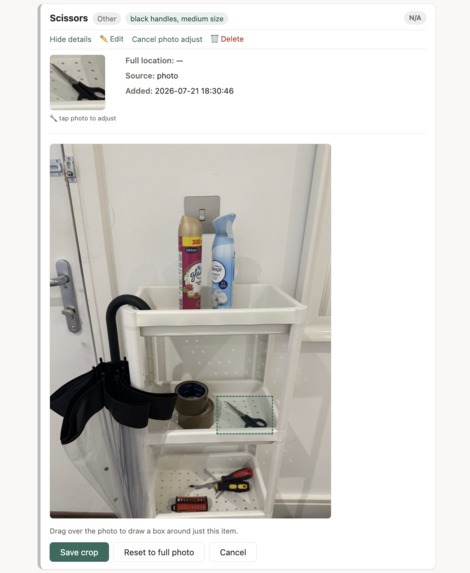
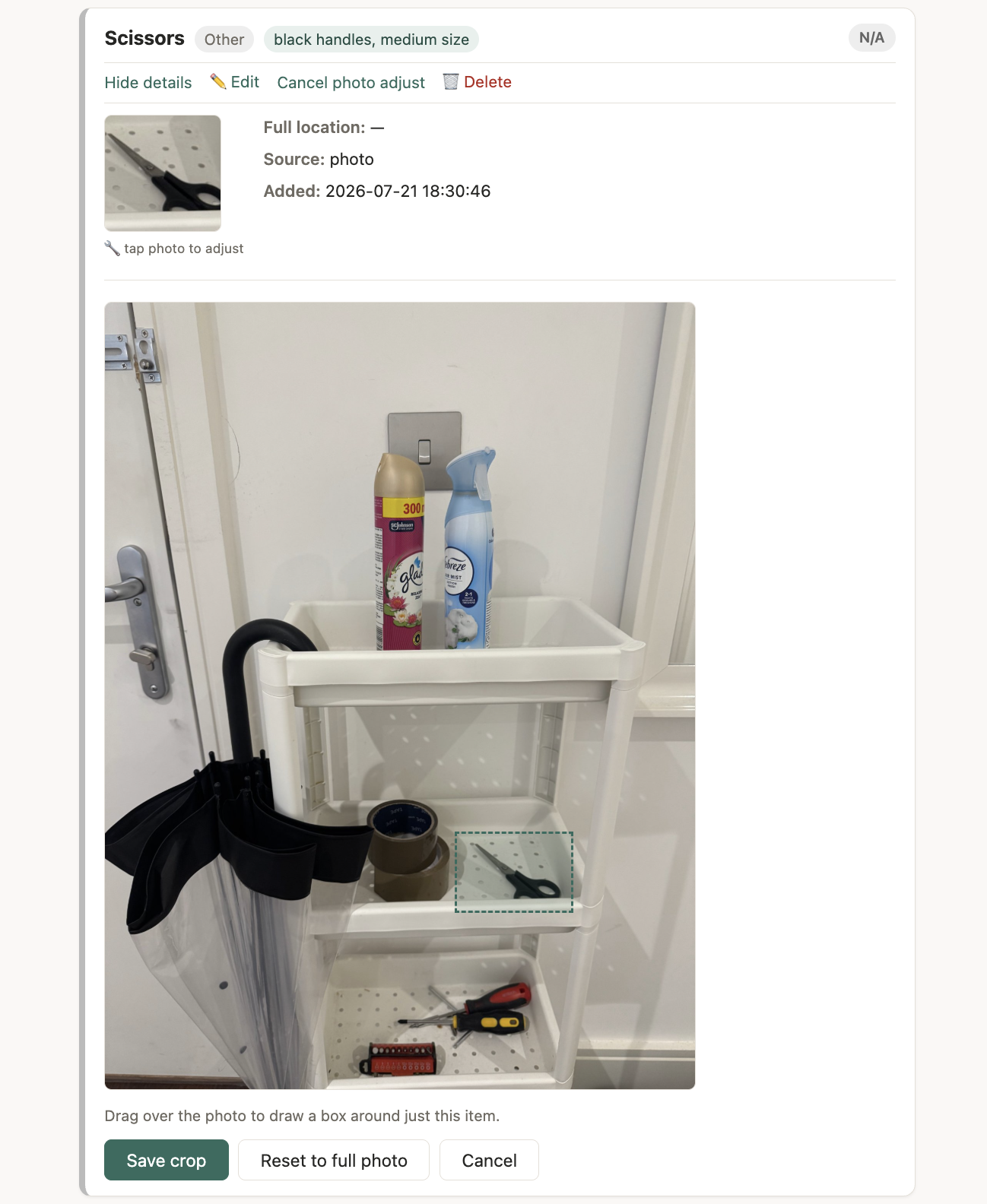
Allowing an incorrect automatic crop to be adjusted visually
-
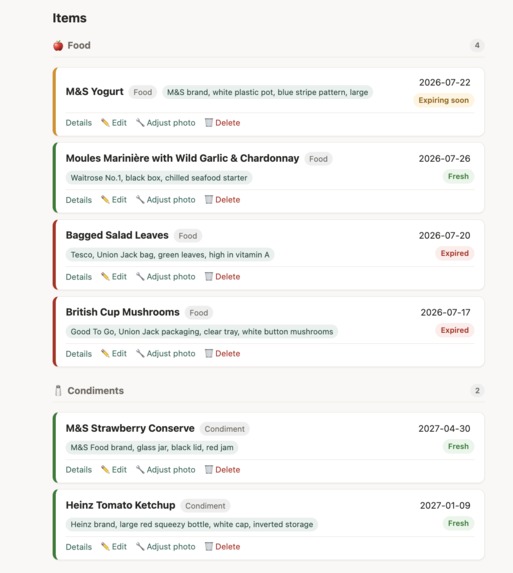
See what needs attention at a glance
-
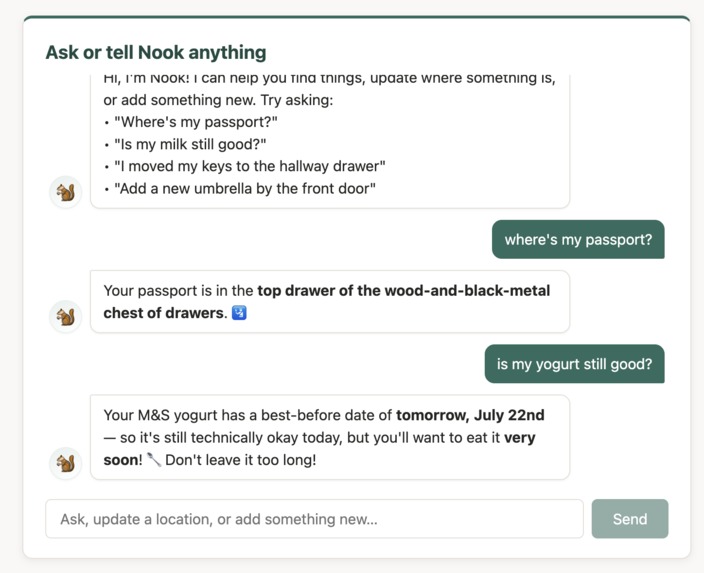
Ask your home instead of searching it
Inspiration
We have all stood in front of an open fridge wondering whether something is still good, or searched the same drawer three times for a passport we know is somewhere at home. The information exists, but remembering every item, location, and date creates a quiet mental burden—and recording it all by hand feels like another chore.
Nook explores a simpler idea: what if your home could remember for you?
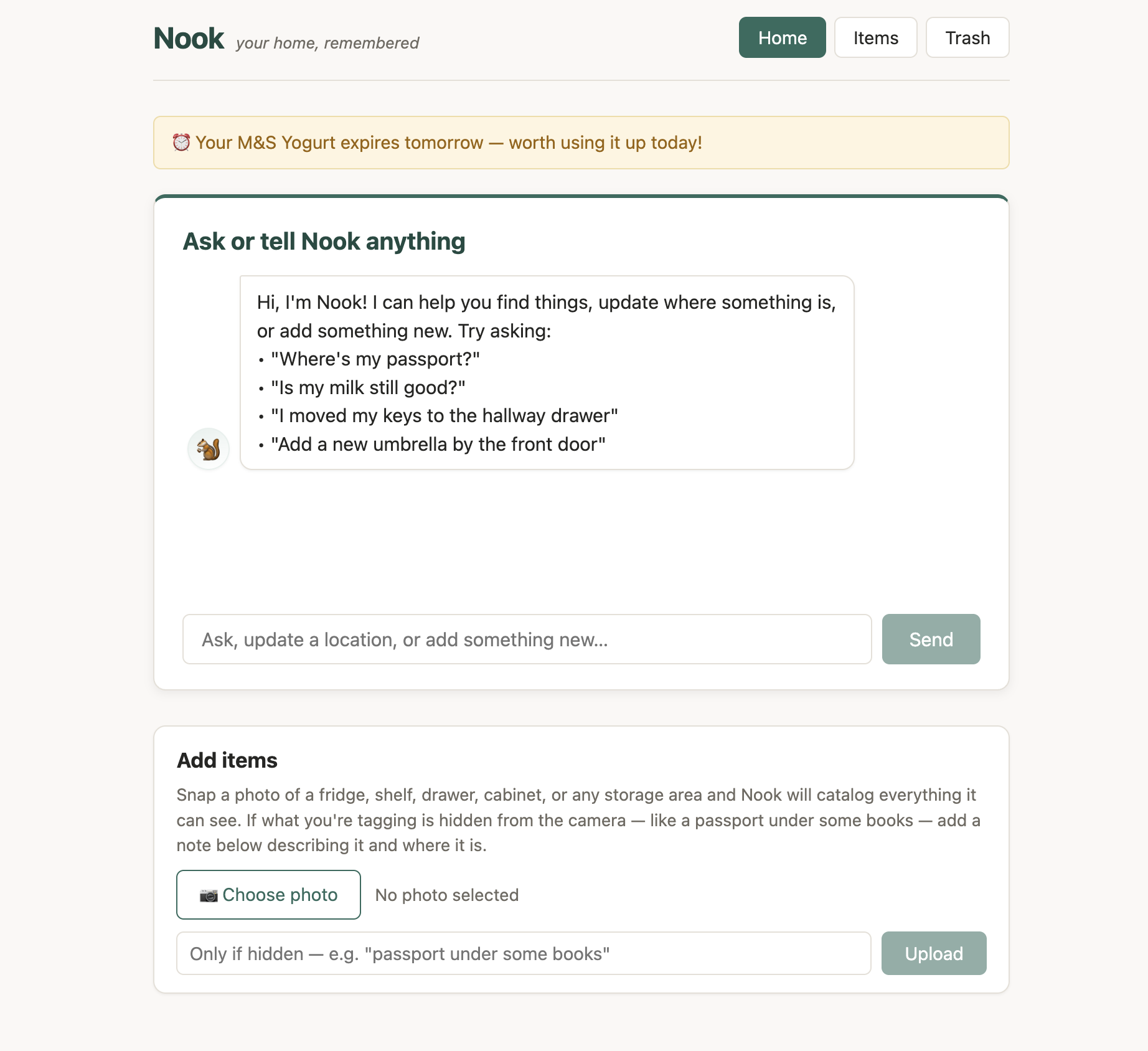
Take a photo of a fridge, shelf, drawer, cabinet, or closet and Nook turns what it sees into a searchable inventory. For anything hidden from view, add a short note. From then on, you can ask a natural question instead of opening cupboards, checking lists, or relying on memory.
Nook is designed to feel less like inventory software and more like a helpful roommate: aware of what you own, honest about uncertainty, and ready when you need an answer.
What Nook does
- 📸 Catalogs a space from one photo — OpenAI vision identifies visible items, assigns useful categories, records distinguishing characteristics, and creates individual item photos.
- 🏠 Remembers where things live — passports, keys, chargers, food, household supplies, and other belongings all share one searchable catalog.
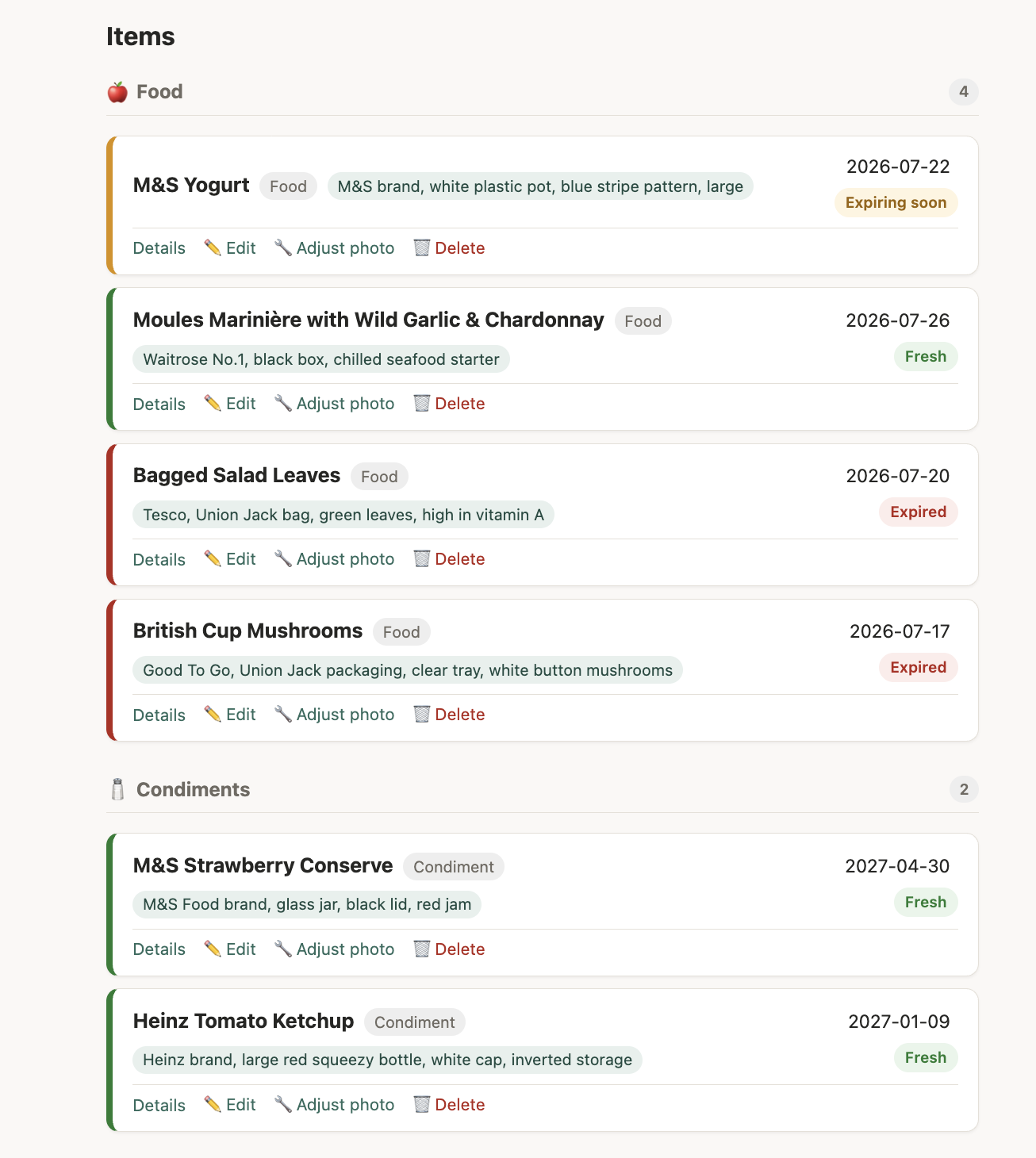
- 🥛 Makes freshness easy to understand — Nook records readable best-before dates when available, clearly labels estimates, highlights items that are expiring soon, and proactively surfaces urgent reminders.
- 🔍 Handles what the camera cannot see — describe a hidden item in a short note, or draw a box around something the initial scan missed and add it directly.
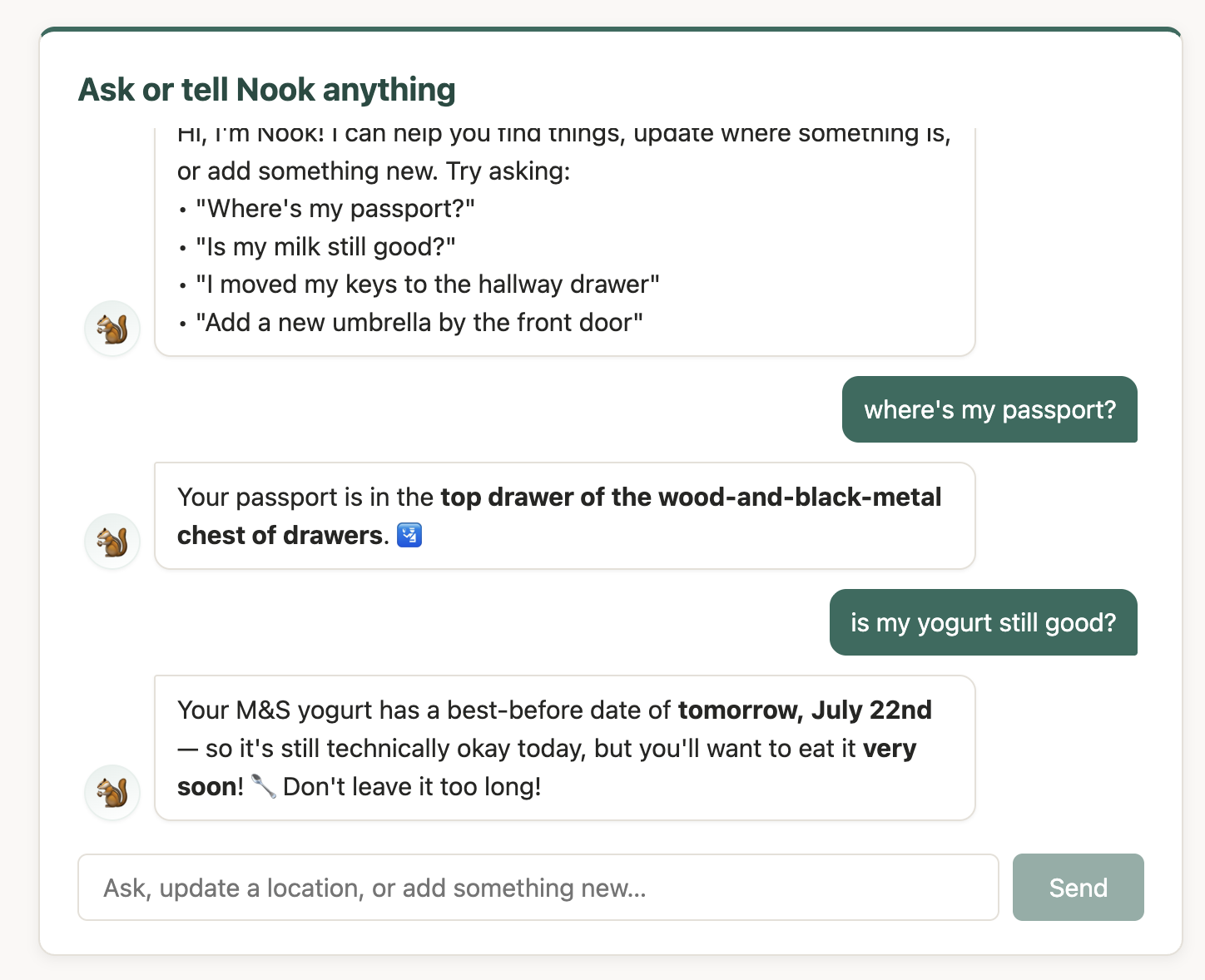
- 💬 Lets people ask instead of search — questions such as “Where is my passport?” or “Is my yogurt still good?” receive short answers grounded in the stored catalog.
- ✨ Updates memory through conversation — tell Nook “I moved my keys to the hallway drawer” or “Add my blue umbrella by the front door,” and it can update or create the corresponding record.
- 🛠️ Keeps people in control — names, categories, locations, dates, characteristics, and image crops can all be reviewed and corrected. Nook assists rather than pretending the AI is always right.
How it works
Nook combines four simple layers:
- Vision — multimodal OpenAI models inspect an uploaded image and return structured item data, including names, categories, visual characteristics, possible dates, confidence, and approximate bounding boxes.
- Memory — SQLite stores each item and its metadata, whether it came from an AI photo scan, a hidden-item description, a manual crop, or a conversation.
- Agent — the conversational assistant searches that household memory and uses controlled tools to add new items or update existing locations.
- Human correction — users can edit the generated details, add anything the scan missed, and redraw an item's crop against the original photo.
Together, these layers turn a static inventory into a living memory of the home.
Challenges we ran into
A camera cannot see everything
Our first assumption was that a photo could catalog almost anything. In practice, cameras cannot see a passport under a pile of books or keys inside a closed drawer. Rather than asking the model to invent what might be hidden, Nook offers a lightweight manual path: photograph the general area, add a short description, and store the item alongside everything detected automatically.
That constraint made the product more trustworthy. Nook does not claim to see through walls; it makes it easy for people to fill the gap.
Vision is useful, but imperfect
In a crowded shelf, an AI can recognize the right object but return an imprecise crop—or miss a small item altogether. Nook preserves the original upload so users can redraw a crop or select an overlooked object without rescanning the space.
Freshness contains uncertainty
Packaging is inconsistent and dates are not always visible. Nook separates dates read from labels from dates estimated using typical shelf life, displays their provenance honestly, and lets the user correct them. The goal is useful assistance without presenting a guess as fact.
Conversation can change real data
Finding an item is read-only, but statements such as “I moved my passport” modify the household memory. Nook uses narrowly defined tools for those changes, limits actions within a turn, and marks an uncertain match for review rather than silently acting confident.
What we learned
The most valuable part of Nook is not the database—it is removing the effort around it. Photo cataloging makes the memory cheap to create, but natural-language questions make that memory genuinely useful.
We also learned that good AI products need visible escape hatches. Letting users correct a date, refine a description, redraw a photo, or add something the model missed creates more trust than trying to make the technology look magical.
Most importantly, Nook suggests that a home inventory can become more than a list. Once the assistant understands what is available, where it is, and when it may need attention, it can help people prepare for what they want to do next.
What's next for Nook
A hands-free voice companion
Voice input could make Nook available at the exact moment a question occurs—while cooking, packing, tidying, or already searching through a cupboard. Instead of opening the application and typing, a user could simply say:
“Hi Nook, where is my passport?”
Nook could transcribe the request, check the same household catalog used by chat, and speak back the stored location. Voice would be a new interface to the existing memory, not a separate assistant with different information.
Context-aware preparation
A more ambitious next step is helping users prepare for activities and trips. For example:
“Hi Nook, I’m travelling to France. What should I bring, and where are those things?”
Nook could create a practical packing checklist, match it against items already in the household catalog, and return both availability and location:
- Passport — already owned, top drawer of the bedroom chest
- Travel adapter — already owned, electronics box in the hallway cupboard
- Umbrella — already owned, beside the front door
- European Health Insurance Card — not found in the catalog
This would move Nook from answering “Where is it?” to helping answer “Am I ready?” Any recommendation would remain clearly separated from catalog facts, and Nook would ask before changing records or marking an item as packed.
Other directions
- Timely mobile notifications before food expires
- Recipe suggestions based on ingredients that should be used soon
- Shared household access with permissions and change history
- Room and floor-plan views for browsing the home visually
- Packing lists that can be checked off by voice or on screen
- Privacy controls for sensitive belongings and locally stored household data
The long-term vision is simple: Nook should help your home remember what you own, where it is, and what you may need next.
Built With
- bun
- chatgpt
- codex
- css
- express.js
- jimp
- react
- sqlite
- vite


Log in or sign up for Devpost to join the conversation.