-
-
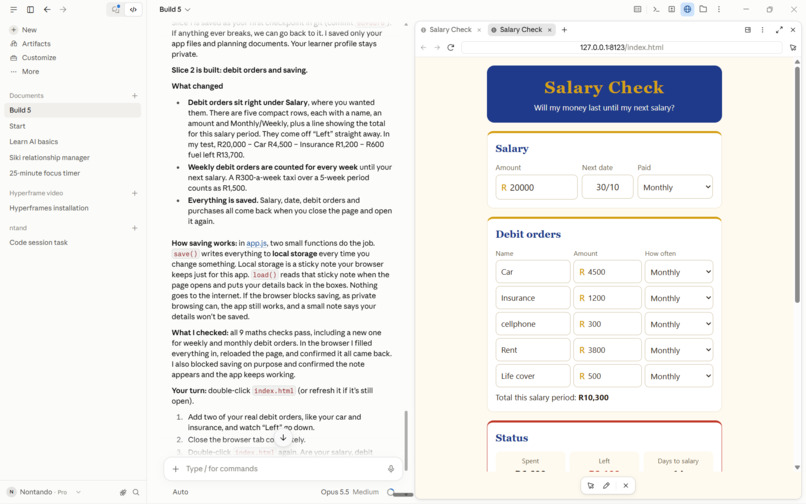
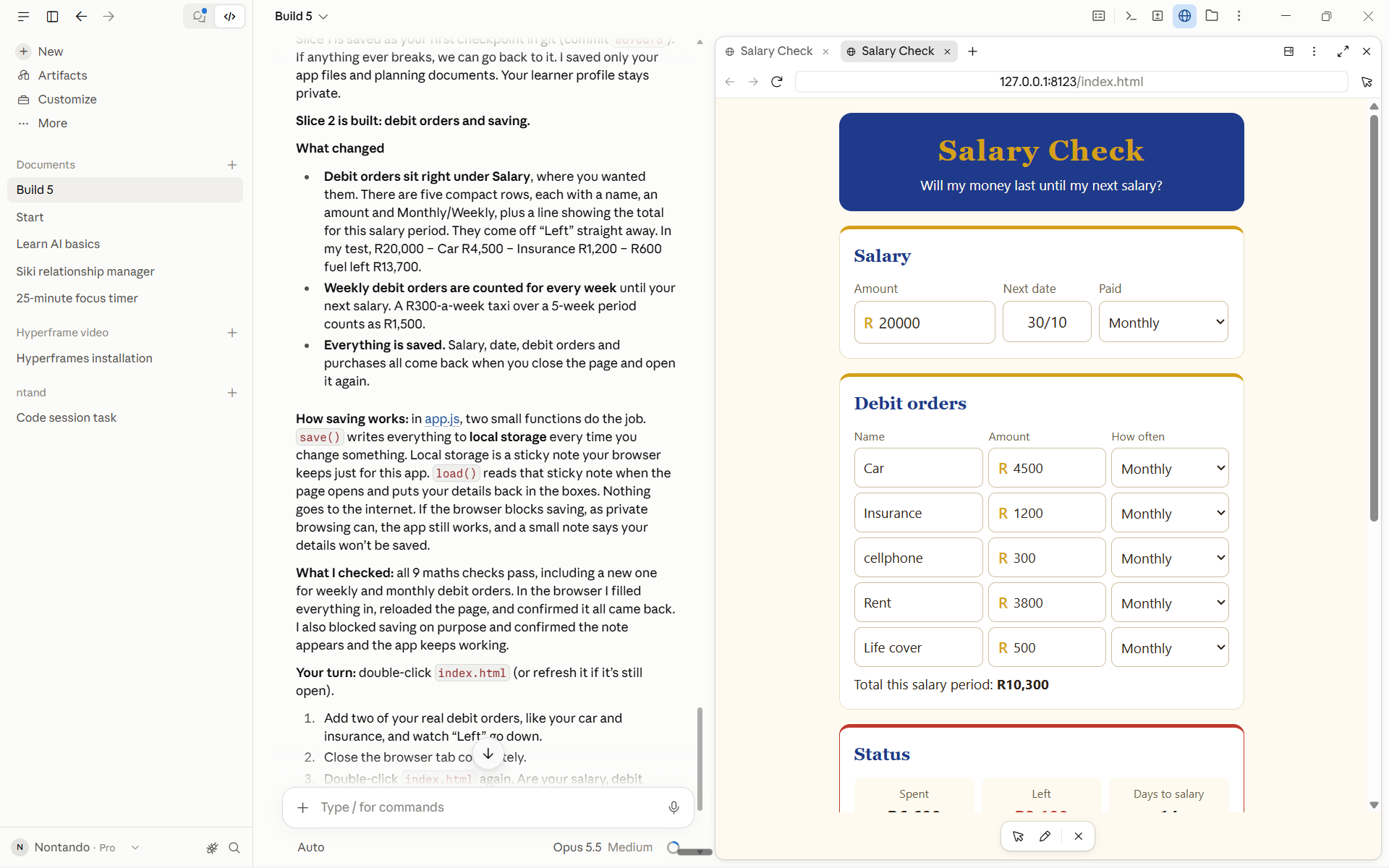
Build 5 stage of the app
-
Inspiration - my day-to-day life as a single mother of a 4-year-old, working, cash runs low, groceries, home life, bills.
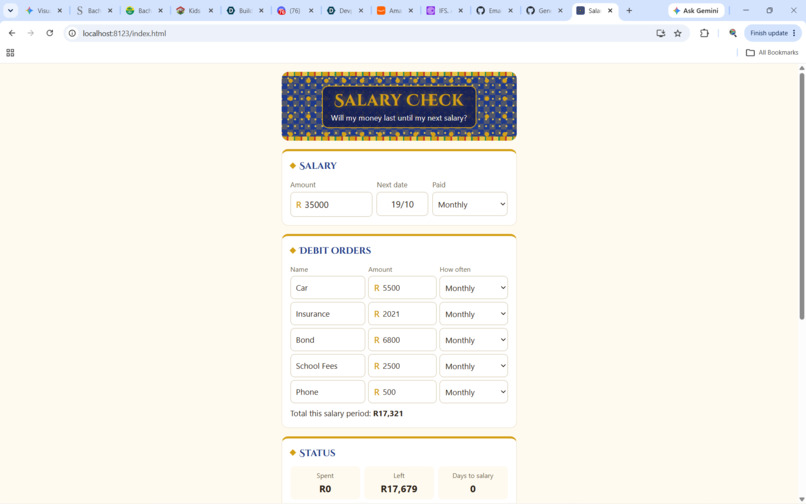
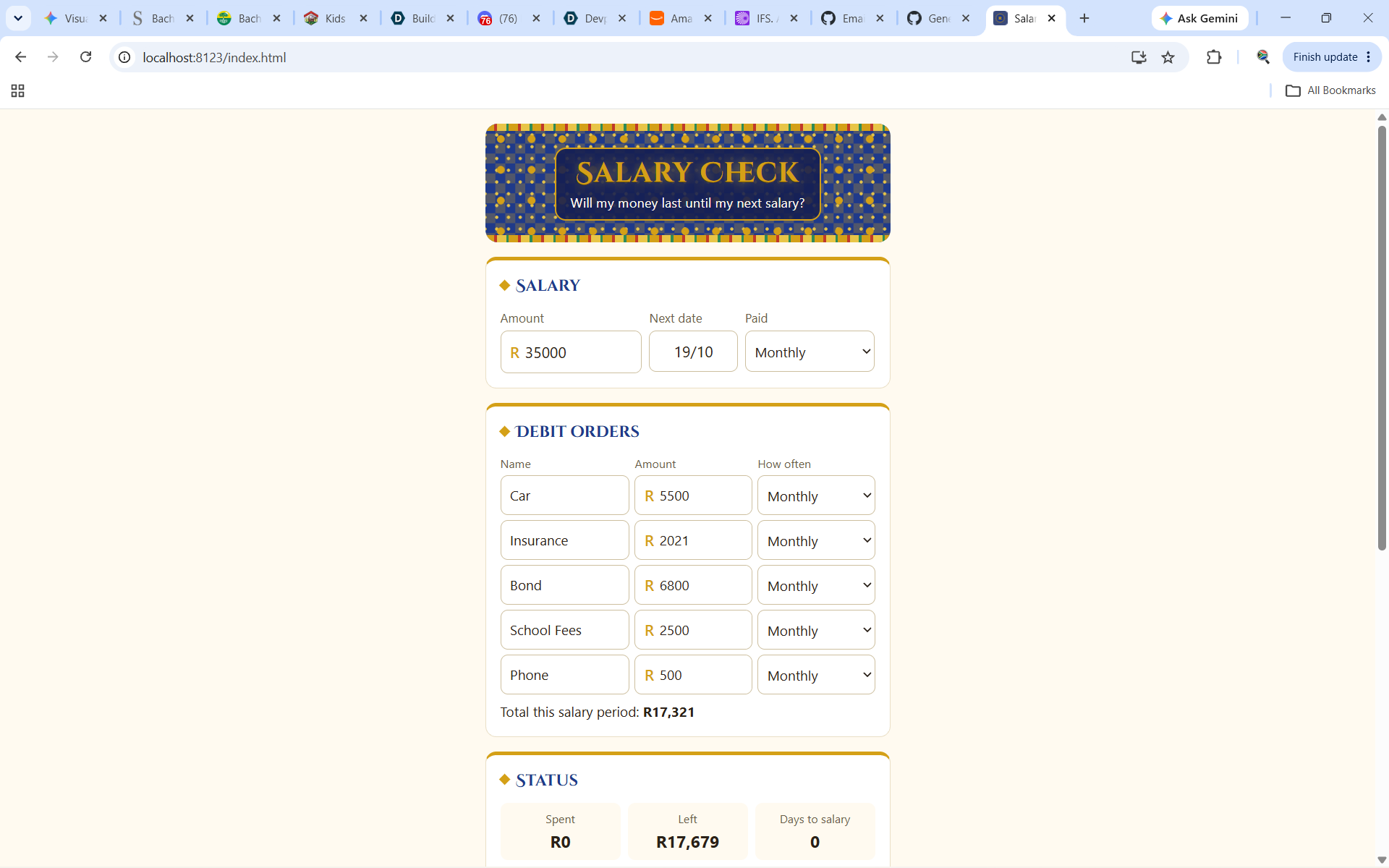
What it does - you enter your monthly salary, the date of your monthly salary, and your spending, starting with your monthly debit orders or whatever goes off for payments. At the bottom, you have all your normal spending, which is your groceries and fuel.
I kept it very short just so people, if you have longer spending, then obviously you would see where you are overspending. Once you've done all of that, if you're running very low on your salary, it calculates how many days till the next salary and how much. It also indicates how much you should have.
If you've spent half of your money and it's not even half of the month yet, then it would tell you that you probably need about another R8,000 or so. If you actually spend more money, then there's an indicator there that shows red. It turns red to show you that you're actually running low on cash.
How we built it - I planned first: scope, then PRD, then spec, then the build. It’s plain HTML, CSS and JavaScript with no app store, and data is saved on the phone. There are automatic tests for the maths, and it’s hosted on GitHub Pages. I worked with Claude Code one slice at a time, testing each one.
Challenges we ran into - The input boxes were too big at first.
Reset seemed to do nothing, because the browser blocked the “Are you sure?” pop-up. The computer’s localhost link didn’t open on your phone. The GitHub repository was private at first. The video was 7 seconds too long.
Accomplishments that we're proud of - I'm proud that I actually learned how to do this process step by step, as well as my patience with the process: going through the whole process from beginning to end and actually seeing it through. There were so many times and so many days where I just skipped and didn't do anything because I wanted to give up, especially when things wouldn't open or I didn't understand what was going on.
The nice thing about it is that, at the end of each slice, it would actually ask you if you wanted to continue. It would actually indicate where there were gaps. That was quite nice, step by step. Whoever thought of this program really thought it through well.
What we learned - I've learned how AI works much better if you do it step by step. I think in the past, all I wanted was to give the prompt like everybody says on YouTube or any feeds, really: one prompt, and you can build an app. Then the app doesn't come out exactly the way that you want.
The step-by-step process actually gives you ticks and checks, and you are able to see everything where you're going wrong. It's so much easier to rectify when you're doing it step by step than when you have a fully built app that does check.
This was way better in terms of going slowly step by step. I really enjoyed that, and I enjoyed when it tells you what the agent does and what the human does as well. We had that back-and-forth with the agent where it was telling me, "Okay, as you can see, now it didn't launch. You test it, and then the agent goes and fixes it."
There were so many lessons in between that I've actually even learned the lines and what they mean in code. It would give a recap, and it also created a whole map of the app. I learned a lot.
