Inspiration
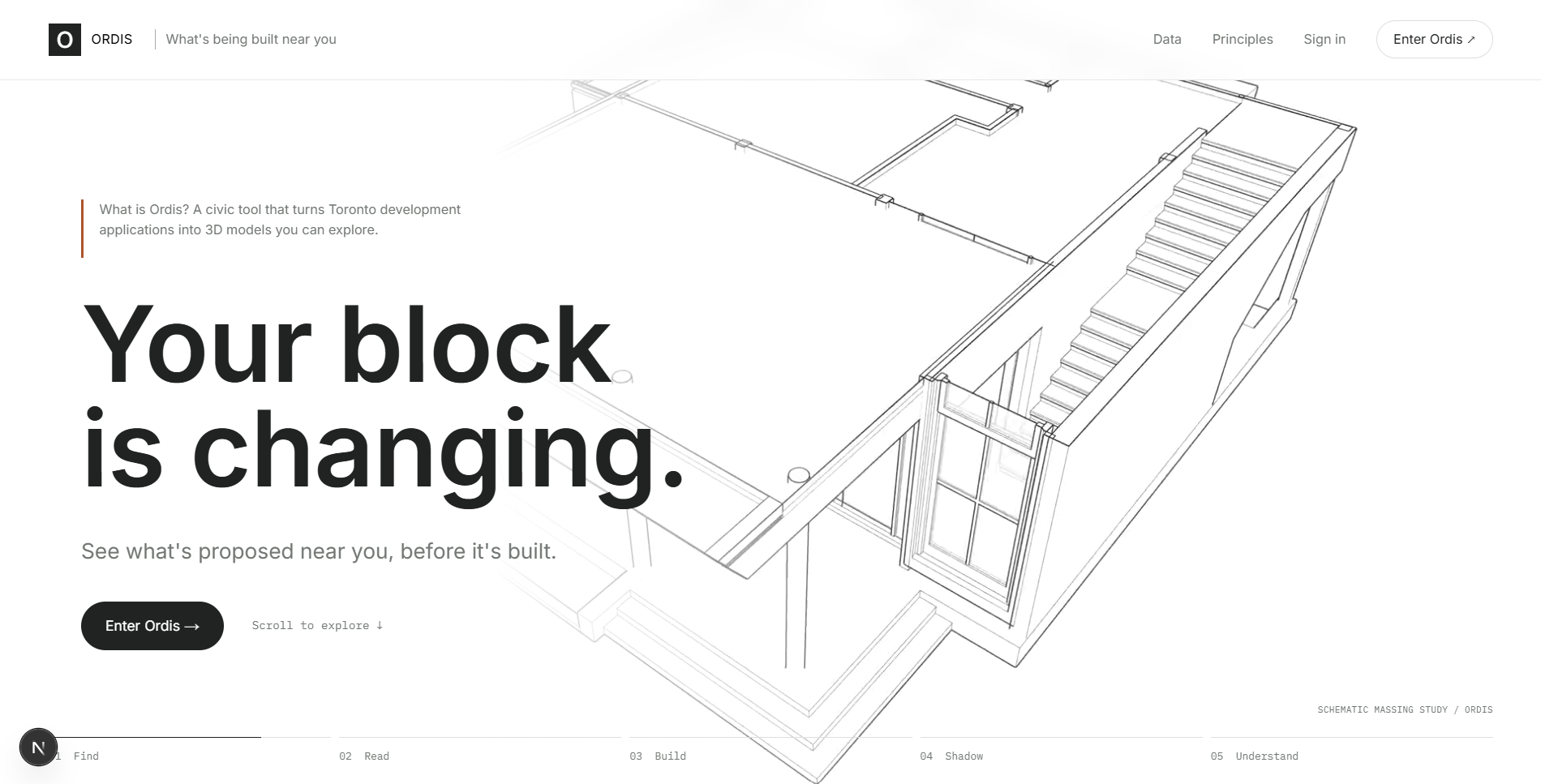
Toronto has thousands of active development applications, and the City publishes every one of them as open data. But they're written for planners: dense descriptions, application numbers and zoning terms. Most residents find out what's being built next to them when the crane shows up. With Toronto's municipal election on October 26, 2026, people are being asked to vote on growth they can't actually see.
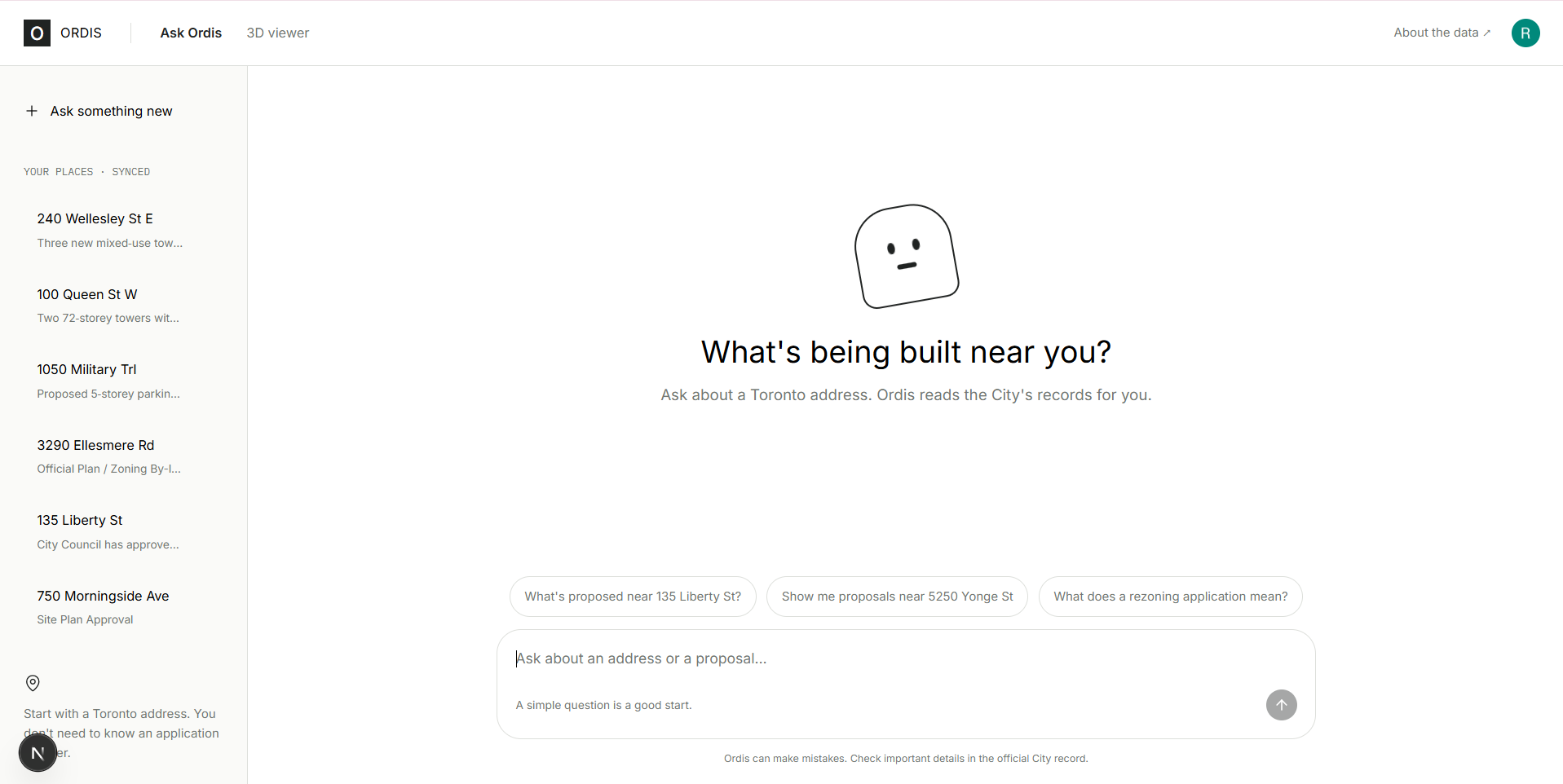
I wanted anyone to be able to type their address and understand, honestly and in plain language, how their block is about to change.
What it does
Ordis answers one question: what's being built near me, and how will it change my block?
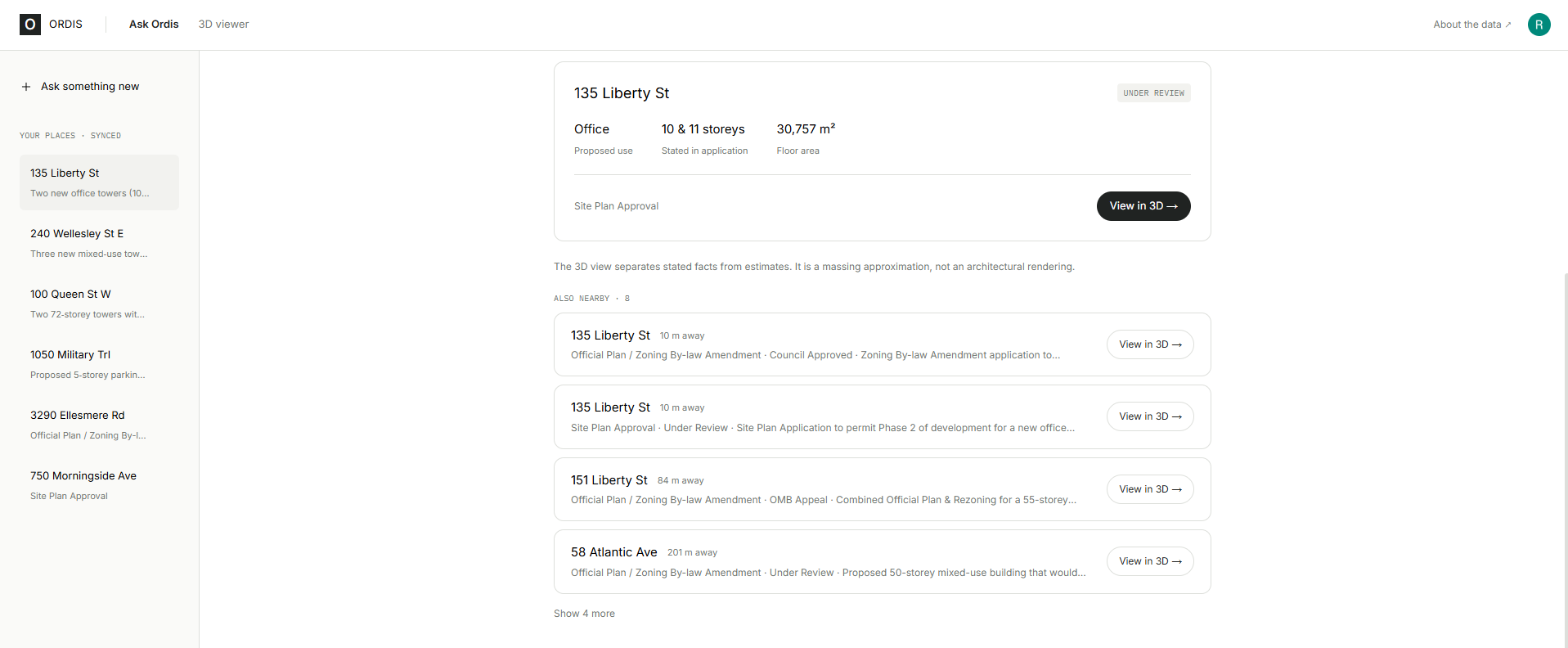
- Ask in plain language. Type an address into a chat. Ordis finds every nearby application in the City's records.
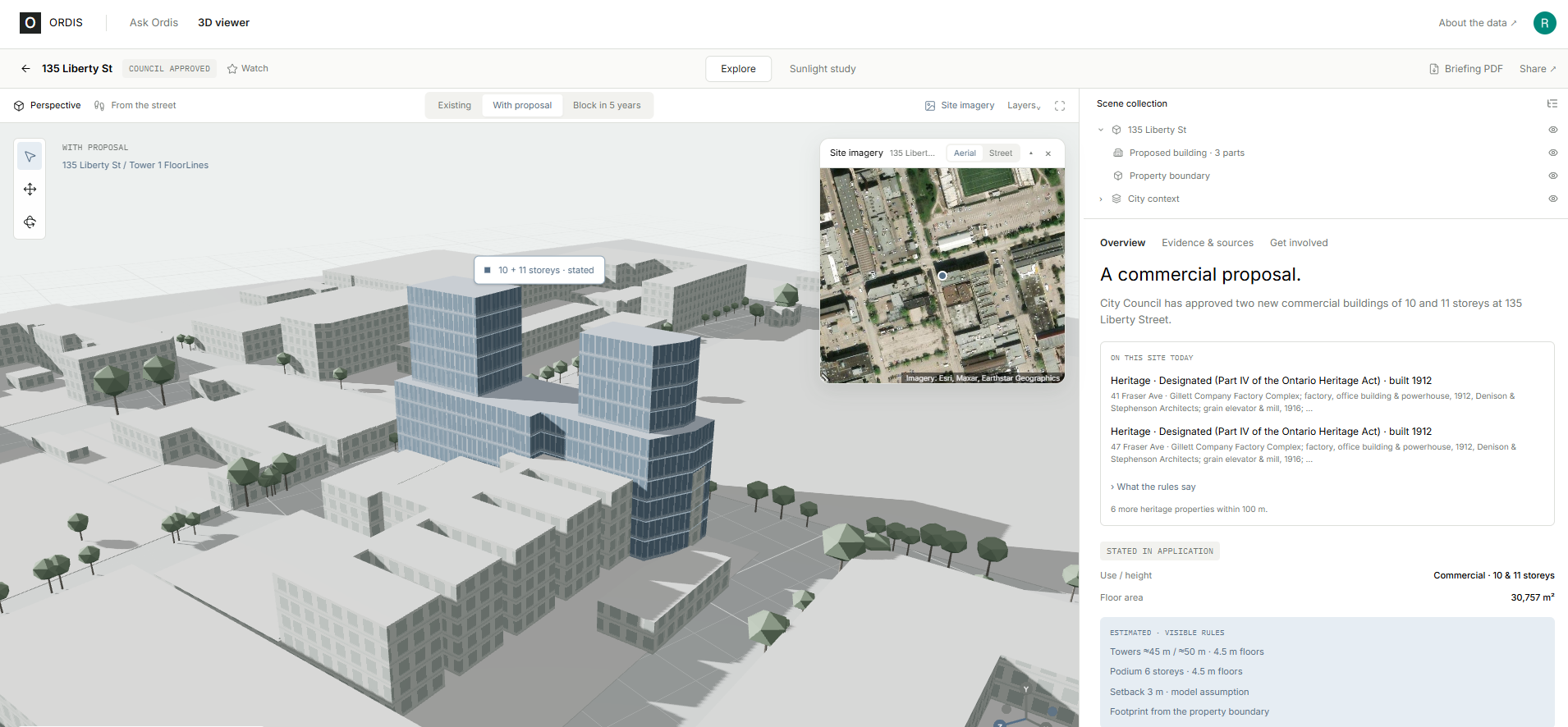
- See it in 3D. AI agents read the application text, and Blender builds the proposal as a 3D massing model. It sits on the real property boundary, among the City's real 3D buildings and street trees, and rises floor by floor.
- Stated vs estimated. Every number is labelled: either the application says it, or Ordis estimated it with a visible, documented rule. It never invents a building.
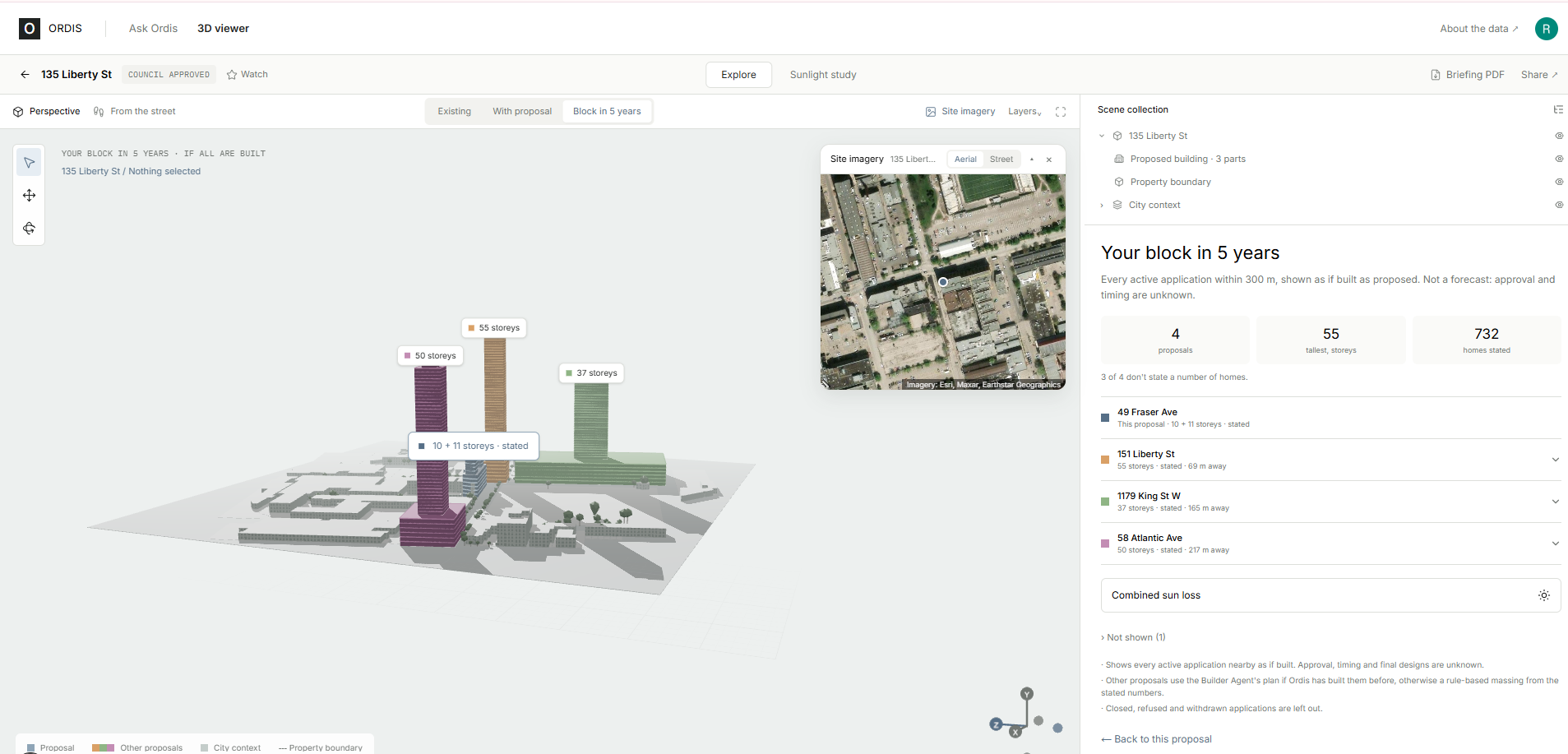
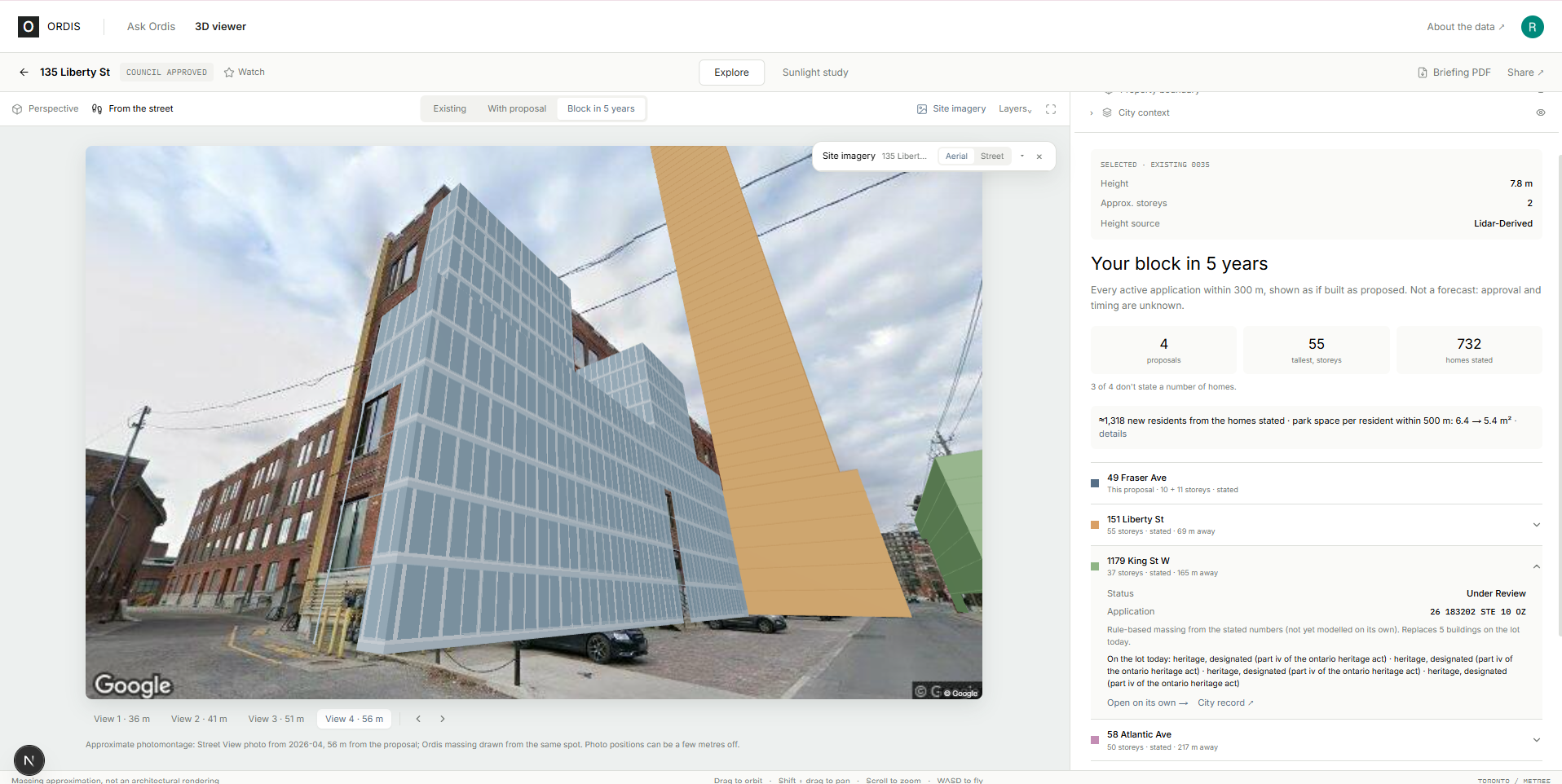
- Your block in 5 years. Every active proposal nearby, modelled together.
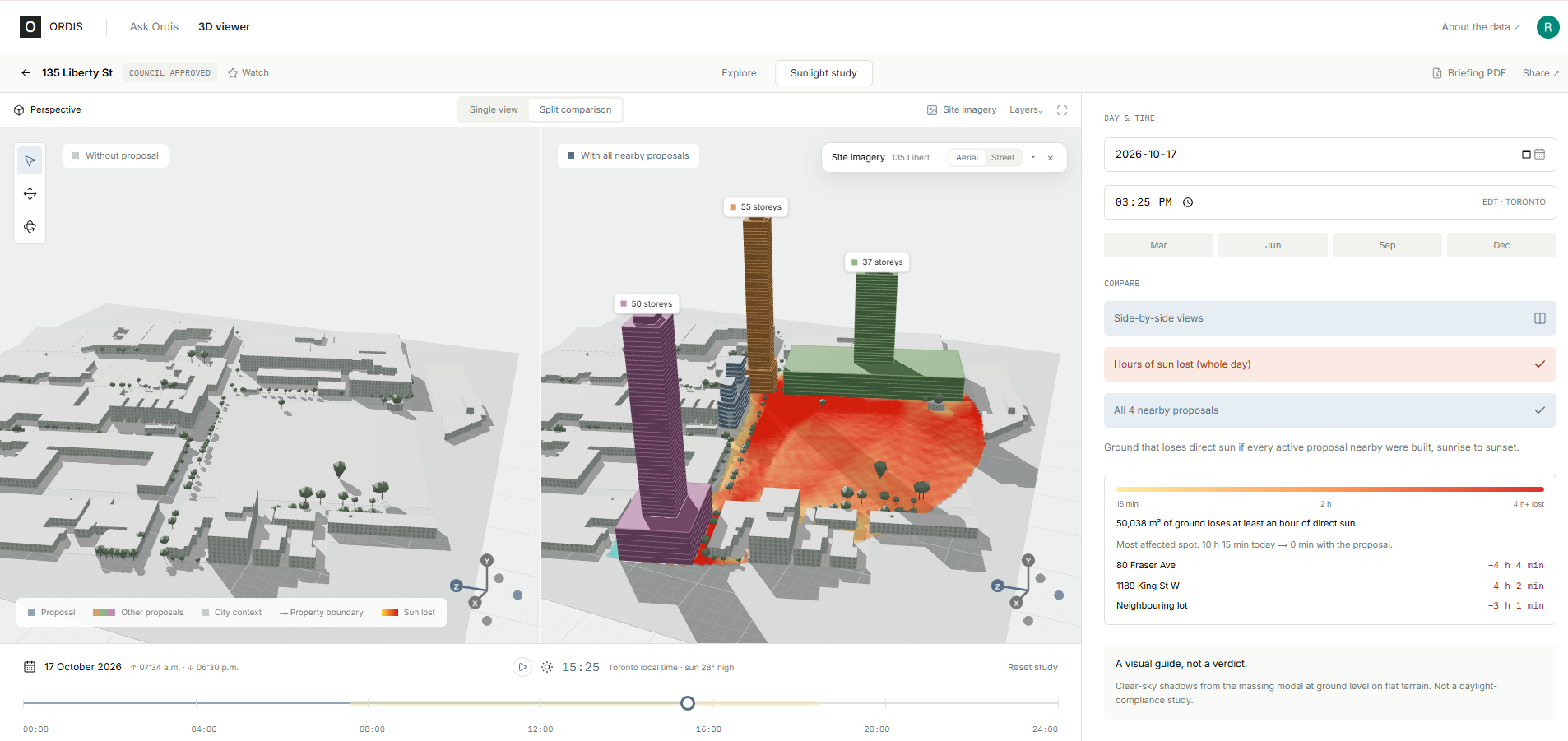
- Sunlight study. Shadows on any day and time, plus the hours of sun lost for each proposal on its own and for all of them combined. Around 135 Liberty St on the spring equinox, one building costs about 5,400 m² of ground an hour or more of sun. All nearby proposals together cost about 50,000 m².
- Can the neighbourhood absorb it? Park space per resident before and after (6.4 → 5.4 m² around Liberty Village, against 32.8 m² citywide), nearby transit, and schools within walking distance.
- On this site today. Heritage-designated properties and registered rental buildings on the lot. When a proposal affects rental homes, Ordis quotes exactly what the application says will happen to them. 95 active applications in Toronto have a registered rental building on their lot.
- From the street. The proposal drawn onto a real Google Street View photo, from the sidewalk.
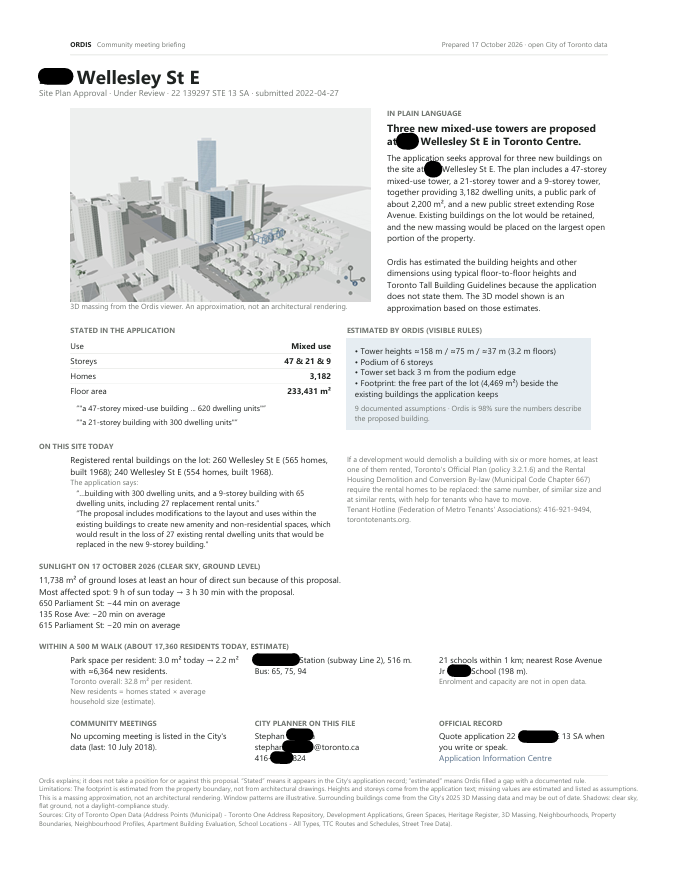
- Take part. A one-page briefing PDF for community meetings, plus the City planner's contact and meeting dates.
- Android companion app. Shows what's proposed around wherever you're standing, puts the 3D model in your hand, and lets you watch a place for status changes and new meetings. Places sync with the website.
Ordis is neutral by design. It explains; it never argues for or against a development.
How we built it
                          ┌─────────────────────────────────────────────┐
  City of Toronto         │  ingest.py  →  SQLite (spatial R*Tree)      │
  open data (12 sets) ───►│  applications · parcels · 3D massing ·      │
                          │  trees · heritage · rentals · parks ·       │
                          │  schools · TTC stops · census profiles      │
                          └──────────────────────┬──────────────────────┘
                                                 │
                          ┌──────────────────────▼──────────────────────┐
                          │  FastAPI backend                            │
  Address ───────────────►│  ┌───────────── AI agents (Gemini) ───────┐ │
                          │  │ Data        → pick the application      │ │
                          │  │ Interpreter → stated facts only + rules │ │
                          │  │ Builder     → Blender tool calls,       │ │
                          │  │               checked against geometry  │ │
                          │  │ Narrator    → plain-language summary    │ │
                          │  └───────────────────┬────────────────────┘ │
                          │                      ▼                      │
                          │        Headless Blender  →  3D model (.glb) │
                          │                                             │
                          │  Sunlight engine · Block view · Infill      │
                          │  rules · Capacity · Street View camera ·    │
                          │  Briefing PDF · Saved places (Clerk login)  │
                          └───────────┬───────────────────────┬─────────┘
                                      │ live progress stream  │
                     ┌────────────────▼──────┐     ┌──────────▼──────────┐
                     │ Next.js web app       │     │ Expo Android app    │
                     │ three.js 3D viewer,   │     │ Near me (GPS),      │
                     │ sunlight timeline,    │     │ synced places,      │
                     │ chat, PDF             │     │ in-app 3D view      │
                     └───────────────────────┘     └─────────────────────┘
Data
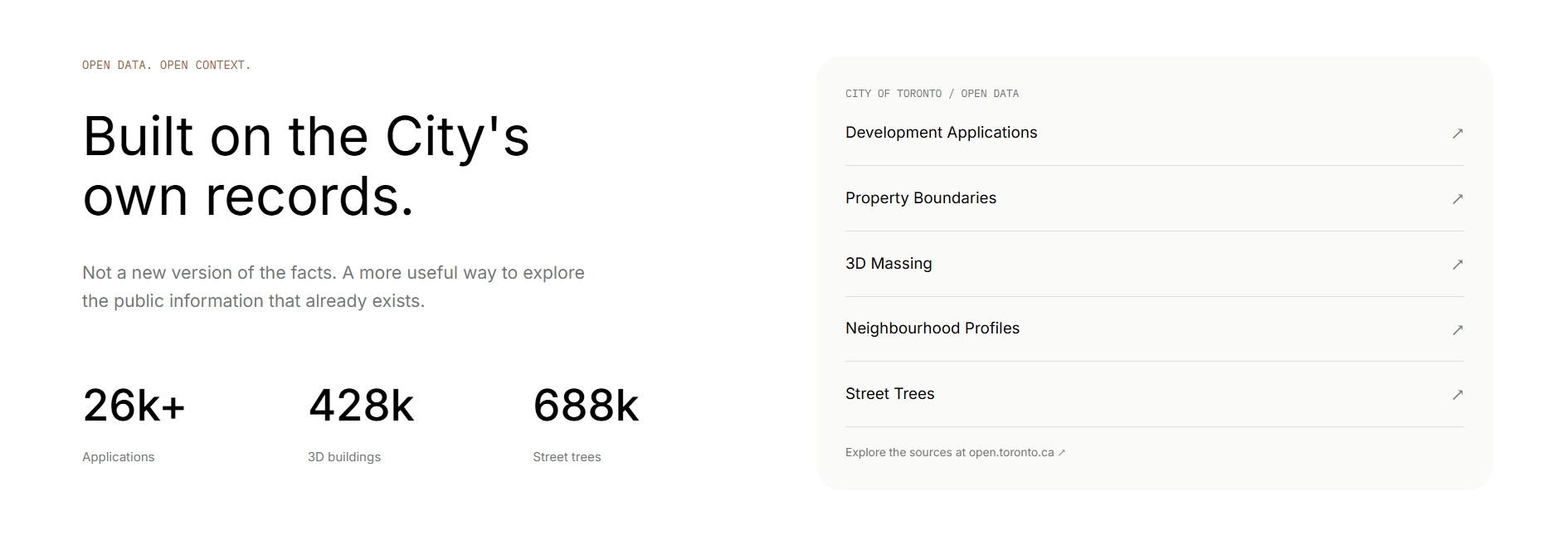
I ingested 12 City of Toronto open datasets into SQLite with spatial indexes: 26k development applications, 498k property boundaries, 428k 3D buildings, 688k street trees, plus the heritage register, the rental building registry, parks, schools, TTC stops and 2021 census profiles.
AI agents
- Data agent picks the most relevant application.
- Interpreter extracts only stated facts into a validated schema. Documented rules fill any gaps, and each one is recorded as an assumption. For example, an unstated tower height is estimated from the storeys:
$$h_{\text{tower}} = n_{\text{podium}} \cdot 4.5\,\text{m} + (n_{\text{storeys}} - n_{\text{podium}}) \cdot h_{\text{floor}}$$
- Builder plans Blender tool calls. Every call is checked against the real lot geometry before Blender runs it, and rejected calls go back to the model with the error.
- Narrator writes a neutral plain-language summary.
The agents run on Gemini, with Groq as an automatic fallback when the free quota runs out.
3D
Headless Blender builds a deterministic massing model on the real lot: podiums, towers, floor lines and mechanical penthouses. The web viewer renders it with react-three-fiber, including a floor-by-floor construction animation.
Sunlight engine
For each 15-minute step $t$ while the sun is up, I compute the sun's altitude $\alpha$ and azimuth $A$ from a solar ephemeris. A building of height $h$ casts its footprint along the shadow vector
$$\vec{d} = \frac{h}{\tan \alpha}\,\big(-\sin A,\; -\cos A\big)$$
The shadow is the union of the footprint, the moved footprint, and the quads swept by every edge. On a 2.5 m grid, the hours of sun lost at cell $c$ are
$$L(c) = \Delta t \sum_{t} \mathbf{1}!\left[\, c \in S_{\text{with}}(t) \;\wedge\; c \notin S_{\text{today}}(t) \,\right], \qquad \Delta t = 0.25\ \text{h}$$
Neighbourhood capacity
Residents today within a 500 m circle $C$, spreading each census neighbourhood's population $p_n$ evenly over its area $N_n$:
$$R_{\text{today}} = \sum_{n} p_n \cdot \frac{|C \cap N_n|}{|N_n|}$$
New residents only come from homes the applications state, times each neighbourhood's average household size $s_i$:
$$R_{\text{new}} = \sum_{i} u_i \, s_i \qquad\qquad \text{park per resident} = \frac{A_{\text{parks}} \cap C}{R_{\text{today}} + R_{\text{new}}}$$
Apps
Next.js 16 and Tailwind for the website, Clerk for sign-in, and reportlab for the briefing PDF. The Android app uses Expo and Expo Router, synced through the same Clerk account.
Challenges I ran into
- The data lies about itself. The development application coordinates turned out to be in an old NAD27 coordinate system, not the documented one. The "WGS84" 3D massing file is actually Web Mercator. I found both by checking against thousands of address points.
- Keeping AI honest. The hardest design problem was making sure the model never invents a building. Only stated facts come from the LLM. Everything else comes from visible rules, and every Blender instruction is checked before it runs.
- Buildings that stay. Many rental sites add towers beside existing ones. At first the model erased the existing towers. Ordis now reads the application for retention wording and builds only on the free part of the lot, at least 3 m clear of what stays.
- Street View alignment. User-uploaded 360° photos have unreliable positions and compass directions, so the montage misaligned. Ordis now uses only Google's own panoramas, from several sides of the site.
- Free-tier limits. Small free LLM quotas forced aggressive caching and an automatic provider fallback.
- Testing on a real phone over campus Wi-Fi. One of ngrok's server addresses was unreachable from the network, which caused random timeouts. I moved to a Cloudflare tunnel and proxied the API through the website.
Accomplishments that I am proud of
- An end-to-end pipeline, from an address in plain language to a 3D model on the real lot, built solo in one hackathon.
- Every number is either stated with a quote from the application or estimated with a visible rule. Nothing is made up.
- The combined sunlight analysis: seeing 5,400 m² of lost sun become 50,000 m² is something you can't get from reading applications one at a time.
- Surfacing rental homes on development sites, and quoting what the application says will happen to them.
- A web app and a mobile app that share one account.
What I learned
- Open data is only "open" if people can understand it. The real work is translation, not access.
- With civic tools, trust comes from showing your work. Labelling estimates made Ordis more convincing, not less.
- LLMs are great at reading messy text, as long as they're never allowed to be the source of numbers they weren't given.
- Always check a dataset's coordinate system against reality before trusting its documentation.
What's next for Ordis
- Committee of Adjustment applications (garden suites, additions, minor variances), so most streets have something to show, not just ones near towers.
- Summaries in Toronto's most spoken languages, keeping numbers and the stated/estimated labels intact.
- Push notifications when a watched application changes status or a meeting is scheduled.
- "View from my window": pick a neighbouring building and see what a proposal blocks from it.
- A ward map of applications, coloured by status, for the election.
Built With
- blender
- clerk
- cloudflare
- expo-router
- expo.io
- fastapi
- gemini
- google-maps
- google-street-view
- groq
- next.js
- numpy
- pydantic
- python
- react
- react-native
- react-three-fiber
- reportlab
- shapely
- sqlite
- tailwindcss
- three.js
- toronto-open-data
- typescript


Log in or sign up for Devpost to join the conversation.