-
-
page 1
-
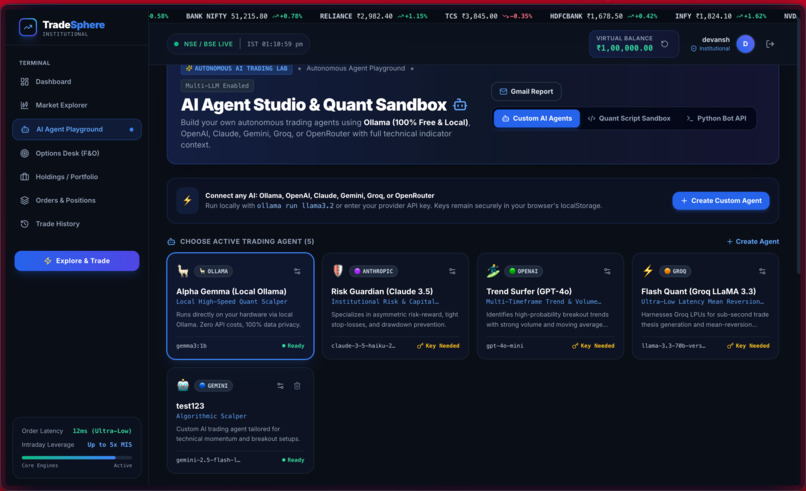
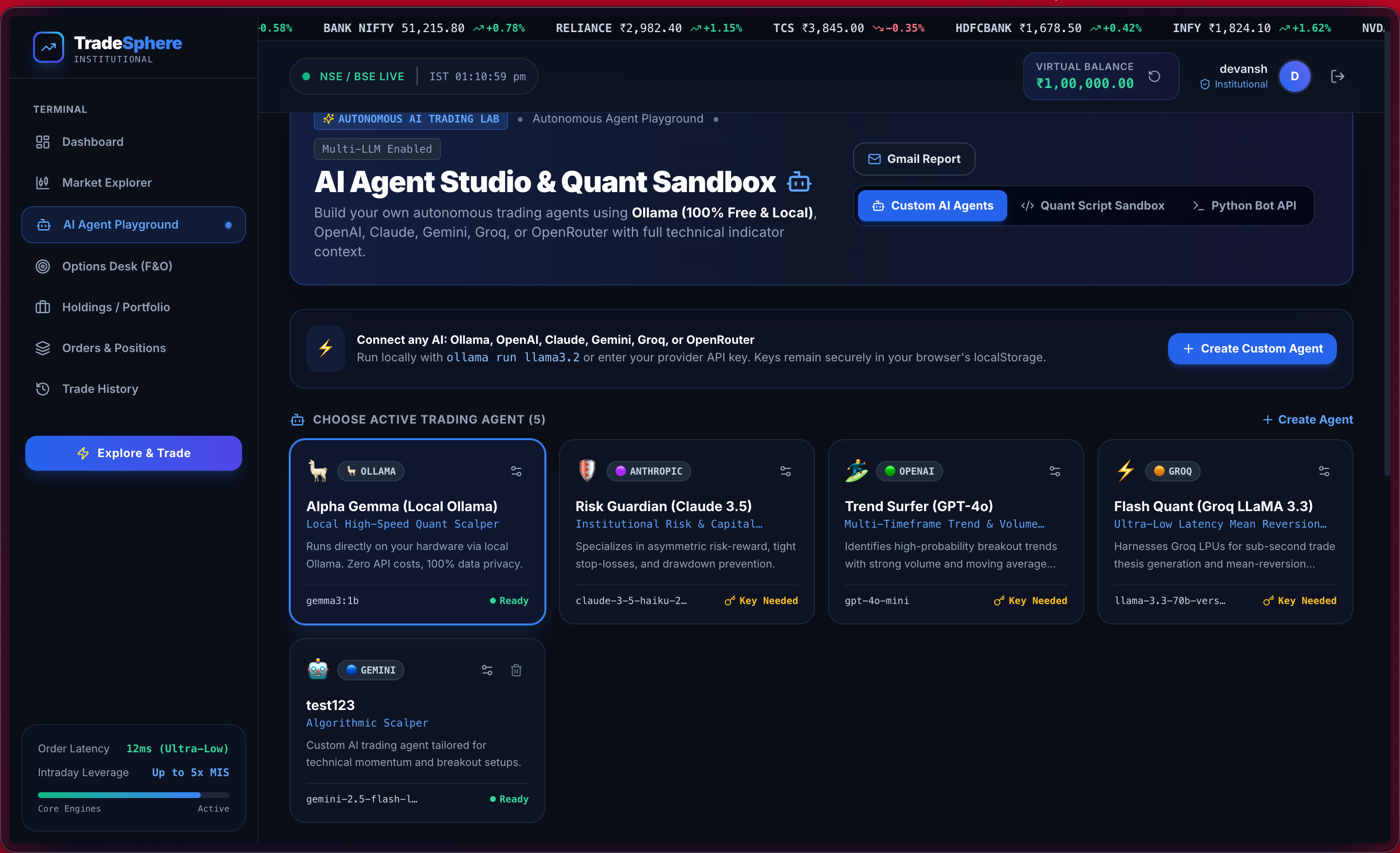
page AI agents
TradeSphere: Bringing the Stock Market Experience to Everyone
Inspiration 💡
I wanted to build something that would help people explore the stock market without the fear of losing real money. Stock trading platforms can feel intimidating to beginners, and understanding how market prices, portfolios, buy and sell orders, and profit and loss work often requires hands-on experience.
That inspired me to build TradeSphere, a virtual stock trading simulator designed to make the trading experience more accessible, interactive, and engaging. My goal was to create more than a static stock market dashboard. I wanted users to experience the essential workflow of trading, track their portfolios, and learn through simulated transactions using virtual money.
I also wanted to bring the experience closer to Indian users by incorporating INR currency, Indian market references, and an interface inspired by professional trading platforms.
What It Does 🚀
TradeSphere is a full-stack virtual stock trading platform that lets users explore stocks and practice trading without risking real money.
Its core features include:
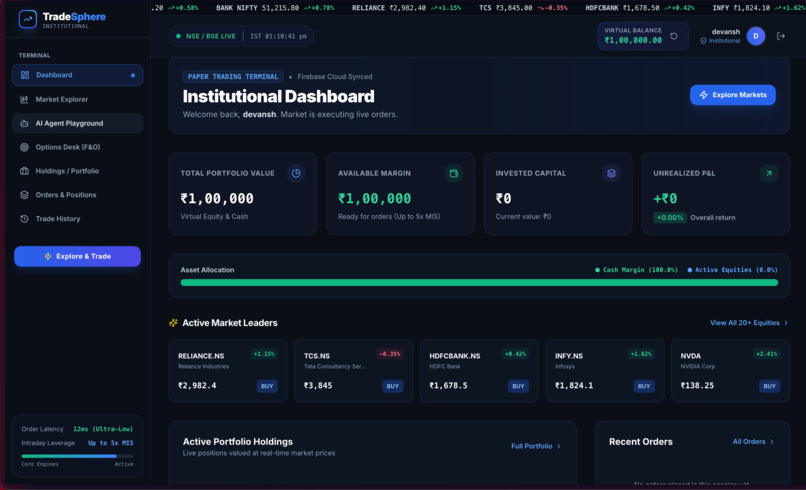
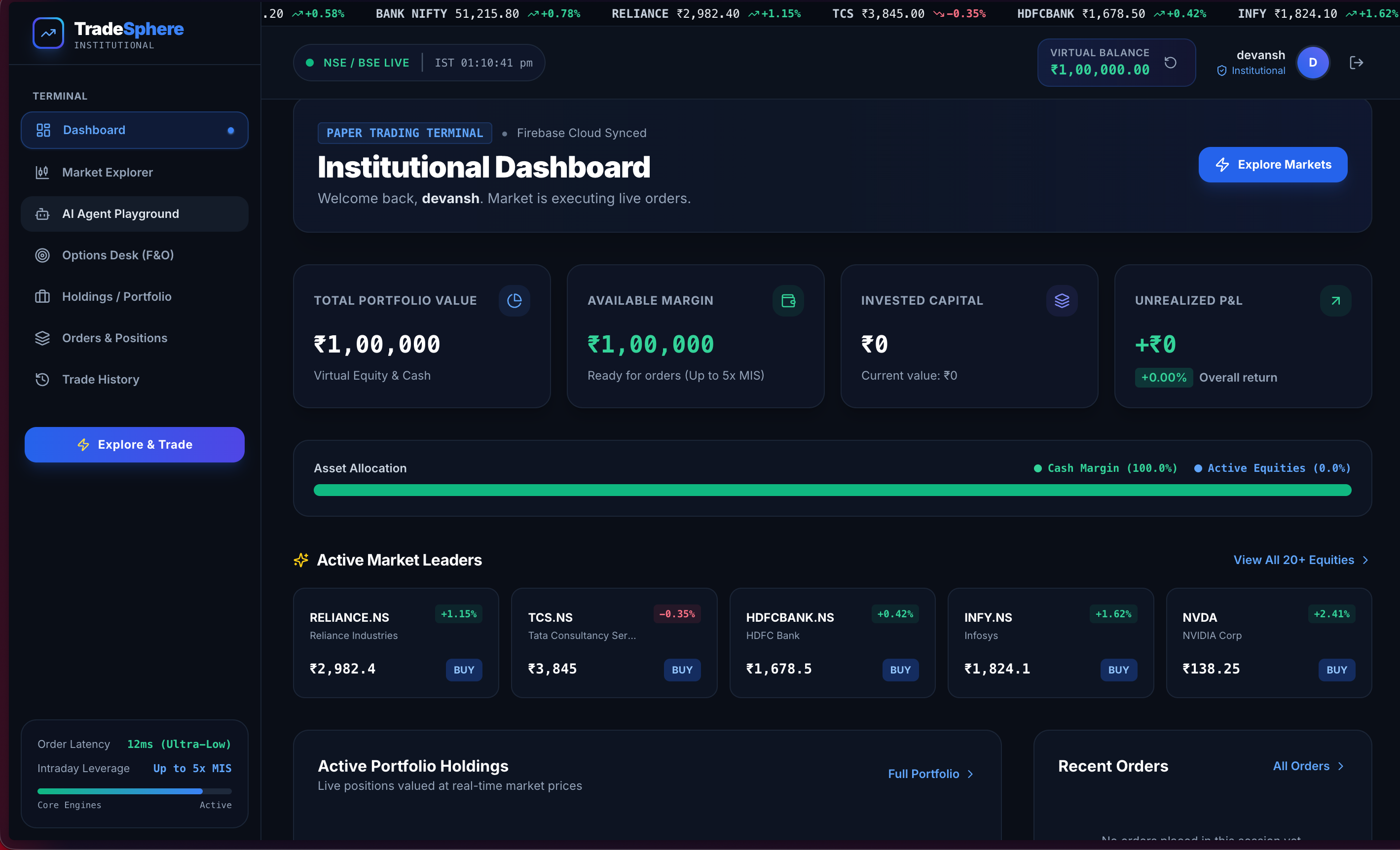
- Virtual trading: Start with ₹1,00,000 in virtual capital and simulate buying and selling stocks.
- Market data: Retrieve stock prices through the Finnhub API.
- Portfolio management: Track holdings, balances, and profit or loss.
- Interactive charts: Visualize price movements using TradingView Lightweight Charts.
- Authentication: Provide account access through NextAuth.js, with credentials and OAuth support.
- Trading dashboard: Bring market information, transactions, and portfolio details together in a polished interface.
The platform combines these features to create a practical environment for exploring the mechanics of stock trading without financial risk.
How I Built It 🛠️
I built TradeSphere using a modern TypeScript-based full-stack architecture, with Next.js handling the application and its API routes.
The frontend uses the Next.js App Router, React components, and Tailwind CSS to create a responsive trading interface. I used Material Symbols for icons and TradingView Lightweight Charts for market visualization.
On the backend, Next.js API routes handle application operations, including authentication, stock retrieval, portfolio access, and simulated buy and sell transactions.
For persistent data, I used PostgreSQL with Prisma ORM to structure and manage user accounts, portfolio holdings, and transaction history. NextAuth.js provides the authentication framework, while Finnhub supplies market data.
The application is organized into separate pages and modules for the dashboard, stocks, portfolio, transactions, authentication, and shared services. This separation makes the codebase easier to maintain and extend.
I also prepared deployment configuration for Vercel, along with environment-variable templates and database migration instructions.
Challenges I Faced ⚡
One of the biggest challenges was bringing multiple parts of a trading application together into a coherent experience. Market data, authentication, database records, portfolio calculations, and transaction workflows must work together consistently.
1. Integrating market data
Connecting an external market-data API introduces dependencies on API keys, request limits, response formats, and supported stock symbols. Finnhub's free-tier limitations also create challenges when working with Indian equities, so supporting comprehensive NSE and BSE coverage remains an important area for improvement.
2. Maintaining portfolio consistency
A trading simulator needs to keep track of available virtual funds, holdings, transaction records, and profit-and-loss calculations. These values must remain consistent as users place buy and sell orders. Designing the application around structured database models and dedicated API routes helped establish a foundation for these workflows.
3. Building a professional trading interface
Trading interfaces present a lot of information at once. I wanted TradeSphere to feel polished and information-rich without making it difficult to navigate. This required careful organization of the dashboard, portfolio views, stock information, and interactive charts.
4. Connecting the full stack
Integrating the frontend, API routes, authentication, Prisma, PostgreSQL, and external market data required attention to configuration and data flow. Environment variables, database migrations, and deployment settings also needed to be considered so the application could be configured for different environments.
These challenges helped me appreciate that building a trading application involves much more than displaying stock prices. The underlying data, business logic, and user experience must work together reliably.
What I Learned 📚
Building TradeSphere strengthened my understanding of full-stack application development and the importance of designing systems around clear responsibilities.
I learned more about:
- Structuring a full-stack application using Next.js and TypeScript.
- Designing database models and accessing relational data with Prisma ORM.
- Integrating third-party APIs to retrieve external market data.
- Connecting authentication with protected application workflows.
- Organizing portfolio and transaction functionality into maintainable modules.
- Using interactive charts to make financial information easier to interpret.
- Preparing environment configuration, database migrations, and deployment workflows.
Most importantly, I learned to think beyond individual features and consider how an entire application behaves as a system. A useful trading simulator needs a coherent flow from market data and user actions to transaction records and portfolio updates.
What's Next? 🌱
TradeSphere is a foundation that I want to continue improving. Some of the areas I would like to explore include:
- Broader and more reliable NSE/BSE market coverage.
- Advanced technical indicators and richer charting tools.
- Personalized watchlists and price alerts.
- Deeper portfolio analytics and performance summaries.
- Paper-trading competitions and social trading features.
- Stronger automated testing and validation of trading workflows.
- Further improvements to security, reliability, and mobile usability.
Final Thoughts ❤️
TradeSphere started with a simple idea: make stock trading easier to explore by giving people a place to practice without putting real money at risk.
Building it helped me connect frontend development, backend engineering, database design, API integration, and financial application concepts in one project. It also showed me how many details sit behind an interface that might initially appear simple.
I see TradeSphere as both a practical learning platform and an opportunity to keep exploring how thoughtful software engineering can make complex systems more approachable.
Built with curiosity, TypeScript, and a passion for creating better financial technology experiences.
Built With
- and
- finnhub-api
- nextauth.js
- postgresql
- prisma-orm
- react
- tailwind-css
- tradingview-lightweight-charts
- typescript
- vercel

Log in or sign up for Devpost to join the conversation.