-
-
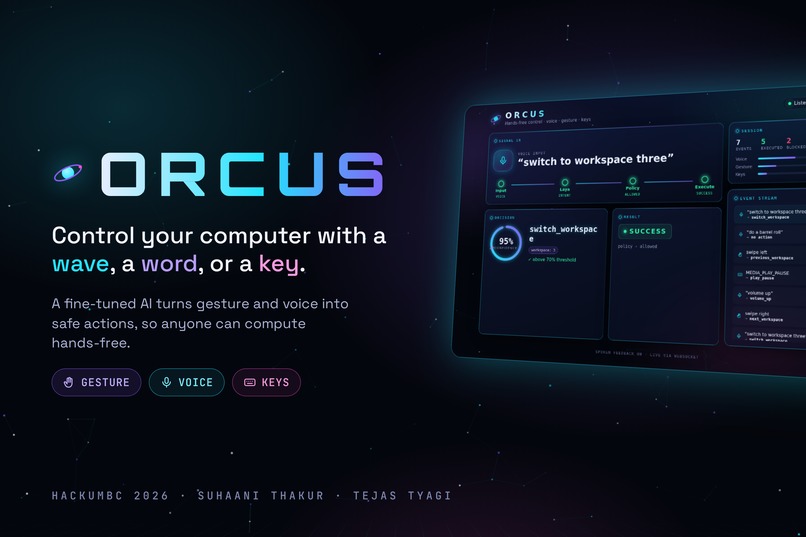
Hands-free control, safety built in.
-
-
-
🌌 Inspiration
Almost 3 in 10 U.S. adults report a functional disability, and in Baltimore City 1 in 8 residents under 65 lives with one. Yet nearly every computer still assumes the same thing: two working hands on a keyboard and a mouse.
For someone with arthritis, a tremor, a spinal injury or RSI, every click costs effort. For a researcher in gloves at a lab bench, or a presenter mid-talk, hands are simply busy. The tools that exist today make you choose: one input (usually voice), one operating system, and exact phrases, or nothing happens. On most Linux desktops, there's no built-in hands-free control at all.
We asked a simple question: what if your computer understood a wave, a word, or a key equally well, and never did anything it wasn't sure about?
That became Orcus.
🛰️ What it does
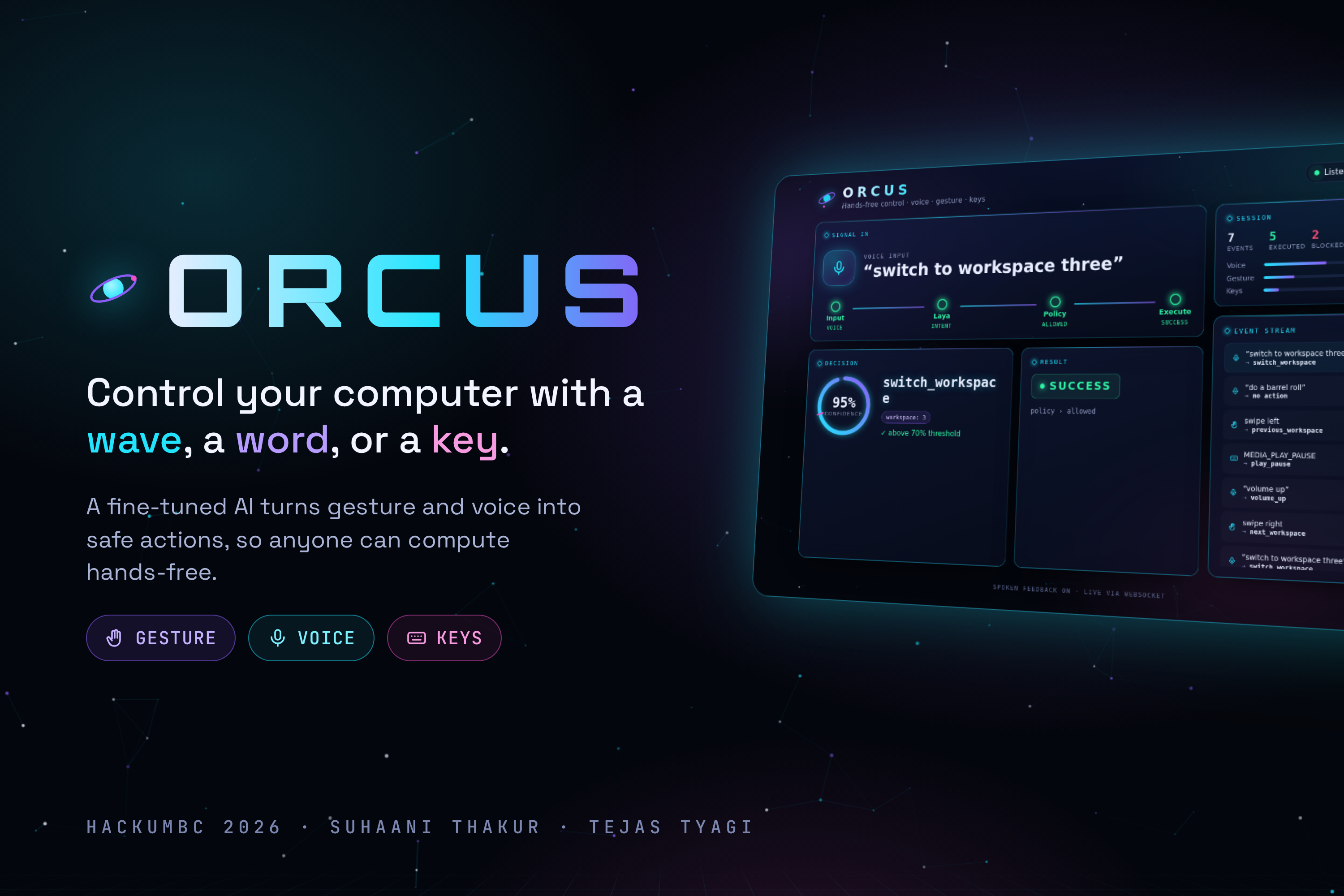
Orcus lets you control your computer by hand gesture, voice, or keyboard, all through one system.
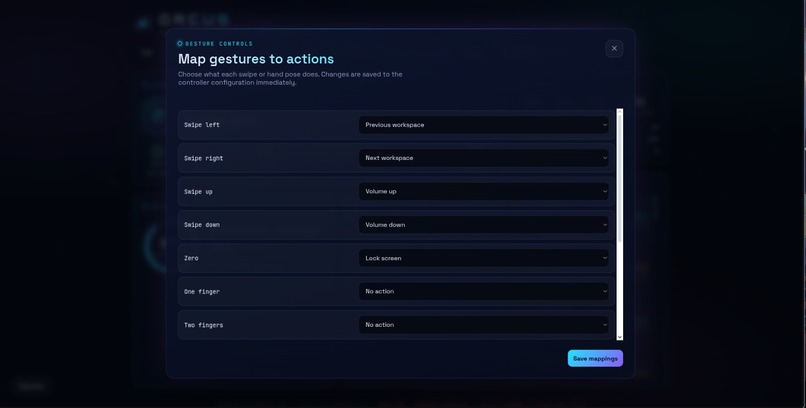
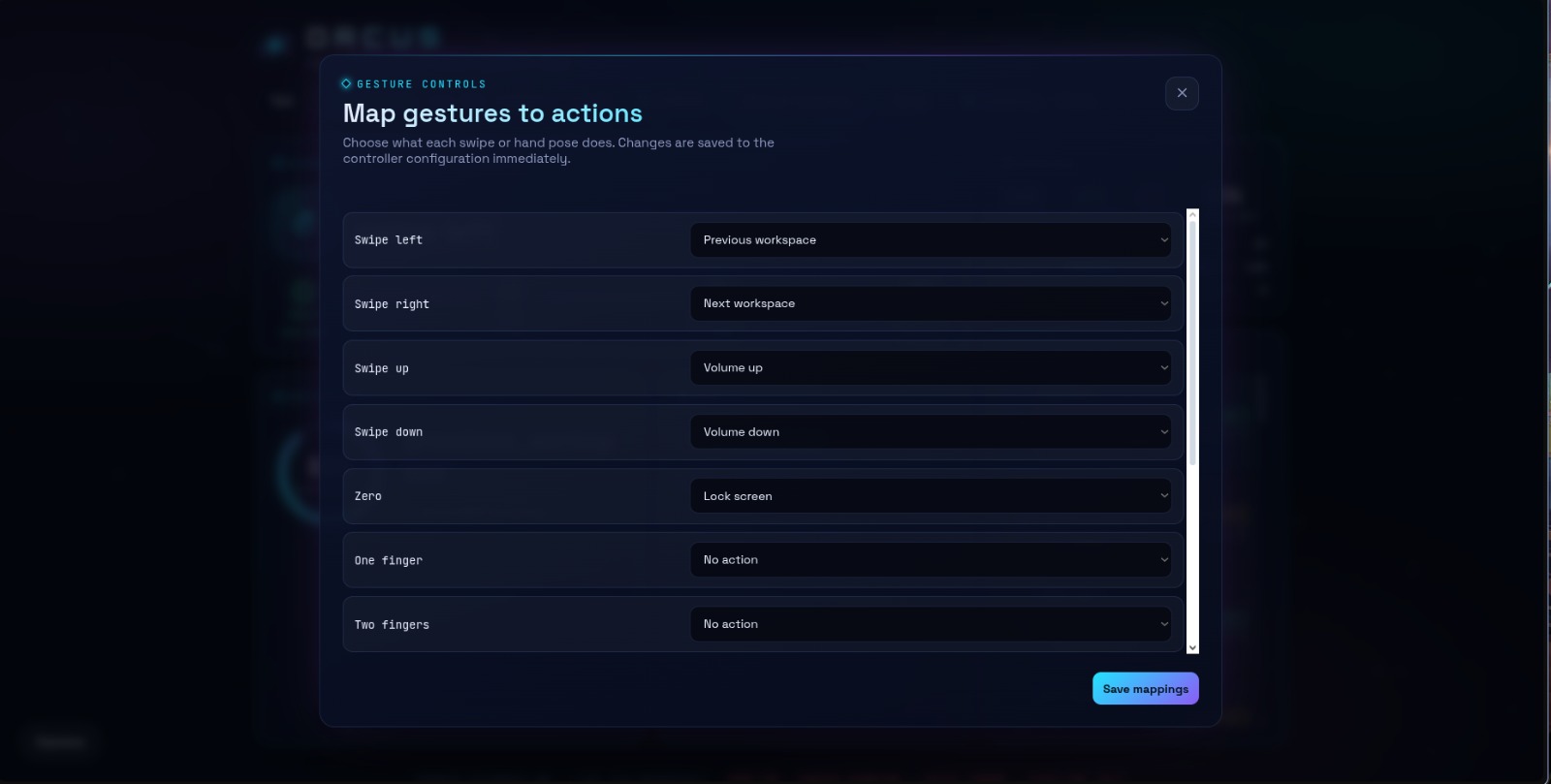
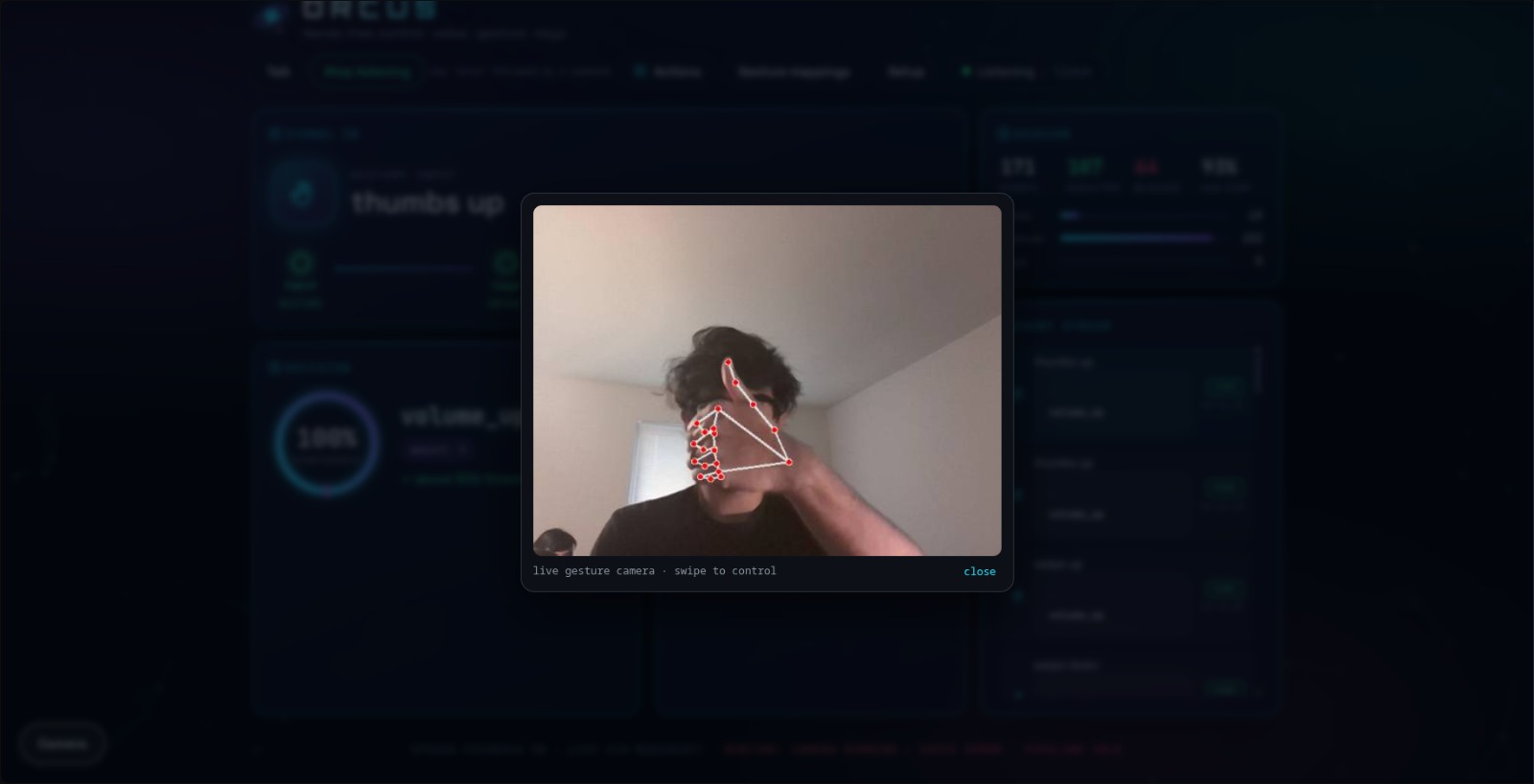
- 🖐️ Gesture: swipe to change workspaces, open palm to play/pause, thumbs up/down for volume, fist to mute
- 🎙️ Voice: say "switch to workspace three" or "turn it up" in natural language
- ⌨️ Keys: a silent fallback that's always available
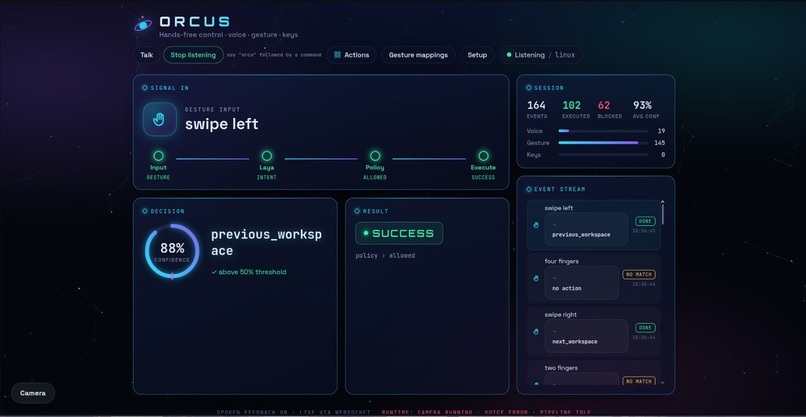
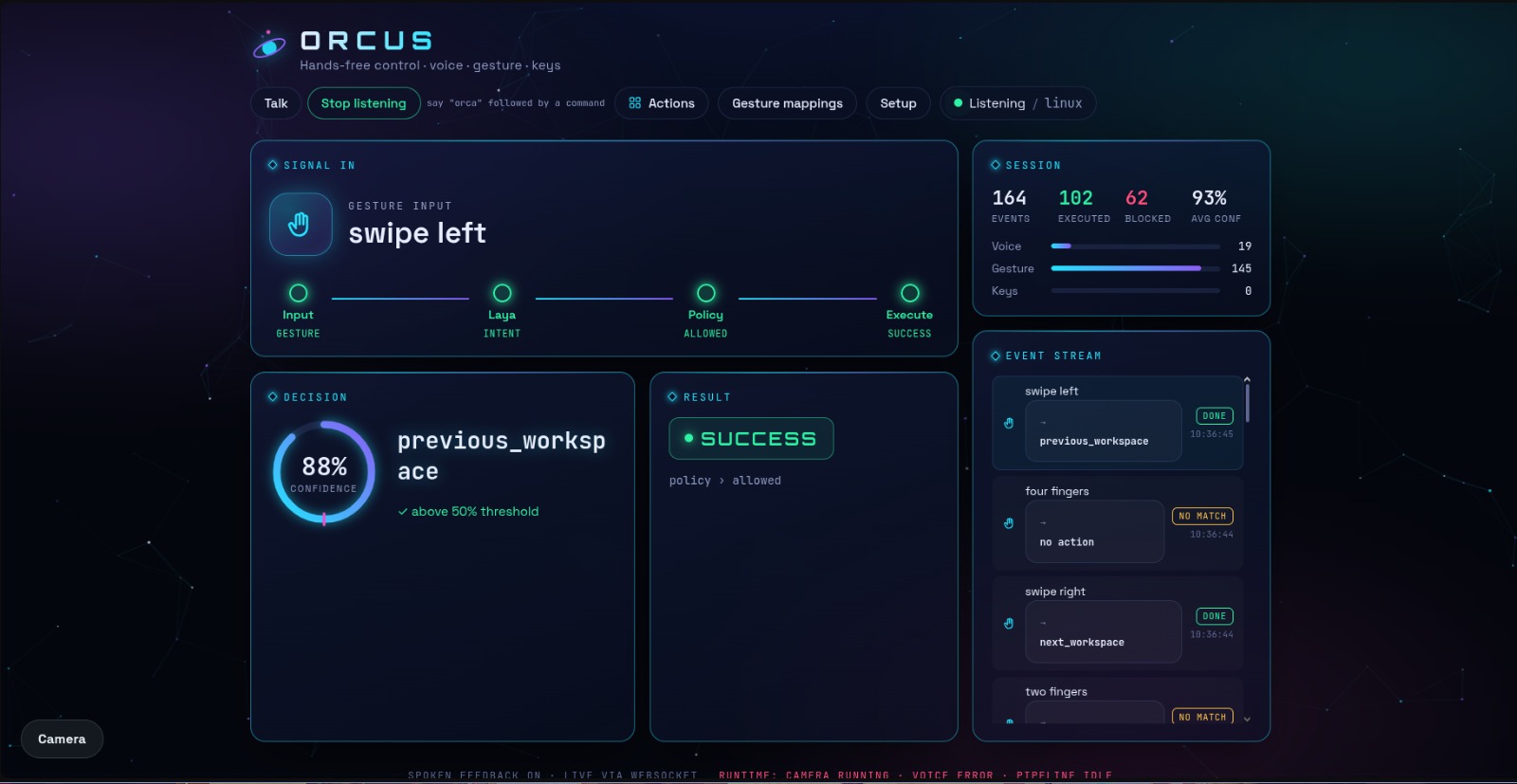
Every input, no matter where it comes from, becomes the same structured command, passes a safety check, and only then runs on your machine. A live, futuristic dashboard shows each decision as it happens: what Orcus heard, how confident it was, whether the safety layer approved it, and the result. Spoken confirmations mean you never have to look at the screen.
⚙️ How we built it
Orcus is a five-stage pipeline. Only the last stage knows which operating system it's running on.
Input → Normalize → Laya → Policy → OS Adapter
1. Inputs
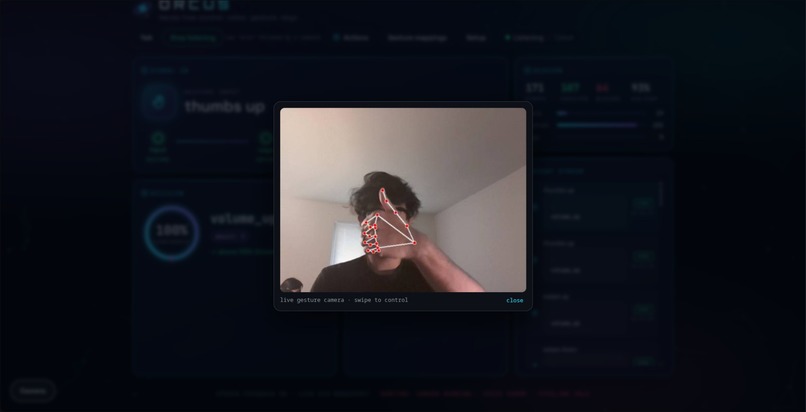
- Gestures: MediaPipe Hands tracks 21 hand landmarks from the webcam, which we map to named gestures.
- Voice: a click-to-talk button records the mic, and ElevenLabs Scribe transcribes it.
- Keyboard: media keys map straight to actions.
Every input is normalized into one event format, so the rest of the system never needs to know where a command came from.
2. Laya: our fine-tuned decision model
Laya is the brain of Orcus. We fine-tuned a classification head on a ModernBERT-large encoder using 244 labelled commands across a fixed vocabulary of 15 actions. Training took 7,313 updates in under 2 hours on a MacBook, with no cloud GPU.
Laya never generates text or code. It can only choose from the 15 allowed actions and output a structured intent:
{
  "action": "switch_workspace",
  "parameters": { "workspace": 3 },
  "confidence": 0.98
}
To make its confidence scores trustworthy, we calibrated them with temperature scaling. Instead of taking a plain softmax over the model's logits $z_i$, we divide by a learned temperature $T$:
$$ p_i = \frac{e^{z_i / T}}{\sum_{j} e^{z_j / T}} $$
A well-calibrated $p_i$ means "92% confident" really does mean something, which matters when that number decides whether your computer acts.
3. Policy: the safety layer
No model output is ever executed directly. Every intent must pass four checks before it runs. An action $a$ with confidence $c$ executes only if:
$$ a \in \mathcal{A} \;\;\land\;\; \text{params}(a) \text{ valid} \;\;\land\;\; c \ge \tau \;\;\land\;\; \big(\neg\,\text{destructive}(a) \lor \text{confirmed}\big) $$
where $\mathcal{A}$ is the 15-action allowlist and $\tau$ is the confidence threshold. Parameters are validated with strict Pydantic models (e.g. workspace must be 1–99), destructive actions like lock_screen require confirmation, and there is deliberately no "run shell command" action. Every decision, allowed or denied, is written to an audit log.
4. OS adapters
The Linux adapter controls Hyprland (workspaces and windows via hyprctl), PipeWire (volume via wpctl) and media players (via playerctl). Adding macOS means writing one new adapter. Nothing upstream changes.
5. The dashboard
A FastAPI backend streams every pipeline step to the browser over WebSockets. The front end is hand-built HTML, CSS and JavaScript: a midnight starfield, glass panels, a pipeline that lights up stage by stage, a confidence ring marking the threshold, a live event stream, and an Actions panel that reads the real action registry, so the UI can never drift from what the safety layer actually allows. It also respects reduce motion settings and speaks confirmations aloud.
🧗 Challenges we ran into
- Tuning the confidence threshold. Set it too high and natural, conversational phrasings got blocked. Too low and borderline guesses slipped through. We found Laya's ability to abstain on unrelated speech was the real garbage filter, which let us tune the threshold for usability without giving up safety.
- Voice recording on localhost. Our first hold-to-talk button recorded almost nothing, because the start request finished in milliseconds. We switched to a click-to-start / click-to-stop toggle, and added a check that rejects clips too short for Scribe to transcribe.
- Cold starts. Loading the model made the first voice command take around 12 seconds. We now warm the model and the speech client in the background the moment the server starts.
- Hardware limits. One of our development laptops hard-crashed under sustained training load, so we made the fine-tuning script portable across Apple Silicon (MPS), NVIDIA (CUDA) and CPU, and trained on a MacBook instead.
- Moving a 1.6 GB model on campus Wi-Fi. Campus networks block direct laptop-to-laptop transfers, and the checkpoint was far too big for GitHub. We moved it through a private Hugging Face repository instead.
🏆 Accomplishments that we're proud of
- A fine-tuned model that makes real decisions, trained on a laptop in under two hours
- A safety-first design: the AI chooses, the policy layer decides, and nothing arbitrary ever reaches the OS
- Three input types unified into one pipeline, with a clean path to macOS
- A dashboard that makes an invisible decision process visible and explainable in real time
📚 What we learned
- Constraining an AI is a feature. Letting Laya choose from a fixed list, instead of generating freely, made Orcus both safer and more reliable.
- Confidence is only useful if it's calibrated. Temperature scaling turned raw scores into numbers we could actually set policy on.
- Architecture pays off under pressure. Keeping everything platform-independent except the final adapter meant each of us could build in parallel without breaking the other's work.
- Accessibility is a design constraint, not an add-on. Spoken feedback, reduced motion and large, readable status indicators shaped the UI from the start.
🚀 What's next for Orcus
- A pilot at UMBC with students and staff who rely on accessibility support, measuring task speed, action accuracy (straight from the audit log), ease of use and weekly retention
- Spoken replies alongside spoken commands
- Compound commands like "open Firefox and mute"
- Per-user memory of custom gestures and routines
- Live usage analytics and a hosted demo
- A native macOS adapter
Computers should respond to everyone, not just people with two free hands.
Built With
- css3
- elevenlabs
- fastapi
- html5
- hugging-face
- hyprland
- javascript
- laya
- linux
- mediapipe
- modernbert
- pipewire
- python
- pytorch
- websockets

Log in or sign up for Devpost to join the conversation.