🌌 Inspiration
As software development evolves, we are spending less time writing code manually and more time orchestrating autonomous AI coding agents (like Cursor, Claude Engineer, or Antigravity). However, current developer workflows force us to watch these agents execute through dense, dry, wall-of-text terminal logs.
It is visually exhausting to track agent states, there is no ambient feedback to know if an agent has finished or gotten stuck, and it is incredibly boring to showcase in demo videos or presentations. We wanted to build a "NASA Control Room" experience for AI-native developers—a telemetry system that lets you see and hear your AI agents work in real-time.
🚦 What it does
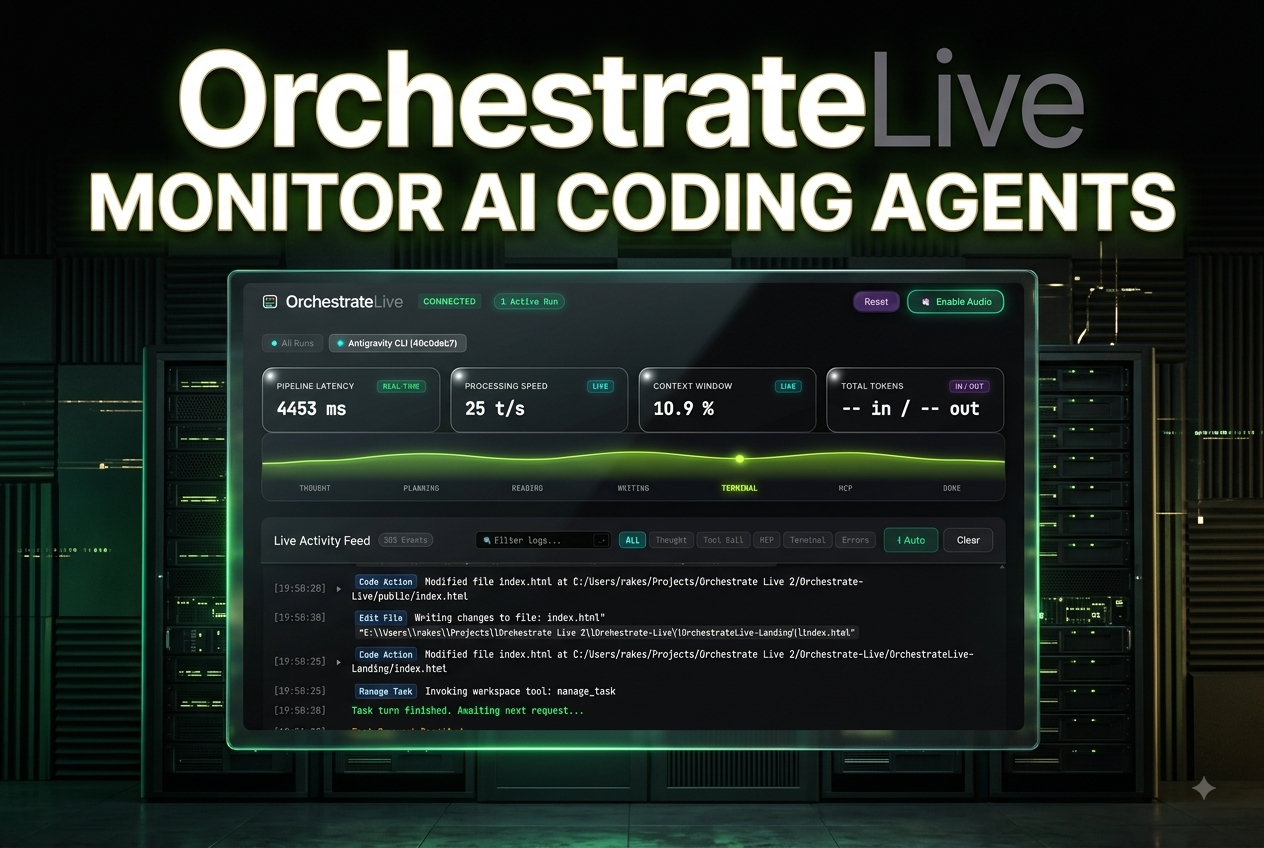
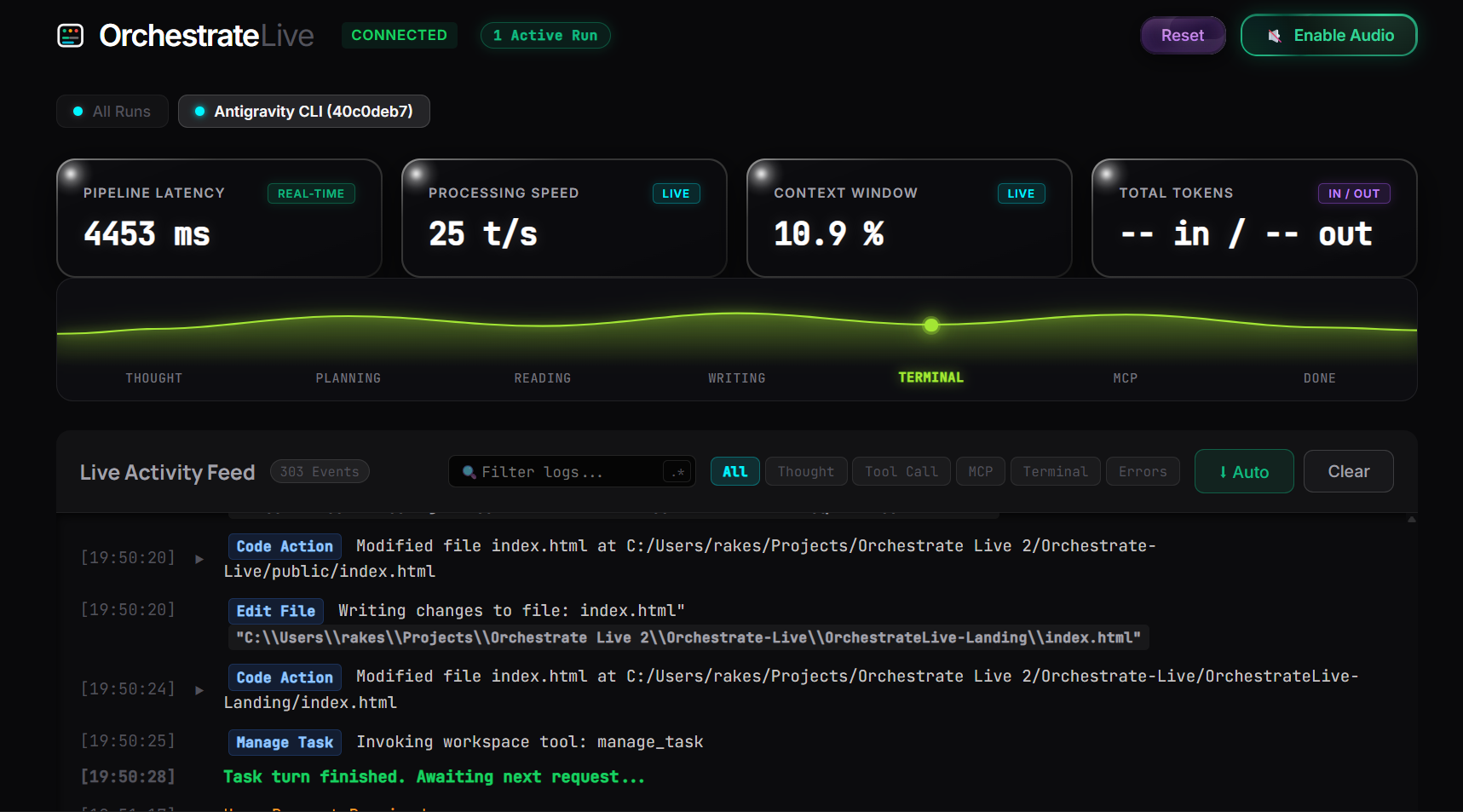
OrchestrateLive is a real-time visual control room and telemetry dashboard that transforms raw AI agent terminal logs into an interactive visual display with synthesized audio feedback.
- Live Pipeline Map: Watch a glowing flowchart dynamically update as your AI agent cycles through Thought ➜ Planning ➜ Reading ➜ Writing ➜ Terminal ➜ Done.
- Sci-Fi Audio Telemetry: Uses the browser's Web Audio API to programmatically synthesize distinct audio cues (e.g., a soft ping for thinking, clicks for file writes, and chimes for completions) so you can monitor your AI ambiently without looking at the screen.
- Multi-Agent Grid: Monitors multiple AI agents working in parallel and dynamically switches tabs to highlight whichever agent is currently active.
- Live Telemetry Bar: Displays real-time metrics, including input/output token counts, processing speed (tokens/sec), and stream latency.
- 100% Local & Private: Runs entirely on
localhostvia WebSockets. Your proprietary source code, prompts, and file paths never leave your local machine.
🛠️ How we built it
We designed OrchestrateLive to be extremely lightweight, fast, and dependency-free:
- Frontend: Built using Vanilla HTML5, CSS3 (featuring sleek glassmorphism themes and glowing animations), and Javascript.
- Audio Engine: Developed a synthesizer directly using the native Web Audio API to generate sci-fi sound waves programmatically without loading heavy audio assets.
- Backend: Built a Node.js & Express server equipped with WebSockets (
ws) to stream telemetry and workspace updates with sub-millisecond latency. - Session Detection: Created a local workspace watcher that automatically discovers active CLI agent sessions and routes their telemetry.
⚠️ Challenges we ran into
- Real-time Synchronization: Keeping multiple parallel agent streams in sync without UI lag. We solved this by implementing an event-driven WebSocket message broker that serializes agent actions before broadcasting them to the frontend.
- Audio Overlap: Synthesized audio can quickly sound noisy if multiple tools execute simultaneously. We had to implement a throttling and queuing mechanism in our
audio-engine.jsso audio cues harmonize rather than clash. - Visualizing Async Tasks: AI agents often think and read files concurrently. We spent hours polishing CSS transition states and glow animations to make sure overlapping actions looked fluid rather than jittery.
🏆 Accomplishments that we're proud of
- Programmatic Sound Design: Building a working synthesizer using just code and Web Audio oscillators to create that premium, immersive sci-fi sound feel.
- Automatic Tab Switching: Building the dynamic UI controller (
app.js) that smartly switches views to focus on the active agent when a single run is happening, and switches back to a grid view when multiple agents are active. - Zero Cloud Footprint: Making sure the entire pipeline runs locally, maintaining absolute privacy for developers.
📚 What we learned
- Designing for Accessibility: Sound is not just an aesthetic; it is an incredible tool for accessibility. We learned how sound cues can reduce the visual fatigue of monitoring background processes.
- The Power of Vanilla JS: We proved that you don't need heavy frameworks like React to build a high-performance, real-time dashboard. Keeping it native allowed us to achieve instantaneous UI responsiveness.
🔮 What's next for OrchestrateLive
- IDE Integrations: Packaging OrchestrateLive as an official VS Code / Cursor extension so developers can open the dashboard inside their editors.
- Human-in-the-Loop Interactivity: Adding visual buttons to pause, approve, or inject prompts directly from the dashboard back to the running CLI agents.
- Historical Run Analytics: Creating a local database to review past runs, token costs, and agent speed graphs over time.


Log in or sign up for Devpost to join the conversation.