-
-
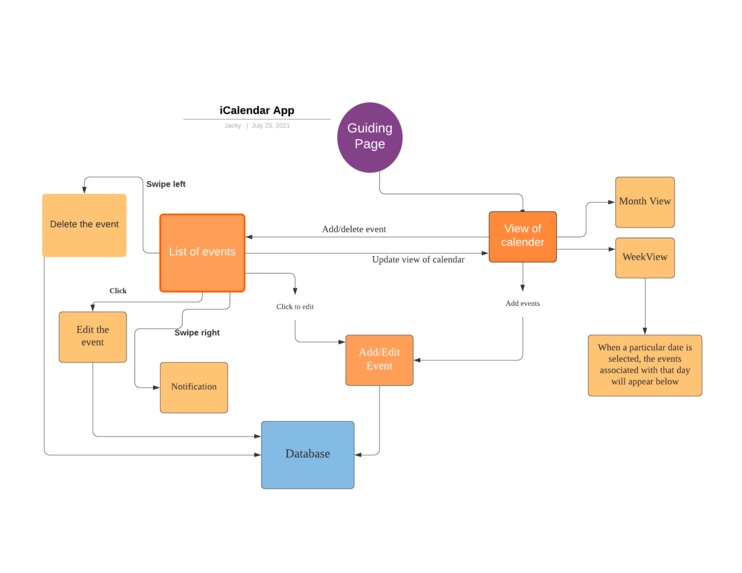
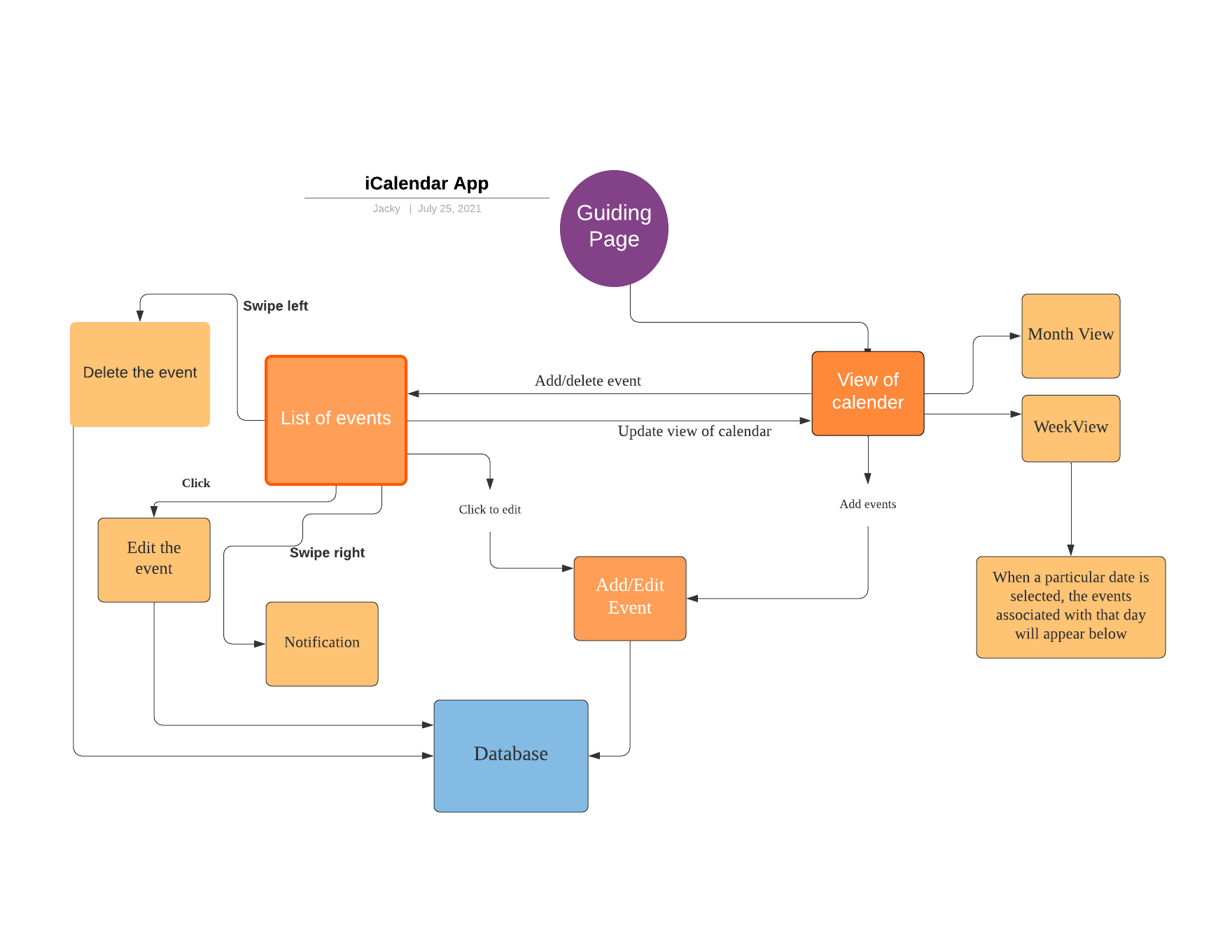
Flow Chart Outline of the application
-
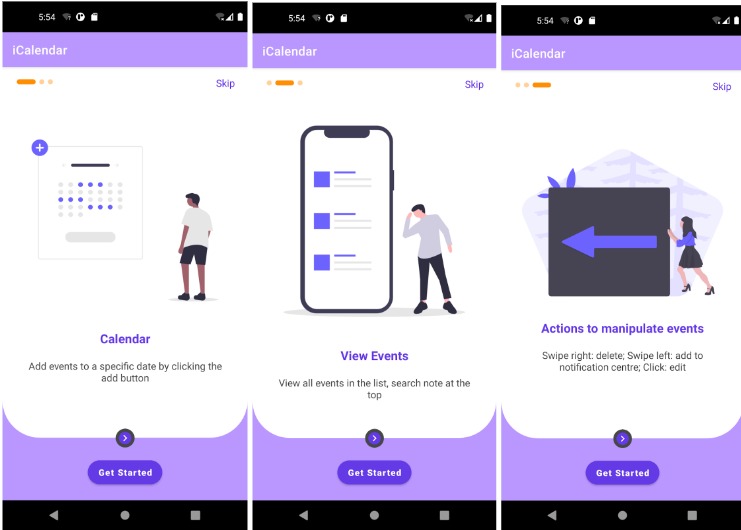
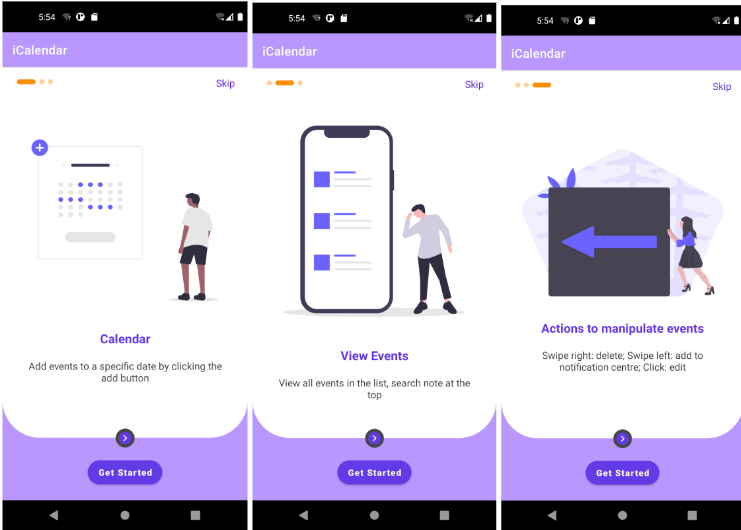
Onboarding page
-
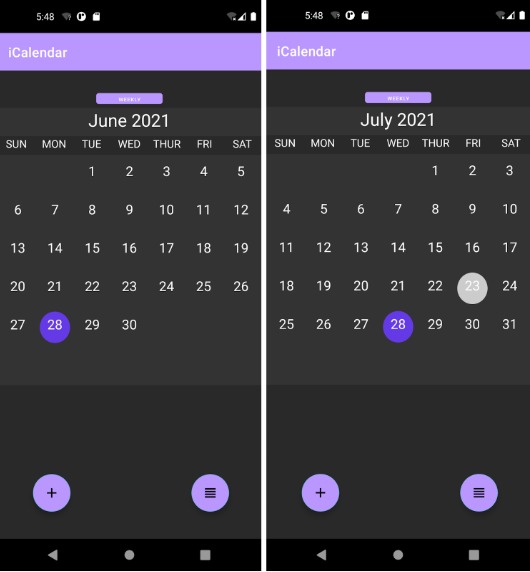
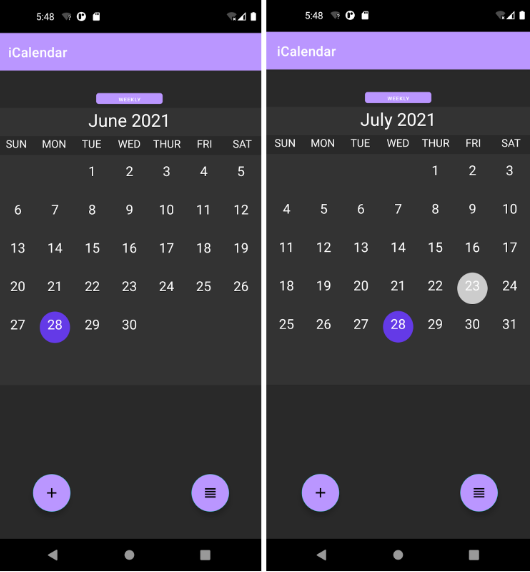
Month View
-
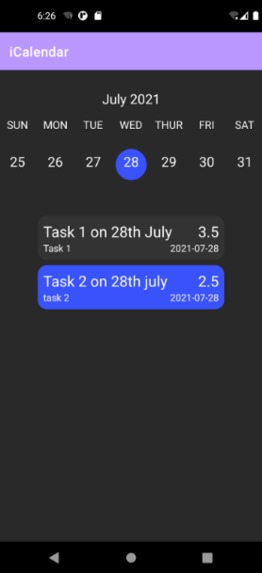
Week View
-
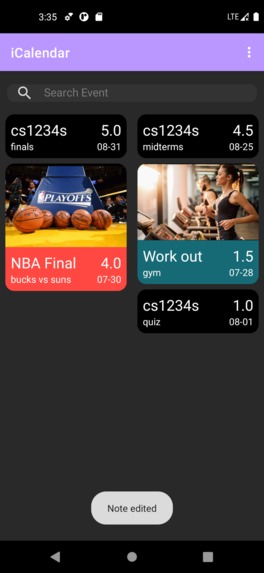
Text and image notes with color tags
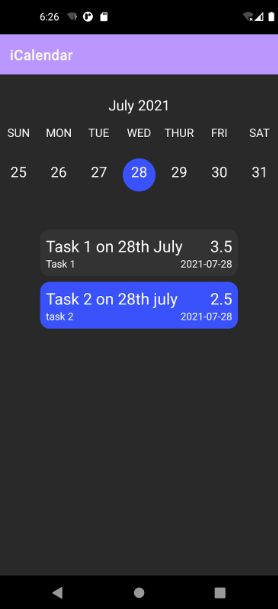
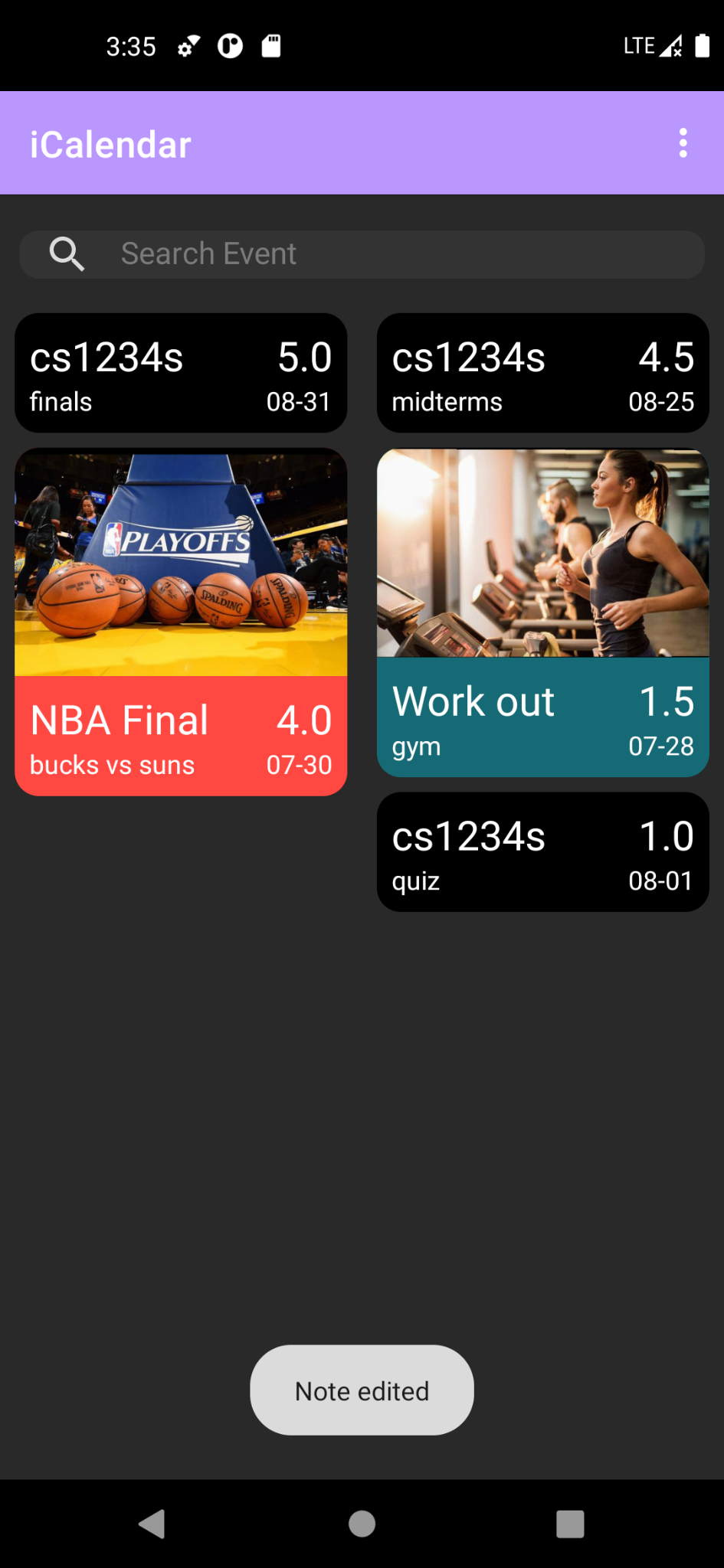
Some people use a calendar or the reminder app as a guide to organise their life. Sometimes, they put too many events on the calendar that it becomes overwhelming to look at. Too many events make them lose track of what is really important. That’s why our team proposed the priority feature. With this feature, people can add priority to the respective events. When viewing the events, they are arranged in decreasing priority. If users want to look for a particular event, they can make use of the search function to quickly locate the event of interest.
Moreover, in the situation that users hope to know all the events on a particular day, they can use the weekly view interface. In the weekly view interface, when a particular date is being selected, the events that are associated with that date will appear under the weekly view.
For users who prefer to divide events into different categories, they can choose to use different color tags to indicate the group an event belongs to. This is to give users a hint on the type of event if they do not want to check the details of events at the weekly view user interface.
To differentiate our application from the common calendar applications with adding event features, We hope to use gestures to improve user experience: By swiping a note to the left, users can add a note into the notification centre for easy reference; By swiping a note to the right, users can delete the note; By clicking a note, users can edit its content. In addition, our application allows users to attach an image in a note, so that they can choose to use a picture to describe a new event. This feature provides more freedom to the user to decide whether they want a textual or visual description when they create a new note.
Tech stack:
- Android studio using Java
- SQLite database
- XML
- Junit
- Espresso

Log in or sign up for Devpost to join the conversation.